Category: Other

ARM Radio Code Ported to Free Toolchain

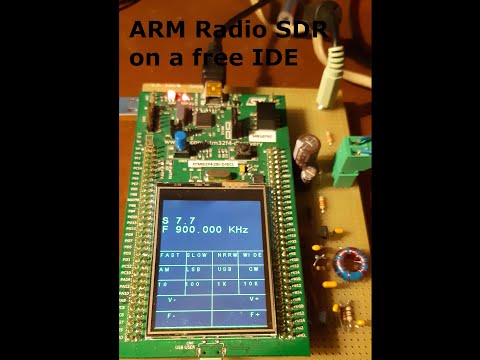
Several years ago in 2015 we posted about the "ARM Radio" by Alberto I2PHD which is a minimalist SDR implementation based on the ARM processor on the STM32F429 discovery board. It was implemented with nothing more than a basic low pass front end, a reconstruction filter for the audio output and some DSP code. With it's low cost ADC it's only able to tune from 8 kHz to 900 kHz, but this is enough to get broadcast AM signals and NDBs. While it may not have the best specs, it's an excellent learning project for SDR DSP and microcontroller programming, and the code is completely open source, although a non-free toolchain is required.

Recently Alberto Garlassi wrote in and wanted to share a re-implementation of the code on a free toolchain. He writes:

Unfortunately the author used the Keil MDK toolchain, this means that it is not possible to change the code without paying for a license. The free version is limited to 32K and this is not enough.

I ported it to the free (don't know how much, certainly GCC + Eclipse) System Workbench, now it is easy for everybody to start where I2PHD left.

I did this several years ago and in the meantime ST and ARM changed many things in their tools and libraries, but it still works ok, I checked.

The complete project is on Github, it should be a matter of downloading the IDE, the libraries and press the debug icon. I'm in touch with Alberto Di Bene I2PHD, he has no objections and told me he's happy about this.

TechMinds: Hands on with the Elektor SDR Arduino Shield Learning Kit

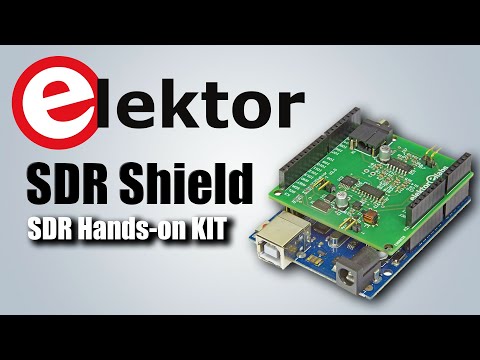
The Elektor SDR Hands-On-Kit is a low cost (€49.46) SDR learning package that makes use of the Elektor SDR Arduino shield which turns an Arduino microcontroller board into a 150 kHz to 30 MHz capable SDR receiver. It also comes with a book that teaches several basic SDR concepts.

Over on YouTube TechMinds has recently uploaded a video where he unboxes, constructs, and tests the kit using the free G8JCFSDR SDR software. TechMinds also notes that this SDR Shield can also transmit with 10mW of power, and that there is a tutorial included in the book that shows how to use the shield as a simple WSPR transmitter.

Elektor SDRShield - Hands-on Software Defined Radio Kit

Building a 1-Bit Oversampling SDR with not much more than a low cost FPGA

Thank you to Alberto Garlassi for submitting information about his super low parts home made FPGA software defined radio which is capable of medium wave and shortwave AM reception. What makes this design interesting is that is is created with nothing more than 3 resistors, 1 capacitor, and a low cost 30€ Lattice MachXO2 FPGA dev board.

The design makes use of the FPGA's LVDS buffer input to implement a direct sampling 1-bit ADC to which a wire antenna is directly connected to. This 1-bit resolution is increased by using an SDR trick that involves superimposing random RF noise onto the desired signal, and oversampling at 80 MHz then decimating down to a 6 kHz bandwidth. This results in an effective ADC resolution of 6-bits, from 1-bit hardware.

Synthesized on the FPGA is the ADC, Mixer, two CIC filters, an AM demodulator and a PWM circuit for audio output. The synthesis allows for medium wave and shortwave AM reception where the frequency can be tuned via PC control.

The FPGA Verilog synthesis files are available on the projects' GitHub page, and a more in depth explanation of the SDRs operation is available on its hackaday.io page. Alberto has also created a short demonstration video which is shown below.

FPGA + 3 R + 1 C = Medium and Long Wave SDR Receiver.

OpenAstroTracker: 3D Printed DSLR Tracking Mount may be useful for Antennas Too

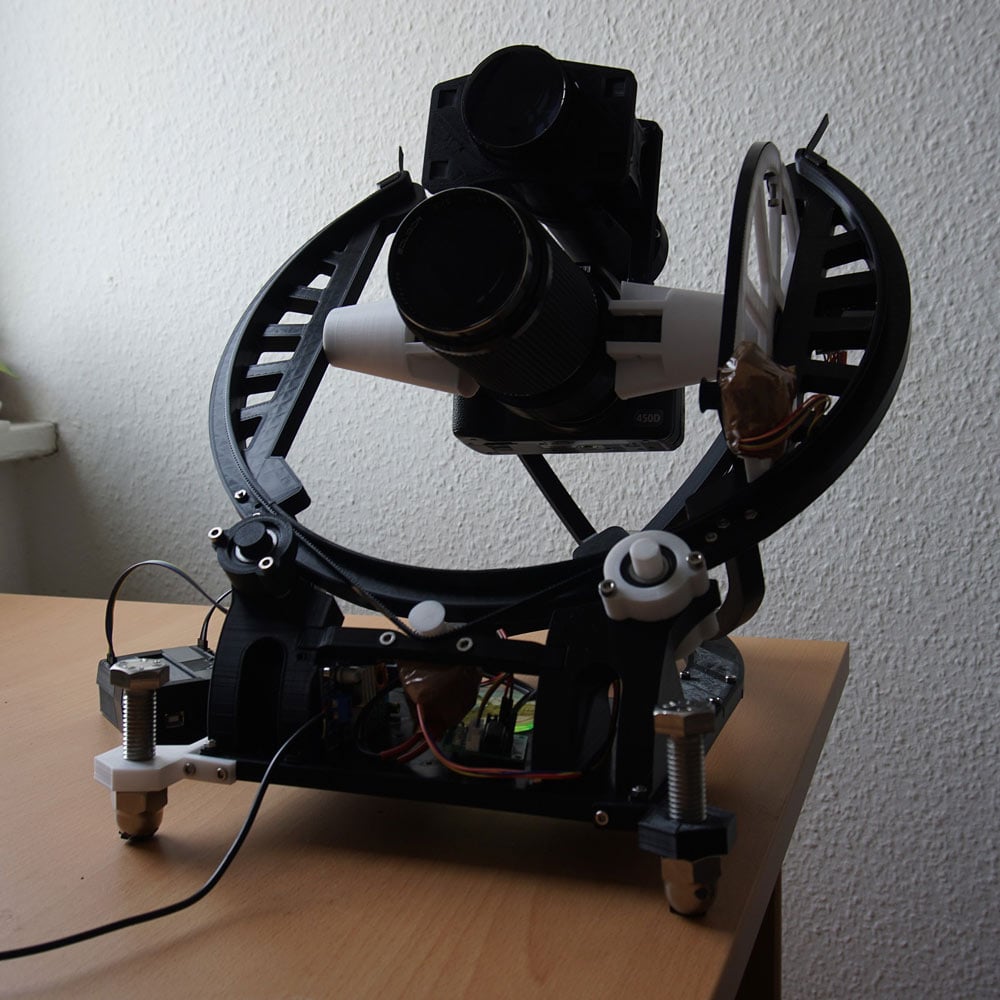
OpenAstroTracker is a recently published open hardware 3D printed tracking mount designed to move DSLR cameras for astrophotography. The mount supports heavy long lenses, so we think that this mount could also have the ability to move long directional antennas for satellite tracking. It could also be interesting to modify it for automatic aircraft photography, similar to what we've seen in this previous post where a Raspberry Pi camera on a pan-tilt mount was used with ADS-B data from an RTL-SDR to track aircraft in the sky with the camera.

The 3D printer files are available on Thingiverse, and the mechanical and electronics build guide, and Arduino code is available on GitHub. The build seems to be quite a bit easier compared to a SatNOGS rotator which is another 3D printed open hardware rotator, but it is yet to be seen what sort of antenna sizes it could rotate.

OpenAstroTracker: Could be modified for satellite tracking.

Michael Ossmann & Kate Temkin Present Software Defined Everything with GreatFET One

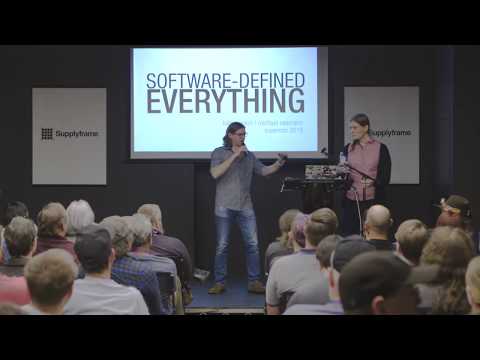
At the Hackaday Supercon Michael Ossmann & Kate Temkin presented a talk called "Software-Defined Everything" where they demonstrated some applications of the "GreatFET One" interface board. Michael Ossmann is best known for creating the HackRF software defined radio which is a highly versatile and low cost open hardware/software SDR transceiver. His company Great Scott Gadgets also employs Kate Temkin who is the lead software developer who worked on their latest product called the GreatFET One.

The GreatFET One is a multi-purpose digital interface board that plugs into a PC via USB. It contains multiple digital IO pins, supports SPI, I2C, UART and JTAG serial protocols, can do logic analysis, and also has a built in ADC and DAC.

In the talk Michael and Kate show how a simple light sensor can be plugged into the GreatFET's ADC, allowing the sensor's data to be digitized and processed in GNU Radio. This results in a software defined light sensor. By analyzing the light data in the frequency domain via an FFT graph they're able to determine the refresh rate of the ceiling lights.

Later they also show how GreatFET can be combined with i2C sensors and GNU Radio to do creative things like use an accelerometer as a microphone for a guitar pickup, with audio effects like guitar clipping controlled by GNU Radio blocks.

Michael Ossmann & Kate Temkin - Software-Defined Everything

Gaining Access to Windows on the Flex 6500 SDR Transceiver and Installing Other Programs

The Flex 6500 is a now discontinued (only refurb units available for US$2,600) transceiver SDR made for amateur radio use. Together with the optional Maestro control panel, it forms a fully standalone SDR based transceiver, with built in SDR software available on the Maestro's LCD screen. The system runs embedded Windows and is locked down to prevent the user from getting outside the Flex radio software.

However, a Norwegian University radio club found the Flex radio to be very inflexible as they could not connect the radio to their Universities WiFi system, which requires users to authenticate first via a web browser. What should be a simple task on any Windows system was unfortunately not supported by the radio software, and Flex radio themselves were unable to help.

Fortunately the students were able to hack the Windows filesystem via a backdoor found in the built in software, allowing them full access to the Windows desktop. The hack is fairly simple, consisting of gaining access to Notepad and thus the filesystem and command prompt via a "view source" right click menu on the web login interface. Once hacked, the students were able to install custom software like the N1MM+ contest logger, and WSJT-X for WSPR decoding. They were also able to connect a Bluetooth keyboard and mouse which was not supported by default.

[Also seen on Hackaday]

FlexRadio 6500 hacked to gain access to Windows.

Using Windows Subsystem For Linux (WSL) to Run Linux SDR Programs on Windows 10

Thank you to Happysat who has shared with us a useful tutorial that explains how we can run Linux only SDR programs on a Windows 10 system using the Windows Subsystem For Linux (WSL) feature. WSL is a feature available on Windows 10 which is a Linux compatibility layer designed for running Linux binaries natively on Windows 10. This means that no Virtual Machine with shared resources is required, instead the full resources of your system are available. 

Happysat writes:

Many people using Windows 10 now since Windows 7 is EOL, and WSL is part of the system kinda "free" so why not use it :)

Together with a X-Server and and Desktop like XFCE4, it can be great for running SDR applications in Linux thru rtl_tcp.

Very fast startup in seconds and not much packet loss thru tcp, quite alot linux sdr applications are working very good.

No allocating resources like a VM.

Sometimes better then Ubuntu on a VM.

Software tested: AX-25 Packet Radio, Dab Radio, DSD, Es-Hail Beacon Tracker, Sat Tracking with Gpredict and Gqrx, NOAA Reception WxToImg, Radiosonde Decoding, Shortwave Reception and some more tips and tricks about WSl and SDR.

The steps appear to be fairly simple. Just enable WSL in the Windows 10 Features panel, download a Linux distro built for WSL and run the .exe file. Then you'll have access to a Linux terminal where you can install a GUI desktop environment, the RTL-SDR drivers, and other Linux SDR programs. Happysats tutorial shows how to install and use various Linux programs via WSL.

It seems that the RTL-SDR cannot be directly accessed via the USB in WSL, however, by the workaround is to simply run rtl_tcp in your Windows environment, and connect to the local IP in the Linux environment. This means that only programs that accept rtl_tcp as an input, or demodulated audio from a program like GQRX can be used.

GQRX Running on Windows 10 via WSL

An Overview of the Elektor SDR Hands-on Arduino Shield Kit

Over on YouTube, Elektor have uploaded an overview of their Elektor SDR Hands-on kit. The €49.46 kit is an Arduino shield, that turns an Arduino microcontroller board into a 150 kHz to 30 MHz capable SDR receiver. It is based on the G8JCFSDR, which is an RF front end downconverter that allows a PC soundcard to be used as an SDR analog to digital converter.

To compliment the SDR is a book that goes over introductory topics such as shortwave reception, explains signal to noise ratio and interference, different types of antennas, software, digital modes, SDR measurements, receiving and finally WSPR and QRP transmissions. Overall this looks like a good kit for learning about the technical basics of SDRs.

An Overview of the Elektor SDR Hands-on Kit