Category: Other

RTL-SDR Module for the VCV Rack Modular Synthesizer

VCV Rack is an open source virtual modular synthesizer, which is software that can be used to create synth music or sounds. The interface is modeled after physical synthesizers called Euroracks. Recently, Jon Williams has ported rtl_fm to the VCV Rack plugin system which allows him to include live FM music in the synthesizer output. This can be used to create some interesting sounds which he demonstrates on the video that is shown below. The frequency tuning is 'voltage controlled', which simply means that it can be adjusted with a knob in the software.

The code is available on GitHub and is fully open source.

Outernet 3.0 Coming Soon: Free 30kbps – 100kbps satellite data downlink for news, weather, audio etc

The new Outernet Dreamcatcher v3.01

Over the past few years we've posted quite a bit about Outernet who offered a free downlink of satellite data such as news, Wikipedia articles and weather updates that was able to be received with a small L-band patch antenna, LNA and an RTL-SDR dongle.

Recently we've seen news on their forums that Outernet is planning on discontinuing their L-band service, and instead opening up a new much more efficient Ku-band service. Unfortunately that means that RTL-SDRs and the previous Outernet L-band hardware will no longer be useful for the downlink, but the new service appears to offer several significant advantages.

Firstly the downlink data rate is much higher at 30kbps, with the plan to eventually go up to 100kpbs. That's 300MB - 1 GB a day which is a lot more compared to the previous L-band implementation that gave less than 20MB a day.

Secondly the hardware seems to be simplified as well. All that is needed is their new Dreamcatcher V3 receiver board and a small Ku-band LNB (11.7-12.75 GHz). They claim that no dish is required as the LNB pointed at the satellite by itself will work just fine. The first iteration of Outernet also used Ku-band satellites, but required a large dish antenna to receive it which was a major hurdle to user adoption. They now appear to have discovered a new way to broadcast in the Ku-band without the need for a dish.

Thirdly, moving to Ku-band means significant cost savings for Outernet allowing them to survive and continue with their free data service. From what we understand the L-Band satellite downlink service is extremely costly to run, whereas a Ku-band service is much cheaper. There are also cost savings for the user as Ku-band LNBs are very common hardware that can be found cheaply for $10 - $20 US.

About the new services that they can offer and the cost savings that they can achieve Syed the CEO of Outernet writes:

The fatter pipe [300MB - 1GB] makes a lot of things possible, one of which is a true radio broadcast. How about a national radio broadcast that isn't SiriusXM? Our new receiver will include a speaker; audio through the speaker while files download in the background. But more data is not the most important thing that comes out of all this. The real win is that leasing standard, commodity Ku bandwidth is far, far more cost effective than the few kilohertz we have on L-band. Long-term sustainability of a free broadcast is no longer the financial burden that it once was--especially considering how much more interesting the service becomes.

There is no concrete hardware release date just yet, but on the forums Syed estimates mid-Jan. You can sign up to the Outernet mailing list on their buy-now page to be emailed when the new hardware is released. In the forums Syed also writes that the target price for the hardware is $99 US, with the intention to provide lower cost options in the future. Of course it might still be possible to DIY your own unit just like it was with the previous Outernet iterations.

We're really looking forward to this and think that this is what will finally make Outernet a very popular and useful service!

The Outernet 3.0 prototype setup

RFSim99 for Modern Windows Versions: Free RF Simulation Tool

RFSim99 is an old but still very useful piece of free software for designing and simulating RF circuits such as filters, attenuators, matching circuits, RF components with S-parameters and so on. It is not a high end tool, but is more than good enough for hobbyist and ham level designs.

One issue up until recently with RFSim99 was that it was so old that it would only run on Windows XP computers. To run on a modern PC you needed to use a virtual machine, or the Windows built in XP emulation, which was only available on Professional/Ultimate Windows versions and has since been discontinued in Windows 10.

However, we have just found AD5GG's blog where earlier in the year he posted a standalone version that actually works in modern Windows versions (7, 8, 10) without the need for any virtual machines.

RFSim99 is fairly simple to learn. Just place down two measurement ports (in/out) and lay down your RF components on the grid. Then connect them up with a wire and place grounds. Click on the simulate button to see a graph of the response and return loss. There are even built in calculators in the Tools menu which can automatically design and simulate filters for you.

Designing a simple filter in RFSim99

Leif Compares various SDRs including the RSP1, Airspy with SpyVerter, Airspy HF+, FDM-S1, IC706, Perseus

Over on YouTube Leif 'sm5bsz' has uploaded a video that does a lab comparison of various SDRs on the market now including the new Airspy HF+. Leif is known for providing excellent lab based technical reviews of various SDR products on his YouTube channel.

The first video compares the Airspy HF+ with the Perseus SDR. The Airspy HF+ is a new high performance yet low cost ($199 USD) HF/VHF specialty SDR. The Perseus is an older high performance direct sampling HF only SDR, although it comes at the high price of about $1000 USD.

In his tests Leif tests both units at 14 MHz and finds that the HF+ has about 15 dB better sensitivity compared to the Perseus (NF = 7dB vs 22dB). On the other hand the Perseus has about 23 dB better dynamic range compared to the HF+ (Dynamic Range = 127 dBc/Hz vs 150 dBc/Hz), although he notes that a blocking transmitter needs to have a very clean signal to be able to notice this difference which would be unlikely from Amateur transmitters. 

In the next two videos Leif compares multiple SDRs including the SDRplay RSP1, FUNcube Pro+, Airspy with Spyverter, Airspy HF+, Afedri SDR-Net, ELAD FDM-S1, ICOM IC-706MKIIG and Microtelecom Perseus at 7 MHz.

In the RX4 video Leif compares each SDR on dynamic range at 7 MHz. If you want to skip the testing parts, then the discussion of the results in the RX4 tests start at 1:03:00. A screenshot of the results is also shown below. The SDRs are ranked based on their average results over multiple measurements at different times which is shown in the last column. A lower value is better, and the value represents how much attenuation needed to be added to prevent the SDR from overloading and causing interference in his setup.

Dynamic Range Test Rankings

In the RX5 video the results start at 54:20:00. In this video he compares the SDRs with real signals coming in from his antenna at 7 MHz. He tests with the antenna signal wide open, with a 4.5 MHz LPF (to test out of band blocking performance), and with a bandpass filter at 7 MHz. Again lower values are better and the values indicate the amount of attenuation required to prevent overload. The Perseus is used as the reference benchmark. He also tests reciprocal mixing later in the video.

RX5 Results
RX5 Results

Spectral Fusion with Sparrow-WiFi: SDR meets WiFi, Bluetooth, and drones in one new tool

Thanks to Mike (ghostop14) for submitting another interesting article this time about his work with spectral fusion on the WiFi and Bluetooth bands. In the article Mike describes his new Sparrow-WiFi tool, which is a tool that allows you to visualize the WiFi and Bluetooth signal spaces all in one spectral display. The hardware consists of a WiFi and Bluetooth dongle as well as optionally an SDR like the HackRF. The software displays all data simultaneously on the same display, so you can easily tell if there is some channel clashes occurring, or if there is some other source of interference. In Addition Sparrow-WiFi also works remotely and even with a Raspberry Pi mounted on a drone.

From the article he writes:

Thinking about the 2.4 and 5 GHz bands, my biggest issues with traditional wifi tools were always that apps such as inSSIDer which are great on the Windows side didn’t have a nice polished Linux GUI equivalent so I’d have to run a Windows system or virtual machine to visualize the signal space. On the flip side, some of the great Linux-only capabilities didn’t have a nice polished integrated UI and I’d have a lot of textual data, some of which the Windows tools didn’t provide, but it was harder to visualize. Then there’s the fact that wifi tools can’t “see” Bluetooth (and vice versa), and SDR historically didn’t have enough instantaneous bandwidth to show the whole 2.4 GHz or 5 GHz spectrum at one time. And, did I mention the tools don’t integrate or talk to each other so I can’t get a “single pane of glass” perspective of all the different ways to look at the same RF space simultaneously? It would be great if I could get one single view of the most common protocols and see the actual spectrum all in one place at the same time.

Now enter the era of the Internet-of-Things, new SDR receivers, and even drones and my old wifi tools seem to have been left a bit behind. Why do I say that? I can’t “see” all of the chatter from wireless networks, Bluetooth, ZigBee, NEST devices, remotes, etc. scattered all over my wireless bands in one view. Sure, I can run 3 or 4 tools independently to find the signals and try to see what they are, but it becomes tough to get a single integrated perspective. Especially when I can’t see my RF spectrum overlaid on top of the wifi SSID’s and Bluetooth advertisements to sort out what may be related to a a signal I know about and what may be something else. Ultimately, it means that I can’t clearly explain why I have poor wifi connections in one area versus another even though I may not have overlapping channels (I know, use 5 GHz and sparrow-wifi supports that too). The reason for this is simple; current tools don’t have true spectral awareness based on the most common possibilities in one integrated solution.

Now, let’s ask even harder questions. What if I want to step up my wifi “wardriving” and start “warflying”? Or, what if I need a mobile platform that can be sent into an area on a rover? Can I bring the same spectral awareness in a small enough platform to fly for example as an under-350-gram payload complete with power, wifi, spectral scans, and even pull GPS for anything we see? And, can I interact with it remotely for real-time visibility or have it work autonomously? Okay, now you’re just asking a lot. These were all goals of a new tool I just released called “Sparrow-wifi” which is now available on GitHub (https://github.com/ghostop14/sparrow-wifi.git). Sparrow-wifi has been purpose-built from the ground up to be the next generation 2.4 GHz and 5 GHz spectral awareness and visualization tool. At its most basic, it provides a more comprehensive GUI-based replacement for tools like inSSIDer and linssid and runs specifically on Linux. In its most comprehensive use cases, Sparrow-wifi integrates wifi, software- defined radio (HackRF), advanced Bluetooth tools (traditional and Ubertooth), GPS via gpsd, and drone/rover operations using a lightweight remote agent and GPS using the Mavlink protocol in one solution.

Sparrow-Wifi Spectral Fusion. Wifi & Bluetooth dongle data + Live spectrum from a HackRF.

A full list of the possible scenarios that Sparrow-WiFi was designed for is pasted bleow.

  • Basic wifi SSID identification.
  • Wifi source hunt - Switch from normal to hunt mode to get multiple samples per second and use the telemetry windows to track a wifi source.
  • 2.4 GHz and 5 GHz spectrum view - Overlay spectrums from Ubertooth (2.4 GHz) or HackRF (2.4 GHz and 5 GHz) in real time on top of the wifi spectrum (invaluable in poor connectivity troubleshooting when overlapping wifi doesn't seem to be the cause).
  • Bluetooth identification - LE advertisement listening with standard Bluetooth, full promiscuous mode in LE and classic Bluetooth with Ubertooth.
  • Bluetooth source hunt - Track LE advertisement sources or iBeacons with the telemetry window.
  • iBeacon advertisement - Advertise your own iBeacons.
  • Remote operations - An agent is included that provides all of the GUI functionality via a remote agent the GUI can talk to.
  • Drone/Rover operations - The agent can be run on systems such as a Raspberry Pi and flown on a drone (it’s made several flights on a Solo 3DR), or attached to a rover in either GUI-controlled or autonomous scan/record modes. And yes, the spectrum output works over this connection as well.
  • The remote agent is HTTP JSON-based so it can be integrated with other applications
  • Import/Export - Ability to import and export to/from CSV and JSON for easy integration and revisualization. You can also just run 'iw dev <interface> scan' and save it to a file and import that as well.
  • Produce Google maps when GPS coordinates are available for both discovered SSID's / Bluetooth devices or to plot the wifi telemetry over time.
Sparrow WiFi running on a Raspberry Pi on a drone

A brief look at the FaradayRF

The FaradayRF is not a software defined radio, but it is a computer controlled digital TX/RX radio device. Basically it is a radio designed to communicate digital data over the 33 cm ham/ISM band. The 33 cm band is between 902 to 928 MHz in the ITU Region 2 area (Americas, Canada, Greenland and some pacific islands). It was designed for amateur radio operators out of the need for a device that allows for easy experimentation with digital radio. An amateur radio licence is required, but only at the technician level which is the easiest licence to obtain.

The product itself is a simple PCB which has on board a low power microcontroller (no OS), a GPS module, and an RF front end that can TX up to 400 mW. They write that with 400 mW a signal at 900 MHz can be transmitted up to 40 miles away. Also, by using low power micro-controllers and hardware radio (instead of SDR), they write that they were able to power the device from a single 9V battery for over 12 hours. The hardware and software is also all open source.

In some ways the FaradayRF is kind of similar to the Yardstick One/PandwaRF radios which were designed for reverse engineering or security research on digital signals. But the FaradayRF comes with SAW filtering to provide a clean output, an amplifier to boost the signal, and software aimed at providing digital comms making it more for amateur radio use.

Some applications might include point to point telemetry/comms, high altitude balloons, ocean buoys, digital voice, APRS, text messaging etc.

The FaradayRF starter set currently costs $300 USD and includes two units (one with GPS included and another without) or $330 USD with two GPS capable units.

Over on TwiT the creators were interviewed earlier on in the year and a video of that interview is available. Also check out their blog which shows some of the interesting things that they're doing with the FaradayRF.

The FaradayRF PCB
The FaradayRF PCB

There was also a 5 minute "lightning talk" about the FaradayRF presented at the DCC 2017 conference, which we show below. The talk about the FaradayRF starts at 9:57.

HRN 354: Lightning Talks from the 2017 DCC on Ham Radio Now


Defcon 25 SDR and Radio Related Talks

Defcon is a huge yearly conference based on the topics of information security and hacking. Some of the talks relate to wireless and SDR concepts. Recently videos from the last Defcon 25 conference held in July 2017 have been uploaded to YouTube. Below is a selection of some interesting SDR and radio related talks that we have found. If you're interested in exploring the rest of the talks then you can find them on their YouTube page. Most of the radio related talks are in the 'WiFi Village' category.

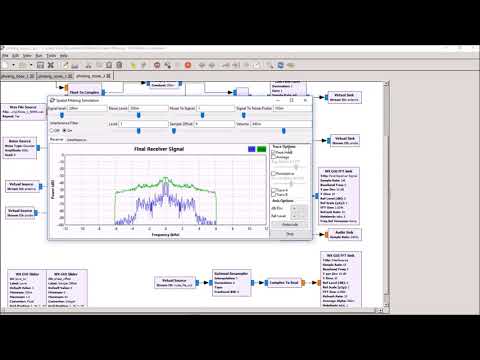
DEF CON 25 Wifi Village - Balint Seeber - Hacking Some More of the Wireless World

The hacking continues on from last year! Three interesting applications will be demonstrated, and their underlying theory and design explained. The audience will be exposed to some novel GNU Radio tips and DSP tricks. INMARSAT Aero will be revisited to show (in Google Earth) spatial information, such as waypoints and flight plans, that are transmitted from airline ground operations to airborne flights. A good chunk of the VHF band is used for airline communications; plane spotters enjoy listening to tower and cockpit communications.

Modern SDRs can now sample the entire band, and as AM modulation is used, it's possible to use a counterintuitive, but simple, demodulator chain (first shown by Kevin Reid's wideband 'un-selective AM' receiver) to listen to the most powerful transmission. This will be demonstrated with a GNU Radio-based implementation. It is also possible to 'spatialise' the audio for the listener using stereo separation, which can convey a transmission's relative position on the spectrum. FMCW RADAR experiments are enhanced to include Doppler processing.

Plotting this new velocity information, due to the Doppler effect, shows whether a target is heading toward or away from you, and often reveals targets not normally seen in range-only information - this demonstrates the true power of full RADAR signal processing. This technique will be applied to the live audio demo, a new live SDR demo, CODAR ocean current tracking, and passive RADAR exploiting powerful ATSC digital television signals (this was used to track aircraft on approach across the Bay Area).

DEF CON 25 Wifi Village - Balint Seeber - Hacking Some More of the Wireless World

DEF CON 25 - Matt Knight - Radio Exploitation 101

What do the Dallas tornado siren attack, hacked electric skateboards, and insecure smart door locks have in common? Vulnerable wireless protocols. Exploitation of wireless devices is growing increasingly common, thanks to the proliferation of radio frequency protocols driven by mobile and IoT. While non-Wi-Fi and non-Bluetooth RF protocols remain a mystery to many security practitioners, exploiting them is easier than one might think.

Join us as we walk through the fundamentals of radio exploitation. After introducing essential RF concepts and characteristics, we will develop a wireless threat taxonomy by analyzing and classifying different methods of attack. As we introduce each new attack, we will draw parallels to similar wired network exploits, and highlight attack primitives that are unique to RF. To illustrate these concepts, we will show each attack in practice with a series of live demos built on software-defined and hardware radios.

Attendees will come away from this session with an understanding of the mechanics of wireless network exploitation, and an awareness of how they can bridge their IP network exploitation skills to the wireless domain.

DEF CON 25 - Matt Knight - Radio Exploitation 101

Continue reading

xaVNA: Kickstarter for a $200 Open Hardware VNA

Thanks to Cary Wang for submitting news about his new Kickstarter for a $200 open hardware VNA called the xaVNA. The xaVNA is PC USB based, has a guaranteed frequency range of 140 MHz to 2.5 GHz (typical 137 MHz - 3.5 GHz), and is supposed to be a lower cost alternative to other low end PC based VNAs such as the PocketVNA and miniVNA Tiny. In addition to the lower cost, the xaVNA is advertised as being superior to its competitors as it has less trace noise and no warm up time is required, as well as the hardware and software being open source.

A VNA (Vector Network Analyzer) is a tool that can allow you to easily measure things like the SWR curve of an antenna, the characteristics of a filter, or the loss of a coax cable for example. So it is a very useful tool to have around if you are building home brew antennas or filters for your SDRs. Compared to a standard antenna analyzer, a VNA gives you complex impedance/phase information as well, making it possible to design better circuits and antennas.

Currently the closest competitors on the market are other PC based VNA's like the PocketVNA ($430) and the miniVNA Tiny ($580). The main advantage of the competitors so far is that they go down to the HF frequencies, but a stretch goal of the Kickstarter is to create an xaVNA that goes down to 10 MHz.

At the moment they only have a functional prototype with the second iteration soon to be ready. The delivery date of a completed unit is expected to be around April 2018. But as with any crowdfunded project remember to only back the project if you are willing to lose your money as there is no guarantee that a product will actually be delivered on time, or even delivered at all.

The xaVNA Prototype
The first xaVNA prototype