Thanks to Dave for submitting news of his recent release of his Python script called dopplerscript. This is a tool that can help people automate the reception and decoding of the Meteor M2 weather satellite in Linux with GNU Radio by providing a tool for automatic Doppler correction. He writes:
gr-gpredict-doppler is an out-of-tree gnuradio block for getting doppler updates from gpredict into a flowgraph. I’ve written a small python script (based on pyephem) that replaces gpredict for generating the doppler updates. This script allows one to automate scripting the reception of Meteor M2 satellite transmissions while compensating for the doppler shift.
dopplerscript is a command-line tool to input satellite doppler shifts into a gnuradio flowgraph. The doppler.py script replaces gpredict as the source for doppler frequency updates in gr-gpredict-doppler, making it easy to script satellite reception.
As low earth orbit satellites fly very quickly overhead, the signal will be affected by the doppler effect, thus shifting the frequency as it moves towards and away from you. Tools like this can be used to predict and compensate for this effect and thus providing better signal processing. Meteor M2 is a Russian weather satellite in low earth orbit which transmits digital LRPT weather satellite images that can be received with an RTL-SDR or other SDR.
An Example LRPT Image Received with an RTL-SDR from Meteor M2.
Bitcoin is the worlds first and most popular digital currency. It is steadily gaining in value and popularity and is already accepted in many online stores as a payment method. In order to use Bitcoin you first need to download a large database file called a ‘blockchain’, which is currently at about 152 GB in size (size data obtained here). The blockchain is essentially a public ledger of every single Bitcoin transaction that has ever been made. The Bitcoin software that you install initially downloads the entire blockchain and then constantly downloads updates to the blockchain, allowing you to see and receive new payments.
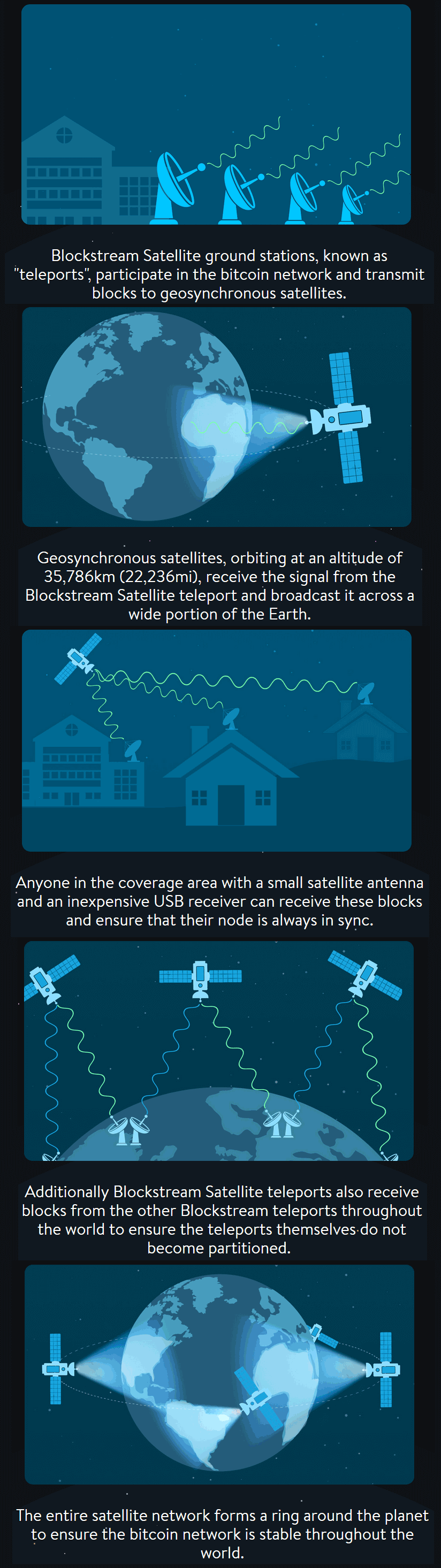
Blockstream is a digital currency technology innovator who have recently announced their “Blockstream satellite” service. The purpose of the satellite is to broadcast the Bitcoin blockchain to everyone in the world via satellite RF signals, so that even in areas without an internet connection the blockchain can be received. Also, one problem with Bitcoin is that in the course of a month the software can download over 8.7 GB of new blockchain data, and there is also the initial 152 GB download (although apparently at the moment only new blocks are transmitted). The satellite download service appears to be free, so people with heavily metered or slow connections (e.g. 3G mobile which is the most common internet connection in the third world/rural) can benefit from this service as well.
The service appears to be somewhat similar to the first iteration of the Outernet project in that data is broadcast down to earth from satellites and an R820T RTL-SDR is used to receive it. The blockstream satellite uses signals in the Ku band which is between 11.7 to 12.7 GHz. An LNB is required to bring those frequencies back down into a range receivable by the RTL-SDR, and a dish antenna is required as well. They recommend a dish size of at least 45 cm in diameter. The signal is broadcast from already existing satellites (like Outernet they are renting bandwidth on existing satellites) and already 2/3 of the earth is covered. The software is based on a GNU Radio program, and can be modified to support any SDR that is compatible with GNU Radio. They write that the whole setup should cost less that $100 USD to purchase and set up.
To set it up you just need to mount your satellite antenna and point it towards the satellite broadcasting the signal in your area, connect up your LNB and RTL-SDR and then run the software on your PC that has GNU Radio installed.
More details can be found on the Blockstream Satellite website, and technical details about the software and hardware required can be found on their GitHub page.
How the Blockchain satellite works (From blockstream.com/satellite/howitworks/)
Some may wonder what’s the point if you can’t transmit to the service to make payments with it. Over on this Bitcoin Reddit thread user “ideit” explains why it’s still useful in this nice quote.
You sell goats in a small village. A customer wants to buy a goat, but you have no banks so people have put their money into bitcoin. Your customer goes to the village center which has a few computers hooked up to the internet. He sends you payment then comes to get his goat. You don’t have internet near your goat farm, but you’re connected to the satellite so you can see he sent you payment and you give him his goat.
Or, you live in an area that caps your bandwidth. You want to run a full node, but downloading blocks eats away at your cap. Connecting to a satellite reduces your bandwidth usage.
Or, you’re using an air gapped laptop to sign transactions from your wallet for security reasons. You can now connect that laptop to the satellites so your laptop can generate its own transactions without connecting to the internet.
Or, your internet connection is terrible. You can usually broadcast transactions since they’re small, but downloading blocks and staying in sync with the blockchain is literally impossible. Connect to a satellite and now it’s simple.
Manuel a.k.a ‘Tysonpower’ has been using his RTL-SDR (and his Baofeng) to listen in on ARISS contacts from the International Space Station (ISS). ARISS stands for Amateur Radio on the ISS, and is a program often used by schools to allow students to contact and ask questions to astronauts on the ISS with a ham radio. It is possible for anyone to listen in on the downlink (astronaut speech) if the ISS is over your location while transmitting. The uplink however may not be able to be heard as the signal is directed upwards towards the station.
For his first try he used a Baofeng (cheap Chinese handheld) and a DIY Carbon Yagi. For the second contact he used his RTL-SDR V3, an FM Trap and an LNA4ALL on a V-Dipole antenna placed on the roof of his car. With this set up he was able to receive the downlink transmissions from 1.6 degrees to 1.3 degrees elevation.
Paolo Nespoli ARISS Kontakt mit VCP-Bundeszeltplatz - 1. August 2017
Paolo Nespoli ARISS Kontakt mit FOFM / Moon Day - 5. August 2017
Recently Luigi Freitas wrote in to us and wanted to share his fairly unique Outernet setup which is based on a Grid dish antenna, low cost SPF-5189 LNA, C.H.I.P mini single board computer generic RTL-SDR, and the open source LeanDVB decoder software.
Last month we made a post about LeanDVB, a lightweight DVB-S decoder, which with a few configuration changes can be used to also demodulate the Outernet signal. Luigi places his 2.4 GHz WiFi grid antenna (which still works for the 1.5 GHz Outernet signal) on a tripod and points it towards the Outernet satellite in his area. He connects the antenna up to a SPF-5189 based LNA, which is a 50 – 4000 MHz LNA that is very cheaply found on eBay for about $7 USD. Then a cheap generic no-TCXO $8 RTL-SDR is used together with the LeanDVB software.
In his post Luigi shows how to set up the LeanDVB software for decoding the Outernet signal by piping the output of rtl_sdr into it, and getting all the settings correct. To get the final files he then shows how to pipe the decoded packets in the Skylark decoder, and then the files can be accessed from the regular Outernet web GUI.
During July 20 – 24, 2017 the ISS (International Space Station) was transmitting SSTV (Slow Scan Television) images down to earth in celebration of the ARISS (Amateur Radio on the ISS) 20th Anniversary. The ISS transmits SSTV images on celebratory occasions several times a year. More information about upcoming ARISS events can be found on their website ariss.org.
Despite Laptop and PC troubles, he was able to capture several images. He also notes that he was able to use a Baofeng and Yagi antenna to receive the signal indoors.
Note that Tysonpower’s YouTube video is narrated in German, but there are English subtitles available if you turn on YouTube’s closed captions which should be on by default on this video.
[EN subs] ISS SSTV Event Juli 2017 - Empfang von drinnen und V-Dipole
Leandvb is command line based lightweight DVB-S decoder designed for receiving Digital Amateur TV, including signals like HamTV from the International Space Station. The RTL-SDR can be used together with leandvb and it turns out that leandvb can also be used to decode the Outernet signal. If you were unaware, Outernet is a free L-band based satellite service that provides content such as news, weather data, APRS repeats and more. Currently you can get about 20MB of data a day. Outernet receivers are also all based around the RTL-SDR, allowing for very cheap receivers to be built. At the moment you’ll need a C.H.I.P or their specialized Dreamcatcher hardware to run their special Skylark OS with software decoder, but a general Armbian decoder is in the works.
Alternatively leandvb can be used, and over on their website the folks behind the leandvb software have uploaded a tutorial showing how to use leandvb to decode Outernet. Thanks to some reverse engineering attempts by Daniel Estévez, it was discovered that the Outernet modulation is very similar to DVB-S so the standard decoder can be used with some custom flags. Leandvb only outputs raw frames, not decoded data. They haven’t tested it, but it may be possible to feed the frames into Daniel Estevez’s free-outernet project for obtaining the final files.
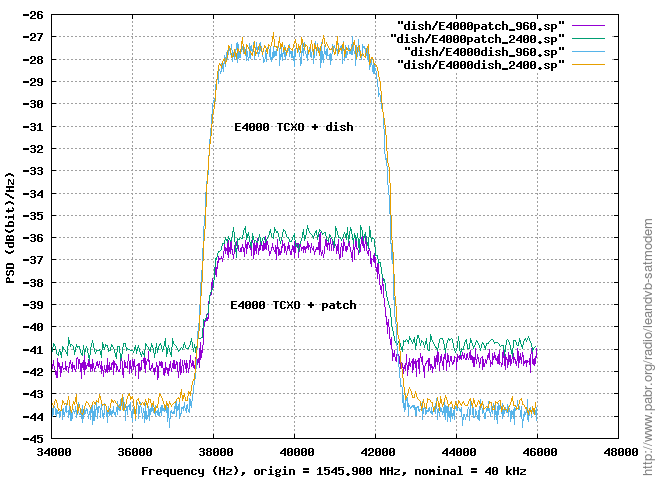
During the testing they also discovered some interesting notes about the E4000 and R820T RTL-SDRs. For example by patching the R820T2 drivers to add some additional VGA gain they were able to make the R820T2 chips more sensitive at the Outernet frequency compared to the E4000 chip by bringing the signal further out of the quantization noise. They also tested a 60cm dish vs a patch antenna and found that the dish works significantly better.
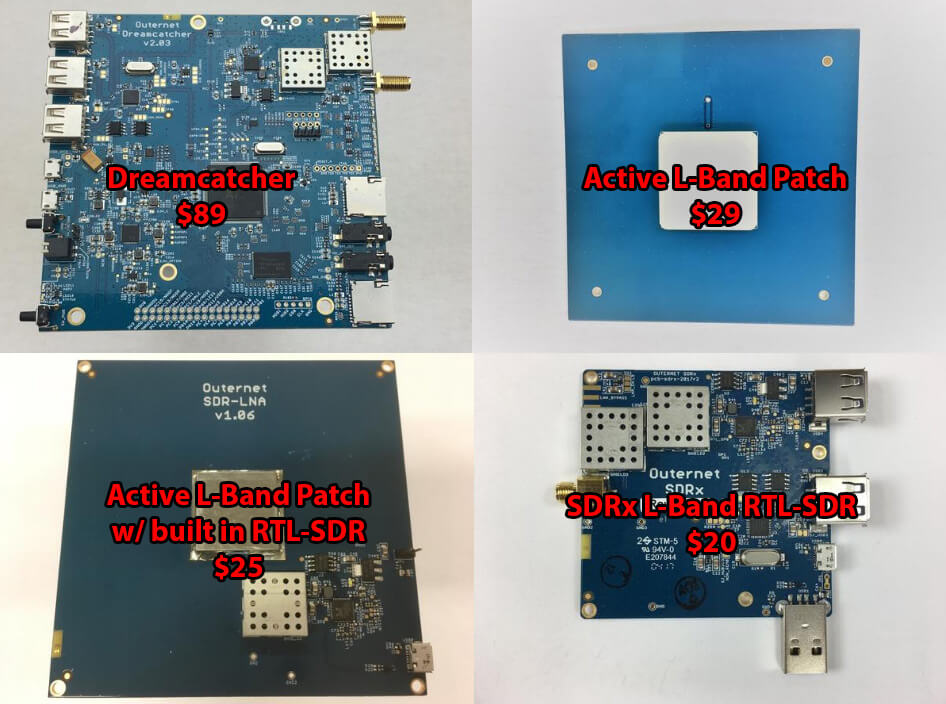
Back in June we tested Outernet’s new Dreamcatcher which is an ARM based computing board with RTL-SDR and L-band LNA built in. The $99 USD kit also included an external active L-band patch antenna. The Dreamcatcher full kit has now been reduced to $89 USD, and the active L-band patch antenna can also now be purchased by itself for $29 USD. The active patch antenna is also compatible with the bias tee on our V3 dongles and is a good low cost option for exploring most L-band satellite signals like Outernet, Inmarsat STD-C and AERO around 1542 MHz. The filter does unfortunately cut off the higher Iridium frequencies though.
They are also selling off their older L-band SDRx RTL-SDR boards at a reduced price of $20 USD. The SDRx is a RTL-SDR PCB with a built in L-band LNA and filter, but unlike the Dreamcatcher does not have built in computing hardware. They also have a limited $25 USD edition version of their active patch antenna which includes a built in RTL-SDR. This version is a bit more noisy compared to the standard active patch, but may be an interesting experimental antenna for some.
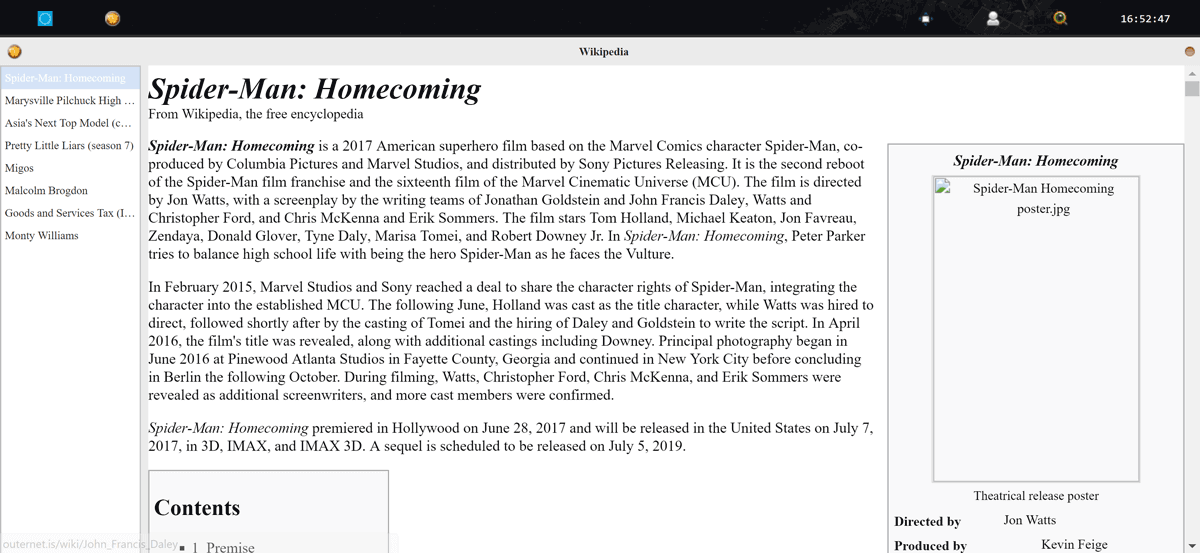
About two weeks ago we posted our review of the Dreamcatcher, a new RTL-SDR and full ARM based computing platform built onto a single PCB. Back then the only OS available for it was a standard Armbian build, and no Outernet decoder was available. So we reviewed the Dreamcatcher with the Armbian OS and tested to see how well it worked as a general purpose RTL-SDR and computing platform.
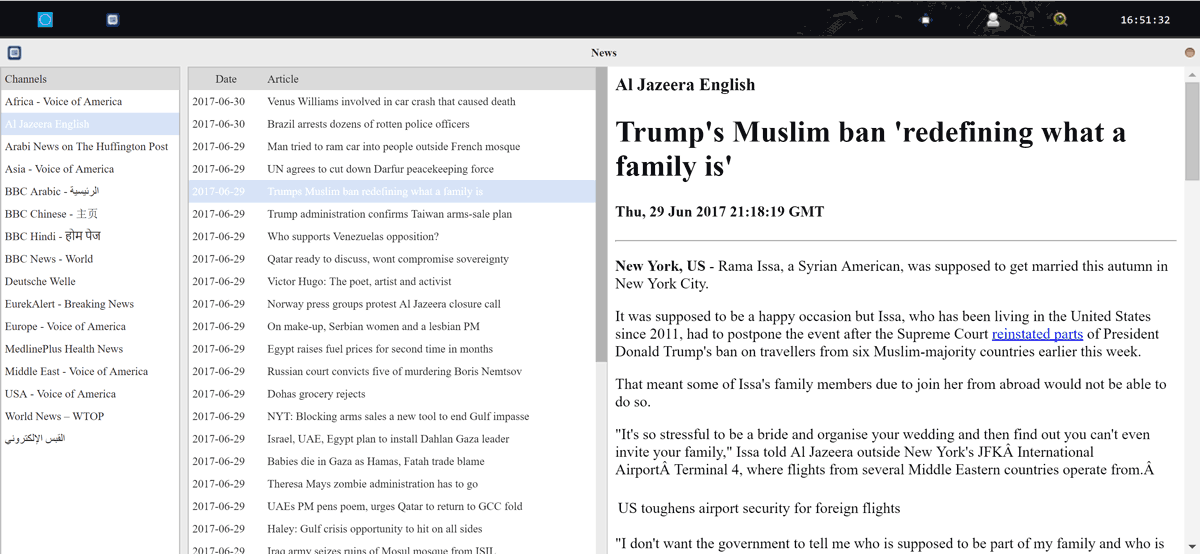
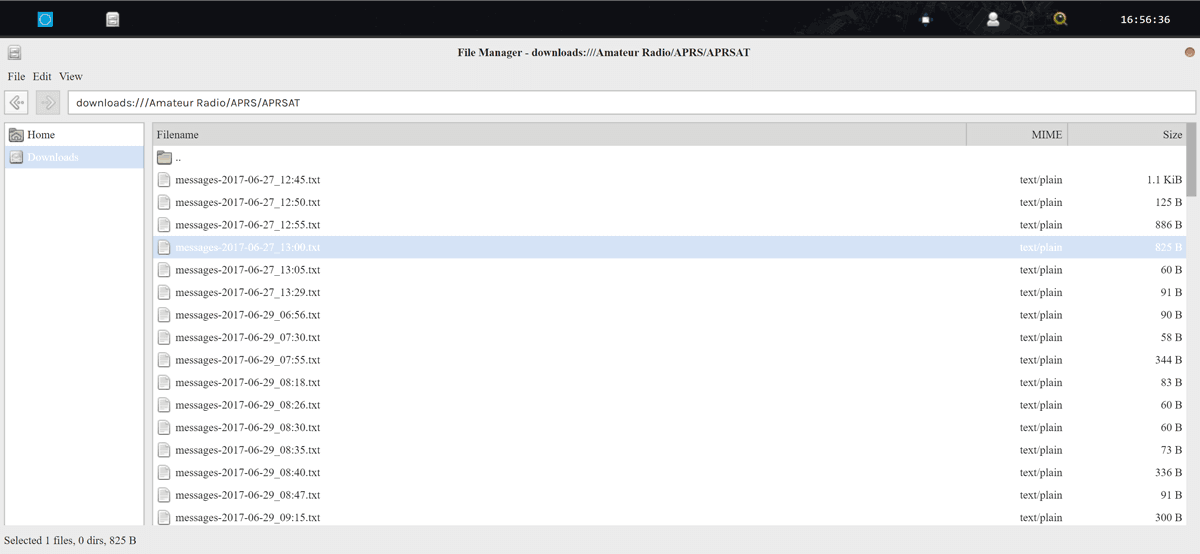
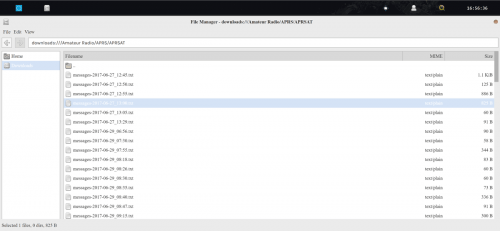
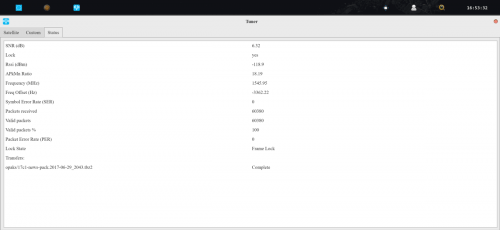
Recently the Outernet team released a new build of ‘Skylark’ for their Dreamcatcher board. Skylark is their customized Outernet signal specific operating system that was available on the C.H.I.P. Skylark is essentially turnkey as it is much easier to setup and use. Just burn the image to an SDcard, insert the card, connect to the automatically generated Outernet WiFi hotspot on a PC or mobile device, and then browse to outernet.is to see the Skylark interface.
Unfortunately it is unclear how long some of the high bandwidth features such as the nice weather app may last. The Outernet Inmarsat L-band signal runs at a bandwidth of almost 20mB a day and appears to cost quite a bit of money to operate, so Outernet appear to be considering moving to a lower bandwidth signal in the near future. This will probably reduce content to data like text articles (news/APRS/Wikipedia/books) only. But even if it is text only it will still continue to be a very useful and interesting service.



![[EN subs] ISS SSTV Event Juli 2017 - Empfang von drinnen und V-Dipole](https://www.rtl-sdr.com/wp-content/plugins/wp-youtube-lyte/lyteCache.php?origThumbUrl=https%3A%2F%2Fi.ytimg.com%2Fvi%2FSTmvu34O610%2F0.jpg)