NanoVNA V2 Enclosure now Available on Amazon

Just a brief post to note that our third party NanoVNA V2 enclosure is now available for purchase on Amazon USA. The price is US$19.95. The enclosure is also still available on our own webstore with free worldwide shipping from China to most countries. We also note that that NanoVNA V2 is currently out of stock, but we expect the manufacturer to supply us near the end of February.

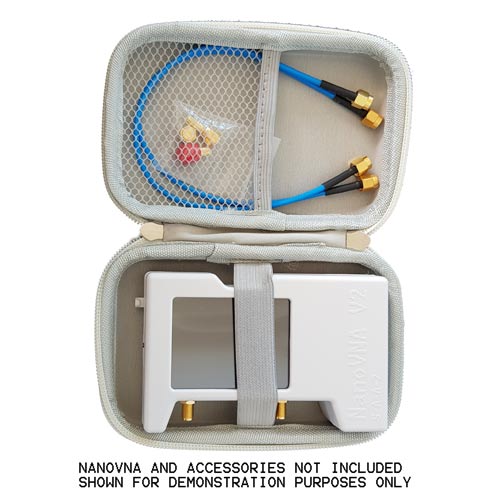
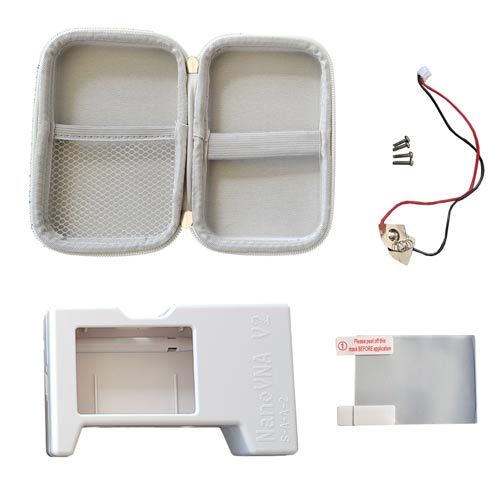
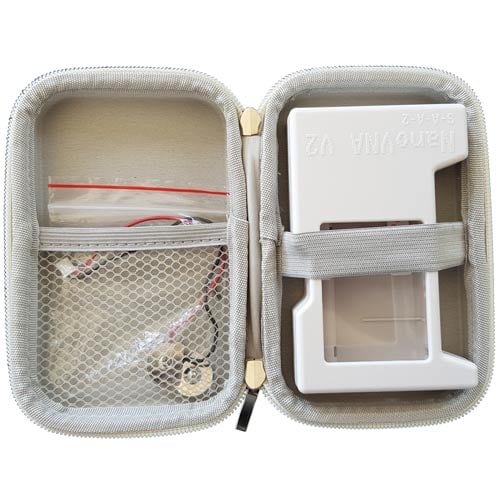
Includes 1x Plastic NanoVNA V2 Enclosure, 1x Carry Case 1x Battery Terminals (Optional to install), 1x Matte Anti-Glare Screen Protector, 4x Enclosure Screws

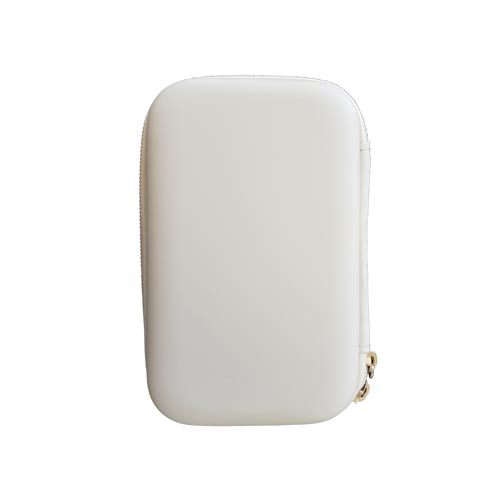
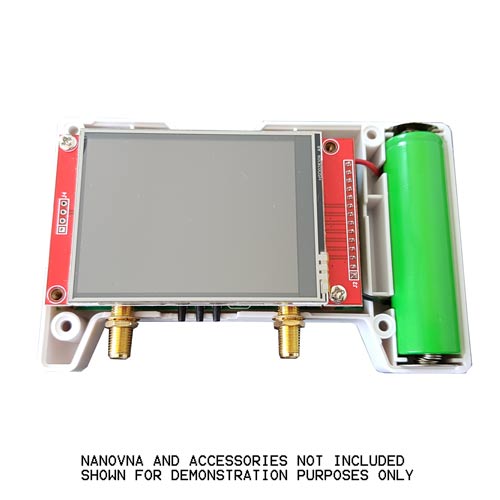
This is a plastic enclosure and protective case for the NanoVNA V2 and V2+. Protect your NanoVNA V2 with a rugged plastic enclosure and carry case. The case case can be used to store the calibration kit as well. A standard 18650 battery (flat top non-protected) can be installed via the battery terminals if desired. Requires assembly - please consult the installation instructions PDF.

Please note does NOT include NanoVNA V2, NanoVNA calibration kit or battery. These are displayed in the photos for demonstration purposes only. 
Installing and using RTL-SDR and GQRX on a PinePhone

Over on YouTube channel "Privacy & Tech Tips" has uploaded a video demonstrating how it's possible to run GQRX with an RTL-SDR on a PinePhone. In the video the presenter shows how to set up the screen so that GQRX is fully visible, demonstrates GQRX running, and then goes on to show exactly how to install the RTL-SDR drivers on the PinePhone.

The PinePhone is an open source smart phone that can run a full Linux distribution. A PinePhone sells for US$149.99 or $199.99 for a higher end version with more RAM and storage.

RTL-SDR On The Pinephone! Demo, Installation/Hardware

Using 50 Lines of Python Code to Decode NOAA APT Weather Satellite Images

There are already many image decoders for the NOAA APT weather satellites available, with the most common and feature rich program being the abandoned freeware "WXtoIMG".

However many people may not know how simple the APT digital signal processing code is. Over on his blog post Dmitrii Eliuseev explains how only 50 lines of Python code are required to decode an image from received APT audio. Dmitrii's post shows how a Hilbert transform is used on the APT audio which is essentially the entire decoding step. This is then followed by a for loop that calculates the pixel luminosity from the decoded data, and plots it onto an image file. 

Of course the image is only grayscale (or in Dmitrii's case he decided to use greenscale), but adding false color and various other image enhancements found in advanced software like WXtoIMG are just standard image processing techniques.

Dmitrii concludes with the following:

Interesting to mention, that there are not so many operational radio communication systems in the world, the signal of which can be decoded using 20 lines of code. The NOAA satellites are about 20 years old, and when they finally will retire, the new ones will most likely be digital and format will be much more complex (the new Russian Meteor-M2 satellite is already transmitting digital data at 137 MHz). So those who want to try something simple to decode can be advised to hurry up.

[Also mentioned on Hackaday]

Simple decoding of NOAA APT satellites in Python

DragonOS: BladeRF-wiphy Demonstration

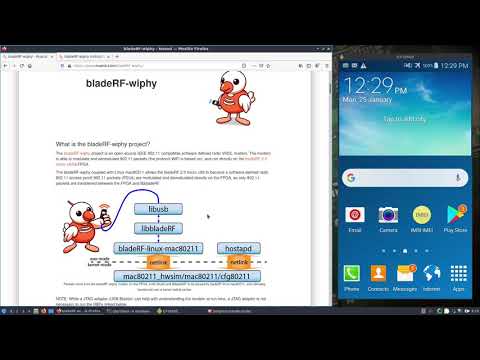
Recently we posted about bladeRF-wiphy which is open source code that can turn a bladeRF software defined radio into a software defined WiFi access point. The bladeRF 2.0 is a relatively low cost SDR which costs $420 for the low end version. It is capable of both transmit and receive (2x2 MIMO) with a 47 MHz to 6 GHz frequency range and 61.44 MHz sampling rate.

Over on YouTube Aaron who created DragonOS has uploaded a video demonstrating bladeRF-wiphy in action. He writes:

This video demonstrates Nuand’s new open source 802.11 modem/FPGA available for the bladeRFxA9. Everything will be Pre included in DragonOS Focal to setup an open AP and hopefully whatever’s required for use within Kismet.

Minor configuration is needed for the open AP, while Kismet integration should be pretty straight forward.

This is an awesome addition to the bladeRF and I look forward to seeing what else is possible with this new open source 802.11 compatible modem!

DragonOS Focal BladeRF-wiphy w/ Open Wi-Fi AP and Splash page (bladeRFxA9)

bladeRF-wiphy: Open Source WiFi Access Point on a BladeRF

Back in August 2020 we posted about OpenWiFi , an open source implementation of the full IEEE802.11/Wi-Fi stack for FPGA and SDR combo board. Recently the team at Nuand have released their own WiFi implementation called "bladeRF-wiphy" for their bladeRF 2.0 software defined radio. The code is implemented in VHDL, which runs directly on the bladeRF's on board micro xA9 FPGA.

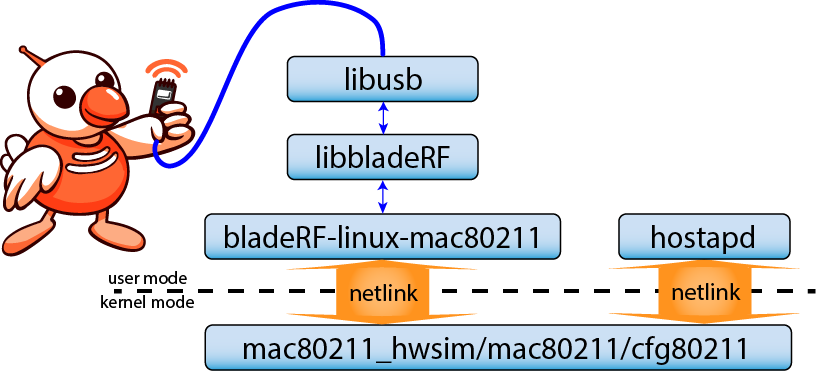
The bladeRF-wiphy project is an open-source IEEE 802.11 compatible software defined radio VHDL modem. The modem is able to modulate and demodulate 802.11 packets (the protocol WiFi is based on), and run directly on the bladeRF 2.0 micro xA9’s FPGA.

The bladeRF-wiphy coupled with Linux mac80211 allows the bladeRF 2.0 micro xA9 to become a software defined radio 802.11 access point! 802.11 packets (PDUs) are modulated and demodulated directly on the FPGA, so only 802.11 packets are transferred between the FPGA and libbladeRF.

FAASGS: A Setup to Build a Fully Automatic Amateur and APT Weather Satellite Ground Station

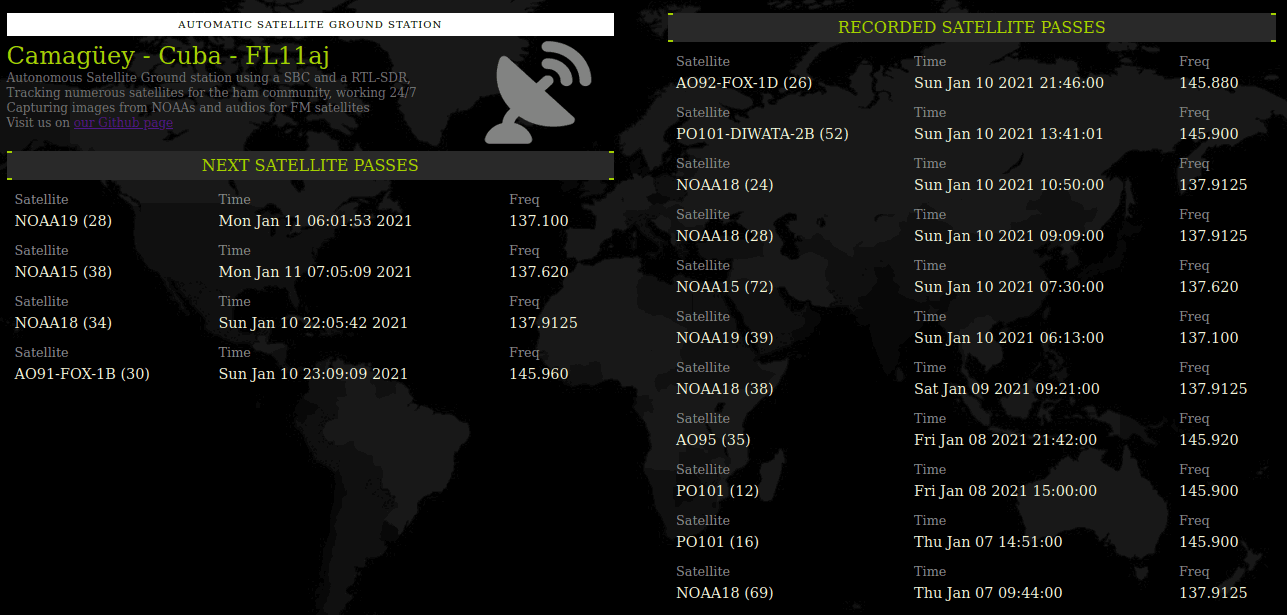
Over on GitHub stdevPavelmc has released his software called FAASGS (Fully Automatic Amateur Satellite Ground Station). FAASGS is an open source program that allows RTL-SDR users to set up a satellite ground station that tunes, record and generate images for NOAA APT weather satellites, as well as records FM amateur radio satellites. The software runs on a single board computer such as a Raspberry Pi, however in the authors own setup he uses an Orange Pi Prime board. The features include:

  • Web interface to see the next passes, the recorded ones, and details for it.
  • Receive any satellite in FM mode (SSB is possible but no there is doppler control yet, so no SSB by now)
  • Record the satellite pass and keep the audio for later.
    • APT WX audio is preserved in wav format and 22050 hz of sampling (the format wximage needs to work with)
    • FM audio satellites is preserved in .mp3 mode but with high quality settings, and other tricks.
      • The spectrogram of the audio is embedded as album art (see below).
      • The pass data and receiving station are stored in the mp3 tags.
  • Automatic decode APT images from WX sats (NOAA 15, 18 and 19)
  • For the voice FM sats we craft a spectrogram and embedd the metadata of the pass on the image
FAASGS main screen showing recordings
FAASGS screen showing an FM amateur radio satellite pass

TinySDR: An OpenSource SDR for IoT Applications

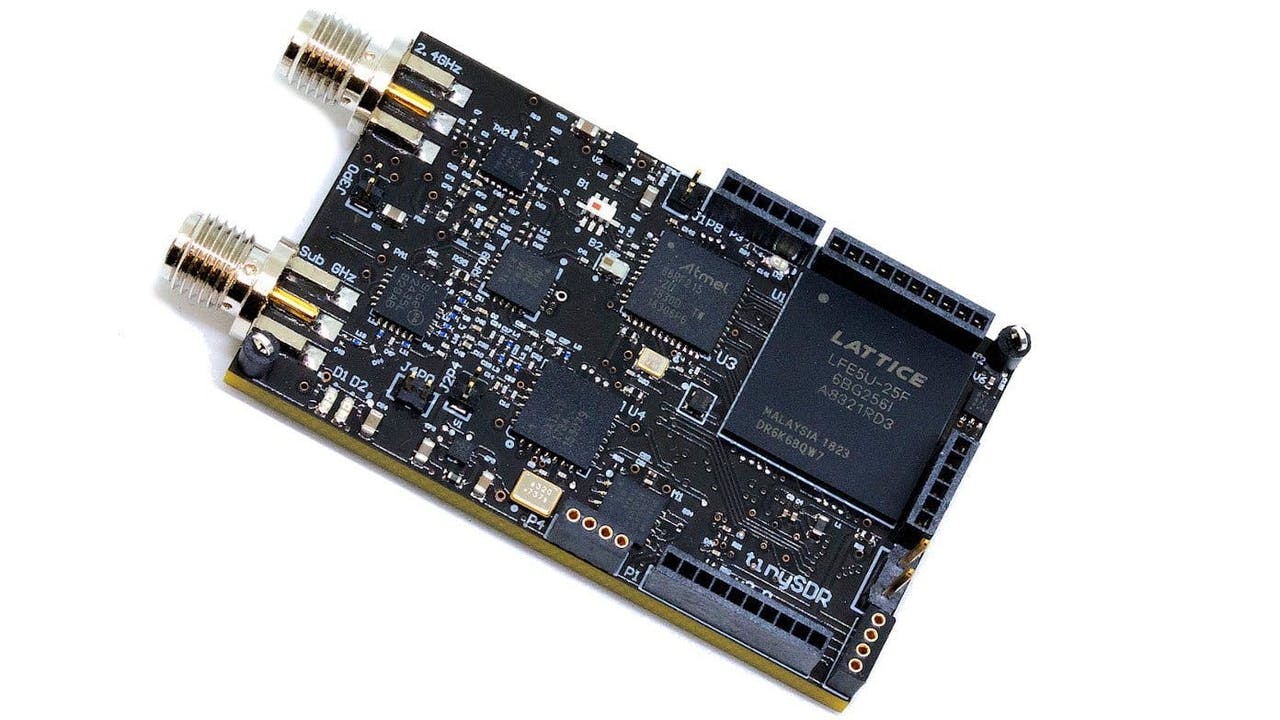
We recently came across a relatively new SDR design that is called "TinySDR". The design is entirely open source and is focused on helping analyze wireless Internet of Things (IoT) applications. Currently the device is not manufactured and sold by anyone, but the open source Altium Designer PCB files, BOM and firmware can be found on their GitHub.

Over on hackster.io Tom Fleet has also given the TinySDR a writeup. He notes that the design is based around the AT86RF215 transceiver chip and a Lattice Semiconductor ECP5 FPGA. The board is split into an input for 2.4 GHz and a sub-GHz input. On the GitHub there are currently demo files available to turn the SDR into LoRa and FSK modulators.

The TinySDR

DragonOS: Decoding FT8 on Linux with WSJT-X

DragonOS is a ready to use Ubuntu Linux image that comes preinstalled with multiple SDR program. The creator of DragonOS, Aaron, uploads various YouTube tutorials showing how to use some of the preinstalled software. This month one of his tutorials covers how to use a SDRplay RSP1A or a HackRF to receive and decode FT8 with the preinstalled software WSJT-X or JS8Call. Aaron also notes that an RTL-SDR could also be used as the SDR.

In the video he covers how to set up a virtual audio cable sink in Linux for getting audio from GQRX into WSJT-X, setting up rigctld to allow WSJT-X to control GQRX, configuring GQRX, CubicSDR and WSJT-X, and finally downloading and using GridTracker.

DragonOS Focal Receive FT8 w/ WSJT-X (RSP1A, HackRF One, GQRX, CubicSDR, GridTracker)