DragonOS: QRadioLink Radio over IP with an RTL-SDR

DragonOS is a ready to use Ubuntu Linux image that comes preinstalled with multiple SDR program. DragonOS-Focal (the build with the latest updates) has recently been updated to include the latest version of an interesting program called QRadioLink. We've posted about QRadioLink a few times in the past, but if you haven't heard about QRadioLink before this is the description from the website:

QRadioLink is a GNU/Linux multimode SDR (software defined radio) transceiver application using the Internet for VOIP communication (radio over IP), built on top of GNU radio, which allows experimenting with software defined radio hardware using different digital and analog radio signals and a Qt5 user interface.

Its primary purpose is educational (demonstrating radio communications to children at schools), but it can also be customized for low power data communications on various ISM frequency bands. It can also be used as an amateur radio SDR transceiver for experimentation.

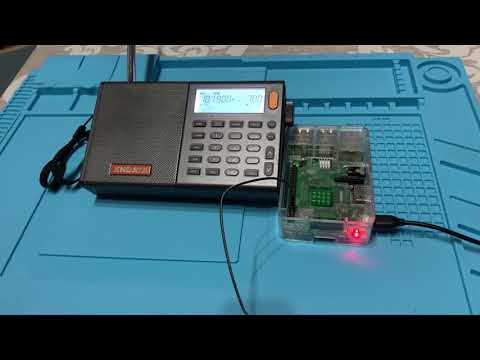
The latest DragonOS YouTube video author Aaron demonstrates the use of the QRadioLink Radio over IP feature, when combined with an RTL-SDR and umurmur server. Umurmur is a minimalistic mumble server, which is a Voice over IP (VoIP) application. Aaron runs the RTL-SDR and mumble server on a remote LattePanda single board computer, which then broadcasts music received via the RTL-SDR over a VoIP internet link to a laptop.
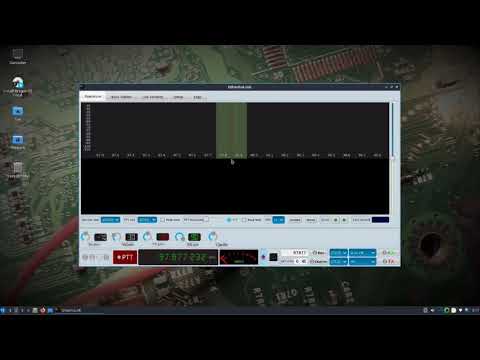
DragonOS Focal QRadioLink Radio over IP w/ RTLSDR (GNU Radio, umurmur, lattepanda)

NOAA-APT Decoder Updates: False Color, Pass Prediction and more

In the past we've posted a couple of times about the NOAA-APT decoder software as it is a worthy alternative to the now abandonware software WXtoIMG. However, it lacks certain features which makes WXtoIMG still the go to program for NOAA weather satellite decoding.

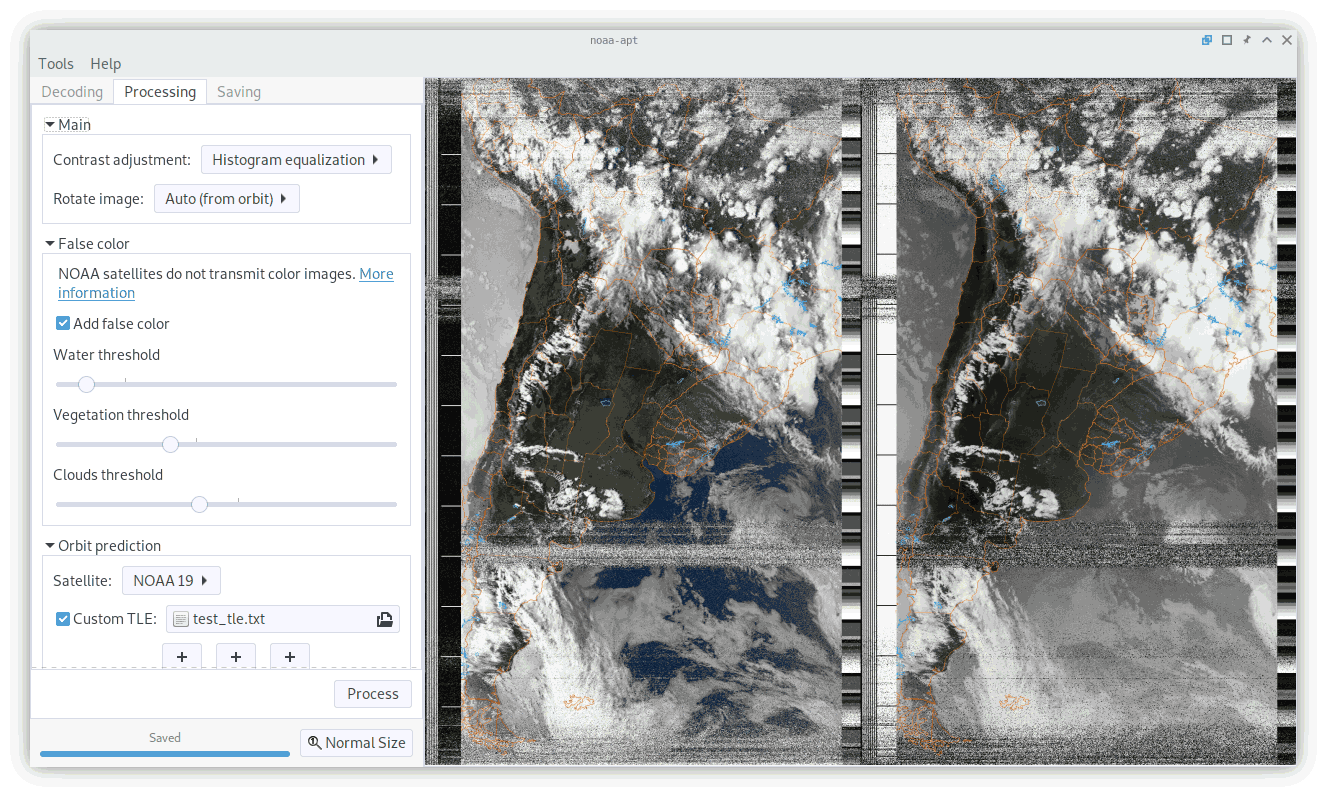
As NOAA-APT is open source it has recently seen a few new updates from another contributor, as well as the original author. These changes make it quite a bit more useful, although admittedly not perfect. Hopefully we'll see continued refinement over time. Regardless, this is still a great piece of software which is open source and multi-platform. Martin Bernardi, the original contributor writes:

Although I wasn't planning to continue working in my program, the quarantine happened so I worked on the program a little. Later, a person (Arcadie Z) added more features too, so I created a new version in case you want to add a blog post about it.

Added features since the last blog post:

- Redesigned GUI.
- Satellite prediction and map overlay (but has offsets I can't fix yet).
- False color images
- Histogram equalization (improves the contrast and brightness of images)
- Automatic image rotation depending on pass direction

In the end, the map overlay and false color does not work very well, but it is better than nothing I guess.

The NOAA-APT Decoder GUI

Your own Numbers Station at Home with a Raspberry Pi and Pi-FM-RDS

Numbers Stations are mysterious radio broadcasts that typically consist of a voice speaking a seemingly random string of numbers. It is mostly accepted that these stations are a way for spy agencies to communicate to intelligence operators stationed overseas.

However, recently Simon Roses wrote in and wanted to share his project where he created his own numbers station at home. The idea is to use a Raspberry Pi and the Pi-FM-RDS software to transmit a simulated numbers station. If you didn't already know, a Raspberry Pi can be used as a somewhat useful RF transmitter by using software like Pi-FM-RDS which manipulates a GPIO pin connected to a piece of wire acting as an antenna.

In his write up, Simon notes that he uses a program called PiNumberStation which is a text to speech program that passes the generated voice to Pi-FM-RDS. Pi-FM-RDS then transmits the signal, allowing a nearby FM radio to pick up and play the audio.

If you wanted to try this as a prank or joke, please remember that transmitting in the FM bands over a certain power level may be illegal in some countries, and the Raspberry Pi TX capabilities are known to require filtering to prevent interference occurring on other frequencies. Transmitting incorrectly could have dire consequences, so please make sure you do your research first. 

Number Station with a Raspberry PI

GQRX Updated to 2.13: Several Bug Fixes and Performance Improvements

GQRX is one of the most popular open source software choices to use with various SDRs on Linux and MacOS. Recently it was updated to version 2.13, bringing in a few new features and several bug fixes and performance improvements. From the GQRX news file, the changes include the following.

2.13.1: Released October 17, 2020

FIXED: Crash when invalid sample rate is specified.
FIXED: Decrease minimum size of FFT Settings panel.
FIXED: Typos.
IMPROVED: More Airspy HF+ sample rates added.

2.13: Released October 16, 2020

NEW: Stereo option for UDP streaming.
NEW: Script to generate AppImage.
NEW: Allow scroll wheel direction to be inverted.
FIXED: FM de-emphasis causing audio to be 20 dB quieter than it should be.
FIXED: FM de-emphasis applied incorrectly in WFM stereo receiver.
FIXED: Update waterfall time resolution when FFT settings are changed.
FIXED: Update waterfall time resolution when window is resized.
FIXED: Restore waterfall time span between sessions.
FIXED: FFT buffer overlap calculation.
FIXED: Crash when launching without device connected.
FIXED: Crash when setting invalid RF gains.
FIXED: Audio panadapter / waterfall slider direction.
FIXED: Clear FFT averages when changing FFT size.
FIXED: Crash when source block doesn't support IQ balancing.
FIXED: Bookmark labels in FFT draw over each other.
IMPROVED: DSP and FFT performance.
IMPROVED: Panadapter & waterfall performance.
IMPROVED: Smooth panadapter & waterfall redrawing.
IMPROVED: Better default values for various settings.
IMPROVED: Audio waterfall colormap matches I/Q waterfall.
IMPROVED: Use all available display space for panadapter & waterfall.
IMPROVED: Updated RDS decoder.
IMPROVED: More Airspy HF+ sample rates added.

The GQRX GUI (Older Version)

SDR# Updates: RTL-SDR Enhanced Mode, AM Co-Channel Canceller for MW DX

Over the past few days SDR# has been updated again adding several new great features. The first is an "RTL-SDR Enhanced" front end driver, which is actually Vasili's front end driver that was released a few years ago. This front end enhances the capabilities of the RTL-SDR as it exposes features like decimation and individual gain control. We note that the current version appears to have a bug preventing enhanced mode from starting, but we expect that it will be fixed again soon. Vasili's File Player has also been added, and this allows for easy playback of RTL-SDR IQ files.

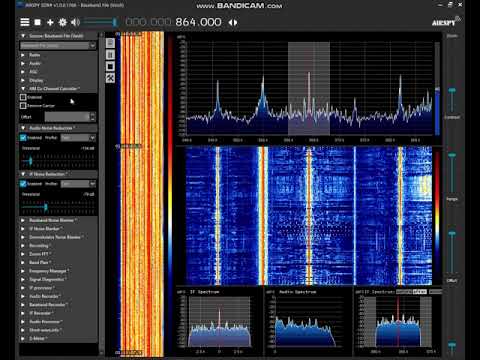
The second feature added recently is an AM Co-Channel Canceller which is could be quite a big feature for medium wave (MW)/broadcast AM DXers. When DXing MW a problem is that you'll often encounter is two stations that are on or almost on the same frequency. This is either due to neighbouring countries not agreeing on frequencies, long range DX antennas picking up further than the intended broadcast range, or from malicious jamming as with the Chinese Firedrake. With a standard radio or demodulation algorithm such a situation makes either both stations impossible to listen to, or only the strongest station will be heard. However, the new AM Co-Channel Canceller plugin in SDR# uses clever DSP algorithms to allow one of those channels to be effectively removed, allowing you to listen to the other station clearly.

Over on the SWLing blog Guy Atkins has written up a comprehensive review and tutorial of the Co-Channel canceller plugin. We've also seen a few examples up on YouTube already, and the video posted below shows user "SDR-radio" in Japan experiencing a South Korean station blocking out a weak local Japanese station. Enabling the plugin allows the weaker station to be heard.

SDR# (SDRSharp): AM Co-Channel Canceller plugin

Easy-SDR: Open Source Designs for SDR Accessories

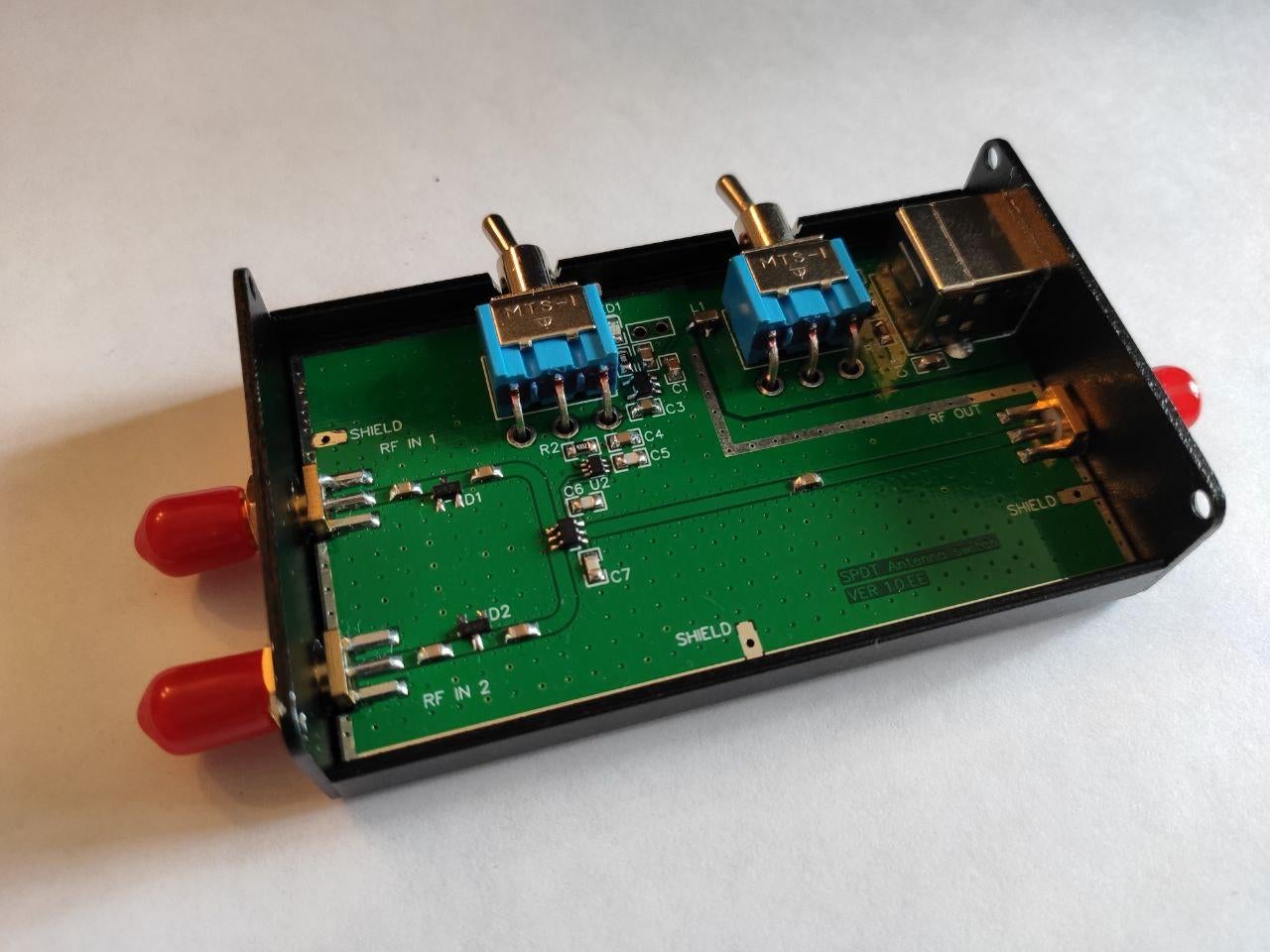
Back in 2018 we posted about Igor Yatsevich's Easy-SDR project which consisted of open source designs for a Mini-Whip antenna and upconverter. Igor has now added several new open source designs to the project including a bias tee, LNA, LNA with filtering, attenuator and SPDT antenna switch. On his Reddit post he notes:

The most interesting thing I've added so far:

  1. Most of the devices are now prepared for installation in a metal case measuring 80 x 50 x 20 millimeters.
  2. Completely redesigned LNA design. Now, Bias Tee powered amplifiers are housed in a 50 x 25 x 25mm metal case and have N-type connectors.
  3. Added an amplifier based on the PGA-103 microcircuit.
  4. Added the ability to install filters in final amplifiers (a separate printed circuit board, depending on the filter used).
  5. Added a new device - SPDT antenna switch for receiving antennas.
  6. The UP converter has been redesigned. Added intermediate buffer stage between crystal generator and mixer.
  7. RF lines in all devices were recalculated to correspond to the characteristic wave impedance of 50 Ohm.
  8. Reduced size of PI attenuator PCB.

In this project, I focused on the simplicity of self-assembly devices, which you can make at home. In the repository, you can find detailed assembly instructions, a list of necessary components for assembly, and GERBER files.

SPDT Antenna Switch from the Open Source Easy-SDR Project

Dictator Alert Fundraising

In the past we've posted about the Dictator Alert project a few times, as it makes use of ADS-B data contributed to ADS-B Exchange via volunteers who typically run an RTL-SDR as part of their ADS-B reception hardware. The project aims to track the movements of Dictators around the world via their use of private jets that can be tracked via ADS-B logging.

Over on Reddit the leader of the project Emmanuel has posted asking for donations. If you think this is a worthy project, please consider donating.

I'm raising some funds for our www.dictatoralert.org project which tracks aircrafts used by dictatorships all over the world (using SDR!). You can see all of the tracking for free on the website and several twitter bots (LondonParisGenevaEuroAirport).

The hosting costs me around $80 per month, which probably isn't a lot, unless you're a freelance journalist. I also hope to raise a bit more to make the project grow further with investigations (like this one on surveillance planes in Somalia or another on rich Frenchmen who used their jet to avoid COVID restrictions on travel.

You can give one-off donations or sign up to the Patreon, then I'll set you up with email alerts for your "favorite" dictators, airports, or any plane you like.

Patreon: https://www.patreon.com/dictatoralert

One-off donations: https://dictatoralert.org/donation/

Please don't hesitate to ask questions and let me know what you think!

Dictator Alert. A Twitter bot reporting on dictator movements via ADS-B data. dictatoralert.org

Notes on Observing Pulsars with an SDR from CCERA

A pulsar is a rotating neutron star that emits a beam of electromagnetic radiation. If this beam points towards the earth, it can then be observed with a large dish or directional antenna and a software defined radio. In the past we've posted a few times about Pulsars, and how the HawkRAO amateur radio telescope run by Steve Olney in Australia has observed Pulsar "Glitches" with his RTL-SDR based radio telescope.

Over in Canada, Marcus Leech has also set up a Pulsar radio telescope at the Canadian Centre for Experimental Radio Astronomy (CCERA). Marcus has been featured several times on this blog for his various amateur radio experiments involving SDRs like the RTL-SDR. In one of his latest memos Marcus documents his Pulsar observing capabilities at CCERA (pdf). His memo describes what Pulsars are and how observations are performed, explaining important concepts for observation like de-dispersion and epoch folding.

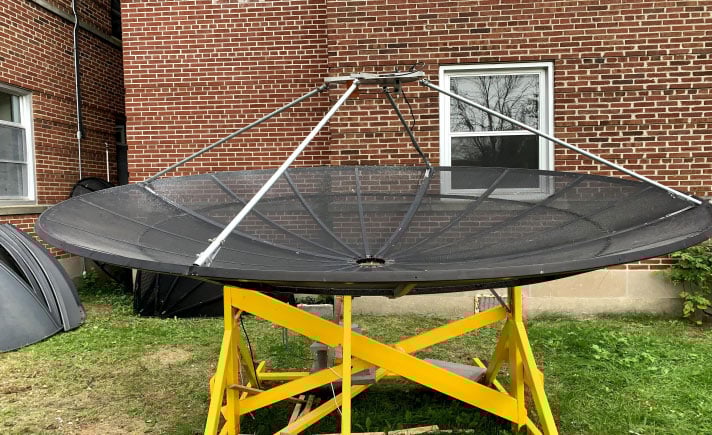
The rest of the memo shows the antenna dish and feed, the SDR hardware which is a USRP B210 SDR, the reference clock which is a laboratory 0.01PPB rubidium atomic clock and the GNU Radio software created called "stupid_simple_pulsar". The software DSP process is then explained in greater detail. If you're thinking about getting involved in more advanced amateur radio astronomy this document is a good starting point.

Dish Antenna + Feed used for receiving Pulsars