After reading an article by the Washington Post about FBI surveillance aircraft spotted in the air after the West Balimore riots, John Wiseman decided to look for more information about these aircraft. Fortunately, John had on his hands a database of about 2 months of ADS-B data that was collected by his continuously running RTL-SDR + BeagleBone Black ADS-B decoder set up.
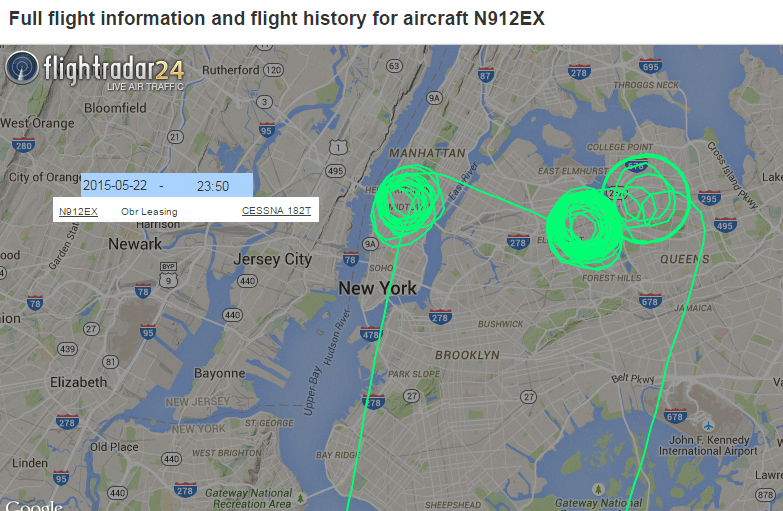
From reports on the internet John found out that FBI aircraft squawked with 4414 or 4415 codes, and used call signs like JENNA or JENA. With this information John decided to take a look through his ADS-B logs to see if if he could find anything similar. Out of 15,000 aircraft he had tracked, he found 9 aircraft in his logs that matched the criteria, and saw that they did exhibit suspicious behaviour such as circling over LA for hours at a time. Then by looking up their FAA records of the tail numbers of the suspicious aircraft, he was able to discover that these aircraft where licensed to companies with names like NG Research, OBR Leasing, Aerographics Inc. and PXW Services which are suspected Department of Justice front companies. John also writes:
If you Google the tail numbers of aircraft registered to those companies, you start to find forum and mailing list posts (often at sites that tilt toward paranoid/conspiracy/right wing, but not always) with people discussing these specific tail numbers and linking them to the FBI. Some of the supposed evidence includes details of radio communications that people have heard, e.g. talking about “being on station” or using callsigns that start with JENNA, JENA or ROSS, which are supposedly used by the FBI. Other posts claim that DOJ/FBI surveillance aircraft often squawk 4414 or 4415 on their transponders.
The planes use “persistent wide-area surveillance” to photograph large areas for hours at a time, Stanley said. The captured images allow authorities to go back in time, if necessary, to trace pedestrians and vehicles who come to their attention.
Other devices known as “dirtboxes,” “Stingrays” or “IMSI catchers” can capture cellphone data. Stanley said it’s still unclear what technologies have been used in the surveillance flights.
Possible FBI Surviellance Aircraft Path from flightradar24.com
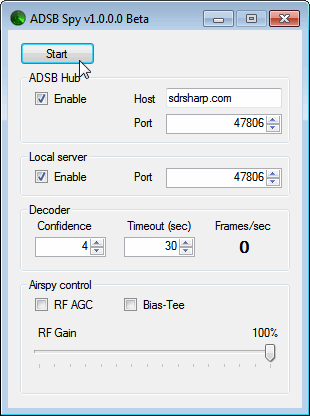
Youssef, the programmer of SDR#, has just released a beta version of an ADS-B decoder for the Airspy. The software is called "ADSB Spy" and is similar in operation to ADSB# which is used with the RTL-SDR dongle. The increased sensitivity and lower noise floor of the Airspy should help ADS-B enthusiasts get longer ranges and more aircraft on their screen.
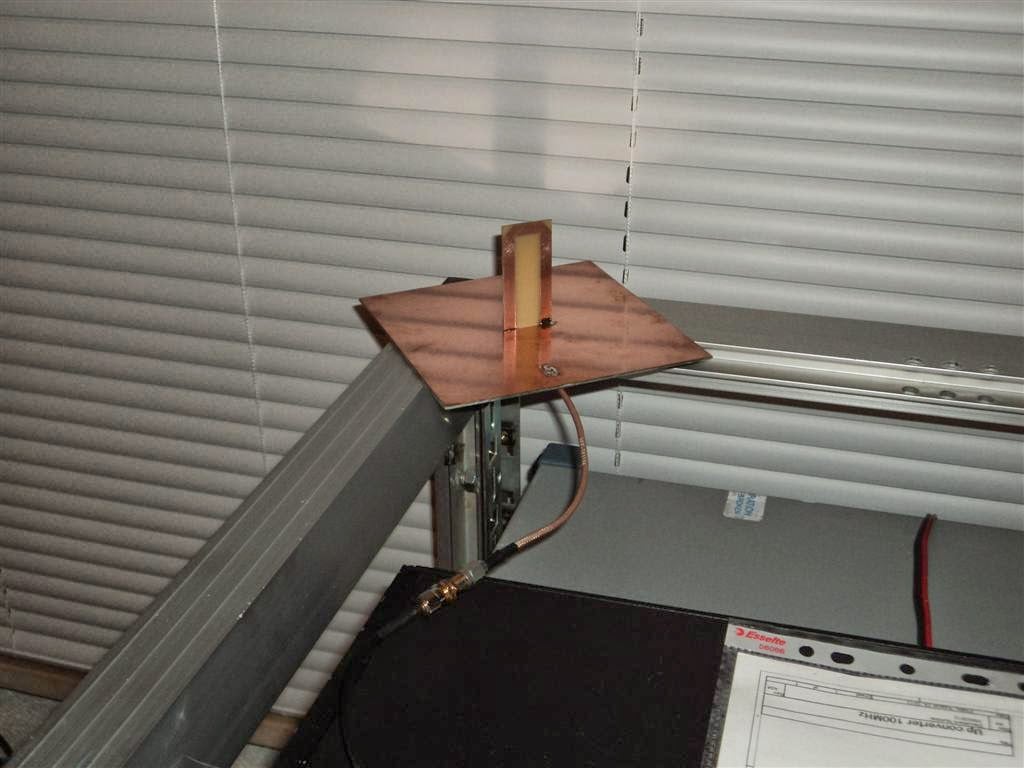
Adam, manufacturer of the LNA4ALL and LNA4HF is putting out an interest check for an ADS-B folded monopole antenna. The antenna can efficiently cover the 1030 MHz to 1090 MHz frequencies that are used by ADS-B.
The major advantage to Adams antenna is that it uses a DC grounded design, eliminating static build up problems that can potentially fry your LNA or RTL-SDR dongle.
If there is sufficient interest, Adam will sell the antenna for 20 Euros.
There are now dozens of software defined radio packages that support the ultra cheap RTL-SDR. On this page we will attempt to list, categorize and provide a brief overview of each software program. We categorize the programs into general purpose software, single purpose software, research software and software compatible with audio piping.
If you know of a program that is missing please leave a comment in the comments section at the bottom of the page.
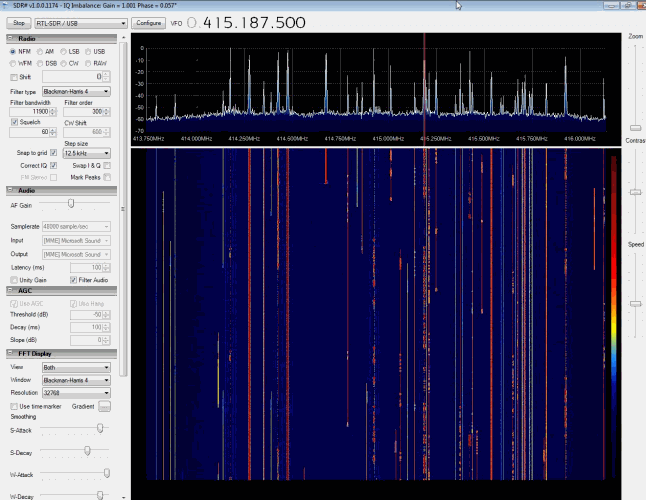
SDR# (pronounced "SDR Sharp") is the most popular free RTL-SDR compatible software in use at the moment. It is relatively simple to use compared to other SDR software and has a simple set up procedure. We have a full overview of the installation procedure on our Quick Start Page. SDR# is designed to be use with the $199 Airspy SDR, but works just fine with the RTL-SDR.
SDR# is a simple to use program that also has some advanced features. It has a useful modular plugin type architecture, and many plugins have already been developed by third party developers. The basic SDR# download without any third party plugins includes a standard FFT display and waterfall, a frequency manager, recording plugin and a digital noise reduction plugin. SDR# also decodes RDS signals from broadcast FM.
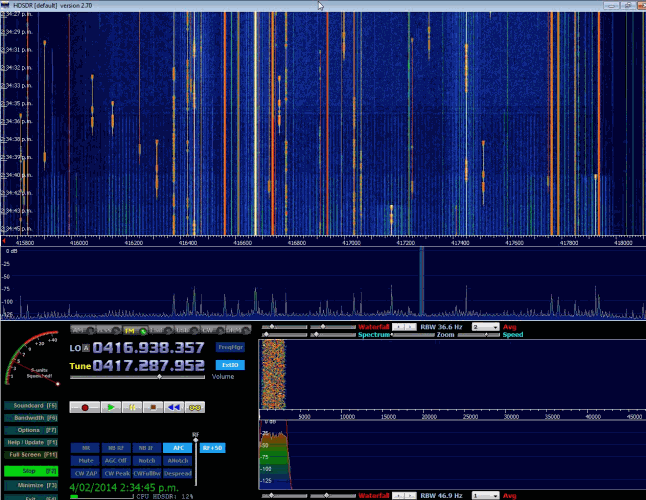
HDSDR is based on the old WinRAD SDR program. HDSDR supports the RTL-SDR through use of an ExtIO.dll module. To install HDSDR, download the program from the link on the main HDSDR page, then to use the RTL-SDR you will need to download the ExtIO_RTL2832.dll file an place it into the HDSDR folder. When opening HDSDR, select the newly copied ExtIO_RTL2832.dll. The other dlls that come with HDSDR will not work with the RTL-SDR, even though they have RTL-SDR in their filename. The official installation instructions can be found here.
Along with a FFT display and waterfall, HDSDR has some extra advanced features. Users will also find an Audio FFT and waterfall display on the bottom of the screen. The output audio can also be bandpass filtered by dragging the filter borders on the display. Bandpass filtering the audio can really help clean up a noisy signal. The audio processing also supports placing of notch filters either manually or automatically. There are also noise reduction and noise blanker features and an automatic frequency centering algorithm which will automatically center the signal, so you don't need to click exactly in the center of a signal. Traditional ham radio users will also enjoy the S-units signal strength meter and the built in frequency manager.
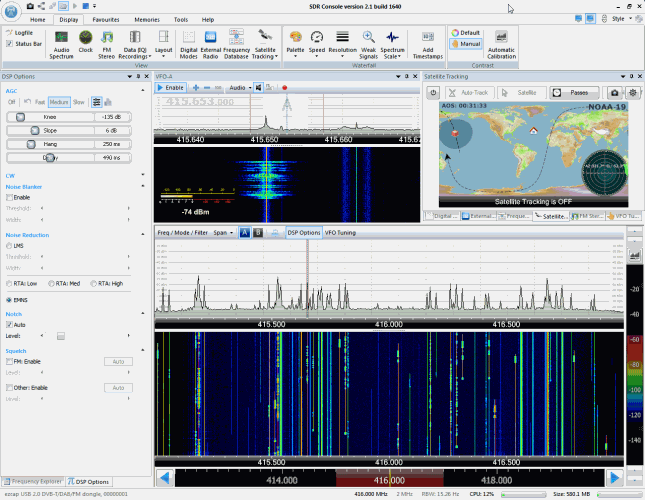
SDR-RADIO.COM V2 and the newer V3 is a popular SDR program with many advanced features. As such is it a fair amount more difficult to learn and use compared to SDR# and HDSDR. Be sure you install version 2 and not V1.5 as only V2 has RTL-SDR support.
Once sdr-radio is installed, to get it working with the RTL-SDR you will need to compile or download three .dll files (SDRSourceRTL2832U.dll, rtlsdr.dll and libusb-1.0.dll) and place them into the sdr-radio folder. To compile your own dlls see the instructions here, otherwise download the dlls directly from the bottom of this link. If the dlls were placed in the correct folder you will be able to add your RTL-SDR as a receiver by clicking on the +Definitions button, and then finding and adding the RTL SDR (USB) option under the search drop down menu.
Like HDSDR, not only does sdr-radio have a RF FFT signal and waterfall display, but also an optional audio spectrum FFT and waterfall display. Built in are also several DSP features like a noise blanker, noise reduction filter, notch filter and squelch options. The EMNS noise reduction filter is particularly good at automatically cleaning up and clarifying voice signals.
To add to the feature list, sdr-radio also has built in PSK, RTTY and RDS decoders, and also comes with a satellite tracker. Furthermore, sdr-radio V2 (not V3 yet) has an excellent remote server which will allow you to easily set up and connect to a remote RTL-SDR server over a network or the internet. Finally, sdr-radio is capable of listening to up to 6 signals in the same chunk of visible spectrum at a time.
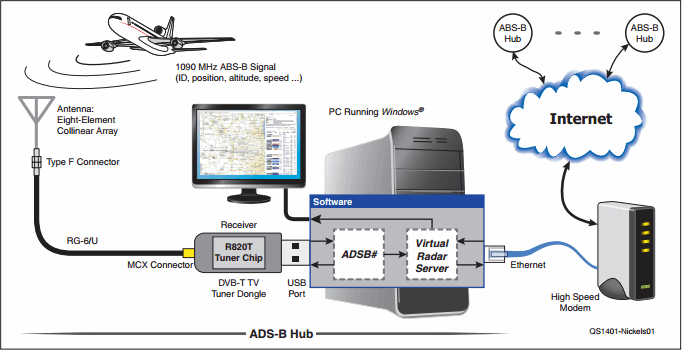
The American Radio Relay League (ARRL) a.k.a The American National Association for Amateur Radio has put online a freely available ADS-B tutorial featured in their monthly QST magazine, written by Robert Nichols, W9RAN. The tutorial focuses on using an R820T RTL-SDR dongle to receive ADS-B signals, and then using computer software to decode the signals and create a virtual aircraft radar.
ADS-B is a protocol used by most modern aircraft to broadcast their position and altitude which is determined via GPS. ADS-B is intended to supplement and eventually replace traditional radar.
In this ADS-B tutorial, they show how to create a weatherproofed 1090 MHz collinear antenna from RG-6/U coax and PVC pipe and how to use the ADSB# and virtual radar server software to decode and visualize aircraft positions, like a radar.
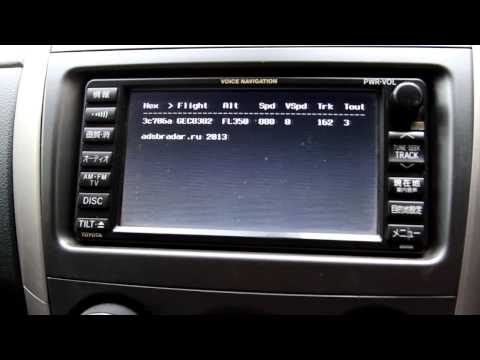
Over on YouTube user adsbrus shows us his project which is an in car ADS-B aircraft tracker using a Raspberry Pi mini computer and an RTL-SDR. The system uses an LCD screen mounted where the car radio usually is to show aircraft identifier, altitude, and speed information in text.
ADS-B in CAR (Raspberry PI & USB TV RTL2832U+R820T)
Popular ADS-B decoding software for the RTL-SDR RTL1090 has updated it’s beta version to build 102. This new build has the following improvements
– Decoder improved by brute force 1-bit error correction and brute force DF11 and DF17 override for unknown DFs. This may be tough stuff for slow computers. If your computer slows down considerably return to a previous version please.
– Tabs introduced – List/Table selection moved to Tabs.
– Stats tab added: this brings back the previous status bar info about USB packets per second.
– II/SI tab added. This tab adds the ability to quickly scan the Mode-S interrogator codes around. A “radar1090.txt” file can be added to the rtl1090 folder that holds II/SI code decodings. A sample file is attached. The II/SI collection can be reset by a right mouse click action. The recently seen codes and the last aircraft responding with that code are display in red onwhite.
– Context menu (right mouse click) for text window, “listhold” established by menu selection, revoked by mouse click.
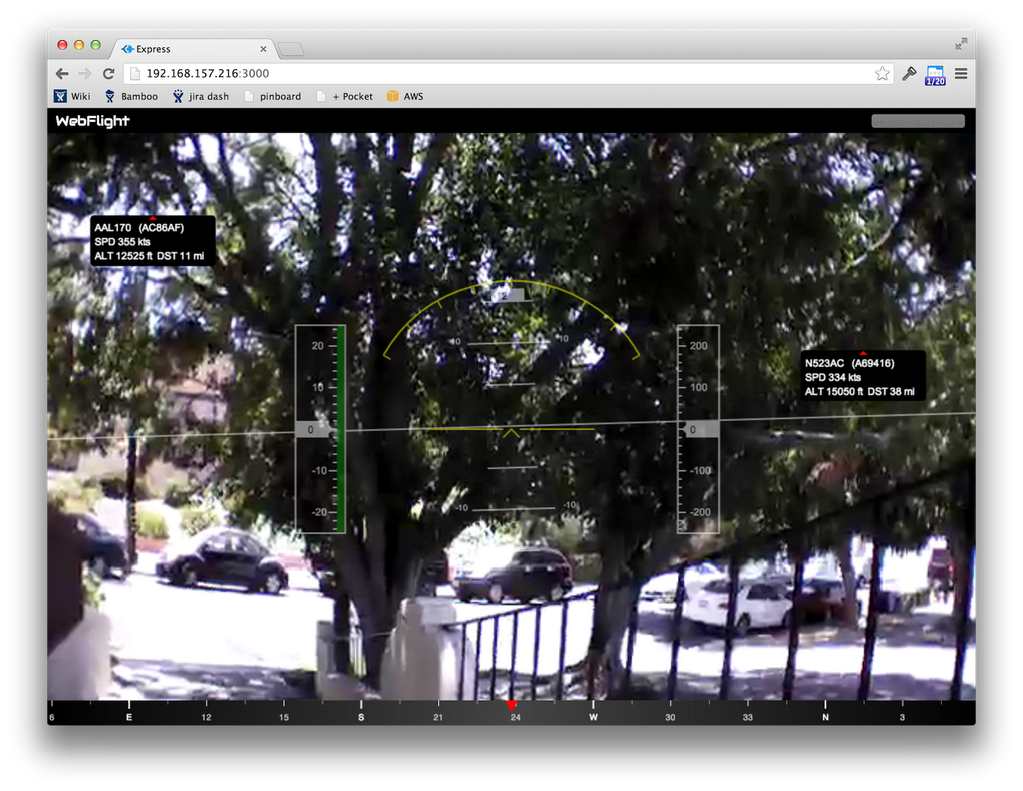
Previously we showed a post on how John Wiseman was able to get ADS-B decoding with dump1090 running on his AR.Drone with an RTL-SDR stick so that he could track the locations of other aircraft. He has now gone further and implemented an Augmented Reality style ADS-B aircraft radar display on his AR.Drone. Check out the video he posted showing it in action below.
AR.Drone with air traffic (ADS-B) overlaid on camera feed