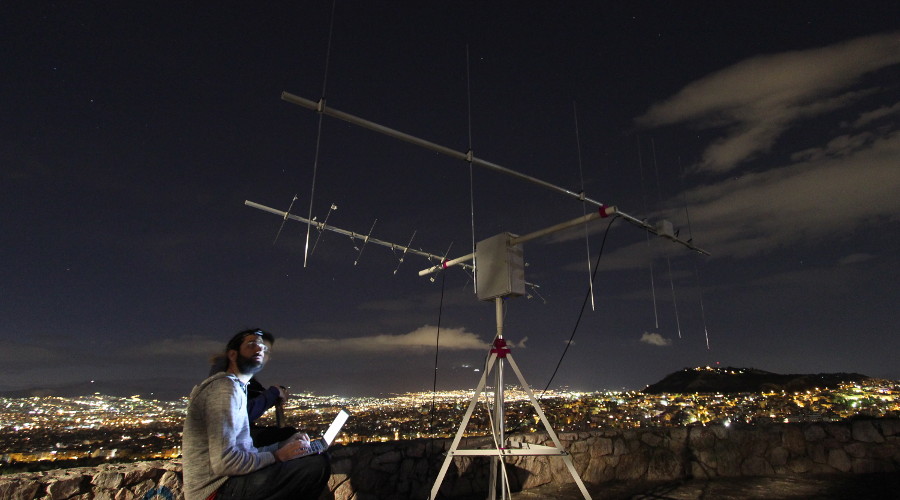
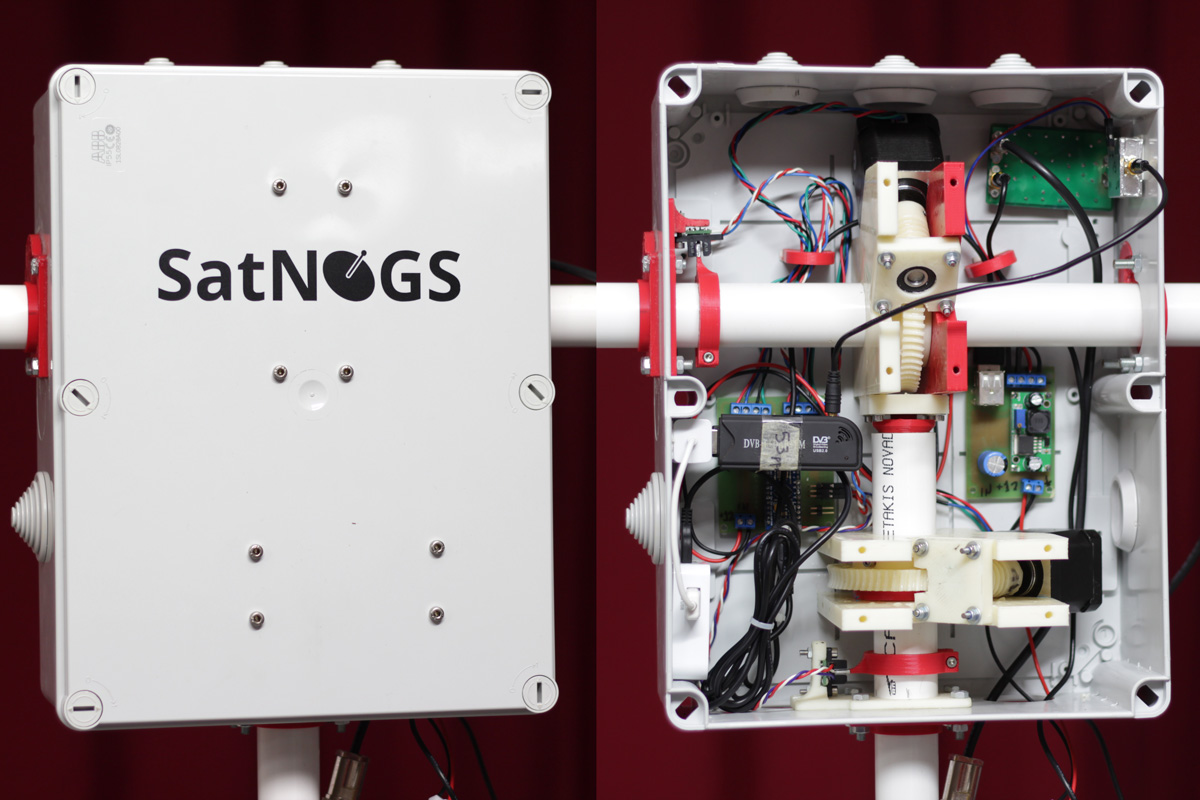
Once again Happysat, who previously wrote in to RTL-SDR.com to let us know how to receive dead satellites with the RTL-SDR has again written in to let us know about his latest achievements.
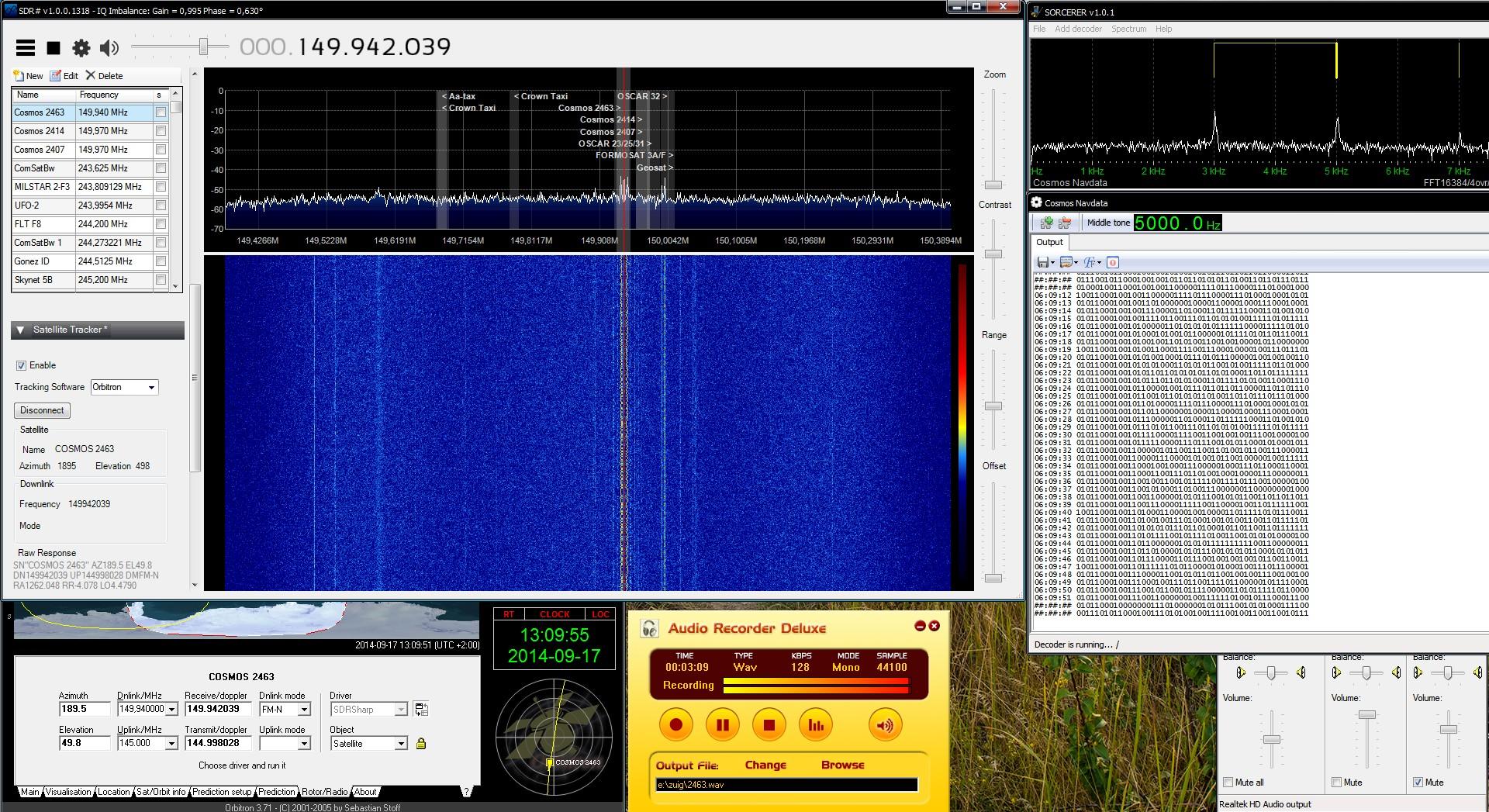
With an RTL-SDR, SDR# and decoder software, Happysat was able to decode data from the satellite which includes the current Moscow time and various location and telemetry data.
The Russian Military Parus satellites are/where used for low-earth orbiting navigation information and store-dump radio communications relay service for Red Navy surface vessels and submarines.
Each satellite is in a near-circular orbit of about 1000 km (620 miles).The orbits are polar (pass over the poles of the earth) and stay stationary in space so that as the earth rotates, the satellite covers different parts of the planet.
There are three currently operational, Cosmos 2407, 2414, and the last one launched in this series (April 2012) Cosmos 2463 with a lifespan of 4 years.
They are discontinued now as the GLONASS Navigation systems did take over the service which are providing a better accurate GPS position.
Why the Parus-Satellites are currently still broadcasting data is unknown. Most probably due the older vessels and submarines are still using Shkhuna Radio systems.
The satellites transmit two radio carriers, one on VHF which is FM modulated with the navigational data around 10 watts, and one on UHF which is unmodulated (tracking Beacon).
Already in 1980 the British Kettering Group was able to decode the encryption. The first 18 Bit of data contain the Moscow time, the other Bits contain the positions and orbits from the other active Parus-Satellites. Very similar data like our GPS output and the Orbcomm satellites (on 137 Mhz) with OrbcommPlotter (explained also on rtl-sdr).
With RTL-SDR and SDRSharp its possible also to decode the Russian Military Parus satellites.
Alan Cordwell did write a Java decoder that will decode the navigation data from the VHF transmission in non-real time. cosmos_export.rar [Mirror] It is experimental software and very basic.
Unfortunately his website is offline but still on web-archive (link to web archive)
You will need to record the audio from the satellite and save it as a 44100, 8-bit, mono .wav file. Which means SDRSharp included wave recording is not suitable to do this you need a external program like Audacity or any favourite which can handle the requirements above.
Then you will need to apply narrow bandpass filtering to it at 3, 5 and 7 kHz. Without this filtering step only a small portion of the data will be available, i’m still struggling with this step 😉
He did use Cool Edit Pro to do this, there are no doubt other apps available like Audacity. Included is a sample filtered audio file for you to try it with, it’s in the rar archive as well.
Unpack the archive to a convenient location a folder called cosmos-export will result. Execute the file cosdec.jar to run the application. Open a file with file/open and in the file chooser dialog select the wav file. To decode it go to Actions/Process File.
To write all output to a log file: check the Dump to log option in File menu (log file will be created with same name as audio file but with .log extension appended). Datascope does as it suggests; it launches a little frame that shows (using graphics) the waveform of the data recovered from the audio. The frequency axis is upside down! you’ll see the 3, 5 and 7kHz bits with 7 at the bottom.
There is another program (Sorcerer) which can decode in real-time only, the current actual atom Moscow time from the satellites.
[sorcer download]
Start sorcerer and go to the menu add decoder on the left FSK and choose COSMOS NAVDATA. Move the first bar slider in the spectrum to 3 kHz so the second and third are on 5 and 7 KHz as seen in the screenshot.
Its possible to run this application and record audio at the same time which is later on needed for the cosmos_export Java program.
The frequencies are as follows:
Cosmos 2407 and 2414
VHF Frequency NavData 149.970 MHz, Tracking Beacon 399.920MHz
Cosmos 2463
VHF Frequency NavData 149.940 MHz Tracking Beacon 399.840MHz
Orbital parameters and predictions:
You need to run Orbitron in SDRSharp to take care of the Doppler!
TLE’s for the current satellites, (these are current as of 10th November 2014)
COSMOS 2407
1 28380U 04028A 14313.17698750 .00000073 00000-0 59418-4 0 2927
2 28380 82.9601 332.2565 0038129 220.5020 139.3308 13.75978622517201
COSMOS 2414
1 28521U 05002A 14314.08629907 .00000094 00000-0 65641-4 0 6502
2 28521 82.9510 6.9860 0040501 164.6577 195.5838 13.87513505496523
COSMOS 2463
1 36519U 10017A 14313.57202739 -.00000009 00000-0 -27079-4 0 4041
2 36519 82.9553 122.2841 0036820 7.8477 352.3245 13.71357663227175
New ones can be downloaded at celestrak: musson.txt
Good luck and if anyone has good knowledge on how to apply narrow bandpass filtering at 3, 5 and 7 kHz, please write in the comments!