Tagged: trunking

JoesScanner: A Modern Frontend for Trunking Recorder to Listen, Browse, and Download Calls

Thank you to Joe for submitting news about the release of his project called "JoesScanner". JoesScanner is an app for Windows, Android, and iOS that provides a modern frontend for Trunking Recorder, for listening to, browsing, and downloading trunked radio calls.

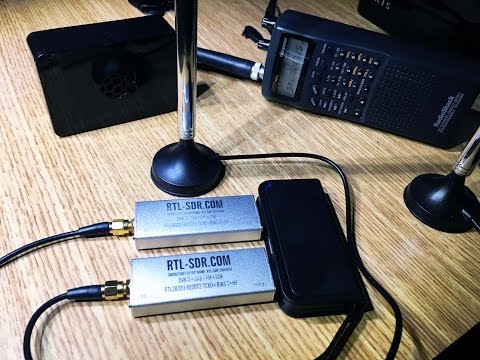
A trunked radio call uses dynamically assigned frequencies from a shared pool, so tracking a conversation requires trunking software (e.g., Unitrunker, SDRTrunk, DSDPlus) and typically two RTL-SDRs, one for the control channel and one for the voice channel.

Trunking Recorder is a Windows application for recording/importing audio from trunked radio systems monitored by Unitrunker, SDRTrunk, ProScan, or DSDPlus. While Trunking Recorder already has a web-based browser front-end viewer, Joe was not happy with it and decided to build his own.

Joe writes:

Joe’s Scanner is a Windows, Android, and iOS app that connects to a Trunking Recorder (TR) backend and provides a modern front end for listening, browsing, and downloading calls.
The idea is to make TR based setups easier for end users, especially on mobile, while staying lightweight and ad free.

Key features:

- Connects to any Trunking Recorder server over HTTP or HTTPS, with or without username/password
- iOS background audio support
- History browsing with downloadable calls
- If the TR installation provides transcriptions, the app can enable address detection and what3words detection
- Free to use with no ads, and no data harvesting or resale

Background:

I built it because I run my own TR servers and was not happy with the existing client options, so I created what I wanted for my customers.

I am also making it available for anyone to use with their own TR servers for free.

Server owners can optionally apply to have their server listed in the in app directory to simplify setup for their users:
https://joesscanner.com/support/joes-scanner/joes-scanner-server-addition/

Microsoft Store: https://apps.microsoft.com/detail/9n5hbztcnt4t?hl=en-US&gl=US

Google Play: https://play.google.com/store/apps/details?id=app.joesscanner.com

Apple App Store: https://apps.apple.com/us/app/joes-scanner/id6758413482

Joe notes that the code is all open source and is available on GitHub.
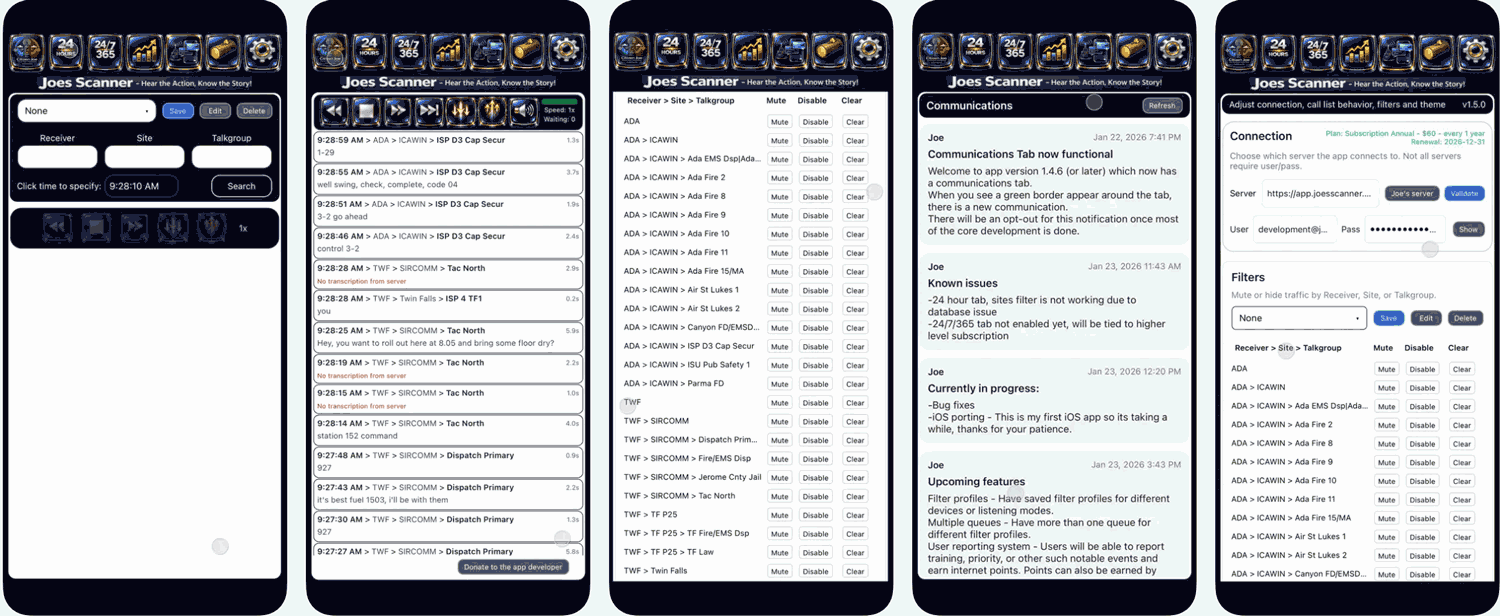
JoesScanner - Mobile Interface

Using a LimeNET Micro to Implement an Amateur Radio DMR Tier III Trunked Radio Base Station

Thank you to Adrian Musceac (author of QRadioLink) for submitting his article about how he implemented an amateur radio DMR Tier III Trunked Radio Base Station with a LimeNet-Micro software-defined radio. DMR Tier III is a digital voice trunked radio system that employs Time Division Multiple Access (TDMA) technology. Tier III is largely based on Tier II, but adds trunking abilities which enable efficient channel access and resource allocation.

The LimeNET Micro is a software defined radio based on the LimeSDR, but it has some upgraded specifications such as an embedded Raspberry Pi Compute Module 3+ that make it easier to deploy as a base station.

Adrian writes:

The Tier III extension (trunked radio) to the DMR standard is defined and specified by the European Telecommunications Standards Insititute (ETSI) in the TS 102 361-4 document.

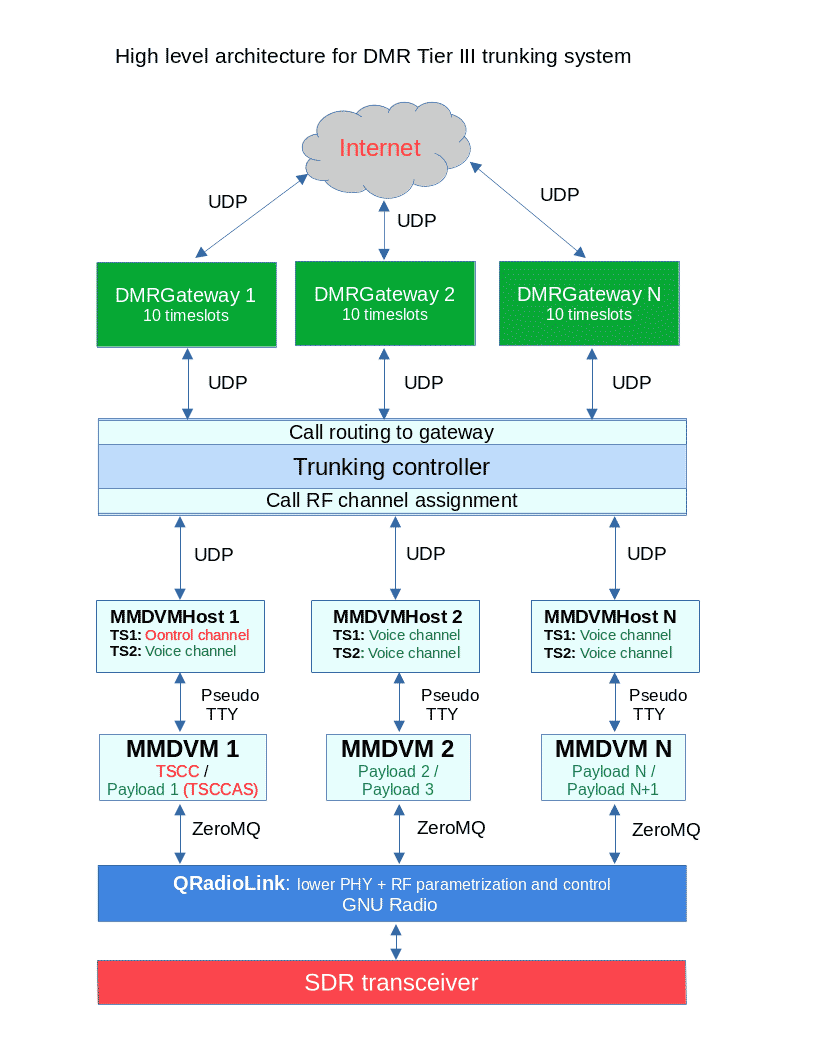
The project uses LimeNet-Micro, LimeSDR-mini or Ettus USRP hardware to set up  such a base station for experimental and amateur radio digital voice communications purposes. The core components of this project are MMDVM, MMDVMHost (both under the form of forks supporting communication via ZeroMQ and pseudo-TTY), GNU Radio, DMRGateway, QRadioLink and the DMR trunked radio controller GUI.

Since DMR trunked radio is not very well known and used in the amateur radio world, I hope this will bring some new information to amateurs interested in these digital voice communication technologies. All code used is available as free and open source software (FOSS). A demo of the project used with real world amateur radio communications can be found on the page.

DMR Tier III system software architecture

Frugal Radio: SDR Guide Ep 6 – Trunk Tracking Public Safety Systems with UniTrunker and SDRTrunk

In this episode of Frugal Radio's ongoing SDR Guide videos Rob demonstrates how he uses Unitrunker and SDR Trunk with SDRs like an RTL-SDR to monitor Public Safety networks in his area. Rob writes:

This is a video demonstrating how I use UniTrunker and SDRTrunk with Software Defined Radios to monitor multiple Public Safety networks in my area.

There is some information on how trunked systems work, and you can hear how my SDRs produce better P25 audio on a Simulcast (LSM) system than some scanners.

I use a couple of RTL-SDR v3s and an Airspy R2 in this episode.

2020 SDR Guide Ep 6 : Trunk tracking Public Safety systems with UniTrunker and SDRTrunk

Understanding, Listening and Recording Trunked Radio Systems with an RTL-SDR and Trunk-Recorder

Trunked radio systems for voice communications can be easily found when browsing the spectrum with an SDR. Listening to a voice communication is easy, but actually following a conversation along is almost impossible to do manually. This is because in a trunking system the frequency in use during a conversation can change often. The frequency of the voice is dictated by a control channel that all radios listen to. This allows multiple talk groups (Police, EMS, business etc) to share one chunk of the spectrum without having to allocate fixed channels for each user.

Over on his blog Andrew Nohawk has uploaded an excellent guide that explains trunked radio, how it works, how to use radioreference to look up trunked radio frequencies in your area, and how to use an RTL-SDR to listen in. He then shows how to use a program called "trunk-recorder" which will automatically record and upload trunked radio conversations to a site like openmhz.com for sharing. 

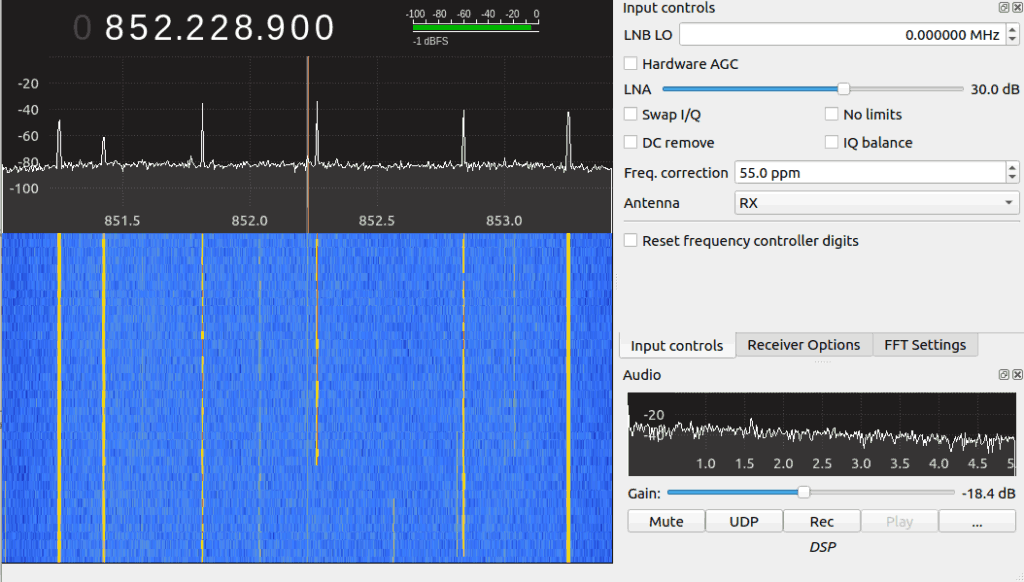
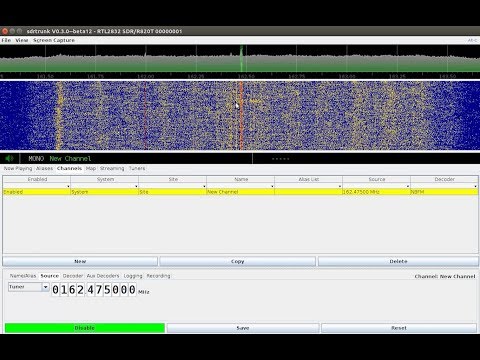
Voice Trunking Seen on GQRX with an RTL-SDR

SDRTrunk 0.4.0 Alpha 9 Updates Highlighted

You may recall that a few years ago we released a tutorial on how to set up and use [SDRTrunk]. Fast forward a few years and the software has seen numerous changes. This application was designed primarily for tracking trunking radio systems but also has the ability to decode things like MDC-1200, LoJack and more.

The software is compatible with many Software Defined Radios such as our RTL-SDR v3, HackRF and the Airspy. Some of the newer improvements include a bundled copy of java so that an installation of java is not required on the host computer, as well as decoding improvements for P25 among other digital voice modes. You can find a full list of improvements along with the latest release on [GitHub]

The biggest feature many have been waiting for is the ability to import talk groups for their radio system into the application from radio reference. While this has not yet been implemented, user [Twilliamson3] has created a [web application] that will convert table data from radio reference into a format that is supported by SDRTrunk.

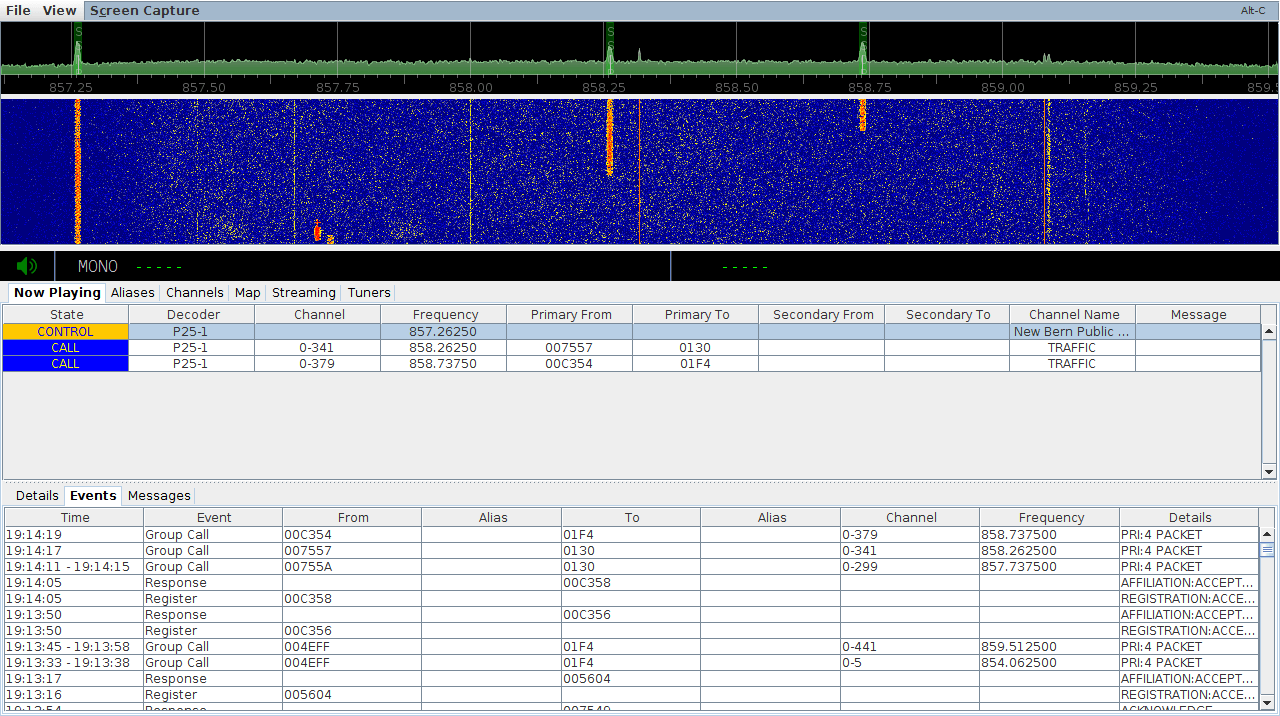
SDRTrunk Screenshot
SDRTrunk Screenshot

SDRTrunk Setup and Use Tutorial

Over on his blog John Hagensieker has uploaded a tutorial that shows how to set up SDRTrunk with RTL-SDR dongles. SDRTrunk is an application that allows you to follow trunked radio conversations, and decode some digital voice protocols such as P25 Phase 1. It is similar to Unitrunker and DSDPlus combined into one program. It is also Java based so it is cross platform and so can be used on Linux and MacOS systems as well.

John’s tutorial contains many useful screenshots, so it should be great for a beginner. He starts from the beginning, with finding trunking frequencies over on radioreference.com, then goes on to the installation and use on Linux. He also later explains how the Airspy can be used instead of multiple RTL-SDR to cover 10 MHz of bandwidth so that multiple systems can be monitored.

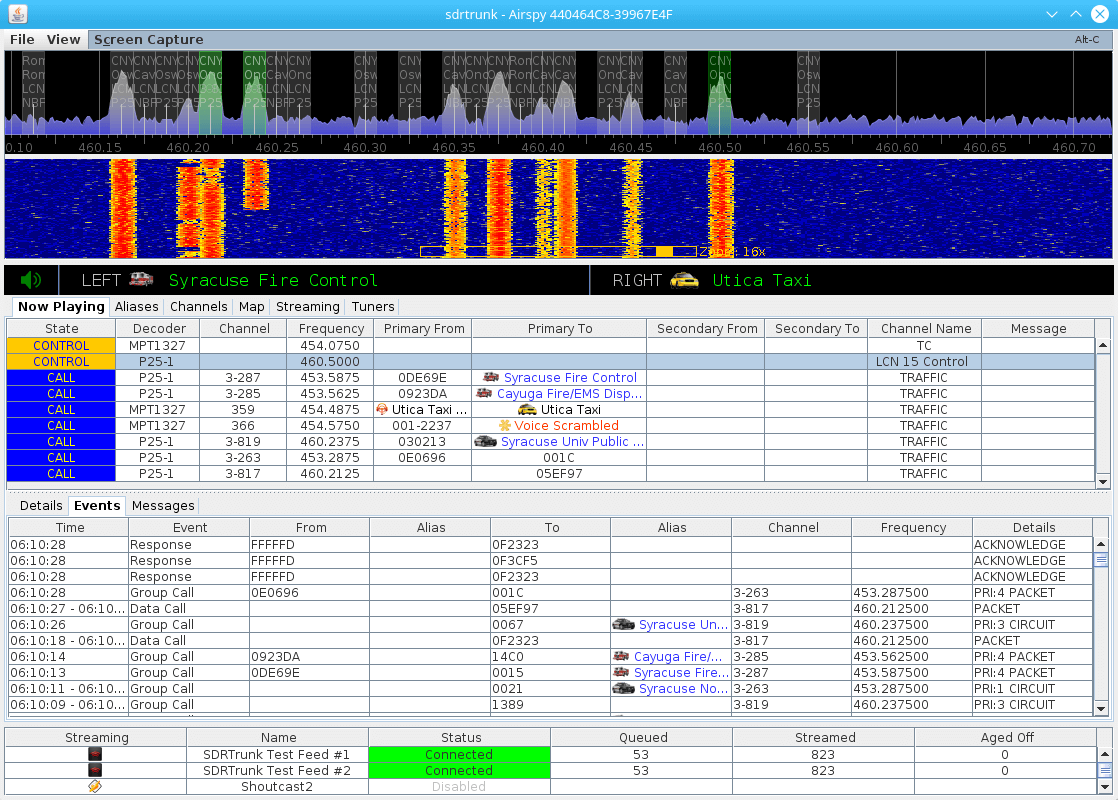
SDRTrunk Running and decoding a P25 Phase 1 System

Installing and Using SDRTrunk on Linux for Live Trunk Tracking with an RTL-SDR

SDRTrunk is a cross platform Java based piece of software that can be used for following trunked radio conversations. In addition to trunk tracking it also has a built in P25 Phase 1 decoder. Compared to Unitrunker SDRTrunk is an all-in-one package, and currently it supports most trunking system control channels, but unlike Unitrunker it still misses out on some systems EDACS and DMR.

Over on his YouTube channel AVT Marketing has uploaded an excellent 6-part video series that shows how to install SDRTrunk and the Java runtime environment on Ubuntu Linux. The sections covered include, installing Java, setting the Java environment variables, installing other SDRTrunk prerequisites such as Apache Ant and the JMBE audio codec for decoding P25, and finally actually using and setting up SDRTrunk. Like all of AVT’s other videos, this is an excellent tutorial that takes you through the entire process from the very beginning so is useful for beginners as well.

Installing SDRTrunk & Java JRE on Ubuntu Linux

If you’re new to trunking: Trunking systems are typically used with handheld radio systems (e.g. those that police, security guards, workmen etc carry around). The basic idea is that each radio constantly listens to a digital control channel which tells it what frequency to switch to if a call is being made. This allows the frequency spectrum to be shared, instead of designating one fixed frequency per user which would be very inefficient. But this system makes it difficult for scanner radios to listen in to, because the voice frequency could change at any time. Therefore software like Unitrunker and SDRTrunk which can decode the control channel is required. In addition many new systems use digital audio like P25 or DMR which requires digital decoders like SDRTrunk or DSDPlus.

Comprehensive Video Guide to Trunking and Digital Voice with the RTL-SDR

Over on YouTube user AVT Marketing has uploaded a five part video series that very clearly and slowly shows how to use an RTL-SDR to set up trunking and digital voice monitoring. In the videos he uses SDR#, Unitrunker, DSD+ and VBCable for the monitoring.

The first video in the series shows a brief overview of the digital trunking voice set up, and explains a bit about digital voice communications. The second video shows how to install an RTL-SDR, and walks you through downloading Unitrunker and DSD+. The third video is a tutorial about SDR# and also explains how trunking radio systems works. The fourth video shows how to install Unitrunker, DSD+, VBCable, and how to configure each program. Finally the fifth and last video in the series shows the final steps in using Unitrunker and DSD+.

This looks like a very good video series, especially for those that like to see every step in the process played out in full.

Cheap Digital Trunked Scanning Using SDR for the Absolute Beginner