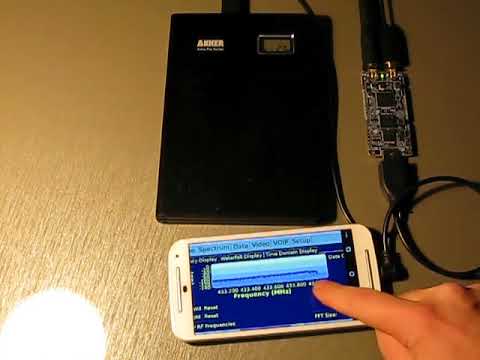
QRadioLink is a Linux and Android compatible radio app that can run on smartphones. It can be used to receive and transmit digital radio signals with a compatible SDR such as an RTL-SDR (RX only), or a LimeSDR Mini (TX and RX). The following video by Adrian M shows QRadioLink running on an Android phone with a LimeSDR Mini connected to it. An external battery pack is also connected to maintain power levels over a longer time.
In the video Adrian shows how this combination can be used as a fully portable radio transceiver. The video first shows him receiving broadcast FM, digital amateur radio voice (Codec2 & Opus is supported), narrowband FM and SSB signals. Later in the video he transmits a digital voice signal using the microphone on his Android phone. He notes that an external amplifier would still be needed if you wanted more transmission power.
Portable SDR transceiver: LimeSDR-mini, mobile phone and QRadioLink
Over on his YouTube channel Kris Occhipinti has uploaded some videos where he shows how he is able to send text data over FM radio frequencies by using an MP3 audio file that encodes the text data, an FM transmitter connected to an Android phone or MP3 player to transmit the file and an RTL-SDR on the receiving side to receive the FM signal from the FM transmitter. The software used to encode the text into an MP3 is Minimodem, and on the receiving side Minimodem is also used which can easily decode the received audio. Minimodem is a command line program which can generate FSK modem tones from data.
These two videos are part of a series that Kris has been working on that includes many videos about using Minimodem to transfer data like text, files and images between computers via radio.
12 Minimodem an FM Transmitter and a USB SDR Dongle
HolyPager Art Installation. HackRF One, Antenna and Raspberry Pi seen under the shelf.
For a long time now it has been known that pager data is sent in the clear and in plain text over a strong and easily received RF signal. The signal can easily be intercepted with a standard scanner radio or more recently with an SDR such as the RTL-SDR. Software such as PDW can then be used to decode the signal into plain text. We have a tutorial on this available here.
In these more modern days of cell phones and secure text messaging very few people still use pagers. But one heavy user of pagers is the medical community who still prefer them as they are already widely implemented in hospitals and are very reliable. The lower frequencies and high transmission powers used by pager systems allows for better reception especially in areas prone to poor cellphone reception such as in big buildings like hospitals with many walls underground areas. They are also very reliable as they receive messages instantly, whereas text messages can be delayed in times of high network traffic which is obviously a problem when a doctor is needed urgently. Finally, another advantage is that most pagers only receive, so there are no local transmissions that could interfere with sensitive medical machines. A major downside however is that pager use means that a lot of very private patient data can be easily intercepted by anyone anywhere in the same city as the hospital.
Back in October artist and programmer Brannon Dorsey displayed an art installation at the Radical Networks conference in Brooklyn which he calls Holypager. The idea is to bring attention to the breach of privacy. The installation simply prints out the pager messages as they are sent in real time, accumulating patient data that any visitor can pick up and read. He doesn't mention it on his page, but in one of the photos we see a HackRF One, antenna and Raspberry Pi hiding underneath the installation which is how the pager messages are received. A simple RTL-SDR could also be used as the receiver. Brannon writes:
Holypager is an art installation that intercepts all POCSAG pager messages in the city it resides and forwards them to one (holy) pager. The installation anonymizes all messages and forwards them randomly to one of three pagers on display. Each message is also printed on a contiguous role of receipt paper amassing a large pile of captured pages for gallery goers to peruse.
Pagers use an outdated protocol that requires all messages to be broadcast unencrypted to each pager in the area. It is the role of the individual pager to filter and display only the messages intended for its specific address. The pagers below have been reprogrammed to ignore this filter and receive every message in the city in real time. Today, these devices are primarily used in hospitals to communicate highly sensitive information between doctors and hospital staff.
Given the severity of the HIPPA Privacy Act, one would assume that appropriate measures would be taken to prevent this information from being publicly accessible to the general public. This project serves as a reminder that as the complexity and proliferation of digital systems increase the cultural and technological literacy needed to understand the safe and appropriate use of these systems often do not.
Many homes in the US and elsewhere no longer require meter reader personnel to come onto the property to read a physical meter at the back of the house. Instead the meter transmits wireless data in the 900 MHz ISM band about electricity usage, and all the meter reader has to do is turn up outside the house and take a reading from the street.
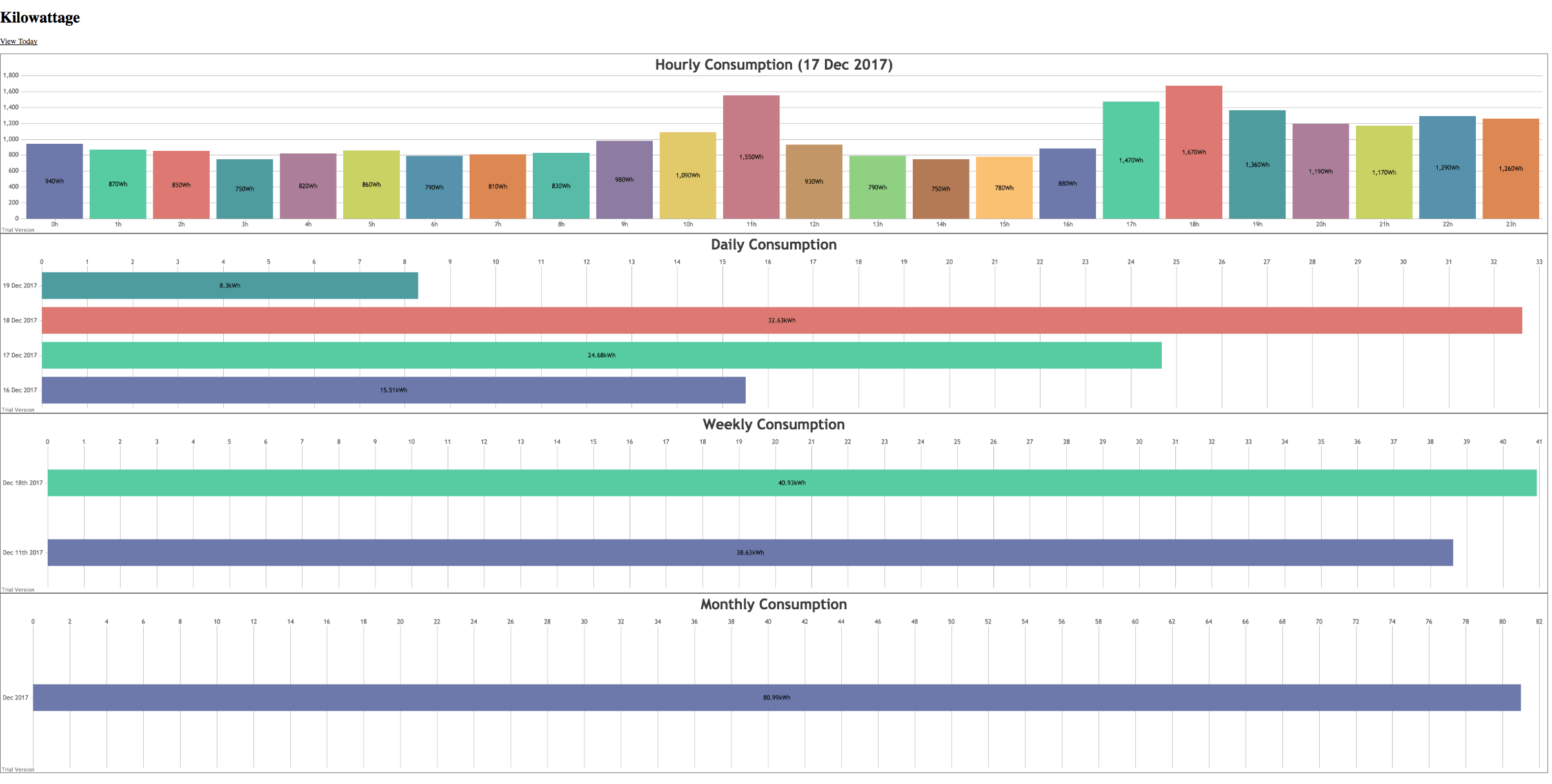
These electricity usage signals are unencrypted and can easily be decoded and displayed with an RTL-SDR and a ready to use program called rtl_amr. The signals even travel quite far, and there have been reports of receiving neighbours signals up to 600m away. K-roy took his RTL-SDR and rtl_amr and wrote on top of it a program that creates a JSON output of the data for easy processing, a PHP, SQLite3 and JQuery based database system for storing the data, and an HTML5 based page for graphing and displaying the data.
If you are in the USA, you might recognize HD Radio (aka NRSC-5) signals as the rectangular looking bars on the frequency spectrum that surround common broadcast FM radio signals. These signals only exist in the USA and they carry digital audio data which can be received by special HD Radio receivers. Earlier in the year in June a breakthrough in HD Radio decoding for SDRs like the RTL-SDR was achieved by Theori when he was able to piece together a full HD Radio software audio decoder that works in real time.
It turns out that some of these HD Radio signals run by iHeartRadio also contain other data streams such as live weather and traffic data that is consumed by HD Radio based car GPS receivers or audio head units in US vehicles. HDRadio.com also write that they can embed other data such as sports scores and emergency messages into the data stream as well.
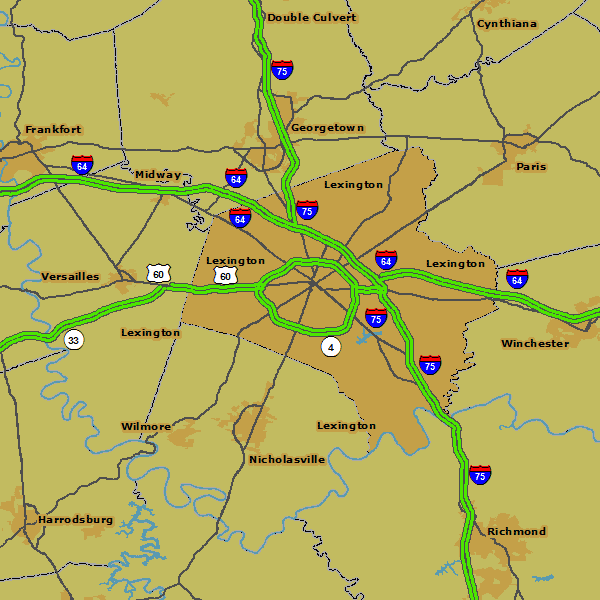
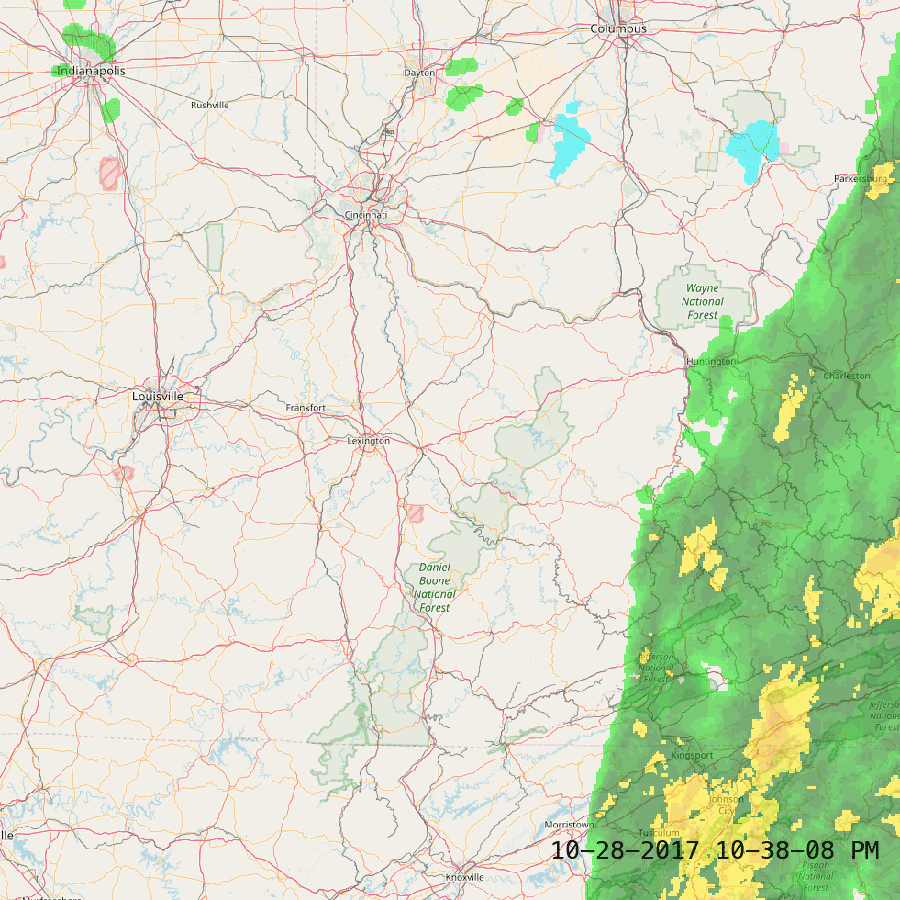
KYDronePilot's Python script utilizes Theori's decoder to save all received weather and traffic data maps for a folder. Below is an example of traffic and weather data that he received.
HD Radio Received Traffic DataHD Radio Received Weather Data
Most readers of this blog are probably familiar with the more commonly received APT images that are broadcast by the NOAA satellites at 137 MHz, or perhaps the LRPT images also broadcast at 137 MHz by the Russian Meteor M2 satellite. HRPT signals are a little different and more difficult to receive as they are broadcast in the L-band at about 1.7 GHz. Receiving them requires a dish antenna (or high gain Yagi antenna), L-band dish feed, LNA and a high bandwidth SDR such as an Airspy Mini. The result is a high resolution and uncompressed image with several more color channels compared to APT and LRPT images.
In his video Tysonpower shows how he receives the signal with his 3D printed L-band feed, a 80cm offset dish antenna (or 1.2m dish antenna), two SPF5189Z based LNAs and an Airspy Mini. As L-band signals are fairly directional Tysonpower points the dish antenna manually at the satellite as it passes over. He notes that a mechanised rotator would work a lot better though. For software he uses the commercial software available directly from USA-Satcom.com.
Over on the SDRplay forums there has been a post by a NOAA engineer showing how they are using SDRplay RSP2 units in the field for tracking their radiosonde weather balloons. A radiosonde is a small sensor package and transmitter that is carried high into the atmosphere by a weather balloon. It gathers weather data whilst transmitting the data live back down to a base stations. You can get data such as temperature, pressure, humidity, altitude and GPS location.
Bobasaurus' coworker launching a weather balloon.
The NOAA engineer on the forum (handle 'bobasaurus') wrote SkySonde, which is the software used by NOAA to decode and plot data from the radiosondes. SkySonde is freely available for public download on the NOAA website. A PDF file showing how to use the SkySonde software with an RSP2 or RTL-SDR can be found here, and the full SkySonde manual is available here. The software consists of a client and server, with the server connecting to the RSP2 or RTL-SDR, and then sending data to the client. Both server and client can run on the same PC.
The hardware setup consists of an RSP2 (can be interchanged with an RTL-SDR), an Uputronics Radiosonde Filtered preamp and a Yagi antenna. Presumably a Yagi and LNA is not completely required, although the receivable range will be less. The RSP2 bias tee is used to power the preamp, and on a V3 RTL-SDR the bias tee should also work.
NOAA appears to use the iMet brand of radiosondes which transmit a Bell 202 signal. Bobasaurus writes that they transmit in the 401-405 MHz range. This video shows an example of such a signal. If you are in the US near an area that launches these iMet weather balloons you should be able to receive them. An alternative piece of software that supports iMet radiosondes is RS. For other radiosondes we have a tutorial that uses SondeMonitor available here.
Over on YouTube the channel "Lead Cyber Solutions" has uploaded a video presentation for the Cyber Skills Competition. In the video Christopher Flatley, James Pak and Thomas Vaccaro discuss a man-in-the-middle attack that can be performed on vehicle Tire Pressure Monitoring Systems (TPMS) with a transmit capable SDR such as a HackRF.
A TPMS system consists of small battery powered wireless sensors placed on a vehicles wheels which automatically monitor tire pressure. An LCD basestation usually exists on the dashboard of the car indicating live tire pressure. Most modern cars come with this feature, and it is simple to retrofit an older car with an aftermarket TPMS system.
The idea behind the vulnerability is that a HackRF can be used to reverse engineer the TMPS signal, and then re-transmit a new fake signal that causes the base station to read the tire pressure as low. This can set off an alarm in the car and possibly cause someone to pull over. More alarmingly, they discuss how tractors have automatic tire inflation systems which work using similar sensors. A false low pressure reading could cause the tractor tires to over inflate and be damaged.
Vulnerabilities in Vehicle TPMS (Exploit & Hacking)
In the past we have also posted about Jared Boon's work on TPMS where he shows how privacy could be breached by monitoring and tracking TPMS identifiers.


![[EN subs] HRPT - Erste Bilder! und mein Setup](https://www.rtl-sdr.com/wp-content/plugins/wp-youtube-lyte/lyteCache.php?origThumbUrl=https%3A%2F%2Fi.ytimg.com%2Fvi%2FxuqsLo48eWg%2F0.jpg)