Category: HackRF

HackRF Blue: A Lower Cost HackRF

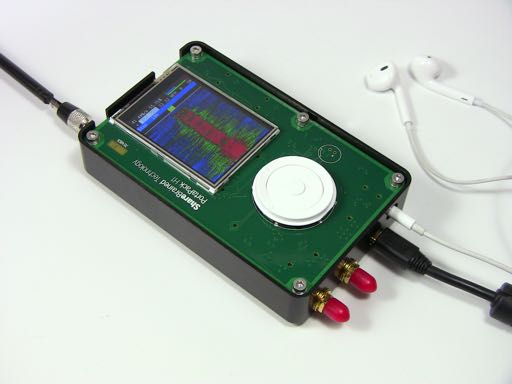
Earlier in the year the HackRF One was released by Micheal Ossmann. It is a transmit and receive capable software defined radio with a 10 MHz to 6 GHz range which currently sells for around $300 USD. Since the HackRF is open source hardware, anyone can make changes to the design and build and sell their own version.

The HackRF Blue is a HackRF clone that aims to sell at a lower cost. By sourcing lower cost parts that still work well in the HackRF circuit, the team behind the HackRF Blue were able to reduce the price of the HackRF down to $200 USD. They claim that the HackRF Blue has the same performance as the HackRF One and is fully compatible with the HackRF software. They are currently seeking funding through an IndieGoGo campaign.

Their main goal through the funding is to help provide underprivileged hackerspaces with a free HackRF.

The HackRF Blue
The HackRF Blue

Reverse Engineering a Wireless Alarm with the HackRF

Wireless alarms consist of multiples devices such as sensors and detectors which all communicate to a central control box via RF signals. Blogger “fun over ip” decided that he wanted to understand the design and security measures used by his Verisure wireless alarm by reverse engineering the system.

First, he took his HackRF software defined radio and monitored the 433 MHz and 868 MHz ISM bands whilst pushing keys on his alarms remote control. In the 868 MHz band he found a corresponding signal that had two spikes in the RF spectrum, indicating that it was likely a 2-FSK (frequency shift keyed) signal.

Next he created a GNU Radio program to demodulate the 2-FSK signal into a binary sequence. He then used Audacity to view and analyze the binary sequence, decoding it into 0’s and 1’s and determining the sync word (or access code). With further analysis he also determined the symbol rate and samples per symbol. With all this information gathered, he was then able to expand his GNU Radio program to automatically detect and decode packets sent by the various wireless devices connected to the alarm system.

His post goes into good detail about the steps that he took and is a great aide in understanding how to reverse engineer wireless protocols.

Decoding Wireless Alarms

Android App RFAnalyzer Now on Google Play with Support for the RTL-SDR

Previously we posted about the new RFAnalyzer Android app for the HackRF which has a RF spectrum and waterfall display. Now RFAnalyzer is available on the Google Play store with experimental support for the RTL-SDR dongle. The app also now supports AM and FM audio demodulation.

The app is fully open source and the code and APK can be downloaded for free from its Git repository. Alternatively, the app can be downloaded from the Google Play store at a small cost of $0.99 USD.

To use the app you’ll need a USB OTG cable to connect your HackRF or RTL-SDR to your Android phone. More information on the app can be found on the authors blog.

An alternative Android app to RFAnalyzer is SDR Touch.

RF Analyzer Android App for the HackRF and RTL-SDR

RF Analyzer Android App for the HackRF

Earlier this month we posted about a new port of the HackRF software defined radio Linux library for Android. Now the author of the Android port has created a new app called RF Analyzer. The app is basically a real time spectrum viewer that includes a waterfall display. The app can be downloaded from Github at https://github.com/demantz/RFAnalyzer.

The app currently supports the following features.

  • Browse the spectrum by scrolling horizontally
  • Zoom in and out, both horizontally and vertically
  • Adjust the sample rate and center frequency to match the current view of the screen by double tapping
  • Auto scale the vertical axis
  • Jump directly to a frequency
  • Adjust the gain settings of the HackRF
  • Select a pre-recorded file as source instead of a real HackRF
  • Change the FFT size
  • Setting the frame rate either to a fixed value or to automatic control
  • Activate logging and showing the log file

In the future the author intends to support the RTL-SDR and implement demodulation for basic modes such as AM, FM and SSB.

To use the app you’ll need an USB OTG (on-the-go) cable to connect your Android device to the HackRF.

RF Analyzer Android App for the HackRF
RF Analyzer demonstration - Showing a FFT plot by using an Android device and the HackRF

Using the HackRF on Android

Micheal Ossmann’s HackRF Linux library has recently been ported to Android by programmer Dennis Mantz. Dennis has also made a blog post showing how to use the library. In addition he’s uploaded a YouTube video showing off the library using an example app. The app is capable of recording an RF signal and replaying it via the HackRF’s TX capabilities. In the video Dennis shows the example app recording a broadcast FM station and then retransmitting the recording to his car radio.

Using the HackRF on an Android Device

Hak5: Getting Started with the HackRF

On this episode of Hak5, a popular technology YouTube channel, Shannon does a tutorial on how to get started with the HackRF. The HackRF is a recently released software defined radio similar to the RTL-SDR dongle, but with transmit capabilities.

In the video she shows how to set up the HackRF on Pentoo Linux and GNU Radio. She then shows how to use a GNU Radio program that can receive multiple broadcast FM signals simultaneously. The GNU Radio program is one that is based on Micheal Ossmans GNU Radio video tutorials.

Getting Started With The HackRF, Hak5 1707

Analyzing a Car Security Active RFID Token with a HackRF

Some car security systems from around 2001 – 2003 use an embedded RFID tag inside the car key as an added security measure against key copying. Using his HackRF, ChiefTinker was able to analyse and decode the data from an active RFID token used in a car key. He notes that the same analysis could also be performed with an RTL-SDR dongle.

Upon powering the RFID tag with a power supply, ChiefTinker noticed that the tag emitted a short transmission every 5 seconds in the ISM band at 433.920 MHz. On closer inspection he determined that the transmitted data was encoded with a simple AM on-off keying (OOK) scheme. After importing the audio into Audacity and cleaning up the signal a little, he was able to clearly see the OOK square wave showing the transmitted binary data.

Next he analysed the data and compared the binary output against two different RFID keys. From the comparison he was able to determine that the tag simply beacons a unique serial number, which is susceptible to capture and replay attacks. After further processing he was able to convert the transmitted binary serial number into hexadecimal, then ASCII to find the unique serial number being broadcast in decimal.

RFID Car Key Tokens
RFID Car Key Tokens

HackRF TX YouTube Videos

Since the HackRF was shipped to Kickstarter backers there have been a few new short videos uploaded to YouTube showing some transmit experiments that people have done.

Here YouTube user CFSworks uses his HackRF to record and replay a signal that causes the charge port on his Tesla Model S electric car to open.

HackRF vs. Tesla Model S

In this video YouTube user Chief Tinker shows his HackRF being used to ring his house doorbell.

In this video YouTube user alaindecarolis uses his HackRF with hackrf_transfer to record and replay a voice signal from a standard Kenwood mobile radio.

HackRF hackrf_transfer test

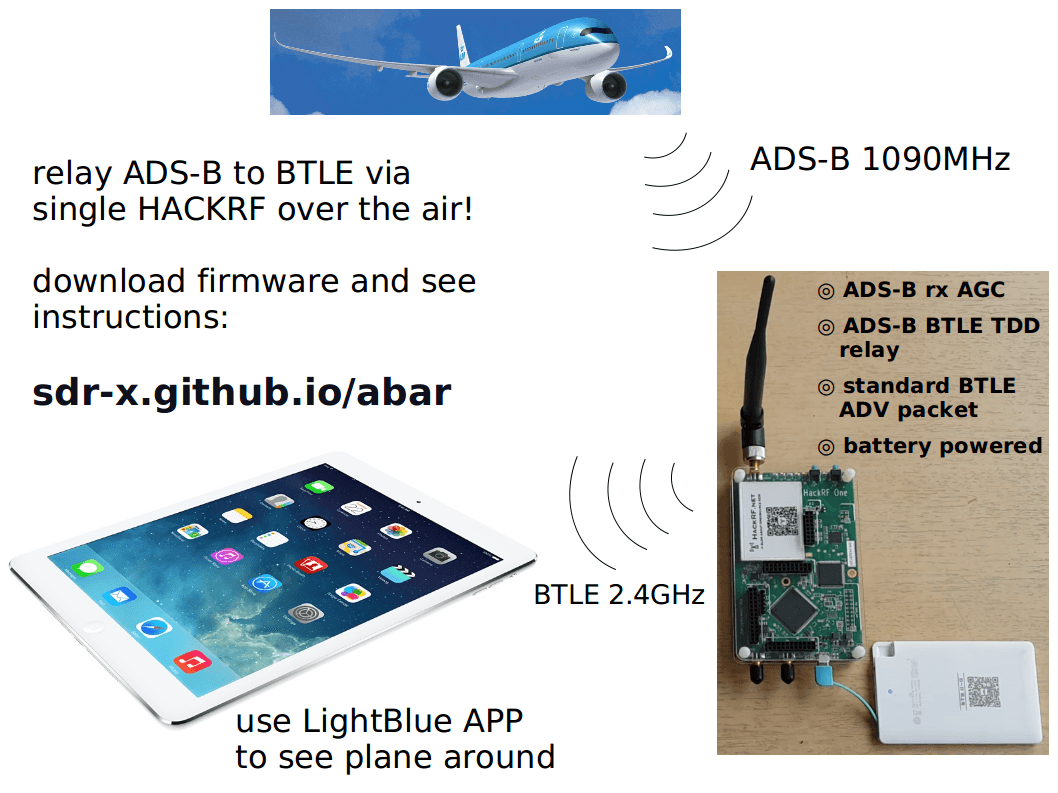
Here YouTube user Jiao Xianjun shows the program he created that allows someone to send arbitrary Bluetooth Low Energy (BTLE/BT4.0) packets via a HackRF board.

Bluetooth Low Energy, BTLE/BT4.0 Packet Sender. (Software Defined Radio)

Finally this video shows a little public mischievousness with YouTube user sigmounte using his HackRF to turn off certain street lights via the Urban Light Management system which uses simple radio CCIR tones.

Télécommande urbaine