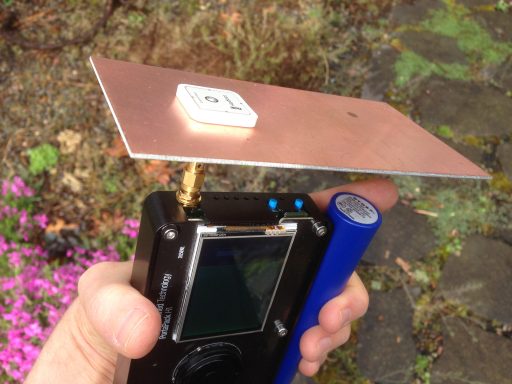
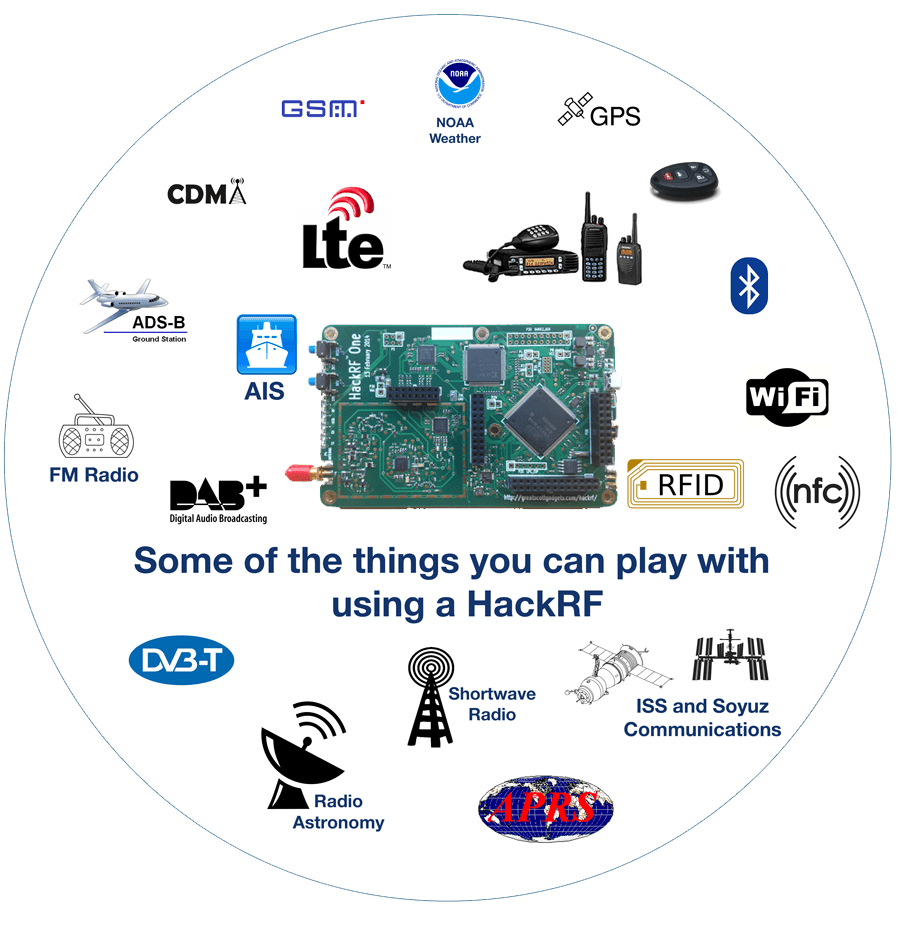
Recently Jared Boone, creator of the HackRF portapack posted on his blog about his experience with trying to receive Iridium satellite signals. The HackRF is 8-bit, ~0 – 6 GHz, RX/TX capable SDR, and the Portapack is a kit that allows the HackRF to go portable, by adding an LCD screen, battery pack and control wheel. Iridium is an L-band satellite service that provides products such as satellite phones and pagers. Back in December 2014 we posted how it was found that Iridium pager messages could be decoded.
To receive Iridium Jared used a simple ceramic patch antenna mounted on a piece of cheap copper clad fibreglass. This simple antenna was good enough to receive the Iridium signals with good strength. With this set up Jared was able to easily go outside and receive some packets and record them. He writes his next steps are to try and run the Iridium pager decoder on them and see what packets he captured.
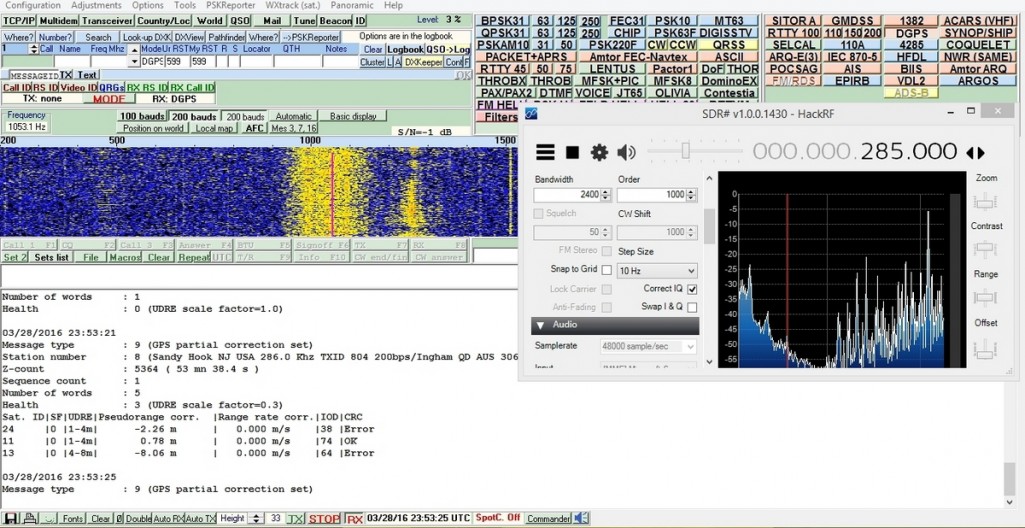
Differential GPS (DGPS) are signals that exist between 285 – 325 kHz and are used to enhance the accuracy of GPS receivers. The system can improve GPS accuracy from 15m down to 10cm in some cases. It works using a network of ground stations at a very accurate known location that continuously measure the GPS error they receive. They then broadcast this error to DGPS capable receivers. The receiver can then use this error knowledge to correct their own readings.
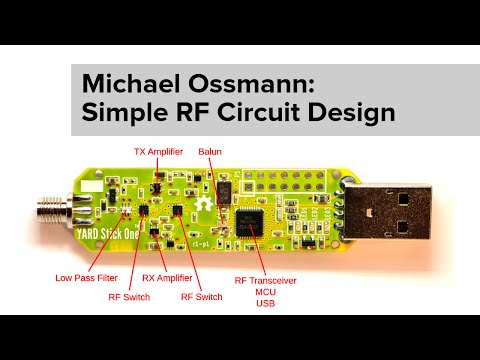
At the 2015 Hackaday super conference Michael Ossmann (designer of the HackRF SDR and various other RF products) gave a talk called “Simple RF Circuit Design”. His talk explains in very simple terms how to successfully create RF circuits without the need to do any complicated calculations. The workshop blurb reads:
This workshop on Simple RF Circuit Design was presented by Michael Ossmann at the 2015 Hackaday Superconference. It sold out almost immediately and for good reason. He has designed numerous popular tools like the the HackRF One and YARD Stick One. Michael’s depth of knowledge and experience make him a leader in a field that is often called a dark art. There is no reason to fear RF design. Follow his recommendations and remove some of the mystery from the topic.
Essentially his talk boils down to 5 rules:
Use Four Layers You’ll have less RF trouble and design work with four layers than on a two layer board. Four layers allows you to have unbroken power planes which helps to reduce ground loops.
Use the Most Integrated Component Possible Instead of designing your own RLC circuits and filters and taking into account various factors like Q values, just use an integrated circuited with defined parameters.
Design for 50 ohms Everywhere Keep every thing matched to the standard 50 Ohms for optimal impedance matching.
Follow Manufacturer Recommendations Use the layouts specified by the manufacturer.
Route the RF Parts First Route the most critical part, the RF section first and keep digital lines away.
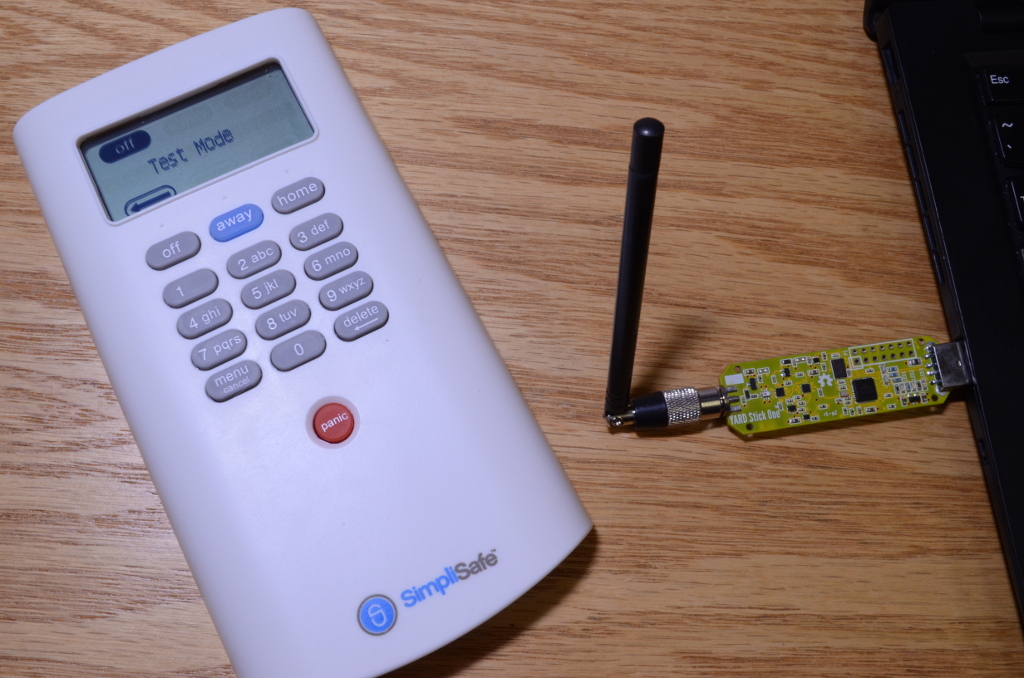
SimpliSafe is a home security system that relies on wireless radio communications between its various sensors and control panels. They claim that their system is installed in over 300,000 homes in North America. Unfortunately for SimpliSafe, earlier this week Dr. Andrew Zonenberg of IOActive Labs published an article showing how easy it is for an attacker to remotely disable their system. By using a logic analyser he was able to fairly easily reverse engineer enough of the protocol to discover which packets were the “PIN entered” packets. He then created a small electronic device out of a microcontroller that would passively listen for the PIN entered packet, save the packet into RAM, and then replay it on demand, disarming the alarm.
A few days later Micheal Ossmann (wireless security researcher and creator of the HackRF SDR and YardStick One) decided to have a go at this himself, using a YARD Stick One and a HackRF SDR. First he used the HackRF to record some packets to analyze the transmission. From the analysis he determined that the protocol was an Amplitude Shift Keying (ASK) encoded signal. With this and some other information he got from the recorded signal, he could then use his Yardstick One to instantly decode the raw symbols transmitted by the keypad and perform a replay attack if he wanted to.
Next, instead of doing a capture and replay attack like Andrew did, Micheal decided to take it further and actually decode the packets. This took him a few hours but it turned out to not be too difficult. Now he is able to recover the actual PIN number entered by a home owner from a distance without having to do any transmitting. With the right antenna someone could be gathering 100’s of PINs over a distance of many miles. Also, an expensive radio is not required, Micheal notes that the gathering of PIN numbers could just as easily be done on a cheap $10-$20 RTL-SDR dongle.
Micheal notes that the SimpliSafe alarm seems to lack even the most basic cryptographic protection, and that this is a problem that is seen all too often in wireless alarm systems. Rightly so, Micheal and Andrew are not publishing their code, although it seems that anyone with some basic knowledge could repeat their results.
Back in December 2014 the HackRF Blue came out via a crowd funded Indiegogo campaign as a HackRF board that was $100 cheaper than the official version ($199 vs $299 USD). The HackRF is a 8-bit receive and transmit capable SDR with operating range of between 0.1 – 6000 MHz and a bandwidth of up to 20 MHz. As its hardware specifications are released as open source, it is very easy for clones of the official version to be produced. While the HackRF Blue Indiegogo campaign was successful, the product is now out of stock as they seemed to stop production after the campaign.
We are a PCB and SMT assembly factory founded in the year 2001, located in Shenzhen, China. We are a professional EMS/OEM company; provide one-stop contract electronic manufacturing service for PCB&PCBA. Now we want to make small market devices and sell directly to customers.
Some of the part on HackRF is End Of Life and very difficult to find now. We have enough of these part for ~300 HackRF only. You can find some HackRF on Alibaba right now, but they used cheap parts and the manufacture does not test them (they do not install any firmware).
We are trying to find some more of the EOL part first and will make the Kickstarter campaign soon. If we can’t find any more of these part, we will only make ~300pcs. Please register first, when we activate the campaign we will tell you by email. The first 10 people who buy from the Kickstarter will have a heavy discount, only pay $75!
IMPORTANT NOTE: Please note that this review is now out of date as the SDRplay RSP line has received significant improvements to their hardware and Airspy have brought out a new SDR that is much better at HF.
Overall it is now difficult to pick a winner between Airspy and SDRplay products. However, our preference is the Airspy HF+ Discovery for HF signals, and the SDRplay RSP1A for generic wideband wide frequency range receiving.
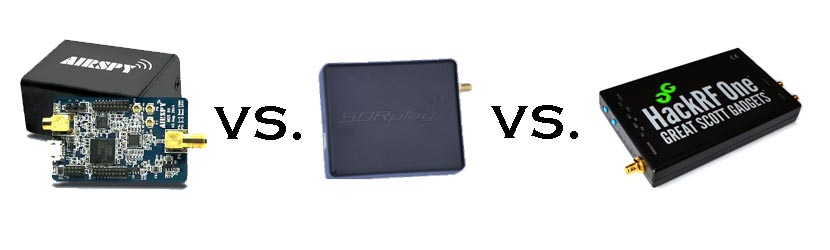
When people consider upgrading from the RTL-SDR, there are three mid priced software defined radios that come to most peoples minds: The Airspy (store), the SDRplay RSP (store) and the HackRF (store). These three are all in the price range of $150 to $300 USD. In this post we will review the Airspy, review the SDRplay RSP and review the HackRF and compare them against each other on various tests.
Note that this is a very long review. If you don't want to read all of this very long post then just scroll down to the conclusions at the end.
What makes a good SDR?
In this review we will only consider RX performance. So first we will review some terminology, features and specifications that are required for a good RX SDR.
SNR - When receiving a signal the main metric we want to measure is the "Signal to Noise" (SNR) ratio. This is the peak signal strength minus the noise floor strength.
Bandwidth - A larger bandwidth means more signals on the screen at once, and more software decimation (better SNR). The downside is that greater CPU power is needed for higher bandwidths.
Alias Free Bandwidth - The bandwidth on SDR displays tends to roll off at the edges, and also display aliased or images of other signals. The alias free bandwidth is the actual usable bandwidth and is usually smaller than the advertised bandwidth.
Sensitivity - More sensitive radios will be able to hear weaker stations easier, and produce high SNR values.
ADC - Analogue to digital converter. The main component in an SDR. It samples an analogue signal and turns it into digital bits. The higher the bit size of the ADC the more accurate it can be when sampling.
Overloading - Overloading occurs when a signal is too strong and saturates the ADC, leaving no space for weak signals to be measured. When overloading occurs you'll see effects like severely reduced sensitivity and signal images.
Dynamic Range - This is directly related to ADC bit size, but is also affected by DSP software processing. Dynamic range is the ability of an SDR to receive weak signals when strong signals are nearby. The need for high dynamic range can be alleviated by using RF filtering. Overloading occurs when a strong signal starts to saturate the ADC because the dynamic range was not high enough.
Images/Aliasing - Bad SDRs are more likely to overload and show images of strong signals at frequencies that they should not be at. This can be fixed with filtering or by using a higher dynamic range/higher bit receiver.
Noise/Interference - Good SDRs should not receive anything without an antenna attached. If they receive signals without an antenna, then interfering signals may be entering directly through the circuit board, making it impossible to filter them out. Good SDRs will also cope well with things like USB interference.
RF Filtering/Preselection - A high performance SDR will have multiple preselector filters that switch in depending on the frequency you are listening to.
Center DC Spike - A good SDR should have the I/Q parts balanced so that there is no DC spike in the center.
Phase Noise - Phase noise performance is determined by the quality of the crystal oscillators used. Lower phase noise oscillators means better SNR for narrowband signals and less reciprocal mixing. Reciprocal mixing is when high phase noise causes a weak signal to be lost in the phase noise of a nearby strong signal.
Frequency Stability - We should expect the receiver to stay on frequency and not drift when the temperature changes. To achieve this a TCXO or similar stable oscillator should be used.
RF Design - The overall design of the system. For example, how many lossy components such as switches are used in the RF path. As the design complexity increases usually more components are added to the RF path which can reduce RX performance.
Software - The hardware is only half of an SDR. The software the unit is compatible with can make or break an SDRs usefulness.
Next we will introduce each device and its advertised specifications and features:
Device Introduction and Advertised Specifications & Features
As of April 2016, the Airspy Mini is now also for sale at $99 USD.
$149 USD + shipping ($20-$30 world, free shipping in the USA)
£99 + VAT + ~£10 shipping for EU.
$299 USD + shipping
Freq. Range (MHz)
24 - 1800
0 - 1800 (with Spyverter addon)
0.1 - 2000
0.1 - 6000
ADC Bits
12 (10.4 ENOB)
12 (10.4 ENOB)
8
Bandwidth (MHz)
10 (9 MHz usable)
6 MHz (5 MHz usable) (AS Mini)
8 (7 MHz usable) (10 MHz in SDRuno/~9 MHz usable)
20
TX
No
No
Yes (half duplex)
Dynamic Range (Claimed)(dB)
80
67
~48
Clock Precision (PPM)
0.5 PPM low phase noise TCXO
10 PPM XO
30 PPM XO
Frontend Filters
Front end tracking IF filter on the R820T2 chip.
8 switched preselection filters + switchable IF filter on MSI001 chip
Two very wide preselection filters - 2.3 GHz LPF, 2.7 GHz HPF
ADC, Frontend Chips
LPC4370 ARM, R820T2
MSi2500, MSi001
MAX5864, RFFC5071
Additional Features
4.5v bias tee, external clock input, expansion headers.
LNA on the front end
5v bias tee, LNA on front end, external clock input, expansion headers.
Notes
The Airspy is designed by Benjamin Vernoux & Youssef Touil who is also the author of the popular SDR# software.
Of note is that there has been a misconception going around that the Airspy is an RTL-SDR/RTL2832U device. This is not true; there are no RTL2832U chips in the Airspy. The confusion may come from the fact that they both use the R820T2 tuner. The RTL2832U chip is the main bottleneck in RTL-SDR devices, not the R820T2. When coupled with a better ADC, the R820T2 works well and can be used to its full potential.
The Airspy team write that they sell units mostly to universities, governments and professional RF users. However, they also have a sizable number of amateur users.
Update: As of April 2016 the Airspy Mini is now for sale for $99 USD. The main difference is a 6 MHz bandwidth and fewer expansion headers, but all other specs appear to be the same.
The SDR Play Radio Spectrum Processor (RSP) is designed by UK based engineers who appear to be affiliated with Mirics, a UK based producer of SDR RF microchips.
The chips used in the SDRplay RSP are dedicated SDR chips which were designed for a wide variety of applications such as DVB-T tuners. The RSP uses these chips and improves on their front end capabilities by adding an LNA and filters in order to create a device capable of general SDR use.
Initially when writing this review we had deep problems with the imaging of strong signals on the RSP. However, a recent Dec 22 update to the drivers has fixed this imaging problem tremendously.
The HackRF is designed by Micheal Ossmann a computer security researcher who was given a development grant from DARPA. His company is called "Great Scott Gadgets".
The HackRF's most unique feature when compared to the other two SDR's is that it is capable of both receiving and transmitting.
There is also a clone called the HackRF Blue out on the market which is about $100 cheaper, but they don't seem to have stock or be producing these any more.
From the specs it is clear from the ADC sizes that both the Airspy and SDRplay RSP are in a different class of RX performance when compared to the HackRF. However, people always compare the Airspy and SDRplay with the HackRF due to their similar price range, so we will continue to compare the three here in our review, but with more of a focus on comparing the Airspy and SDRplay RSP.
In order to use the Airspy on HF (0 - 30 MHz) frequencies a $50 add on called the Spyverter is required. This is an upconverter that is designed for use with the Airspy's high dynamic range and bias tee power port. However, one hassle is that the Spyverter must be connected/disconnected each time you want to switch between HF and VHF/UHF reception as it does not have VHF/UHF passthrough. The RSP and HackRF on the other hand can receive HF to UHF without the need of an upconverter or the need to change ports. A single port for HF to UHF can be very useful if you have a remote antenna switcher.
Post continues. Note that this is a long post with many images.
Z-wave is a wireless protocol that is used often in applications like smart home and industrial automation. It essentially allows various wireless nodes to connect and talk to one another within your house, using 900 MHz wireless technology. Some common examples of Z-wave node products might be wireless controlled lights, door locks, thermostats and other security devices like motion detectors.
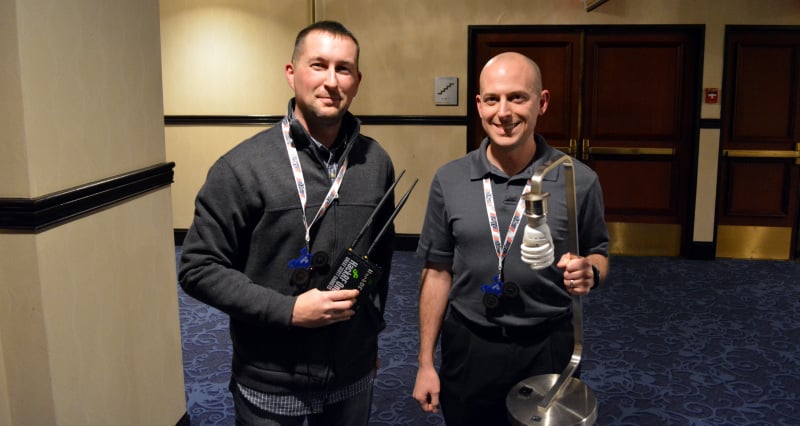
Recently at Shmoocon 2016 (a yearly hacking and security themed conference), presenters Joseph Hall and Ben Ramsey showed how they were able to use a HackRF software defined radio and some GNU Radio based software to not only sniff Z-wave packets, but to also control Z-wave devices. What’s also interesting is that they found that encryption on z-wave devices was rarely enabled, except for five out of nine door locks that they tested where it was enabled by default.
Toorcon is a yearly conference that focusus on information security related topics. At the 2015 Toorcon conference Micheal Ossmann (inventor of the HackRF SDR) gave an interesting talk about reverse engineering wireless systems using software defined radio.
Back in November Micheal gave a bit of a quick tutorial on reverse engineering in a November edition of the YouTube web series Hak5. Now his full conference talk has been released over on his website. In his talk he uses a HackRF and a Yardstick One to show how to reverse engineer a wireless cabinet lock.