Category: Mobile

Using the SDRplay and SDRTouch on an Android Mobile Phone

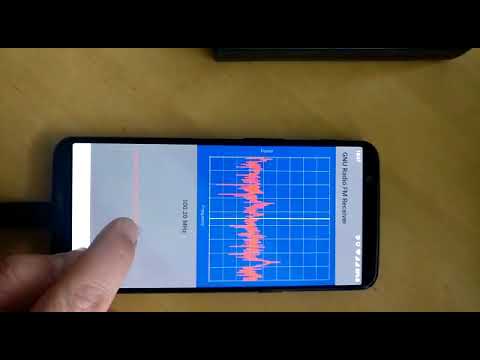
A few months ago the popular SDRTouch software for Android added support for the SDRplay RSP. The RSP is a $149 USD software defined radio with a tuning range of 100 kHz to 2 GHz and a 12 bit ADC.

Over on YouTube user Mile Kokotov has uploaded a video showing the SDRplay RSP running in SDRTouch. He uses it to listen to the 14 MHz ham band in SSB mode and finds that reception is clear and that it is fairly easy to tune around.

In order to use the RSP with an Android device you will need a fairly modern phone and a USB OTG cable. Ideally try to get a USB OTG cable with an external power port as the battery can drain quite fast when using the SDR. SDRTouch also supports the RTL-SDR.

SDRplay running with Android mobile phone

Video showing SMS Texts and Voice Calls being sniffed with an RTL-SDR

Over on YouTube user Osama SH has uploaded a video briefly showing the steps needed to use an RTL-SDR dongle to sniff some SMS text messages and voice calls made from his own phone. This can be done if some encryption data is known about the phone sending the messages, so it cannot be used to listen in on any phone – just ones you have access to. In the video he uses Airprobe and Wireshark to initially sniff the data, and find the information needed to decode the text message. Once through the process he is able to recover the SMS message and some voice audio files.

New ADS-B Android App for North America

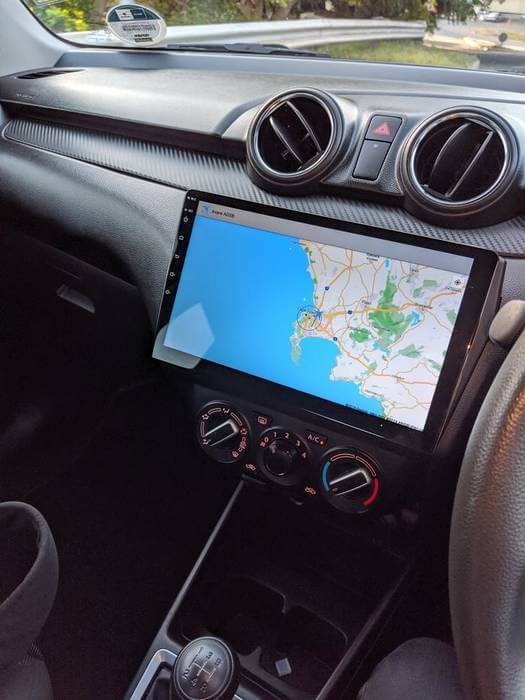
Previously we posted about Android programmer Tosis Nikolaos’s last app which was called “Track your flight Europe”. The app allows you to view aircraft tracked via ADS-B received by an RTL-SDR on an offline map. 

Now Nikos has written into us once again to let us know about his new app called “Track your flight North America“. It is the same as his previous app, but this one has high resolution offline maps for North America. He also writes that his Europe app has also been updated to support high resolution offline maps. The app costs 5.09 Euros + VAT. To run it you will need an Android device and an RTL-SDR with OTG cable.

tyf

Track My Flight HD Maps

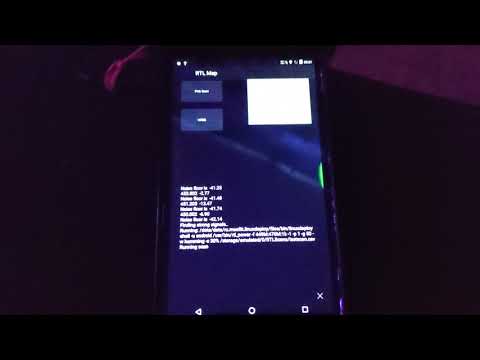
Remote RTL_UDP: RTL-SDR Remote Control Android App

Over the past few weeks programmer MichelinoK has been working on an Android app that allows the RTL-SDR to be listened to and controlled remotely. The app is called “Remote RTL_UDP” and allows you to control the parameters such as frequency, modulation type and gain settings on a remote rtl_udp server. It also allows you to store frequencies in a database and import frequencies from a SDR# database. The server can be run on a Raspberry Pi, Linux PC or any Linux device that is capable of running rtl_fm.

The post contains a full tutorial on the set up which involves the installation of ezstream and icecast for streaming audio as well as instructions for the installation of the modified version of rtl_fm called rtl_udp which allows remote control of the parameters via udp.

Android RTL_UDP Interface

AISRec for Android: New AIS Decoder

Back in December last year we posted about Jane feverlay’s work on his software called AISRec, which was a Windows AIS decoder for the RTL-SDR that he had developed.

AIS is an acronym for Automatic Identification System and is a system used by ships to broadcast position and vessel information. By monitoring AIS transmissions with the RTL-SDR we can build a boat radar system. We have a tutorial on this here.

Now from YouTube it looks as though Jane has developed a new Android version of AISRec which he describes as a high performance dual-channel AIS receiver for use with a single RTL-SDR dongle. The features of AISRec include:

1. Functions include AIS and GPS NMEA I/O, from/to USB devices and serial ports (special android devices with serial ports).
2. It supports TCP server and UDP forwarding jointly or independently for AIS and GPS.
3. It supports steaming in WIFI in AP or station modes and Ethernet.
4. It supports auto run on boot for especially rooted devices.

He also writes that AISRec also has companion implementations for Windows desktop and metro, Linux on Raspberry Pi 2 and the Radxa pro.

Unfortunately, at the moment there does not seem to be a link available to download the software and the video may only be a preview. The video does link to his Taobao shop at http://shop114459024.taobao.com/ (in Chinese use Google Translate), which is where he might release the software when it is ready.

New ADS-B Mapping and Decoder App for Android from FlightAware

Flightaware.com is a web based online radar service for aircraft. The plane position data is obtained from contributors running ADS-B decoding hardware, such as a special ADS-B receiver box or simply an RTL-SDR dongle.

To increase the number of contributors, the team at FlightAware have released a new RTL-SDR compatible ADS-B decoder app for Android devices. The App is totally free and is also ad free. It can be downloaded from the Google Play store at https://play.google.com/store/apps/details?id=com.flightaware.android.flightfeeder. The intention of the app is to target users who may have an old Android device lying around, which can be put to good use in contributing data to FlightAware. More information about running the app can be found on their webpage.

When sharing data with FlightAware you are then eligible for a free enterprise account valued at $89.95 a month which allows you to access several advanced flight tracking features.

To use the app you’ll need an Android device, a USB OTG cable (ideally with external power port) and an RTL-SDR dongle. The USB OTG cable should ideally have an external power port and be powered from the mains with a power adapter as the battery can drain fast.

FlightAware ADS-B App

New ADS-B Android App for Europe

Android app programmer Nikos recently wrote in to let us know about his new app called “Track your flight Europe”. His app can be used together with an RTL-SDR and USB OTG cable to track aircraft via ADS-B. The difference between Nikos’ app and other similar ADS-B apps is that his app is specifically designed for tracking the aircraft you are flying in by providing an offline map which does not require an internet connection to display.

As the app is currently in the alpha stages of development, Nikos is looking for people to help test it out. The alpha can be downloaded for free on the Android Google play store at https://play.google.com/store/apps/details?id=org.qtproject.example.Android_Application_ADSB_final.

Europe ADS-B App
Europe ADS-B App

RTL-SDR Cell Phone IMSI, TMSI and Key Sniffer

Over on YouTube user Kali Gsm has uploaded a video showing off a new software program he has written that allows an RTL-SDR to be used to gather IMSI, TMSI and Key information from a cell phone connected to a PC.

The IMSI (International Mobile Subscriber Identity) is a number that uniquely identifies a cell phone. Because IMSI’s are unique, they can be used to track a cell phone so they are rarely broadcast and instead a TMSI (Temporary Mobile Subscriber Identity) number is used to identify a cell phone instead. The TMSI is changed depending on geographic location or changed by the network randomly. The key is a number that is used to decrypt the GSM data sent to your phone.

Kali Gsm’s software is called rtl_tool_kit and is planned to be released soon on it’s GitHub page. It uses the gr-gsm software to sniff the GSM downlink with an RTL-SDR dongle and also interfaces to a connected mobile phone. The author writes that the following is possible with the software:

  1. You can get imsi tmsi and key of the device connected to your pc.
  2. You can send silent/flash sms
  3. You can connect/match tmsi to a mobile number if target is on the same BTS and in GSM900/2G mode.

Update 25/01/2015: All YouTube videos appear to have been removed – though the uploader reports in the comments that the videos will be back online soon.
Update 29/01/2015: Videos are back online.