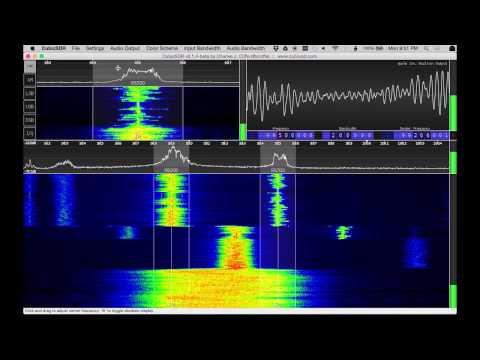
CubicSDR is a new and upcoming multi platform open source SDR software package that is compatible with the RTL-SDR. It is similar to programs like SDR#, HDSDR and SDR-Radio. Recently the programmers have released version 0.0.4-beta which adds several new features which we have listed below:
Audio Spectrum visuals, drag the A/V visuals area to toggle between audio Scope and Spectrum
Waterfall speed can now be controlled between 1 and 1024 lines per second
Waterfall now continues to render while minimized or in background
Waterfall/Spectrum can now be zoomed to 30khz window with improved resolution
Spectrum averaging speed can now be controlled between 1% and 99%
I/Q mode for piping decimated I/Q to other applications at audio sample rate
Spectrum peak and floor decibels now displayed (can toggle off/on with ‘B’)
Can now mute demodulator with ‘M’ button or pressing ‘M” while hovering
Save and recall device Offset, I/Q swap, Direct sampling, Waterfall/Spectrum speed, Window state
Performance and UI responsiveness improvements
Can now use direct input for demod bandwidth
Direct input < 3000 now assumes Mhz
Additional device input sample rates
Improved waterfall keyboard controls via arrow keys
Can now specify alternate configuration name via -c (name) or -config (name) at command line
Automatically reduce unused buffer memory over time
Several crash fixes
CubicSDR is compatible with Windows, Linux and MacOS. It can be downloaded from www.cubicsdr.com.
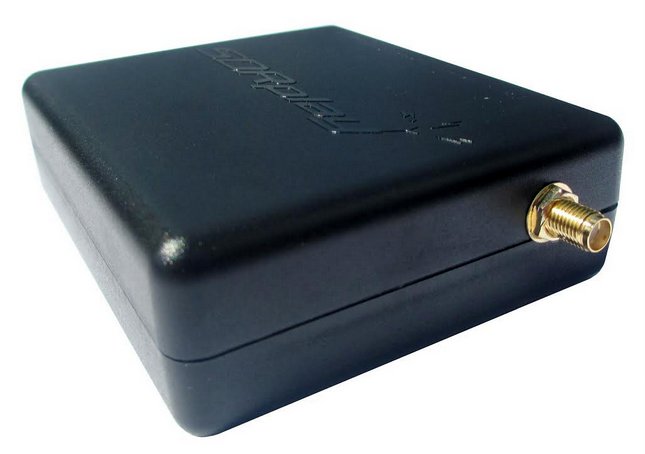
We have just released a new and improved RTL-SDR unit in our store, which we are currently pricing at $19.95 USD, or $24.95 USD including 2x telescopic antennas. The unit comes with the following improvements:
1 PPM temperature compensated oscillator (TCXO) – Accurate tuning and almost zero temperature drift (2 PPM initial offset, 1 PPM temperature drift)
SMA female antenna port – Most dongles use the less common MCX or PAL antenna ports. Ours use SMA which is much more common so more adapters and antennas are available for it. It is also more durable and has lower insertion losses.
R820T2 tuner – More sensitive/lower noise floor than the older R820T tuner. 100% compatible with software for the older R820T.
Improved component tolerances – Allows the RTL-SDR to work more optimally over all frequencies.
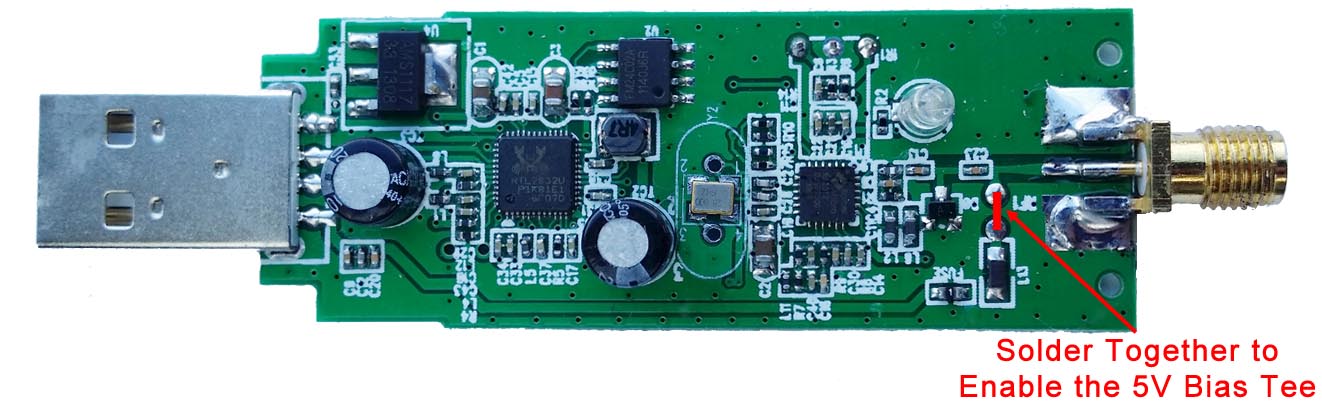
Experimental: 4.5V USB powered bias tee – Can be enabled by soldering two pads on the PCB together. This allows the RTL-SDR to power LNA’s (like the LNA4ALL and HABAMP) and active antennas through the coax cable.
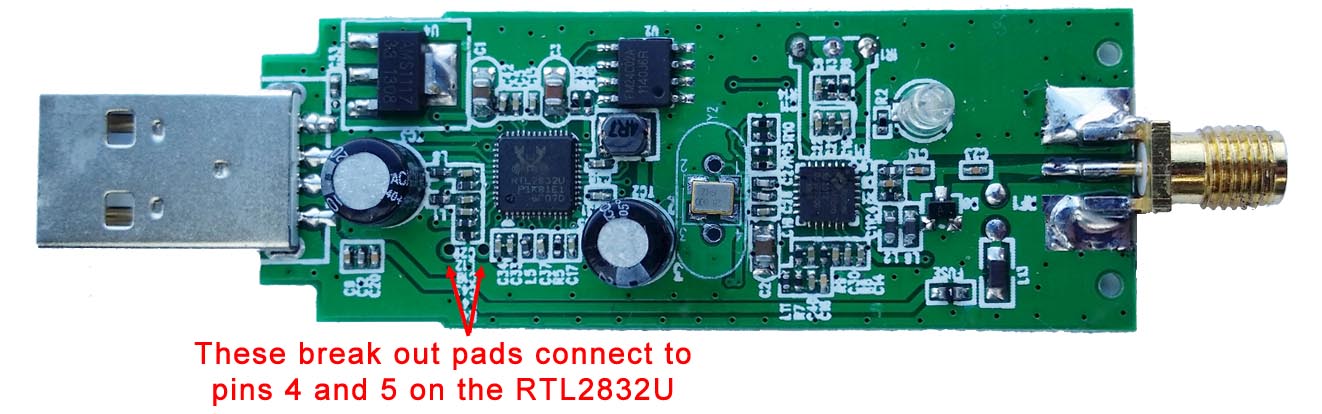
Experimental: Break out pads for direct sampling – Allows easier soldering to pins 4 & 5 on the RTL2832U for enabling the direct sampling mod.
For US customers we highly recommend that you buy from our Amazon store as if you spend over $35 you will receive free shipping from a local Amazon warehouse. This usually takes less than 1 week for delivery. Prime subscribers can also get free 2 day shipping if bought on Amazon. If you like you can also use our international cart to buy from our Chinese warehouse with free shipping.
International customers can get free shipping from our warehouse in China. We will always try to use the fastest tracked air mail shipping method available to us, which will be ePacket, EMS air mail or similar if possible. This should get the parcel at your door within 2 weeks, but please note that this time is heavily dependant on the customs and postal agencies within the destination country which we have no control over. Countries such as Italy, Canada, Brazil, Russia and middle eastern countries are known to have extremely slow customs agencies. If you prefer you can also pay more for express shipping and we will use DHL, UPS, FEDEX or EMS Courier. Just use our cart to select the shipping method you prefer. We also kindly remind customers that with international shipping you are responsible for any customs duties or taxes incurred by the shipment.
Shipping status meanings: ‘In process’ means that your order information has been sent to the warehouse and the parcel is being packed. A tracking number will follow usually by the next business day.
Please note that tracking updates may take a few days to show up.
Warranty Information
We will provide 6 months warranty on manufacturing defects. Please note that if you try the direct sampling or bias tee mods then any warranty will be voided, so please ensure your dongle is working before trying these.
If you suspect a manufacturing fault please email us at [email protected] and include your order number and name. Please include details of the fault and a picture of the fault if it is physical damage. If the unit is faulty we will issue either a refund or send a new unit out depending on your preference.
Specification Discussion
Temperature Compensated Oscillator (TCXO)
The 28.8 MHz oscillator used in most RTL-SDRs is passive and not frequency accurate. This means that when you tune to a known frequency, it will likely be offset by a few kHz. Usually the PPM offset on a normal RTL-SDR is in the range of 30 – 150 PPM. Furthermore, as the dongle warms up, the frequency will drift up to ~20+ PPM until the temperature stabilizes.
The 1 PPM Temperature Compensated Oscillator (TCXO) in our units provides accurate tuning with an initial offset of 2 PPM and a 1 PPM temperature drift over time. This means that a known signal will appear where it should on the frequency spectrum and will not significantly drift in frequency as the dongle warms up.
SMA F Antenna Port
On standard RTL-SDR’s the antenna port is either a MCX or PAL connector. MCX connectors are relatively uncommon and are susceptible to connector strain when using an adapter. PAL connectors are common with some TV connections, but no decent radio or antenna will use PAL due to its high insertion losses above ~100 MHz.
We’ve made these RTL-SDR dongles with SMA female antenna connectors. SMA is a very common connector in the radio field and provides a sturdy and secure connection. In addition SMA antenna adapters are much easier to find and insertion losses are lower.
We know some people prefer the F-type connector used in the previously sold ThumbNet dongles, but from our previous polling we believe the majority (~80%) of users prefer SMA. We may bring out F-type RTL-SDR’s again in the future if there is demand.
Note: Remember to not get confused between RP-SMA and SMA! RP-SMA or “reverse polarity SMA” is used for WiFi equipment only. In the normal radio world, most devices use standard SMA. RP-SMA is reversed, it has the male pin on the female connector, and the female hole on the male end. To be clear: This device is a radio device so it uses normal SMA connectors.
R820T2 Tuner
As discussed when we brought out our previous generation, the R820T2 tuner has slightly better sensitivity than the R820T and also works better at frequencies around 1.5 GHz. It also works better with the experimental HF drivers.
Improved Component Tolerances
We have these units manufactured with tighter tolerances on all passive components.
Telescopic Antennas
In our $24.95 USD package we provide two telescopic antennas. The smaller one goes from 6 cm to 20 cm, and the larger one goes from 20 cm to 1.5 m. The antenna base is also larger with a 4.5 cm diameter, when compared to the smaller bases shipped with most models. This provides more stable operation when using the larger antenna.
With antennas, usually the larger the antenna is the lower the frequency it can receive. These two antennas allow you to tune to almost the entire range of the RTL-SDR. Of course the antenna should be placed outdoors and up as high as possible to get the best performance. Placing the magnetic mount on a metal surface can also help complete the antenna as a quarter wave ground plane.
When fully collapsed the small antenna works decently at 1090 MHz for ADS-B frequencies.
Experimental 4.5V Bias Tee
A bias tee allows you to power external RF devices such as Low Noise Amplifiers (LNA’s) and active antennas through the coax cable. Since LNA’s should be placed right after the antenna, it can be sometimes hard to get power to them if a bias tee isn’t used.
We have included a simple (experimental) bias tee option in our latest units, inspired by mods madeby other experimenters. The bias tee is disconnected by default, but it can be activated by soldering two pads together on the PCB. Connecting the pads connects the antenna output to the USB 5V rail. The resistance in the fuse and inductor can reduce the output voltage to about 4.5V.
Bias Tee Instructions
The USB power rail is protected from over current and shorts through a PTC resettable fuse with a hold current of 80 mA and trip current of 200 mA. This means that the fuse will become a short circuit if greater than 200 mA tries to flow through it, which may happen during a short or with faulty equipment. Between 80 mA and 200 mA is an unknown state, where the fuse may or may not trip, depending on the temperature. In practice we’ve tested it with a hold current of 120 mA in a ~16 degree ambient environment (and much hotter inside the dongle casing) and had no issues with premature tripping.
We used a 4.7 uH 250 MHz SRF inductor as the bias tee choke. At the highest frequency tunable by the RTL-SDR (~1700 MHz) this should only give a (simulated) ~1-2 dB loss through the inductor. For better performance at frequencies above 1 GHz you could experiment with a smaller value inductor and possibly with removing the static protection diode, though in our tests we saw very little difference with the diode removed.
We have tested the bias tee with an LNA4ALL and HABAMP both in bias tee mode. Both worked fine running for a number of hours. The HABAMP really improved ADS-B reception a lot and we highly recommend it. We also tested the unit with two LNA’s connected together, both powered by the bias tee and this also worked fine. An LNA like the LNA4ALL draws about 60 mA of current, so running two at once is pushing the hold current of 80mA on the fuse, but we had no trouble with about 120 mA of current, though we need to note that people in hot climates may have different results as the trip current reduces with higher temperatures. We also tested an active GPS antenna (active antennas contain built in LNA’s) which also worked.
With the bias tee and LNA’s we were able to improve weak signal reception and also receive several signals not usually receivable by the RTL-SDR alone such as L-band satellites like Inmarsat, GPS and Iridium with an appropriate antenna.
Experimental break out pads for direct sampling
The direct sampling mod is a hardware modification that allows you to tune to HF frequencies with an RTL-SDR. The best way to apply this mod is to directly solder your antenna or matching transformer to pins 4 & 5 of the RTL2832U chip. However, these pins are very small and so the mod requires extreme soldering ability.
These units have break out pads for these pins which make soldering to them much easier.
Direct Sampling Instructions
Let us know if you have any questions about these units, or feature requests for future units. We’ve tried to make the most popular changes that don’t increase the cost too much, but we are always open to ideas for future improvements.
The SDRPlay is a $149 USD software defined radio with a 12-bit ADC, 8 MHz of bandwidth and a 100 kHz to 2 GHz tuning range. It is a good upgrade to the RTL-SDR and can be considered as a competitor to the Airspy SDR.
One of the initial cons of the SDRPlay was that it had a tuning gap from 380 MHz to 420 MHz. The gap was due to hardware limitations and had nothing to do with censorship. However, now the SDRPlay team have released a new API which fixes these limitations and can fully close the gap.
Along with this update they have also released a new EXTIO driver file with the following improvements:
Implementation of a selectable 1st LO frequency for the block converter. This will apply to frequencies below 60MHz (up-converted) and between 250MHz and 420MHz (down-converted). This allows full coverage between 100kHz and 2GHz in AUTO mode or the re-position of interferes at the expense of coverage range
Added a down conversion routine to convert Low IF modes to Zero IF modes for compatibility in SDR interfaces. IF bandwidths below 1.536MHz supported choice of IF Frequency and sample rate are restricted.
Added Options to control the DC offset compensation mode used by the tuner. Available modes are Static, Periodic, One-Shot and Continuous
Improved robustness when dynamically changing between IF modes and sample rates
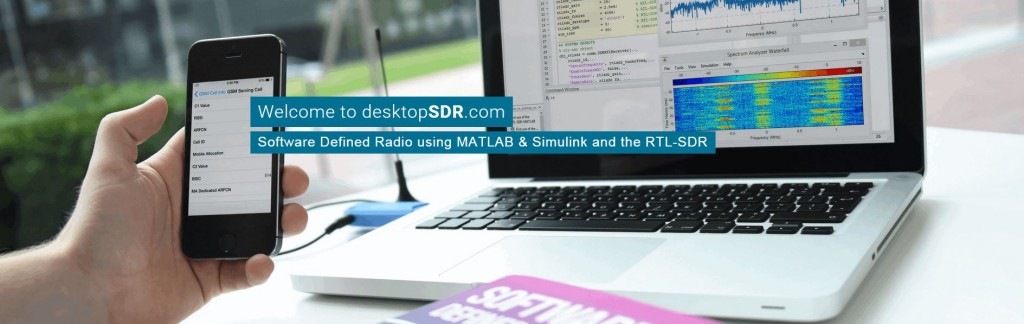
MATLAB is a technical computing language and software suite used commonly by professional and student scientists and engineers. It is similar to GNU Radio in terms of its digital signal processing (DSP) capabilities. Back in January 2014 the MATLAB team released an update which enabled the RTL-SDR to be used as an RF input device.
The text book’s blurb reads:
The availability of the RTL-SDR device for less than $20 brings software defined radio (SDR) to the home and work desktops of EE students, professional engineers and the maker community. The RTL-SDR can be used to acquire and sample RF (radio frequency) signals transmitted in the frequency range 25MHz to 1.75GHz, and the MATLAB and Simulink environment can be used to develop receivers using first principles DSP (digital signal processing) algorithms. Signals that the RTL-SDR hardware can receive include: FM radio, UHF band signals, ISM signals, GSM, 3G and LTE mobile radio, GPS and satellite signals, and any that the reader can (legally) transmit of course! In this book we introduce readers to SDR methods by viewing and analysing downconverted RF signals in the time and frequency domains, and then provide extensive DSP enabled SDR design exercises which the reader can learn from. The hands-on SDR design examples begin with simple AM and FM receivers, and move on to the more challenging aspects of PHY layer DSP, where receive fi lter chains, real-time channelisers, and advanced concepts such as carrier synchronisers, digital PLL designs and QPSK timing and phase synchronisers are implemented. In the book we will also show how the RTL-SDR can be used with SDR transmitters to develop complete communication systems, capable of transmitting payloads such as simple text strings, images and audio across the lab desktop.
While the book is not yet released the full table of contents is currently available for viewing on their downloads page. From looking at the table of contents, we can see that the text book looks very comprehensive and will likely be extremely useful for students who are learning RF and DSP concepts in university level classes. The team behind the book (desktopsdr.com) also have a YouTube channel where it appears that they are releasing supporting videos.
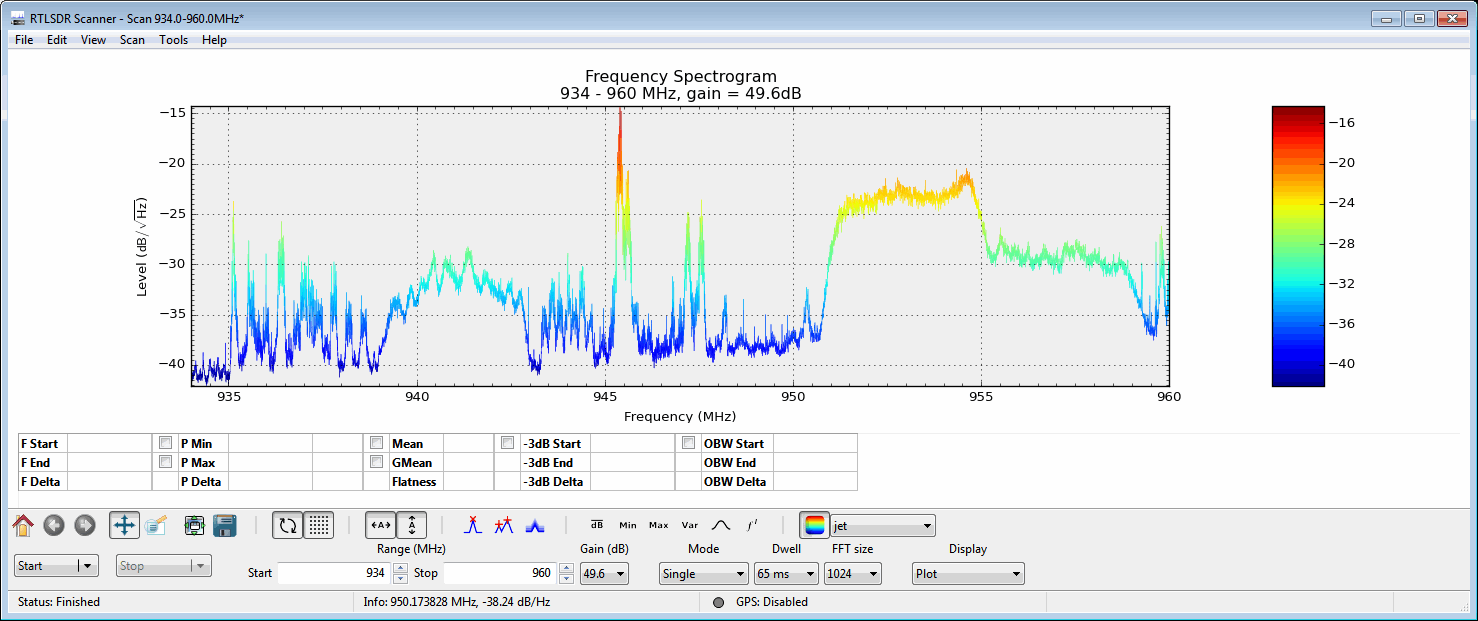
RTLSDR Scanner is a program that can be used with an RTL-SDR to do a power scan over a very wide frequency. It works by quickly scanning the selected bandwidth in chunks and stitching the results together. Previously to install this software you had to run an installer which installed many dependencies. However just recently the author has released a standalone version which doesn’t require any installation. To use this version simply download the RTLSDR Scanner .exe file, and place it into the same folder as the official Windows librtlsdr drivers, which can be downloaded from Osmocom.
One useful application that RTLSDR Scanner can be used for is to generate a signal strength heatmap. If you connect a GPS device to your laptop, RTLSDR scanner will record GPS coordinates together with signal strengths as you drive around. From this a heatmap of signal strengths can be generated which can help you to find signal sources, or sources of interference.
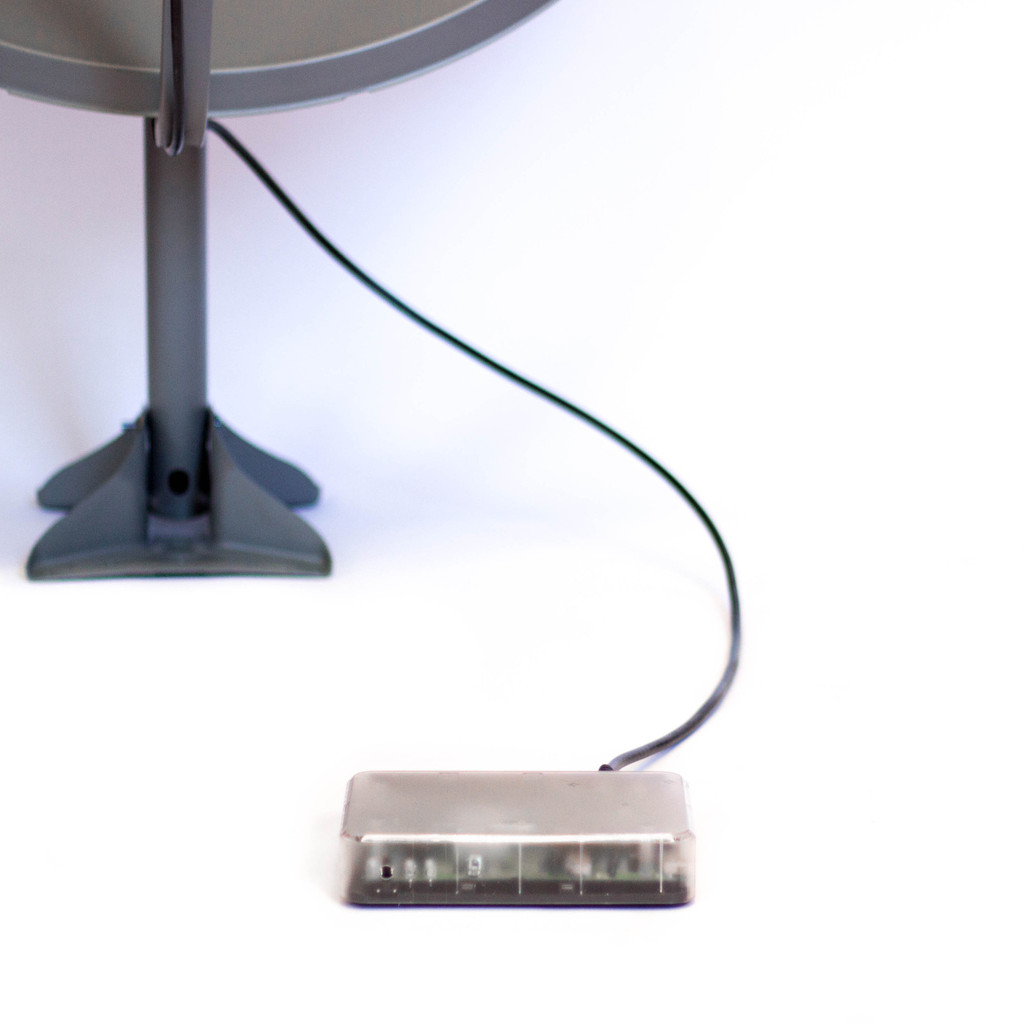
Although this isn’t directly SDR related, this story may still be of interest to some readers. The Outernet project have just put on sale their first receiver which is called the Lighthouse. The standard Lighthouse consists of custom hardware, but there is also a DIY option in the store which consists of a HDStar DVB-S2 receiver board and a Raspberry Pi with custom software. You also need a satellite dish antenna and LNB which can be bought from their store, or found locally.
The Outernet project aims to be a “library in the sky” satellite based service that will provide free one-way access to daily downloads of data such as books, news, videos and other information. Its goal is to provide people who may not have easy physical or uncensored access to the internet an easy way to access daily information.
The currently available Outernet services cover almost the entire globe and use Ku-band (12 – 18 GHz) and C-band (4 – 8 GHz) geostationary satellite links, which is what the Lighthouse is capable of receiving when used with an appropriate dish antenna (the Ku-band service requires a 90cm dish, while the C-band service requires a much larger dish). The Lighthouse receives data from the satellites and then allows users to view the downloaded data by connecting to it via a WiFi enabled device such as a PC or smartphone. They currently broadcast 1 GB of data per day to most of the world, and 100 GB per day to sub-saharan African countries.
In the future Outernet is hoping to release their “Lantern” receiver, of which one prototype is based on a modified RTL-SDR design. The Lantern will receive their upcoming L-band (1-2 GHz) transmissions which will only require a small patch antenna and LNA’s to receive. A standard RTL-SDR with appropriate antenna and LNA’s should also be capable of receiving this service when it is released.
The SatNOGS project aims to provide low cost satellite ground stations (where one critical component is currently an RTL-SDR dongle) along with free networking software in order to create a crowd sourced satellite coverage network. The SatNOGS project was also the grand prize winner of the 2014 Hackaday prize which saw them take away almost $200k US dollars of prize money.
Recently the SatNOGS team announced the release of their new satellite database which can be used to look up satellite transmitter information such as downlink frequencies. It is described as “an effort to create an hollistic, unified, global transmitter database for all satellite transmitters”. The database is open to everyone and requires contributions in order to grow.
DSD+ stands for Digital Speech Decoder Plus and is a software program that can allow you to decode digital voice signals such as P25 and MotoTRBO/DMR. DSD+ is under continual development, and in their last public update they began offering early access to the latest DSD+ features in development through their fast lane subscription. The fast lane subscription costs $10 USD for one year and $25 for unlimited early access. Information about joining the fast lane service can be found in the readme file of the latest DSD+ 1.074 public release.
Over on YouTube user John Miller has been testing the latest early access version DSD+ 1.08t. This new version adds trunking support which allows you to follow conversations. Previously other software like Unitrunker was required to follow the trunking signal. On YouTube John has uploaded a video first showing trunking in action, and a second video showing how to set up DSD+ 1.08t for trunking.