During July 24-31 the large Arecibo Radio Observatory in Puerto Rico (the big dish antenna that you may be familiar with from the movie ‘Contact’) ran an Ionospheric heating experiment which involves transmitting 600kW of net power up into the Ionosphere. This type of experiment is used for researching plasma turbulence in the ionosphere and upper atmosphere.
“The new Arecibo ionosphere HF heater nominally transmits 600 kW net power and has a unique Cassegrain dual-array antenna design that increases gain of three crossed dipoles for each band, using the signature 1000-foot spherical dish reflector,” explained Chris Fallen, KL3WX, a researcher at the University of Alaska-Fairbanks HAARP facility. He has reported that Arecibo would use 5.125 or 8.175 MHz, depending upon ionospheric conditions, but emphasized that these are estimates and frequencies may be adjusted slightly. On July 25, Arecibo was transmitting on 5.095 MHz.
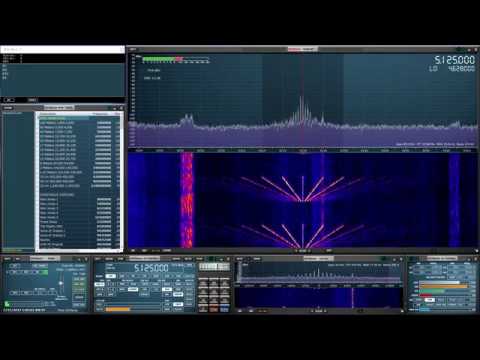
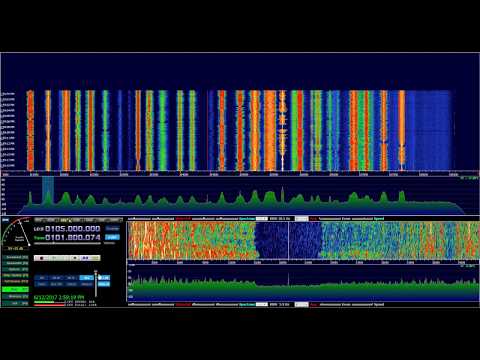
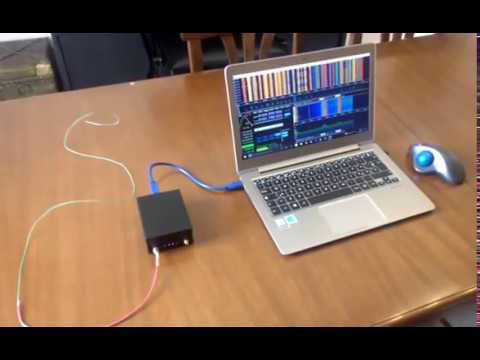
Over on YouTube Mike L. used his SDRplay RSP1 together with our BCAM HPF to record some transmissions from the observatory.
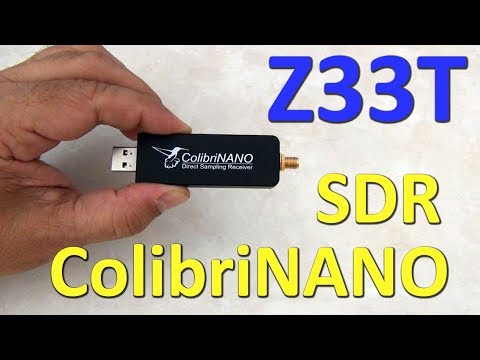
Over on YouTube Mile Kokotov (Z33T) has uploaded his review of the ColibriNANO, which is a $350 USD 10 kHz – 55 MHz direct sampling SDR dongle built by Russian company Expert Electronics. It features a 14-bit direct sampling ADC which is then decimated into 16-bits at bandwidths of up to 3 MHz, or 24-bits at up to 768 kHz. This should give it excellent dynamic range preventing any sort of overloading.
In the video Mile gives the Colibri an excellent rating. In the video description he writes:
The Colibri-NANO USB stick is a powerful direct sampling SDR receiver with frequency range from 10 kHz to 55 MHz. ColibriNANO is not another cheap USB dongle found on e-bay. This high quality SDR receiver has been developed by Expert Electronics and has strongly and solidly build aluminum body, Electrostatic discharge (ESD) protection, USB 2.0 interface and a quality SMA antenna connector.
ColibriNANO has 14 bit Ananalog-To-Digital Converter, with a clock frequency of 122.88 MHz. Coverage is 10 kHz to 55 MHz, with low pass RF-filter on 55 MHz to protect from strong FM transmitters. The filter can be turned off so you can use the receiver in undersampling mode up to 500 MHz. In that case external filters and preamlifier (like the 2m filtered preamplifier from the same producer) is recommended for maximum results..
This excellent little SDR-receiver has nine IQ sample rates, from 48 kHz to 3 MHz so the frequency span on the spectrum window can be changed from 48 kHz up to 3 MHz.
There are no bandpass filters in the device, So one can think that a 14-bit Analog-To-Digital Converter may be subject to overload if you have powerful transmitters nearby. But the software has extensive RF gain control, so you should not have to worry too much. As I said before the Analog-to-Digital Converter in this wonderful SDR-receiver uses 14 Bit, and with decimation process results in an excellent 110 dB Blocking Dynamic Range.
Another nice feature of the ColibriNANO SDR is the combined attenuator/pre-amplifier stage, which can be fine-adjusted in 0.5 dB steps from -31 to +6 dB. Together with the low noise floor and an excellent sensitivity, the result is a receiver with excellent large signal handling capabilities. The ColibriNANO is a perfect HF little SDR scanner which can be compare with much more expensive The Colibri-NANO can be operated directly attached to the computer of the user, or can be used remotely at a distant location. This is done with the freely available ExpertRemote software.
At the location of the SDR a small computer is required (for example a Raspberry-Pi) and for the internet connection can be used a relatively slow internet link. This, for example, allows you to use the SDR receiver at some quiet location anywhere on the world. Expert Electronics Software for the ColibriNANO allows you to use all the potential of the receiver: remote operation, synchronization with the transceiver, IQ channel bandwidth up to 3 MHz, control of the preamplifier and LPF and so on…
All mode for demodulation are supported. Here are Some of the software features: – IQ output via Virtual Audio Cable – Compatibility with any sound card installed on your PC for the audio output – Synchronization with transceivers via CAT interface – Remote operation with the ColibriNANO receiver – Special interface to control the CW Skimmer – Screen resolution Supports FullHD and 4K monitors
And the important thing is that All new versions of the software are free!
To control the ColibriNANO via Internet you need freely available ExpertRemote system, based on the client-server connection. This system allows you to place the receiver and server in the remote location with low RF-noise but has the internet connection. This might be some remote village or place with no electrical interference and 3G/4G Internet (or any other connection type).
Using the ExpertRemote system you can enjoy in clear noiseless reception from your phone, tablet, notebook or PC. Even simple antennas, placed in a “quiet” place, allows you to listen weak signals from the DX-stations better than in urban area filled with all kind of RF-noise.
Another feature of this system is that the receiver’s software can be synchronized with transceivers and be used as the panorama adapter with high resolution. In that way you can use the transceiver to transmit signals, and receive on your remotely located receiver via the ExpertRemote system.
The ColibriNANO can be used with third party software like HDSDR etc. You can find more information about this great 14 bit SDR-receiver on Expert electronics official website. If you are interested in Radio technic and electronics fell free to visit my web-pages: www.qsl.net/z33t
This device appears that it will soon compete with the Airspy HF+ which is an upcoming SDR that claims similar performance for HF. We will work on comparing the two in a later review post.
We are considering building a new multi-purpose RTL-SDR product. The idea is to make several difficult to achieve applications and projects much more accessible. We are looking to implement the following ideas:
3x on-board coherent RTL-SDRs built into the PCB
4x SMA inputs: 3x individual inputs, 1x common input (switched between the two).
All RTL-SDRs connected to the same clock source – enables coherent experiments
All RTL-SDR feature sets and performance equivalent to RTL-SDR V3 or better
On-board noise source and directional coupler
Useful for correlation with rtl_coherent
Measure filter characteristics, and get rough SWR antenna readings.
Noise source able to be switched in and out via silicon switches
Useful with rtl_coherent and other coherent experiments for cross correlation timing correction. This allows for accurate direction finding.
Ability to mount onto a Raspberry Pi 3, and provide an ESD protected, buffered and filtered output for RpiTX transmissions. (a PCB plugin filter specific to the transmission frequency would need to be installed onto PCB to use this feature)
With a filter installed the board can be connected to an antenna and used with RpiTX for simple transmissions.
Go portable with an Raspberry Pi 3 compatible HDMI LCD screen and a battery pack. Possible HackRF portapack alternative.
Possible applications:
Multi-band RTL-SDR applications
One RTL-SDR receiving NOAA, one receiving ADS-B, one scanning the air band.
Easy trunk tracking with 2x RTL-SDR. Third RTL-SDR used for something else.
One streaming NOAA weather, one scheduled to receive NOAA/Meteor sats and weather balloons, one receiving Outernet weather updates.
Coherent applications
RF direction finding
Passive radar
Possible radio astronomy applications?
Noise source applications
Characterize filters
VSWR meter with directional coupler
Raspberry Pi mount applications
Replay attacks and security analysis of ISM band devices with RpiTX and an ISM band filter.
Transmitting WSPR with WSPRpi.
Portable if used with a small HDMI screen and battery pack.
Possible control of board via an Android app.
Similar applications to the HackRF Portapack idea.
Multi-band noise locator if a GPS is added to the Pi. e.g. See Tim Havens’ ‘Driveby’ concept.
The idea is still in the concept stages so we’re looking for any feedback from the community to see if this is even something that people would want.
Would a receiver board like this interest anyone? We would also work on providing basic ready to go software on a downloadable image file for the Raspberry Pi 3 so starting an app would be as easy as using a launcher. We would also provide various tutorials as well.
The target price would be $99 USD. If you think this is too much, please let us know what you would expect to pay in the comments.
Are there any additional features that anyone requests? Please let us know in the comments.
There is a great advantage to running SDR decoder apps on a single board PC like a Raspberry Pi 3. For example instead of committing a whole PC to become a dedicated decoder, a cheap Pi 3 can be used instead. However, unfortunately many decoder apps are written for the x86 CPU architecture and/or Windows, making them impossible to run on ARM and/or primarily Linux devices like the Raspberry Pi 3.
That is unless you use an emulator combination like Eltechs Exagear and Wine. Exagear is an emulator that emulates an x86 environment on a device like a Raspberry Pi 3 which uses an ARM CPU. Wine is a Windows compatibility layer that allows you to run x86 Windows apps on an x86 Linux installation. So by combining Exagear together with Wine it is possible to run Windows apps on ARM Linux devices.
Exagear is not free (although there is a free trial). It currently costs $22.95 USD for a Pi 3 licence, and $16.95 USD for a Pi 2 licence and $11.45 for a Pi 1/Zero licence. They also have versions for Odroid, Cubieboard, BananaPi, Jetson and many other ARMv7 and ARMv8 devices like the super cheap and powerful Orange Pi’s. There are free alternatives out there like QEMU, however when we tested QEMU it was far too slow on the Pi 3 to even run notepad responsively, let alone a decoder. Exagear on the other hand seems to run apps at near native speeds, without much lag at all. So in this respect the price seems to be worth it.
We decided to test the Exagear + Wine combination on a Pi 3 and were successful in running a number of apps including Unitrunker, WinSTD-C, WXtoImg, DSDPlus, PC-HFDL, MultiPSK, Orbitron and Sondemonitor.
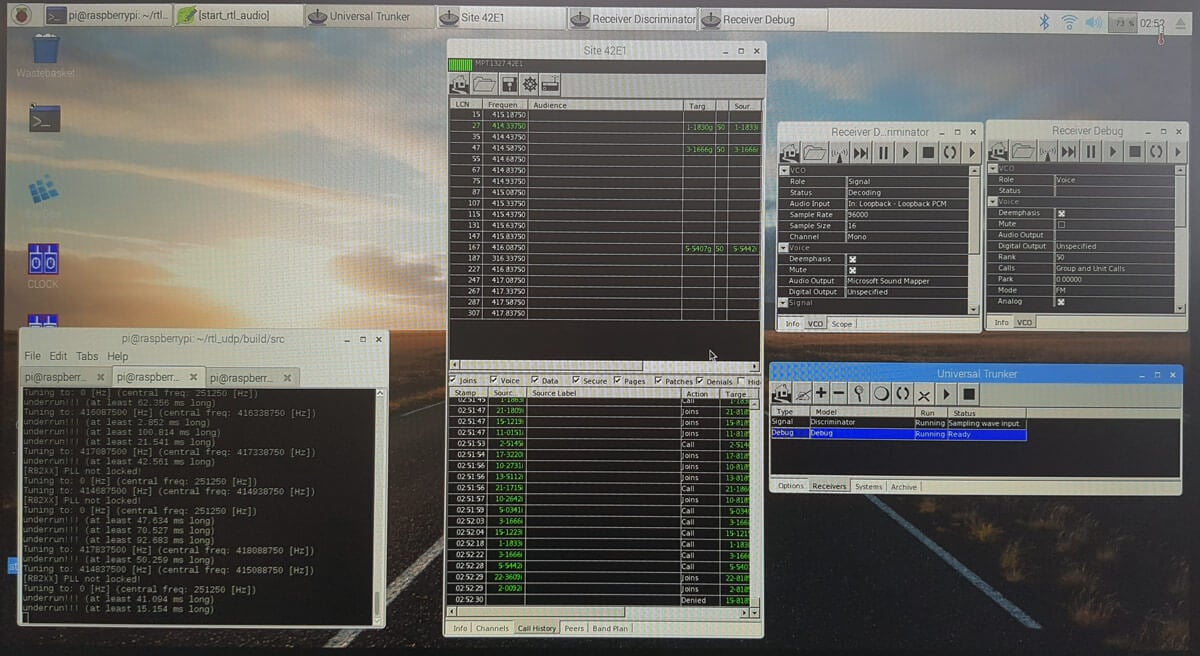
Trunking setup with Unitrunker on a Raspberry Pi 3
With Unitrunker we were able to set up a full trunk tracking system using two RTL-SDR dongles, rtl_fm, rtl_udp and a custom script to control rtl_udp.
Unitrunker running on a Raspberry Pi 3
In the future we may put up a full double checked tutorial with images, but for now a roughly written tutorial is presented below. The tutorial is fairly involved and assumes decent Linux experience. The tutorial starts from a fresh install of Raspbian.
The basic idea of operation is based around the fact that the RTL-SDR cannot be used directly within Wine (or so it seems). So the control signal audio is routed from rtl_fm running on one dongle into Unitrunker on Wine using alsa loopback. Then we use the old Unitrunker remote.dll method to generate a sdrsharptrunking.log file which is a text file that contains the current frequency that the voice receiver should tune to. A simple shell script continuously reads this file and extracts the frequency, and then commands an instance of rtl_udp running with the second dongle to tune to that frequency.
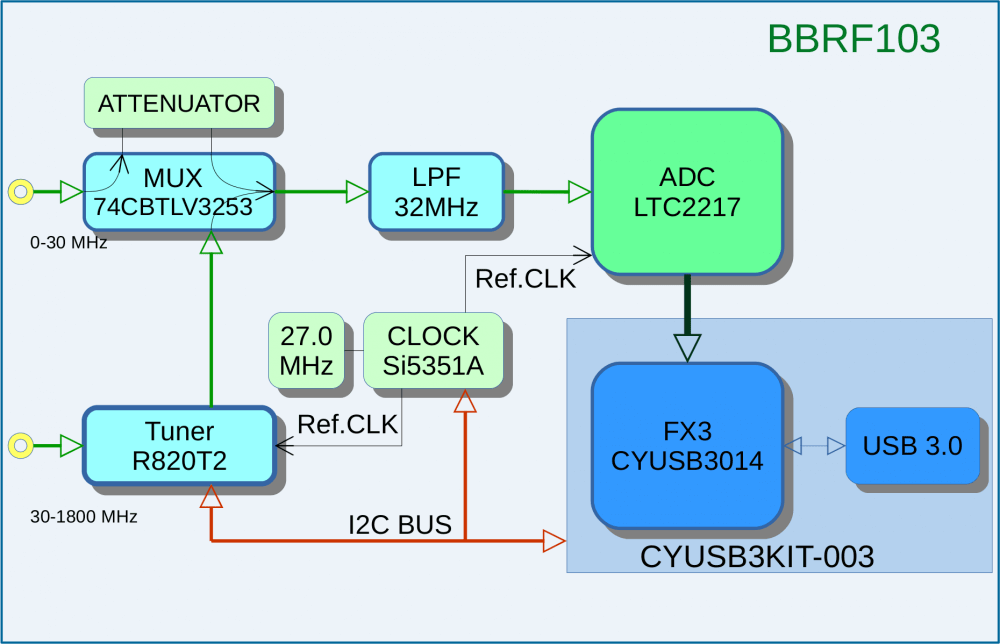
Over on his blog IK1XPV has been writing about his experiments in trying to create a new SDR which he calls the ‘BreadBoard RF103’. His SDR is based on a FX3 SuperSpeed Explorer Kit which is a development platform that has an ARM9 processor on board, USB 3.0 connectivity and various expansion headers. Connected to that board is an LTC2217 16-bit ADC which can sample at up to 105 Msps. An R820T2 is used as the tuning chip to enable reception from 30 – 1800 MHz, and reception from 0 – 30 MHz is handled in direct sampling mode. The R820T2 is the same chip used on most RTL-SDR dongles, as well as on the higher end Airspy. It is a very good tuning chip, but it is held back by the 8-bit ADC on the RTL2832U chip. So the 16-bit ADC on the LTC2217 should be able to really show it off.
BreadBoard RF103 Block Diagram
IK1XPV’s BreadBoard RF103 is currently running on HDSDR with 10 MHz of bandwidth. He writes that a modern and powerful PC with USB 3.0 is required to to handle all the data coming through. In the videos below he shows it receiving the FM band with what looks to be about 10 MHz of bandwidth.
HDSDR v2 76 ExtIO sddc dll SRate 8000000 OS 10 0 14393 CPU Intel Core i5 3350P @ 3 10G
BB103 VIDEOFM 012
So far the BreadBoard RF103 doesn’t seem planned to be a commercial device. The LTC2217 ADC is a $115 USD part, and the FX3 dev board is $49 USD. So while not a budget unit, it may still end up as as interesting SDR to home build and could contend with Airspy and SDRplay devices in the $100 – $300 USD range.
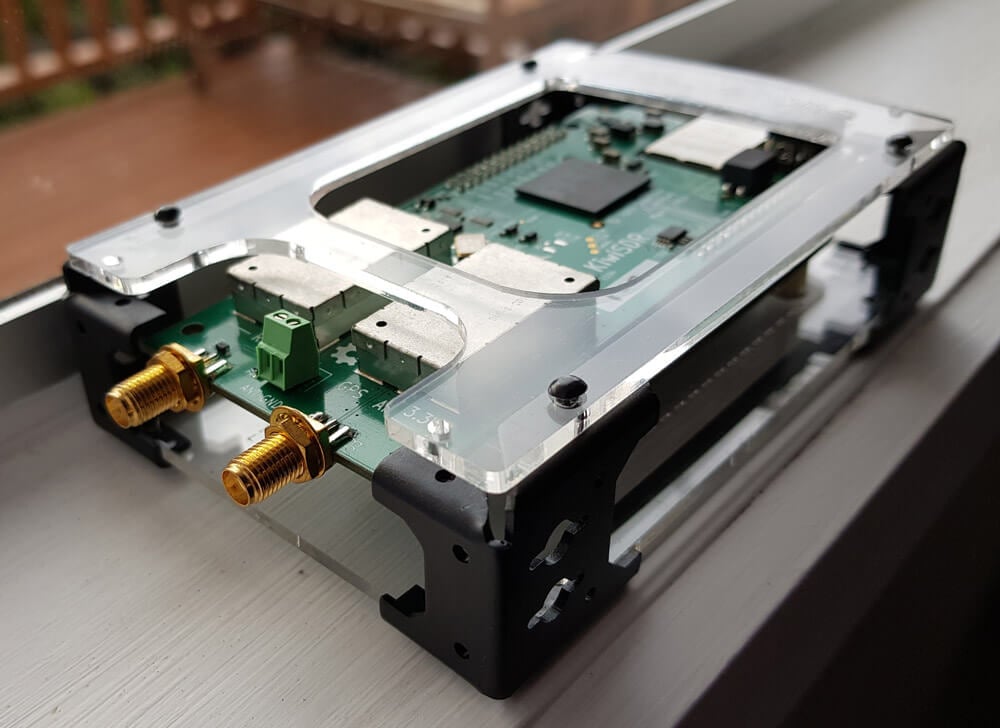
The KiwiSDR is a 14-bit wideband RX only HF software defined radio created by John Seamons (ZL/KF6VO) which has up to 32 MHz of bandwidth, so it can receive the entire 10 kHz – 30 MHz VLF/LF/MW/HF spectrum all at once. However, it is not a typical SDR as you do not connect the KiwiSDR directly to your PC. Instead the KiwiSDR is a cape (add on board) for the Beaglebone single board computing platform. If you’re unfamiliar with the Beaglebone, it is a small computing board that is similar to a Raspberry Pi. The KiwiSDR is designed to be a low cost standalone unit that runs 24/7, connects to your HF antenna and internet network, and shares your 10 kHz – 30 MHz reception over the internet with up to 4 simultaneous users.
The KiwiSDR
The KiwiSDR kit retails for $299 USD (Amazon) (Direct from Seeed Studio), and with that price you get the KiwiSDR cape, a Beaglebone Green board, an enclosure, microSD card and a GPS antenna. If you already have a Beaglebone lying around, then you can purchase the KiwiSDR board only for $199 USD.
Because the KiwiSDR is a network SDR, instead of connecting it to your PC it connects to your home internet network, allowing you to access it from any computing device via a web browser. Direct access to the SDR is not possible (actually it seems that it is, but it’s not easy to do), and all the computing is performed on the KiwiSDR’s on board FPGA and Beaglebone’s CPU before being sent to the network. Thus raw ADC or IQ data is never touched by your PC, your PC only sees the compressed audio and waterfall stream. So a powerful computer is not required to run the SDR. In fact, a mobile phone or tablet will do just fine.
In comparison, a $299 USD wideband non-networked SDR such as the LimeSDR uses a 12-bit ADC and can do up to 80 MHz of bandwidth over USB 3.0. But even on our relatively powerful PC (i7-6700 CPU, Geforce GTX 970 and 32 GB RAM) the LimeSDR can only get up to about 65 MHz on SDR-Console V3 before performance becomes too choppy.
But the real reason to purchase a KiwiSDR is that it is designed to be shared and accessed over the internet from anywhere in the world. You can connect to over 137 shared KiwiSDRs right now over at sdr.hu which is a site that indexes public KiwiSDRs. To achieve internet sharing, the KiwiSDR runs a modified version of András Retzler’s OpenWebRX software. OpenWebRX is similar to WebSDR, but is open source and freely available to download online. The standard OpenWebRX is also designed to support the RTL-SDR. Of course if you don’t want to share your receiver over the internet you don’t have to, and you could use it on your own local network only.
Some applications of the KiwiSDR might include things like: setting up a remote receiver in a good noise free location, helping hams give themselves propagation reports by accessing a remote KiwiSDR while they are TXing, listening to shortwave stations, monitoring WSPR or WEFAX channels, education, crowd sourced science experiments and more.
Back in November of last year we posted about Doug Haber’s gqrx-ghostbox which is software that turns your RTL-SDR into an electronic voice phenomenon (EVP) tool, or in other words a ‘ghost box’ or ‘spirit box’. A ghost box is essentially a device that rapidly tunes between broadcast radio stations, creating mismashed audio of multiple stations. Paranormal researchers believe that such a tool can be used to communicate with ghosts or spirits. Over on Amazon commercial ghost boxes/spirit boxes seem to retail for anywhere from $70 USD to $140 USD so an RTL-SDR can be a budget way to get into paranormal research.
Over on her blog paranormal investigator shielaaliens has uploaded a post and video demonstrating an RTL-SDR based ghost box in action. Sheila actually doesn’t use the grqx-ghostbox software, but instead she just uses SDR# with a frequency scanner plugin set to rapidly scan through the broadcast band. In the video she asks the SDR# ghost box a few control questions such as “can you say kitty cat” and “can you say Nantucket”. In response the SDR# ghost box appears to respond with those exact words. Her Facebook post with the video can be found here.
Of course this might all sound pretty far fetched for most readers of this blog, but it is an application that the RTL-SDR is now being used for nonetheless!
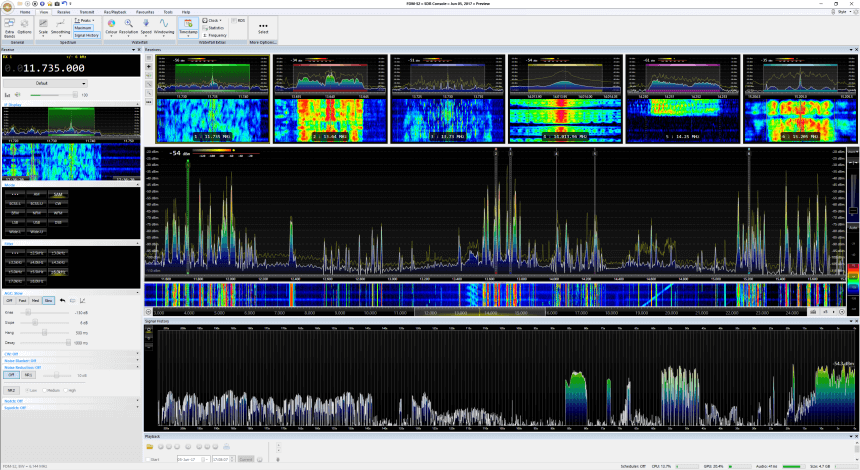
SDR-Console is a popular RTL-SDR compatible multi purpose SDR software package which is similar to programs like SDR#, HDSDR and SDRuno. Currently SDR-Console V2 is the stable version and SDR-Console V3 is in a beta state. A few days ago SDR-Console V3 Preview 6 was released. It comes with some very interesting new features including a built in Airspy server, a recording scheduler, a new feature called signal history and a new receivers pane.
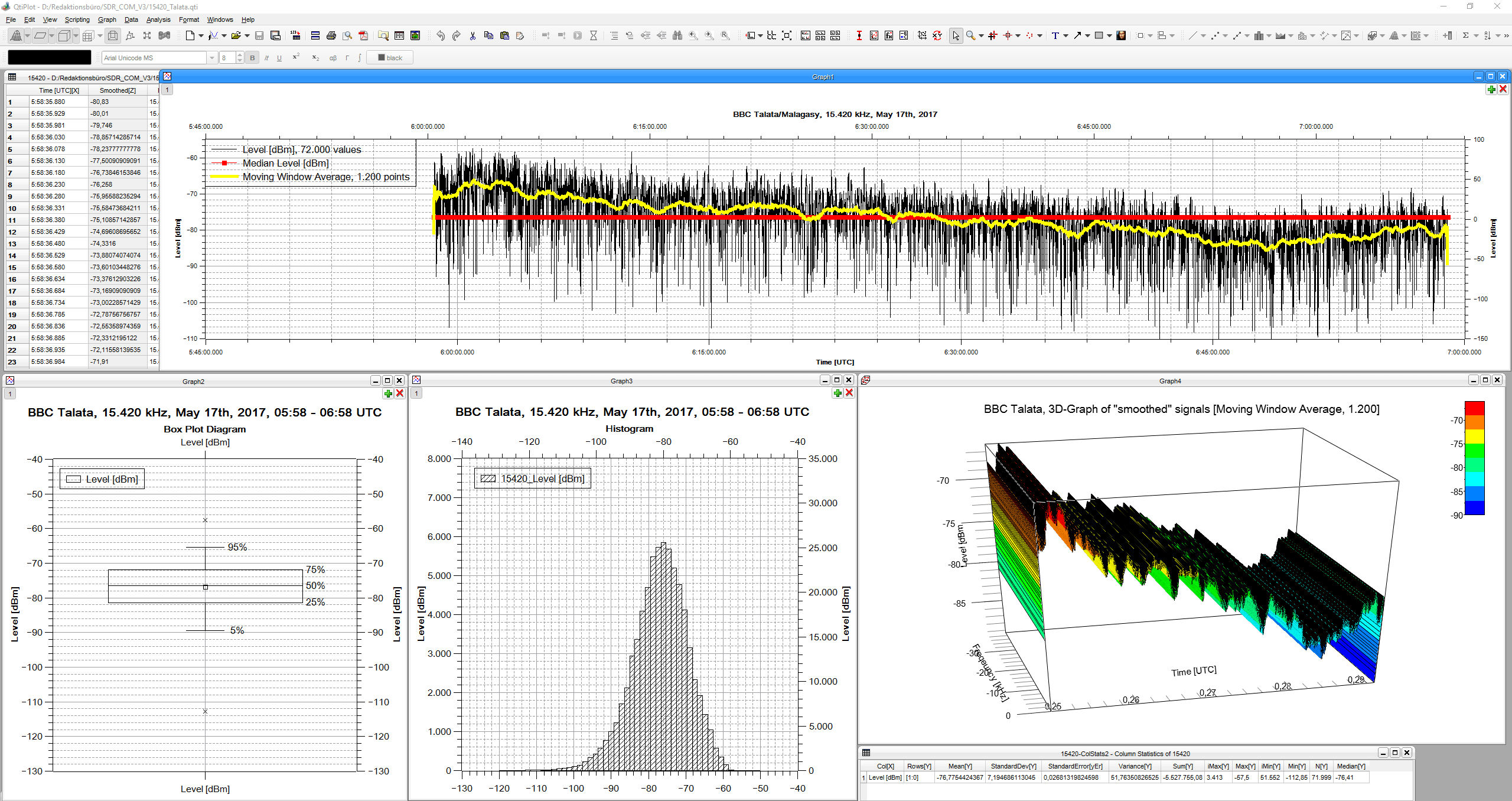
“Signal History” takes the signal strength of the given bandwidth each 50 milliseconds, which can be saved in a CSV file. It is also shown in three different speeds on a display.
“Receivers’ Pane” shows up to six combos of spectrum/spectrogram of the complete up to 24 parallel demodulators (they additionally can be shown in the Matrix, as in former versions).
“Signal History” offers many applications, to name just three:
analyze fading and its structure with an unsurpassed time resolution of 50 ms
document fade-in and fade out
measure signal-to-noise ratio of signals
In addition Nils has also uploaded a very useful 19 page PDF where he writes step by step instructions and shows numerous examples of the new signal history tool.
DK8OK’s SDR-Console V3 P6 Screenshot. Showing multiple receiver panes and the new signal history feature.DK8OK’s screenshot of the signal history toolbox.