Category: Other

Remapping a Keyboard Volume Wheel for Knob Tuning in HDSDR

Earlier in the month we showed a post where Mile Kokotov hacked together a $3 SDR frequency tuning knob out of a mouse and cheap rotary encoder.

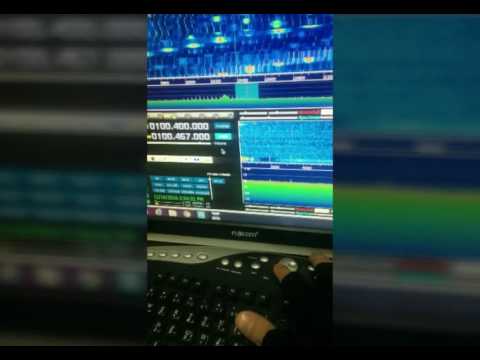
Now over on YouTube user m khanfar shows us another cheap solution. Instead of using a hacked mouse, m khanfar uses the volume wheel on his keyboard. Some keyboards have these extra multimedia action buttons and controls but not all. He simply uses a multimedia keyboard remapping program called MKey to map the volume wheel into a scroll wheel.

(HDSDR controller Tuning Knob)-Turn your keyboard volume scrolling button to Tuning Knob

GQRX-Ghostbox: Electronic Voice Phenomenon Paranormal Research Tool

With perfect Halloween timing, SDR enthusiast and ghost hunter Doug Haber has released his RTL-SDR compatible software called “gqrx-ghostbox”. This software supposedly turns your RTL-SDR into a electronic voice phenomenon (EVP) tool a.k.a a “Ghost Box”. Douglas explains what a Ghost Box is in the following blurb:

A ghost box is a device sometimes used by paranormal researchers to talk to spirits, the dead, disembodied entities, shape shifting lizard people, and other intra-dimensional fauna.

Some ghost boxes have electronics that give them distinct properties, and others are effectively radio scanners. This tool is of the radio scanning style.

Many examples of ghost box usage can be found on youtube. Generally, it involves asking questions and then listening for a response. Some people believe a medium or trance state is necessary in order for it to work. If you search for “ghost box” or “spirit box”, you will find information on different usage styles.

We’re not 100% sure if this is a late April fools joke, or a serious tool, but the code is real (it appears to just use GQRX to scan through frequencies), and at least these days when almost everything possible has already been tried with an RTL-SDR, this is something new!

ghostbox

KiwiSDR Soon to Accept General Orders

Back in April 2016 the KiwiSDR was successfully funded on Kickstarter. Since then almost all the rewards have been mailed out and the number of worldwide receivers available on sdr.hu has increased. KiwiSDR is an SDR cape (add on) for the BeagleBone Black/Green embedded computer which covers 0 – 30 MHz with 30 MHz bandwidth. It’s main purpose is to be used as a web based remote receiver which can be publicly accessed by many users.

Over on the Kickstarter updates page we see news that Seeed Studio is taking over the production and distribution of the KiwiSDR, and soon you’ll be able to order the KiwiSDR cape directly from their online Bazaar. Seeed studio is the same company that produces several other capes for the BeagleBone and they also produce the BeagleBone Green which is needed to run the KiwiSDR. They write:

We are very pleased to announce an agreement for Seeed Studio to take over production and distribution of the KiwiSDR going forward. What does this mean? Until now Seeed only had a contract with us to produce the Kickstarter rewards and pre-orders. Now Seeed will add the KiwiSDR to their family of BeagleBone capes they manufacture and distribute. Very soon you’ll be able to order the KiwiSDR directly from Seeed’s online Bazaar, pay directly with a credit card or Paypal and use their shipping system.

For us, and you as Kiwi owners, this is a very positive development. It means soon we’ll be able to devote the majority of our time to software development and providing you support. And as you probably know there is a large list of bugs, feature requests, extensions, distributed experiments and educational material we’d like to be working on instead of worrying about shipping and manufacturing issues. Improving the software is the best way to differentiate ourselves in a crowded SDR marketplace.

We would appreciate it if you would continue to purchase from us until our stock is depleted. Seeed has already manufactured a significant number of units alongside our prior build and will be able to meet the demand immediately. We thank everyone at Seeed for their fantastic effort in making KiwiSDR a reality.

seeed_kiwi

YouTube Tutorial about using the BladeRF for Several Experiments

On YouTube user CrazyDanishHacker has been uploading some tutorial videos showing how to perform several experiments with the BladeRF. Some things he shows are GPS spoofing, broadcasting digital TV, getting 124 MHz bandwidth, using spectrum painter and how to use the BladeRF on Windows 10, Kali Linux and Ubuntu.

You might remember CrazyDanishHacker from our previous post where we posted about his in depth YouTube tutorial on GSM sniffing and cracking. That series now appears to be complete ending on episode #16 of his software defined radio series. The BladeRF tutorials start on episode #17.

The bladeRF is a $420 software defined radio which is capable of transmit and receive. It uses a LimeMicro LMS6002D chip, which has a 12-bit ADC and a tuning range of 300 MHz – 3.8 GHz. Along with the HackRF we eventually expect that it will be superseded by the upcoming LimeSDR.

BladeRF + SDR# on Windows 10 - Software Defined Radio Series #17

FPGAs for DSP and Software-Defined Radio: Short Course at UCLA

The University of California, Los Angeles is hosting a 3-day hands on short course on using SDR’s like the RTL-SDR with FPGA hardware and MATLAB Simulink. This is a course with a high knowledge pre-requisite, so you will likely need qualifications and/or knowledge equivalent to a bachelors in Electrical/Computer Engineering to be able to understand the material. It is mainly intended for DSP and Communications Engineers, HDL designers, FPGAs engineers, RF engineers, and systems engineers. The course runs for 3 days between 10 – 12 October. The main blurb of the course is described below:

One of the main aims of this course is to demonstrate the workflow required to take floating point Simulink receivers (such as the ones presented in the book) and target them onto SDR hardware. This means converting to fixed point, generating HDL code, and then packaging it into something that can be deployed to ZynqSDR hardware.

In this short course we will present, review, simulate then implement real-time DSP enabled software defined radios (SDR) on laptops, Raspberry Pis, Xilinx (Zynq) SoC FPGAs with RF transceivers. The design, simulation and implementation will take the form of a complete model based design work-flow from within MathWork’s MATLAB and Simulink software tools. The course will ensure attendees are educated in key relevant multi-rate DSP algorithms and techniques, in communications modulation methods, quadrature/QAM transceiver designs, and timing and synchronisation. The first part of the course will educate on DSP and communications, followed by a second part on FPGA systems implementation (focussing on Xilinx Zynq SoC) and introduce MathWorks Embedded and HDL Coder methods for hardware targeting. In the third and final part of the course we will develop real-time ‘desktop’ implementations of SDR transceivers using a model based design flow. We will start with floating point designs, which will evolve to fixed point, and then undergo final code generation stages with the Embedded and HDL Coder packages prior to FPGA deployment..

All attendees on the course will use (and take home!) an RTL-SDR device (which tunes from 25MHz to 1.75GHz) and have access to a Raspberry Pi and Zynq SDR kits in class hosting the RTL-SDR device and a wideband FMComms RF card respectively. The class format will be 40% lecture, 20% live SDR demonstration and 40% hands-on ‘desptop SDR’ using software and SDR hardware. 

This course is related to the desktopsdr.com text book which was released September 2015. The physical copy of the book can be purchased on Amazon, or downloaded for free in pdf form on their desktopsdr.com website.

Download the book at desktopsdr.com

Titus II Expression of Interest Form Available Now

Earlier in the month we posted about the Titus II SDR. The Titus II is an upcoming full SDR solution, including a wideband 100 kHz to 2 GHz SDR, Android tablet with touchscreen and speakers. They write that the price will be under $100 USD.

The High Frequency Co-Ordination Conference (HFCC) is a group active in informal co-ordination of frequency channels used in short wave broadcasting. The HFCC appear to be helping with the release of the Titus II, and they now have an online expression of interest form available on their Titus II page. The form is labelled “Pre-order”, but there is no payment or contract present, so it is more like an expression of interest. They write:

The Titus II – an Android tablet computer with wideband SDR receiver – was unveiled for the first time at the B16 HFCC/ASBU conference in Miami, Florida, 22-26 August 2016.

The receiver has been the result of cooperation between Trans World Radio (TWR) and PantronX.

The HFCC is assisting in collecting the demand/pre-orders.

Availability: Pre-production batch – 4Q/2016, regular production – 1Q/2017

Price: Under 100USD plus shipping and local duty/taxes not included

Payment methods: Wire transfer for larger quantities, PayPal works too, but the buyers would need to add PayPal bank fees

An initial order sufficient to start the production has already been placed and production will start irrespective of the amount pre-ordered via this page. Pre-order is not binding and you are NOT asked to send any advanced payment or credit card number to secure the pre-order.

titus-2-big

[First seen on swling.com]

The Titus II Complete SDR Solution

Recently we’ve heard news of a new portable SDR called the PantronX Titus II which is currently in development. The receiver is a full SDR solution, including the computer, speakers, antenna and SDR all in a single boombox styled enclosure. The computer appears to be based on an Android tablet, and comes with a Quad-core ARM A53 @ 1.2 GHz CPU, 1 GB RAM, 8 GB Flash memory, 7″ TFT screen, touch screen, 5 watt stereo audio, li-poly battery. HDMI output, microUSB OTG connector, WiFI/Bluetooth connectivitiy as well as having an optional camera. 

The frequency range extends from 100 kHz to 2 GHz, and the built in software is capable of decoding AM/FM/SSB and DRM. Since it is essentially an SDR with an Android tablet, it should also be capable of decoding any other signal, as long as software decoders are written for it. We are unsure what SDR is used on the inside, but judging by its frequency range we speculate that it may be the same Mirics chips that are used inside the SDRplay RSP.

Rumour currently has it from word of mouth of the developers that this unit will priced “well below $100 USD”.

The promotional PDF can be found here.

titus-2-big

Introduction to Signal Analysis Class in Baltimore-DC

A four week free class on signal analysis using SDR’s like the RTL-SDR will be taking place in the “Unallocated Space” technology community center in Baltimore-DC area. It starts on Tuesday September 20, 2016 at 7pm to 10pm. The class will help participants set up their systems, and cover locating, identifying, demodulating, and decoding common RF signal types. On the final week they will host a wireless capture the flag competition, where students will use their skills to solve problems and earn points.

You will need to bring your own SDR hardware such as an RTL-SDR, as well as an omnidirectional antenna and a PC/laptop capable of running your SDR.