Category: RTL-SDR

Characterizing Yagi Antenna Directionality via ADS-B Reception

Over on his blog Alex Krotz has been investigating whether adding more passive director elements actually affects the directionality of his home made Yagi-Uda antenna. Instead of using modelling software, Alex wanted a more accurate result that took into account all the imperfections of his antenna.

His idea was to receive ADS-B signals with his Yagi and a dipole antenna, then compare the data received in order to determine in which directions the Yagi receives better than the dipole. To do this he first creates a standard 2D map of plane tracks collected over a 24hr period for both the dipole and Yagi. A gaussian blur is applied to the two maps in order to fill in blank space and the data is normalized. Then he simply subtracts the dipole plot from the Yagi-Uda plot. The resulting difference plot reveals a mapping of where the Yagi receives better or worse compared to the dipole in a 2D plane.

Directivity of the Yagi revealed by comparing against a dipole

TechMinds: How to Track Weather Balloons Using SDR

In his latest video Tech Minds has uploaded a video showing how to use an SDR to receive transmissions from radiosondes carried by weather balloons. Every day meteorological agencies around the world launch weather balloons several times a day. Each balloon carries a device called a radiosonde which continuously transmits weather telemetry to a ground station. With an SDR, antenna and free software it's possible to decode these radiosonde signals yourself from home.

In the video Tech Minds uses an RSPdx, SDRuno, VBCable and the RS41 Tracker software to receive telemetry from an RS-41 radiosonde launched in his area. We note that an RTL-SDR and SDR# could also be used. He shows the various bits of weather information available from the telemetry including information like temperature, pressure, humidity and the dew point. GPS and hardware status data is also available. Finally he shows how to view the balloon's flight path in Google Earth.

How To Track Weather Balloons Using SDR

Hak5: Turning a Key Croc into an RTL-SDR Server

The Hak5 Key Croc is a pentesting tool designed for emulating USB devices such as keyboards. It is commonly used by pentesters for keylogging and keystroke injection. It has some advanced features like keyword detection which can be used to detect when a certain word is typed. Under the hood it runs Linux on a quad-core ARM processor.

Over on the Hak5 YouTube channel Glytch shows us that he's been using the Key Croc as a remote RTL-SDR server. The server is setup through a payload script, which is then activated by typing "setup" into notepad on a PC. The keystroke logging and keyword detection feature detects the setup keyword, and runs the payload script which installs the RTL-SDR drivers and rtl_tcp server all while using the keystroke injection feature to output the install progress. Then it is a simple matter of plugging in an RTL-SDR, and connecting to the rtl_tcp server on a program like SDR#. 

Glytch notes that this is useful because you can run the entire Key Croc server and RTL-SDR on a portable battery pack, and now you have a remote SDR that you can place anywhere within your WiFi network.

Turning a KeyCroc into an RTL SDR Server w/ Glytch

DragonOS: Decoding Iridium Satellites with the Iridium Toolkit and an RTL-SDR

DragonOS is a ready to use Linux OS image that includes various SDR programs preinstalled and ready to use. The creator Aaron also runs a YouTube channel that has multiple tutorial videos demonstrating software built into DragonOS.

In his latest video Aaron explores Iridium reception with an RTL-SDR Blog V3, RTL-SDR Blog Active L-Band Patch Antenna and Iridium Toolkit/gr-iridium. Iridium is a satellite constellation that provides services such as global paging, satellite phones, tracking and fleet management services, as well as services for emergency, aircraft, maritime and covert operations too.

In the video he shows how to edit the config file to turn the bias tee on, how to record Iridium data, how to install the AMBE voice decoder, and finally how to decode the Iridum data with Iridium toolkit and play voice recordings.

DragonOS LTS Decoding Iridium satellites with the Iridium toolkit (gr-iridium, RTL-SDR)

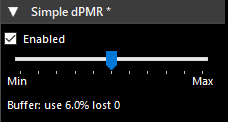
DSD (Open Source) with dPMR Decoding and Windows Binaries Released

Digital Speech Decoder (DSD) is an open source program for decoding signals containing digital speech, such as DMR and P25. The open source version has been mostly surpassed in use over the last few years by the closed source DSD+ version. However, work is still ongoing on the open source version, and a recent fork by Louis-Erig HERVE @LouisErigHerve has added support for Digital Private Mobile Radio (dPMR) decoding.

dPMR is an open, non-proprietary trunked radio standard that supports both data and digital voice transmission. A licence free variation for short range communications called dPMR466 uses the 446.1–446.2 MHz band. Other modes allow for efficient peer to peer to peer operation (mode 1), operation with a base station repeater (mode 2), or with a trunking signal (mode 3).  All dPMR signals operate in FDMA mode with an efficient bandwidth of only 6.25 kHz. dPMR is also known as Icom IDAS and Kenwood NEXEDGE.

Code for Louis-Erig's DSD fork can be found on his GitHub, and he has also released binaries for Windows on his website. Over on his Twitter he has also been mentioning that he has been able to get around the basic privacy modes on DMR.

dPMR radios, data stations and repeater hardware.

DragonOS: DSP and Signal Analysis with Composable-SDR, Inspectrum and an RTL-SDR

DragonOS is a ready to use Linux OS image that includes various SDR programs preinstalled. The creator Aaron also runs a YouTube channel that contains multiple tutorial videos for DragonOS

One of the latest videos shows us how to use composable-sdr and Inspectrum to capture and analyze signals. Both programs are pre-built into the latest version of DragonOS. Composable-sdr is a set of DSP processing blocks for SDRs embedded in Haskell. One thing it does well is allowing users to easily capture and record demodulated signals for later use via the terminal. Inspectrum is a tool for analysing and reverse engineering signals that have been recorded.

In the video Aaron explores many of the composable-sdr examples discussed on it's GitHub readme page. Including analyzing a wav file recorded with Composable-sdr with Inspectrum and demodulating and recording a wideband FM signal. He also mentions how it's possible to create a PMR446 scanner that records up to 16 channels at once, and how decode helicopter FSK data from audio heard on YouTube (which we mentioned in a previous post).

DragonOS LTS DSP and signal analysis with Composable-SDR + Inspectrum (RTL-SDR)

Tech Minds: Testing the OpenEar DMR TETRA ADSB POCSAG Decoder for RTL-SDR

Back in March we posted about the release of OpenEar, a standalone TETRA decoder for the RTL-SDR. Since then OpenEar has undergone massive developments, not only improving upon the TETRA decoder, but adding DMR, ADS-B and POCSAG decoders as well as a waterfall display.

Recently Tech Minds reviewed this software on his YouTube channel. In the video he shows how to download the software, install the rtlsdr.dll file, and run and use the software. He then demonstrates reception of an amateur radio DMR repeater, reception of POCSAG pager messages and finally reception of ADS-B aircraft messages.

OpenEar Digital Decoder - DMR TETRA P25 ADSB POCSAG RTL-SDR

Tech Minds: Decoding GMDSS Maritime Distress Messages

In a recent YouTube video Tech Minds shows how to decode GMDSS (Global Maritime Distress and Safety System) messages which are broadcast on MW and HF. In the video he explains the DSC (Digital Selective Calling) which allows calls to be made to individual ships, a group or all stations. He goes on to demonstrate the YADD GMDSS DSC decoder running via the HF audio piped in from SDRUno and received with an SDRPlay RSPdx.

How To Decode Maritime Distress Messages GMDSS DSC