The old audio waterfall plugin for SDR# seems to be no longer available for download anywhere (it may have gone out of date and is no longer compatible with the latest versions of SDR#). Alan Duffy decided to write his own version of the audio waterfall plugin and make it available for download. An audio waterfall shows the demodulated audio in waterfall form, essentially creating an audio spectrum analyzer. This can be useful for understanding the demodulated frequency structure of a signal.
To install the plugin simply download the dll from his website and place it in the SDR# folder. Then open plugins.xml file with a text editor, and add the magicline specified on his page. Note that for us Chrome detected this file as malicious, but this is a false alarm as Chrome does this often with unknown .dll files. To recover the file we had to go to the Chrome menu -> Downloads, then select "Recover File" to download the file. (If you still have problems with the download then check out the comments as some users have kindly mirrored it). (File was moved to a trusted site so this problem shouldn't occur anymore)
Alan's Audio waterfall shown together with the built in audio spectrum analyzer in SDR#.
Over on his blog author Simone Margaritelli has added a tutorial that shows how to set up a bladeRF to act as a GSM basestation (cell tower). Having your own GSM basestation allows you to create your own private and free GSM network, or for more malicious illegal users it can allow you to create a system for intercepting peoples calls and data. Simone stresses that it is well known that GSM security is broken (and is probably broken by design), and now it is about time that these flaws were fixed.
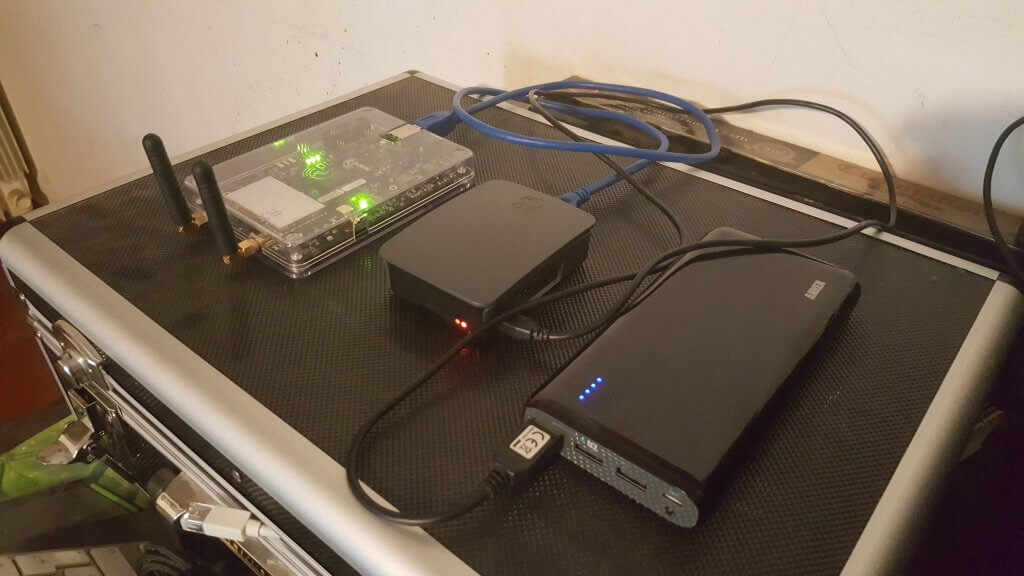
In his tutorial he uses a single bladeRF x40 and a Raspberry Pi 3 as the processing hardware. The bladeRF is a $420 transmit and receive capable software defined radio with a tuning range of 300 MHz – 3.8 GHz and 12-bit ADC. He also uses a battery pack which makes the whole thing portable. The software used is Yate and YateBTS which is open source GSM basestation software. Installation as shown in the tutorial is as simple as doing a git clone, running a few compilation lines and doing some simple text configuration. Once set up mobile phones will automatically connect to the basestation due to the design of GSM.
Once setup you can go further and create your own private GSM network, or make the whole thing act as a “man-in-the-middle” proxy to a legitimate GSM USB dongle, which would allow you to sniff the traffic on anyone who unknowingly connects to your basestation. This is similar to how a “Stingray” operates, which is a IMSI-catcher device used by law enforcement to intercept and track GSM communications. More information on using the bladeRF as an IMSI catcher with YateBTS can be found in this white paper.
bladeRF x40, Raspberry Pi 3 and a battery pack. Running a GSM basestation.
Recently we found this excellent quick start guide by Kenn Ranous which shows how to set up various RTL-SDR related software programs on (Debian) Linux. The guide shows how to install the drivers, how to install and set up GQRX, CubicSDR, dump1090, Virtual Radar Server, QSpectrum Analyzer and SDR Trunk.
If you are struggling with getting an RTL-SDR to work on a Linux system then this should be a very good starting point.
On YouTube user CrazyDanishHacker has been uploading some tutorial videos showing how to perform several experiments with the BladeRF. Some things he shows are GPS spoofing, broadcasting digital TV, getting 124 MHz bandwidth, using spectrum painter and how to use the BladeRF on Windows 10, Kali Linux and Ubuntu.
You might remember CrazyDanishHacker from our previous post where we posted about his in depth YouTube tutorial on GSM sniffing and cracking. That series now appears to be complete ending on episode #16 of his software defined radio series. The BladeRF tutorials start on episode #17.
The bladeRF is a $420 software defined radio which is capable of transmit and receive. It uses a LimeMicro LMS6002D chip, which has a 12-bit ADC and a tuning range of 300 MHz – 3.8 GHz. Along with the HackRF we eventually expect that it will be superseded by the upcoming LimeSDR.
BladeRF + SDR# on Windows 10 - Software Defined Radio Series #17
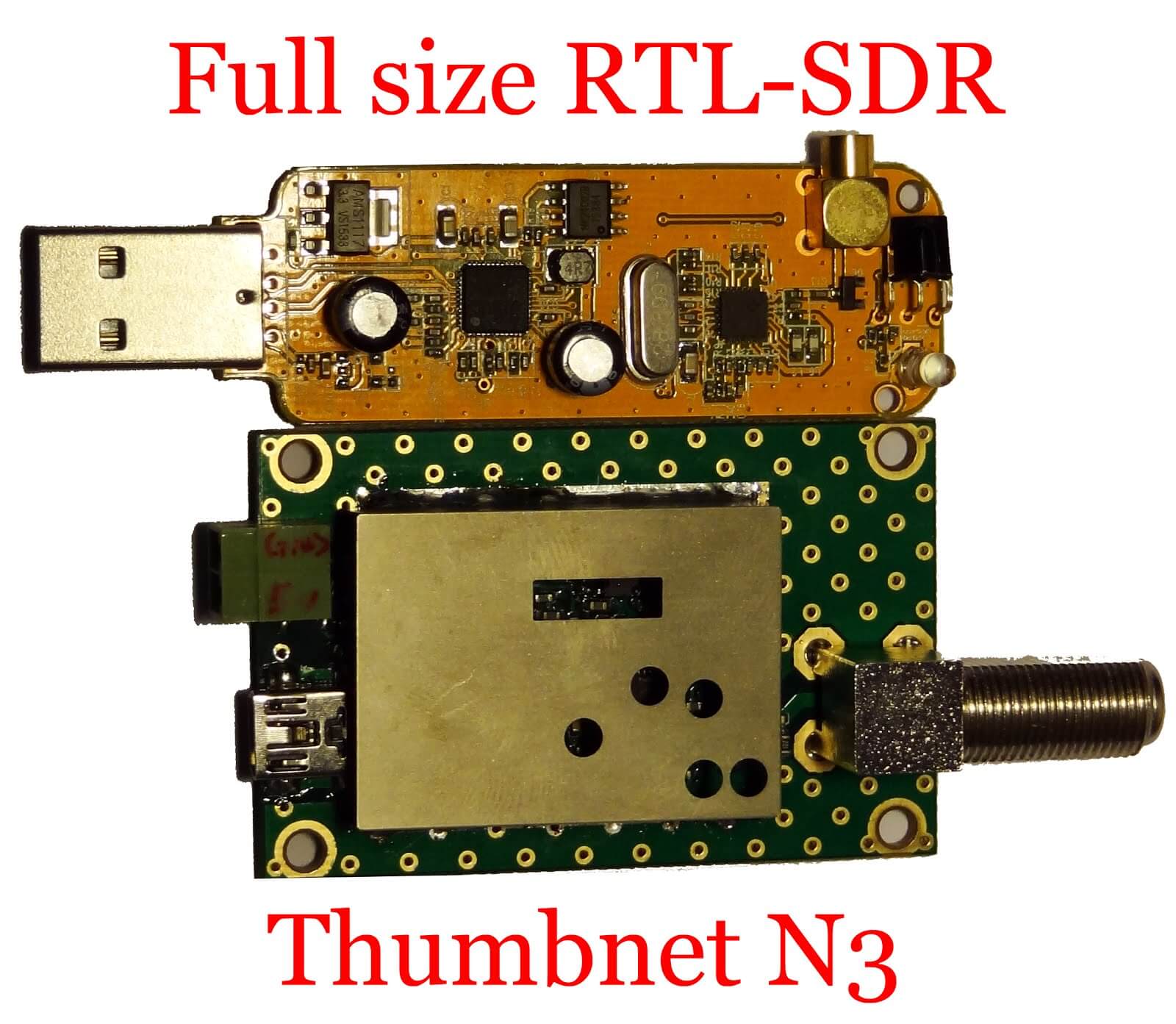
A few weeks ago we posted about ThumbNets announcement of their new N3 RTL-SDR dongles. The main theme of their new dongles is lower noise as can be seen by their decision to disable the on board switch mode power supply and add an external power port for powering the dongle from a clean power supply.
Akos from the RTLSDR4Everyone blog received a prototype sample of the N3 for an initial review. In his review he shows some close up shots of the N3 PCB, and does a quick test on receiving some signals. His screenshots show that the noise floor is indeed very low, and that many noisy spurs are eliminated or at least significantly reduced.
Once ThumbNet release their actual commercial units we intend to produce our own review as well.
ThumbSat is a company hoping to enable experimenters to get low cost mini satellites into orbit for about $20k. To support the need for global RX of these satellites they have the ThumbNet project which utilizes RTL-SDR dongles as the receiver. They aim to provide schools and eligible volunteers around the world with free RX hardware to receive and record the data coming from these satellites.
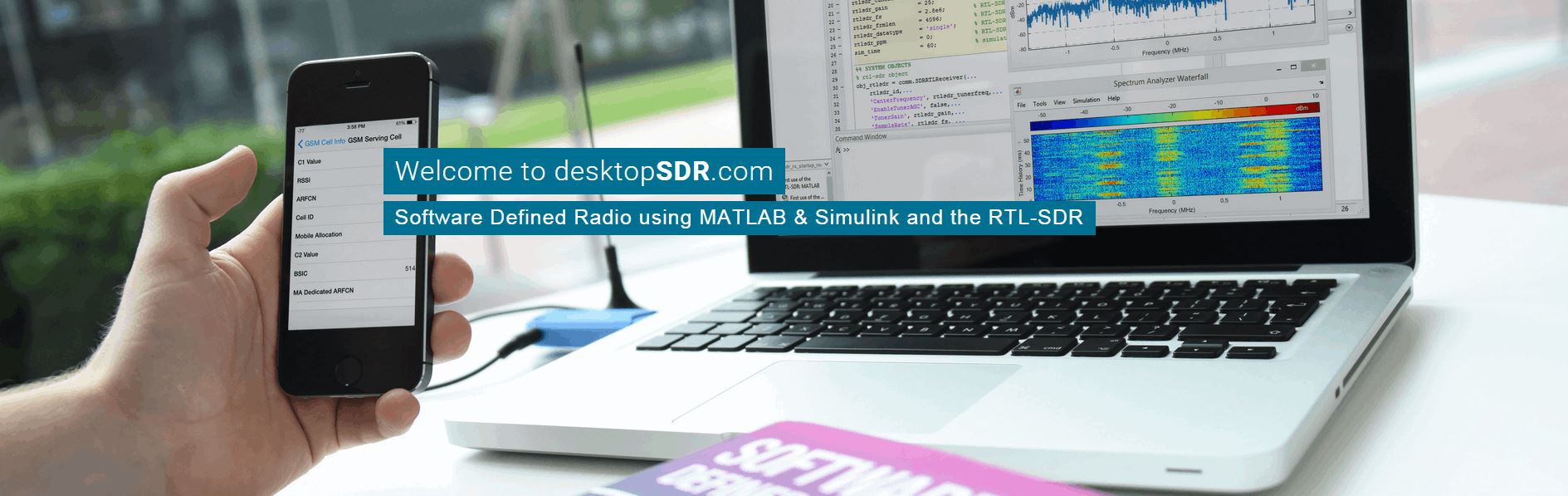
The University of California, Los Angeles is hosting a 3-day hands on short course on using SDR’s like the RTL-SDR with FPGA hardware and MATLAB Simulink. This is a course with a high knowledge pre-requisite, so you will likely need qualifications and/or knowledge equivalent to a bachelors in Electrical/Computer Engineering to be able to understand the material. It is mainly intended for DSP and Communications Engineers, HDL designers, FPGAs engineers, RF engineers, and systems engineers. The course runs for 3 days between 10 – 12 October. The main blurb of the course is described below:
One of the main aims of this course is to demonstrate the workflow required to take floating point Simulink receivers (such as the ones presented in the book) and target them onto SDR hardware. This means converting to fixed point, generating HDL code, and then packaging it into something that can be deployed to ZynqSDR hardware.
In this short course we will present, review, simulate then implement real-time DSP enabled software defined radios (SDR) on laptops, Raspberry Pis, Xilinx (Zynq) SoC FPGAs with RF transceivers. The design, simulation and implementation will take the form of a complete model based design work-flow from within MathWork’s MATLAB and Simulink software tools. The course will ensure attendees are educated in key relevant multi-rate DSP algorithms and techniques, in communications modulation methods, quadrature/QAM transceiver designs, and timing and synchronisation. The first part of the course will educate on DSP and communications, followed by a second part on FPGA systems implementation (focussing on Xilinx Zynq SoC) and introduce MathWorks Embedded and HDL Coder methods for hardware targeting. In the third and final part of the course we will develop real-time ‘desktop’ implementations of SDR transceivers using a model based design flow. We will start with floating point designs, which will evolve to fixed point, and then undergo final code generation stages with the Embedded and HDL Coder packages prior to FPGA deployment..
All attendees on the course will use (and take home!) an RTL-SDR device (which tunes from 25MHz to 1.75GHz) and have access to a Raspberry Pi and Zynq SDR kits in class hosting the RTL-SDR device and a wideband FMComms RF card respectively. The class format will be 40% lecture, 20% live SDR demonstration and 40% hands-on ‘desptop SDR’ using software and SDR hardware.
Earlier in the month we posted about the “Unallocated Space” free four week class on signal analysis taking place in the Baltimore-DC area. The course has now started and they are live streaming the lectures and saving them on YouTube. The first two classes have already passed, and two videos are uploaded.
The first class went over installing the RTL-SDR as well as showing a few examples of decoding some signals. The second class covers various modulation types and digital encoding schemes. They show how to learn how to identify various digital signals by listening to them and viewing them on the waterfall. The class slides are also available on links placed in the video description.
The third and fourth classes have not yet streamed. The third class will be live streamed on October 4, 7PM local time. Visit their YouTube channel for the videos.
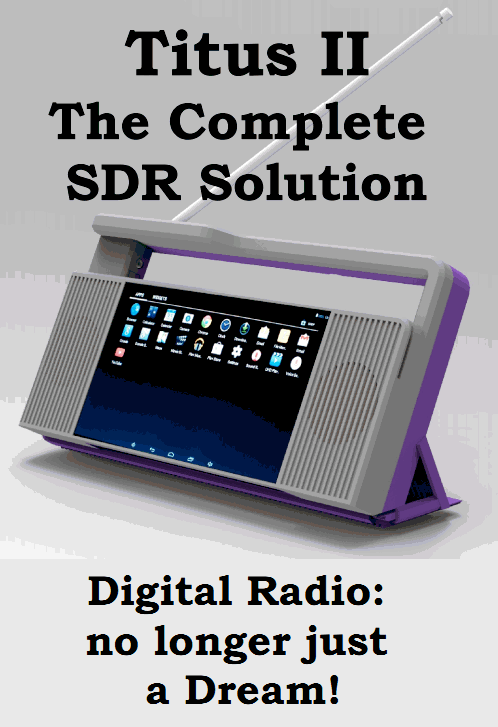
Earlier in the month we posted about the Titus II SDR. The Titus II is an upcoming full SDR solution, including a wideband 100 kHz to 2 GHz SDR, Android tablet with touchscreen and speakers. They write that the price will be under $100 USD.
The High Frequency Co-Ordination Conference (HFCC) is a group active in informal co-ordination of frequency channels used in short wave broadcasting. The HFCC appear to be helping with the release of the Titus II, and they now have an online expression of interest form available on their Titus II page. The form is labelled “Pre-order”, but there is no payment or contract present, so it is more like an expression of interest. They write:
The Titus II – an Android tablet computer with wideband SDR receiver – was unveiled for the first time at the B16 HFCC/ASBU conference in Miami, Florida, 22-26 August 2016.
The receiver has been the result of cooperation between Trans World Radio (TWR) and PantronX.
The HFCC is assisting in collecting the demand/pre-orders.
Availability: Pre-production batch – 4Q/2016, regular production – 1Q/2017
Price: Under 100USD plus shipping and local duty/taxes not included
Payment methods: Wire transfer for larger quantities, PayPal works too, but the buyers would need to add PayPal bank fees
An initial order sufficient to start the production has already been placed and production will start irrespective of the amount pre-ordered via this page. Pre-order is not binding and you are NOT asked to send any advanced payment or credit card number to secure the pre-order.