Arinst Dreamkit SDR now on sale for $230 + Shipping

About a month ago we posted about the Arinst Dreamkit, which was an unreleased Russian made portable receive only SDR with 16-bit ADC, 1 - 3100 MHz tuning range, up to 5 MHz instantaneous bandwidth, and very fast scanning capabilities.

Reader 'sunny' has written in and informed us that the Arinst Dreamkit is now released and available for sale on both eBay and Aliexpress. The pricing is $230 + shipping costs. Sunny notes that the manual is only in Russian, and currently it does not have any digital decoding capabilities, and no preselector on the input.

The Arinst Dreamkit

Viewing the RF Spectrum in Virtual Reality + Augmented Reality EMC Probe

Thank you to Manahiyo for submitting his video which shows his software that allows the RF spectrum to be viewed in virtual reality, using a VR headset and an RTL-SDR. In his setup he currently uses a Oculus Quest 2 VR headset, but it should work with others too. The VR screen allows you to have multiple graphs set up, as well as allowing you to explore a 3D spectrograph from all angles by moving it around via the pointer, or by moving your head. 

[Volume warning] RTL-SDR×VR(Virtual Reality) with oculus quest2

Manahiyo also has another new VR video on his channel where he uses his RF Watcher software. RF Watcher is his software that allows augmented reality and RF power measurements from an RTL-SDR to be combined. His video demonstrates him using an RTL-SDR and EMC probe, together with RF watcher. As the EMC probe is moved over an RF 'hot spot' on a PCB, red dots are drawn around it in augmented reality.

The programs don't appear to be available to the public yet, but we will follow up with Manahiyo.

Receiving the ‘Hidden’ Broadcast FM SCA Audio Subcarrier with an RTL-SDR and SDR#

Broadcast FM channels can often contain additional subcarriers hidden within the bandwidth. A common subcarrier is Radio Data System (RDS), and this is what provides song and radio station text information to your radio.

Another less commonly seen subcarrier is the Subsidiary communications authority (SCA), which is a separate audio channel hidden within the broadcast FM signal. SCA is typically used for niche radio programs, elevator music, music for doctors offices, and niche services such as reading for the visually impaired. In the past you needed a special hardware SCA radio to receive these channels, however receiving these channels with an SDR is relatively simple. Not all broadcast FM stations will have an SCA service, but the video shown below explains how to find one.

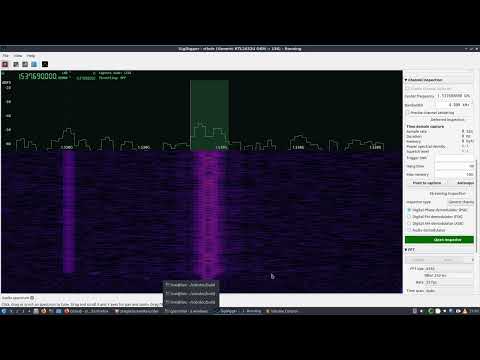
Over on YouTube channel Double A has uploaded a video showing how to decode these SCA subcarriers using an RTL-SDR, two SDR# instances and the MPX Output plugin. The idea to to use a virtual audio cable to pipe the FM Multiplex (MPX) audio output from one instance of SDR# to another. In the second SDR# instance you can then directly tune into the SCA channel. In his video he also explores the FM MPX spectrum, showing the different components, and also how to install and use RDS Spy for decoding RDS.

Tuning an FM Audio Subcarrier (SCA) & Decoding RDS Data with RTL-SDR USB

DragonOS: RF Propagation Analysis with Signal Server GUI

DragonOS is a ready to use Ubuntu Linux image that comes preinstalled with multiple SDR software packages. The creator Aaron also runs a YouTube channel showing how to use the various packages installed. In his latest video Aaron shows how to use the new Signal-Server GUI that has recently been added to DragonOS.

We posted about Signal Server before as it's a very powerful open source tool for creating RF Propagation simulations. With this tool you can determine how a signal from a transmitter might propagate, by taking into account factors like frequency, EIRP, and geographic elevation maps. The resulting propagation map can then be plotted on Google Earth.

Aarons recent work adds thetacoms GUI to the Signal Server install on DragonOS, and his video shows how to use it, including an introduction to RF propagation analysis in general. This version of DragonOS with the GUI is not yet available for download, but it will be in a future version. For now the video also shows how to install the GUI.

DragonOS Focal New Signal Server GUI Setup + Intro to RF Propagation Analysis (Signal-Server) Part 1

SDRSharp Guide V3.0 Released

Paolo Romani (IZ1MLL) has recently released version 3.0 of his SDRSharp PDF Guide which we posted about last in March of this year. As before the document is a detailed guide about how to use SDRSharp, which is the software provided by Airspy. While intended for Airspy devices, SDRSharp also supports a number of third party SDRs, including the RTL-SDR, and it is the software we recommend starting with when using an RTL-SDR.

The guide is now 61 pages long, and covers all the settings, UI customization, included and third party plugins, and use of some external decoders.

SDRSharp Guide

A SDR Digital Voice Hotspot with GNU Radio, MMDVM and QRadioLink

Thank you to Adrian (YO8RZZ) for writing in and sharing with us his article explaining how to use an SDR to set up a digital voice hotspot for digital voice modes supported by MMDVM such as D-Star, DMR, System Fusion, P25 and NXDN. Adrian notes that this is possible with any full duplex SDR such as the LimeSDR or PlutoSDR, or with a combination of simplex devices, such as a HackRF for transmitting combined with an RTL-SDR for receiving.

MMDVM is firmware that normally runs on an ARM microcontroller board such as the Arduino Due, and is designed to be interfaced with hardware radios via the microcontrollers built in ADC and DAC hardware.

In order to use an SDR instead of physical hardware radios, Adrian's article describes how a fork of MMDVM called MMDVM-SDR is used in his system as this allows the code to run on a normal Linux computer with an SDR. GNU Radio running on Adrian's own QRadioLink software is then used to create software ADC/DAC interfaces for the SDR and MMDVM-SDR to interface with, as well as providing a user interface.

QRadioLink used as the UI for MMDVM-SDR and GNU Radio

RTL-SDR Blog Active L-Band Patch Antenna for Inmarsat, Iridium, GPS Back in Stock

Just a quick note to say that the second batch of our Active L-Band Patch Antenna for receiving Inmarsat, Iridium and other L-Band satellites is now in stock, available to be shipped from our warehouse in China from early next week. Amazon will be stocked within the next 1-2 months as the freighter will take time to arrive.

Please see our store for ordering details.

Apologies as we've had to temporarily suspend sales of this product as a manufacturing defect has been discovered in this batch. The defect is that on a number of units the plastic around the screws is cracking, and this was caused by a factory worker over torqueing a pneumatic screwdriver.

The antenna itself will work fine, and it probably won't even affect weather tightness, but it is certainly a defect. If your unit already shipped out and your unit has these cracks, please let us know at [email protected] and we will get the factory to ship you a replacement enclosure. For unshipped units we will be issuing a refund within the next few days.

Update: The units have been repaired and are available for shipping again.

Pricing remains the same at US$49.95 including free worldwide shipping to most countries. A reminder to EU customers: please order from our Aliexpress or eBay stores as due to the new IOSS laws we need to now use those marketplaces to collect and remit VAT upon your purchase, instead of upon import at the border.

This second batch comes in a gray color as feedback from the previous batch indicated that a lighter color is preferred to avoid excess heating from the sun.

If you are hearing about this patch antenna for the first time, please see our original release post for more information. In short this is an amplified patch antenna designed to be used with bias tee capable SDRs that can provide 3.3V - 5V power, such as our RTL-SDR Blog V3 dongle, Airspy, SDRplay or HackRF.

The antenna allows for reception of L-band satellites that transmit between 1525 - 1660 MHz, such as Inmarsat, Iridium and GPS. Please note it is *not* for receiving weaker signals like HRPT and GOES which require a dish antenna.

The patch comes with useful mounting accessories including a window suction cup, bendable tripod and 3M RG174 coax cable. The patch and active circuitry is enclosed in a weather proof enclosure.

What can you do with this antenna?

Simple FM Radio and Airband RTL-SDR Android Applications

On the Google Play store developer Knowle Consultants have recently released a new free application called "FM Radio (RTL-SDR)". This is a simple app that allows you to use a connected or remotely networked RTL-SDR to tune into preset broadcast FM stations. People wishing to use an Android enabled head unit in their car may be interested in the app as it makes tuning into broadcast FM stations easy just like it is on a standard radio.

They also have a similar app called "Airband Radio (RTL-SDR)" which provides a similar simple interface for tuning into airband presets.

Knowles Consultants simple Android RTL-SDR FM and Airband Receiver Apps