Tagged: rtl-sdr

The International Space Station is Transmitting SSTV Images

Happysat, a reader of RTL-SDR.com has written in to remind us that the International Space Station (ISS) is currently transmitting slow scan television (SSTV) images out of respect of the 80th birthday of Russian cosmonaut and first man to go to space Yuri Gagarin. The images will be transmitted continuously until 24 February 21.30 UTC.

SSTV is a type of radio protocol that is used to transmit low resolution images over radio. A RTL-SDR dongle and satellite antenna (QFH, turnstile, even terrestrial antennas like random wire antennas and monopoles have been reported to work) can be used to receive and decode these images. Happysat writes that it is expected that the ISS will continuously transmit 12 images at a frequency of 145.800 MHz FM using the SSTV mode PD180, with 3 minute off periods between each image.

To decode the images it is recommended to use SDR# and pipe the audio into MMSSTV, a freeware SSTV decoding software program. To get the best results out of MMSSTV happysat recommends enabling “Auto slant” and “Auto resync” under Options->Setup MMSTV->RX.

To know when the ISS is overhead you can track it online using http://spotthestation.nasa.gov/sightings/http://www.isstracker.com/ or http://www.mcc.rsa.ru/English/trassa.htm.

Received SSTV images can be submitted to the ARISS Gallery, and Happysat has also uploaded a collection of his own personal received images here.

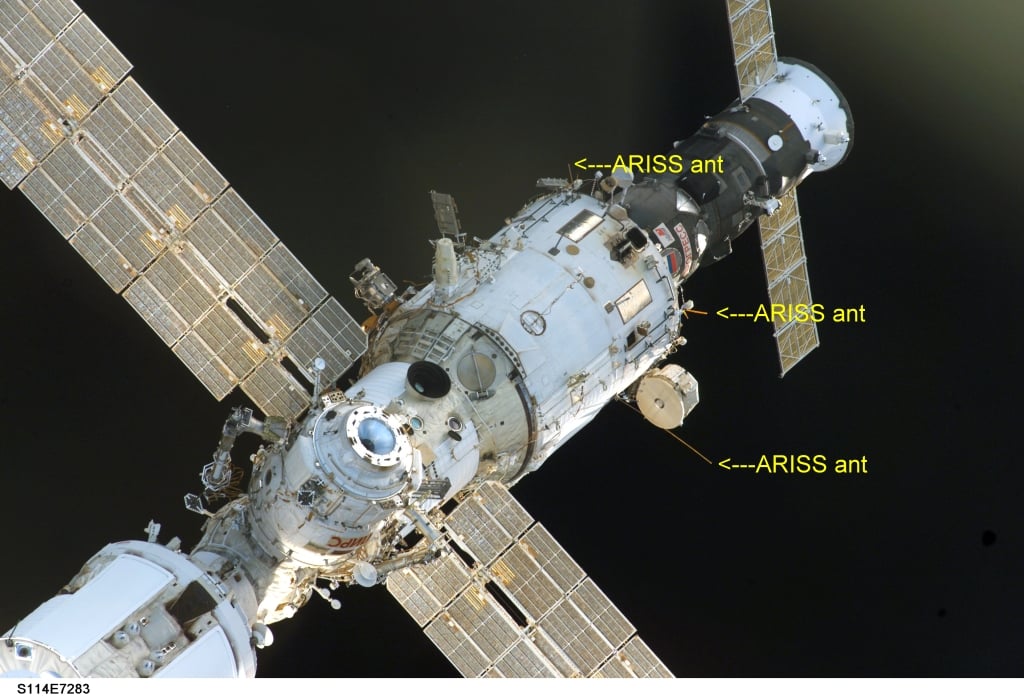
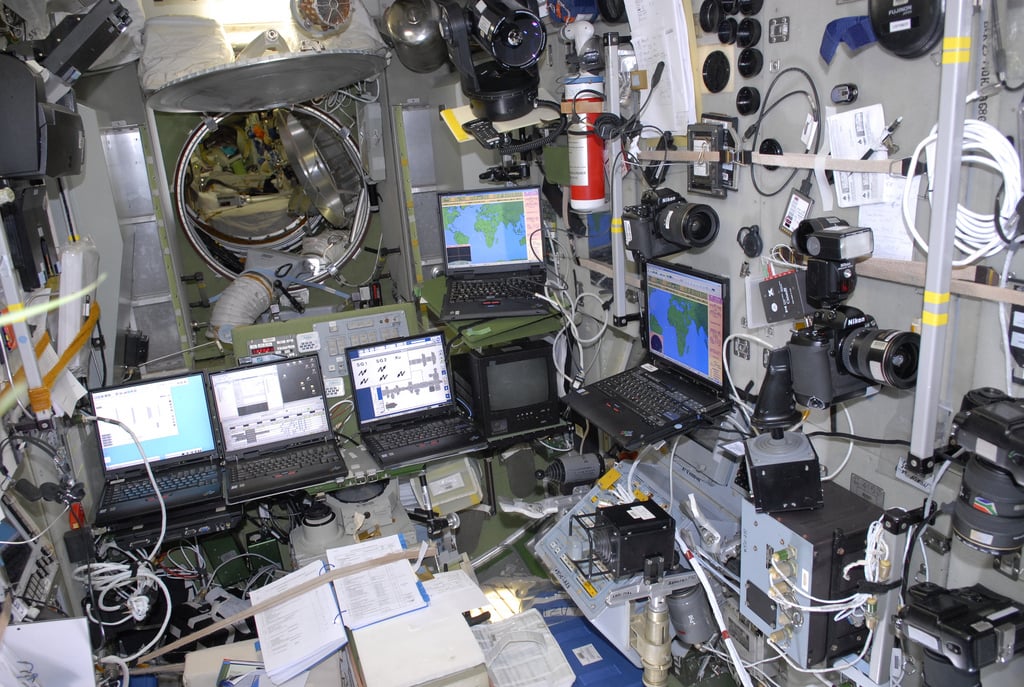
Happysat also shows us some images from the ISS showing the Kenwood D710 transceiver located in the Russian service module, the computers used to generate the SSTV signal and the antennas used for amateur radio transmission.

One of the broadcast SSTV images from the ISS
One of the SSTV images broadcast from the ISS
Computers on the ISS used to transmit SSTV images
Antennas on the ISS used to transmit SSTV images

The SatNOGS Story

In a previous post we talked about the SatNOGS project which aims to provide low cost satellite ground stations (where one critical component is currently an RTL-SDR dongle) along with free networking software in order to create a crowd sourced satellite coverage network. The SatNOGS project was also recently the grand prize winner of the Hackaday prize which saw them take almost $200k US dollars of prize money.

Today Hackaday has written a post promoting their project and explaining what it is all about. Check out their post here http://hackaday.com/2015/02/19/ground-stations-are-just-the-beginning-the-satnogs-story and go and support this project by checking out the SatNOGS community.

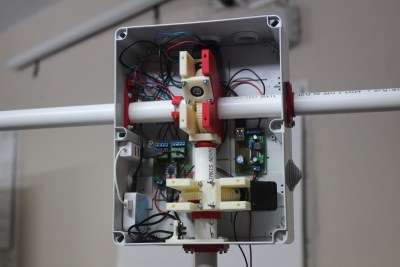
The internal of the current SatNOGS ground station.

SDR-J Updated to Version 0.98

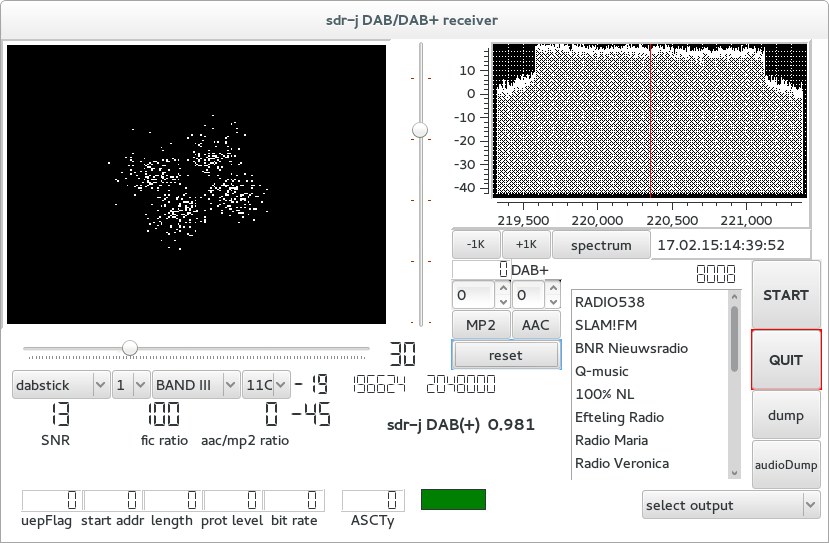
The RTL-SDR compatible DAB Radio receiving software SDR-J has recently been updated to version 0.98. DAB stands for digital audio broadcasting and is a type of digital radio signal used in some countries for transmitting broadcast radio stations in digital audio.

The new versions fixes some minor errors, brings back their ‘spectrum viewer’ software and also comes with a ‘DAB mini’ receiver which is simply a smaller windowed version of the regular DAB receiver. The new version also now supports the sdrplay and Airspy software defined radios.

SDR-J DAB Receiver
SDR-J DAB Receiver

Recovering 433MHz Messages with RTL-SDR and MATLAB

Recently RTL-SDR.com reader Ilias wrote in to let us know about a post he uploaded to his blog showing how he was able to decode data from a device transmitting at 433 MHz using an RTL-SDR and MATLAB. MATLAB is a technical computing language that can be used for signal analysis and processing. His post clearly explains the steps he took and is a great aide for anyone wanting to learn about decoding simple signals.

The goal of Ilias’ project was to be able to use the RTL-SDR and MATLAB to uncover the details of a 433 MHz transmitter he bought on Ebay. He wanted to see if he could determine the protocol and recover the data before even looking at the transmitter’s library code.

To do this he first used SDR# to record the data sent at 433 MHz. Then by looking at the waveform in the Audacity audio editor he was able to determine that the signal was on-off-key (OOK) modulated and from this knowledge he was able to manually recover the binary string. Next he used MATLAB to create a program that can automatically decode the received OOK signal. His post goes into further detail about the signal processing steps he took in MATLAB.

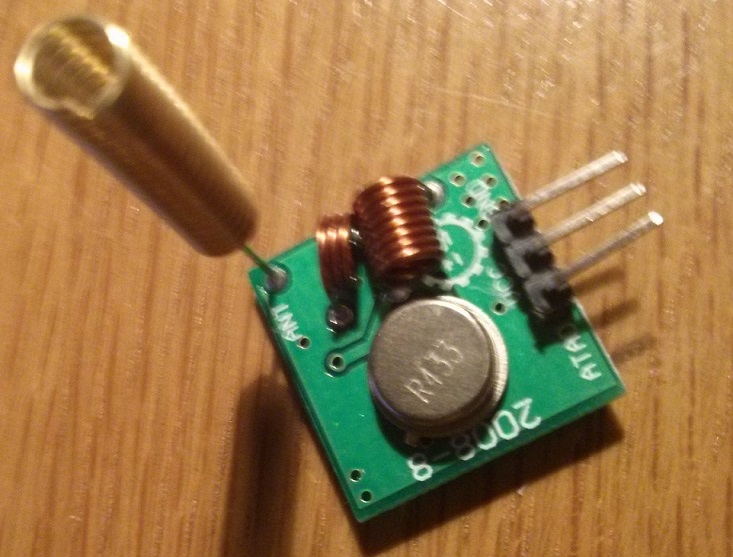
433 MHz OOK Transmitter

Using filters to deal with interfering transmissions on the RTL-SDR

Over on a German ham blog Hamspirit.de, a contributer called Jan has written a post showing his results with filtering and the RTL-SDR (language in German, use Google translate).

Jan uses a DPX-210-270 diplexer which splits an antenna port into two ports with one port having a 50 – 210 MHz low pass filter and the other having a 270 – 1000 MHz high pass filter. His first test shows that the low pass filter correctly attenuates some TETRA signals at around 390 MHz. In his second test he scans the broadcast FM frequency range and finds that with the low pass filter enabled there was a 3.5 dB increase in signal strength for one station and a 10 dB increase for another.

Attenuation of higher frequencies provided by the low pass filter.

Testing GNU Radio on the Raspberry Pi 2

Earlier this year the successor to the hugely popular Raspberry Pi, the Raspberry Pi 2 was released. The Raspberry Pi 2 is a mini embedded computer that can run Linux.

Over on the RS Design Spark website Andrew Back has posted a tutorial showing how he installed GNU Radio and RTL-SDR on the Raspberry Pi 2. He also shows that the Raspberry Pi 2 runs the CPU intensive GNU Radio software well, utilizing 70% CPU when running osmocom_fft, a GNU Radio based spectrum analyzer. Andrew also installs and tests the gr-air-modes GNU Radio program which is an ADS-B receiver, finding that it also performed well with low CPU utilization.

Raspberry Pi 2 with an RTL-SDR Dongle Attached

SDR# Plugins: Frequency Manager Updated and New RDS Logger Plugin

Recently the commonly used frequency manager plugin for SDR# was updated to version 1.6. The latest version can be downloaded from http://www.sdrsharpplugins.com/. The updates are as follows:

  • The Frequency Description is now displayed in the upper-right corner of the spectrum analyzer, along with the indicator for multiple database entries for that frequency.
  • As a result of moving the above information to the spectrum analyzer, the Frequency Manager panel is now 35% smaller.
  • The Clipboard Monitor now optionally watches the clipboard for frequencies you might have copied from the internet; and if that can be converted to a MHz value it tunes the radio to that frequency.
  • Function Keys F1-F10 can now be used to tune to a preset frequency.

Scanner

  • A new Minimum Signal Strength Line is displayed on the spectrum display.  This, along with real-time display of the current signal’s strength when the scanner is running, let you see at a glance how that signal compares to your scanner settings.  In addition you can use customize the line with one of 6 line patterns.
  • Current Signal Strength in dB is displayed in the upper right corner of the spectrum analyzer, just after the Frequency Description.
  • Timeout and Watchdog timers’ indicators are now displayed in the upper right corner of the spectrum analyzer.

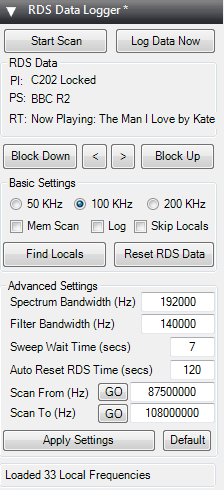
Also, on the SDR# Yahoo group discussion mailing list user Andy Pritchard has released a beta version of his new RDS Data Logger plugin for SDR#. This plugin can be used to log Radio Data System (RDS) data on a single frequency or on multiple frequencies by using the scan function. It can be a very useful tool for FM DXers. The plugin is still in beta but can be downloaded now directly from http://www.apritch.myby.co.uk/rdsdataloggerBeta4.zip. Later versions may be released on the SDR# Yahoo group.

RDS Data Logger SDR# Plugin

New RTL-SDR Radio Data System (RDS) Decoder: Redsea

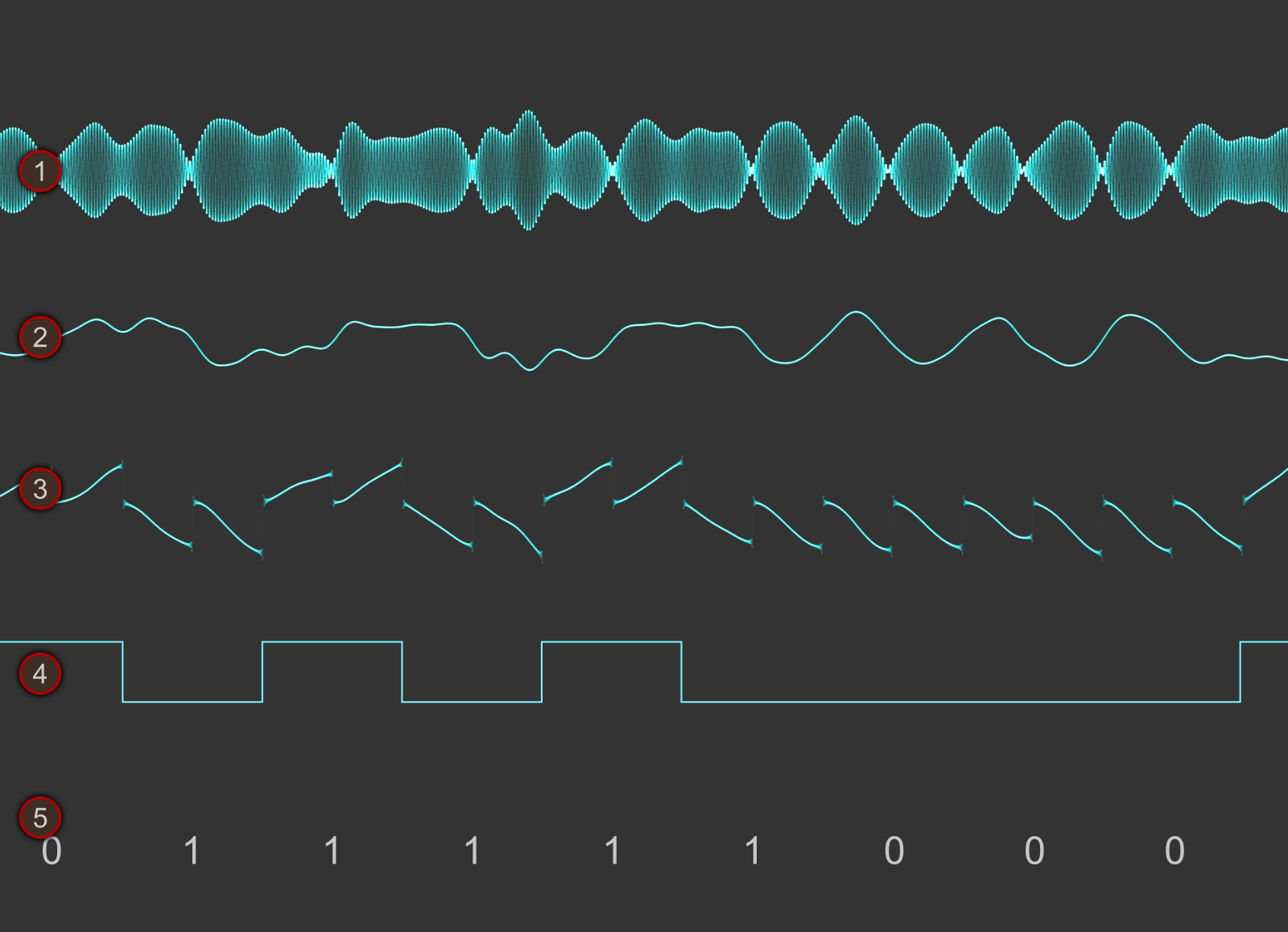
Signals hacker Oona Räisänen has released on GitHub a new software tool for the RTL-SDR called Redsea. On her blog she explains that Redsea is a Linux and OSX compatible perl based command line Radio Data System (RDS) decoder that uses the rtl_fm tool. Oona’s post explains a little about how RDS works and also explains how her software actually decodes RDS.

The Radio Data System (RDS) is a digital data subcarrier built into some broadcast FM signals. It usually carries information such as the station name and the song currently playing.

RDS Waveforms
RDS Waveform Decoding Steps