SigintOS is an Ubuntu based distribution with a number of built in signal intelligence applications for software defined radios such as the RTL-SDR and TX capable SDRs like the HackRF, bladeRF and USRP radios.
The OS has a built in launcher UI that helps to automatically launch and set up parameters for various programs and GNU Radio scripts that are commonly used. Examples include an FM transmitter, GPS transmitter, GSM base station searcher, IMSI catcher, LTE base station searcher, LTE decoder and a jammer.
SigintOS 2.0 Community Edition; It was developed to provide a much better experience to its users. With a new interface, more stable and powerful infrastructure and development environment, it allows users to develop new tools in addition to existing tools.
Developing Signal Intelligence tools is now much easier with SigintOS™
It is now much easier to develop your own tools with SigintOS™, which contains the world’s most famous and free signal processing and communication software. You can develop them effortlessly with tools such as QT and KDevelop.
Say hello to the 5G World!
SigintOS™ offers you all the possibilities of the 5G world, free of charge and effortlessly!
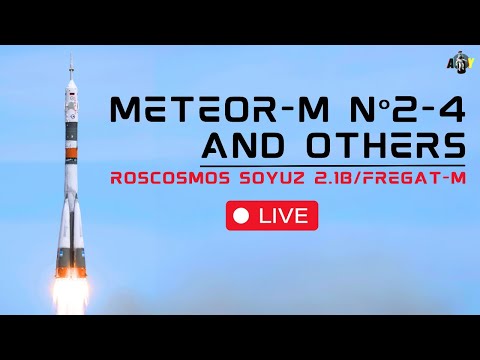
The long awaited Russian Meteor M2-4 satellite was successfully launched on February 29, 2024 and is now in orbit, and is already transmitting images. If you are unfamiliar with them, Meteor M satellites are a class of Russian weather satellites that can be easily received with an RTL-SDR and appropriate satellite antenna. The easiest transmission to receive is around 137 MHz, and to receive this signal a simple V-Dipole or more advanced QFH antenna can be used. It also transmits in the L-band, and a small 60cm+ dish can be used to receive it with motorized or hand tracking.
The video below is an archived live stream of the launch.
Prior Meteor M class satellites have typically been plagued with various issues, but so far the launch and deployment of M2-4 appears to have gone very smoothly. Reports are that the signal strength is excellent (much better than M2-3 with it's suspected antenna deployment fault) and images have been received clearly on both VHF and L-band.
TLE's and SatDump have been updated to support Meteor M2-4, so if you want to receive the satellite be sure to update to the latest code on Github.
Over on X, Scott Tilley has posted an image he received recently on both bands.
Over on her YouTube channel IndiaRocketGirl has posted a video showing how she was able to build a satellite dish and feed to receive FengYun-2H S-VISSR signals and get beautiful full disk images of the earth.
In the US and other countries RTL-SDR fans will be familiar with how to receive images from the GOES geostationary weather satellite. However from countries like India most GOES satellites will not be visible. Fortunately there are alternative satellites like the Chinese FengYun-2H satellite which is visible from India. FengYun-2H is a geostationary satellite that sends down a S-VISSR signal containing full disk images of the earth.
In her video IndiaRocketGirl uses a 1.8 meter diameter antenna, a homemade helical feed, an LNA+filter and an RTL-SDR as her hardware. For software she uses SatDump.
How to receive Real Time Images from Geostationary Satellites | Best Satellite Project
WXCorrector is a dedicated solution designed specifically for Linux users who face challenges with the handling of Kepler elements in Wxtoimg. This tool addresses a critical issue where incorrect or outdated Keplerian elements can cause disruptions in tracking software, leading to inaccurate predictions and potential data loss.
It work on Linux, it needs sudo rights and Python3 installed.
WXtoIMG is a commonly used piece of software for decoding images from NOAA APT weather satellites. However, WXtoIMG is now considered abandonware as the original website has gone, and the main author has not updated the program in many years. The latest versions from 2017 can be downloaded from Archive.org. An alternative download site is https://www.wraase.de/wxtoimg, where they also provide a way to update Keplers for Windows machines.
Due to it's abandonment, certain features like Kepler updates from the internet appear to have broken over time with changes to the way Kepler files are served. Up to date Kepler files are required for the software to know exactly where satellites are in the sky for tracking and scheduling.
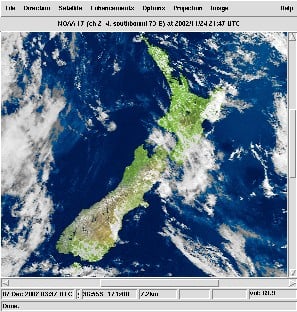
A modern alternative to WXtoIMG is SatDump, which now supports NOAA APT satellites.
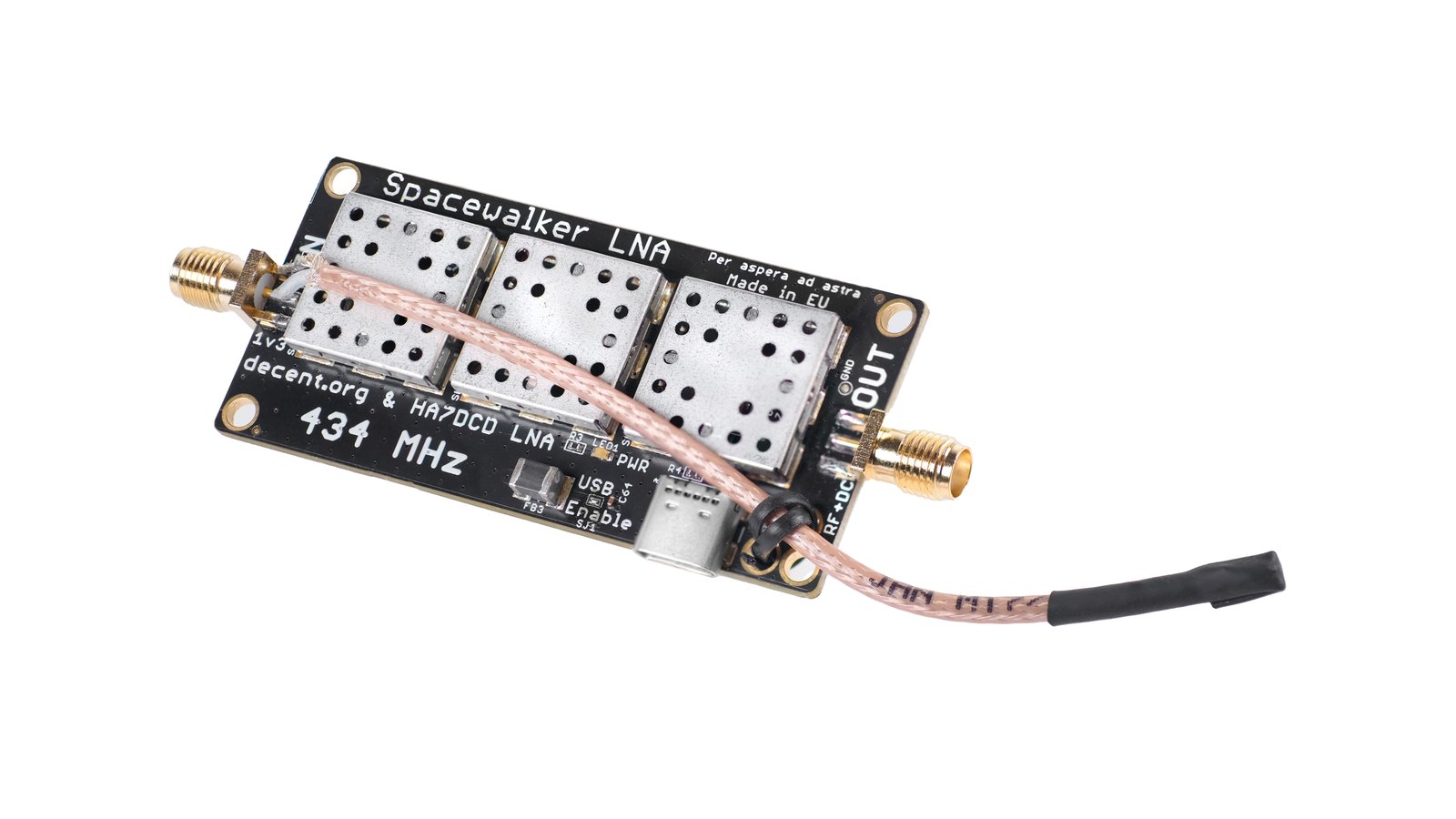
Thank you to Zoltan and team for submitting news of the prelaunch of their Spacewalker LNA 434 MHz. Spacewalker LNA is designed to improve reception of PocketSat and Cubesat satellite signals when received with SDR devices like the RTL-SDR. Often these relatively weak signals are drowned out by strong interfering terrestrial signals like DVB-T and GSM. To solve this the triple filter and dual amplification design used in the Spacewalker LNA can help to isolate the satellite signals.
The team write that prototype versions of the LNA are already successfully in use around the world with SatNOGS stations. The device uses two state of the art QPL9547 LNA with 0.2 dB noise figure and 25 dB gain at 434 MHz and three 434 MHz SAW filters. The design also uses an interesting coax stub for ESD protection. It can be powered with 5V USB-C or via bias tee.
The LNA is currently in the prelaunch stages with CrowdSupply, so it will likely be released for crowd funding within the next few months. If you are interested in being notified when the campaign launched, be sure to sign up on the Crowd Supply page for updates.
Spacewalker LNA 434 MHz. Designed for PocketSat and CubeSat signals amidst strong DVB-T, TETRA, FM, and LTE signals from densely packed transmitter towers.
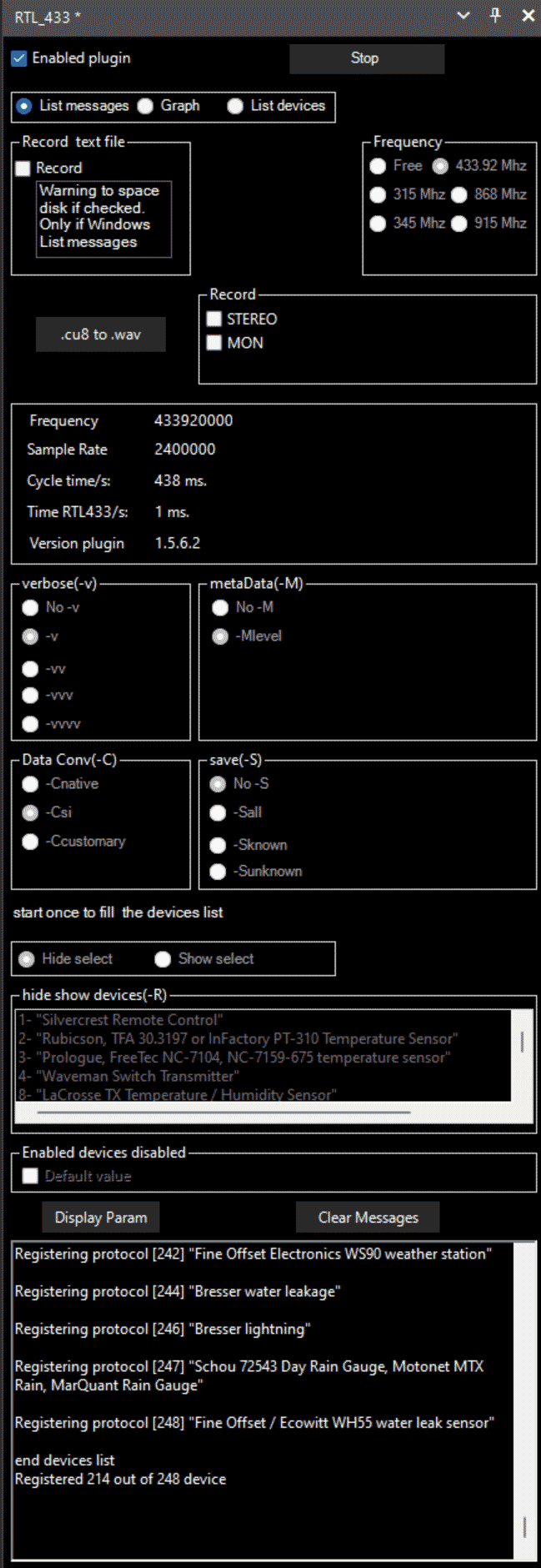
Back in 2021 we posted about a SDR# plugin that allowed you to interface with rtl_433 from within SDR#. RTL433 (rtl_433) is a commonly used RTL-SDR command line program that provides decoders for a wide range of 433.92 MHz, 868 MHz, 315 MHz, 345 MHz, and 915 MHz ISM band devices. Examples of such devices include weather stations, alarm sensors, utility monitors, tire pressure monitors and more.
Recently there have been a few updates to the plugin after a years hiatus which probably meant that the older version was not compatible with newer versions of SDR#. But there are also several bugfixes and minor changes made to the plugin too which can be read about on the GitHub Readme.
To download the plugin we recommend clicking on the green <>Code button on the GitHub page and choosing Download Zip. You can then browse to the install/1.5.6.2 folder. Copy the three .dll files into the Plugins folder in your SDR# directory. Then open SDR#, go to the main hamburger menu -> plugins -> RTL_433.
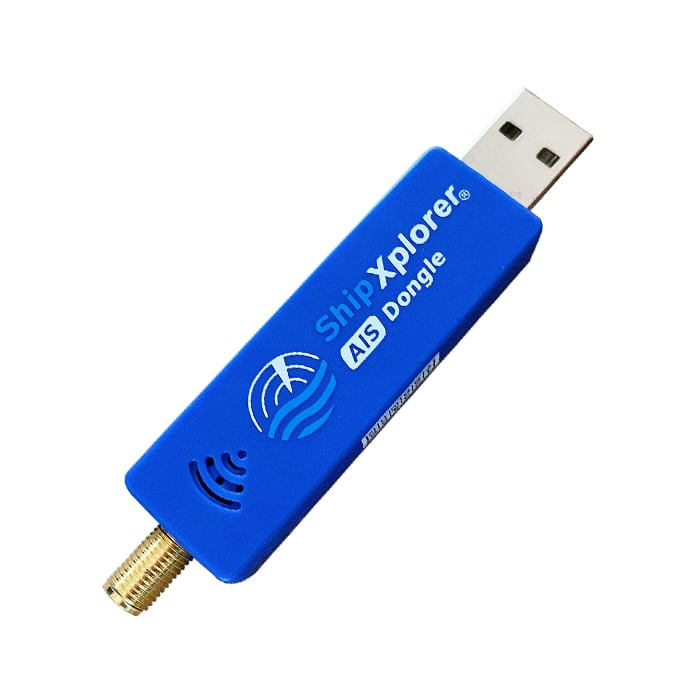
AirNav systems are a company that run radarbox.com, one of the big ADS-B aggregation tracking sites for tracking aircraft around the world. They also run a similar platform called ShipXplorer for tracking marine vessels using AIS data. The team at AirNav have provided us with a nice explanation of what AIS is and how it works. They note that they also sell a modified RTL-SDR with AIS filters and an LNA built in.
Presumably AirNav are seeking feeder volunteers for their ShipXplorer service with the submission of this post. We receive no compensation for this post and do not endorse one aggregator over another.
Below is the text from AirNav:
How Does the Automatic Identification System (AIS) Work
Introduction
Automatic Identification System (AIS) is a crucial technology used for monitoring and tracking the movements of vessels at sea. It has become an essential tool for ensuring maritime safety, security, and efficiency. In this blog post, we will explore how AIS vessel tracking works, its benefits, limitations, and future prospects.
How Does AIS Vessel Tracking Work?
AIS is an automatic tracking system that uses transceivers installed on ships to transmit vital information such as position, speed, course, name, call sign, type of ship, and destination. This data is then received by terrestrial or satellite-based AIS receivers and transmitted to various stakeholders, including shore-based authorities, other ships, and online platforms. The information is displayed in real-time, allowing users to monitor the movement of vessels with pinpoint accuracy.
There are two types of AIS messages: Class A and Class B. Class A messages are mandatory for all ships over 300 gross tons, while Class B messages are optional but recommended for smaller vessels. Class A messages have a higher transmission power and update rate than Class B messages, making them more reliable for long-range detection.
AIS operates principally on two dedicated frequencies or VHF channels: AIS 1: Works on 161.975 MHz- Channel 87B (Simplex, for the ship to ship) AIS 2: 162.025 MHz- Channel 88B (Duplex for the ship to shore), which provide a range of up to 20 nautical miles for terrestrial stations and up to 1,000 nautical miles for satellite systems. The system uses Time Division Multiple Access (TDMA) technology to avoid signal collisions and ensure seamless communication between multiple vessels and base stations.
Benefits of AIS Vessel Tracking
AIS vessel tracking offers numerous benefits, including enhanced safety, improved operational efficiency, and better decision-making capabilities. Some of these benefits include:
Improved Collision Avoidance
By providing accurate information about a vessel's location, speed, and direction, AIS helps prevent collisions and reduces the risk of accidents. Ships can use this information to maintain safe distances from each other and navigate crowded waterways safely.
Increased Efficiency
AIS enables ships to optimize their routes and fuel consumption, leading to increased efficiency and cost savings. By sharing their positions and intentions, vessels can coordinate their movements and avoid wasting time and resources on unnecessary maneuvers.
Enhanced Search and Rescue Operations
In case of emergencies, AIS provides critical information that helps search and rescue teams locate and assist distressed vessels quickly. The real-time data provided by AIS allows responders to make informed decisions and allocate resources effectively.
Better Decision Making
AIS data can be integrated with other systems, such as weather forecasting tools, to help shipping companies make informed decisions about their operations. For example, they can adjust their schedules based on predicted weather conditions or reroute their vessels to avoid congested areas.
Limitations of AIS Vessel Tracking
While AIS vessel tracking is a powerful tool, it does have some limitations. These include:
Limited Coverage
Although AIS signals can travel up to 20 nautical miles via terrestrial stations, this coverage may not be sufficient in remote or offshore areas where there are no base stations. Satellite-based AIS systems address this limitation but come at a higher cost.
Potential Security Risks
Since AIS transmissions are unencrypted, there is a potential risk of interception and misuse by malicious actors. However, measures such as frequency hopping and encryption can mitigate these risks.
Future Prospects of AIS Vessel Tracking
As technology advances, AIS vessel tracking is expected to evolve and offer even greater benefits.
Integration with Autonomous Shipping
Autonomous ships rely heavily on sensor data for navigation and collision avoidance. AIS integration with autonomous shipping systems could enhance situational awareness and improve overall safety.
Real-Time Cargo Monitoring
AIS could be used to track individual cargo containers in real-time, enabling logistics companies to monitor their shipments more accurately and efficiently.
Environmental Monitoring
AIS-equipped vessels could collect environmental data, such as water temperature, salinity, and pollution levels, helping researchers and policymakers better understand and manage marine ecosystems.
Conclusion
AIS vessel tracking is an indispensable tool for enhancing maritime safety, security, and efficiency. While it has some limitations, advancements in technology continue to expand its capabilities and applications. As shipping becomes increasingly digitalized, AIS will remain a cornerstone of maritime communications and surveillance.
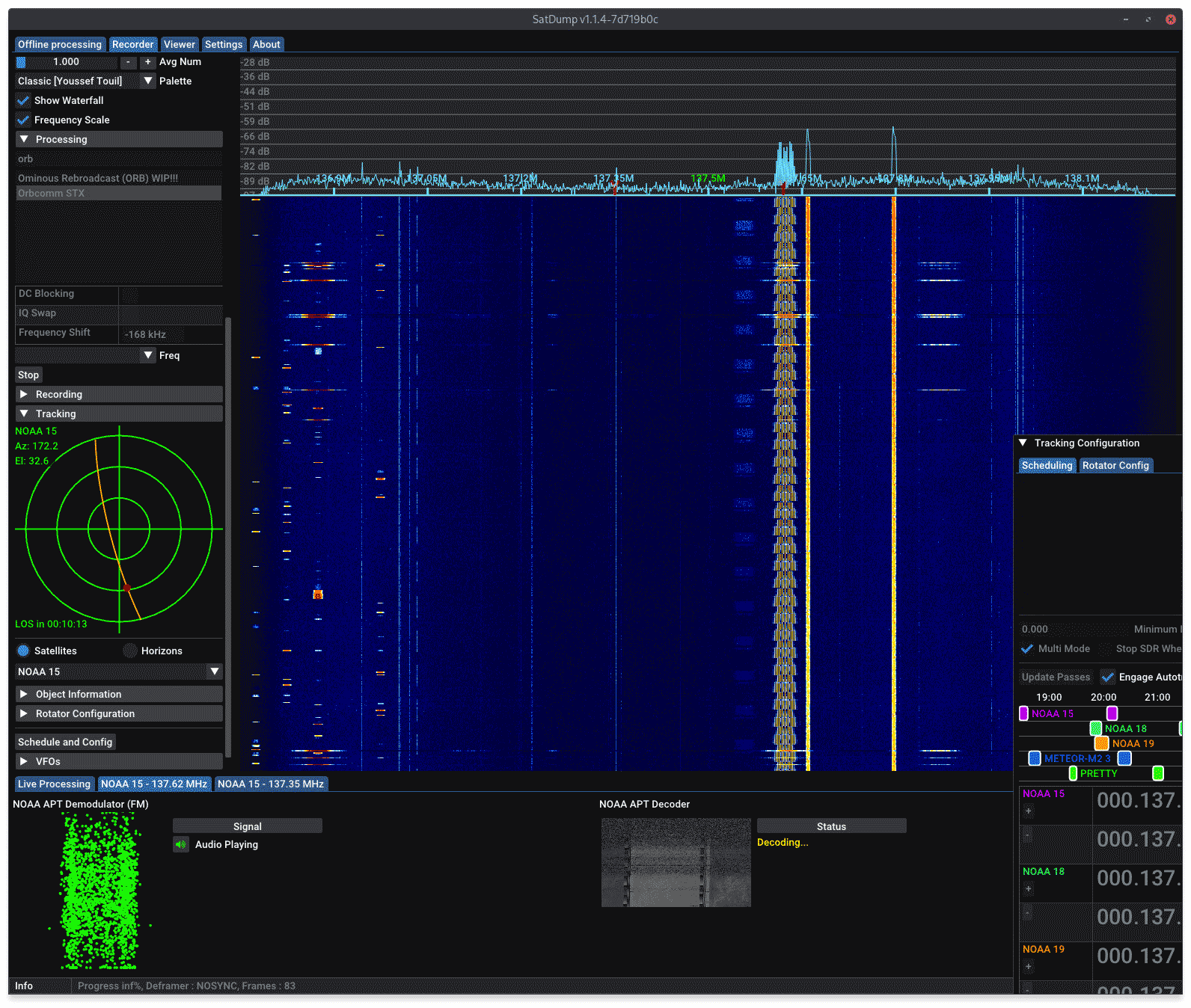
SatDump is a popular program used to receive and decode images and other data from various weather satellites. SatDump works great RTL-SDR Blog dongles and with our Discovery Dish, an easy to use dish and feed for receiving L-band and other weather satellites. Recently the author of SatDump released version 1.1.4 which brings several new features including:
Autotrack/Scheduler improvements - multi mode has been added which allows all pipelines to run, even if more than one satellite is overhead at the same time. This is useful for NOAA and METEOR satellites at 137 MHz as there can often be more than one active satellite broadcasting images at different frequencies during a pass.
TUBIN Raw/Video Mode
ESA Cluster support
Additional Pipelines - Including Peregine X-Band TLM, the IM-1 Moon Mission and PRETTY S-band dump.
Themes - Choose between Dark, Light, Phosphor and Win98 themes.
Android Improvements - Blog V4 support added on Android, OpenCL support added.
Added composites - Various composite image products added to various satellites. Including Fog, panchromatic, ice detecting and more.
Other Features - support for M1 Mac builds added and various other fixes.
Bug Fixes - Memory leaks fixed and various bug fixes including a bug that caused problems with RTL-SDR devices on low power hardware like Raspberry Pi's and Orange Pi's.
If you enjoy SatDump consider donating to the main author at ko-fi.com/aang23.
SatDump Multi-Mode Feature. Receiving data from multiple 137 MHz satellites at the same time.