Tagged: rtl-sdr

Possible fixes for new versions of SDR# crashing with RTL-SDRs

SDR# (SDRSharp) is our recommend software for RTL-SDRs due to it's high popularity in the community, relatively simple to learn and use interface, and host of features and third party plugins available.

Recently we're starting to see a lot of Facebook and forum posts about a new bug introduced in SDR# 1911 - 1913 so we thought we'd make a global post. This new bug has introduced a problem which causes a crash when attempting to change frequencies with RTL-SDR dongles (of any make or brand). It appears to be an issue stemming from libusb, but the exact issue is still unknown. The SDR# author is aware of the issue, but as RTL-SDR dongles are supported in SDR# for free with no guarantee, it may be several weeks until he has the time to investigate the issue fully. In the meantime we want to note some some partial fixes that we have found.

The first fix is to use our "rtl-sdr-blog" drivers instead of the default osmocom drivers. Our Quickstart guide now shows how to download these drivers and install them into SDR#, so if you want to try this solution, please see the guide. We're not exactly sure why this driver helps, but it may be due to our version being compiled against a newer version of libusb. However, this fix is only partial. While it no longer crashes on every frequency change, it will still crash approximately 5% of the time on a frequency change, which can add up when surfing through the spectrum rapidly, or when using frequency scanners.

We have also found a second fix that almost completely eliminates the crash, but it appears that it only works on some PCs. This fix is to use our rtl-sdr-blog drivers, and at the same time use Zadig to install the "libusb-win32" version of libusb, instead of the WinUSB version. However, the libusb-win32 is old, and it only appears to work on some PCs. On others it causes SDR# to crash as soon as the RTL-SDR is loaded.

Alternatively you can simply use a legacy version of SDR# by clicking the "Latest dotnet x.x build" links on the SDR# downloads page.

The final alternative would be to use another program like SDR++, which is very similar to SDR#, but without a large amount of plugins available yet. We have also added a SDR++ installation guide to our quickstart guide.

Testing DAB Decoders: SDRAngel versus Welle.io

Thank you to the team from DXing.org for submitting their video where they compare the DAB decoding performance of SDRAngel and Welle.io using an RTL-SDR Blog V3 dongle.

Digital Audio Broadcast (DAB) is a digital replacement for analog broadcast FM. It provides high quality digital audio at the expense of higher cost receivers, and possibly greater difficulty with reception in weak or challenging RF environments. DAB is mostly only used in Europe and Asia Pacific regions, and is not found in the USA. SDRAngel and Welle.io are both RTL-SDR compatible programs with DAB decoding capabilities. Both can run on Android, PC, MacOS and Linux devices.

In their tests they find that the Welle.io DAB decoder works perfectly without issues, however the SDRAngel DAB decoder struggles and has difficulty with decoding. Given that Welle.io is a dedicated DAB decoder, and SDRAngel is a multipurpose tool this could be expected. But we are unsure what is wrong with the DAB implementation in SDRAngel.

The team note that the test was carried out in Sofia, Bulgaria, Europe, using a Serbian DAB+ signal from Yastrebac, with a distance of 175km.

Test android apps with DAB+ signal Welle.io vs. SDRangel, receiver rtl-sdr v.3

OpenWebRX+ Updates: HFDL, ISM Band, FLEX, SELCALL decoders added

Back in March of this year we posted about an OpenWebRX fork called OpenWebRX+, which adds multiple built-in and ready to use decoders such as SSTV, AIS, CW and RTTY. OpenWebRX+ is a fork of the OpenWebRX project which is now officially maintained by DD5JFK.

Since our last post OpenWebRX+ has progressed in development further, and now includes a HFDL decoder via dumphfdl, various ISM band equipment decoders via rtl_433,  FLEX pager decoding via multimon-ng, and a SELCALL decoder has also been added. Many other improvements and changes to the software have also been added, and the full changelog can be viewed here.

OpenWebRX+ is software for Linux. If you want to install OpenWebRX+, an easy path is to use the ready to use Raspberry Pi 4 image available on the releases page, or to use their PPA.

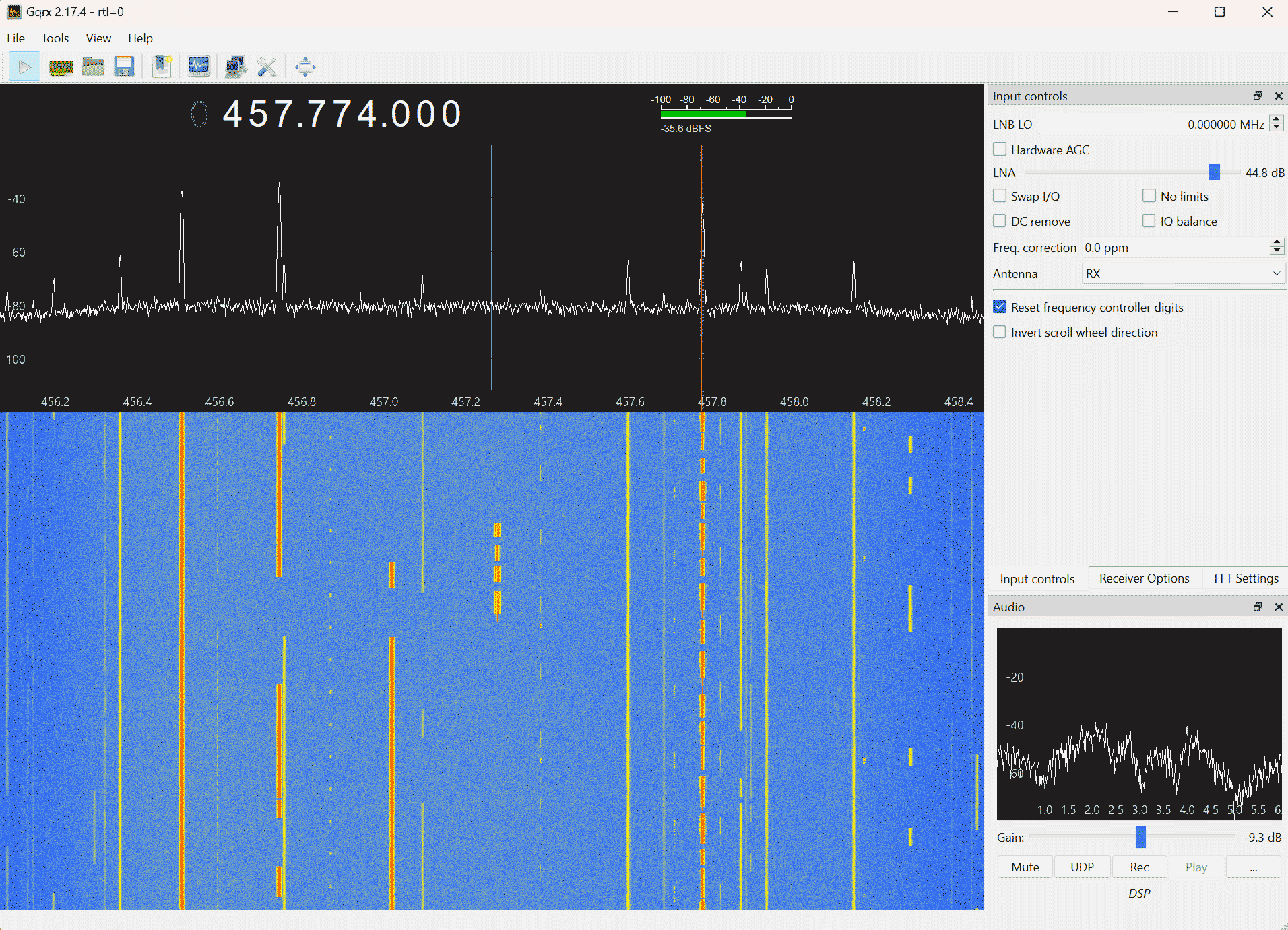
SSTV Image received by the luarvique fork of OpenWebRX. Credit: Neil Howard

TechMinds: Detecting Meteors With Software Defined Radio

In his latest video Matt from the TechMinds YouTube channel has shown how it's possible to detect the RF echoes of meteors falling in the earths atmosphere which a software defined radio.

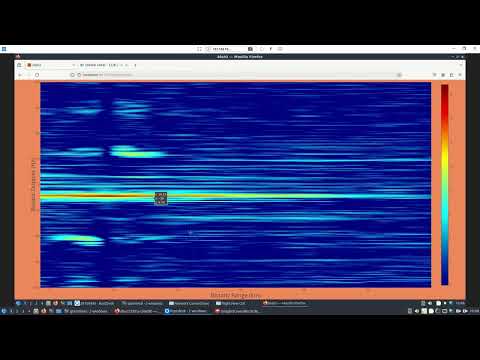
The concept is relatively straightforward. Meteors falling in the atmosphere generate an RF reflective ionized trail, which is highly reflective to RF. In the UK where Matt lives, the Sherwood Observatory of the Mansfield and Sutton Astronomical Society (MSAS) have set up a meteor detection beacon "GB3MBA" which transmits an 80W CW signal at 50.408 MHz.

When tuned to this frequency with an SDRplay RSPdx SDR, Matt shows how the shifted reflections of meteors can be seen as blips around the beacon's carrier frequency. What is also seen are reflections from aircraft which show up as longer doppler shifted lines. Matt notes that if you live within 200km of the beacon a simple dipole antenna is sufficient, however any further might require an antenna system with more gain like a Moxon or Yagi.

We note that in Europe a similar beacon called the GRAVES space radar in France which operates at 143.050 MHz can be used.

Detecting Meteors With Software Defined Radio

DragonOS: KrakenSDR and DF Aggregator Connected via a 1km WiFi Link

DragonOS is a ready to use Ubuntu Linux image that comes preinstalled with multiple SDR software packages including a tool called DF Aggregator, which can be used for radio direction finding with a device like our KrakenSDR.

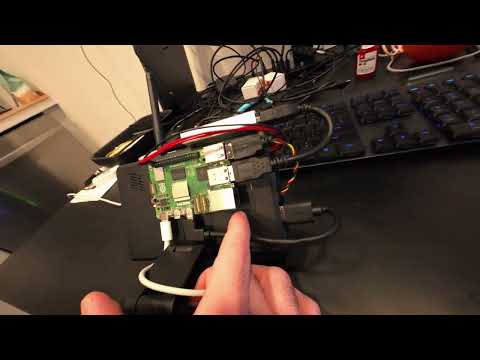
In his latest video, Aaron, creator of DragonOS tests out a long range one kilometer WiFi link between a KrakenSDR, and his base station running DF Aggregator. The WiFi link is achieved by using a ALFA Network 802.11ah (900 MHz US) adapter. The remote KrakenSDR is running on a 'DragonDeck', which is a SteamDeck gaming console with DragonOS installed on it.

In the video Aaron shows that when he transmits with his handheld radio, the remote KrakenSDR is able to provide an accurate bearing towards the transmitter. At the end Aaron also briefly tests out automatic speech transcribing via WhisperCPP.

Aarons tests were run together with @VibesGoon who shows a few great pictures of his KrakenSDR setup on his Twitter Feed.

DragonOS FocalX 1km Remote Connect to KrakenSDR/SDR4Space w/ 802.11ah (hackRF, Halow-U, SteamDeck)

Aaron also shows another picture on his Twitter feed, which also shows the SteamDeck.

An RTL-SDR telemetry decoder for the soon to be launched MRC-100 PocketQube Satellite

Thank you to Zoltan Doczi (HA7DCD) for submitting news about the MRC-100 Hungarian PocketQube Satellite that is scheduled to launch on a Falcon 9 on June 12. A PocketQube is smaller than a standard CubeSat as it is sized at only 5x5x15cm. Zoltan notes that the MRC-100 is the successor to the SMOG-1 satellite which we posted about back in March 2021. The satellite is named to honoring the 100th year anniversary of the HA5MRC Ham Radio Club at the Budapest University of Technology.

To help with decoding the Telemetry on the satellite an RTL-SDR based telemetry receiver was created by Peter and Miklos, and Levente HA7WEN has created an installation script for Raspberry Pi's and Linux PC's which installs OpenWebRX along with the satellite receiver software.

The satellite should be receivable with a simple satellite antenna, such as a handheld Yagi, Turnstile, Dipole or quadrifilar-helix antenna. It will be transmitting telemetry at 436.720 MHz. If you have a dish and tracking equipment for it, there is also a high speed downlink at 2267.5 MHz. Like SMOG-1 the satellite carries a sensor that is designed to measure human caused electromagnetic pollution. It also carries a camera and an AIS receiver for tracking marine vessels.

The MRC-100 CubeSat

A Video Demonstration on Cracking a GSM Capture File

Over on YouTube Rob VK8FOES has been uploading some fairly comprehensive demonstrations and tutorials showing how to crack a GSM capture file which can be recorded with any SDR.

It's well known now that GSM aka 2G communications are insecure, with the encryption having been breakable on a standard PC for a long time now. It is for this reason that GSM is now mostly phased out, however in many regions the GSM system is still operational in reduced capacity due to some legacy users who are mostly industrial.

In his video Rob makes use of the opensource Airpobe GSM decoder tool, as well as the opensource Kraken tool (not to be confused with KrakenSDR) which is a brute force password cracking tool.

We want to note that doing this is only legal if it is your own communication that has been recorded, or you have permission from the communicating parties.

My GSM cracking content has been getting quite a lot of attention lately. Previous videos of mine relating to this topic were only boring screen recordings with no real explanation on what steps are required to crack the A5/1 stream cipher and decrypt GSM traffic by obtaining the Kc value.

I was bored one day and decided to present a live-style workflow of how hackers and security researchers 'crack' 2G cellular communications in real-time. Be warned that if you don't have an interest in cryptography or cellular network security, you might find this video rather boring.

The GSM capture file used in this video, to my knowledge, has never been publicly cracked before. 'capture_941.8M_112.cfile' was recorded and uploaded with permission by the owner of the data themselves as a decoding example for testing Airprobe.

I make a few mistakes in the video that I can't be bothered editing out. But they are not critical, just myself misreading a number at the 10 minute mark somewhere, and saying the wrong name of a software tool at 17 minutes.

Additionally, l am not a GSM technology engineer, nor a cryptography expert. I do my best to explain these concepts in a simple and easy to understand way. But due to my limited knowledge of these subjects, it's possible that some of this information may be incorrect or lacking context.

However, this video will still allow you to crack a real GSM capture file if you are able to follow along with my flip-flopping style of presentation. Haha. But please, only replicate this tutorial on GSM data that originated from YOUR OWN mobile phone. Do not attempt to decrypt private telecommunications from any other cellular subscriber, EVER.

Video Demonstrating Hydrogen Line Detection with an RTL-SDR and WiFi Dish

Back in January 2020 we posted a tutorial showing how it's possible to detect and measure the galactic Hydrogen line using a simple 2.4 GHz WiFi dish, RTL-SDR Blog V3 and a filtered LNA. Since then many people have used the same setup with great results.

Over on YouTube user stoppi who is one such person who is using the same steps from our tutorial, and he has uploaded a video showing his setup and results. If you're thinking of getting started with Hydrogen Line reception, his video slide show tutorial would be a good complimentary overview to go along with our text tutorial.

Detection of the galactic hydrogen - the 21 cm radiation - Wasserstoffstrahlung der Milchstrasse