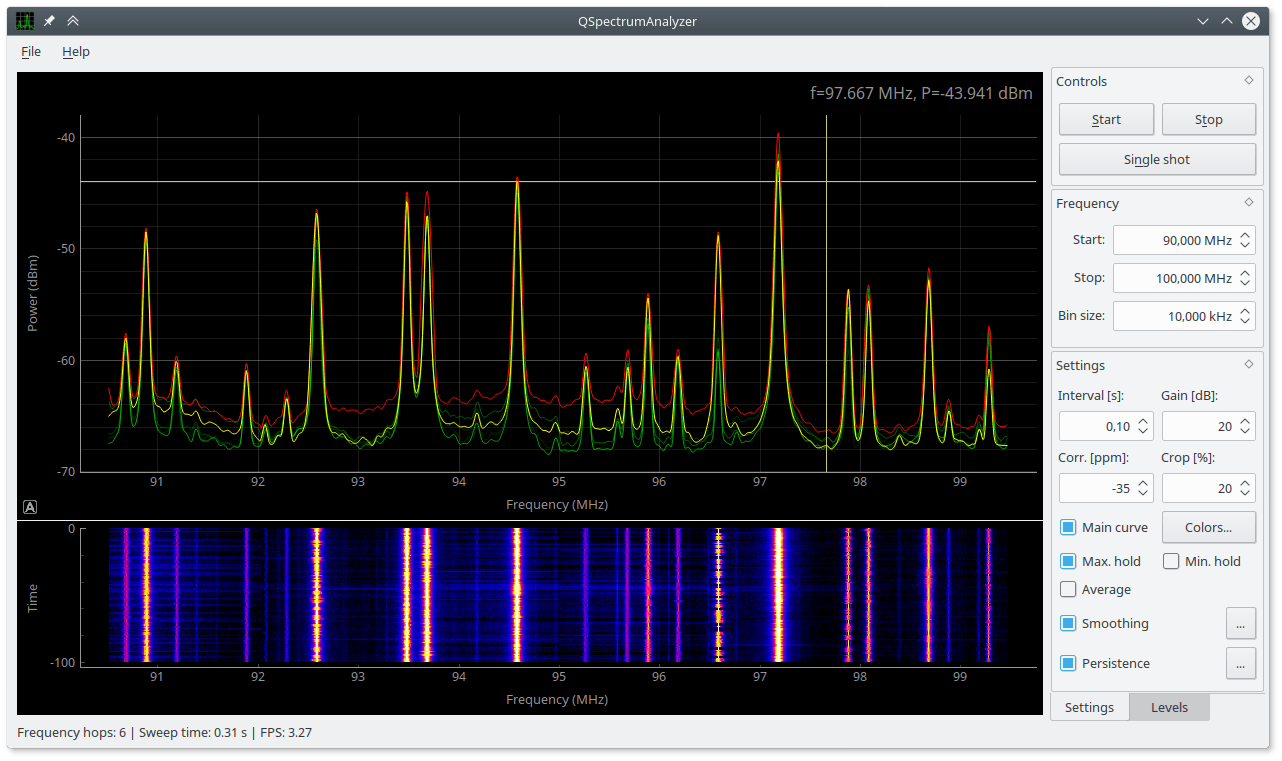
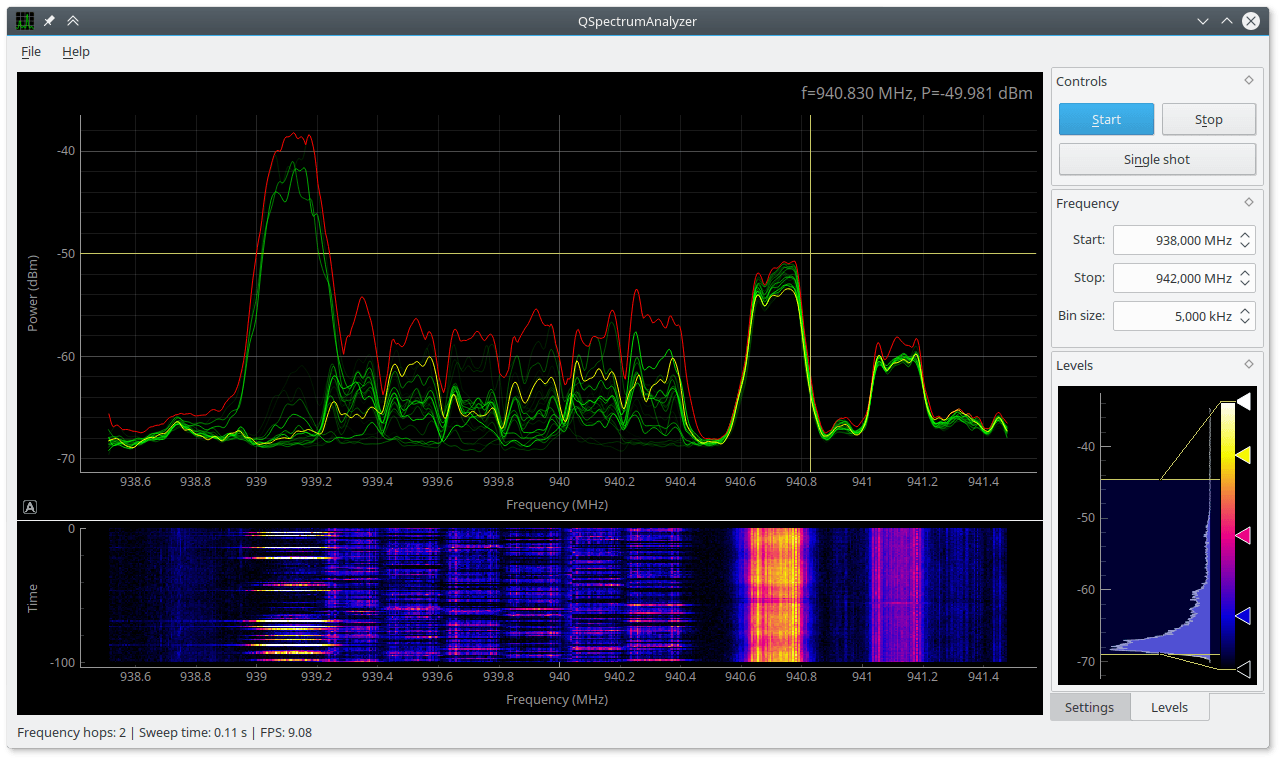
QSpectrumAnalyzer is a Linux based opensource GUI front end for rtl_power or rtl_power_fftw and can be used with an RTL-SDR to scan for signal activity on wide swaths of the frequency spectrum. Recently QSpectrumAnalyzer was updated to version 1.4.0 and the new updates add the following features:
Max peak hold
Min peak hold
Averaging
Spectrum Persistence (RTSA fosphor-like effect)
Smoothing
Previously we posted about QSpectrumAnalyzers ability to use rtl_power_fftw, which is a much faster version of rtl_power. The new features help make the spectrum view clearer especially when using rtl_power_fftw at a very short interval.
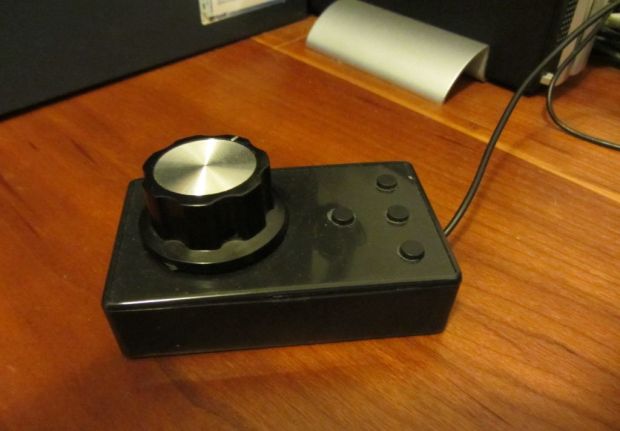
If you love using SDR’s on the PC but miss the old feeling of tuning the frequency with a knob then 19max63 has a solution for you. On his blog he’s posted about how he built his own tuning knob by using a USB mouse PCB circuit and replacing the mouse wheel with a rotary encoder with no detents. Detents are the little clicks or steps that you can feel in some knobs, but for accurate frequency tuning you don’t want those.
His post shows the exact parts he bought (knob, mouse, buttons), the mods he made to the knob and mouse PCB, and how he put it all together. He writes that parts can all be found cheaply on eBay or Aliexpress and the total cost to produce a single knob was only about $4 (though he had to buy some parts in lots of 5 to 10).
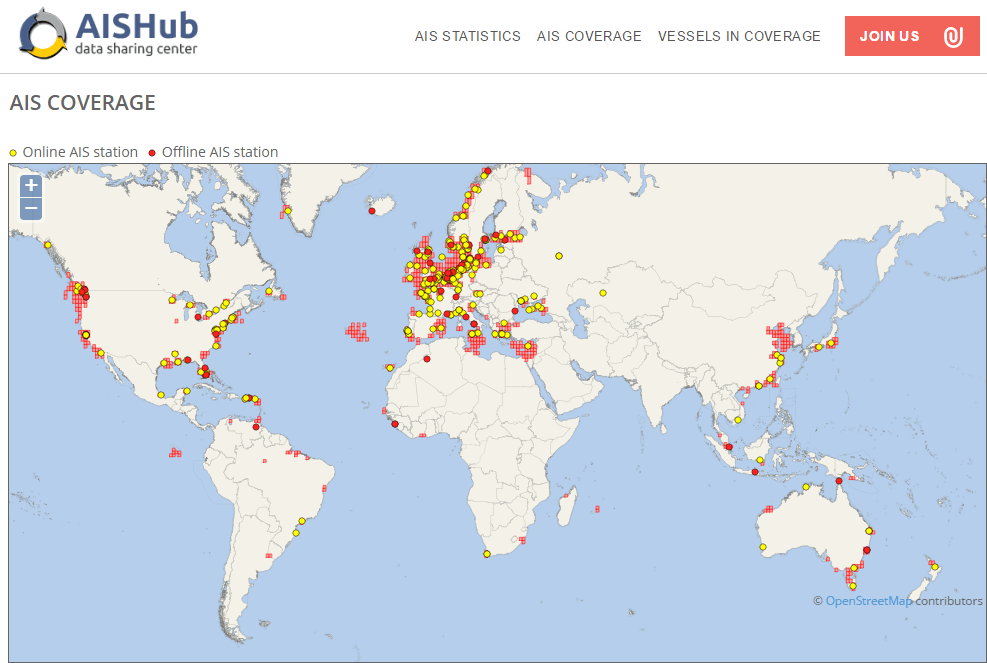
Recently SV3EXP wrote in to let us know that he has been documenting his experiences with trying to get aisdecoder to decode both AIS channels simultaneously. AIS stands for Automatic Identification System, and is a system used to track the locations of marine vessels. With an RTL-SDR or other SDR radio, and appropriate decoder software you can plot ship positions on a map. As the AIS system uses two separate channels for redundancy, you can get a faster and more reliable update rate if you monitor and decode both channels.
Of course the easier solution to decode both AIS channels at once is to use decoding software that already supports this, such as AISdeco2 or AISrec which can be downloaded at http://xdeco.org, and https://sites.google.com/site/feverlaysoft respectively. But regardless SV3EXP's method does show an interesting way to demodulate multiple streams using only command line tools.
SV3EXP also wanted to point out that he is selling a bias tee powered PSA4-5043+ based LNA on eBay which is compatible with the bias tee on our RTL-SDR Blog SDR units.
APCO P25 is a digital voice signal and is commonly used like public safety departments such as police and fire. With an RTL-SDR and the open source Linux based OP25 decoder these signals can be decoded, assuming they are unencrypted. Software like DSD+ can also be used, but OP25 can supposedly decode more systems. Before the RTL-SDR, hardware scanners like the $~360 USD Uniden BCD996T digital scanner radio were typically used.
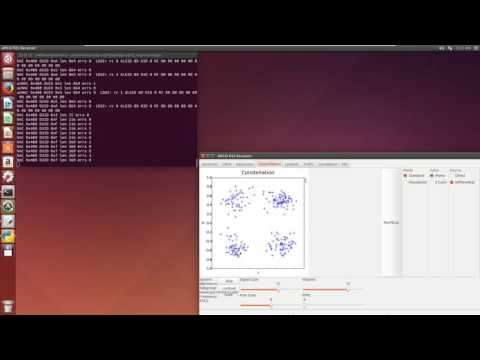
Over on YouTube user Rob Fissel has uploaded a video showing a comparison between an RTL-SDR using the OP25 decoder and a Uniden BCD996T. Both radios are used to decode a weak P25 Phase 1 LSM signal. He uses a Scantenna antenna with an antenna splitter to run both radios at the same time. His results show that even though the constellation is poor, OP25 does a good job at decoding the signal and producing voice, whereas the BCD996T doesn’t even manage to hear the control channel.
Akos of the rtlsdr4everyone blog has recently written up a comparison of the RTL-SDR and SDRplay. The SDRplay is a $149 USD software defined radio with a 100 kHz to 2 GHz frequency range, a 12-bit ADC, and up to 8 MHz of bandwidth. It now competes heavily with the $99 Airspy Mini which is a similarly specced SDR.
Akos compares the two units and comes to the conclusion that the RTL-SDR is still the best choice for beginners, but that the SDRplay is definitely a good choice if you have good antennas in place and if the receiver is the major bottleneck in your setup.
In his review he goes over several points covering the costs involved, aesthetics, customer support, PC hardware requirements, setup, operation and finally reviews the performance of the SDRplay. His results show that the SDRplay generally receives much better than the RTL-SDR, but has some problems with broadcast FM imaging.
Back in November 2015 we posted about Disney Research’s EM-Sense which was an RTL-SDR based smart watch that was able to actually sense and detect the exact (electronic) object the wearer was touching. It worked by using the RTL-SDR to detect the specific electromagnetic emission signature given off by various different electronic devices.
The Disney research team have put forward the idea that a low cost SDR like the RTL-SDR can be used in place of RFID tags when they would have been used to identify electronic devices. The idea is that the SDR can be used to read the electromagnetic emissions of the electronic device, which can then be used to identify the item, thus eliminating the need for an RFID tag or barcode. Their abstract reads:
Radio Frequency Identification technology has greatly improved asset management and inventory tracking. However, for many applications RFID tags are considered too expensive compared to the alternative of a printed bar code, which has hampered widespread adoption of RFID technology.
To overcome this price barrier, our work leverages the unique electromagnetic emissions generated by nearly all electronic and electromechanical devices as a means to individually identify them. This tag-less method of radio frequency identification leverages previous work showing that it is possible to classify objects by type (i.e. phone vs. TV vs. kitchen appliance, etc). A core question is whether or not the electromagnetic emissions from a given model of device, is sufficiently unique to robustly distinguish it from its peers.
We present a low cost method for extracting the EM-ID from a device along with a new classification and ranking algorithm that is capable of identifying minute differences in the EM signatures. Results show that devices as divers as electronic toys, cellphones and laptops can all be individually identified with an accuracy between 72% and 100% depending on device type.
While not all electronics are unique enough for individual identifying, we present a probability estimation model that accurately predicts the performance of identifying a given device out of a population of both similar and dissimilar devices. Ultimately, EM-ID provides a zero cost method of uniquely identifying, potentially billions of electronic devices using their unique electromagnetic emissions.
An EM-ID use case: Identifying difference laptop assets.
In the paper we can see that the EM-ID hardware is essentially just a direct sampling modified RTL-SDR and antenna. The RTL-SDR is modified to use direct sampling as this allows it to receive 0 – 28 MHz, and thus 0 – 500 kHz where the most useful EM emissions exist. The system process is to basically scan the device using the antenna and RTL-SDR, extract features such as power peaks from the recorded EMI spectrum and then turn this data into a device signature which can then be used to compare against a database of previously recorded and known device signatures. (e.g. light bulb, iPhone).
The EM-ID Hardware: Essentially an RTL-SDR and antenna.The EM-ID Process.
The RTL-SDR can be used for many interesting radio astronomy applications such as observing the Hydrogen line. Hydrogen atoms randomly emit photons at a wavelength of 21cm (1420.4058 MHz). Normally a single hydrogen atom will rarely emit a photon, but since space and the galaxy is filled with many hydrogen atoms the average effect is an observable RF power spike at 1420.4058 MHz. By pointing a radio telescope at the night sky and integrating the RF power over time, a power spike indicating the hydrogen line can be observed in a frequency spectrum plot.
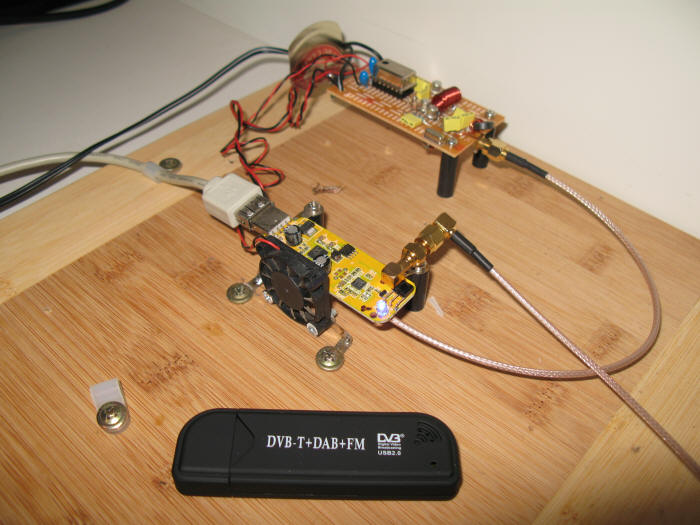
On his website Steve Olney has been writing about his experiments and results with using an RTL-SDR to observe the hydrogen line. On his website he writes that he uses a 3M dish, with an LNA at the antenna to reduce the system NF, a hydrogen line tuned bandpass filter to remove out of band noise, 2 line amps to overcome coax loss, and finally a second LNA just before the RTL-SDR dongle to optimize the signal strength for the ADC. The dongle he uses has been modified to use a TCXO, and is aircooled via a PC fan. He also uses a modified version of the rtlsdr.exe IQ file recorder and his own custom GUI for controlling the RTL-SDR and antenna tracking mechanism.
His results show that he was able to detect the Hydrogen in the Large and Small Magellanic clouds. He also shows a method for converting the 8-bit IQ data down to 1-bit to save disk space, and shows that while some noise is added, the overall result is preserved.
See the related posts for other hydrogen line experiments with the RTL-SDR.
The 3M dish used for hydrogen line detection.The fan cooled RTL-SDR used to detect the Hydrogen line.
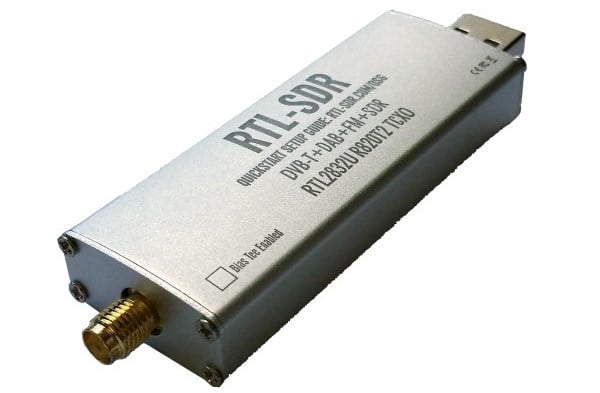
After a few delays our RTL-SDR blog TCXO/SMA/Metal Case units are back in stock at the Chinese warehouses. The restocking of Amazon USA will follow shortly, and they should be ready for purchase on Amazon by the end of next week. See our store for information on purchasing.
As some readers may know, we’ve been working on finding ways to improve upon and add features to the RTL-SDR’s we sell, whilst trying to maintain the attractive low cost. In previous batches we added upgrades such as a TCXO, bias tee, SMA connector and a shielded metal case with passive cooling. For future modifications we’d like to poll the community on what is most desired.
In the poll below please choose your top 3 desired improvements. If you desire something else please comment on this post. Thanks!