Tagged: rtl2832u

Increasing L-Band Active Patch SNR by using it as a Feed for a Satellite Dish

Recently RTL-SDR.COM reader Bert has been experimenting with our active L-band patch antenna product. He's written in to share that he's found that using it as a feed for a satellite dish works well to improve SNR on those weaker 10500 AERO signals which Bert found that he could not decode from his location due to insufficient SNR. Our active L-band patch antenna receives signals from 1525 - 1637 MHz and can be used for signals from Inmarsat, Iridium and GPS satellites.

To use the patch as a feed Bert used a 40mm drain pipe and mounted the antenna on the end of the pipe. The drain pipe fits perfectly into the LNB holder, and once mounted the distance and polarization rotation can easily be adjusted for best SNR. He also found that adding a secondary sub-reflector about 17x17cm in size helped to boost SNR by about 3-5 dB too.

Build steps to use the Active L-band Patch with a Satellite Dish

Bert has tested the active L-band patch as a feed on a 65cm satellite dish and a smaller 40cm dish, both with good results.

SNR Results
SNR Results

DSDPlusUI: A Graphical User Interface for DSD+

Over on Twitter Annunaki (@StupotSinders) has been teasing some screenshots of a GUI for DSD+ that he's been developing over the past few weeks. And now he has released the software which is called "DSDPlusUI". DSD+ is mostly command line based, so a GUI could be useful for newbies. The software can be downloaded from the DSDPlusUI groups.io page.

DSD+ (aka Digital Speech Decoder) is a free closed source program that is compatible with RTL-SDR and various other SDRs which is used to decoder digital speech protocols such as P25 P1, DMR, NXDN and more. DSD+ Fastlane is a paid upgrade which allows subscribers to receive the latest updates to the software early. 

DSD+ GUI by Annunaki

RadarBox Optimized ADS-B Antenna + RTL-SDR Bundle Sale $39.95 + Shipping

Over in our store we're currently selling a RadarBox branded bundle that includes an ADS-B optimized antenna with 10 meters of coax, AND an ADS-B 1090 MHz optimized RTL-SDR dongle. RadarBox24 is an ADS-B aggregation flight tracking service similar to other services like FlightRadar24 and FlightAware. The set is RadarBox branded, but of course can be used with any tracking service, or just for your own private ADS-B station.

The bundle is now on sale for US$39.95 + shipping! The sale will last until stock runs out and this sale is only available from us. At other places like Amazon it is currently selling for US$64.95.

To purchase please visit our store and scroll down to find the RadarBox bundle "Add to Cart" button.

The antenna has 7 dBi gain, 50 (+-5) Ohm impedance, and is made from fiberglass and aluminum. It is fully waterproof and outdoor rated with 10 meters of coax cable and includes mounting clamps. The RadarBox RTL-SDR is specifically optimized for 1090 MHz ADS-B reception with it's built in filter and low noise amplifier.

The bundle ships out once per week and tracking is provided 1-2 days after shipping.

RadarBox Bundle: Includes 1x Outdoor ADS-B Antenna, 1x ADS-B Optimized RTL-SDR
RadarBox Bundle: Includes 1x Outdoor ADS-B Antenna AND 1x ADS-B Optimized RTL-SDR

Receiving and Decoding NFC with an RTL-SDR and GNURadio

Having been inspired by an NFC activated coffee machine at his work, back in 2017 Jean Christophe Rona uploaded a blog post showing how he used an RTL-SDR and GNU Radio to sniff and decode NFC (Near-Field Communication) tags. His post first goes into detail showing how NFC works and goes on to create a GNU Radio flow graph with custom GNU Radio block for decoding the NFC Miller code. The final result was him being able to demodulate the coffee machine to tag communication. We note that in Jeans experiments he used a standard RTL-SDR dongle with the HF driver hack in order to receive the NFC frequency of 13.56 MHz, but these days it should also be possible to simply use direct sampling on an RTL-SDR Blog V3 unit.

More recently Martin Schaumburg (5ch4um1 on YouTube), wrote in and wanted to share his video showing his replication of Jean's experiments. Martin's video shows him using a simple coiled up wire antenna on his RTL-SDR to receive NFC communication from an NFC reader to NFC tag, and he shares a few tips on getting the software to work.

RTLSDR NFC decoding reader to tag communication with a rtl-sdr and gnuradio.

Update 13 January 2020: Martin has added a second video with some additional information and tests.

RTLSDR decoding NFC, or: how to get two signals for the price of one.

Tracking down a Water Leak with RTLAMR

Earlier in the year Clayton discovered that his water bill had suddenly gone up one month. Suspecting a leaky appliance he set out to discover what it was by using an RTL-SDR and the rtlamr decoder. The rtlamr decoder is able to decode water meters that transmit usage data wirelessly via the Itron ERT protocol which is typically found in the unlicensed 900 - 920 MHz band in the USA and Canada.

Clayton wrote a simple Python script to plot the usage data extracted by rtlamr, and after a week determined that water was being consumed at 10 liters an hour even while away from home. Suspecting a leak in the toilets he turned off their valves and the next day saw that the reading remained constant when away, indicating that he'd found the leak.

A water leak graphed by decoding an Itron ERT water meter with RTL-SDR

Meteor M N2-2 Has Failed but Recovery May be Possible

UPDATE: It has now been confirmed by Roscosmos that the satellite was struck by what is presumed to be a micrometeorite which caused a leak of thermal transfer gas, and hence a sudden orbit change. It seems unlikely that the satellite will begin operations again as the satellite cannot operate it's camera sensors without thermal cooling. Data is being transmit currently on the X-Band, however, it appears to be a stored image only, rather than live images.

On December 18, 2019, an abnormal situation was recorded on the Meteor-M spacecraft No. 2-2 associated with an external impact (presumably a micrometeorite) on its structure. As a result, he changed the parameters of the orbit and switched to a non-oriented flight mode with high angular velocities.

In accordance with the inherent logic of operation, the device stopped fulfilling the target task and automatically switched to energy-saving mode when the on-board systems that were not involved in ensuring its functioning (including all on-board target equipment) are turned off.

After entering into the zone of Russian ground-based controls with the Meteor-M spacecraft No. 2-2, communication was established and work began to restore its operability: damping angular velocities, transferring to the standard orientation, receiving telemetric and target information.

Currently, work is underway with the satellite under the program of the chief designer. Meteor-M No. 2-2 is in an oriented flight; regular control sessions are conducted with it to receive telemetric information and information from target equipment.

Happysat's Notes:

Depressurization caused gas that was inside and used for heat transfer to leak out.

Resulting in some devices onboard overheating, while others did stop working.

Batteries are working under harsh thermal conditions.

Experts analyzing MSU-MR images during the incident to confirm collision.

------------------------- Original Post -------------------------

On December 18 Meteor M N2-2 suffered a failure that appears to have changed it's orbit. Roscosmos is quiet on the issue, but speculation by R4UAB is that there was a depressurization or on board explosion. However, Happysat who appears to be in contact with Roscosmos insiders has noted that on December 20 the orbit has been stabilized, and that they are working on recovering the operation of the satellite. Currently the LRPT signal and all sensors remain OFF.

Meteor M N2-2 is a Russian weather satellite that was successfully launched into orbit on July 5 2019. Like with the NOAA and Meteor M N2 satellites, it is possible to receive weather satellite images from this satellite with an RTL-SDR (when it is operational).

The older but still operational Meteor M2 satellite has failed several times in it's history too, each time with the satellite entering an unstable tumble. However, each time the satellite was recovered back into full operation after a few days.

The Meteor-M2 Satellite
The Meteor-M N2-2 Satellite

PiSDR Updated to Version 3.0: Now Supports the Airspy HF+

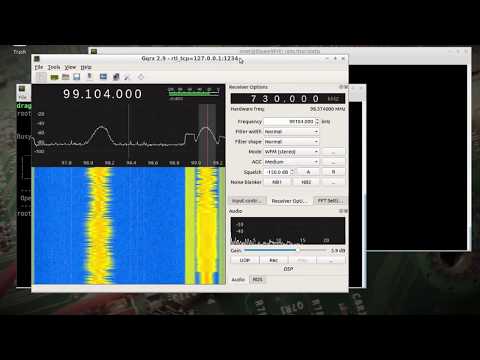
PiSDR is a Raspberry Pi distribution that is pre-loaded with multiple programs for various software defined radios. It currently supports RTL-SDR, LimeSDR, PlutoSDR, Airspy, and as of the most recent update the Airspy HF+. The currently pre-installed software packages include SDR Angel, Soapy Remote, GQRX, GNURadio, LimeUtil, and LimeVNA.

Recently version 3.0 was released, and this new version adds a few new features like Desktop shortcuts, Raspberry Pi 4 support, Airspy HF+ support and documentation.

The latest image can be downloaded from the PiSDR website at https://pisdr.luigifreitas.me. It can be burned to an SD card in the same way that you would with a standard Raspbian installation. This is a great image to start from if you're experimenting with RTL-SDRs on a Raspberry Pi, as it means that you don't need to go through all the steps of installing the drivers and software like GQRX and GNU Radio which can take a long time to install.

PiSDR Running a SDRAngel with a LimeSDR

Tech Minds Demonstrates Iridium Live on a Raspberry Pi

Over on YouTube Tech Minds has uploaded a video of him demonstrating Iridium Live plotting Iridium satellite tracks in real time. We just posted about Iridium Live yesterday. It is a new program by microp11, who is also the author of Scytale-C, a useful Inmarsat STD-C decoder. The software works with gr-iridium to visualize Iridium satellite tracks as they pass overhead.

In the video Tech Minds runs the software on a Raspberry Pi with an Airspy. The current video is only a demonstration, but in the near future he promises to upload a full tutorial

IridiumLIVE - Real Time Visualization Of Iridium Satellites - Raspberry Pi