Tagged: sdr#

Listening to NXDN with SDRSharp, the AuxVFO Plugin and DSD+

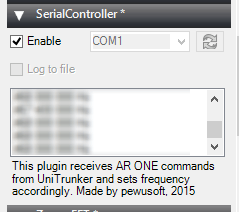
Over on YouTube user John Miller has uploaded a video showing how he receives NXDN digital audio using a combination of SDR#, the AuxVFO plugin and DSD+. He writes:

I have it set with 5 auxiliary VFO’s one for each channel of the Christian Co NXDN system from the Kelly Towers. I use VAC to route the audio from each VFO to DSD+ each VFO has it own DSD+ running. I then have all the DSD+ go into one output VAC and use that to run a feed on Broadcastify, The secret to running multiple DSD+ is to have separate install of it, so I have 5 DSD+ folders.

SDRSharper: A modified version of SDR#

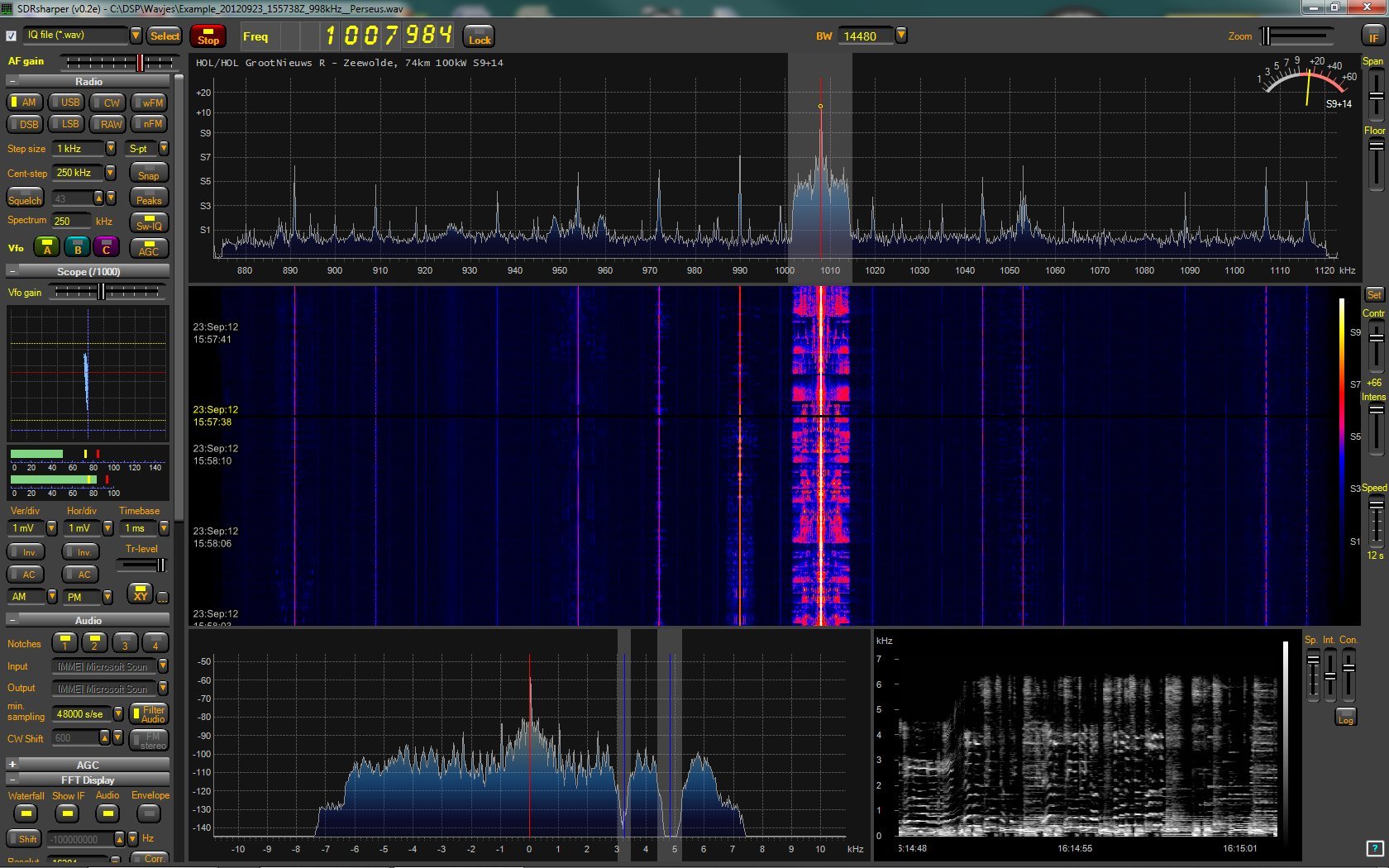
What appears to be a third party reskinned version of SDR# has been released on the *removed* Facebook discussion page. The modified software is called “sdr sharper” and changes the look and feel of SDR#. The software also includes several plugins ready to go including a scope, audio notch filters, audio equalizer, audio waterfall and s-meter. The sdr sharper software call be downloaded from the file *removed* over at *removed*.

Important Note: We are currently unsure of the legality of this software as it seems to be based on the licensed SDR# code base. If it turns out to be illegal software we will remove all download links.

Update 28/01/2015: As suspected SDRSharper is illegal and infringes on SDR#’s licensed code and trademark as pointed out by Youssef, the author of SDR# in the comments section of this post. In response we have removed the direct download link. Please respect the SDR# licence and Youssef’s hard work by not using illegal copies.

The majority of added features can be added to the original SDR# with the plugins listed on this page.

Reskinned SDR#: SDRSharper

New Notch Filter Plugin for SDR#

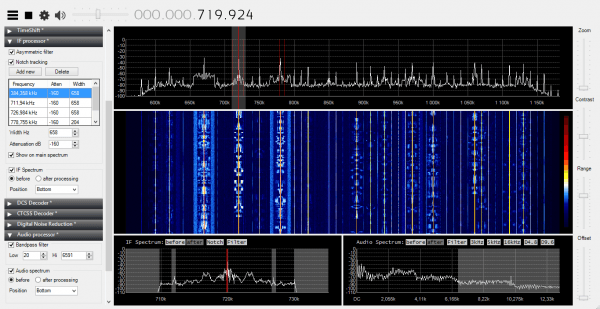
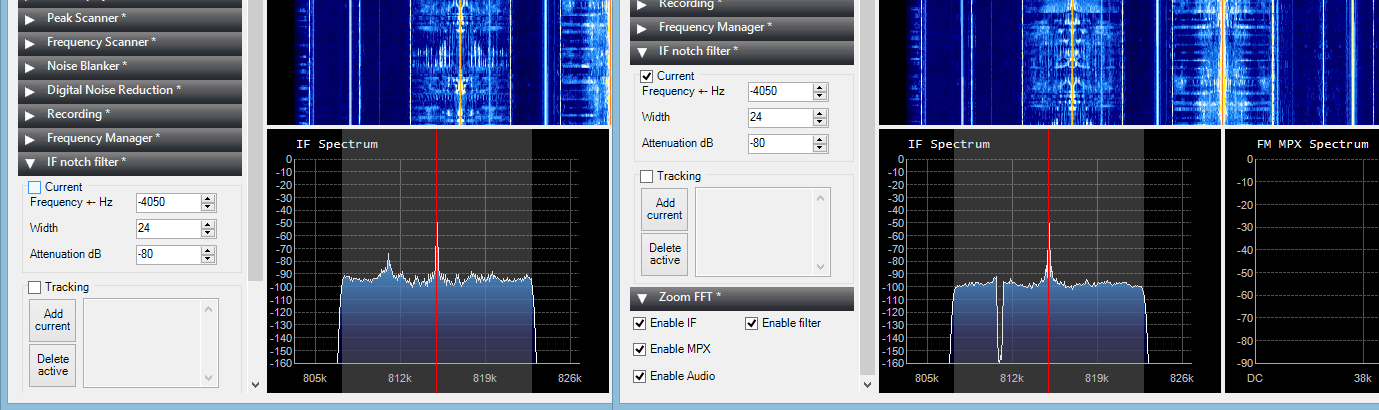
SDR# plugins programmer Vasili Beliakov has recently published a new notch filter plugin for SDR#. A notch filter will allow you to remove interfering signals that appear on top of a signal of interest. An example is shown in the image below first posted on Twitter by Youssef, the main developer of SDR#. In this image there is an interfering signal within the AM signal of interest. The notch filter removes the interferer without the need to remove the entire sideband.

The plugin also has VFO tracking which allows you to save preset notch filters for particular frequencies.

The plugin can be downloaded from https://t.co/dkEaWaQSmT. New Link: https://dl.dropboxusercontent.com/u/43061070/ifnotch.zip

Notch Filter Plugin Example

CubicSDR: New open source, cross platform SDR software

Over on YouTube a video showing off a preview version of a new cross platform and open source SDR software program has recently been uploaded. The software is named CubicSDR and aims to support all major operating systems including Linux, Windows and OSX. The code can be downloaded from its GitHub page at https://github.com/cjcliffe/CubicSDR.

CubicSDR currently supports the RTL-SDR, but in the future hopes to support the HackRF and other SDR’s. They also hope to eventually integrate several demodulation filters, make managing multiple SDRs easy and allow for scripting of custom demodulators.

CubicSDR v0.01 Early Preview

New SDR# Plugin: PAL / SECAM TV

The SDR# plugins programmer over at rtl-sdr.ru has recently released a new plugin which allows the decoding of PAL / SECAM TV images from within SDR# (note link in Russian, use Google translate or see the download link at the bottom of the page). The author also writes that if you are using a newer software defined radio like an Airspy, you can also receive the audio channel using the SDR# multiple VFO plugin.

We note that there is also the TVSharp software by the same author which is a standalone program that can decode PAL and NTSC.

PAL / SECAM TV SDR# Plugin

New SDR# Plugin: Multiple VFO’s

Over on the rtl-sdr.ru blog the programmer of many well used SDR# plugins has released a new one which allows you to have up to two extra VFO’s in SDR# (note in Russian, use Google Translate). In order words this means that you can now listen to up to three signals simultaneously if they are in the same swath of live bandwidth. Previously on Windows only the SDR-Radio V2 software was capable of doing multiple VFO’s.

Listening to multiple frequencies simultaneously has many uses including the ability to now monitor multiple ACARS, AIS, pager and other data frequencies at the same time. However, as of yet it seems that the ability to output to other audio devices such as a virtual audio cable is not yet implemented.

Extra VFO's Plugin
Extra VFO’s Plugin

Two New SDR# Plugins Released: ShortWave Info and DCS Decoder

Recently two new SDR# plugins have just been released.

The first is a plugin which shows the name and language of the shortwave station that is currently tuned in using data from short-wave.info. It can be downloaded from http://sourceforge.net/projects/sdrsharpshortwaveinfoplugin/.

short-wave.info SDR# Plugin

The second plugin is a Digital Code Squelch (DCS) decoder plugin. The plugin will display the DCS codes that are transmitted with the signal and will display all possible compatible codes. DCS is a squelching system similar to CTCSS which allows for radio user sharing by ensuring that radio users are not bothered by communications not intended for them. The DCS Decoder plugin can be downloaded from http://www.rtl-sdr.ru/page/novyj-plagin-dcs-decoder (note page in Russian).

Digital Code Squelch (DCS) Decoder Plugin for SDR#

Roundup of Software Defined Radios

New software defined radio (SDRs) products are popping up every few months these days so we thought we'd compile a big list of available SDRs as there are a few people who were bitten by the RTL-SDR bug and are now looking to upgrade.

For each SDR we compare the cost, frequency range, ADC resolution, maximum instantaneous bandwidth, whether or not it can TX and if it has any pre selectors built in. Here is a quick guide to what some of these metrics mean.

Frequency Range: The range of frequencies the SDR can tune to.
ADC Resolution: Higher is better. More resolution means more dynamic range, less signal imaging, a lower noise floor, more sensitivity when strong signals are present and better ability to discern weak signals. Some SDR's give their resolution in ENOB which stands for effective number of bits.
Instantaneous Bandwidth: The size of the real time RF chunk available.
RX/TX: Can the radio receive and/or transmit.
Preselectors: Analogue filters on the front end to help reduce out of band interference and imaging.

* - Denotes top choice for high value

General Use Software Defined Radios

We define general use SDRs as ones with a wide frequency range and with no focus on any specific frequency band.

R820T RTL2832U a.k.a RTL-SDR*

RTLSDR_PCB

Cost: $10 - 22 USD
Frequency Range: approx. 24 MHz - 1766 MHz (below 24 MHz available on RTL-SDR.com V3 dongles)
ADC Resolution: 8 Bits
Max Bandwidth: 3.2 MHz / 2.4 or 2.8 MHz max stable.
TX/RX: RX Only
Preselectors: Uses tracking RF filters on the R820T2 chip.
Release Date: August 2016

The RTL-SDR is still the best 'bang for your buck' software defined radio out there. While it was never designed to be used as a general purpose SDR in the first place, its performance is still surprisingly good. If you're on a budget or are just starting out with SDR or radio this is the one to get. (Link)

Continue reading