Tagged: sdr#

Changes to SDR#: Update to .NET 4.6, Linux support and new install procedure

SDR# (SDRSharp) is probably the most popular software program that is used with the RTL-SDR. It is free, fast and fairly easy to use.

SDR# is coded in C# and so runs on the Microsoft .NET runtime. SDR# has always used the 3.5 version of the .NET runtime, however recently the programmers have made the decision to upgrade the runtime used to the latest 4.6 version of .NET. For non-programmers this means that compatibility with newer operating system such as Windows 10 is enhanced, performance and stability is improved and that SDR# can now be run on Linux and OSX with Mono 4.0. The downside is that Windows XP and Vista are no longer supported operating systems (Vista SP2 is supported). An OS compatibility list for .NET 4.6 can be found here.

If you are an SDR# user and run an older operating system such as XP or Vista we suggest that you either upgrade your OS, or simply continue to run the older versions of SDR#.

In addition to the new changes, the install procedure has also changed. Firstly, the old sdrsharp.com website now redirects to airspy.com. To install SDR# now, simply download SDR# zip file from airspy.com/download. Unzip it to any folder on your PC. Next, to download the RTL-SDR drivers simply run the install-rtlsdr.bat file. We will soon be updating our Quickstart guide to incorporate these changes.

To install SDR# on Linux or OSX you can follow the guide over at rtlsdr.org/softwarelinux.

The official announcement is as follows:

Hi,

We have been relying on the .NET Framework 3.5 for quite some time until it’s no longer installed by default into the new operating systems. Microsoft also provides minimalist support of this version of the Framework on Windows 10 which handicaped the core and plugin developers in many ways. This also resulted in obscure bugs in the user base. So we moved recently the entire code base to the .NET 4.6 in order to refresh the software and make it compatible with modern operating systems like Windows 10.

This has many implications:

  • Better performance
  • Better programming API
  • Support of Windows 10
  • Support of Linux and Mac with Mono 4.0 and up
  • End of support of Windows XP and Vista
  • End of support of the ExtIO interface (not portable)

We coordinated this migration with all the plugins and front-ends developers so no body misses the boat.
The installation procedure has also changed and now the main package contains a batch file to download the dependencies required to run RTL-SDR.
This might be disturbing for a few, but the overall impact was judged positive and a better investment for the future, especially with the new API offered by .NET 4.6.

Cheers,

The SDR# Team

sdrsharp_logo

Frequency Manager Suite Plugin for SDR#

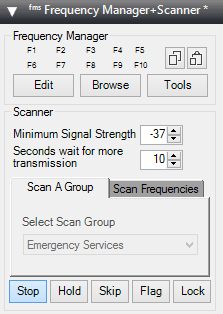
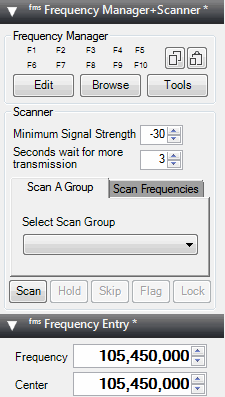
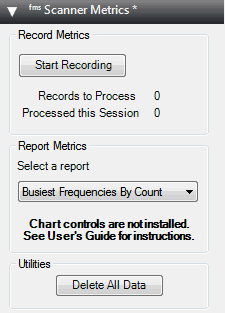
Recently the popular Frequency Manager + Scanner plugin set for SDR# has been upgraded and renamed to the “Frequency Manager Suite”. The plugin can be downloaded from their new website at www.freqmgrsuite.com. The plugin suite includes a frequency scanner and manager, a scanner metrics recorder, a scheduler, an activity logger and a frequency entry plugin.

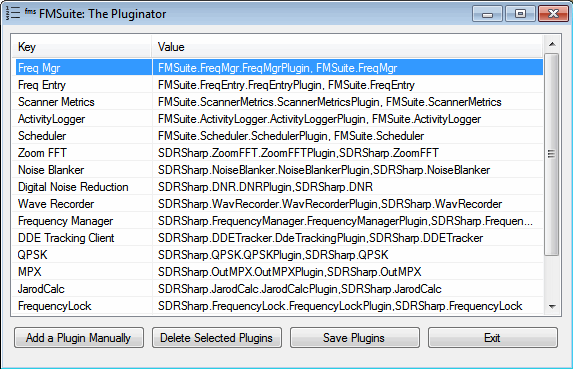
Apart from plugins the suite also now includes a plugin manager program called “Pluginator” which can help you to install and delete plugins without needing to edit the Plugins.xml file directly. There is also a new database manager tool which can help you to import frequency databases from online or other sources.

We have posted the full feature release below:

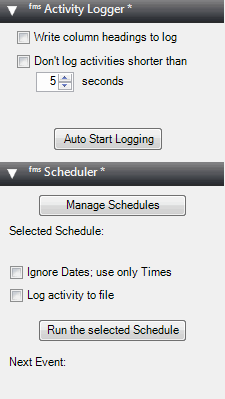
The Frequency Manager Suite (FMS) adds 4 more plugins to the previous set of 3:

  • Scheduler – allows you to schedule listening activities by date and time.

  • Activity Logger – records scanner activity to a file for later use.

  • Scanner Decisions – now a first-class plugin and also available as the classic stand-alone window. And you can change the position of the plugin without restarting SDR#.

  • Frequency Details – displays details about a frequency from your database. And you can change the position of the plugin without restarting SDR#.

New standalone applications also come with FMS:

  • Data Tools – this significantly upgraded import/export application lets you import data from 6 popular internet databases as well as generically-formatted files, and permits you to export your FMS databases to standard file format.
  • The Pluginator – an application that lets you add, delete, and change the order of plugins without ever having to hand-edit the SDR# file Plugins.xml. Just fill in the blanks.

New features in Frequency Manager + Scanner:

  • The new Preferences dialog allows customization without hand-editing a configuration file.
  • FMS configurations are now kept in a file separate from those of SDR#, permitting easier upgrades to SDR#.
  • You can have multiple frequency databases, and can change to a different database without restarting SDR#.
  • When tuning manually you can optionally change the radio settings (mode, BW, etc.) according to what’s in the database for the tuned frequency.
  • Scan resolution – high-res or low-res to favor speed over accuracy or vice versa.
  • Adjacent Frequency Rejection now displays its bandwidth on the spectrum analyzer.
  • Plus many other improvements and bug fixes.

fms_1v2   fms_3   fms_2   

pluginator

New SDR# Plugin: File Player

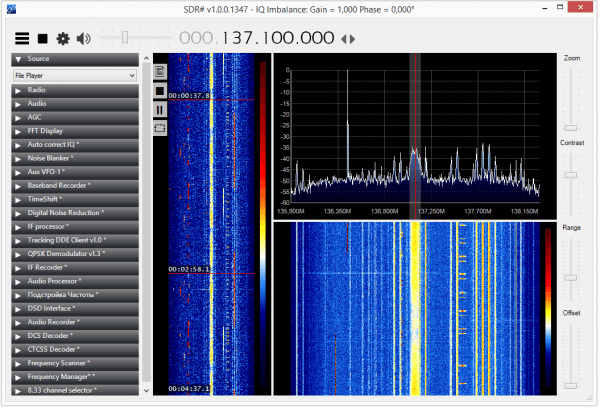
A new plugin for SDR# has been released by Vasilli over on rtl-sdr.ru. The new plugin is called File Player and replaces the default SDR# IQ file source player (page is in Russian, use Google translate if necessary). The new features include:

  • The ability to play 32-bit WAV files up to 4GB.
  • The ability to play very large 64-bit WAV files.
  • Adds a new display that shows a compressed image of the entire waterfall and shows where in time the playback is up to.
  • Allows you to modify the waterfall play time position with the mouse.
  • Adds a stop and pause button.

Note that to install this plugin you do not add the magicline to the plugins.xml file. Instead you need to add it to the <frontendPlugins> section of the SDRSharp.exe.Config text file.

File Player plugin for SDR#.

List of all SDRSharp Plugins from rtl-sdr.ru

Vasilli, an SDR# plugins programmer has released a list of all his available SDR# plugins on his website rtl-sdr.ru (in Russian, use Google translate). Some even which were missing from our own list. The ones we hadn’t seen yet were:

  1. MPX Output plugin. Allows programs like RDS Spy to work with the audio output from SDR#
  2. Aviation band 8.33 calculator. Automatically converts the current frequency input to an aviation one according to the standard 8.33 kHz channel spacing.
  3. Frequency Lock. Simply locks the frequency change settings in SDR# to prevent accidental changes.
  4. SDR Update Script. Not a plugin, but a script that automatically updates SDR# and installs most of Vasilli’s plugins all at once. To use this script, it must be placed in a subdirectory of the SDR# folder.

Here’s an example video of SDR# running the MPX plugin so that RDS Spy can be used.

SDR # RDS Spy using MPX plugin by Vasili

New SDR# Plugin: IF Recorder

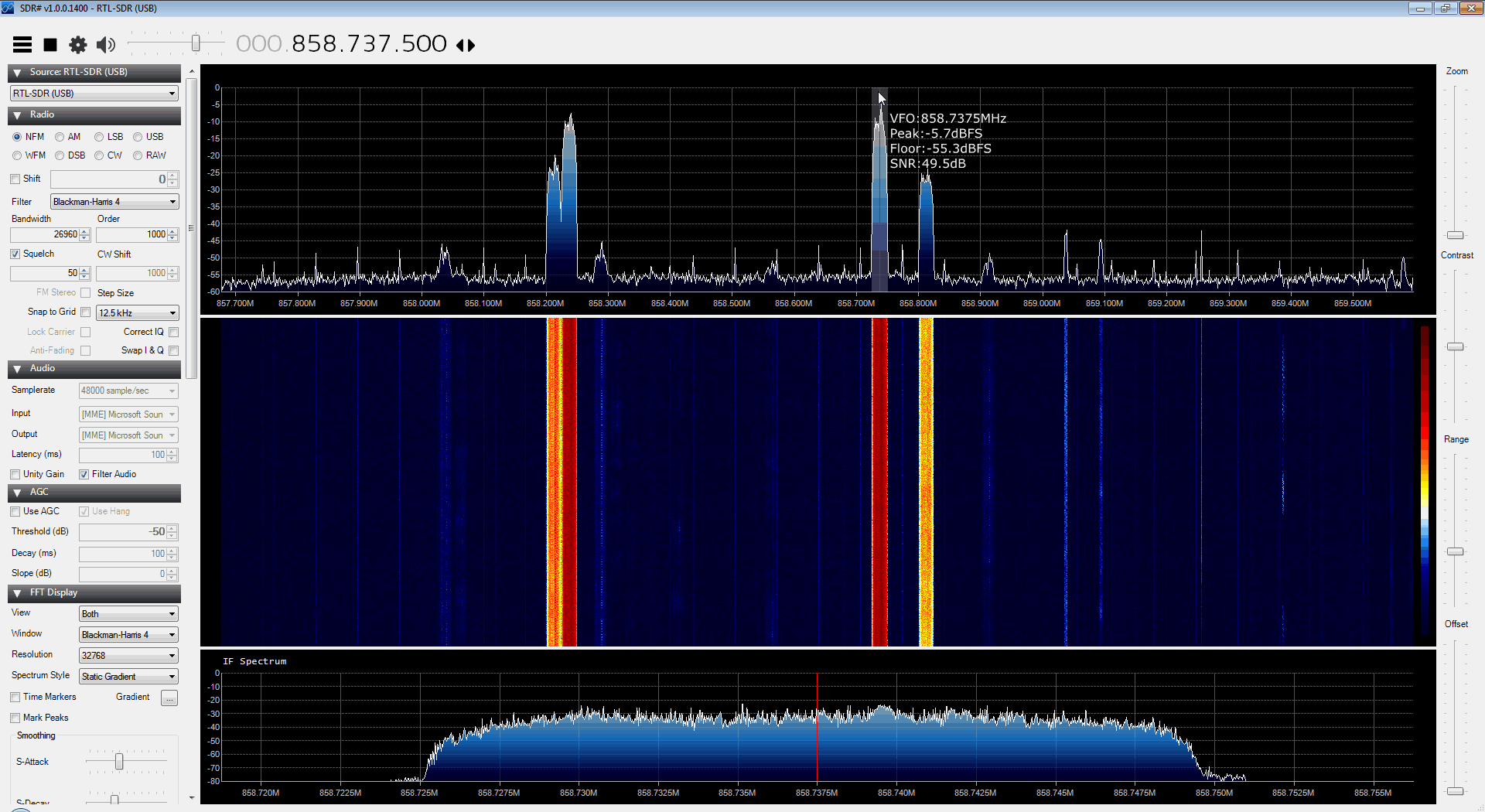
On rtl-sdr.ru, the author of several SDR# plugins has uploaded a new one called “IF Recorder”. This plugin allows you to easily record an IQ file of just the intermediate frequency (IF). In SDR#, the IF is the shaded area with the red line which you use to tune with.

This plugin looks to be great for recording example IQ samples of signals because the output file will be significantly smaller and more manageable compared to recording the entire bandwidth. It is also useful for recording IQ files for use in decoding METEOR M2 weather satellite images, as the decoding software requires an IQ file of the LRPT signal. The plugin also has a schedule option which could be used to start and stop recording the METEOR M2 weather satellite signals automatically.

IF (Intermediate Frequency) Recorder SDR# Plugin

New SDR# Plugins: IF Processor & Audio Processor

Over on rtl-sdr.ru, Vaisili the programmer of several popular SDR# plugins has released two new plugins: an IF and an Audio Processor plugin (in Russian, use Google Translate).

The IF Processor plugin is designed to upgrade the Zoom FFT plugin that comes standard with a fresh install of SDR#.  The IF processor plugin comes with a tracking notch filter and an asymmetric filter controls. These features will allow you to easily remove interfering signals that appear on top of your signal of interest.

The Audio Processor plugin allows you to improve the audio output using a controllable graphical audio bandpass filter. This feature can help you to remove any hiss or other undesirable sounds in the output audio.

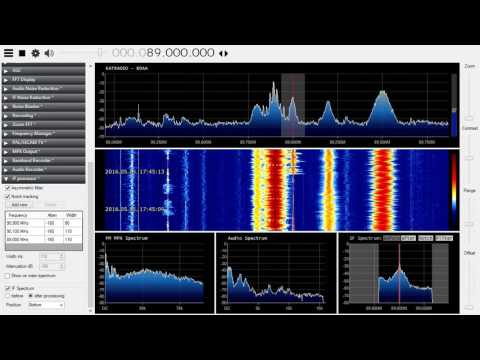
The two new SDR# plugins demonstrated on an AM signal

SDR# Plugins: Frequency Manager Updated and New RDS Logger Plugin

Recently the commonly used frequency manager plugin for SDR# was updated to version 1.6. The latest version can be downloaded from http://www.sdrsharpplugins.com/. The updates are as follows:

  • The Frequency Description is now displayed in the upper-right corner of the spectrum analyzer, along with the indicator for multiple database entries for that frequency.
  • As a result of moving the above information to the spectrum analyzer, the Frequency Manager panel is now 35% smaller.
  • The Clipboard Monitor now optionally watches the clipboard for frequencies you might have copied from the internet; and if that can be converted to a MHz value it tunes the radio to that frequency.
  • Function Keys F1-F10 can now be used to tune to a preset frequency.

Scanner

  • A new Minimum Signal Strength Line is displayed on the spectrum display.  This, along with real-time display of the current signal’s strength when the scanner is running, let you see at a glance how that signal compares to your scanner settings.  In addition you can use customize the line with one of 6 line patterns.
  • Current Signal Strength in dB is displayed in the upper right corner of the spectrum analyzer, just after the Frequency Description.
  • Timeout and Watchdog timers’ indicators are now displayed in the upper right corner of the spectrum analyzer.

Also, on the SDR# Yahoo group discussion mailing list user Andy Pritchard has released a beta version of his new RDS Data Logger plugin for SDR#. This plugin can be used to log Radio Data System (RDS) data on a single frequency or on multiple frequencies by using the scan function. It can be a very useful tool for FM DXers. The plugin is still in beta but can be downloaded now directly from http://www.apritch.myby.co.uk/rdsdataloggerBeta4.zip. Later versions may be released on the SDR# Yahoo group.

RDS Data Logger SDR# Plugin

Listening to Trunked Radios with One RTL-SDR

Usually to listen to trunked radio systems, two RTL-SDR dongles are required. One for decoding the trunking control channel and another for listening to the audio channel. However if the audio channels are within the same chunk of received bandwidth as the control channel it is possible to use just one dongle to follow trunked conservations.

Recently Pawel of pewusoft wrote in to RTL-SDR.com to let us know about a tutorial he uploaded showing how to get trunking to work with just one RTL-SDR dongle. His method uses Unitrunker and SDR# together with the AuxVFO plugin and a new plugin that he wrote for interfacing with Unitrunker.

Although there is already a Unitrunker interface plugin for SDR#, Pawel wrote a new plugin based on serial port commands as he found that the original interface plugin did not work properly for him.

Unitrunker Serial Port Interface SDR# Plugin