Category: Applications

New RTL-SDR Radio Data System (RDS) Decoder: Redsea

Signals hacker Oona Räisänen has released on GitHub a new software tool for the RTL-SDR called Redsea. On her blog she explains that Redsea is a Linux and OSX compatible perl based command line Radio Data System (RDS) decoder that uses the rtl_fm tool. Oona’s post explains a little about how RDS works and also explains how her software actually decodes RDS.

The Radio Data System (RDS) is a digital data subcarrier built into some broadcast FM signals. It usually carries information such as the station name and the song currently playing.

RDS Waveforms
RDS Waveform Decoding Steps

Building a Simple Downconverter for the RTL-SDR

Over on YouTube Adam Alicajic, seller of the LNA4ALL low noise amplifier has uploaded a video showing how to create a simple downconverter using a 1.3 GHz local oscillator and an LNA4ALL. A downconverter extends the frequency range of the RTL-SDR to frequencies higher than the RTL-SDR’s 1.7 GHz limit.

Adam capacitively connects the 1.3 GHz local oscillator to the input of the LNA4ALL, which causes the input signal to be mixed with the input signal from the antenna. This moves a test 2.8 GHz signal down to 1.5 GHz, which is receivable by the RTL-SDR.

DIY poor guy SDR Downconverter

Spying on Keyboard Presses with a Software Defined Radio

Last year Milos Prvulovic, a computer science researcher uploaded some videos to YouTube showing how he was able to remotely and covertly record the keystrokes of a target laptop in another room wirelessly using just a software defined radio, magnetic loop antenna and some custom software.

The target laptop was first modified with special drivers that cause increased and unique memory and processor activity for each key that is pressed. As computers emit unintentional RF emissions, the modified memory and processor activity causes the target laptop to emit a unique RF signature for each key pressed. Milos used this fact to create a program that can detect the RF emissions from the target laptop, and show the key presses made from the target laptop on the spying PC.

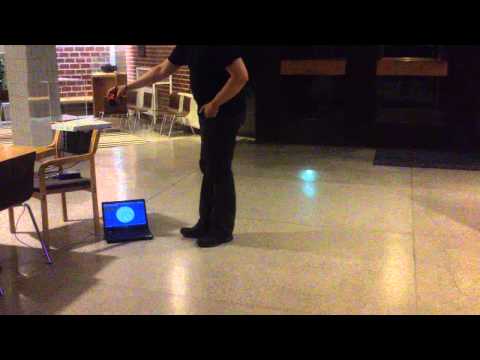
EM Covert Channel Attack Setup and Explanation

EM Covert Channel Attack Through a Wall

EM Covert Channel Attack from Nearby Desk

Listening to NXDN with SDRSharp, the AuxVFO Plugin and DSD+

Over on YouTube user John Miller has uploaded a video showing how he receives NXDN digital audio using a combination of SDR#, the AuxVFO plugin and DSD+. He writes:

I have it set with 5 auxiliary VFO’s one for each channel of the Christian Co NXDN system from the Kelly Towers. I use VAC to route the audio from each VFO to DSD+ each VFO has it own DSD+ running. I then have all the DSD+ go into one output VAC and use that to run a feed on Broadcastify, The secret to running multiple DSD+ is to have separate install of it, so I have 5 DSD+ folders.

HackRF Controlling a Quadcopter

Over on YouTube user Mike has uploaded a video showing a quadcopter being controlled by the HackRF, a low cost transmit capable software defined radio. Mike uses a Hubson X4 quadcopter and controls it with a USB joystick coupled with GNU Radio. According to a tweet by Micheal Ossmann (the inventor of the HackRF), there were initially USB latency issues that caused problems, but have since been fixed by Mike.

HackRF quadcopter control

RTL-SDR Cell Phone IMSI, TMSI and Key Sniffer

Over on YouTube user Kali Gsm has uploaded a video showing off a new software program he has written that allows an RTL-SDR to be used to gather IMSI, TMSI and Key information from a cell phone connected to a PC.

The IMSI (International Mobile Subscriber Identity) is a number that uniquely identifies a cell phone. Because IMSI’s are unique, they can be used to track a cell phone so they are rarely broadcast and instead a TMSI (Temporary Mobile Subscriber Identity) number is used to identify a cell phone instead. The TMSI is changed depending on geographic location or changed by the network randomly. The key is a number that is used to decrypt the GSM data sent to your phone.

Kali Gsm’s software is called rtl_tool_kit and is planned to be released soon on it’s GitHub page. It uses the gr-gsm software to sniff the GSM downlink with an RTL-SDR dongle and also interfaces to a connected mobile phone. The author writes that the following is possible with the software:

  1. You can get imsi tmsi and key of the device connected to your pc.
  2. You can send silent/flash sms
  3. You can connect/match tmsi to a mobile number if target is on the same BTS and in GSM900/2G mode.

Update 25/01/2015: All YouTube videos appear to have been removed – though the uploader reports in the comments that the videos will be back online soon.
Update 29/01/2015: Videos are back online.


Listening to SCA with HDSDR, SDR# and an RTL-SDR

In the USA and Canada a subcarrier called SCA (Subsidary Communications Authority) is used to add additional services to a broadcast FM signal. Some examples of the extra services provided are live financial stock telemetry, audio books for the blind, specialized audio radio programs for doctors etc and background music for supermarkets and stores. These SCA signals are modulated into standard broadcast FM radio signals, but require a special radio to receive them. Subcarrier signals can easily be spotted in the audio/baseband waterfall and spectrum plots available in most SDR software.

Over on the new RTL-SDR DX blog, the author (Jay Moore) has uploaded an article showing how to use an RTL-SDR dongle to listen to audio SCA signals. The process involves using HDSDR to receive the broadcast FM signal, then using Virtual Audio Cable to pipe the audio into SDR#, where it is then possible to tune to the audio SCA signal. The same process could also be used to receive different subcarriers used in other countries such as Finland where a subcarrier is used to transmit DARC encoded bus stop sign telemetry.

SCA audio received via a combination of HDSDR and SDR#
Decoding SCA with HDSDR and SDR#

RTL-SDR Panadapter Using Hardware Radio Receiver IF Stages

Over on YouTube user Jay Moore has uploaded a video explaining how to connect an RTL-SDR dongle to the IF stage of a hardware radio in order to create a panadapter. In the video Jay briefly explains how a radio with an IF stage works and then shows how he tapped into his Sansui 2000 hardware radio’s IF stage directly from the circuit board. The IF stage then connects to a ham-it-up upconverter which connects to the RTL-SDR.

By connecting the IF stage of a hardware radio to the RTL-SDR it is possible to use the hardware radio as the receiver while using the RTL-SDR to still maintain the benefits of a spectrum display. Most purpose built hardware radios will have better reception than the RTL-SDR.

RTL-SDR on receiver IF stages