Category: Digital Signals

SignalsEverywhere: A Front End GUI Control Head for OP25

Sarah from the SignalsEverywhere YouTube channel is back and this time showing off a new program she has created called "Pi25" or "OP25 Mobile Control Head". The program is a Python GUI for OP25 which runs on almost any platform including Android and Windows. OP25 is an advanced open source digital voice P25 Phase 2 capable decoder which can be used with an RTL-SDR and run on a Raspberry Pi.

Sarah's GUI software allows information from the OP25 software to be displayed on a nice large Android tablet screen, as well as having scanner forward/back buttons, and talkgroup skip and hold controls. This is very useful for in-car control on a mobile setup.

Sarah notes that she is also considering running a Kickstarter for a physical hardware OP25 head unit controller so please let her know in the YouTube video comments if you are interested.

P25 Police Scanner Control Head OP25 SDR Raspberry Pi or Android GUI Front-End

Frugal Radio: SDR Guide Ep 9 – P25 LSM Trunking with one RTL-SDR V3 and DSDPlus

In his latest episode of his SDR Guide series Rob from Frugal Radio provides a walkthrough on using DSDPlus Fastlane to decode trunked P25 with just one RTL-SDR V3 dongle. In the video he explains each of the various DSDPlus windows, and demonstrates decoding of a Simulcast system in his area.

DSDPlus is a program capable of decoding various digital audio protocols such as DMR and P25. The "Fastlane" version is a $25 paid upgrade which allows you to download the latest version that contains more features.

2021 SDR Guide Episode 9 : $25 DSDPlus P25 LSM trunking walkthrough using 1 x $25 RTL-SDRv3

DragonOS: OP25 “Boatbod” P25 Phase 1 Running on GNU Radio 3.8 with RTL-SDR

DragonOS is a ready to use Ubuntu Linux image that comes preinstalled with multiple SDR program. The creator of DragonOS, Aaron, uploads various YouTube tutorials. In his latest tutorial he shows how to install the latest version of the "Boatbod" OP25 development code for receiving P25 Phase 1 on Linux with the latest GNU Radio 3.8. In the video Aaron uses an RTL-SDR, but notes it could also work with other SDRs like the HackRF.

DragonOS Focal OP25 "Boatbod" P25 Phase 1 w/ RTLSDR (GNU Radio 3.8, Python3, R9+)

DSDPlusUI Now Available as a Plugin for SDR#

At the beginning of 2020 Annunaki (@StupotSinders) released his third party user interface for DSDPlus. DSDPlus is a digital speech decoder capable of decoding protocols such as P25 P1, DMR, NXDN and more with an SDR such as the RTL-SDR. As it is a command line tool, it can be a little daunting for some users, which is where the GUI comes in handy.

Recently Annunaki has released an SDR# plugin version of DSDPlusUI. This makes it so you can visualize the digital voice signals at the same time as controlling and decoding with DSDPlus. The plugin is available on the DSDPlusUI website at dsdplusui.com. To use it you will need to be using SDR# 1777 or later.

DSDPlusUI as a plugin for SDR#

Frugal Radio: SDR Guide Ep 7 – Trunk DMR & NXDN digital with DSDPlus and One RTL-SDR

In this episode of Frugal Radio's ongoing SDR guide videos Rob demonstrates how you can use an RTL-SDR with DSDPlus to monitor DMR and NXDN digital voice radio communications. Rob writes:

With a simple Software Defined Radio (SDR) and some free or frugal software, you can monitor digital radio systems like DMR and NXDN in your area.

his video is a demonstration of how I set up DSDPlus to monitor DMR and NXDN networks, and shows how to modify the various files that help the software trunk track the system with your SDR.

More details with links to the software (DSDPlus) and hardware (1 x RTL-SDR v3) I used in this video can be found at https://frugalradio.com/monitor-dmr

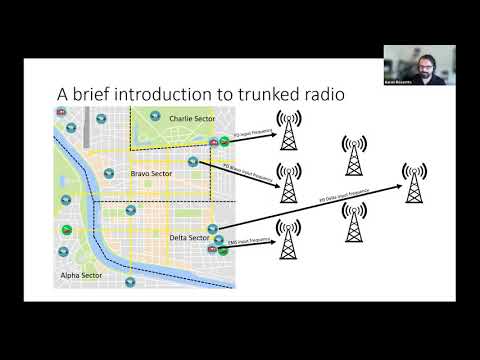
f you are unsure about how trunking systems work, I suggest watching the overview at the beginning of Episode 6 - https://youtu.be/zuUTXHbUvpw

2020 SDR Guide Ep 7 : Trunk DMR & NXDN digital with DSDPlus and 1 RTL-SDR

Frugal Radio: SDR Guide Ep 6 – Trunk Tracking Public Safety Systems with UniTrunker and SDRTrunk

In this episode of Frugal Radio's ongoing SDR Guide videos Rob demonstrates how he uses Unitrunker and SDR Trunk with SDRs like an RTL-SDR to monitor Public Safety networks in his area. Rob writes:

This is a video demonstrating how I use UniTrunker and SDRTrunk with Software Defined Radios to monitor multiple Public Safety networks in my area.

There is some information on how trunked systems work, and you can hear how my SDRs produce better P25 audio on a Simulcast (LSM) system than some scanners.

I use a couple of RTL-SDR v3s and an Airspy R2 in this episode.

2020 SDR Guide Ep 6 : Trunk tracking Public Safety systems with UniTrunker and SDRTrunk

Simple dPMR Decoder Plugin for SDR# Released

Over on rtl-sdr.ru programmer Vasili has released his latest SDR# plugin which is a dPMR decoder (note that this site is in Russian). dPMR is short for "Digital Private Mobile Radio" and is an open non-proprietary digital voice protocol. Vasili writes:

Simple dPMR decoder. No external dependencies, no settings, uses SDR # audio path. Designed for listening to unencrypted dPMR channels.

To install the plugin simply copy the dll's from the zip file into the SDR# folder, then copy the line from the magline.txt text file into the plugins.xml file which can be opened with any text editor.

We note that there is also an open source version of DSD which includes a dPMR decoder which we posted about here.

Simple dPMR Decoder Plugin for SDR#

Simple APCO P25 Phase 1 Decoder Plugin Released for SDR#

Vasili, author of several SDR# plugins has recently released a new APCO P25 plugin for SDR#. The plugin is easy to use, simply tune to a P25 voice signal, and it will automatically decode it into voice audio assuming that the signal is not encrypted. If the P25 signal is encrypted, you will hear garbled unintelligible voice. The plugin does not support trunking or any advanced talk group filtering features that you might find with DSD+, Unitrunker, SDR Trunk etc.

To install the plugin, simply download the zip file from rtl-sdr.ru and extra the .dll's into the SDR# folder. Then copy the text in magicline.txt file into the plugins.xml file inside the SDR# folder. The plugin should work with any SDR supported by SDR#, including the RTL-SDR.

The simple APCO P25 decoder for SDR#