Category: Digital Signals

European GNU Radio Days: Presentation on gr-rpitx

J.-M Friedt has created a block for GNU Radio called gr-rpitx which allows a Raspberry Pi to be used directly as an output RF sink in GNU Radio. If you were unaware, RPiTX is software that allows you to turn your Raspberry Pi into a transmit capable SDR without any additional hardware apart from a wire antenna connected to a GPIO pin. It works by modulating a GPIO pin in a way to generate any arbitrary signal modulation. gr-rpitx allows this software to be used directly within GNU Radio.

In his presentation uploaded early for the upcoming online European GNU Radio Days conference, J.-M Friedt explains how gr-rpitx works, and shows how you can easily connect any flowgraph to the gr-rpitx output sink. His examples demonstrate retransmitting broadcast FM using an RTL-SDR, broadcasting digital signals like DRM, and how gr-rpitx and RTL-SDR could be used as part of a basic scalar network analyzer.

gr-rpitx uses the GPIO4 output of the Raspberry Pi to generate a radiofrequency stream fed by a GNU Radio signal processing flowchart with sample rates up to 400 kS/s.

European GNU Radio Days/SDRA presentation about gr-rpitx (J.-M Friedt)

Exploring 433 MHz Devices in the Neighborhood with RTL-SDR and rtl_433

Over on his YouTube channel CWNE88 has posted how he has been using and RTL-SDR with the rtl_433 software to explore the data coming in from various 433 MHz ISM band devices in his neighborhood. In the video he explains how he has set up rtl_433 on his Raspberry Pi, and what sort of data he is receiving. Some examples of devices he's received include various weather stations, doorbells, remotes and car tyre pressure monitors.

He also mentions how these signals are unencrypted, noting that in a future video he will show on GNU Radio how a false signal could be synthesized.

Decoding 433 MHz Devices With SDR

yellowShoes: A Browser Based HD Radio / NRSC-5 User Interface

Thank you to Evuraan for writing in and sharing his new browser based HD Radio / NRSC-5 interface for the nrsc5 decoder which he has called yellowShoes.

NOTE: We have been informed by some users that yellowShoes may contain a Trojan virus. This is likely to be a false positive which is a very common problem with antivirus software falsely detecting viruses on newly released niche software via heuristics. We have removed the above link out of an abundance of caution, however if you wish to continue the yellowShoes Github is here. If you want the software, but are concerned you can check the code compile it yourself.

NOTE UPDATE: The author of the software has contacted us regarding the virus concerns and written "I wanted to write in clarify that it is indeed a false positive, please see https://groups.google.com/g/golang-nuts/c/Au1FbtTZzbk and also https://golang.org/doc/faq#virus - this false positive occurs when you cross compile go binaries - This is a common occurrence, especially on Windows machines. Commercial virus scanning programs are often confused by the structure of Go binaries, which they don't see as often as those compiled from other languages." 

HD Radio is a digital broadcast protocol replacement for analogue broadcast FM. It is only used in North America and is easily recognized as the two rectangular blocks on either side of a broadcast FM station signal on a spectrum analyzer/waterfall display. Together with an RTL-SDR and theori's command line nrsc5 decoder, the HD Radio signal can be decoded and listened to. Evuraan writes:

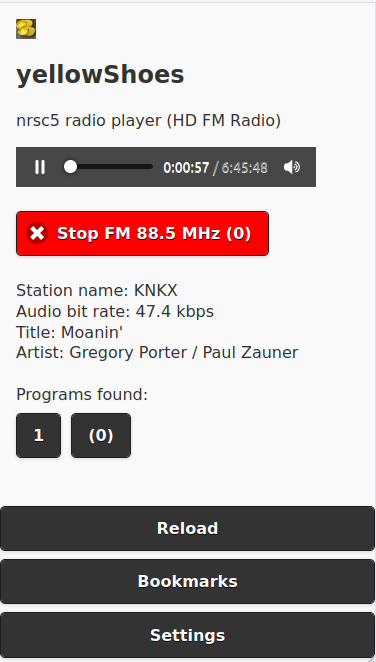
I wrote yellowShoes - an nrsc5 player which you can control from your browser. (Should work on Windows, Linux etc. Player F/E also works on Android Phones.)

Its sole dependency is that the nrsc5 binary must be available in the path.

A discussion thread on Reddit has also been created.

Screenshot of the yellowShoes browser based UI for the NRSC5 decoder.

Cloning A Garage Key with RTL-SDR, Universal Radio Hacker and an Arduino

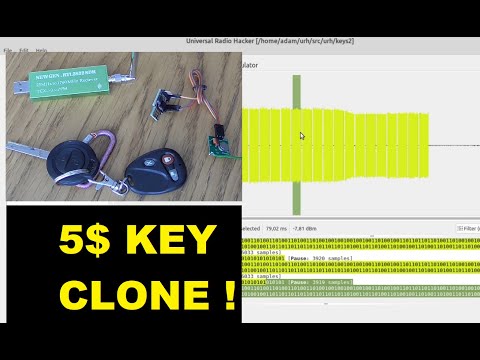
Over on YouTube Adam Łoboda has uploaded a video showing the full steps that he's taken to reverse engineer and clone a wireless garage door key using an RTL-SDR and Arduino.

He starts by using the Universal Radio Hacker software to record a copy of the wireless signal generated by the garage key. Using the software he can then analyze the signal, and determine the preamble data, payload data and pulse width which he can then input into some Arduino code. The Arduino can then generate an identical signal, and transmit it via a cheap FS1000A 433 MHz RF module. Finally, at the end of the video Adam shows the cloned Arduino based garage key working as expected. 

hacking & clonning my garage key with URH ( Universal radio Hacker ) and ARDUINO DIGISPARK + FS1000A

Decoding NRSC5 HD Radio with GNU Radio and a HackRF

Thank you to "LikWidChz" for submitting his tutorial on receiving and decoding multiple NRSC5 (HD Radio) channels with the help of GNU Radio, a HackRF and the NRSC5 decoder. He writes:

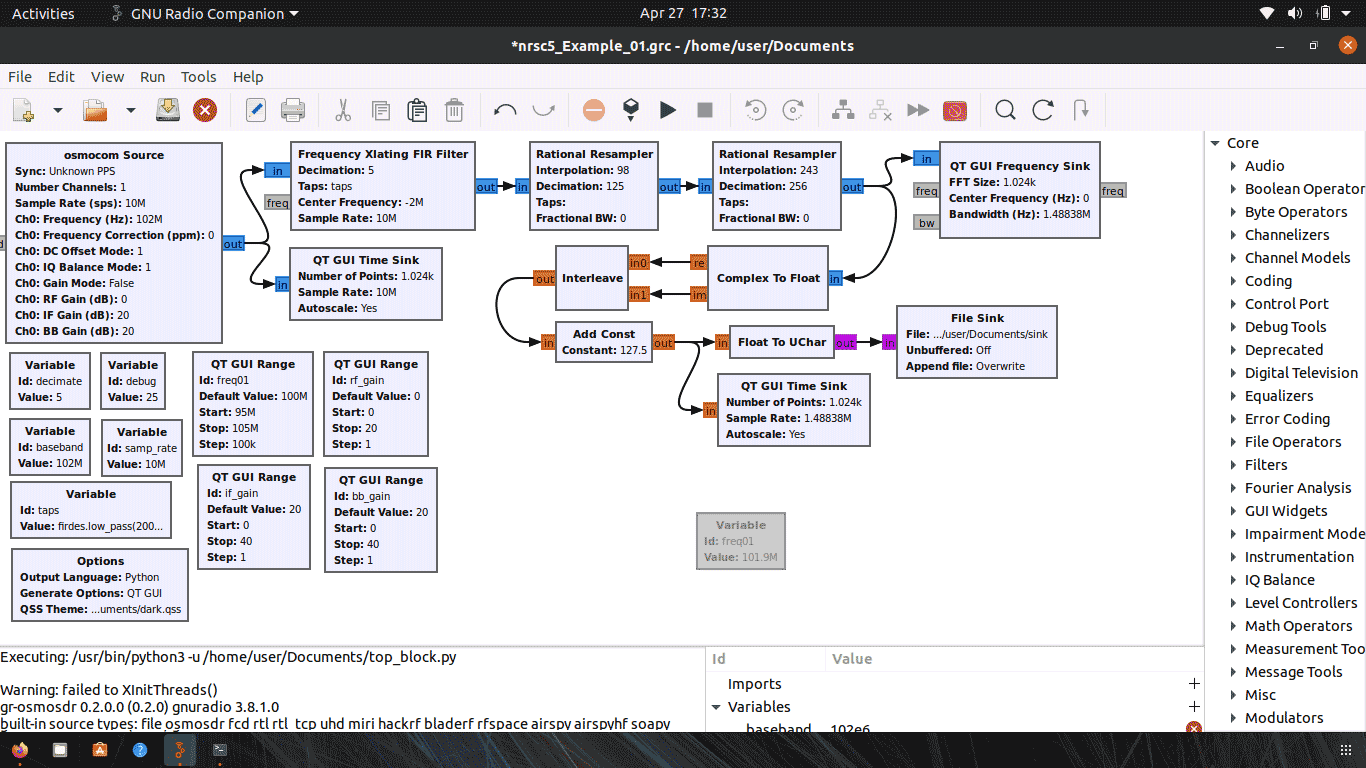
I wanted a way to utilize GnuRadio for working with HD radio. There are no decoder blocks from within GnuRadio to perform this decoding without an external application. This write up is how I was able to split up some signal and supply NRSC5 what it requires to perform the decode.

My goal was to capture some slice of spectrum and "channelize it" so I can perform multiple HD radio decodes at once.

In this linked zip file we have uploaded his GRC file, and his tutorial PDF, which fully explains each GNU Radio block used, and how to use the NRCS5 decoder along with the flowgraph. He also notes that if anyone wants to get in touch with him he is idling on IRC in #gnuradio and ##rtlsdr on freenode under the nickname "LikWidChz".

Channelizing NRSC5 in GNU Radio

Frugal Radio: Decoding ACARS on VHF with your SDR Radio

Rob from Frugal Radio has recently uploaded episode five in his YouTube series on Aviation monitoring. This episode covers VHF ACARS decoding with an RTL-SDR. ACARS is an acronym for Aircraft Communications Addressing and Reporting System and is a short text based wireless communications system used by aircraft when communicating with ground stations.

In the video Rob overviews the frequencies that ACARS is transmitted on in various regions of the world and what equipment you need to decode ACARS. He goes on to explain in depth what some typical data messages that you might receive are including D-ATIS/WX Reports, Pre Departure Clearance, Loadsheets, OOOI, Aircraft performance telemetry, ATC/Oceanic Clearances and arrival airport and parking gate information. Finally he shows various ACARS software decoders that can be used including ACARSDEC, Black Cat ACARS and ACARSDECO2.

Decoding ACARS on VHF with your SDR Radio - Monitoring Aviation Communications Ep 5

RTL433 Plugin for SDR# Now Available

UPDATE 19 Feb 2024: Marc has released an updated version of the plugin at https://github.com/marco402/plugin-Rtl433-for-SdrSharp

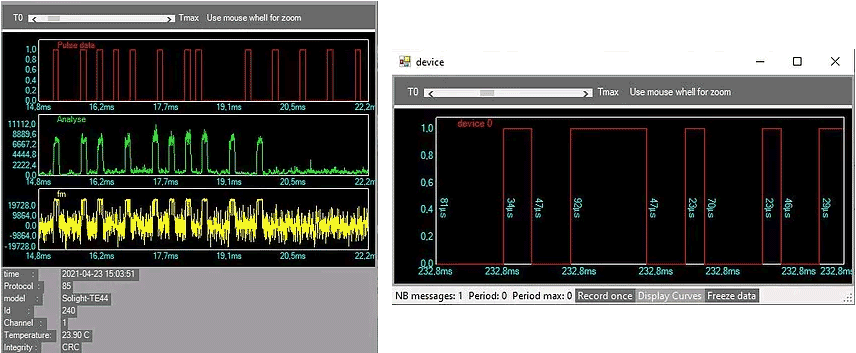
Recently Marc has released his RTL433 plugin for SDR# over on GitHub and his Wixsite. RTL433 is a commonly used RTL-SDR command line program that provides decoders for a wide range of 433.92 MHz, 868 MHz, 315 MHz, 345 MHz, and 915 MHz ISM band devices. Examples of such devices include weather stations, alarm sensors, utility monitors, tire pressure monitors and more.

To install the plugin, go to the GitHub page and click on the green Code button, and select Download Zip. In the zip file open the "install" folder and extract the three .dll files into the SDR# folder. Now open the Plugins.xml file in Notepad and add the following line between the <sharpPlugins></sharpPlugins> tags.

<add key="RTL_433" value="SDRSharp.Rtl_433.Rtl_433_Plugin, SDRSharp.Rtl_433" />

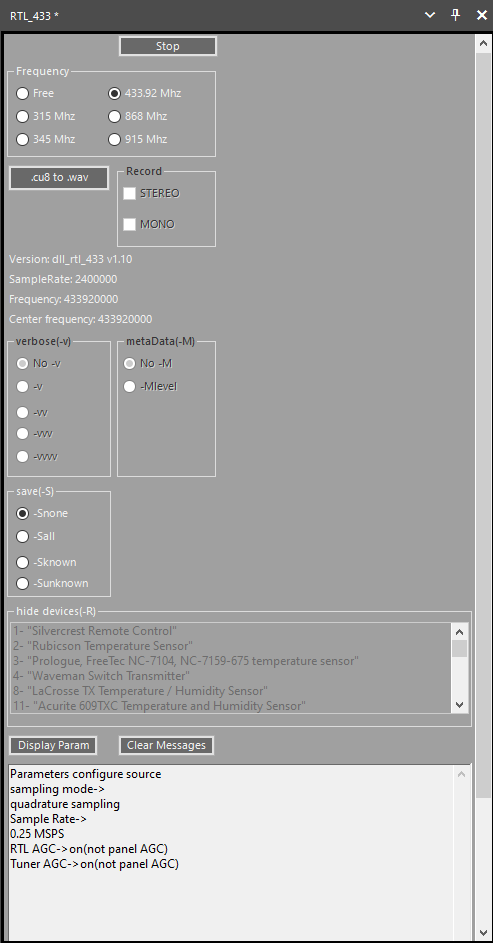
Now you can add the plugin to the SDR# screen using the hamburger menu within SDR# on the top left. When a device is discovered it will open up a window for that device, logging data from it over time.

RTL433 SDRSharp Plugin
RTL433 SDR# Plugin Device Windows

NRSC5-DUI: An Updated NRSC-5 HD Radio Decoder for RTL-SDR

Recently we've seen on GitHub the release of NRSC5-DUI, a fork of NRSC5-GUI which was the first fully functional RTL-SDR compatible HD Radio decoder that we posted about back in 2017. HD Radio is a digital broadcast protocol replacement for analogue broadcast FM. It is only used in North America and is easily recognized as the two rectangular blocks on either side of a broadcast FM station signal on a spectrum analyzer/waterfall display.

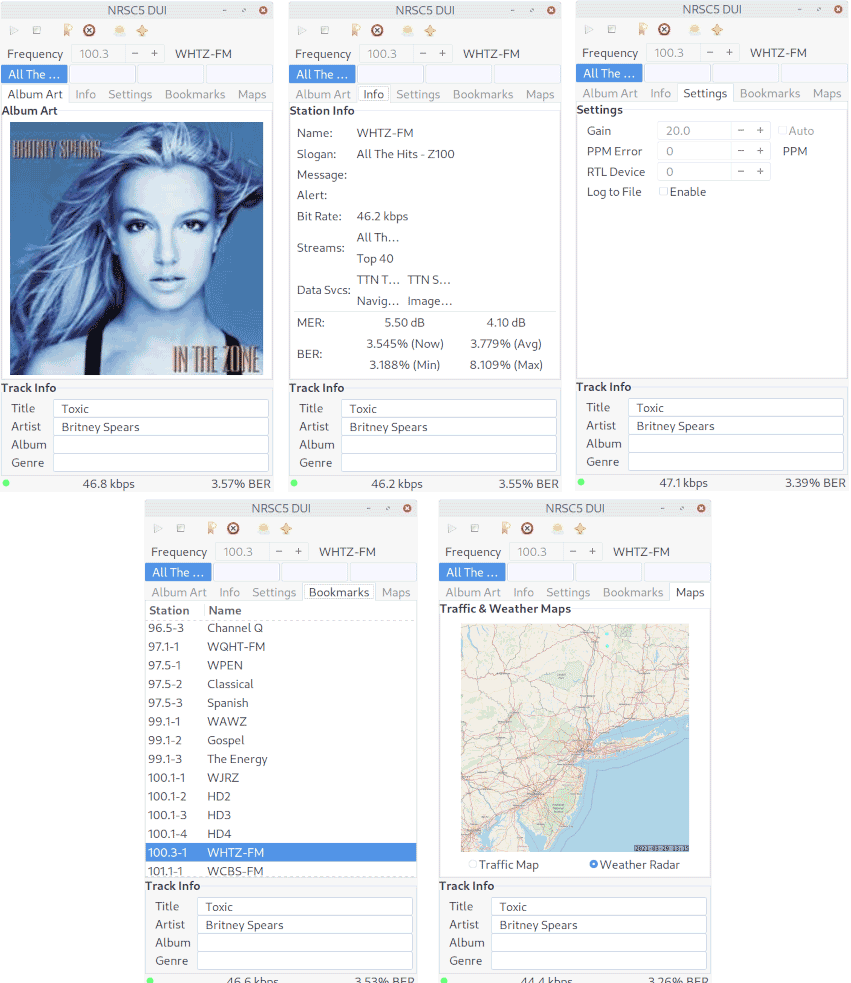
According to a Reddit post by u/andrewfer000, NRSC5-DUI includes several upgrades from prior forks, including "better audio processing, better channel switcher, more station information, the option to pull album art from Discogs (currently broken due to Discogs anti-bot), better map displays, cleaner code, and optimizations for Python 3.9".

If listening to audio is not your thing, we also wanted to note that HD radio stations operated by iHeatMedia broadcast live traffic and weather radar data within their HD radio signal as well. With NRSC5-DUI this can be easily decoded and plotted on a map.

When listening to radio stations operated by iHeartMedia, you may view live traffic maps and weather radar. The images are typically sent every few minutes and will fill the tab area once received, processed, and loaded. Clicking the Map Viewer button on the toolbar will open a larger window to view the maps at full size. The weather radar information from the last 12 hours will be stored and can be played back by selecting the Animate Radar option. The delay between frames (in seconds) can be adjusted by changing the Animation Speed value. Other stations provide Navteq/HERE navigation information... it's on the TODO 'like to have' list.

NRSC5-DUI Screenshots