Category: Other

Andreas Spiess Shows how to Properly use a NanoVNA V2

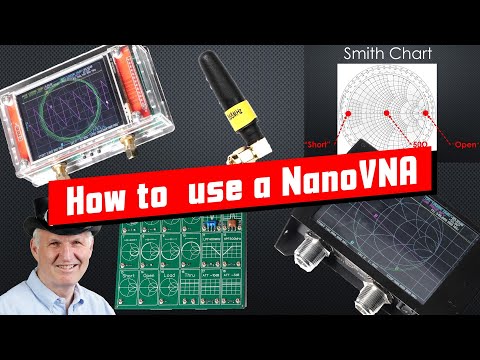
Over on his channel popular electronics YouTuber Andrea Spiess has uploaded a tutorial video showing how to properly use a NanoVNA V2. The NanoVNA V2 is a vector network analyzer which can be used to measure and tune things like antennas, filters and cables. In the video Andreas aims to explain the differences between the VNA, Spectrum Analyzer and VSWR meter, what you can measure with a VNA, how to read the VNA results, the limitations of cheap VNAs, why and how to calibrate, and a review of the overall quality.

Andreas explains these concepts in a very easy to understand way, so this video is a great start if you've ordered a NanoVNA.

#359 How to properly use a NanoVNA V2 Vector Network Analyzer & Smith Chart (Tutorial)

The $49 tinySA Spectrum Analyzer

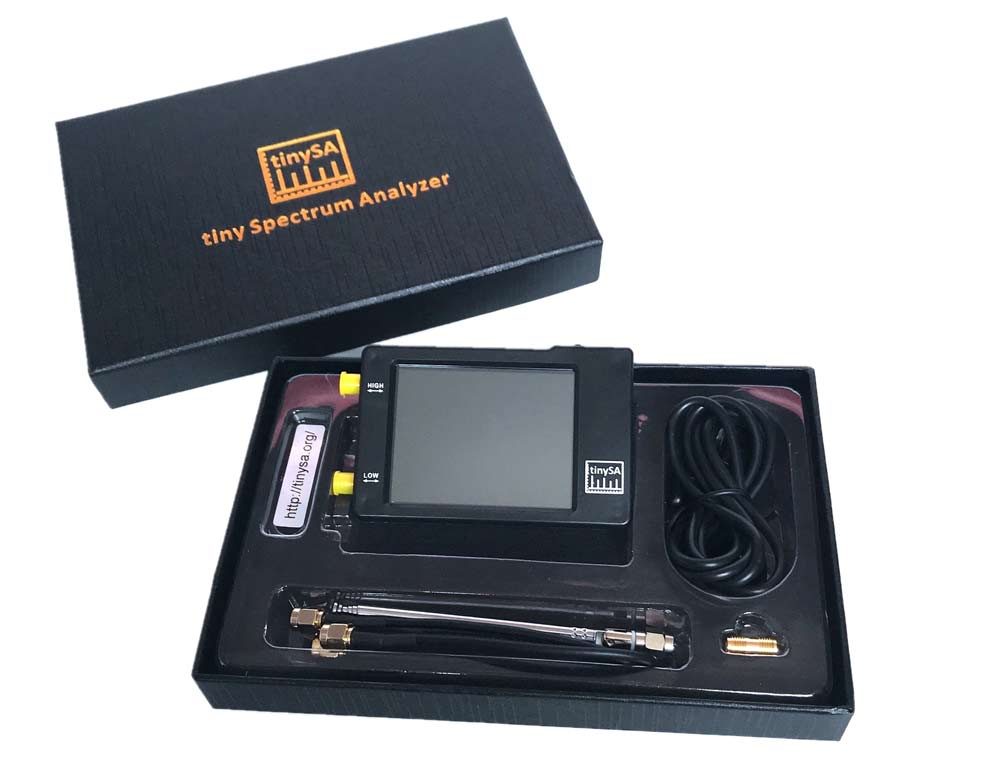
Thank you to a few readers for suggesting a post about the "tinySA". The tinySA is a low cost standalone spectrum analyzer which was made recently available from Chinese manufacturer "Hugen" who was the manufacturer that popularized the original NanoVNA. It can be found on Aliexpress for about $49 shipped worldwide. R&L also have US based stock available. The official specs from tinysa.org/wiki read:

  • Spectrum Analyzer with two inputs, high quality MF/HF/VHF input for 0.1MHZ-350MHz, lesser quality UHF input for 240MHz-960MHz.
  • Switchable resolution bandpass filters for both ranges between 2.6kHz and 640kHz
  • Color display showing 290 scan points covering up to the full low or high frequency range.
  • Input Step attenuator from 0dB to 31dB for the MF/HF/VHF input.
  • When not used as Spectrum Analyzer it can be used as Signal Generator, MF/HF/VHF sinus output between 0.1MHZ-350MHz, UHF square wave output between 240MHz-960MHz.
  • A built-in calibration signal generator that is used for automatic self test and low input calibration.
  • Connected to a PC via USB it becomes a PC controlled Spectrum Analyzer
  • Rechargeable battery allowing a minimum of at least 2 hours portable use

A spectrum analyzer allows you to view a defined slice of the frequency spectrum on a graph. It does not allow for demodulation of signals. We note that SDRs like the RTL-SDR could be used as a spectrum analyzer too with software like QSpectrumAnalzyer and Spektrum, however the advantage of the tinySA is that it is a standalone package with it's own screen that can easily be used in the field. Unlike an SDR extra computing devices like a computer or smartphone are not required.

Over on YouTube IMSAI Guy has been uploading a few videos reviewing the tinySA. From his videos he found a few issues including a slow update rate, harmonics and high phase noise. However, later he finds that most of the harmonic issues disappear as long as the input signal level is kept below -30dBm. In some more recent videos he also finds a fault with the attenuator chip on one of his tinySA units and repairs it by replacing the chip.

The tinySA set

RPiTX Beta for Raspberry Pi 4 Released

Evariste (F5OEO) has just announced the release of an update to RPiTX which allows it to now be used on a Raspberry Pi 4. If you are unfamiliar with it, RPiTX is a program for Raspberry Pi single board computers that allows you to transmit almost any type of signal on frequencies between 5 KHz up to 1500 MHz with nothing more than a piece of wire connected to a GPIO pin. Evariste also notes that the new version is compatible with the beta 64-bit version of Raspbian.

Some examples of signals you can transmit with RPiTX include a simple carrier, chirp, a spectrum waterfall image, broadcast FM with RDS, SSB, SSTV, Pocsag, Freedv and Opera. You can also use an RTL-SDR to record a signal, and replay the IQ file with RPiTX. However, please remember that transmitting with RPiTX you must ensure that your transmission is legal, and appropriately filtered.

RPiTX Logo

Your own Numbers Station at Home with a Raspberry Pi and Pi-FM-RDS

Numbers Stations are mysterious radio broadcasts that typically consist of a voice speaking a seemingly random string of numbers. It is mostly accepted that these stations are a way for spy agencies to communicate to intelligence operators stationed overseas.

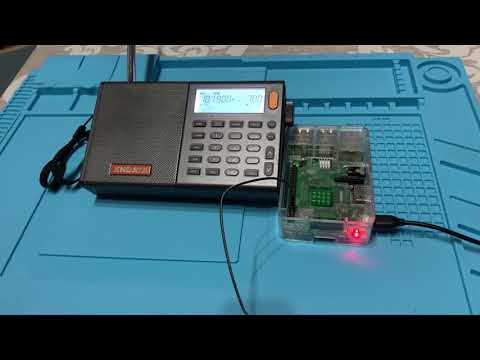
However, recently Simon Roses wrote in and wanted to share his project where he created his own numbers station at home. The idea is to use a Raspberry Pi and the Pi-FM-RDS software to transmit a simulated numbers station. If you didn't already know, a Raspberry Pi can be used as a somewhat useful RF transmitter by using software like Pi-FM-RDS which manipulates a GPIO pin connected to a piece of wire acting as an antenna.

In his write up, Simon notes that he uses a program called PiNumberStation which is a text to speech program that passes the generated voice to Pi-FM-RDS. Pi-FM-RDS then transmits the signal, allowing a nearby FM radio to pick up and play the audio.

If you wanted to try this as a prank or joke, please remember that transmitting in the FM bands over a certain power level may be illegal in some countries, and the Raspberry Pi TX capabilities are known to require filtering to prevent interference occurring on other frequencies. Transmitting incorrectly could have dire consequences, so please make sure you do your research first. 

Number Station with a Raspberry PI

Dictator Alert Fundraising

In the past we've posted about the Dictator Alert project a few times, as it makes use of ADS-B data contributed to ADS-B Exchange via volunteers who typically run an RTL-SDR as part of their ADS-B reception hardware. The project aims to track the movements of Dictators around the world via their use of private jets that can be tracked via ADS-B logging.

Over on Reddit the leader of the project Emmanuel has posted asking for donations. If you think this is a worthy project, please consider donating.

I'm raising some funds for our www.dictatoralert.org project which tracks aircrafts used by dictatorships all over the world (using SDR!). You can see all of the tracking for free on the website and several twitter bots (London, Paris, Geneva, EuroAirport).

The hosting costs me around $80 per month, which probably isn't a lot, unless you're a freelance journalist. I also hope to raise a bit more to make the project grow further with investigations (like this one on surveillance planes in Somalia or another on rich Frenchmen who used their jet to avoid COVID restrictions on travel.

You can give one-off donations or sign up to the Patreon, then I'll set you up with email alerts for your "favorite" dictators, airports, or any plane you like.

Patreon: https://www.patreon.com/dictatoralert

One-off donations: https://dictatoralert.org/donation/

Please don't hesitate to ask questions and let me know what you think!

Dictator Alert. A Twitter bot reporting on dictator movements via ADS-B data. dictatoralert.org

PySDR: A (Free) Guide to SDR and DSP using Python

Dr. Marc Lichtman has recently released his free online PySDR guide to Digital Signal Processing (DSP) explained with the help of software defined radio and Python code. Over the years we've seen numerous SDR & DSP courses come out, some requiring payment and some free. We note that this guide is completely free, and appears to be one of the better if not the best guide in terms of explaining DSP fundamental concepts in an easy to understand way. A lot of visualizations and animations are used which really help anyone new to the subject.

While the explanations are very good, please note that this is still a technical University level guide intended for Computer Science or Engineering students, so prerequisite knowledge is required. Dr. Marc recommends it for someone who is:

  1. Interested in using SDRs to do cool stuff
  2. Good with Python
  3. Relatively new to DSP, wireless communications, and SDR
  4. A visual learner, preferring animations over equations
  5. Better at understanding equations after learning the concepts
  6. Looking for concise explanations, not a 1000 page textbook

The SDR hardware used in the book examples is the PlutoSDR which is a fairly low cost SDR intended for use by students. However, the PlutoSDR isn't required as most of the code examples use generated data.

Converting an Old Cable Modem into an SDR

Over on his github blog, user stdw has uploaded a comprehensive post explaining how he investigated and turned an old Motorola MB7220 cable modem that was sitting in his closet into a fully functional software defined radio.

To begin the investigation stdw first opened the case and looked for a serial UART port. After finding one he connected the UART up to a Raspberry Pi and was almost immediately able to connect to the device's terminal. From the information displayed during the boot process, stdw was able to determine that the modem was running the eCos operating system on a Broadcom BCM3383 SoC. Unfortunately after receiving that information the UART connection is dropped, preventing any further terminal investigation.

To get around this issue, stdw decided to dump the flash memory via an SPI memory chip he saw on the board. Again using the Raspberry Pi he was able to connect via SPI and use the flashrom tool to read the memory. Next using a tool called bcm2-utils, stdw was able to parse and actually modify the configuration information stored in the flash memory. With this he was able to modify the configuration so that the serial connection did not drop after boot. 

With terminal access gained, stdw was now able to reverse engineer the firmware, and after a lot of searching eventually find a console command which would perform a bandpower measurement for a given frequency range. He found that IQ data for this scan was stored in a buffer which he could then stream out via a TCP connection. With the IQ data finally available on another PC he was then able to use Python libraries to compute an FFT and actually visualize the scanned spectrum. Some further investigation yielded actually demodulated FM audio, and the realization that the usable bandwidth is 7.5 MHz.

Unfortunately there were some limitations. There is only enough RAM to store less than a second of data at a time at max bandwidth and precision, which meant that a lot of data needed to be dropped in between captures. Further investigation yielded methods to reduce the sample rate down to 464 kHz which meant that only 12% of data was ever dropped - enough to stream a wideband FM radio signal.

If you wanted to try investigating the modem yourself, the Motorola MB7220 is available second hand on eBay for prices ranging between US$15 - US$40, and new on Amazon for $46.99. Although the usability of the modem for any real SDR applications may not be great, further investigation may yield better results. And if not, following along with the process stdw took looks to be a great reverse engineering learning experience. Other modems that use similar Broadcom chips may also be worth investigating.

The Motorola MB7220 connected to a Raspberry Pi for reverse engineering

Flipper Zero Crowdfunding: An Open Source RF Pen Testing Tool For Hackers

Flipper Zero isn't an SDR, but it is an interesting RF capable pentesting tool that is currently being crowdfunded, and we think it deserves a post. Based on a TI CC1101 transceiver chip, the Flipper Zero has a sub 1-GHz radio capable of doing things like emulating a garage door remote, transmitting digital signals like OOK/ASK/FSK/GFSK/MSK at 315/433/866 MHz, analyzing and decoding popular remote control algorithms like Keeloq, and reading and emulating 125 kHz RFID tags. And as the crowd funding stretch goals have already been reached, the hardware will also include a Bluetooth and NFC module.

In addition to the RF features, it has a 1-wire iButton/TouchMemory/Dallas key reader, can function as a U2F security token, has an infrared transceiver with learning feature for emulating IR remotes and has 12 5V tolerant GPIO pins available for expansion with modules such as interfaces, sensors, wireless modules and cellular modems. It can also emulate a USB slave device like a keyboard allowing you to deploy a keyboard payload.

Flipper Zero currently costs US$119 however it will soon jump to US$129 once the early bird special runs out. At the time of this post they already have 13,000 backers and have raised in excess of 2.5 million dollars. There is still 25 days left in the campaign.

Flipper Zero