Thanks to Manuel (aka Tysonpower) for writing in and sharing his 3D printed ‘Universal Outernet Case’. Outernet is a satellite file casting service that uses an RTL-SDR based solution for reception. With an Outernet set up you can receive things like daily news, weather updates, books, Wikipedia pages and more all for free. About 20 MB of data can be transmitted in one day.
The DIY Outernet kit consists of an RTL-SDR ‘SDRx’ board, patch antenna and C.H.I.P single board computer. The patch antenna needs to point roughly in the direction of the Inmarsat/Alphsat satellite in your area. This can be a problem because the Outernet patch antenna doesn’t come with a stand or mounting solution.
Manuel solved this problem with his 3D printed Outernet enclosure. The enclosure houses the patch antenna, SDRx and C.H.I.P, and also doubles as a stand for pointing the patch antenna. Inside he’s also fitted a small 30mm fan to keep everything cool while inside the enclosure as the C.H.I.P is known to have overheating problems.
The 3D printed Outernet enclosure.
Over on YouTube Manuel has uploaded a video explaining how the enclosure is made with 3D printing, demonstrates the assembly steps and finally shows the final product. The video is narrated in German, but it has English subtitles available. The design files required for 3D printing the case are also available on thingiverse.
[EN subs] Outernet Case aus dem 3D Drucker (Universal elv. Winkel) - für DIY Kit
Most modern vehicles use some form of rolling code security on their wireless keyfobs to prevent unauthorized replay attacks. When the car owner presses a button on the keyfob, a unique rolling code is sent to the car. If it matches the codes stored in the car, the car will unlock and then invalidate that code so it can never be used again, thus preventing a replay attack. On the next press the keyfob sends a new code. This system can be defeated simply by jamming the car keyfob receiver, and using a more selective receiver to record the keyfob unlock packet, then replaying those packets at a later time.
The technique Anthony presents has the attacker use an Arduino with CC1101 transceiver as the jammer. Jamming is totally illegal within the USA, so Anthony does not show exactly how to do the jamming. While the signal is being jammed, the RTL-SDR captures and saves the signal from the keyfob. Later the signal is processed in GNU Radio to remove the jamming signal and extract the keyfob signal. He then uses GNU Radio to demodulate the ASK signal into a binary modulated waveform that he can replay later.
Anthony tested this technique on two cars and a truck and was successful at unlocking the doors all three times.
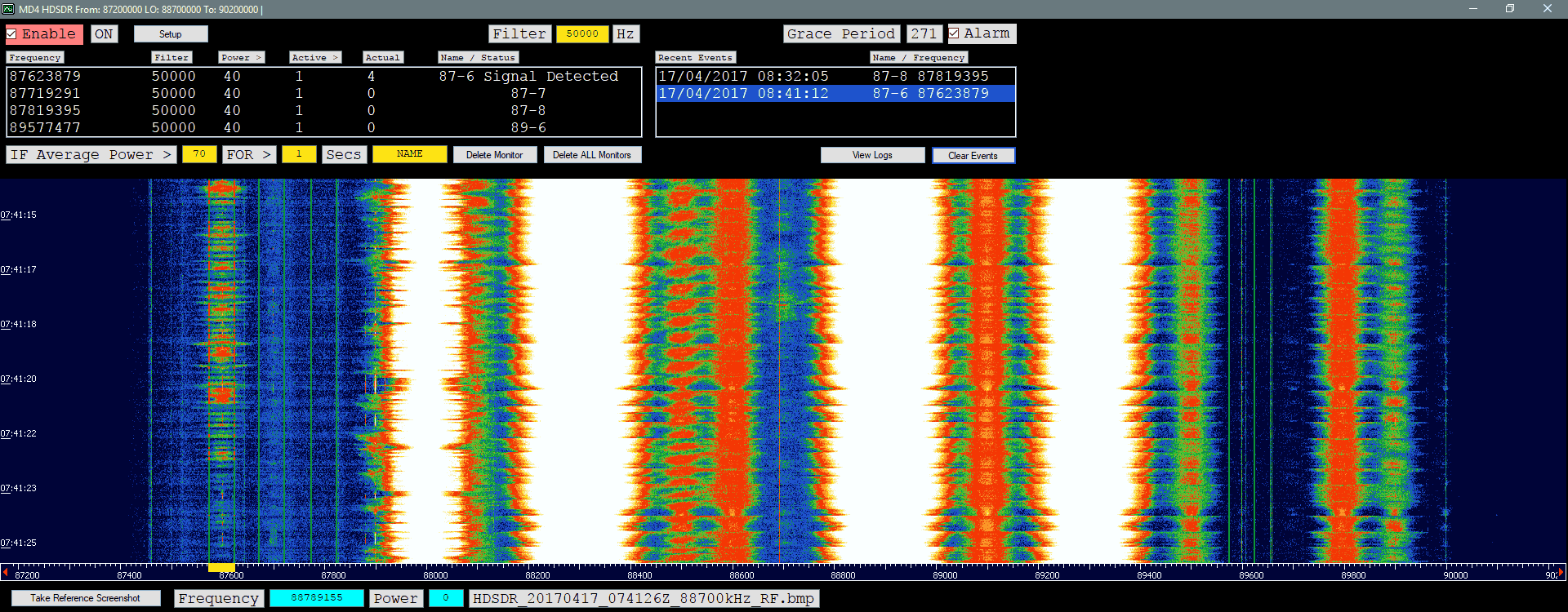
RTL-SDR receiving a BMW keyfob signal at 315 MHz in HDSDR.
Over on YouTube the official MATLAB channel has uploaded a new video that is a tutorial on setting up ADS-B decoding in MATLAB. MATLAB is a technical computing language that is frequently used by many scientists and engineers around the world. They write:
Use the software-defined radio capabilities that are part of Communications System Toolbox™ to capture and decode ADS-B messages. ADS-B is a relatively simple standard used by commercial aircraft to transmit flight data such as aircraft ID, position, velocity, and altitude to air traffic control centers. ADS-B messages are 56 or 112 bits long, the data rate is 1 Mbit/sec, and the messages are amplitude modulated signals, transmitted at a carrier frequency of 1090 MHz
The video goes over what ADS-B is, how to receive it, and then goes on to explain a bit of the MATLAB code. This is a good introduction for people wanting to use an RTL-SDR in MATLAB, or for anyone wanting to learn about ADS-B.
Real-time Airplane Tracking with ADS-B Signals and RTL-SDR Radios
If you’re interested in printing the stand for yourself Jaime has uploaded the design files to his dropbox. He has also created a short YouTube video showing a slideshow of his stand which is shown at the end of this post.
If you’re interested in 3D printing accessories and enclosures for the RTL-SDR then thingiverse.com has a range of user submitted designs, ranging from custom RTL-SDR dongle enclosures, to stratux Raspberry Pi + dongle enclosures, to Outernet patch antenna stands.
Some of the RTL-SDR related design on Thingiverse.
Over on our forums Andy (M0CYP) has posted about his new meteor scatter detection program which works with HDSDR and any supported SDR like an RTL-SDR. It works in an interesting way, as instead of analyzing sound files for blips of meteor scatter activity it analyzes screenshots of the HDSDR waterfall. The software automatically grabs the screenshots and determines if a signal is present on any given frequency. You can set a preconfigured detection frequency for a far away transmitter, and if the waterfall shows a reflection it will record that as a meteor.
Meteor scatter works by receiving a distant but powerful transmitter via reflections off the trails of ionized air that meteors leave behind when they enter the atmosphere. Normally the transmitter would be too far away to receive, but if its able to bounce off the ionized trail in the sky it can reach far over the horizon to your receiver. Typically powerful broadcast FM radio stations, analog TV, and radar signals at around 140 MHz are used. Some amateur radio enthusiasts also use this phenomena as a long range VHF communications tool with their own transmitted signals. See the website www.livemeteors.com for a livestream of a permanently set up RTL-SDR meteor detector (although that site does not use Andy’s software).
Andy writes that his meteor scatter detection software is still in beta so there might be some bugs. You can write feedback on the forum post, in the comments here, or contact Andy directly via the link on his website.
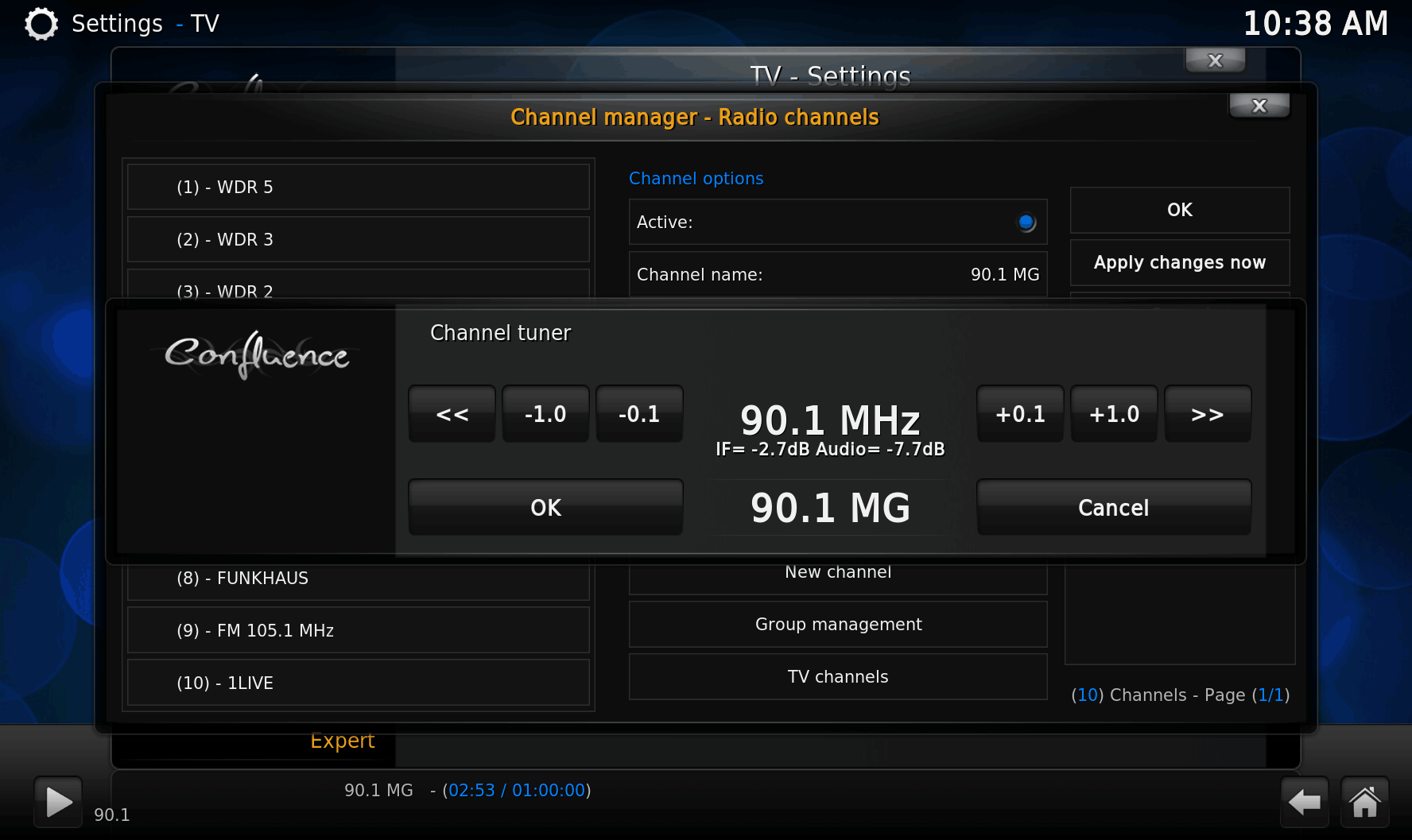
Kodi is a media player and entertainment hub program that is used to manage digital video collections and music. It is used mostly on TV’s together with a home theater PC, or Raspberry Pi 3, but also runs on Android and iOS. It can be thought of as more fully featured smart TV software.
Over on Tom’s Radio Room Show (TRRS) on YouTube Tom has uploaded a video showing how to use SDR# together with Vasili’s Fast Scanner plugin. Fast Scanner is a plugin for SDR# that allows you to use SDR# as a wide band scanner. Essentially this quickly scans through multiple ~2 MHz chunks of bandwidth, and automatically tunes to any active signals.
In his video Tom shows the Fast Scanner plugin in action, shows how to use it, discusses a bit about how it works and also shows what all the features are.
Earlier in April we posted about Hannes Fasching (OE5JFL)’s work in detecting pulsars with an RTL-SDR. Thanks to Steve Olney (VK2XV), administrator of the Neutron Star Group for pointing out that there are actually several amateur radio astronomers who are using RTL-SDR dongles for pulsar detection.
A pulsar is a rotating neutron star that emits a beam of electromagnetic radiation. If this beam points towards the earth, it can then be observed with a large dish antenna and a radio, like the RTL-SDR. Pulsars create weakly detectable noise bursts across a wide frequency range. They create these noise bursts at precise intervals (milliseconds to seconds depending on the pulsar), so they can be detected from within the natural noise by performing some mathematical analysis on the data. Typically a few hours of data needs to be received to be able to analyze it, with more time needed for smaller dishes.
One problem is that pulsar signals can suffer from ‘dispersion’ due to many light years of travel through the interstellar medium. This simply means that higher frequencies of the noise burst tend to arrive before the lower frequencies. Mathematical de-dispersion techniques can be used to eliminate this problem enabling one to take advantage of wideband receivers like the RTL-SDR and other SDRs. The more bandwidth collected and de-dispersed, the smaller the dish required for detection.
Over on the Neutron Star Group several amateur pulsar detection projects are listed, and entries denoted with the “^” symbol make use of the RTL-SDR. Below we show a brief overview of those projects:
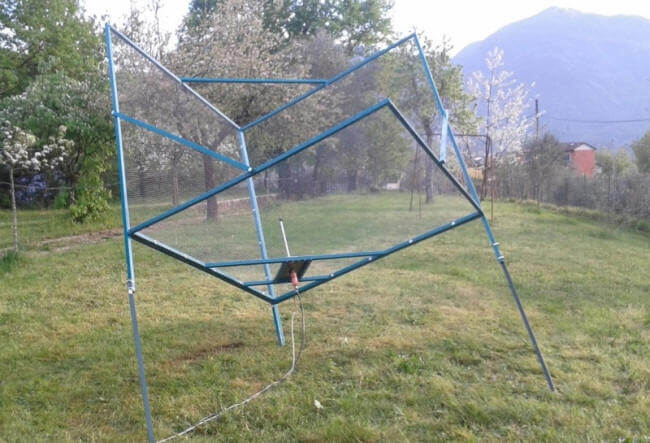
Andrea Dell’Immagine (IW5BHY)– Based in Italy Andrea often uses a 3D corner reflector antenna which is equivalent to a 2.5 meter diameter dish to observe pulsars in the 70cm band (~420 MHz). The antenna is in a fixed position so he can only detect pulsars that drift into the beam width of the antenna. With this antenna, a 0.3dB NF LNA, an RTL-SDR and de-dispersion techniques he’s been able to detect the Pulsar B0329+54 which is 2,643 light years away with an integration time of about 3 hours.
Andrea (IW5BHY)’s 3D Corner Reflector Pulsar Detection Antenna.
Hannes Fasching (OE5JFL) – Based in Austria Hannes has a 7.3M dish that he uses for pulsar detection with his RTL-SDR. With this large dish he’s been able to receive 22 pulsars at both 70cm (424 MHz), and 23cm (1294 MHz) frequencies. With such a large dish, detecting a strong pulsar like B0329+54 only needs less than a minute of integration time.
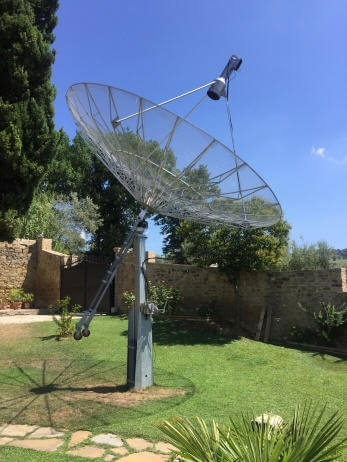
Mario Natali (I0NAA) – Based in Italy Mario uses a 5M dish to observer pulsars at both 409 MHz and 1297 MHz. Combined with a low noise figure LNA and his RTL-SDR he’s been able to receive the B0329+54 pulsar with an integration time of about 2 – 2.5 hours.
Mario Natali (I0NAA)’s 5M Dish
Michiel Klaassen – From the Dwingeloo Radio Observatory in the Netherlands Michiel has used their large 25M dish and an RTL-SDR to detect B0329+54 at 419 MHz.
Peter East & Guillermo Gancio–Peter and Guillermo have used the large 30M dish at El Instituto Argentino de Radioastronomía (IAR) in Argentina and an RTL-SDR to detect the Vela pulsar (B0833-45) at 1420 MHz.
In terms of hardware required, from the above projects we see that you’ll need an RTL-SDR dongle (other more costly SDR’s could also be used), a dish as large as you can get (along with some sort of dish pointing system), a low noise figure amplifier (0.5dB or less is desired) to be placed right by the dish, a few line amps if the cable run is long and perhaps a filter if you are seeing interference from terrestrial signals.
An overview of software for detecting pulsars with the RTL-SDR can be found over on the Neutron Star Groups software page. Essentially what you need is an analysis program which can work on the raw IQ data that is collected by the RTL-SDR and dish antenna. This software ‘folds’ the data, looking for the regular noise bursts from the pulsars. The output is data that can be used to create a graph indicating the spin period of the pulsar, and thus confirming the detection.
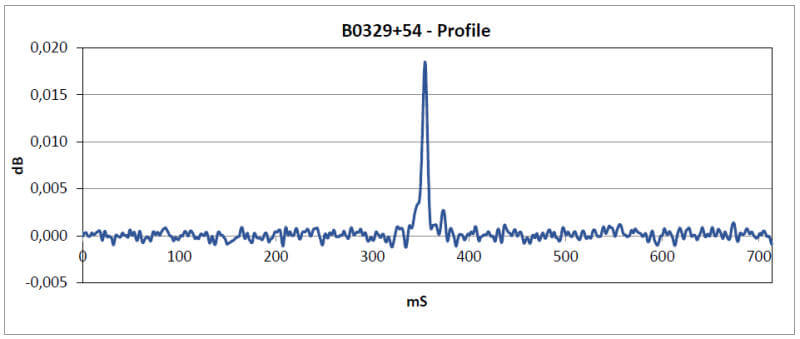
Graph showing the half-period of B0329+54. 350 * 2 = 700 ms which is about what matches on the B0329+54 Wikipedia page.

![[EN subs] Outernet Case aus dem 3D Drucker (Universal elv. Winkel) - für DIY Kit](https://www.rtl-sdr.com/wp-content/plugins/wp-youtube-lyte/lyteCache.php?origThumbUrl=https%3A%2F%2Fi.ytimg.com%2Fvi%2F6KBdvhVP_fM%2F0.jpg)