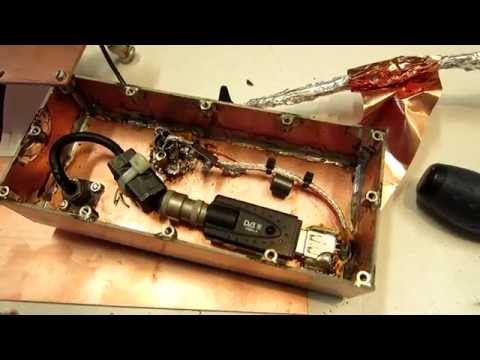
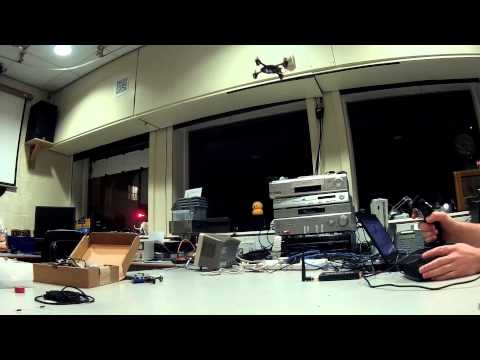
Over on YouTube user mm6dos has uploaded a video showing a new driver he helped develop for the R820T tuner which is used in the most commonly purchased RTL-SDR dongles. He writes:
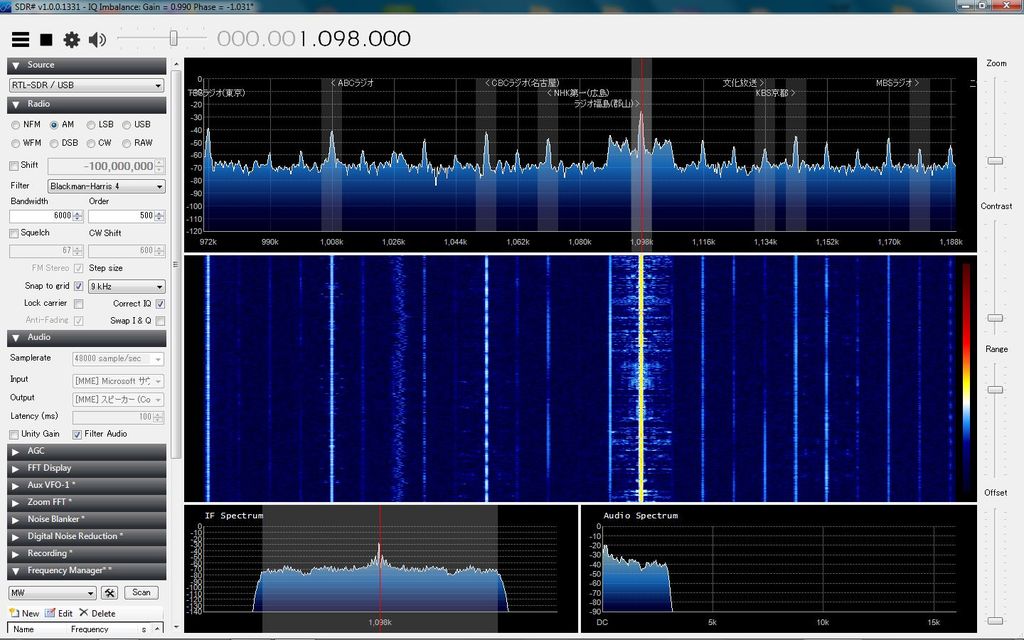
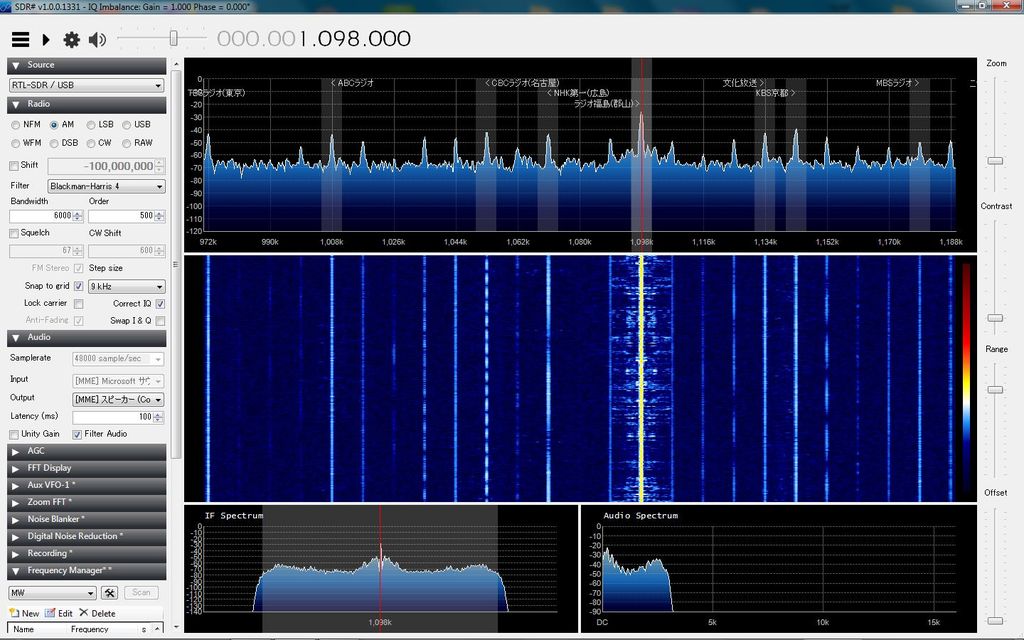
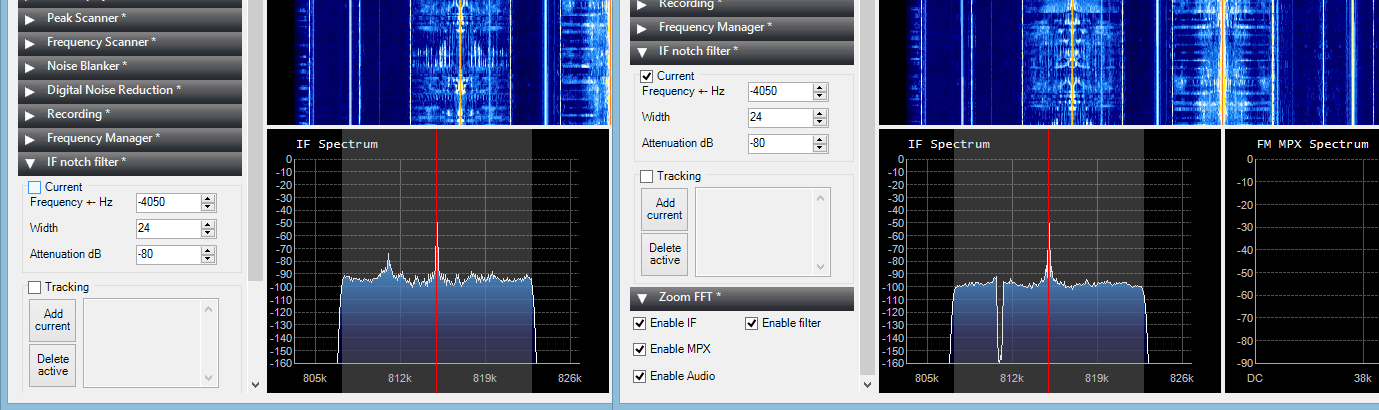
A short demonstration of a new non-gpl RTL2832U / R820T driver specifically written for SDR#. The R820T tuner actually contains a configurable IF filter and 3 separate gain stages. Unfortunately Osmocom’s implementation has fixed this filter and one of the gain stages. Aliasing and overloading is significantly reduced using this driver.
Currently we don’t have a source for the download of this driver, but we assume that it will be released soon. The videos below show the driver in action, with the first video showing the IF filter adjustments and the second video showing the software decimation feature.
Recently happysat, a reader of RTL-SDR.com wrote in to let us know about an unusual hobby he has found with the RTL-SDR. Happysat has been using the RTL-SDR together with a QFH antenna to detect old decommissioned satellites in the 136-138 MHz and 150-400 MHz frequency ranges. Although these satellite’s batteries have long been expired, because of some sort of chemical reaction due to thousands of failed recharge cycles the batteries begin to conduct over time and allow the satellite to be powered directly from the solar panels thus activating the transmitter. Happysat writes:
During weathersat reception of NOAA/Meteor on the 137 MHz band i did see quite often unidentified interrupting signals. After a bit of Googling around I learned that these were Dead Satellite’s that still are broadcasting given the right sunlight conditions, the signal strength is sufficient to show up in SDRSharp, not all signals are very strong some very weak and needed a good close up zoom in SDRSharp. There are many shutdown Satellite’s who apparently having a life of their own varying from Military, Navigation, Experimental, Weather, and also Amateur ones. Most are not transmitting any usable telemetry or weather images but they still use the original frequencies to sent out a unmodulated carrier, which interferes with the current operational Satellite’s in the 136/138 MHz band. Normally when a satellite goes out of service and runs almost out of fuel the last reserve is used to shift it in a graveyard orbit which resides above the normal operation orbit, it will be switched off and left on their own. But this will not always goes as planned, sometimes due solar radiation or other technical failures it will not respond again to the ground station commands, which leaves the Satellite in its current orbit. Some have a timer onboard which will be activated at end of life scheduled to end/shortcut the power feed to the transmitter so it will not broadcast again, also this can fail. Until some day they might not work at all anymore.. But that can take a while one of the oldest satellite still broadcasting are: Transit 5B-5 (Military Navigation) from 1964 – they can be heard in either CW or USB mode. An audio example of Transit is over here [link to example] (my recording – link to online stream uploaded by commenter Jordan here) it sounds like some kind of melody song. And LES-1 from 1965 (Lincoln Experimental Satellite 1) – Audio example over here [link to example] thanks to Phil Williams. Others are just a spooky hauling sound like LES-1, NOAA’s etc due the Voltage fluctuation from the solar panels. DD1US does have a very nice collection images and orginal sounds on : [space sounds] A list of frequencies and more in depth details can be found on Mike Kenny’s excellent website: [mike kenny’s website] My TLE containing all current Deadsatellite’s is available on dropbox for anyone would like to try out – [TLE file] Updated once a week. You can use it in your favorite tracker, i prefer Gpredict for this course of the unstable frequency and Doppler effects Orbitron will not always suite on this birds.
Happysat has also provided a frequency database for SDR# containing the frequencies of all the dead satellites.
Amateur radio astronomer Marcus Leech often makes use of RTL-SDR dongles for his amateur radio astronomy experiments. Recently Marcus wrote a technical paper discussing a modern SDR implementation of a Dicke Radiometer, which is a type of radio telescope that is designed to significantly reduce the effects of receiver noise. Marcus has also developed an RTL-SDR approach to another similar system called the Phase-Switched Interferometer.
Using his new SDR based approach together with GNU Radio, a 10ft satellite dish and two RTL-SDR dongles he was able to plot a transit of the Milky Way Galaxy as shown below.
The Airspy is an RX only SDR with a tuning range of 24 MHz to 1.7 GHz, up to 10 MHz of instantaneous bandwidth and a 12-bit ADC. The full list of features is shown below. If you are looking for an upgrade to the RTL-SDR and do not need TX capabilities, this is probably the SDR that will provide the best performance for price.
A new image for the Raspberry Pi containing RTL-SDR software has been made available by tech enthusiast Gareth Hayes. The image contains all the software and drivers needed to get started with the RTL-SDR or HackRF on a 512MB Raspberry Pi. It is very useful as compilation of large software like GNU Radio is slow and problematic on an embedded PC like the Raspberry Pi. The image contains the following software:
GNU Radio V3.7.5 built from source, including GNU Radio Companion
Over on YouTube user BSoD Badgers has uploaded a video showing reception of Hellschreiber on HF at 20m. To receive the HF frequencies he used a ham-it-up upconverter. He used SDR# to receive the signal and the Fldigi decoding software to decode the signal.
Hellschreiber is a fax-like communications mode used by amateur radio hobbyists.
Earlier this month we posted about a new port of the HackRF software defined radio Linux library for Android. Now the author of the Android port has created a new app called RF Analyzer. The app is basically a real time spectrum viewer that includes a waterfall display. The app can be downloaded from Github at https://github.com/demantz/RFAnalyzer.
The app currently supports the following features.
Browse the spectrum by scrolling horizontally
Zoom in and out, both horizontally and vertically
Adjust the sample rate and center frequency to match the current view of the screen by double tapping
Auto scale the vertical axis
Jump directly to a frequency
Adjust the gain settings of the HackRF
Select a pre-recorded file as source instead of a real HackRF
Change the FFT size
Setting the frame rate either to a fixed value or to automatic control
Activate logging and showing the log file
In the future the author intends to support the RTL-SDR and implement demodulation for basic modes such as AM, FM and SSB.
To use the app you’ll need an USB OTG (on-the-go) cable to connect your Android device to the HackRF.
RF Analyzer Android App for the HackRF
RF Analyzer demonstration - Showing a FFT plot by using an Android device and the HackRF