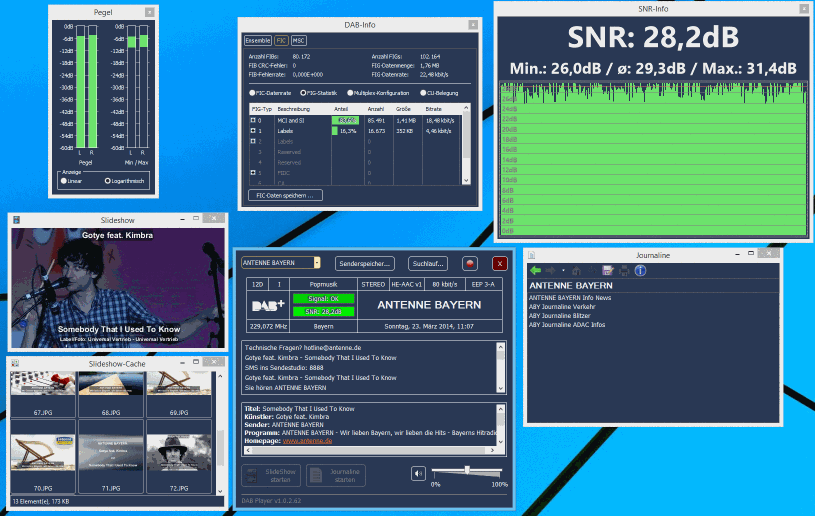
A new Digital Audio Broadcast (DAB) player has been released for RTL2832U dongles (Link text is in German use Google Translate to translate). This player uses the official drivers and not the RTL-SDR drivers, although we believe the DAB demodulation is still done in software. You will need to install the drivers provided on the download page to run this DAB player. For R820T models, the Treiber2.zip file should be used and for E4000 Treiber.zip should be used. You will also need have installed the Visual C++ Redistributable package to run the program.
The software UI is written in German, but its controls are easy to figure out for non speakers.
An alternative DAB player that uses the RTL-SDR drivers is SDR-J.
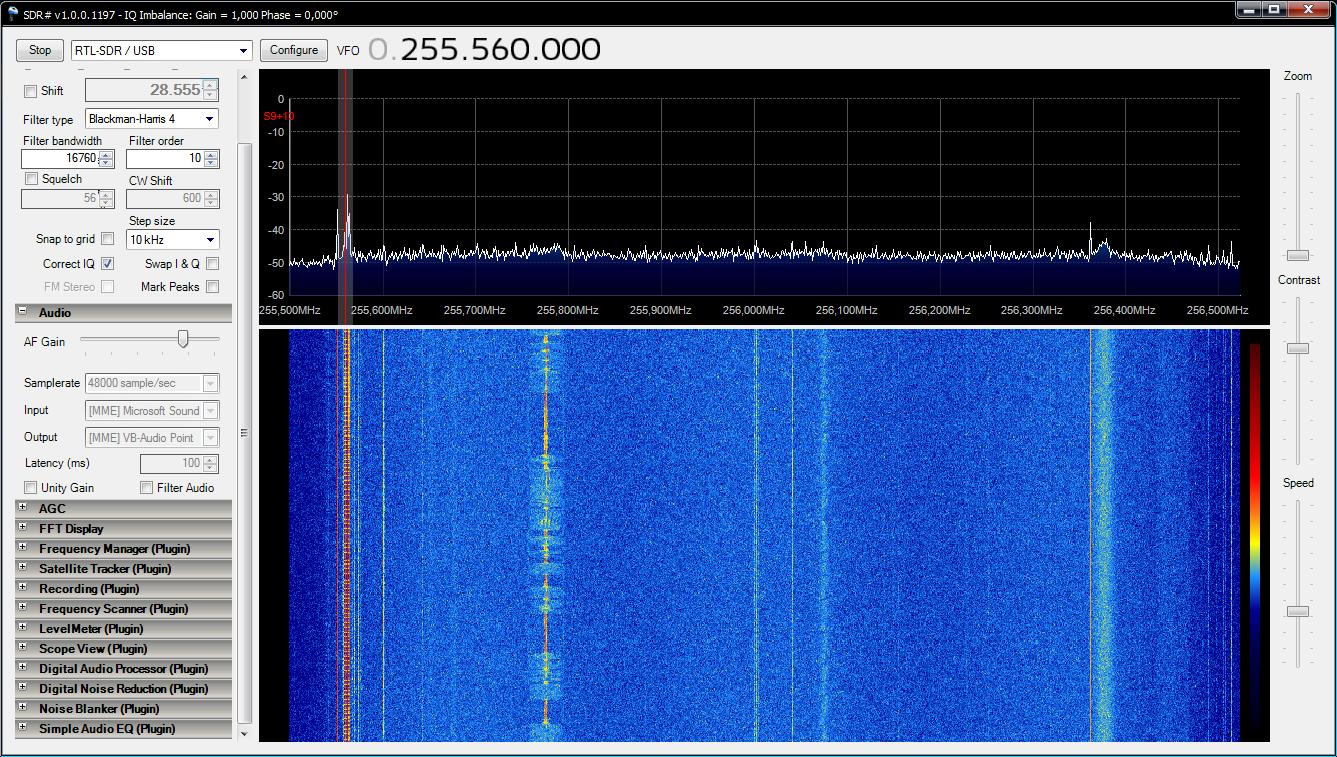
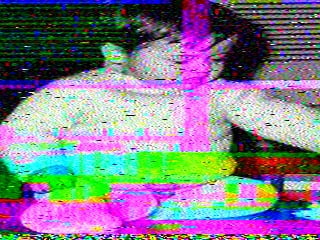
Happysat, a reader of RTL-SDR.com wrote in to let us know his experience with receiving Milsat pirate SSTV images using his R820T RTL-SDR and his homebrew QFH antenna. During his research he found that Brazillian Mexican Pirates hijack military satellite transponders to send SSTV pictures of their families on 255.560 MHz 22.4° West UFO F7 (USA 127).
Happysat writes that he found an active signal on that frequency most of the time. To receive the SSTV signal happysat used the free RX-SSTV software.
SSTV is an acronym for slow scan television and is a mode usually used on HF (0-30 MHz) frequencies by ham radio enthusiasts for sending out digital calling cards.
Modesdeco is a Windows/Linux/OSX/RPi compatible command line ADS-B Mode S decoder built for the RTL-SDR. It natively supports the BaseStation format and so can be used with the BaseStation software without the need for com port converters.
Modesdeco has recently been updated to allow for the simultaneous reception of Mode S and Mode A/C. Mode S provides location data for ADS-B while Mode A provides an identification code and Mode C provides the aircraft’s pressure altitude.
Over on YouTube user Adam Alicajic has posted a video showing the effect of a filter tuned for 1090 MHz used on ADS-B reception. Adam switches the filter in an out showing the difference in the number of received ADS-B frames. With the filter enabled he is able to receive around 1200 messages per second and without only around 800 messages per second.
A filter (aka preselector) can help to reduce out of band interference from strong signals.
Over on YouTube user Frank K2NCC has posted a video showing the reception of VDL2 (VHF Data Link mode 2). He uses MultiPSK to receive and decode VDL2 signals and VDL2-Display to nicely display the received messages.
VDL2 is a transmission mode used on aircraft for sending short messages, position data (similar to ADS-B) and also for allowing traffic controllers to communicate to pilots via text and data. Earlier we has a post about a VDL2 reception tutorial.
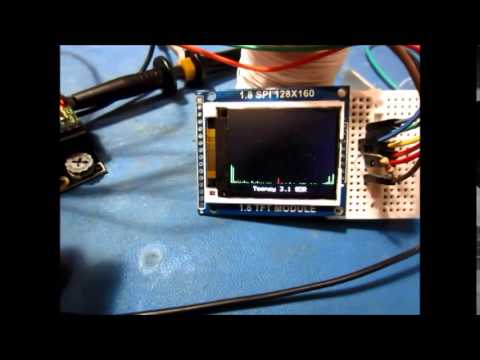
VE3MKC wrote code to first digitize then multiply the signal with a digital VFO before finally applying a low pass filter. He found that the Teensy’s microcontroller has sufficient CPU power to have an LCD RF spectrum display and process the audio output at the same time. Two videos of his project have been uploaded to YouTube.
TeensySDR - a Simple Software Defined Radio using the Teensy 3.1
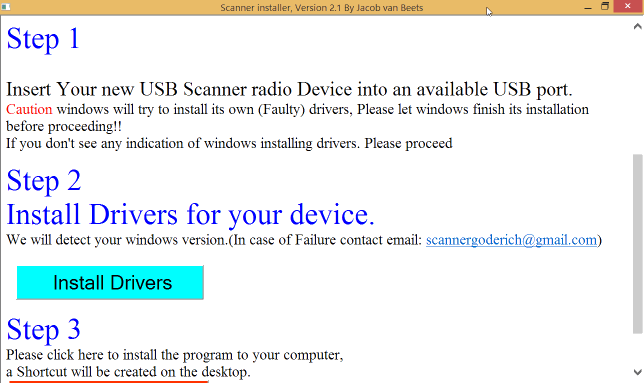
The installer has automated OS detection and will choose the correct version of Zadig (XP or modern) for your PC. The script can also install SDR#, ADSB# and ADSBScope and create desktop shortcuts.
I would like to introduce a new installer i made. After many hours of tinkering. i came up with the following: Automated OS Detection (i need yet to confirm if win xp drivers work yes or no?) If no, someone please use zadig to extract Drivers for xp on thier xp machine and send to me and i will include it. If it works also let me know
*Automated installer for drivers This installer will: Detect OS Version and install driver automatically no more manual select using zadig Install unlimited dongles all in one click (no longer manually installing one by one using zadig) No longer accidental (wrong device selection) No longer will windows in some cases try to overwrite the driver with its default driver for “TV mode”
If desired you can opt to install the following with Basic settings pre-configured (handy for beginners): *Basic install with common settings of SDRSHARP (shortcut to desktop) *Install of ADSBSHARP and ADSBSCOPE pre-configured (shortcut to desktop) *Help file to get started(shortcut to desktop) *Uninstaller
The installer can be downloaded from here. Extract the files to a folder and then run the Setup batch file by double clicking on it. You may need to allow it to run if your get a warning from Windows.
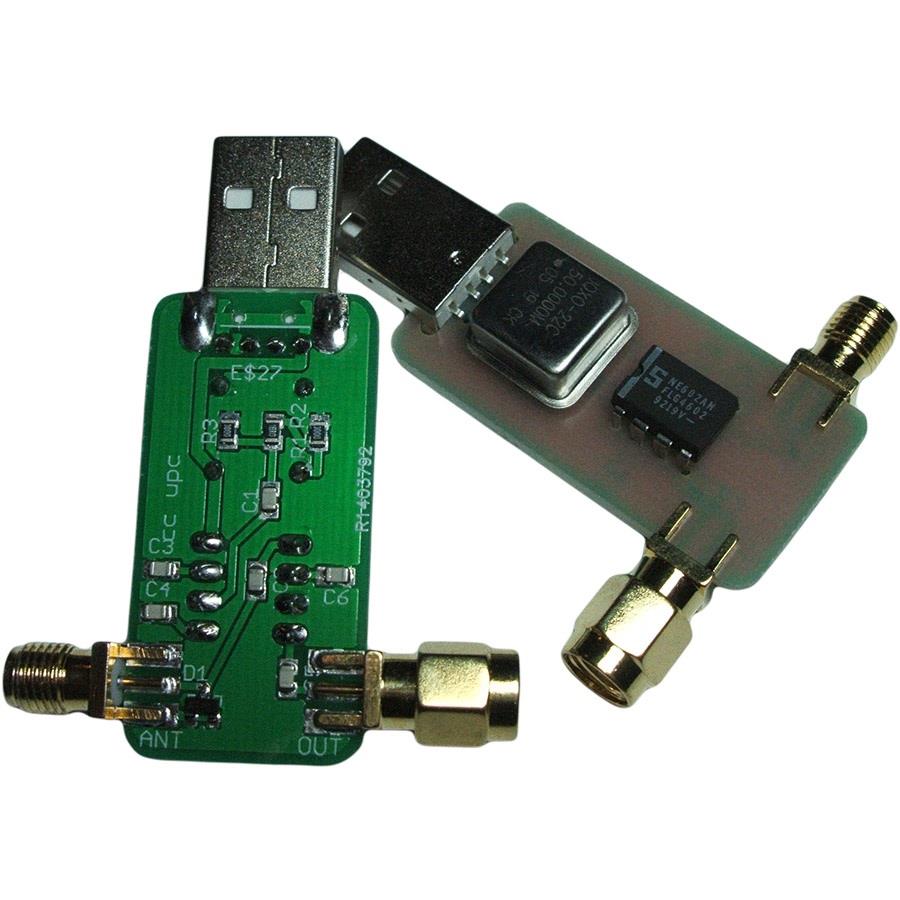
A new super budget HF upconverter has appeared over on cosycave.co.uk, a UK based trading site. It is currently priced at £9.99. The budget HF upconverter uses a 50 MHz oscillator and an NE602AN double balanced mixer and oscillator integrated circuit. It is only suitable for use on the R820T and is incompatible with the E4000.
This circuit appears to have no preselection or filtering circuits.