Tagged: rtl-sdr

Tekmanoid STD-C Decoder Updated: New Paid LES Decoder + EGC Visualization

The Tekmanoid EGC STD-C decoder was recently updated and a new commercial paid version was released. The paid version now supports the decoding of LES STD-C messages. Previously the only other decoder that we knew of which was able to decode LES messages was the www.inmarsatdecoder.com software. The inmarsatdecoder.com software costs €100, and while the price for the Tekamanoid decoder is not advertised, it is less than €100, and a bit more affordable for the average person.

Tekmanoid STD-C Decoder Receiving LES Message.

The free versions of both decoders only decode the EGC broadcast messages which contain SafetyNET messages. These include messages like weather reports, shipping lane activity and hazards such as submarine cables and oil rig movements, pirate activity, refugee ship reports, missing ship reports, and military exercise warnings. 

The paid version can decode the other non-broadcast private LES STD-C channels. LES STD-C channels typically contain email like messages sent to and from ships. Mostly it’s company messages about the ship route plans, cargo discussions, repair/fault discussions, ship performance information and weather reports etc. Sometimes small files are also downloaded. Each Inmarsat satellite contains about 7 LES channels each run by a different telecommunications company, so one may be of interest to you.

The paid version of the Tekmanoid decoder also has a nice feature for visualizing the SafetyNET EGC messages. Every now and then an alert containing coordinates and an area is sent out. Usually it is something like a distress alert from an EPIRB or the search area for a missing vessel. The decoder generates an HTML file that displays these areas on a map, alongside the text message.

STD-C EGC Distress Alert on map

The author of the Tekamnoid software allowed us to test his new paid version for free. We ran the software using signal from an Outernet patch antenna and LNA. An RTL-SDR V3 + SDR# was used as the receiver, and the audio was piped to the Tekmanoid decoder with VB-Cable. Decoding was almost flawless on both LES and EGC STD-C channels. In a previous recent update the Tekmanoid decoder was updated for improved decoding performance, and now in our opinion it is almost or just as good as the inmarsatdecoder.com software.  

If you are interested in learning more about decoding Inmarsat STD-C we have a tutorial available here. LES channels for the Inmarsat satellite in operation over your geographic location can be found on UHF-Satcom’s website.
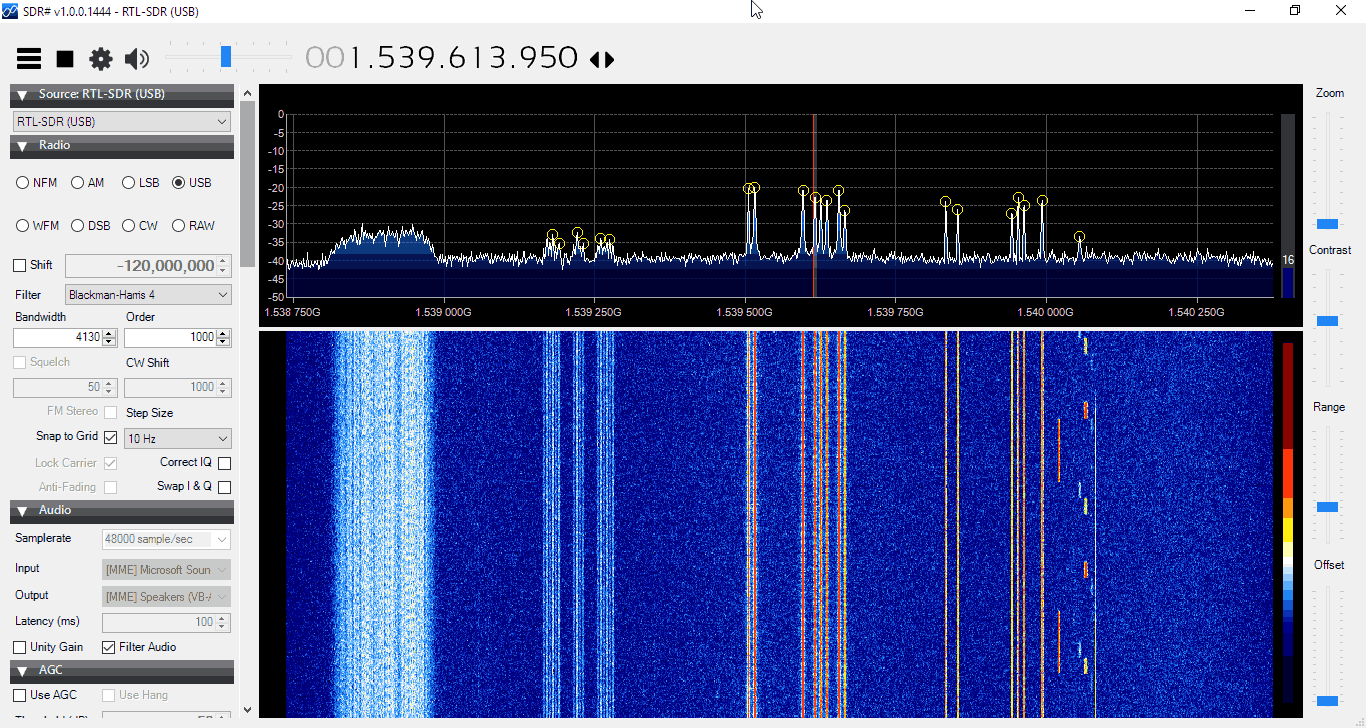
LES STD-C Inmarsat Channels

Remember that LES STD-C messages are not publicly broadcast, so in some countries it may not be legal to receive them. Most countries will have a law that says you can receive and decode the data, but you may not act upon or use to your advantage any information from the messages.

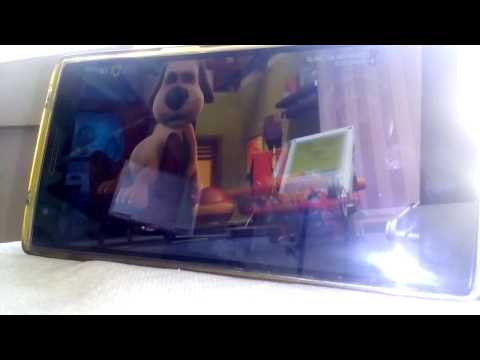
Aerial TV: An Android DVB-T Decoder for the RTL-SDR

On the Google Play store a new RTL-SDR compatible app called ‘Aerial TV’ has been released (in beta) by Martin Marinov. Aerial TV allows you to watch DVB-T HD TV on your android device, with an RTL-SDR connected to it via USB OTG cable. Martin is also the author of the popular SDR Touch Android program and the RTL2832U Android driver port. 

The new software requires a different DVB-T driver app to be installed first, which is also provided by Martin. This is because the RTL-SDR needs to be operated in a mode different to the way that the SDR drivers use it in. Martin has also open sourced his Android DVB-T driver and it is available on GitHub.

Aerial TV is currently free on the Google Play store, but looks like it may eventually have some in-app purchases. Also, it is currently marked as ‘Unreleased’ on Google Play, which is essentially a beta version, so you might expect there to be some bugs.

Aerial TV Screenshot

Over on YouTube user GiamMa-based researchers SDR R&D IoT has uploaded a video showing Aerial TV scanning for TV channels, and then eventually playing some video.

APP DVB Receiver Aerial TV (Unreleased) rtl sdr compatible test with oneplus one

Wintelive YouTube Demo

Over on YouTube use radiosification has uploaded a video showing the Windows TETRA decoder ‘wintelive’ in action. Wintelive is a Windows port of the popular RTL-SDR compatible Linux based ‘telive’ TETRA decoder. Back in October 2016 we posted about its release and we have a tutorial for telive and the RTL-SDR available here. 

The install instructions for wintelive are available on the authors webserver.

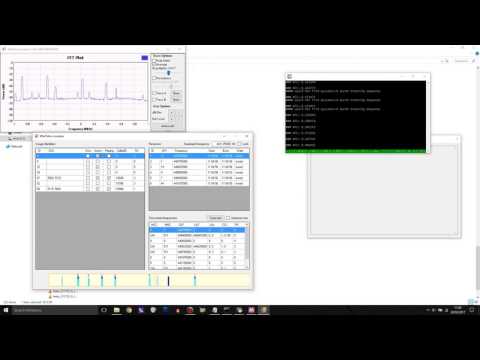
TETRA decoding on Windows!

T——o SDR: A MultiMode SDR Receiver Program

Recently a reader of RTL-SDR.com wrote in and submitted a link to T——–o SDR, which is an RTL-SDR compatible multimode SDR decoder program for Windows. (The website is in Italian but is easily translated with Google Translate). In terms of operation it appears to be quite similar to SDR#, and other programs like SDR-Console and HDSDR.

Like all other general purpose receiver software it is capable of decoding NFM/AM/WFM/SSB/CW modes. It also has digital noise reduction built in as well as an S-Meter and frequency manager list.

Update: Unfortunately we have been informed by the developer of SDR# that this software was illegally decompiled from a relatively new SDR# version and is thus stolen work. We looked further into the software and it is essentially an exact clone of SDR#, just with a different skin. Please do not use this software, and respect software legality. 

Essentially it appears that they took the closed source SDR# program, decompiled it then reskinned it and then made it open source under a new name.

Obviously this is unacceptable behavior, so out of respect for the original SDR# developers hard work we’ve removed links and references to this software on our website.

An R820T2 Breakout Board

The R820T2 is the tuner chip used on most RTL-SDR dongles. It is also used on the Airspy, a more advanced higher end SDR. All in all, it is a very good tuner chip, but it is mostly limited by the low-bit ADC on the RTL2832U chip in the RTL-SDR.

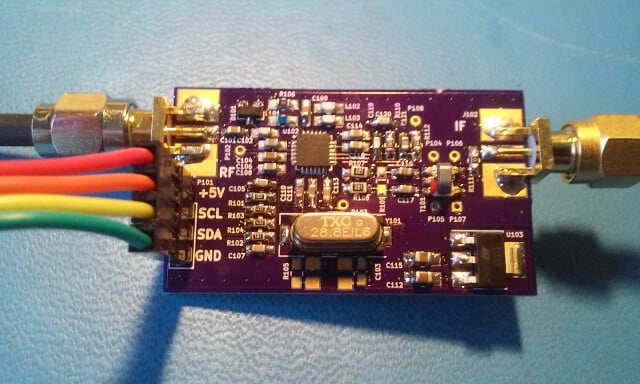
We’ve just been informed that there is now a custom DIY breakout board available for the R820T chip which is made by Eric Brombaugh who is an SDR experimenter. This is great for those wishing to do home brew SDR experiments with the R820T2 chip, for example you could perhaps implement your own SDR with a higher end ADC chip on a development boards.

The breakout board is essentially the exact implementation which is shown in the R820T datasheet. It is available as a 4-layer PCB on Osh Park and it “provides a simple 4-pin interface with power, ground and I2C bus for controlling the tuner. A broad-band RF input and 10MHz IF output are provided on SMA connectors.” Eric has also provided us with a simplified driver based on the Airspy and Linux media driver code which allows you to control the R820T2 from an STM32F0xx processor.

The assembled R820T2 breakout board.

Real-Time decoding of Meteor-M2 on Linux

Recently RTL-SDR.com reader Mark wrote in and wanted to share his modified version of otti-soft’s GNU Radio flowgraph for decoding Meteor-M2 weather satellite images on Linux. The modified version allows for real time decoding, whereas the original version requires several offline decoding steps to be performed after recording the signal.

Mark writes:

I have modified one of otti-soft’s gnuradio flowgraphs so that they work with RTL-SDR and output the demodulated symbols to a TCP socket, from which the new version of LRPT Analizer (from robonuka.ru) can decode the data in real-time.

First, one needs to download and extract the AMIGOS version of the LRPT analyzer from robonuka.ru: ftp://meteor2soft:[email protected]/AMIGOS/AMIGOS2.zip.

(AFAIK, only the AMIGOS version is able to decode the data from a socket, which is required for real-time decoding).

The program is to be run under a 32-bit version of Wine.

When the satellite is overhead, open and run the flowgraph (attached) in gnuradio-companion and leave it running. You might need to adjust the gain.

Then, run the LRPToffLineDecoder.exe executable from the extracted archive.
It should display a constantly-updating constellation diagram. When the data is decoded, the channel images will start to appear in each section of the window.

That’s it, when the image is decoded, one can save it and close the windows of gnuradio-companion and the decoder.

Notes: when running the flowgraph, no other processes (rtl_sdr, rtl_power, gqrx, …) should use the SDR device.

The modified GRC file is available here.

The real-time Meteor M2 GNU Radio script for Linux

Patching rtl_fm for use with 15+ RTL-SDR Dongles

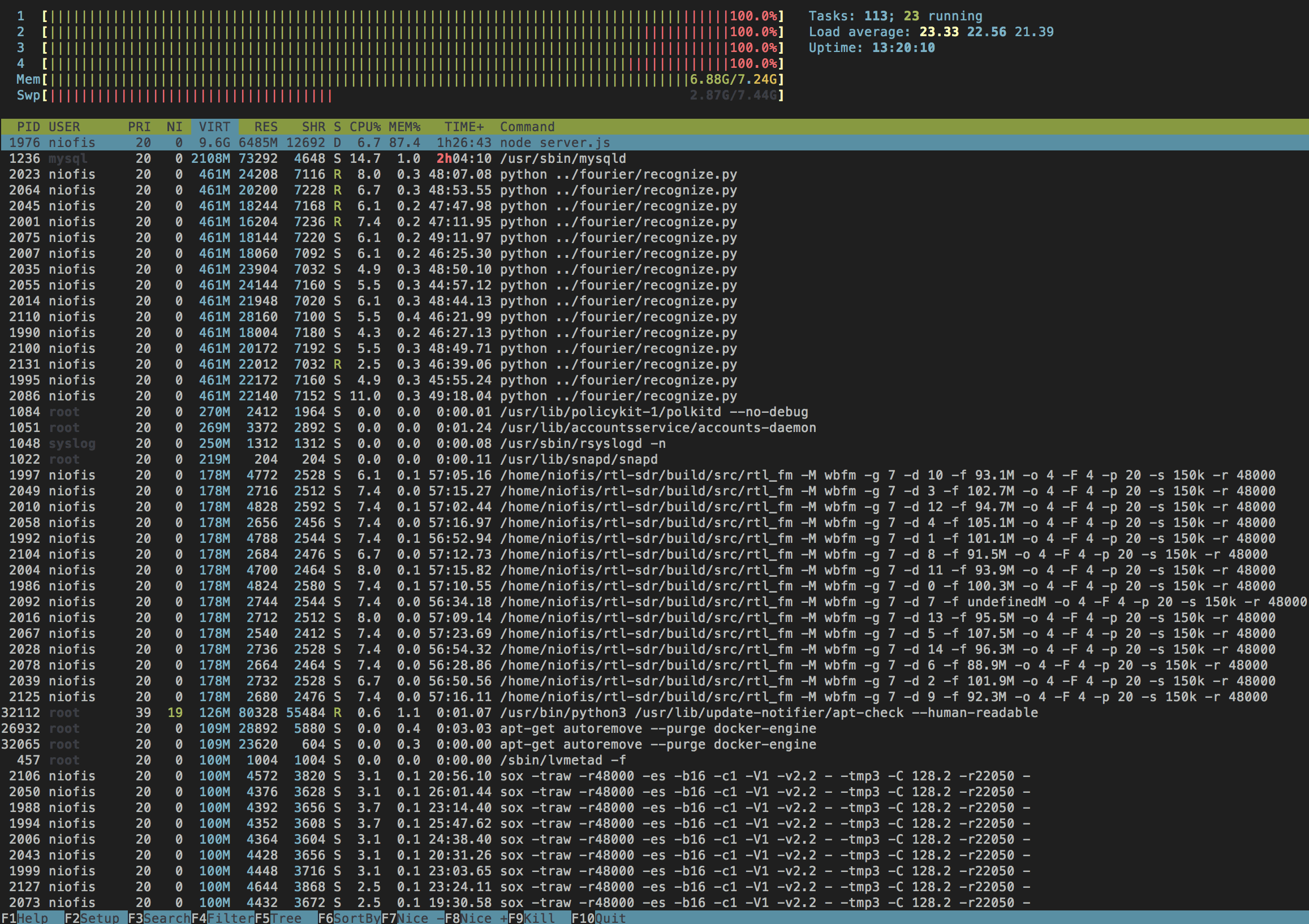
Enrique is working on a project which would record FM audio as MP3 files. To do this he uses rtl_fm with several RTL-SDR dongles. However, a major roadblock was that he found that adding five or more dongles to his server resulted in all dongles with a USB index over 3 producing the error “Failed to submit transfer 4!”.

After trying to work around the problem with Docker and VMs and ultimately failing he decided to look into other solutions. He found that rtl_test had an option to force synced output, and with this option enabled he was able to use more than four dongles. So he ended up implementing that synchronization code into rtl_fm.

With that code implemented he is now able to run up to 15 dongles on a single server. A higher amount might still be possible, but Enrique did not have that many dongles to test.

If you’ve been experiencing this problem Enrique has uploaded a patched version of rtl_fm at https://github.com/niofis/rtl-sdr.

Update: On Keenerds branch he’s rejected a merge of this patch citing the following:

Synchronous mode doesn’t work. Rtl_fm used to use synchronous mode. It produced constant minor glitches that made data decoding impossible. Don’t use it.

The whole “many simultaneous dongles” problem is a well-known issue related to LibUSB. All you need to do is reduce the DEFAULT_BUF_NUMBER in librtlsdr.c and recompile.

15 instances of rtl_fm running

—–Hz: A New STD-C Inmarsat Decoder

UPDATE: Unfortunately we have been informed that the code base of this software was illegally decompiled and reused in an almost unchanged way from an already available closed source decoder. This means the program itself is illegal and totally unethical.

Please respect the original developers hard work and do not download this software.

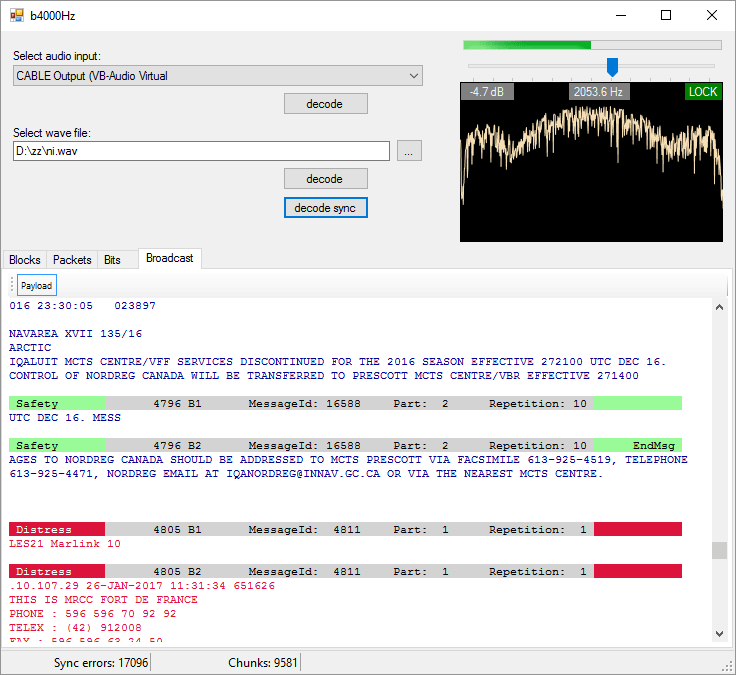
A new STD-C Inmarsat decoder called —-Hz has recently been released. The decoder is Windows based and simply listens to the demodulated Inmarsat STD-C audio from a program such as SDR#. This means that it is compatible with the RTL-SDR, and any other SDR that can receive Inmarsat. 

We gave the software a brief test and it ran very well, and managed to decode several SafeteNET messages without issue, maintaining a good lock most of the time. The author writes that he plans to improve on the software in the future by creating a web service based version of the software.

Currently there are two other Inmarsat decoders available. One is called InmarsatDecoder and the other is the Tekmanoid decoder. The InmarsatDecoder is generally regarded as the best, but the Tekmanoid decoder was recently updated for improved performance. The new software appears to be about the same as the Tekmanoid decoder.

Inmarsat STD-C messages are broadcast from geostationary satellites in the L-band at around 1.5 Ghz. They send mostly marine based messages such as the following quoted from the ——Hz website:

  • Safety: high seas, tropical storm warnings, ice accretion…
  • Shipping activity: moving oil rigs, submarine cable deployment and repairs…
  • Distress reports: MOB, ships lost at sea, migrant ship reports…
  • Military exercises (firing practice, no fly zones…)
  • Pirate at sea reports…

If you are interested in learning how to decode STD-C we also have a tutorial available here. 

The b4000Hz Inmarsat STD-C Decoder
The ——Hz Inmarsat STD-C Decoder