Tagged: rtl2832

PiSDR Ready to use SDR Raspbian Image Updated to V4.0

It's been a good time for ready to use SDR Linux OS images recently, as we've seen the release of two new images, DragonOS and gorizont-rtlsdr over this lock down period. And now the already popular and mature PiSDR image has also been updated. 

PiSDR is a ready to use Raspbian based operating system for Raspberry Pi's which comes pre-loaded with many programs for software defined radios. It currently supports the RTL-SDR, LimeSDR, PlutoSDR, Airspy, and Airspy HF+ and has preinstalled software such as SDR Angel, Soapy Remote, GQRX, GNURadio, LimeUtil, and LimeVNA.

The latest update includes various bug fixes as well the following new features:

  • Three times smaller.
  • HackRF Support.
  • Verified Compilation on GitHub Actions.
  • New Software: Quisk, CygnusRFI, rpitx, rtl_433, acarsdec, gpredict, multimon-ng, and leansdr
PiSDR Running a SDRAngel with a LimeSDR

TechMinds: Demonstrating the QT-DAB Digital Audio Broadcast Decoder

Over on YouTube TechMinds has uploaded a video where he explores the QT-DAB software (formerly known as SDR-J), which is a program capable of decoding Digital Audio Broadcast (DAB) signals. QT-DAB is compatible with several SDRs including the RTL-SDR, HackRF, Airspy and SDRplay units. 

DAB stands for Digital Audio Broadcast and is a digital broadcast radio signal that is available in many countries outside of the USA. The digital signal encodes several radio stations, and it is considered a modern alternative or future replacement for standard analog broadcast FM.

In the video TechMinds explains how to download, install and use the software on a Windows machine. He goes on to demonstrate some DAB decoding in action with various SDRs and then shows how to connect QT-DAB to a remote RTL-SDR via rtl_tcp.

DAB Radio Decoder For SDR (RTL_SDR - HACKRF - AIRSPY)

YouTube Series on Inmarsat Decoding with Scytale-C

Paul (microp11) is the programmer behind the Scytale-C Inmarsat decoder which has become very popular with RTL-SDR owners. With Scytale-C, and RTL-SDR and an appropriate L-band antenna and amplifier it is possible to receive STD-C NCS data from Inmarsat satellites. This is a public broadcast which contains information like search and rescue (SAR) and coast guard messages as well as news, weather, pirate activity and other incident reports. If you're interested, we have a tutorial available here which uses different software.

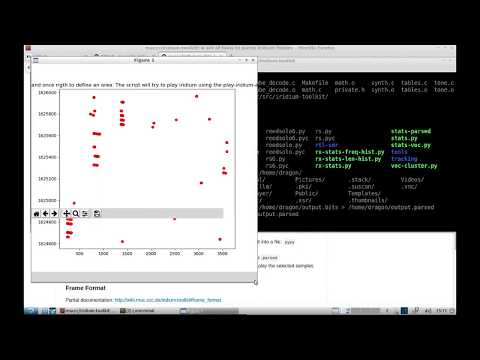
Paul has recently created a 6-part video series explaining Scytale-C and all it's features. As well as showing how to setup a Scytale-C decoder with the SDR# plugin in order to receive the STD-C text data via the UI, Paul's series goes into more depth showing how to review and inspect the raw data packets, how to monitor multiple Inmarsat channels at once using SDR# Spyservers and how to use the map feature for plotting coordinate and region data.

Gorizont-rtlsdr: Another Linux OS Distro with Built in RTL-SDR Support & Software

A few days ago we posted about DragonOS, which is a Linux ISO file with several built in SDR programs that the creator Aaron has been working on during his COVID-19 lockdown period. We've now got a second lockdown inspired Linux distribution called "gorizont-rtlsdr" which was submitted by Steve Cox. The distro is based on Xubuntu 18.04 and focuses only on software for RTL-SDRs. Steve writes:

gorizont linux 1.0 is a live, USB bootable or VM .iso image, and my first attempt at sharing a project like this. It's built specifically for rtl_sdr/ RTL2832U family dongles, no other devices will be supported in the future (although drivers can be installed if required). It's meant for the cheapest, most available hardware out there.

I think there's a useful niche for this distro, Skywave Linux is getting a bit long-in-the-tooth and un-updated, and the recently reviewed DragonOS, whilst good, is a little complicated for beginners to use. gorizont concentrates on purely terrestrial HF/VHF/UHF analogue and digital signal exploration and decoding, hence the name. It also provides instant DAB+ and FM radio reception for emergency information using RTL V3 stock antennae.

It's built for customisation and compilation of evolving software, hence it's rather portly size. A pretty full suite of dev libraries and repos come as included. Users can also create a bootable USB image or .iso of an updated system using Systemback if gorizont is run as a VM.

We didn't see a list of programs preinstalled, but from the Readme it appears to have at least GNU Radio, GQRX, multimon-ng, DSD+, welle.io, PyBOMBs, wine32, sox, as well as a preset Virtual Audio sync set up through pulseaudio for piping audio between programs. We expect that many more programs will also have been preinstalled.

Easily Streaming SDR Output Audio through a Network to an Android Phone

Thank you to M Khanfar for submitting another video where he demonstrates and explains how to easily send audio from your Linux PC over to an Android phone. This can be used to monitor the audio output of SDR programs like OP25 and GQRX remotely. The main piece of software used in his setup is the SoundWire Server and SoundWire Android App. SoundWire is described below:

Turn your Android device into wireless headphones / wireless speaker. Stream any music or audio from your PC to your Android phone, tablet, or other PCs. SoundWire does audio mirroring (audio cast). You can use any music player on your PC or laptop like Spotify, YouTube, or iTunes and stream low-latency live sound over WiFi directly to your Android device. Also works over 3G/4G cell networks or WAN.

M Khanfar's full tutorial on how to setup SoundWire can be found in the description of the video.

Piping Op25-GQRX Audio Through LAN to Android Phone

DragonOS Updated: Now with OP25 Installed and many new YouTube Tutorials

Last month we posted about Aaron's "DragonOS" project, which is a ready to install Linux ISO aimed to make getting started with SDR software easy by providing several programs preinstalled, as well as providing multiple video tutorials. Recently he's updated the build, this time basing it on Lubuntu 18.04 allowing for Legacy and UEFI support, along with disk encryption. The OS supports RTL-SDRs as well as the HackRF and bladeRF and probably supports most other SDRs via the SoapySDR interface.

In terms of software he's also added OP25 and bladeRF support. Other programs pre-installed include rtl_433, Universal Radio Hacker, GNU Radio, Aircrack-ng, GQRX, Kalibrate, hackrf, wireshare, gr-gsm, rtl-sdr, HackRF, IMSI-catcher, Zenmap, inspectrum, qspectrumanalyzer, LTE-Cell-Scanner, CubicSDR, Limesuite, ShinySDR, SDRAngel, SDRTrunk, Kismet, BladeRF.

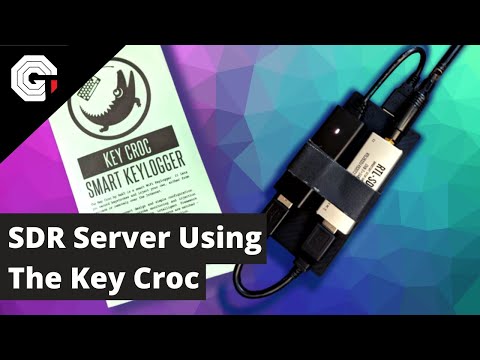
His DragonOS YouTube tutorial channel is also growing fast, with several tutorials showing you how to use DragonOS to perform tasks like listen to trunked mobile radios, use QSpectrumAnalyzer with a HackRF, receive NOAA APT weather satellite images, retrieve cellular network information via a rooted Samsung Galaxy S5, create a ShinySDR server with rtl_433 and how to capture and replay with a HackRF.

DragonOS running CubicSDR

OpenEar Now Supports TETRA, DMR, POCSAG, ADS-B

Back in March we posted about "OpenEar" which was a newly released Windows TETRA decoder for RTL-SDR dongles. Back then the author "moneriomaa" noted that he planned to add several new modes. In the release that is currently available, OpenEar now supports TETRA, DMR, Pocsag, ADS-B as well as standard AM and NFM modes. We tested the software, and all modes appear to decode as advertised. In the future the author plans to add more modes such as MPT-1327 and AERO.

In the previous post we added an update noting that OpenEar appeared to be violating the GPL licence of OsmocomTETRA, and the author noted that he would remove the TETRA functionality until licencing was resolved. As TETRA decoding is back in the recent releases we assume these legal issues have been solved.

In the current release you also need to provide your own rtlsdr.dll file, which can be obtained from your SDR# folder, or directly from the Osmocom windows release (rename librtlsdr.dll to rtlsdr.dll).

Latest OpenEar Version

The K-180WLA: A New Low Cost Battery Powered Active Loop Antenna

We've recently seen a few submissions about a new low cost active magnetic loop antenna called the K-180WLA which sells for around US$50 - US$60 over on eBay and Aliexpress. While it appears to be very similar to the well known MLA-30 loop, it's main defining feature is that it's power feeder is battery powered via a built in Lithium ion cell which would make it useful for portable operation. It also advertises a wide usable frequency range of 0.1 - 180 MHz with an amplified gain of 20 dB. They note it can also be pushed up to 450 MHz with reduced gain of 8.9 dB. The battery run time or power draw is not advertised. They write:

  • The P.BOX feed box has a built-in 3.7V 18650 flat-head lithium battery with integrated power supply module. It is the only active antenna that does not require an external power supply and integrates a charge management chip. The MICRO USB charging port is compatible with the 5V charging head of Android phones. And charging cable, very easy to use.
  • UHF low-noise preamplifier is used. The gain flatness is very good within the ultra-wide operating frequency of 0.1-180MHZ. It provides a gain of about 20DB, even when working to 450MHZ gain, there is still about 8.9DB.
  • The receiving frequency covers long wave, medium wave, short wave, FM broadcasting band and VHF aviation band. The small ring diameter 55CM is simple to set up. It can be set up outside the window, balcony, terrace and roof. Lovers erected.
  • All the screws of the antenna are made of 304 stainless steel, and the preamplifier box is fully waterproof, which can be used for long-term outdoor wind and rain.
  • Suitable models include Desheng S-2000 PL-660 PL-880 ICOM R71E YAESU FRG-8800 and all short-wave receivers, especially for SDR receivers.

    Note:

    The antenna is equipped with a dual SMA male adapter cable, an SMA to 3.5 plug adapter cable, and an S2000 BNC adapter, which means that your radio can be used with SMA female, BNC, and 3.5 jacks. Requires additional accessories. Receivers and radios with other interfaces need their own adapters.

We've ordered a unit and plan to compare it against the MLA-30, Wellbrook and YouLoop (with optional HF amplifier that is to be released soon) in a future post. This loop is also being discussed over on the SWLing Post Blog.

The K-180WLA Loop Antenna