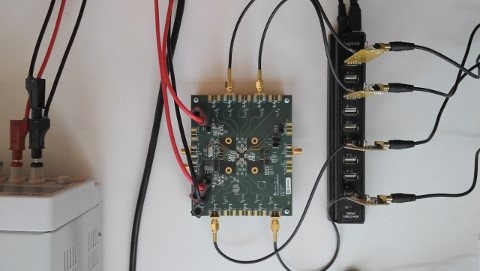
Over on YouTube user Adam Alicajic has posted a video showing the effect of a filter tuned for 1090 MHz used on ADS-B reception. Adam switches the filter in an out showing the difference in the number of received ADS-B frames. With the filter enabled he is able to receive around 1200 messages per second and without only around 800 messages per second.
A filter (aka preselector) can help to reduce out of band interference from strong signals.
Over on YouTube user Frank K2NCC has posted a video showing the reception of VDL2 (VHF Data Link mode 2). He uses MultiPSK to receive and decode VDL2 signals and VDL2-Display to nicely display the received messages.
VDL2 is a transmission mode used on aircraft for sending short messages, position data (similar to ADS-B) and also for allowing traffic controllers to communicate to pilots via text and data. Earlier we has a post about a VDL2 reception tutorial.
The installer has automated OS detection and will choose the correct version of Zadig (XP or modern) for your PC. The script can also install SDR#, ADSB# and ADSBScope and create desktop shortcuts.
I would like to introduce a new installer i made. After many hours of tinkering. i came up with the following: Automated OS Detection (i need yet to confirm if win xp drivers work yes or no?) If no, someone please use zadig to extract Drivers for xp on thier xp machine and send to me and i will include it. If it works also let me know
*Automated installer for drivers This installer will: Detect OS Version and install driver automatically no more manual select using zadig Install unlimited dongles all in one click (no longer manually installing one by one using zadig) No longer accidental (wrong device selection) No longer will windows in some cases try to overwrite the driver with its default driver for “TV mode”
If desired you can opt to install the following with Basic settings pre-configured (handy for beginners): *Basic install with common settings of SDRSHARP (shortcut to desktop) *Install of ADSBSHARP and ADSBSCOPE pre-configured (shortcut to desktop) *Help file to get started(shortcut to desktop) *Uninstaller
The installer can be downloaded from here. Extract the files to a folder and then run the Setup batch file by double clicking on it. You may need to allow it to run if your get a warning from Windows.
Over on YouTube user Theo Faber has uploaded a video showing his adjustable multiband HF preselector project for his RTL-SDR dongle. The preselector covers the entire HF band. Theo designed and built his own homemade upconverter for this project as well.
Preselectors on the RTL-SDR can vastly improve reception quality. Without preselection, noise and strong images of other nearby stations can cause strong interference.
My project ‘pre selector’ for wideband radios and in particular the popular tv-sticks than can be used for SDR reception. The sticks are very cheap and the software free available on the internet. SDR Sharp in this case, is operating stable under XP and W7. Sticks are sensitive, however the input level can only vary +- 20dB. The sticks are easely overloaded and will produce cross and intermediation. So you need in front of the stick / converter band pass or tunable filters. Hopefully this inspired you to build your own set of filters, to fully benefit from the perfect performing of this affordable SDR.
for more info contact me on: t.faber87__AT__upcmail.nl
kind regards and 73’s
Hak5, a popular YouTube technology show has recently been dedicating a bunch of episodes to RTL-SDR projects. Recently we posted about their efforts with ADS-B, and some GNURadio tutorials. Their most recent video discusses AIS (Automatic Identification System) which is a system similar to ADS-B which ships use to transmit their location to create a modern GPS based radar system.
The Hak5 video discusses how AIS works and also shows how to use an RTL-SDR to receive it. In their tutorial they use SDR#, VBCable and ShipPlotter to receive and view AIS data on map. Note that we also have an AIS tutorial here.
Identify And Locate Ships Via AIS Transmissions!, Hak5 1610
AIS is an acronym for Automatic Identification System and is a type of modern GPS based radar system similar to ADS-B used by mariners to help avoid collisions at sea.
Recently a bunch of amateur radio nano-satellites known as ‘Kicksats‘ were launched on the latest SpaceX rocket. So far the Kicksat carrier has been successfully deployed, which is essentially the box containing the nano-satellites. On May 4, the nano-satellites known as ‘sprites’ are due to be deployed from the carrier.
Both the carrier and Kicksat sprites have telemetry signals which are receivable with the RTL-SDR. As the sprites transmit using only 10mW of power, a high gain Yagi antenna and an LNA are required to receive their signals.
Over on YouTube user mutezone has posted a video comparing the RTL-SDR with upconverter against a Softrock Ensemble II software defined radio. The Softrock Ensemble II is an SDR dedicated to the HF frequencies and is thus expected to have better performance for that purpose. Mutezone writes
A performance between the Softrock Ensemble II vs the RTL-SDR (R820T) on shortwave. Here we are trying to see which one is best at receiving AM broadcasters. Both SDRs were using the same longwire antenna connected to an ATU (Antenna Tuning Unit).
Although I know this comparison is somewhat unfair, since the RTL-SDR is not meant for shortwave & the Softrock is, it is to show that there is a difference in performance, even though the RTL-SDR has a much wider frequency range & cannot be beaten when it comes to value for money. My opinion is that if you want an SDR that should deliver on HF / Shortwave performance, then go for a dedicated one like the Softrock, Afedri, SDR-IQ or any others that do the same job on the market. Even when using a decent HF Upconverter, the RTL-SDR will still not match the performance of more upmarket HF SDRs.