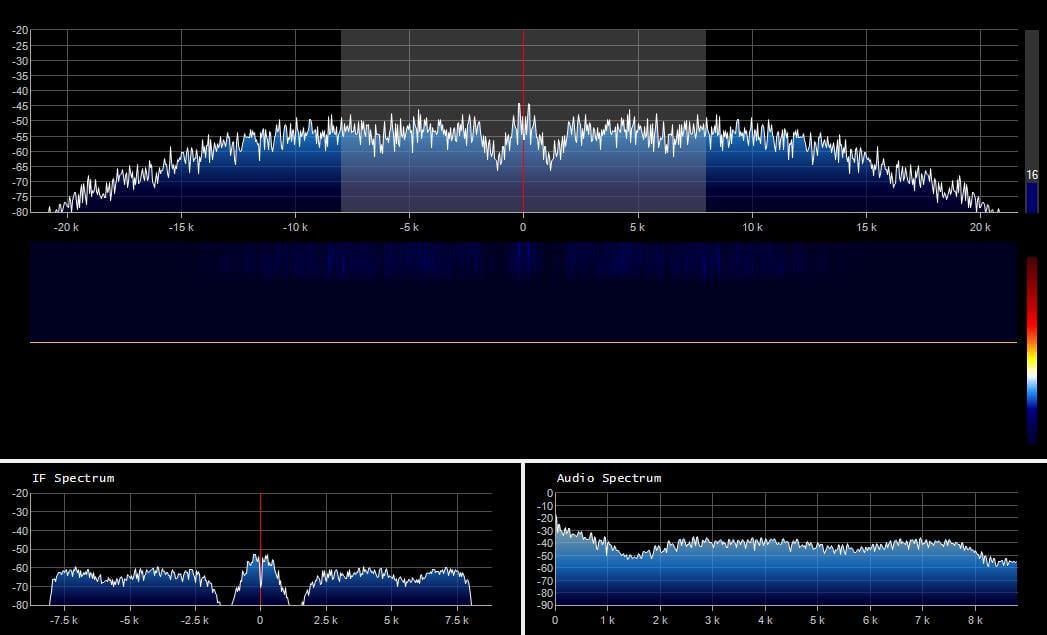
Recently Eddie MacDonald has been pumping out simple but useful plugins for SDR# including the SDR# Dark Mode and Visual Tuner Knob plugins. Recently he released a new plugin called "FFT Window Screen Grabber". This plugin simply helps you to easily take a screenshot of the FFT and waterfall displays in SDR#. It could be a useful plugin if you are constantly finding interesting signals that you want to document, or upload to sigidwiki.com.
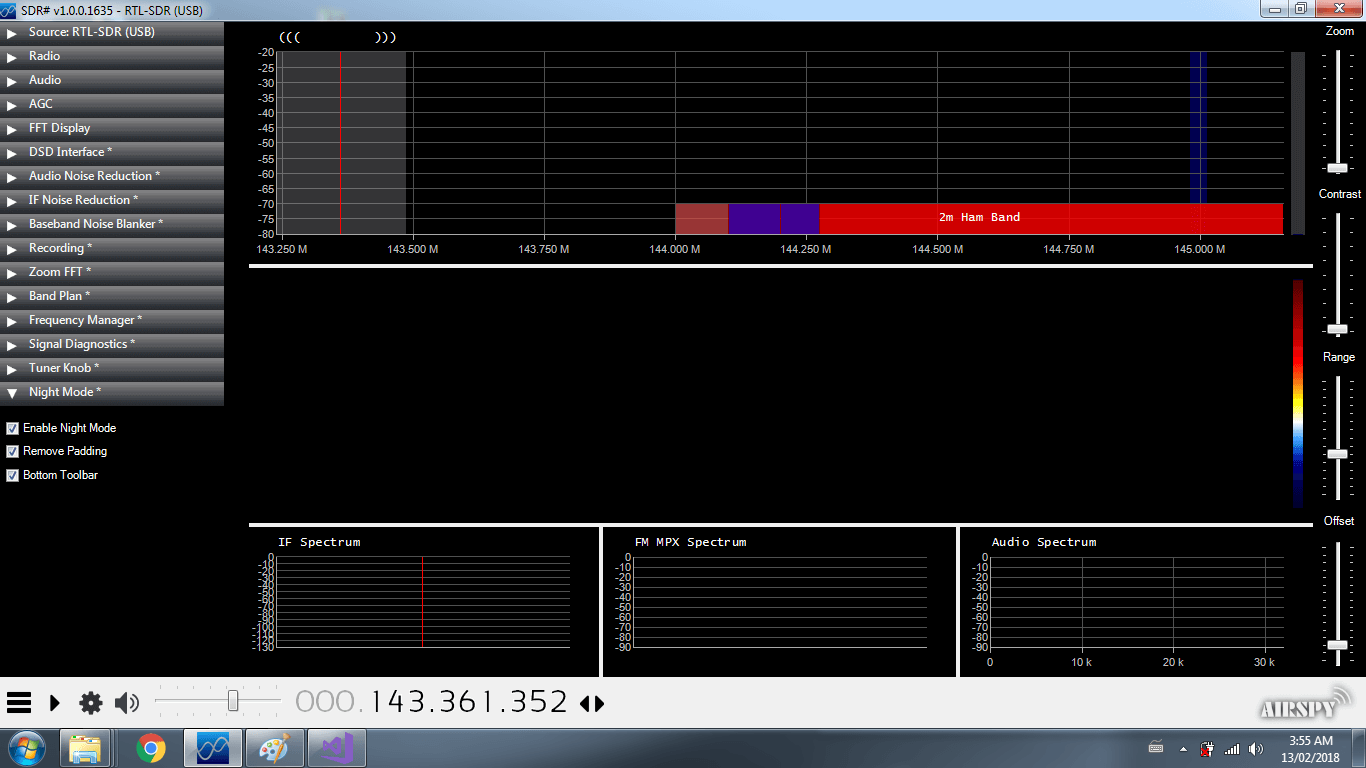
A few days ago Eddie MacDonald released his Tuner Knob plugin for SDR#. Today he's released a new plugin called "SDR# Dark Mode" over on our forums. This plugin is very simple in that is just makes the SDR# interface black, which should be better on the eyes those using the app at night. The plugin also adds two other options which allow you move the tuning toolbar to the bottom of the screen and remove all padding to save some screen space. The three options in the plugin are:
"Night Mode" or "Regular Mode" - allowing the app to be black or not "Bottom Tool Bar" - allows you to place the radio control tool bar on the top or bottom of the app "Remove Padding" - remove the 10px border around all the controls giving you a tiny amount of more workable space.
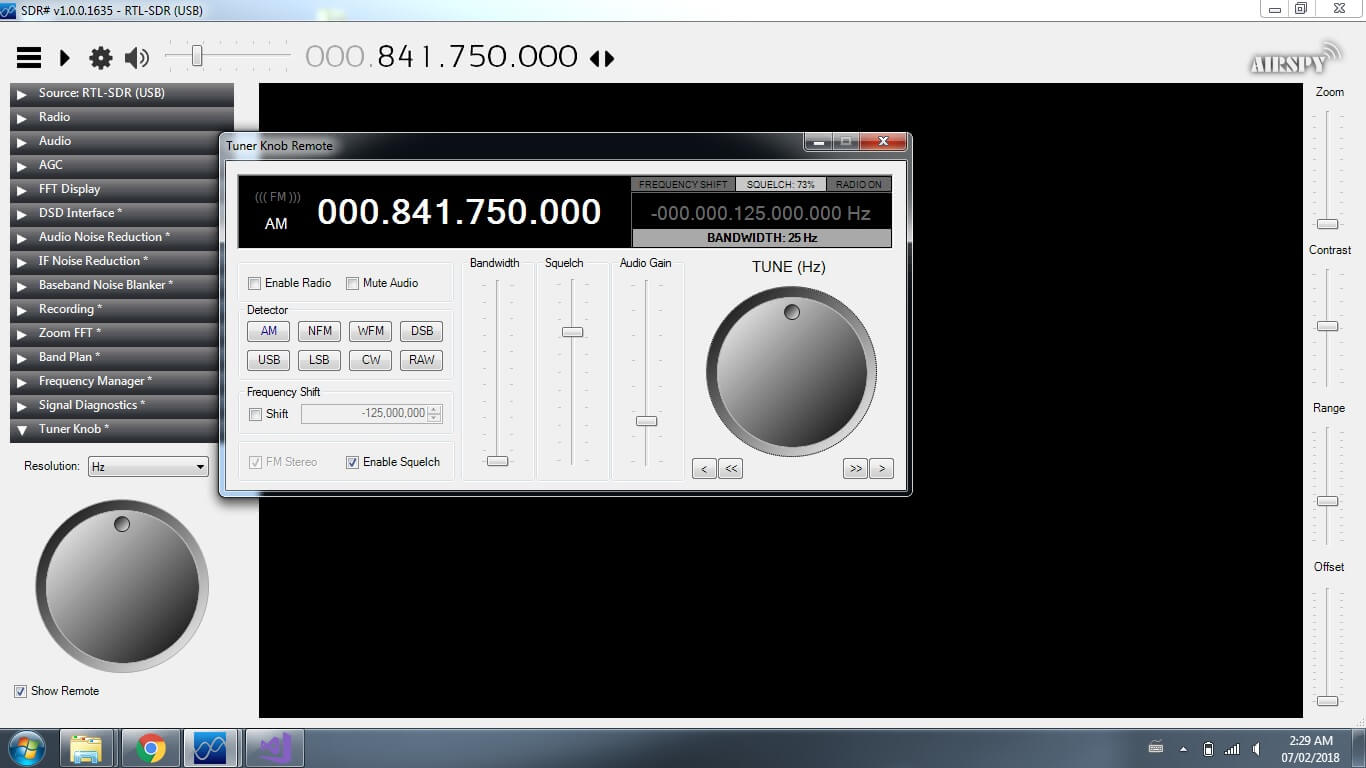
Thank you to Eddie MacDonald for submitting his new SDR# plugin to us via our forums. Eddie's plugin is called the 'Tuner Knob Plugin', and simply enables a visual tuner knob on the screen for adjusting the frequency. This plugin could be useful especially for those running SDR# on touchscreen tablets or laptops. To install the plugin copy the .dll file to the SDR# directory and copy and paste the magicline.txt into the plugins.xml file. We tested the plugin on our PC and found it to run well.
Programming the plugins is not so easy considering their is very little documentation and few examples on the net. There may be a few bugs I have not caught (but i hope i have caught them all.)
This DLL was compiled and tested on a Windows 7 x64 machine and the DLL is compiled for both x86 and x64 platforms. I have tested it on SDR# Version v1.0.0.1635
I am not certain which previous versions it may or may not run on. However, being built on the 4.6 .Net framework it should work with Win7 on.
I built this plugin because i got tired of holding down buttons and waiting for the frequency changes. I figured this was a simpler method (even though some people hate rotary style controls on windows) It works exceptionally well with a touch screen.
As previously mentioned in the forum post I created the 'remote' to test my programming for future plugins for DSP
While some may not find a use for the remote I made it this way for my wife who like to cruise the dial and just see what she can pick up.
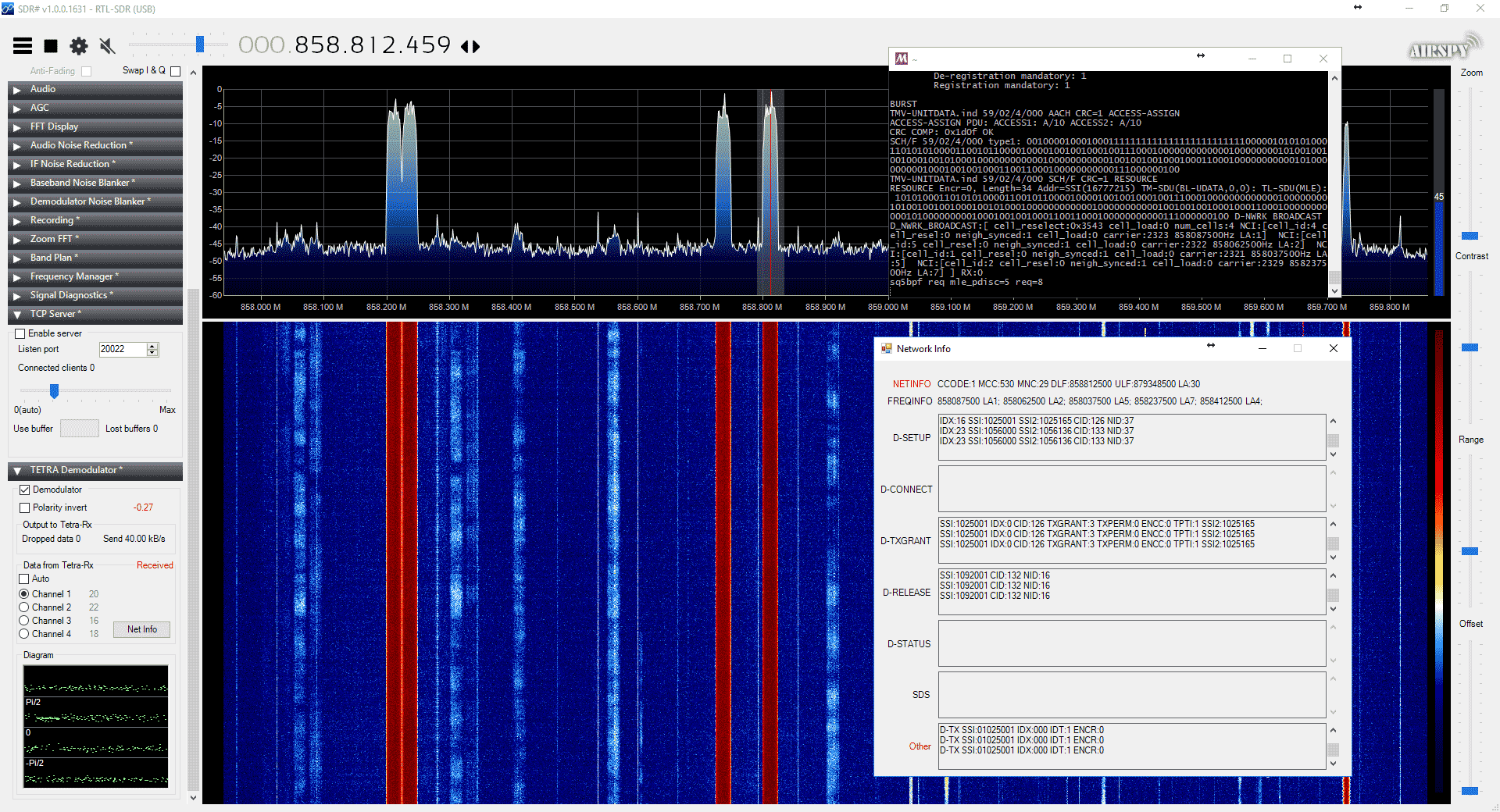
Back in 2016 cURLy bOi released a Windows port of the Linux based "Telive" TETRA decoder. Now the latest development in TETRA decoders is that a TETRA decoder plugin for the SDR# software has been released. This makes setting up a TETRA decoder significantly simpler than before.
The plugin doesn't seem to be officially released anywhere, but we did find it thanks to @aborgnino's tweets on Twitter, and he found it on a Russian language radio scanner forum. The plugin is available as a direct download zip from here, but we suggest browsing to the last few posts in the forum thread to find the latest version.
Installing the plugin is a little more difficult that usual, as you first need to install MSYS2 which is a compatibility layer for Linux programs. The full installation instructions are included in the README.TXT in the zip file. One clarification from us: you need to copy the files in the msys_root/usr/bin folder from the zip file into the /usr/bin folder that is in your MSYS2 installation directory.
We tested the plugin and found it to work well without any problems. With the plugin turned on you just need to simply tune to a TETRA signal in WFM mode, and you will instantly be decoding the audio.
TETRA is a type of digital voice and trunked radio communications system that stands for “Terrestrial Trunked Radio”. It is used heavily in many parts of the world, except for the USA. If you have unencrypted TETRA signals available in your area then you can listen in on them with an appropriate SDR like an RTL-SDR and decoder software like the aforementioned plugin.
Over on his site rtl-sdr.ru, Vasilli has been back at work creating new plugins for SDR#. The latest plugin is a TCP server that takes the demodulated mono audio stream from SDR# and sends it over TCP (note that the site is in Russian but the Google translate button on the right can be used). This can be used to easily stream audio over the internet or a network, or even locally on the same PC to another program. If enough programs support TCP audio streams, then the plugin could potentially replace the need for software like Virtual Audio Cable or VBCable by allowing another method for piping the audio from SDR# into a decoding program.
Installing the plugin is the same as usual. Just extract the SDRSharp.TcpServer.dll file to the SDRSharp folder, open plugins.xml with a text editor and paste in the 'magic line' specified in MagicLine.txt.
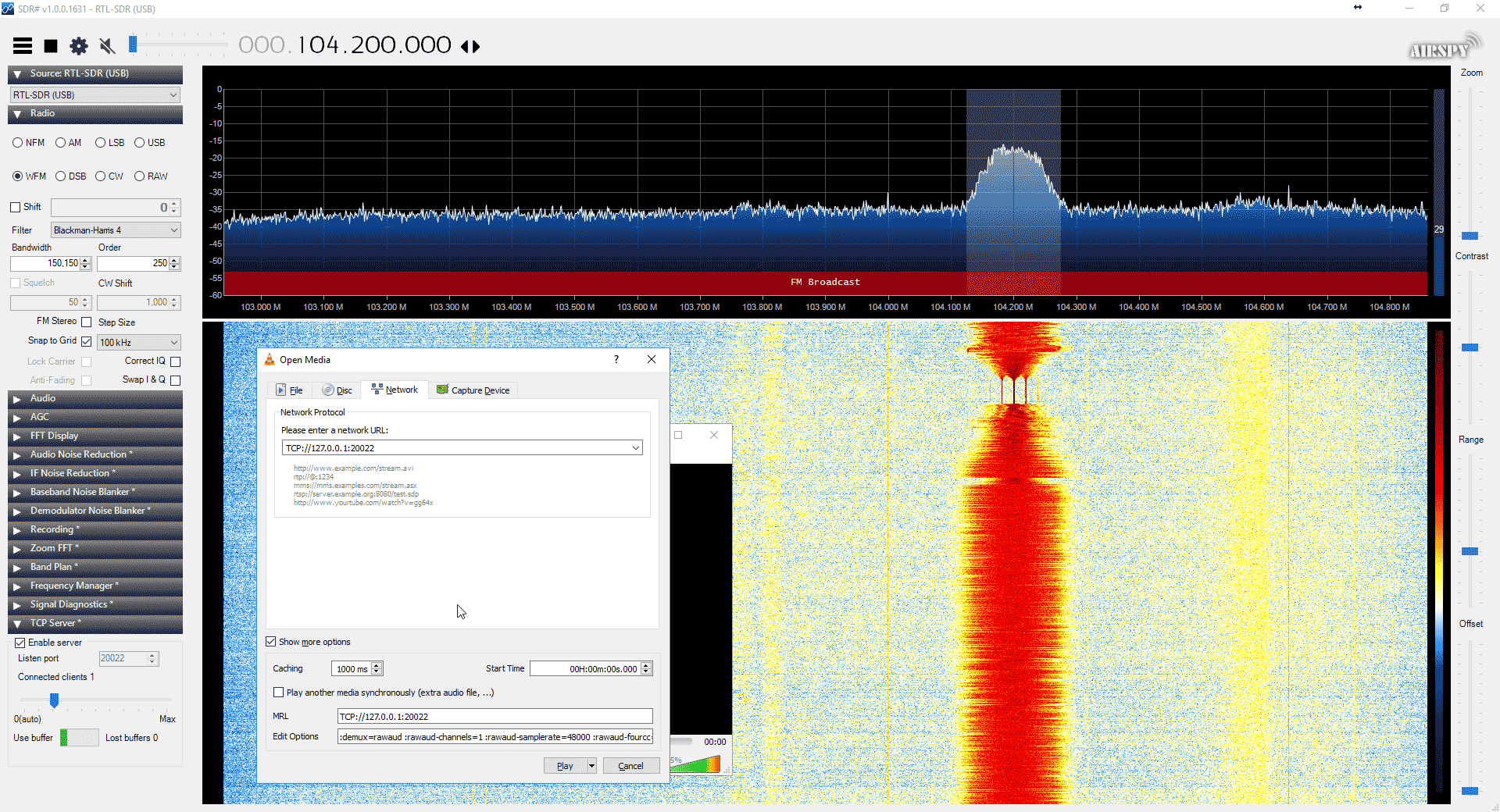
To test the server you can connect to it with VLC media player. Some special commands need to be specified to VLC in order for it to understand the audio format. To enter them go to Media->Open Network Stream and make sure 'Show more options' is checked. Enter the network URL as 'TCP://127.0.0.1:20022' (without quotes), and enter the Edit Options field as ':demux=rawaud :rawaud-channels=1 :rawaud-samplerate=48000 :rawaud-fourcc=s16l' (without quotes). Ensure the first colon in the line is copied over properly. Then enable the TCP server in the SDR# plugin, and click Play in VLC. Ensure the SDR# is muted, and the volume in VLC turned up. Audio should now begin streaming through TCP.
Hopefully in the future we can see some audio compression algorithms and more decoding software supporting TCP audio connections.
Vasilli has also updated many of his other plugins too, including creating a DSD_TCP plugin which allows you to transmit the digital audio directly to DSD+ via a TCP connection.
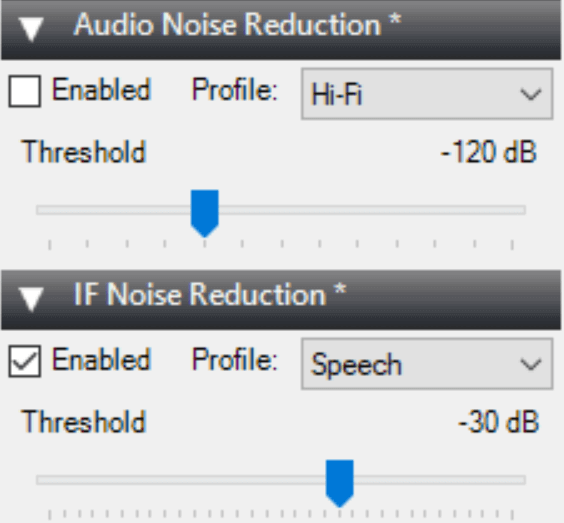
Recently the SDR# team have updated the algorithm on the noise reduction plugins used in SDR#. It appears that both the IF and Audio noise reduction plugins were updated with a better smoothing algorithm. We briefly tested the new algorithm and compared it against an older version. The new algorithm has noticeably less hiss and is slightly clearer when compared at the same noise reduction level. We tested with the same threshold levels and using the speech profile.
At the same time we've also seen news that Simon of SDR-Console is working on another noise reduction algorithm based on deep neural networks in the latest private beta version. A video of it in action was posted by Paul J in the SDRplay users group (note that you will need a Facebook account and will probably need to be a member of the SDRplay group to view that video). The algorithm seems to be based on the RNNoise paper that was posted here. The SDR# algorithm was also tweaked based on information gained from that paper although it doesn't use neural networks directly.
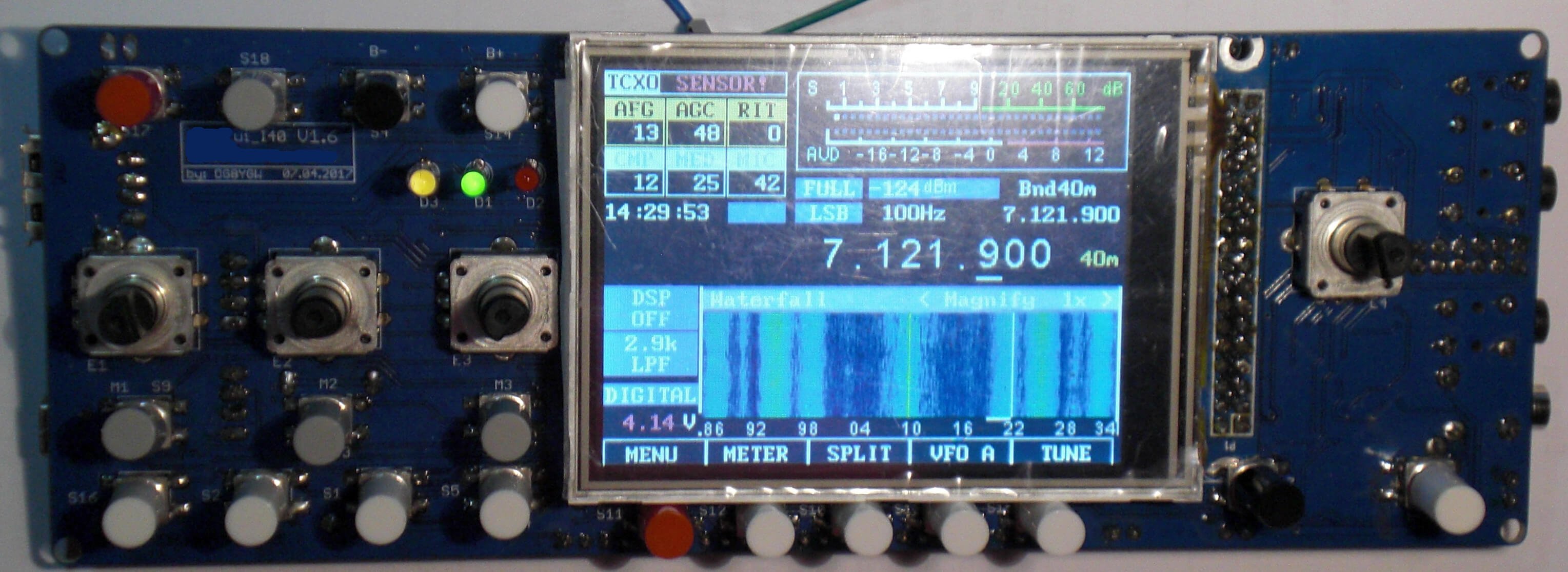
Thanks to various contributors for letting us know about the OVI-40, a new open source DIY SDR ham radio transceiver project that is now available for ordering. The OVI-40 appears to be a German project that is based on the mcHF transceiver. It is a standalone SDR transceiver (no PC required) with a frequency range of DC - 75 MHz. Most discussion appears to be happening in German on their forums, so it is a little difficult to get English information about it.
The kit has recently been released for preorder. The transceiver is a kit involving SMD soldering, but can be ordered fully soldered for 202 Euros (~$240 US) + taxes. The LCD screen is an additional 24 - 27 Euros. The kit without soldering done costs 112 Euros (~$132 US) + taxes.
The advertised details and specs are listed below:
OVI40-SDR is a transceiver which covers VLF...75MHz. It is mainly a DIY project - but all PCBs will also be available as soldered, aligned / programmed PCBs for all those, who do not have the skill to build a complex SMD project by themself or do not want it. OVI40-SDR will also be available as "only RX" and can be expanded with TX stages later.
Developer team takes inspirations from all existing commercial and DIY projects to get a SDR which combines possibly the best of all of them. But OVI40-SDR is not only a TRX - it is a philosophy. A community based working together, regardless of different countries, languages, religions, political systems - all are working together to get a very nice transceiver for themselfes and for others who are coming to the project later - wants to show, what people can reach if they are working together and do not struggle against each other. HAM radio always has connected the world - using the possibilities of the internet adds much more power for community working.
RX from VLF (~ a few KHz) ... 4m, possibly 2m Including
TX 160m ... 4m: 50W, 2200m, 630m and 4m (2m if Implemented): 10 ... 20mW SMA Out
continuosly tuned preselection
PA works using double LDMOSFET, independent BIAS adjusted. BIAS is internally Measured via A / D and can be set in menu Directly in [mA].
TX and RX mixer with very low capacity to minimize LO leakage
true RX QSD mixer using instrumental amplifiers
all internal Voltages (8V, 5V) are generated using well-shielded switching regulators. Additionally switching frequency is shifted via firmware so that never harmonics are present in the RX spectrum
included hardware for measuring antenna (sweep) using logarithmic amplifier
output of an independent selectable rf to SMA plug. I am experimenting to use this as a beacon WSPR Which can run parallel to radio
Thanks to RTL-SDR.com reader 'flatflyfish' for submitting information on how to get Martin Marinov's TempestSDR up and running on a Windows system. If you didn't already know by definition "TEMPEST" refers to techniques used by some spy agencies to eavesdrop on electronic equipment via their unintentional radio emissions (as well as via sounds and vibrations). All electronics emit some sort of unintentional RF signals, and by capturing and processing those signals some data can be recovered. For example the unintentional signals from a computer screen could be captured, and converted back into a live image of what the screen is displaying.
TempestSDR is an open source tool that allows you to use any SDR that has a supporting ExtIO (such as RTL-SDR, Airspy, SDRplay, HackRF) to receive the unintentional signal radiation from a screen, and turn that signal back into a live image. This can let you view what is on a screen without any physical connections. If a high gain directional antenna is used then it may be possible to receive images from several meters away as well.
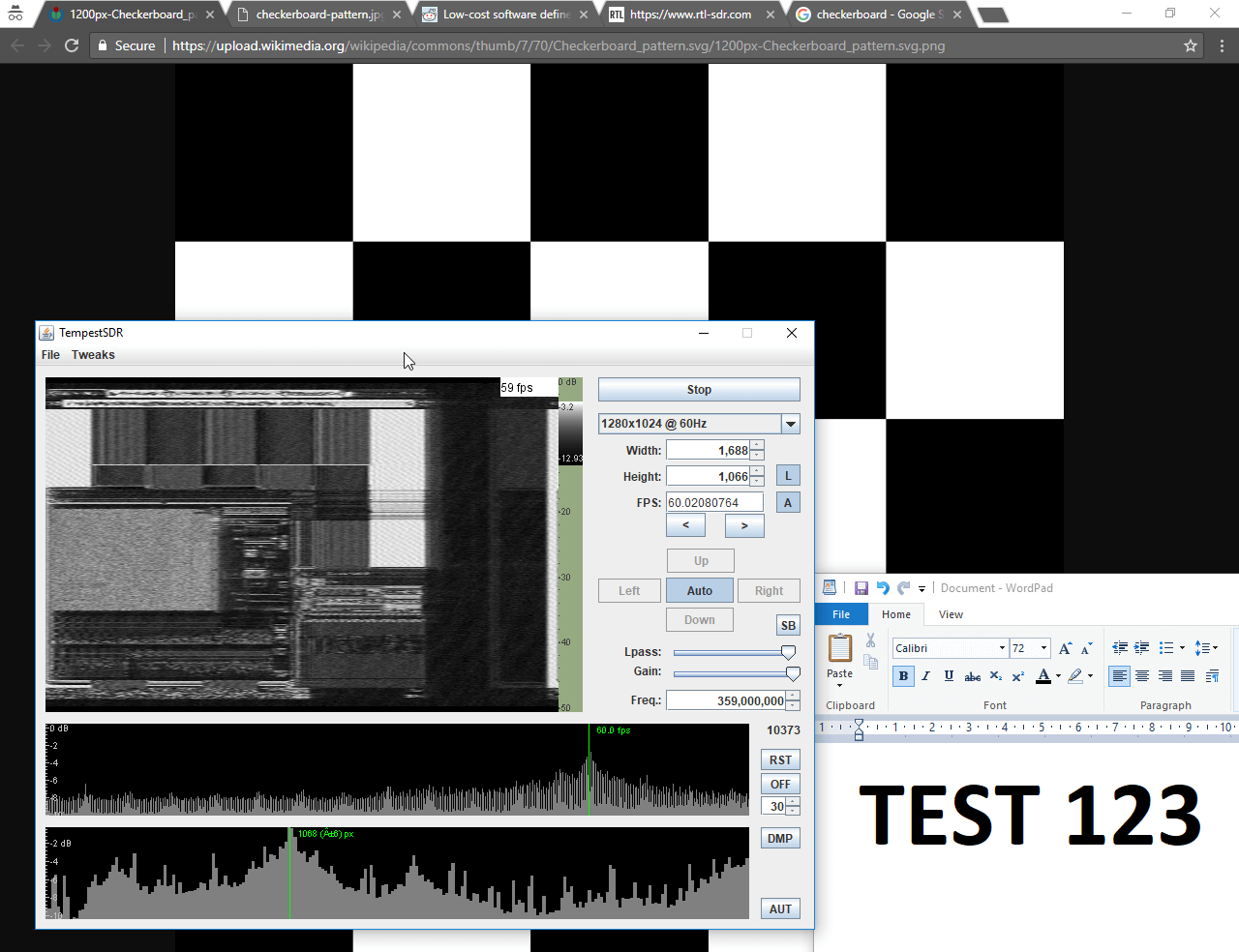
TempestSDR showing what's on the screen via unintentional RF radiation from the monitor.
Although TempestSDR has been released now for a number of years it hasn't worked properly in Windows with ExtIO interfaces. In his email flatflyfish showed us how to compile a new version that does work.
1. You need to install a 32-bit version of the Java runtime. The 64-bit version won't work with extio's possibly because they are all 32-bit. Also install the JDK.
2. You need to install MingW32 and MSYS and put their bin folders in your Windows PATH.
3. Then when compiling I was seeing a lot of CC command unknown errors. To fix that I just added CC=gcc to the top of all makefiles. I also removed the Mirics compilation line from the JavaGUI makefile to make things easier as we're not using that sdr.
4. Originally my JDK folder was in Program Files. The makefile didn't like the spaces in the folder, so I moved it to a folder without spaces and it fixed the errors.
5. Lastly to compile it you need to specify the ARCHNAME as x86 eg "make all JAVA_HOME=F:/Java/jdk1.7.0_45 ARCHNAME=X86"
After doing all that it compiled and I had a working JAR file. The extio's that are used normally with HDSDR work fine now and I get some images from my test monitor with an rtlsdr.
We tested compilation ourselves and were successful at getting a working program. To help others we've just uploaded a fork of the code with the makefile changes done, as well as a precompiled release ZIP available on the releases page so no compilation should be required to just use it. Note that to use the precompiled JAR you still need to install MingW32, and also don't forget to install the MingW /bin and msys /1.0/bin folders into the Windows PATH. You also do need to have the 32-bit Java runtime installed as the 64-bit version doesn't seem to work. On at least one Win 10 machine we also had to manually add a 'Prefs' folder to the Java path in the registry.
We've tested the software with the ExtIO for RTL-SDRs (available on the HDSDR downloads page) and confirmed that it works. Images from one of our older DELL monitors using DVI are received nicely, although they are a bit blurry. We also tried using an Airspy or SDRplay unit and this significantly improved the quality of the images a lot due to the larger bandwidth. The quality was good enough to make out large text on the screens. ExtIO's for the Airspy are available on this page, and for the SDRplay on the official SDRplay website. Note that for the SDRplay we were unable to go above 6 MHz, and on the RTL-SDR 2.8 MHz was the limit - anything higher on these SDRs did not produce an image possibly due to dropped samples.
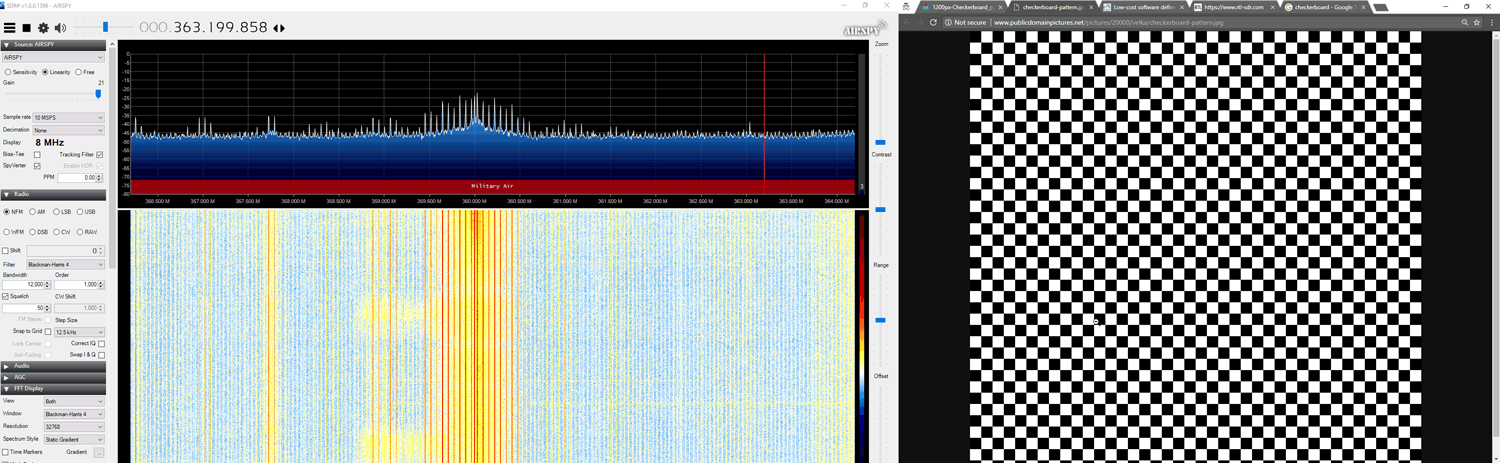
To use the software you should ideally know the resolution and refresh rate of your target monitor. But if you don't there are auto-correlation graphs which actually help to predict the detected resolution and frame rate. Just click on the peaks. Also, you will need to know the frequency that your monitor unintentionally emits at. If you don't know you can browse around in SDR# looking for interference peaks that change depending on what the image of the screen is showing. For example in the image below we show what the interference might look like. A tip to improving images is to increase the "Lpass" option and to watch that the auto FPS search doesn't deviate too far from your expected frame rate. If it goes too far, reset it by re-selecting your screen resolution.
Unintentionally radiated RF signal from computer screen shown in SDR#
The best results were had with the Airspy listening to an older 19" DELL monitor connected via DVI. A newer Phillips 1080p monitor connected via HDMI had much weaker unintentional signals but images were still able to be recovered. A third AOC 1080p monitor produced no emissions that we could find.
Clear images were obtained with an antenna used in the same room as the monitor. In a neighboring room the images on the DELL monitor could still be received, but they were too blurry to make anything out. Possibly a higher gain directional antenna could improve that.
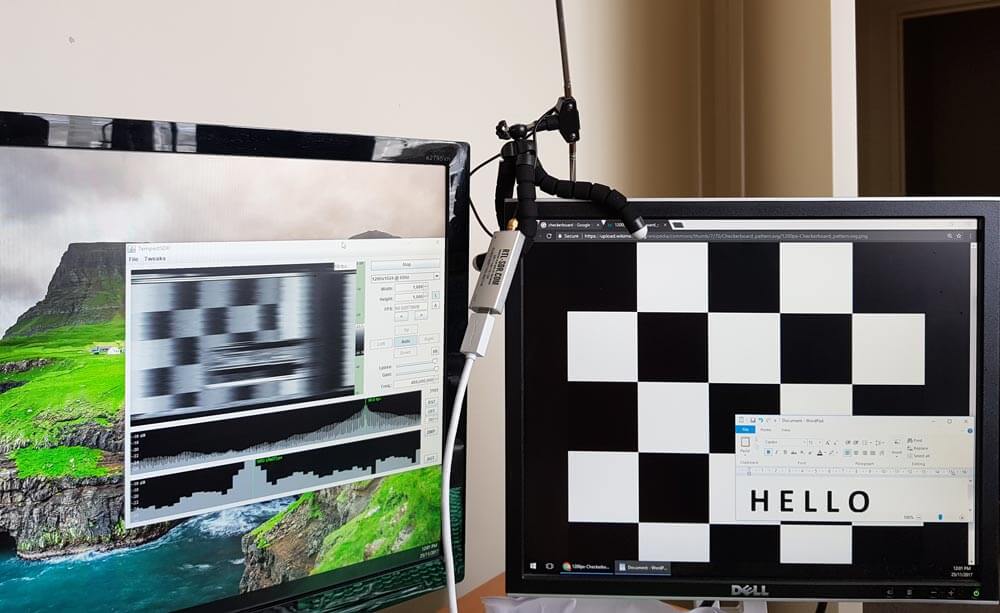
An example set up with RTL-SDR antenna and monitors
Below we've uploaded a video to YouTube showing our results with TempestSDR.
TempestSDR - Remotely Eavesdropping on Monitors via Unintentionally Radiated RF