Category: Applications

Receiving Outernet with a Grid Antenna and LeanDVB

Recently Luigi Freitas wrote in to us and wanted to share his fairly unique Outernet setup which is based on a Grid dish antenna, low cost SPF-5189 LNA, C.H.I.P mini single board computer generic RTL-SDR, and the open source LeanDVB decoder software.

Last month we made a post about LeanDVB, a lightweight DVB-S decoder, which with a few configuration changes can be used to also demodulate the Outernet signal. Luigi places his 2.4 GHz WiFi grid antenna (which still works for the 1.5 GHz Outernet signal) on a tripod and points it towards the Outernet satellite in his area. He connects the antenna up to a SPF-5189 based LNA, which is a 50 – 4000 MHz LNA that is very cheaply found on eBay for about $7 USD. Then a cheap generic no-TCXO $8 RTL-SDR is used together with the LeanDVB software.

In his post Luigi shows how to set up the LeanDVB software for decoding the Outernet signal by piping the output of rtl_sdr into it, and getting all the settings correct. To get the final files he then shows how to pipe the decoded packets in the Skylark decoder, and then the files can be accessed from the regular Outernet web GUI.

The LeanDVB Decoder GUI showing a successful lock

Listening to July’s Arecibo Observatory Ionospheric Heating Campaign

During July 24-31 the large Arecibo Radio Observatory in Puerto Rico (the big dish antenna that you may be familiar with from the movie ‘Contact’) ran an Ionospheric heating experiment which involves transmitting 600kW of net power up into the Ionosphere. This type of experiment is used for researching plasma turbulence in the ionosphere and upper atmosphere.

“The new Arecibo ionosphere HF heater nominally transmits 600 kW net power and has a unique Cassegrain dual-array antenna design that increases gain of three crossed dipoles for each band, using the signature 1000-foot spherical dish reflector,” explained Chris Fallen, KL3WX, a researcher at the University of Alaska-Fairbanks HAARP facility. He has reported that Arecibo would use 5.125 or 8.175 MHz, depending upon ionospheric conditions, but emphasized that these are estimates and frequencies may be adjusted slightly. On July 25, Arecibo was transmitting on 5.095 MHz.

Over on YouTube Mike L. used his SDRplay RSP1 together with our BCAM HPF to record some transmissions from the observatory.

Receiving SSTV Images from the ISS with a V-Dipole and RTL-SDR

During July 20 – 24, 2017 the ISS (International Space Station) was transmitting SSTV (Slow Scan Television) images down to earth in celebration of the ARISS (Amateur Radio on the ISS) 20th Anniversary. The ISS transmits SSTV images on celebratory occasions several times a year. More information about upcoming ARISS events can be found on their website ariss.org.

Over on YouTube and his blog, user Tysonpower has created a video and writeup of his experiences with receiving the ISS SSTV images using an RTL-SDR, FM Trap filter and a V-Dipole antenna. The V-Dipole antenna is a super simple satellite antenna for NOAA/Meteor/ISS etc satellites that recently became popular due to Adam 9A4QV’s writeup on it.

Despite Laptop and PC troubles, he was able to capture several images. He also notes that he was able to use a Baofeng and Yagi antenna to receive the signal indoors.

Note that Tysonpower’s YouTube video is narrated in German, but there are English subtitles available if you turn on YouTube’s closed captions which should be on by default on this video.

[EN subs] ISS SSTV Event Juli 2017 - Empfang von drinnen und V-Dipole

SDRTrunk Setup and Use Tutorial

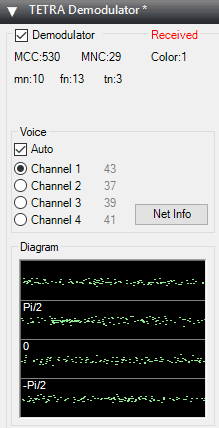
Over on his blog John Hagensieker has uploaded a tutorial that shows how to set up SDRTrunk with RTL-SDR dongles. SDRTrunk is an application that allows you to follow trunked radio conversations, and decode some digital voice protocols such as P25 Phase 1. It is similar to Unitrunker and DSDPlus combined into one program. It is also Java based so it is cross platform and so can be used on Linux and MacOS systems as well.

John’s tutorial contains many useful screenshots, so it should be great for a beginner. He starts from the beginning, with finding trunking frequencies over on radioreference.com, then goes on to the installation and use on Linux. He also later explains how the Airspy can be used instead of multiple RTL-SDR to cover 10 MHz of bandwidth so that multiple systems can be monitored.

SDRTrunk Running and decoding a P25 Phase 1 System

Installing and Using SDRTrunk on Linux for Live Trunk Tracking with an RTL-SDR

SDRTrunk is a cross platform Java based piece of software that can be used for following trunked radio conversations. In addition to trunk tracking it also has a built in P25 Phase 1 decoder. Compared to Unitrunker SDRTrunk is an all-in-one package, and currently it supports most trunking system control channels, but unlike Unitrunker it still misses out on some systems EDACS and DMR.

Over on his YouTube channel AVT Marketing has uploaded an excellent 6-part video series that shows how to install SDRTrunk and the Java runtime environment on Ubuntu Linux. The sections covered include, installing Java, setting the Java environment variables, installing other SDRTrunk prerequisites such as Apache Ant and the JMBE audio codec for decoding P25, and finally actually using and setting up SDRTrunk. Like all of AVT’s other videos, this is an excellent tutorial that takes you through the entire process from the very beginning so is useful for beginners as well.

Installing SDRTrunk & Java JRE on Ubuntu Linux

If you’re new to trunking: Trunking systems are typically used with handheld radio systems (e.g. those that police, security guards, workmen etc carry around). The basic idea is that each radio constantly listens to a digital control channel which tells it what frequency to switch to if a call is being made. This allows the frequency spectrum to be shared, instead of designating one fixed frequency per user which would be very inefficient. But this system makes it difficult for scanner radios to listen in to, because the voice frequency could change at any time. Therefore software like Unitrunker and SDRTrunk which can decode the control channel is required. In addition many new systems use digital audio like P25 or DMR which requires digital decoders like SDRTrunk or DSDPlus.

Creating an Encrypted ADS-B Plane Spotter with a Raspberry Pi, RTL-SDR and SSL

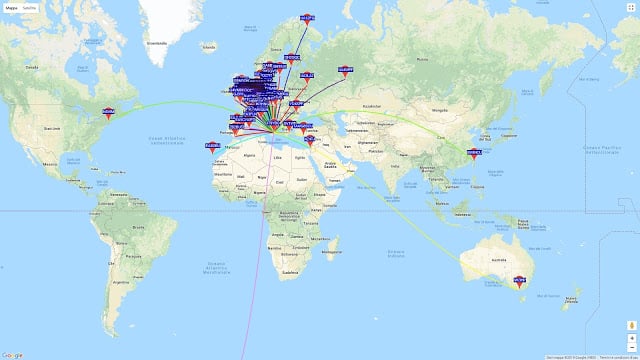
These days it’s quite easy to share your ADS-B reception on the internet with giant worldwide aggregation sites like flightaware.com and flightradar24.com. These sites aggregate received ADS-B plane location data received by RTL-SDR users from all around the world and display it all together on a web based map.

However, what if you don’t want to share your data on these sites but still want to share it over the internet with friends or others without directly revealing your IP address? Some of the team at beame.io have uploaded a post that shows how to use their beame.io service to securely share your ADS-B reception over the internet. Beame.io appears to be a service that can be used to expose local network applications to the internet via secure HTTPS tunneling. Essentially this can allow someone to connect to a service on your PC (e.g. ADS-B mapping), without you revealing your public IP address and therefore exposing your PC to hacking.

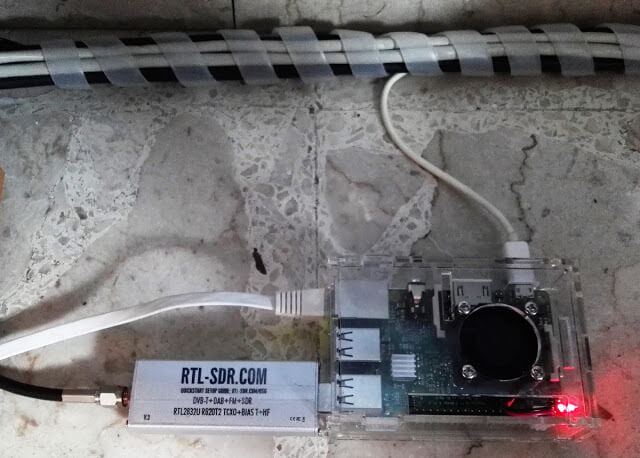
On their post they show how to set up the RTL-SDR compatible dump1090 ADS-B decoder on a Raspberry Pi, and then connect it to their beame-instal-ssl service.

Encrypted ADS-B Sharing with the beame.io service.

Detecting Car Keyfob Jamming With a Raspberry Pi and RTL-SDR

It’s been known for a while now that it is possible to break into cars using simple wireless attacks that involve jamming of the car keyfob frequency. Sammy Kamkars “rolljam” is one such example that can be built with a cheap Arduino and RF transceiver chip. One way to secure yourself against wireless attacks like this is to run a jammer detector.

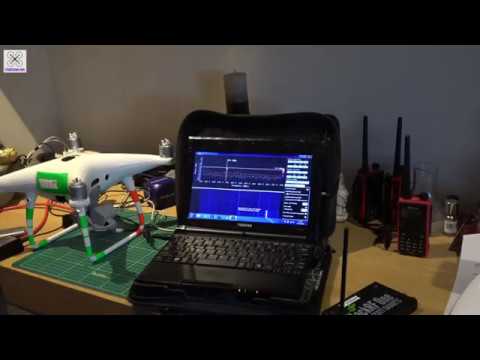
A jammer detector is quite simple in theory – just continuously measure the signal strength at the car keyfob frequency and notify the user if a strong continuous signal is detected. Over on his blog author mikeh69 has posted about his work in creating a wireless jammer detector out of a Raspberry Pi and RTL-SDR dongle. He uses a Python script and some C code that he developed to create a tool that displays the signal strength on an onscreen bar graph and also conveys signal strength information via audio tones. He writes that with a pair of earphones and battery pack you can use the system while walking around searching for the source of a jammer.

Mikeh69’s post goes into further detail about installing the software and required dependencies. He also writes that in the future he wants to experiment with creating large area surveys by logging signal strength data against GPS locations to generate a heatmap. If you are interested in that idea, then it is similar to Tim Haven’s driveby noise detector system which also used RTL-SDR dongles, or the heatmap feature in RTLSDR Scanner.

[Also seen on Hackaday]

RTL-SDR + Raspberry Pi Jammer Detector.

Receiving ADS-B Jetliner Traffic with a Simple Paper Clip

Over on YouTube user icholakov has uploaded a new video showing how easy it can be to build a cheap ADS-B antenna out of a simple paper clip and coax connector. Modern aircraft carry an ADS-B transceiver and antenna which broadcasts the current GPS location of the aircraft. This is used for collision avoidance and air traffic control, but anyone with a receiver like an RTL-SDR can also receive and decode these signals, and plot locally received air traffic on Google maps. We have a tutorial for decoding ADS-B signals available here.

In the video Thomas Cholakov (N1SPY) explains the concept behind the antenna design, which is a standard 1/4 wave ground plane cut to the correct dimensions for ADS-B at 1090 MHz. He cuts 5 pieces of the same length, with one piece used as the active whip element, and four pieces used in the ground plane element. The paper clip pieces are then soldered onto a coaxial connector and then the antenna is ready to be used.

2017: Paper Clip vs. Jetliner Traffic