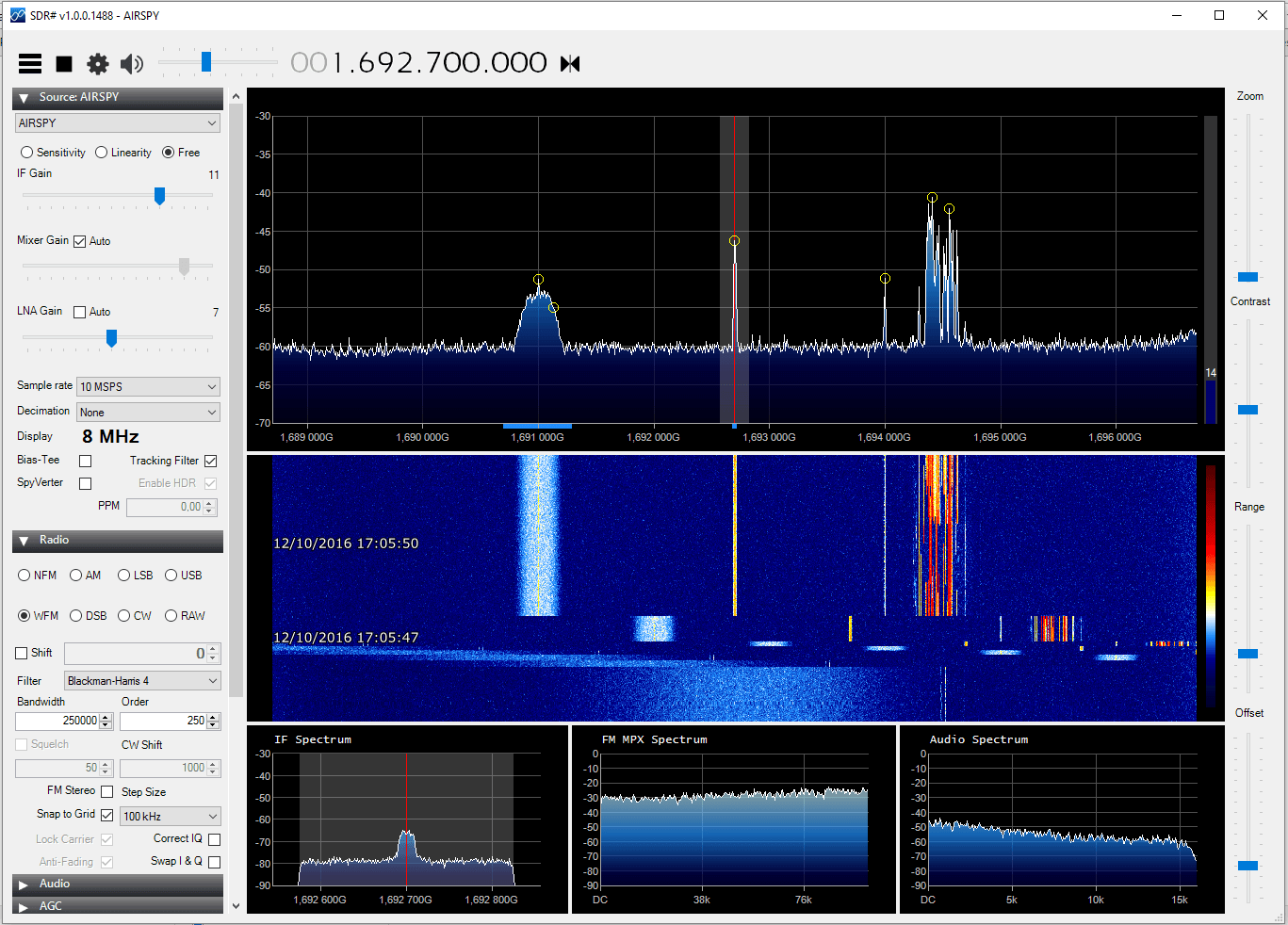
DSD+ (Digital Speech Decoder+) is a popular Windows tool that can be used together with an RTL-SDR to decode digital speech signals such as P25 and DMR. There is unfortunately no version for OSX.
However, recently on YouTube user Matthew Miller has uploaded a video showing DSD+ running with CubicSDR on OSX. To do this he used a utility called “Wine Skin” which creates a wrapper that allows Windows software to run on a MAC computer running OSX. This means that DSD+ can be run on directly OSX without the need to use a virtual machine with Windows installed on it.
Jupiter and its satellites like Io sometimes interact to create “radio storms” which can be heard from earth at frequencies between 3 to 30 MHz. The radio storms can be predicted and Mario uses the Windows software Radio Jupiter Pro to do this. This helps to predict when are the best times to listen for emissions. On his Raspberry Pi Mario has also written a python script that can do the predictions too.
To make the radio emissions measurements, Mario uses an RTL-SDR dongle and upconverter together with rtl_power to gather FFT frequency power results and waterfall plots. To measure the emissions Mario writes that he keeps the frequency scan running for at least several hours a night with a Raspberry Pi as the receiving computer. For his antenna the low Jupiter frequencies necessitate a large 7 meter dipole tuned for receiving at 20.1 MHz.
For the Internet of Things side of the project, Mario envisions that several amateur radio astronomers around the world could run a similar setup, with all sharing the data to an Amazon AWS data storage server. Mario has already written software that will do the scan and automatically upload the results to the server. To participate you just need to write to him to receive the AWS IoT authentication certificate files.
The internet of things is set to become the next big thing in technology. The IoT consists of multiple networked devices such as sensors and computers connected in various ways such as via wireless communication protocols. LoRa is an abbreviation of “Long Range” and is one such wireless protocol that is being used in IoT devices.
[LoRa] is a radio modulation format that gives longer range than straight FSK modulation. This is achieved by a combination of methods: it uses a spread spectrum technique called Chirp Spread Spectrum (CSS) and it uses forward error coding (in combination with whitening and interleaving).
Over at the RevSpace hackerspace, a hardware hacker called bertrik has been working with his RTL-SDR to try and reverse engineer the LoRa protocol. His goal is to make it so that anyone can receive and decode LoRa signals without needing to purchase specific hardware that supports the modulation. The reverse engineering work is not yet finished, but bertrik has already determined many parts of the protocol by looking at the signals in Audacity. He also writes that there is currently a ready made LoRa decoder available for sdrangelove, a Linux based SDR receiver application similar to GQRX and SDR#.
You might also be interested in this previous article we posted about the Z-Wave wireless networking protocol being hacked with a HackRF.
Every year politicians and business men meet at the “World Economic Forum” in the small mountain town of Davos, Switzerland to discuss various topics and create business deals. This year Quartz, an online newspaper/magazine sent a journalist to the forum. However, the journalist wasn’t tasked with writing a conventional story about the forum topics – instead he was asked to use an RTL-SDR to monitor the private helicopter traffic coming in and out of Davos using ADS-B data. They write that their reasoning for doing this as follows:
We went to all this trouble because there is perennial fascination with the flying habits of the 2,800 Davos delegates. Use of private aircraft, though often wildly overstated, highlights the vast wealth and power that descends upon this small skiing town in the Swiss Alps each year. And their transportation choices are frequently criticized for their environmental impact at a conference that seeks solutions to reducing carbon emissions, among other topics.
Using an RTL-SDR dongle, Raspberry Pi and ADS-B collinear antenna they monitored the flights over Davos. From the data they were able to determine the flight paths that many helicopters took, the types of helicopters used and the most popular flight times. They were able to identify 16 private helicopters that were used, although they write that some may not have had their ADS-B transponders turned on.
The RTL-SDR and various other components used to track the helicopters.The flight path taken by the private helicopters.
AISRec is an RTL-SDR compatible AIS decoder that is made for Windows and Android. AIS is an acronym for Automatic Identification System and is a system used by ships to broadcast position and vessel information. By monitoring AIS transmissions with the RTL-SDR we can build a boat radar system. We have a tutorial on this here (using other software).
The last time we tried AISRec we found that it had very good ability at decoding AIS messages, especially very weak ones and was by far the easiest AIS decoder to set up and use on Windows. The features include:
1. Work with all rtlsdr dongles. Allow future support for other SDR devices. 2. Stable reception of AIS signals at as low as SNR 7 dB. 3. Tolerance to frequency drifts > 30 ppm. 4. Dual-channel reception at 161.975 MHz and 162.025 MHz. 5. Channel selectivity > 56 dB. 6. Low CPU usage. No problem for Atom CPU and above. 7. Output all types of AIS messages (including Class A and Class B) in NMEA formats to UDP ports. 8. Convertion of AIVDM to AIVDO messages for your own ship. 9. Display of the received NMEA messages and the statistics.
The author of AISRec writes in an email to us an explains that the trial version has a time limit and an RX message count limit for each run, whereas the registered lite version will not. The pro version will have some additional features. Currently the author has no method for taking in paid registrations, but plans to have this ready in the future. We will post again once registration is available.
Over on YouTube Adam Alicajic (9A4QV – creator of the LNA4ALL and upcoming MIX4ALL) has uploaded a video showing his reception of AERO-H signals from an Inmarsat satellite. A few days ago we posted about how the JAERO decoder had recently been updated to be able to decode these AERO-H signals. These signals contain various messages meant for airplanes, but also sometimes contain news messages.
In the video Adam uses a satellite dish antenna together with his MIX4ALL, an RTL-SDR dongle and the JAERO software. With decent reception he is able to easily decode the AERO-H messages.
The JAERO decoder for AERO signals on Inmarsat satellites has recently been updated to version 1.03. This new version supports the decoding of 10.5k Aero-H and Aero-H+ signals. The author of JAERO Jonti writes that on these channels he’s seeing significantly more traffic than on the narrowband signals and that he was suprised to see that other non-aircraft messages such news was broadcast on this 10.5k signal. Jonti writes about his experience in developing the 10.5k decoder and his experience with receiving the messages in this post.
Jonti discovered that news updates are also broadcast on 10.5k AERO.What the 10.5k signals look like compared to the 600 signals.
If you like Jonti’s apps, then please remember to donate a small amount to him so that he can continue to work on them more. His PayPal donate button can be at the bottom of his main page.
Fortunately Tristan’s current thermostat is wireless, so he decided to use his RTL-SDR to sniff the data it sends to try and find the on and off signals. By using SDR# he was able to discover the radio traffic stream in the ISM band at 433 MHz. After simply recording the signal audio, he passed the audio file into Audacity to analyze the messages. He discovered that the ON and OFF signals were on-off key (OOK) modulated, and he was able to discover the binary control string and pulse timings.
With this information at hand, Tristan was then able to use a cheap 433 MHz radio transmitter together with his Arduino to replicate the ON/OFF boiler control signals. In the future Tristan plans to add a temperature sensor and web interface to monitor everything.