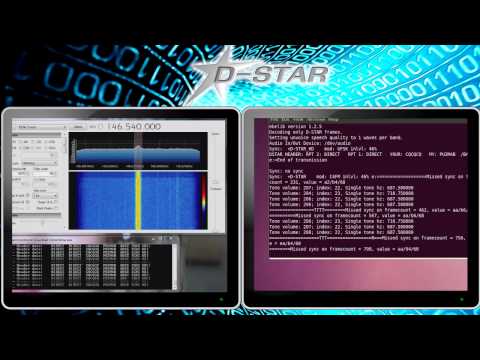
Recently we posted about PU2VLW’s project where he was able to decode and listen to D-STAR voice using an RTL-SDR and SDR# running on Windows connected via physical audio cable to a second Linux machine running DSD 1.7.
Now a RTL-SDR.com reader by the name of “Skywatcher” has written in to tell us how he was able to compile DSD 1.7 on a Windows PC using Cygwin. This allows him to decode D-STAR audio on a single Windows PC. Skywatcher kindly sent us the steps he used to compile DSD 1.7 on Windows.
1. Download the zip archive for dsd-1.7.0 from here: https://github.com/szechyjs/dsd and then unzip the archive, so that you get the folder dsd-master, which includes all the source files.
2. Download the zip archive for mbelib-1.2.5 from here: https://github.com/szechyjs/mbelib and then unzip the archive, so that you get the folder mbelib-master, which includes all the source files.
3. Download and install the Cygwin environment. It is important to use the 32 bit version. It will not work with the 64 bit version. In the installation process, you also have to make sure that you choose gcc (the compiler) for installation.
4. Within the Cygwin command window, use gcc, to compile every .c file within the folders mbelib-master and dsd-master (subfolders can be ignored), so that you will get an .o file (object file) for each source file.
5. Copy all the resulting .o files from mbelib-master to dsd-master and use gcc again to link all the object files, so that you will get the final executable dsd.exe. This final step also has to include the sndfile library from Cygwin being mentioned in the call of gcc, otherwise it will not work.
6. In order to start dsd.exe, it is necessary to copy cygwin1.dll to the same folder, where your built dsd.exe is. It is very important that the version number of the dll is being lower than 1.7.26, otherwise dsd.exe will crash. If this is not the case for your dll, you have to find an alternative version from the internet. Additionally, it may be necessary to copy more dlls, needed by the sndfile library, next to your dsd.exe. This may depend on your environment variables of your system.
7. For decoding D-Star, you should call DSD like following: dsd -i /dev/dsp -o /dev/dsp -fd
8. For best results, make sure that all your SDR# and VAC sample rates are set to 48kHz and that you have disabled “Filter Audio” in SDR#. Also, the audio volume of SDR# should not be set to high.
With DSD 1.7 running on Windows, Skywatcher was able to get these results shown in the video links below.
https://www.youtube.com/watch?v=5qpwnTDvI-Q
https://www.youtube.com/watch?v=30GcI4LDjdg&feature=youtu.be
EDIT: Reader Kotelnikov007 from the comments section has been kind enough to upload a pre-compiled windows version. https://mega.co.nz/#!Ft9WFbgQ!sOhsUeMC83Xi5Wxjr4eEPoc0WuM0cJOM2bq9DnE4dWE
EDIT 2 (30/12/2016): The above link seems dead. Reader Adrian wrote in to submit his compilation which is available at https://mega.nz/#!jJZRALrb!NylT4jmZIBwCyZqU05EaX8wqObxuaqeTzCD8hHP5gO8.
Adrian also writes
– The list of the required DLLs to make it work are these:
https://twitter.com/CodingFree/status/813788401610739712
– It is needed to load sndfile library (already prebuilt in Cygwin).
– It needs MBE, but also the ITPP libraries.