Over on YouTube user Techminds has uploaded a video that shows how he is using a Raspberry Pi Zero to transmit WSPR. To do this he uses the WsprryPi software which allows you to transmit WSPR by connecting an antenna directly to a GPIO pin on the Pi Zero. With this no extra hardware is required, although a filter is highly recommended to reduce spurious emissions from harmonics.
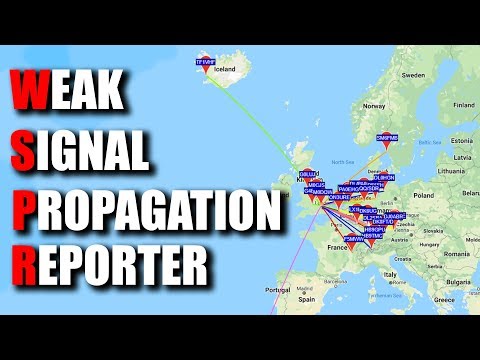
In his test Tech Minds directly connected the Pi Zero to an unun and HF wire antenna and ran WsprryPi. His results showed that even with the tiny 10mW output power of the Pi Zero's GPIO port his WSPR messages were able to reach several receivers halfway across Europe, and even to Iceland and Morocco from his home in the UK.
WSPR is an amateur radio digital HF mode designed to be decodable even if the signal is transmitted with very low power and is very weak. It can be used to help determine HF radio propagation conditions as WSPR reception reports are typically automatically uploaded to wsprnet.
WSPR - Weak Signal Propagation Reporter - From A Pi Zero ?
GNU Radio Conference is a yearly conference based around the GNU Radio project and the surrounding community. GNU Radio is an open source digital signal processing (DSP) toolkit which is often used to implement decoders, demodulators and various other SDR algorithms.
GRCon is the annual conference for the GNU Radio project & community, and has established itself as one of the premier industry events for Software Radio. It is a week-long conference that includes high-quality technical content and valuable networking opportunities. GRCon is a venue that highlights design, implementation, and theory that has been practically applied in a useful way. GRCon attendees come from a large variety of backgrounds, including industry, academia, government, and hobbyists.
The 2019 GNU Radio Conference will be held on September 16-20 at the Marriot at the Space & Rocket Center in Huntsville, Alabama.
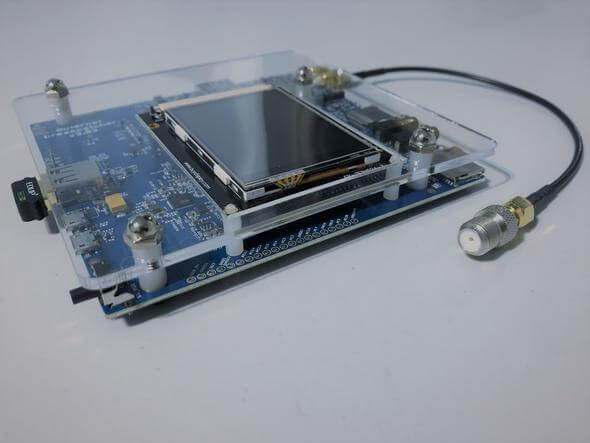
Over on the Othernet website the Dreamcatcher hardware is currently on sale for only US$49. This is the lowest we've ever seen it for sale.
If you weren't already aware, the Othernet project aims to bring live data such as news, weather, video, books, Wikipedia articles and audio broadcasts to the world via a free satellite service and cheap receivers. Although an internet connection provides the same data, Othernet's satellite broadcast is receivable in remote areas, will continue working in disasters, and costs nothing to continually receive roughly 200MB of data a day. The trade off is that the service is downlink only, so the data that you get is only what is curated by the Othernet team.
Currently the public service is in a test period and is only available in North America. Europe has come online recently too, however they write that the current version of Dreamcatcher that is for sale may not be optimal for receiving the EU signal.
While currently active, they write that the Othernet satellite service is not guaranteed to continue long term. However even if the service discontinues, the Dreamcatcher can still be used as a TX/RX capable LoRa radio. In a previous post we demonstrated a fun application with two Dreamcatchers and a LoRa chat application.
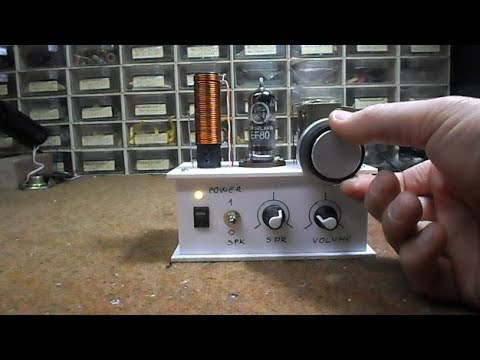
Vacuum tubes are not typically found in software defined radios, but this interesting mix of old and new technology by Mirko Pavelski uses one in it's front end. The way it works is that the analogue radio circuit receives a small range of spectrum, and then the tube acts as a mixer, converting that spectrum down into audio frequency range which can be heard by a computer sound card.
The sound card acts as the ADC, digitizing the signal, and then the "SDRadio" software performs the final filtering and demodulation of a narrowband signal in software. This is the same concept used by other HF sound card SDRs such as the Softrock, although those of course do not use tubes in their design. Mirko writes:
Simple to build receiver made according to the instructions of Burkhard Kainka : http://www.b-kainka.de/bastel100.htm. I made it with EF80 tube instead EL95 and it works great. It is powered by a 7.4V lithium-ion battery followed by a 7806 stabilizer, so we get 6v for tube heating and there are no problems with 50 Hz hum. Тhe resonant circuit is made of strong coil with 20 turns of 1.5 mm thick wire wound on a PVC tube with 18 mm diameter. At the cold end of the resonant circuit is an antenna coil with two turns. At the output of the radio, I connecт 2 transistor preamplifier and cheap amplifier module in D class. So we get battery powered tube АМ radio. Using the potentiometer we can select between AM or SDR mode of operation.
In SDR mode, we need to connect the output of the radio to "line in" in sound card of the computer. Then we use some of the free software for example "SDRadio" from Alberto I2PHD. Тhe receiver has very good frequency stability which drifts less than 1 Hz per minute. Тhis is important if we want to decode DRM signals. In good HF propagation conditions I receive BBC World service DRM radio (3995MHz) with 16dB SNR here in Ohrid (41.1231° N, 20.8016° E). This little radio, with a long wire antenna and good grounding, gives us a lot of fun.
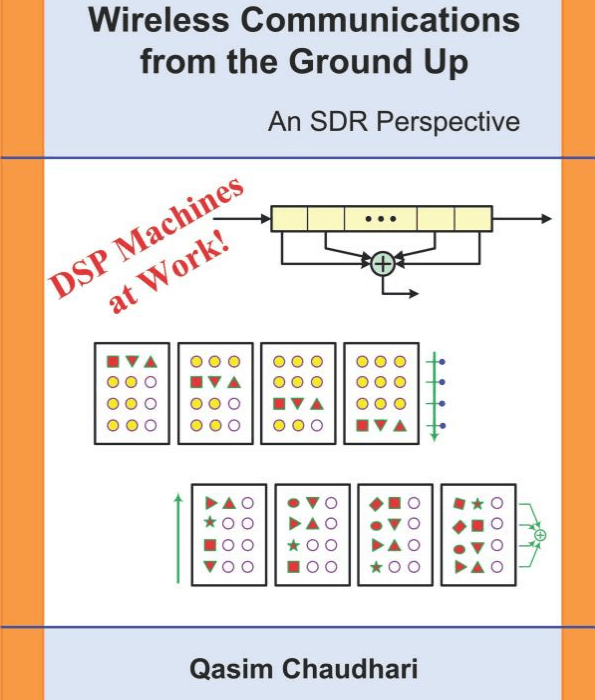
Thanks to author Qasim Chaudhari for writing in and sharing with us that his new book titled "Wireless Communications From the Ground Up - An SDR Perspective" has been released. Qasim is a research fellow in the Electronic and Telecommunications Engineering department at RMIT University in Australia and has been giving presentations and talks each month at Cyberspectrum Melbourne for more than 3 years.
His book covers University level wireless communications and digital signal processing (DSP) topics with a focus on SDR. Qasim writes that most DSP books that he's seen in the past were written for professional academics which made them difficult to for other technical (but non-mathematical) persons to understand. You can't explain DSP without equations, but Qasim notes that his book aims to keep the math content at school level only, and with plenty of figures to help with visualization. The description reads:
There are different angles from which this book contributes to the understanding of wireless communication systems from the perspective of a Software Defined Radio (SDR).
In my opinion, any language, including that of mathematics, is an unnatural mode of communication. For example, I can write the words darwaza, porte, puerta, umnyango, ovi and only certain people will understand what I mean. However, if I show you an image of a door, almost every single person on the planet will immediately get the concept. A figure imprints a massive amount of parallel information in our brains that is much easier to process and recall later. Since a human mind handles images very well, I try to visualize equations through beautiful figures which you will encounter throughout the text with logical and intuitive explanations.
If you are not a pure wireless communications academic, you would have found that the mainstream textbooks on this topic are filled with heavy mathematical details which makes this field an exclusive membership club for those who can understand several types of frequency variables and their corresponding Fourier transforms, probability and random processes and detection and estimation theories. While this is true for becoming a master, the Software Defined Radio (SDR) revolution and subsequent projects like GNU Radio have made it possible for anyone to sit down and construct their own unique radio by writing code. Many even do not need to know most of the above mentioned topics. All they need to understand is why an algorithm does what it does so that they know how to write its code, or modify it in an even better way. For this purpose, I have only relied on school level mathematics to explain all the concepts. You will not find any e or j of complex numbers here, nor will you encounter any integrals, probability theory and detection or estimation theory. The only things to know are a sine, cosine and a summation as well as a derivative (which I have occasionally used).
The best books written on implementing digital communication systems using Digital Signal Processing (DSP) algorithms are by fred harris (Multirate signal processing for communication systems) and Michael Rice (Digital communications – A discrete-time approach). As often happens with the grandmasters, they walk on a trail without exactly clarifying it for others. After reading their books, I started to feel that fred harris has mainly focused on `how' of communication systems in an unprecedented detail while Michael Rice has mainly covered `what' of communication systems in his simple and beautiful style. In this process, there were many `why' generated in my mind for which I had to find satisfactory answers. This book is a collection of those simple answers.
An extra little bonus is a one page summary of the crux of Rx algorithms, clarifying the role of particular parameters in the signal waveform. Most of the algorithm design can be understood by just grasping the concepts on this one page.
A common theme in this text is that some concepts seem easier in time domain and some others are simpler in frequency domain, while their mathematical derivations reinforce the idea. It is fun to grasp a concept covering all three sides. Finally, the book contains a few examples from GNU Radio that explain how to set the parameters in some blocks (e.g., Costas loop, band edge FLL, polyphase clock sync, etc.).
The book is currently available on Amazon, and on Amazon you can see a preview of some pages from the book. Qasim also has a website for the book here.
Wireless Communications from the Ground Up: An SDR Perspective by Qasim Chaudhari
Corrosive from the SignalsEverywhere YouTube channel is starting up a radio/SDR related podcast, and today has released episode one. The podcast is 22 minutes long, and in that time he discusses Es-hail-2, a geosynchronous satellite with an amateur radio transponder that was recently launched and activated, some of his favorite recent posts from our blog here at RTL-SDR.com, including posts about a 3D printed V-Dipole holder, Radwave RF Analyzer, cloning 433 MHz devices, and finally he ends the podcast by discussing the question of what SDR is right for you.
Podcasts are a great way to catch up on what's happening in the SDR and radio world so check it out below or over on the SignalsEverywhere podcast post.
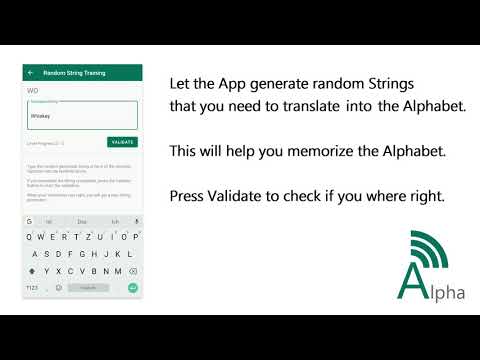
Thank you to Manuel DO5TY who wrote in and wanted to share his Android App that helps you to memorize the ham radio phonetic alphabet. The phonetic alphabet is a way to avoid confusion when speaking out similar sounding English letters such as "p" and "b". Instead of "pea" and "bee" these are spoken as "papa" and "bravo". The phonetic alphabet is commonly used in all sorts of radio communications, so it is a good skill to learn for potential hams, radio operators or even for people just listening in to radio communications.
The Phonetic Alphabet Trainer is an App you can easily learn the Alphabet that is used in the Military and on Hamradio contacts. The App has different options for you to learn and memorize the Alphabet. Your current Skill Level is displayed on the main screen and indicates how good you are at the Phonetic Alphabet.
Alphabetlist Take a look at the Phonetic Alphabet and see what words are used for each Character. You can also hear how the words are spoken out with a simple button click.
Train with random Strings Let the App generate random Strings and translate them into the Phonetic Alphabet. With that you can memorize the Alphabet and learn how to write them correctly at the same time. The String gets one Character longer each time you got Five in a row correct.
Train with Hamradio The App generates a random Callsign and speaks it out loud in the Phonetic Alphabet. Your Task is it to Write down the correct Callsign. You only have one try to get it right, your score is how many you recognize correctly in a row.
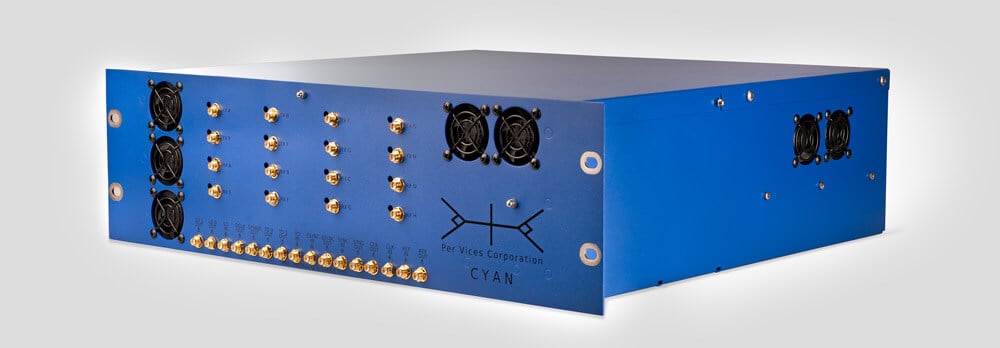
This blog is mostly concerned with software defined radios that are affordable to most hobbyists, but if you've ever wondered what the cutting edge is, take a look at the recently released Per Vices Cyan. This is a US$73,500 one channel RX/TX SDR with a tuning range from 100 kHz up to 18 GHz, ADC resolution of up to 16 bits, a maximum instantaneous bandwidth of up to 1 GHz (with 16 GHz if all channels are required), and an on board Stratix 10 FPGA. There are also higher end Cyan's, with the Cyan Mid having 8 RX/TX channels for USD$149,500, and the Cyan Pro with 16 RX/TX channels for USD$289,000.
Obviously Cyan is aimed at the research, industrial and possibly military market, but maybe this is the sort of capability we will all have in 10-20 years.
Their press release reads:
Per Vices Releases New High Bandwidth, Compact Software Defined Radio Platform
Ontario, Canada- February 20th, 2019
Per Vices, an industry leader in wireless platforms in North America, has been developing Software defined radio (SDR) solutions since 2006, offering customers high performance solutions. Continuing to grow their influence in the wireless communications, radar, signals intelligence, defence, medical imaging, and test and measurement markets. Their newest product, Cyan, is the best SDR available on the market, offering the highest bandwidth on a compact radio platform. Cyan continues to fulfill the company’s legacy by providing the market with the highest performance radio solutions.
Cyan is designed to offer users with a customizable number of independent, phase coherent radio channels, up to 16 total, each offering a standard 1GHz instantaneous RF bandwidth. Featured on a high channel count, ultra wide band, high gain direct conversion quadrature transceiver and signal processing platform. Cyan provides the highest RF and digital bandwidth with an onboard DSP in a compact form factor.
On the digital front, the platform is designed around an Intel Stratix 10 FPGA SoC enabling significant DSP resources for a variety of applications. The platform also features 4 x 40 Gbps digital backhaul enabling ultra-high data throughput while maintaining low latency for applications that require raw radio data to be transferred to another platform.
To learn more about Cyan, Per Vices, or their other product offerings, contact Brandon Malatest at +1 (647) 534-9007, or email [email protected], or visit the website at www.pervices.com