Category: RTL-SDR

E4000 Gain Mod now Available on Windows

One of the advantages of using Linrad on Linux used to be the ability to use a modified rtlsdr.dll file with improved sensitivity gain settings for the E4000 tuner. This mod added the following settings.

  1. AGC mode.
  2. Compromise. This is the gain settings available in the rtl-sdr library as of October 2012.
  3. Linearity mode. For use without filters in environments with strong signals. Low front end gain and high gain after filters.
  4. Sensitivity mode. For use in rural locations or when filters and preamplifiers are placed between the antenna and the dongle. High front end gain and low gain after the filters.

Here is a Reddit thread discussing the improvements, and showing how to apply them to Linrad.

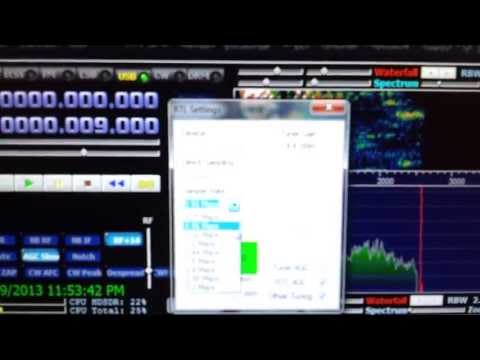
Now Reddit user rtlsdr_is_fun has ported this mod to Windows, and has written an SDRSharp plugin that enables the modified E4000 gain modes via rtl_tcp. This means you will need to run rtl_tcp first, and then connect to it using the RTLSDR / TCP option in SDRSharp. This mod also enables direct sampling for rtl_tcp.

There is a thread discussing the mod here, and you can download the mod from rtlsdr_is_fun’s webpage.

E4000 Linrad Gain Mod for SDRSharp

Satellite Receive Station with RTL-SDR and Raspberry Pi

Unfortunately the blog referenced in this post is now gone. We have changed all links to ones archived by archive.org.

Over on the carpcomm blog, the author has posted a how to guide on building a remote satellite receive station using the Raspberry Pi and a $20 rtl-sdr dongle or funcube. He uses his own opensource CarpSD software which allows the station to be accessed directly via the web.

Space and satellites are something that only few people are fortunate enough to interact with. However, this is starting to change due to the rapid growth in capability of consumer electronics. In fact, you can receive and decode transmissions from satellites using only a Raspberry Pi, a USB software-defined radio receiver, and a few other cheap parts.

For the software, we'll use the CarpSD ground station control software. It's an open-source program with the source hosted on GitHub. It runs as a background process and connects to the Carpcomm server, so that you can control your station from the Carpcomm website. Thus, there is no need to connect a display to your Raspberry Pi and you can leave your station running continuously in the background. The instructions below can be executed entirely over SSH.

Check out the rest of his post here.

Satellite Receive Station with Rapberry Pi and RTL-SDR

Reducing Interference in the RTL-SDR

Luis Colunga has posted an interesting tip on his blog on how he reduced broadcast FM interference in the rtl-sdr dongle. He writes

Many people have noticed that even if there is not an antenna connected to the RTL SDR FM Stations still come strong. This is not good at all because these are signals that are getting into the PCB via another way that is not the antenna.

He then goes on to explain a method he used to significantly reduce the interference, which involves removing the male USB connector from the dongle PCB, and fitting your own USB cable leaving the shield floating, which he then wraps with aluminium foil.

Interference Reduction Mod

Check out the rest of his post here.

RTL-SDR Tutorial: Receiving NOAA Weather Satellite Images

----------------------------------------------------------------

2025 Update:

***NOTE*** Unfortunately, the NOAA 15/18/19 satellites have now all been decommissioned as of August 2025. Therefore, it is no longer possible to receive them.

We will leave this tutorial post up for archival and historical reasons.

2024 Update:

***PLEASE NOTE THAT THIS TUTORIAL IS OUTDATED.***

Currently, we recommend using the SatDump software instead. A modern tutorial for SatDump can be found at https://www.a-centauri.com/articoli/noaa-poes-satellites-reception.

----------------------------------------------------------------

Everyday multiple NOAA weather satellites pass above you. Each NOAA weather satellite broadcasts an Automatic Picture Transmission (APT) signal, which contains a live weather image of your area. The RTL-SDR dongle combined with a good antenna, SDRSharp and a decoding program can be used to download and display these live images several times a day.

This tutorial will show you how to set up a NOAA weather satellite receiving station, which will allow you to gather several live weather satellite images each day. Most parts of this tutorial are also applicable to other software radios, such as the Funcube dongle and HackRF and Airspy, but the RTL-SDR is the cheapest option. Hardware radio scanners can also work, provided the radio has a large IF bandwidth (30 kHz +) and a discriminator tap.

Note that if you have success with this tutorial, you may also be interested in decoding Meteor M N2 weather satellites which provide much higher resolution images. Also, an alternative tutorial for decoding NOAA satellites that uses rtl_fm can be found here.

NOAA Weather Satellite Image

Examples

YouTube user GaitUutLiern shows an example of receiving NOAA satellite weather images with a RTL-SDR, SDRSharp, a decoding program called WXtoImg and a QFH antenna.

Receiving NOAA weather satellite using SDR# and WXtoImg

Continue reading

Quad DVB-T Receiver Reported to work with RTL-SDR

On the osmocom mailing list, Myles Eftos has reported that the DigitalNow Quad DVB-T Receiver works with rtl-sdr.

I just wanted to let you guys know that the Digital Now Quad DVB-T Receiver (http://digitalnow.com.au/product_pages/Quad.html) works. It’s a PCI-e card with 4 tuners on it, linked up internally via USB. This has pleased me no-end – I might finally be able to get DAB+ working on my media centre!

I had to add the following line to librtlsdr.c

{ 0x0413, 0x6680, “QuadDVBT” }

Quad Tuner