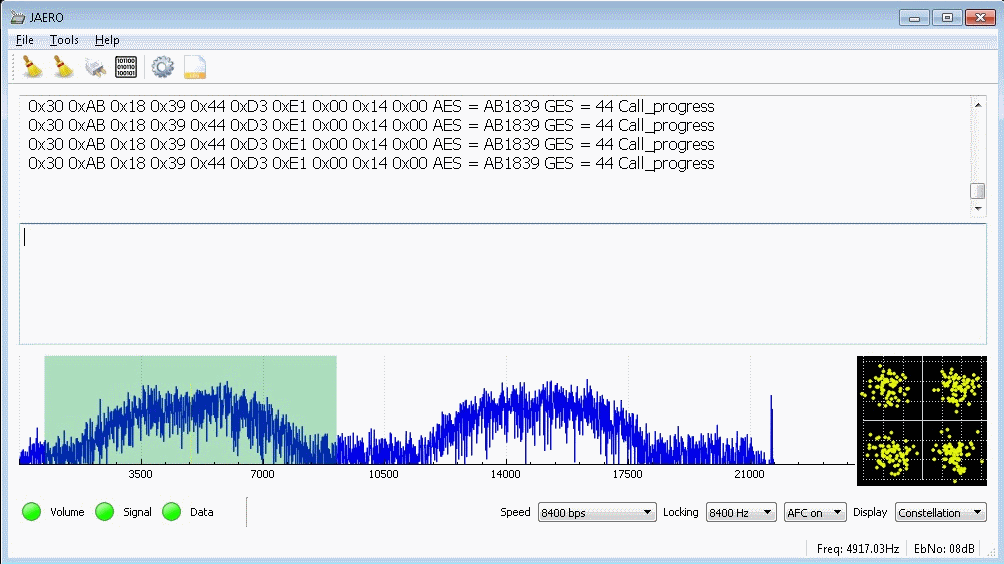
At the beginning of last month we posted about an update to JAERO which allows us to now listen to AERO C-Channel voice audio. AERO is a satellite based communications service used by modern aircraft, and it's possible to easily receive the signals with an RTL-SDR, L-band patch antenna and LNA. The C-Channel conversations are typically about Medlink which is a support line for medical emergencies, but other conversations may be heard too.
While it is possible to listen to these conversations, due to legal reasons regarding patents it is necessary to compile the audio decoder manually from source, and this can be quite an involved multi-step process on Windows. Fortunately, YouTuber Corrosive, who has been making SDR related videos for some time now has put up a three part video series on the process.
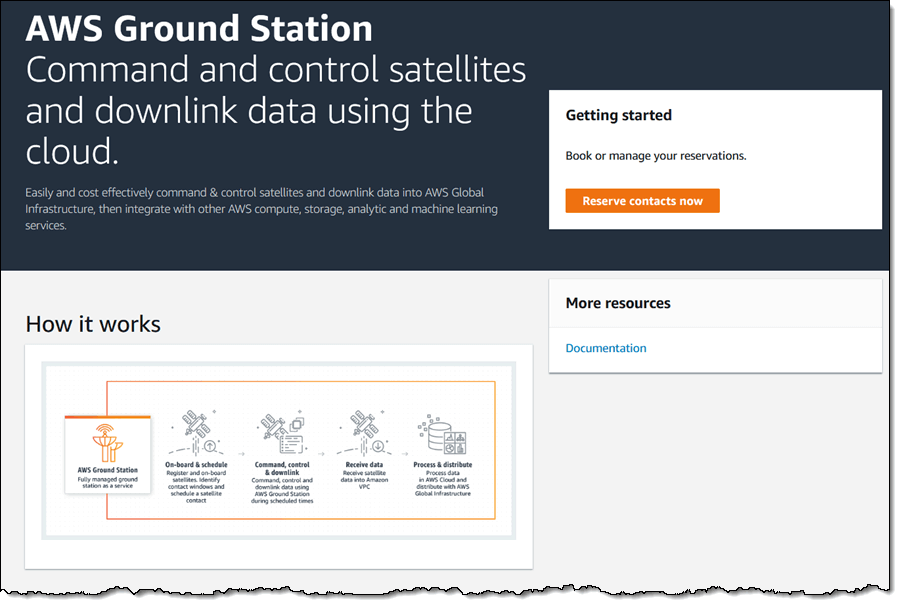
Over on the AWS blog Jeff Barr has blogged about Amazon's new rentable ground station system called "AWS Ground Station". AWS, or Amazon Web Services is the server farm division of Amazon. They allow customers to rent out server capability on demand. In a similar sense, AWS Ground Station is aiming to allow customers to rent out satellite ground stations on demand.
Launching low cost micro/nano satellites has become very affordable in recent years and it's now common to see high schools, colleges, organizations and hobbyists designing, fabricating and launching their own satellites. Once launched, a ground station is required to receive the satellite's radio transmission as it passes over. Most low cost satellite owners will not have the budget to deploy ground stations all around the world for continuous monitoring of the satellite. This is where AWS Ground Station can take over, allowing a ground station on the other side of the world to be rented temporarily during a pass.
Currently the service is just starting, and only has 2 ground stations, but by 2019 they hope to have a total of 12. More information available on the official AWS Ground Station website.
Alternatively, there are other free open source services that could be utilized such as SATNOGS. SATNOGs relies on volunteer ground stations running antenna rotators that can be built with a 3D printer, some low cost motors and electronics, and an RTL-SDR. The antenna rotator carries a Yagi antenna and will automatically track, receive and upload satellite data to the internet for the public to access.
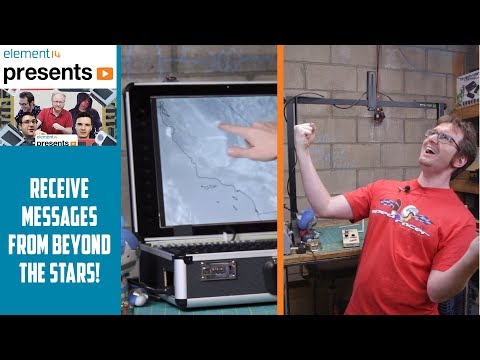
Electronics distributor element14 has uploaded a video to their 'element14 presents' YouTube channel showing presenter Matt building and setting up a portable Raspberry Pi & RTL-SDR based NOAA weather satellite receiver. More information is also available on their supplemental content page.
The build consists of a Raspberry Pi, RTL-SDR and QFH antenna as the basic components. However, it is made into a very nice portable unit by using a stripped down LCD monitor placed into a heavy duty waterproof brief case. The whole thing is powered via a PC power supply. After the build is completed, Matt leaves the case on the roof for a few days collecting images.
Emboldened by the success of his Raspberry PIrate radio, Matt indulges in some more radio hacking by building a specialized QFH antenna and a briefcase form-factor satellite receiver in an attempt to intercept "faxes" from OUTER SPAACEEE!!! Connect with Matt on the element14 community: http://bit.ly/2RiSXC5
Project TIROS is a self-contained, Raspberry Pi-based satellite signal reception system designed to automatically download images and data from NOAA's POES spacecraft as they pass overhead and display the data on an integrated LCD panel. In this video, Matt will walk through how to set up an RTL-SDR module with a Raspberry Pi for automated satellite downloads as well as how to design and build a quadrifilar helical antenna for polar-orbiting signal reception.
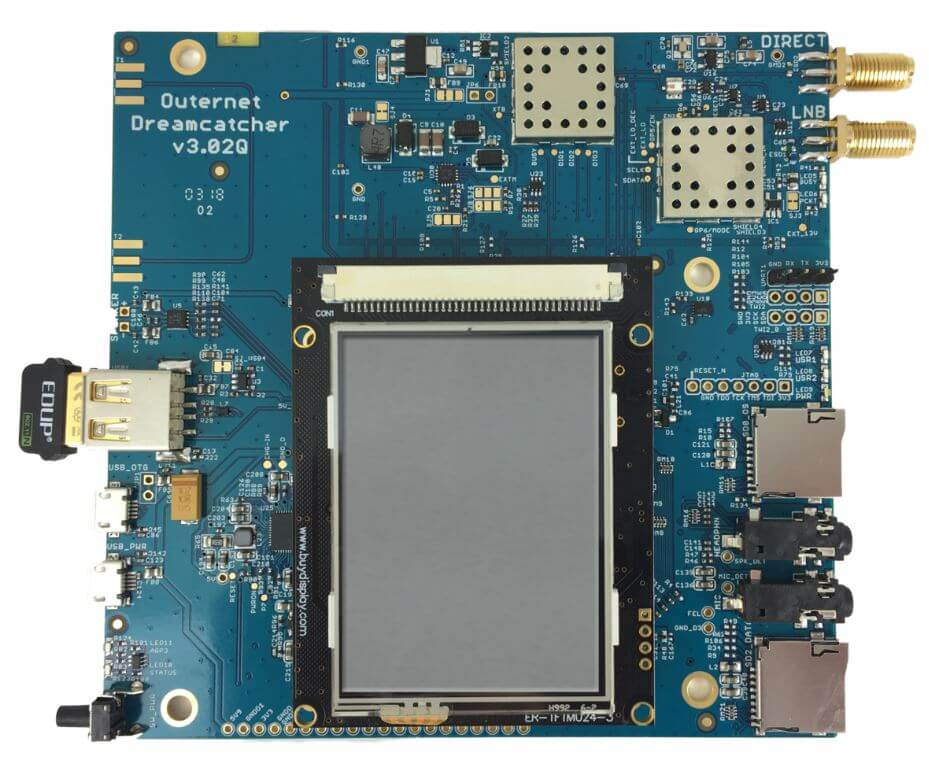
Othernet (previously known as Outernet) are currently having a 50% off sale on all their products. This means that you can snag a discounted Dreamcatcher at only US$75, and a moRFeus at US$99. The sale expires midnight on the 26th.
The sale is exclusive to RTL-SDR Blog readers (although feel free to share the coupon) and the coupon code to use at checkout is rtlsdrblog83759.
Dreamcatcher and Othernet Data Signal Information
If you weren't already aware, the Othernet project aims to bring live data such as news, weather, video, books, Wikipedia articles and audio broadcasts to the world via a free satellite service and cheap receivers. Although an internet connection provides the same data, Othernet's satellite broadcast is receivable in remote areas, will continue working in disasters, and costs nothing to continually receive roughly 200MB of data a day. The trade off is that the service is downlink only, so the data that you get is only what is curated by the Othernet team.
Othernet can provide this service for free because they are funded by private customers whom they provide private data/audio satellite channels to. One such private customer is attempting to implement an Othernet based Tsunami early warning system in Vanuatu which would work even when the cell phone system fails in a disaster. Each siren is equipped with an Othernet receiver and LNB that receives the Othernet signal. The goal is to allow for any village to be able to set up their own low cost warning system. At the same time the Othernet Tsunami warning receiver is made use of in normal circumstances as it receives a satellite radio broadcast which is then re-transmitted to the village over regular FM radio.
Currently the public service is in a test period and is only available in North America, but public service for the EU and possibly Oceania is planned to begin in Q1 2019. The rest of the world should eventually follow after. Some more information about the data service can be found on our previous post.
Alternatively, if you have no interest in the data service then your Dreamcatcher could also be used as a TX/RX capable LoRa radio. In a previous post we had some fun with two Dreamcatchers and a LoRa chat application.
Othernet Dreamcatcher
moRFeus Information
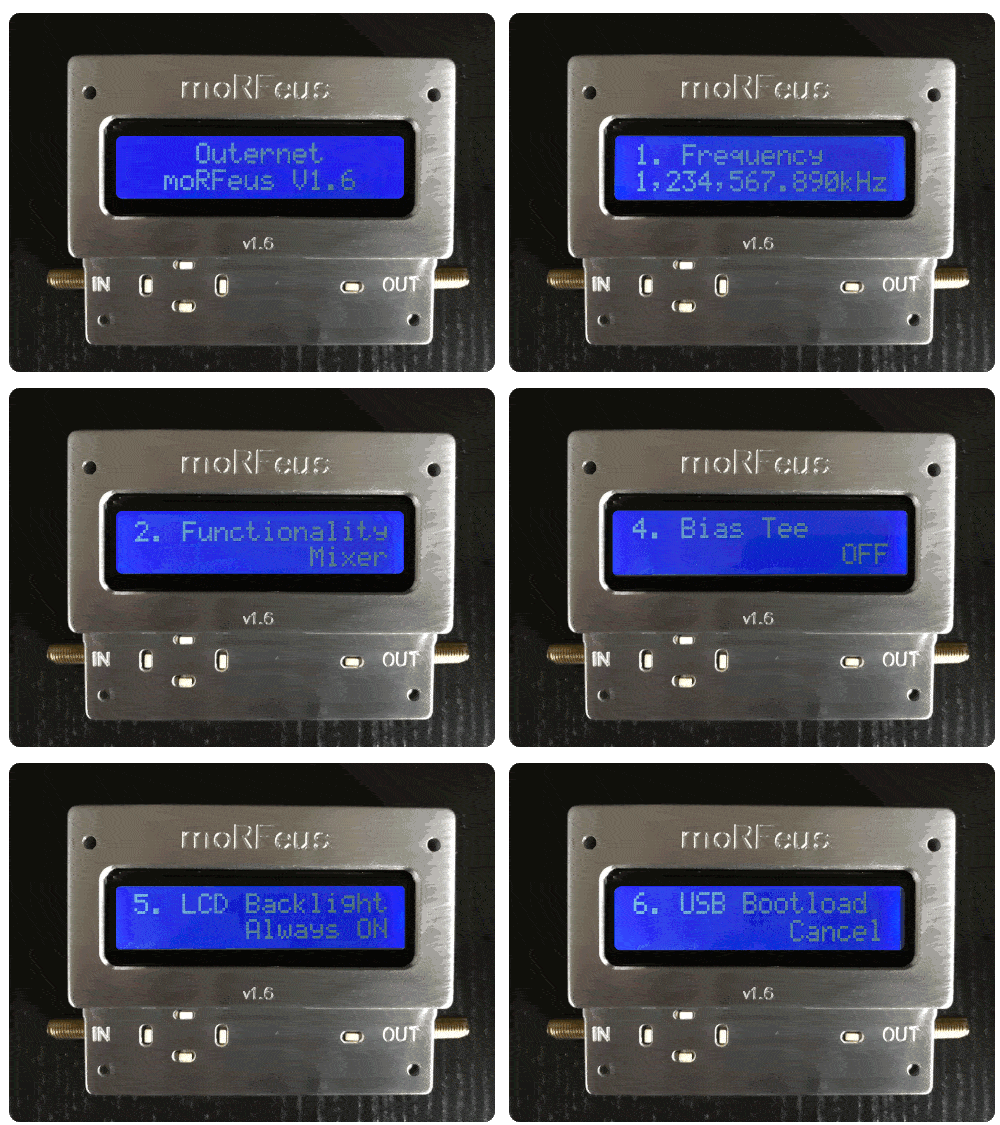
The moRFeus is a low cost signal generator. It's capable of generating a tone anywhere from 85 MHz to 5400 MHz, and it can also be used as a frequency mixer component for implementing things like homebrew upconverters and downconverters.
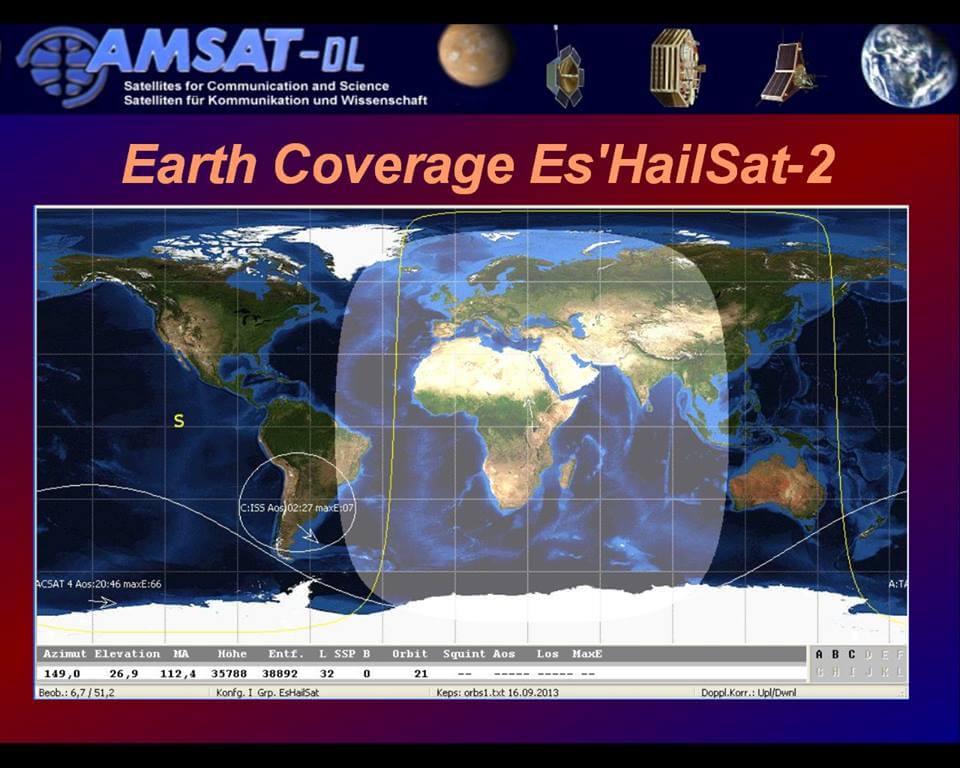
Today SpaceX have successfully launched and deployed the Es'hail-2 satellite which is now in geostationary orbit. This launch is special for amateur radio enthusiasts because it is the first geostationary satellite that contains an amateur radio transponder on it. The satellite is positioned at 25.5°E which is over Africa. It will cover Africa, Europe, the Middle East, India, eastern Brazil and the west half of Russia/Asia. Unfortunately, North America, Japan, most of South America, Australia and NZ miss out.
Coverage of Es'hail 2
The satellite has a two bandwidth segments, a 250 kHz narrow band for modes like SSB, FreeDV, CW, RTTY etc, and a 8 MHz wide band for digital amateur TV (DATV) modes like DVB-S and DVB-T.
The downlink frequencies are at 10 GHz so a low cost TV LNB could be used as the antenna. For receiving the narrowband modes, an RTL-SDR or similar SDR could be used, and for the 8 MHz DATV modes a standard DVB-S2 set top box can be used to receive and decode the video. For uplink, the transmission frequency is at 2.4 GHz.
According to the commissioning order of the satellite, it is expected that the AMSAT transponders will be activated only after all tests have been passed, and after other higher priority commercial telecommunications systems have been activated. This is expected to take about 1-2 months.
2018: Es'hail-2 and its amateur radio payload - Graham Shirville (G3VZV) & Dave Crump (G8GKQ)
USA-Satcom is the programmer of XRIT Decoder (not to be confused with XRITDecoder by CM2ESP), which is a popular (paid) Windows decoding application for GOES weather satellites. Recently, over on the SDRplay forums RSP2user made a note about the latest update:
USA-Satcom has just released v2.1.0.0 of the XRIT Decoder. Along with enhancements for the XRIT Decoder, a new RSP Streamer X has been released and is operable with the RSP1A, RSP2, and RSPduo - new features include operation with two streams simultaneously (provided that the PC being used has sufficient processing power and an RSPduo or more than one compatible RSP are being used). Also new is the XRIT File manager which allows for improved operation with both LRIT and HRIT files, improved LUT for excellent false color images, user-selectable automated black filling of the white background on full disk visual and false color HRIT images, and country as well as state map overlays.
The new color enhancements are excellent:
GOES 16 Full Disk Weather Satellite Image. Received by RSP2user with V2.1.0.0 of XRIT Decoder.
If you are interested in receiving and decoding GOES images, we now have several previous blog posts on this topic which may be helpful.
HRPT is a high resolution weather satellite image that is broadcast by the NOAA satellites. Receiving HRPT weather satellite signals is a little different to the more commonly received NOAA APT or Meteor M2 LRPT images which most readers may already be familiar with. HRPT is broadcast by the same NOAA satellites that provide the APT signal at 137 MHz, but is found in the L-band at around 1.7 GHz. The signal is much weaker, so a high gain dish antenna with motorized tracking mount, LNA and high bandwidth SDR like an Airspy is required. The payoff is that HRPT images are much higher in resolution compared to APT.
Manuel lives in Germany and on Twitter he found that he had a follower in Canada who was also receiving HRPT images. So he asked his follower to provide him with HRPT weather images that were received shortly after the pass in Germany. He then stitched the images together, and color corrected them which resulted in a nice large image covering Europe, the Atlantic, Canada and Florida.
[EN subs] HRPT over The Ocean - Ein Bild von Köln nach Kanada
JAERO was recently updated by programmer Jonti, and it now supports the decoding of AERO C-Channels which are voice audio channels that exist on both the L-Band and C-Band frequencies of AERO. AERO is a satellite based communications service used by modern aircraft. The information transferred are normally things like aircraft telemetry, short crew messages, weather reports and flight plans. It is similar information to what is found on VHF/HF ACARS.
Jonti notes that these C-Channel voice signals are very weak as they are spot beams, so a good antenna system is required to receive them. Over on Jonti's JAERO website there is now some information about these C-Channels (scroll all the way down to the C-Channel heading and read to the end of the page), as well as a frequency list. An excerpt of the information is pasted below:
Inmarsat C and in particular AERO C channels provide circuit switched telephony services to aircraft. The channels of interest are those that carry AMBE compressed audio at a channel rate 8400 bps and voice rate of 4800bps. There is also an older speech codec still in use, LPC at a voice rate of 9600 bps and an overall channel rate of 21000bps.
Telephone channels are two-way duplex. In the from-aircraft direction transmissions are roughly in the 1646 to 1652 Mhz range. The satellite up-converts these transmissions to C band, similar to T and R channel burst transmissions. So it is possible to receive the from-aircraft transmissions although it is significantly more difficult than those in the to-aircraft direction on the L band. So for those who want to get started receiving these transmissions the L band is by far the easiest place to start.
Another aspect of the C channels is that they most often use spot beams rather than global beams which makes it more difficult to receive transmissions for aircraft using a spot beam that is aimed at another region. However if you are inside the spot beam the transmissions are relatively easily received on L band. A 60 cm dish with an LHCP helical and L band LNA will provide excellent results but even with a patch antenna it can be done.
Decoding these channels to audio in JAERO takes a little effort to setup. Due to the uncertain legal status of the digital audio AMBE codec, the codec code needs to be compiled manually first, and then placed into the JAERO directory. Jontio has uploaded the AERO AMBE codec source code at https://github.com/jontio/libaeroambe. Since JAERO is a Windows program, compilation of libaeroambe involves using MSYS2.
Once fully set up with the audio codec, the audio will come out of default soundcard set in Windows audio properties, so ensure that any Virtual Audio Cables are not set as the default device.
On the L-band link you can get conversations from the ground to the plane. The C-band link would get you the plane to ground side of the conversation too, but that is a challenging signal that would require a large dish and Jonti doesn't know of anyone who has managed to receive that before. Typically the conversation topics are things like Medlink which is a multilingual medical support line that can provide backup to doctors or aircrew handling medical emergencies in the air. In Europe the USAF also apparently use C-Channel.


![[EN subs] HRPT over The Ocean - Ein Bild von Köln nach Kanada](https://www.rtl-sdr.com/wp-content/plugins/wp-youtube-lyte/lyteCache.php?origThumbUrl=https%3A%2F%2Fi.ytimg.com%2Fvi%2FhbvsSyplsDk%2F0.jpg)