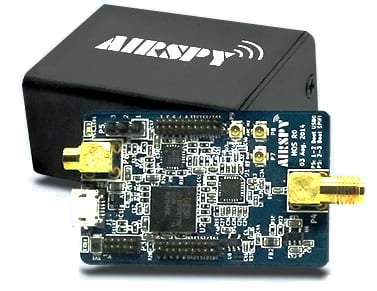
Review: Airspy vs. SDRplay RSP vs. HackRF
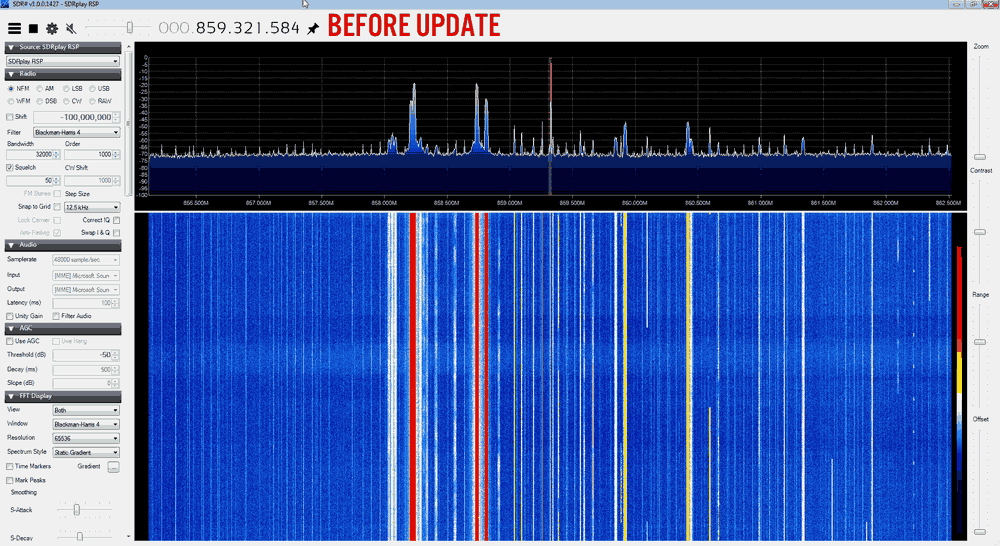
IMPORTANT NOTE: Please note that this review is now out of date as the SDRplay RSP line has received significant improvements to their hardware and Airspy have brought out a new SDR that is much better at HF.
Overall it is now difficult to pick a winner between Airspy and SDRplay products. However, our preference is the Airspy HF+ Discovery for HF signals, and the SDRplay RSP1A for generic wideband wide frequency range receiving.
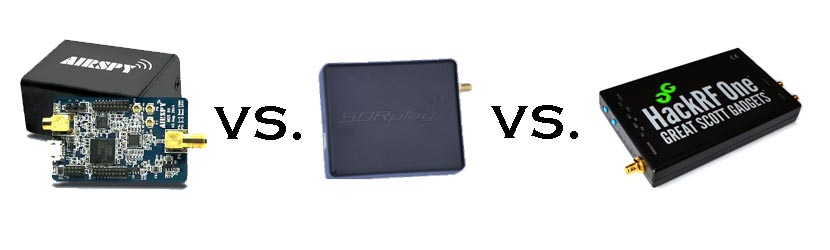
When people consider upgrading from the RTL-SDR, there are three mid priced software defined radios that come to most peoples minds: The Airspy (store), the SDRplay RSP (store) and the HackRF (store). These three are all in the price range of $150 to $300 USD. In this post we will review the Airspy, review the SDRplay RSP and review the HackRF and compare them against each other on various tests.
Note that this is a very long review. If you don't want to read all of this very long post then just scroll down to the conclusions at the end.
What makes a good SDR?
In this review we will only consider RX performance. So first we will review some terminology, features and specifications that are required for a good RX SDR.
SNR - When receiving a signal the main metric we want to measure is the "Signal to Noise" (SNR) ratio. This is the peak signal strength minus the noise floor strength.
Bandwidth - A larger bandwidth means more signals on the screen at once, and more software decimation (better SNR). The downside is that greater CPU power is needed for higher bandwidths.
Alias Free Bandwidth - The bandwidth on SDR displays tends to roll off at the edges, and also display aliased or images of other signals. The alias free bandwidth is the actual usable bandwidth and is usually smaller than the advertised bandwidth.
Sensitivity - More sensitive radios will be able to hear weaker stations easier, and produce high SNR values.
ADC - Analogue to digital converter. The main component in an SDR. It samples an analogue signal and turns it into digital bits. The higher the bit size of the ADC the more accurate it can be when sampling.
Overloading - Overloading occurs when a signal is too strong and saturates the ADC, leaving no space for weak signals to be measured. When overloading occurs you'll see effects like severely reduced sensitivity and signal images.
Dynamic Range - This is directly related to ADC bit size, but is also affected by DSP software processing. Dynamic range is the ability of an SDR to receive weak signals when strong signals are nearby. The need for high dynamic range can be alleviated by using RF filtering. Overloading occurs when a strong signal starts to saturate the ADC because the dynamic range was not high enough.
Images/Aliasing - Bad SDRs are more likely to overload and show images of strong signals at frequencies that they should not be at. This can be fixed with filtering or by using a higher dynamic range/higher bit receiver.
Noise/Interference - Good SDRs should not receive anything without an antenna attached. If they receive signals without an antenna, then interfering signals may be entering directly through the circuit board, making it impossible to filter them out. Good SDRs will also cope well with things like USB interference.
RF Filtering/Preselection - A high performance SDR will have multiple preselector filters that switch in depending on the frequency you are listening to.
Center DC Spike - A good SDR should have the I/Q parts balanced so that there is no DC spike in the center.
Phase Noise - Phase noise performance is determined by the quality of the crystal oscillators used. Lower phase noise oscillators means better SNR for narrowband signals and less reciprocal mixing. Reciprocal mixing is when high phase noise causes a weak signal to be lost in the phase noise of a nearby strong signal.
Frequency Stability - We should expect the receiver to stay on frequency and not drift when the temperature changes. To achieve this a TCXO or similar stable oscillator should be used.
RF Design - The overall design of the system. For example, how many lossy components such as switches are used in the RF path. As the design complexity increases usually more components are added to the RF path which can reduce RX performance.
Software - The hardware is only half of an SDR. The software the unit is compatible with can make or break an SDRs usefulness.
Next we will introduce each device and its advertised specifications and features:
Device Introduction and Advertised Specifications & Features
| Airspy | SDR Play RSP | HackRF | |
| Price (USD) |
$199 / $ 249 USD (with Spyverter) + shipping ($5-$20). As of April 2016, the Airspy Mini is now also for sale at $99 USD. |
$149 USD + shipping ($20-$30 world, free shipping in the USA) £99 + VAT + ~£10 shipping for EU. |
$299 USD + shipping |
| Freq. Range (MHz) | 24 - 1800 0 - 1800 (with Spyverter addon) |
0.1 - 2000 | 0.1 - 6000 |
| ADC Bits | 12 (10.4 ENOB) | 12 (10.4 ENOB) | 8 |
| Bandwidth (MHz) |
10 (9 MHz usable) 6 MHz (5 MHz usable) (AS Mini) |
8 (7 MHz usable) (10 MHz in SDRuno/~9 MHz usable) | 20 |
| TX | No | No | Yes (half duplex) |
| Dynamic Range (Claimed)(dB) | 80 | 67 | ~48 |
| Clock Precision (PPM) | 0.5 PPM low phase noise TCXO | 10 PPM XO | 30 PPM XO |
| Frontend Filters | Front end tracking IF filter on the R820T2 chip. | 8 switched preselection filters + switchable IF filter on MSI001 chip | Two very wide preselection filters - 2.3 GHz LPF, 2.7 GHz HPF |
| ADC, Frontend Chips | LPC4370 ARM, R820T2 | MSi2500, MSi001 | MAX5864, RFFC5071 |
| Additional Features | 4.5v bias tee, external clock input, expansion headers. | LNA on the front end | 5v bias tee, LNA on front end, external clock input, expansion headers. |
| Notes |
The Airspy is designed by Benjamin Vernoux & Youssef Touil who is also the author of the popular SDR# software. Of note is that there has been a misconception going around that the Airspy is an RTL-SDR/RTL2832U device. This is not true; there are no RTL2832U chips in the Airspy. The confusion may come from the fact that they both use the R820T2 tuner. The RTL2832U chip is the main bottleneck in RTL-SDR devices, not the R820T2. When coupled with a better ADC, the R820T2 works well and can be used to its full potential. The Airspy team write that they sell units mostly to universities, governments and professional RF users. However, they also have a sizable number of amateur users. Update: As of April 2016 the Airspy Mini is now for sale for $99 USD. The main difference is a 6 MHz bandwidth and fewer expansion headers, but all other specs appear to be the same. |
The SDR Play Radio Spectrum Processor (RSP) is designed by UK based engineers who appear to be affiliated with Mirics, a UK based producer of SDR RF microchips. The chips used in the SDRplay RSP are dedicated SDR chips which were designed for a wide variety of applications such as DVB-T tuners. The RSP uses these chips and improves on their front end capabilities by adding an LNA and filters in order to create a device capable of general SDR use. Initially when writing this review we had deep problems with the imaging of strong signals on the RSP. However, a recent Dec 22 update to the drivers has fixed this imaging problem tremendously. The SDRplay is currently selling about 1000 units a month according to electronicsweekly.com. |
The HackRF is designed by Micheal Ossmann a computer security researcher who was given a development grant from DARPA. His company is called "Great Scott Gadgets". The HackRF's most unique feature when compared to the other two SDR's is that it is capable of both receiving and transmitting. There is also a clone called the HackRF Blue out on the market which is about $100 cheaper, but they don't seem to have stock or be producing these any more. |
From the specs it is clear from the ADC sizes that both the Airspy and SDRplay RSP are in a different class of RX performance when compared to the HackRF. However, people always compare the Airspy and SDRplay with the HackRF due to their similar price range, so we will continue to compare the three here in our review, but with more of a focus on comparing the Airspy and SDRplay RSP.
In order to use the Airspy on HF (0 - 30 MHz) frequencies a $50 add on called the Spyverter is required. This is an upconverter that is designed for use with the Airspy's high dynamic range and bias tee power port. However, one hassle is that the Spyverter must be connected/disconnected each time you want to switch between HF and VHF/UHF reception as it does not have VHF/UHF passthrough. The RSP and HackRF on the other hand can receive HF to UHF without the need of an upconverter or the need to change ports. A single port for HF to UHF can be very useful if you have a remote antenna switcher.
Post continues. Note that this is a long post with many images.