Over on his YouTube channel SignalsEverywhere, Corrosive has uploaded a tutorial video that shows how to update the LimeSDR firmware and drivers. The LimeSDR Mini is a US$159 12-bit TX/RX capable SDR that can tune between 10 MHz – 3.5 GHz, with a maximum bandwidth of up to 30.72 MHz. The specs and price of the LimeSDR mini are pretty good, but documentation for actually using it can be a bit confusing, so videos like Corrosive's tutorial are great.
LimeSDR Mini Tutorial Drivers and Firmware Update on Windows 7/10
At the beginning of this year the MIT Radio Society held a series of nine lectures all about radio. The lectures cover topics like the history of radio, radio technology, signal modulation and phasor analysis, software defined radio, ionosphere, shortwave radio, propagation, radio astronomy, low frequency radio astronomy for the observation of exoplanets, principles of radar, space weather and 5G cellular comms and the future of radio. The lectures have all been uploaded to YouTube for free viewing, and can be found on their playlist.
If you're interested in learning more about radio this series of lectures is an excellent start, and lecture three specifically focuses on software defined radio.
USA-Satcom is the programmer of XRIT Decoder, which is a popular (paid) Windows decoding application for GOES weather satellites. With a WiFi grid dish antenna, LNA and SDRplay, Airspy or even an RTL-SDR, high resolution full disk images of the earth can be downloaded from these geosynchronous satellites. Browse through our previous GOES posts for ideas and various tutorials about setting up a receiver.
USA- Satcom has just released version 1.4.6985 of the XRIT Decoder software package. New features include:
1) Improved image clarity. 2) An antenna Align Mode feature. 3) And a Viterbi and Eb/No (Energy per Bit to Noise Power Spectral Density Ratio akanormalized SNR) graph over time feature.
The improved image clarity reduces image artifacts at the Earth-space boundary of the image and improves the overall aesthetics of the colorization of the full disk images. The images are quite amazing. The resolution is far better than what can be shown here due to image size limitations for this site. Below is a full disk GOES 16 image from February 17, 2019 and a corresponding zoomed in portion to get an idea of the resolution and clarity (the actual full disk images are approximately 40MB PNG images each which are much greater resolution than the below image)
The antenna Align Mode is a great new feature that allows users to view the Signal Quality, Viterbi FEC, and Eb/No from a distance using large numeric values. This mode enables users to better view these values when fine tuning adjustments to GOES receiving antennas. The Eb/No and Viterbi graphing enables users to see how well their receiving system is doing throughout the day (e.g., over temperature and while the sun is in alignment with the receiving path).
GOES 16 Received by RSP2User
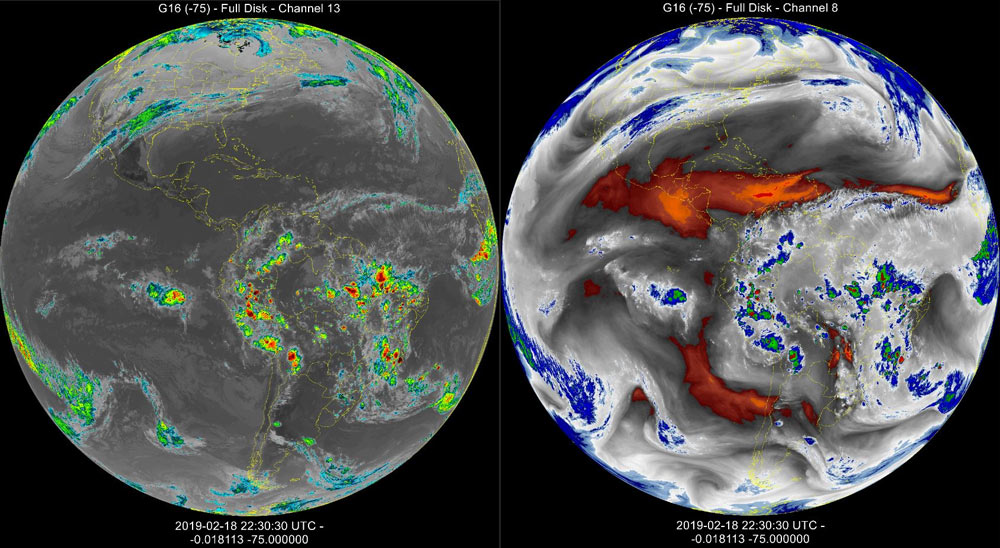
More updates from USA-Satcom to the XRIT Decoder software with a new patch from today. The XRIT file manager now provides IR image enhancements for GOES Bands 8 and 13. Here are some examples:
G16 CH13 & G16 Band8 Enhancements . Images received by RSP2user.
ExaGear is an x86 emulator for ARM computing devices. In the past we posted about ExaGear as together with WINE, it was an affordable solution that allowed Windows SDR apps to run on ARM devices like the Raspberry Pi 3. With ExaGear and WINE we were able to get Windows only SDR programs like Unitrunker, WinSTD C, DSD+, MultiPSK, PC-HFDL, Orbitron and Sondemonitor to run smoothly. In another previous post, DE8MSH was also able to use ExaGear to get Speclab running on his Raspberry Pi 3.
Unfortunately it appears that ExaGear is to be discontinued from February 28 onwards although they note that all previously purchased licences will continue to work. No reason has been given other than noting that it is their business decision. For now the downloads and ability to purchase licences is still active until February 28, so if ExaGear was a product you were interested in, you have just over a week to obtain it.
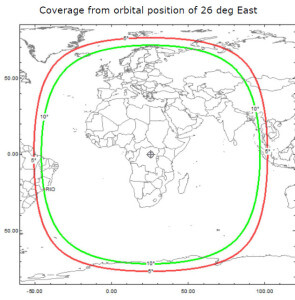
Es'hail 2 was launched last November and it is the first geostationary satellite to contain an amateur radio transponder. The satellite is positioned at 25.5°E which is over Africa. It's reception footprint covers Africa, Europe, the Middle East, India, eastern Brazil and the west half of Russia/Asia. There are two amateur transponders on the satellite. One is a narrow band linear transponder which uplinks from 2400.050 - 2400.300 MHz and downlinks from 10489.550 - 10489.800 MHz. Another is a wide band digital transponder for amateur digital TV which uplinks from 2401.500 - 2409.500 MHz and downlinks from 10491.000 - 10499.000 MHz.
Although it launched last year it takes several months for the engineers to test and qualify the transponder for use. Over the last few weeks the transponder was intermittently active during the testing, but now since Feb 13 2019 the amateur transponder has finally been fully activated for amateur radio use.
To receive it with an RTL-SDR or most other SDRs an LNB is required to receive the 10 GHz signal and downconvert it into a frequency range that most SDRs support. Typically an Octagon LNB is used, and these are easy to find and cheap as they are often used for satellite TV.
From various reports seen on Twitter, it seems that the signal is strong enough that a satellite dish is not required for receiving - simply pointing the LNB directly at the satellite is enough.
#Eshail2 Unbelievable. 1st RX Test with my Smartphone, OTG, DVB-T Stick, Octagon LNB. No Dish !!! I hold the LNB in my Hand in the direction of Es Hail2 ... pic.twitter.com/SQjz7WPyzm
If you can't set up a receiver, there is an OpenWebRX livestream of the Es'hail 2 narrowband channel that has been set up by Zoltan/RFSparkling which is available at sniffing.ddns.net:8073 (note the server can only handle 8 users at a time, so try again later if it's busy). Also as pointed out by KD9IXX on Twitter, there are also several websdr.org servers receiving and streaming Es'hail2 including an Airspy based one run officially by AMSAT-DL.
Back in December of last year Corrosive from his YouTube channel SignalsEverywhere showed us a demo video of him receiving unecrypted DECT digital cordless phones with his HackRF.
DECT is an acronym for 'Digital Enhanced Cordless Telecommunications', and is the wireless standard used by modern digital cordless phones as well as some digital baby monitors. In most countries DECT communications take place at 1880 - 1900 MHz, and in the USA at 1920 - 1930 MHz. Some modern cordless phones now use encryption on their DECT signal, but many older models do not, and most baby monitors do not either. However, DECT encryption is known to be weak, and can be broken with some effort.
In his latest video Corrosive shows us how to install GR-DECT2 on Linux, which is the GNU Radio based decoding software required to decode the DECT signal. He then goes on to show how the software can be used and finally provides some optimizations tips.
DECT 6.0 Cordless Phone Eavesdropping {Install GR-DECT2 and Decode with HackRF SDR} or E4000 RTL SDR
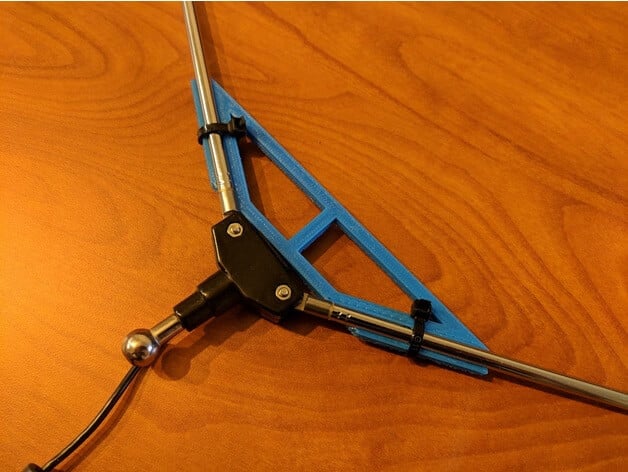
Back in 2017, Adam 9A4QV wrote about how a V-Dipole could be used as a very simple yet effective antenna for receiving weather satellites. Since then it has become a popular beginners choice for receiving polar orbiting satellites like NOAA and Meteor M2.
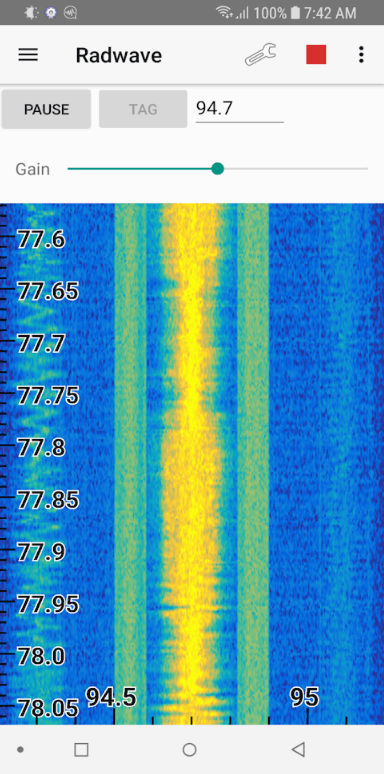
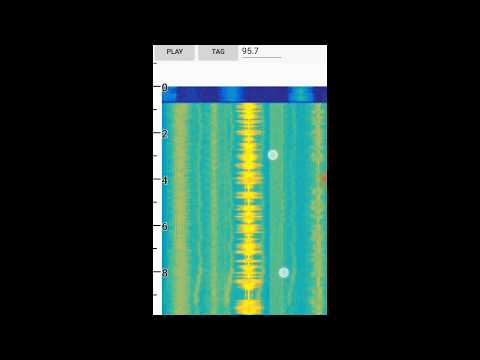
Radwave is a recently released Android App for RTL-SDR dongles. It provides a real time waterfall of the RF spectrum, and it's defining feature is that you can easily zoom, pause and rewind the spectrum at any time. The software is currently in beta, and doesn't demodulate any signals, but the work and ideas behind the spectrum display features is really interesting.
Radwave utilizes RTL-SDR dongles and the RTL2832U driver app to allow people to interactively explore the RF spectrum. You can dynamically zoom in and out in time and frequency, pause, and go back in time - all without losing any samples. If you find something cool, tag it and share with friends.
Radwave core technology is its interactive real-time spectrogram. It shows all the spectrum - utilizing every sample1 - for the entire collection2. Frequencies are aligned over time as you change the RF center frequency3, helping you make sense of what you see.