A Crude Skew Planar Wheel Antenna for Receiving GPS L1 with an RTL-SDR

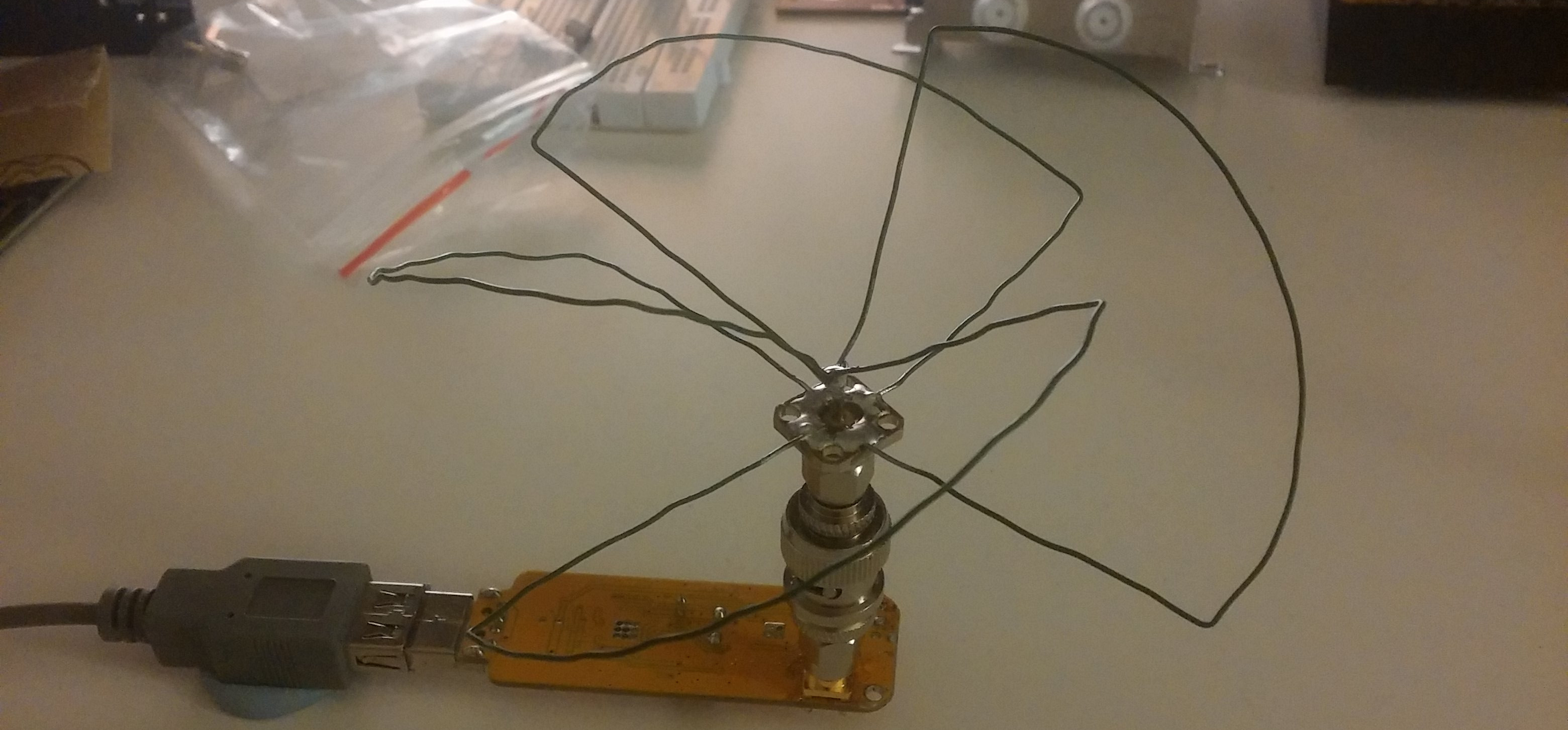
Over on his blog /dev/thrash RTL-SDR experimenter Elia has been attempting to build an antenna to receive Global Positioning System (GPS) signals with his RTL-SDR. After doing some research he decided to build a Skew Planer Wheel antenna which he tuned for the GPS L1 frequency at 1575.42 MHz. A Skew Planar Wheel antenna is circularly polarized omnidirectional antenna which can be built out of wire. It is well suited to receiving signals from low earth orbiting (LEO) satellites such as the GPS satellites.

Elia later tested his antenna with a commercial GPS receiver circuit and was able to obtain a GPS fix.

Skew Planar Wheel Antenna on the RTL-SDR for receiving GPS.

RTL_Power Frequency Display Software

Programmer MichelinoK has recently posted about another piece of RTL-SDR related software that he has just released. His latest software is called RTL_POWER Display and is a Windows program that allows you to simply use your mouse to determine the frequency of a signal within a waterfall plot that was previously produced by rtl_power.

Rtl_power is a command line program that can be used to create very wideband spectrum scans over a long period of time with an RTL-SDR. It comes with the official RTL-SDR release, but a more modern version can be downloaded from keenerds Windows builds.

RTL_POWER Display Screenshot

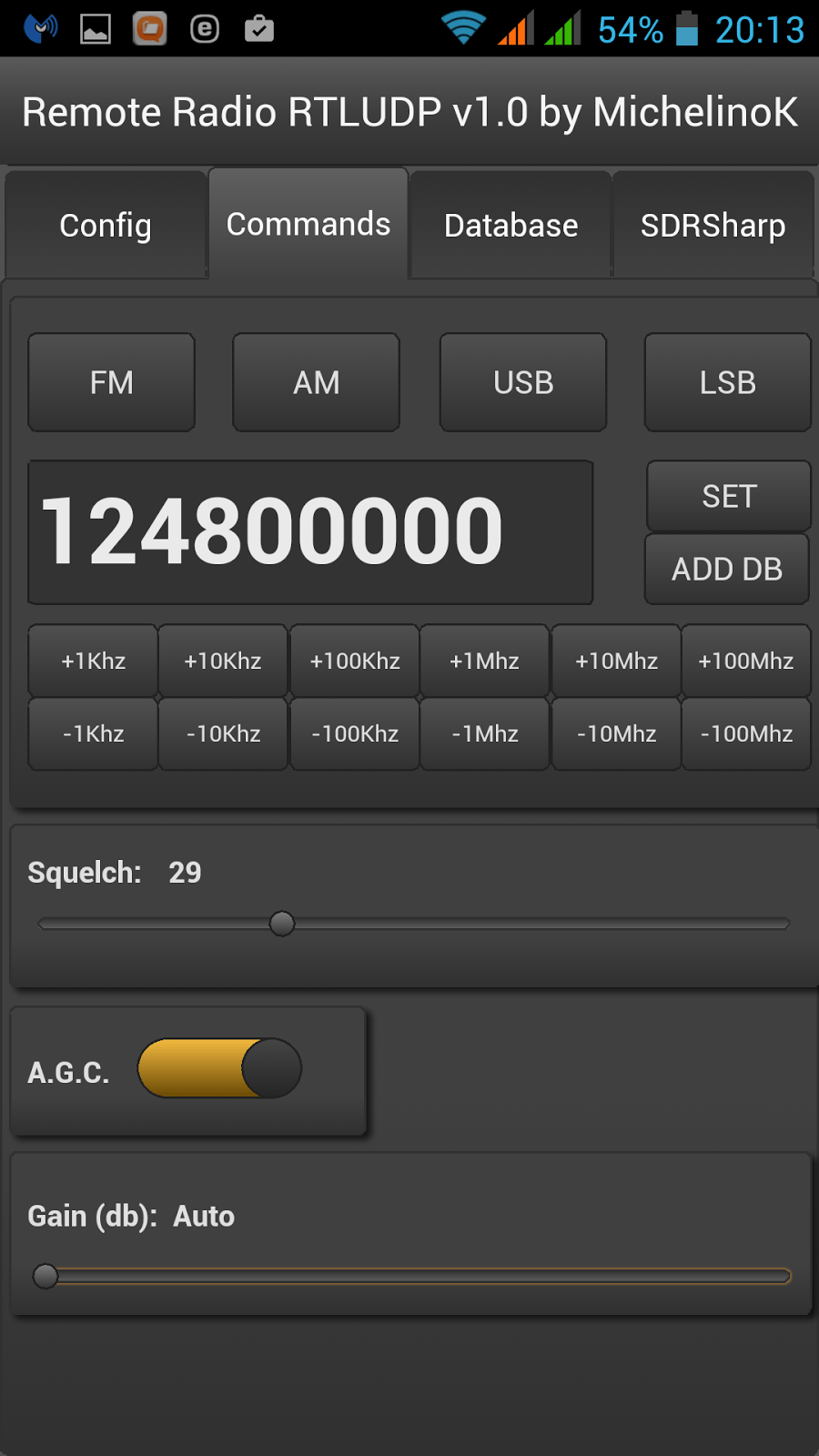
Remote RTL_UDP: RTL-SDR Remote Control Android App

Over the past few weeks programmer MichelinoK has been working on an Android app that allows the RTL-SDR to be listened to and controlled remotely. The app is called “Remote RTL_UDP” and allows you to control the parameters such as frequency, modulation type and gain settings on a remote rtl_udp server. It also allows you to store frequencies in a database and import frequencies from a SDR# database. The server can be run on a Raspberry Pi, Linux PC or any Linux device that is capable of running rtl_fm.

The post contains a full tutorial on the set up which involves the installation of ezstream and icecast for streaming audio as well as instructions for the installation of the modified version of rtl_fm called rtl_udp which allows remote control of the parameters via udp.

Android RTL_UDP Interface

AISRec for Android: New AIS Decoder

Back in December last year we posted about Jane feverlay’s work on his software called AISRec, which was a Windows AIS decoder for the RTL-SDR that he had developed.

AIS is an acronym for Automatic Identification System and is a system used by ships to broadcast position and vessel information. By monitoring AIS transmissions with the RTL-SDR we can build a boat radar system. We have a tutorial on this here.

Now from YouTube it looks as though Jane has developed a new Android version of AISRec which he describes as a high performance dual-channel AIS receiver for use with a single RTL-SDR dongle. The features of AISRec include:

1. Functions include AIS and GPS NMEA I/O, from/to USB devices and serial ports (special android devices with serial ports).
2. It supports TCP server and UDP forwarding jointly or independently for AIS and GPS.
3. It supports steaming in WIFI in AP or station modes and Ethernet.
4. It supports auto run on boot for especially rooted devices.

He also writes that AISRec also has companion implementations for Windows desktop and metro, Linux on Raspberry Pi 2 and the Radxa pro.

Unfortunately, at the moment there does not seem to be a link available to download the software and the video may only be a preview. The video does link to his Taobao shop at http://shop114459024.taobao.com/ (in Chinese use Google Translate), which is where he might release the software when it is ready.
Sigimira Decoder now supports the RTL-SDR Directly

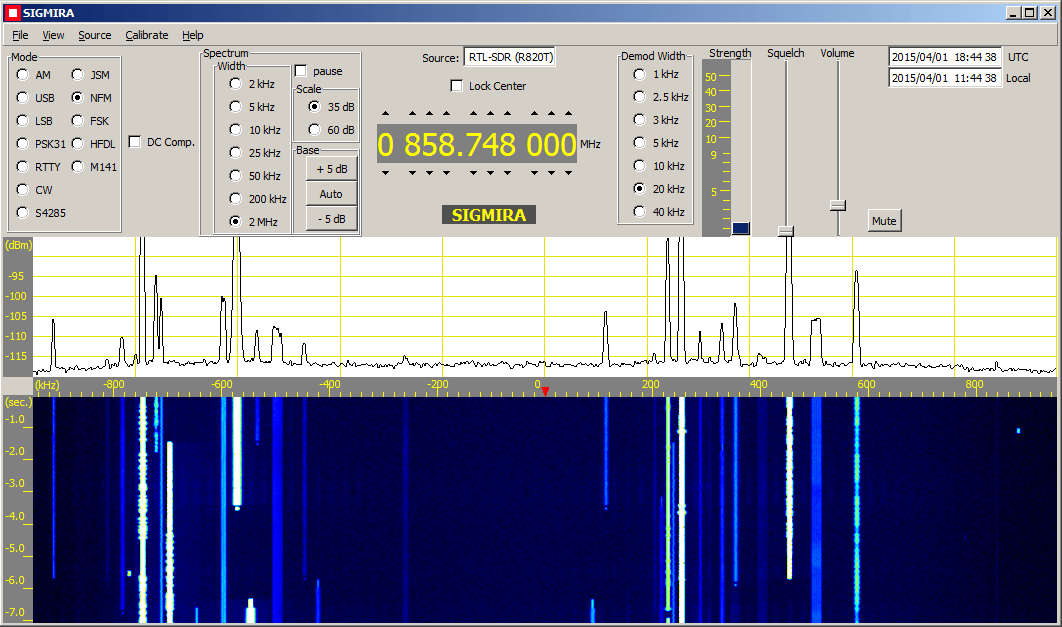
Sigmira is a popular free Windows software program which supports decoding of radio modes such as PSK31, RTTY, CW, STANAG 4285, Japanese Slot Machine, FSK, HFDL and M141 as well as standard modes such as NFM, AM, USB and LSB.

Previously Sigmira could be used with the RTL-SDR by piping audio into it from another program such as SDR#. In the latest version that was just released Sigmira now directly supports connecting to the RTL-SDR, allowing for a spectrographic display and point and click tuning. Sigmira also now includes a database with frequencies of over 2000 known signals.

Screenshot of the Sigmira decoding software which now supports the RTL-SDR directly.
Sigmira Signal Database
Sigmira Signal Database.

dump978: UAT Decoder for the RTL-SDR + FlightAware App now supports UAT

In most of the world aircraft use the ADS-B standard for location tracking which transmits at a frequency of 1090 MHz. However, in the USA there is the option for aircraft to instead use the Universal Access Transceiver (UAT) protocol which transmits at 978 MHz.

UAT has some extra features for pilots compared to ADS-B. In addition to location information UAT provides a Traffic Information Service (TIS/B) which allows pilots to see what ground control sees on their traditional RADAR system. It also provides a Flight Information Service-Broadcast (FIS/B) which includes weather and other information. It seems that most small aircraft in the USA prefer to use the UAT system due to it’s lower cost and additional features. 

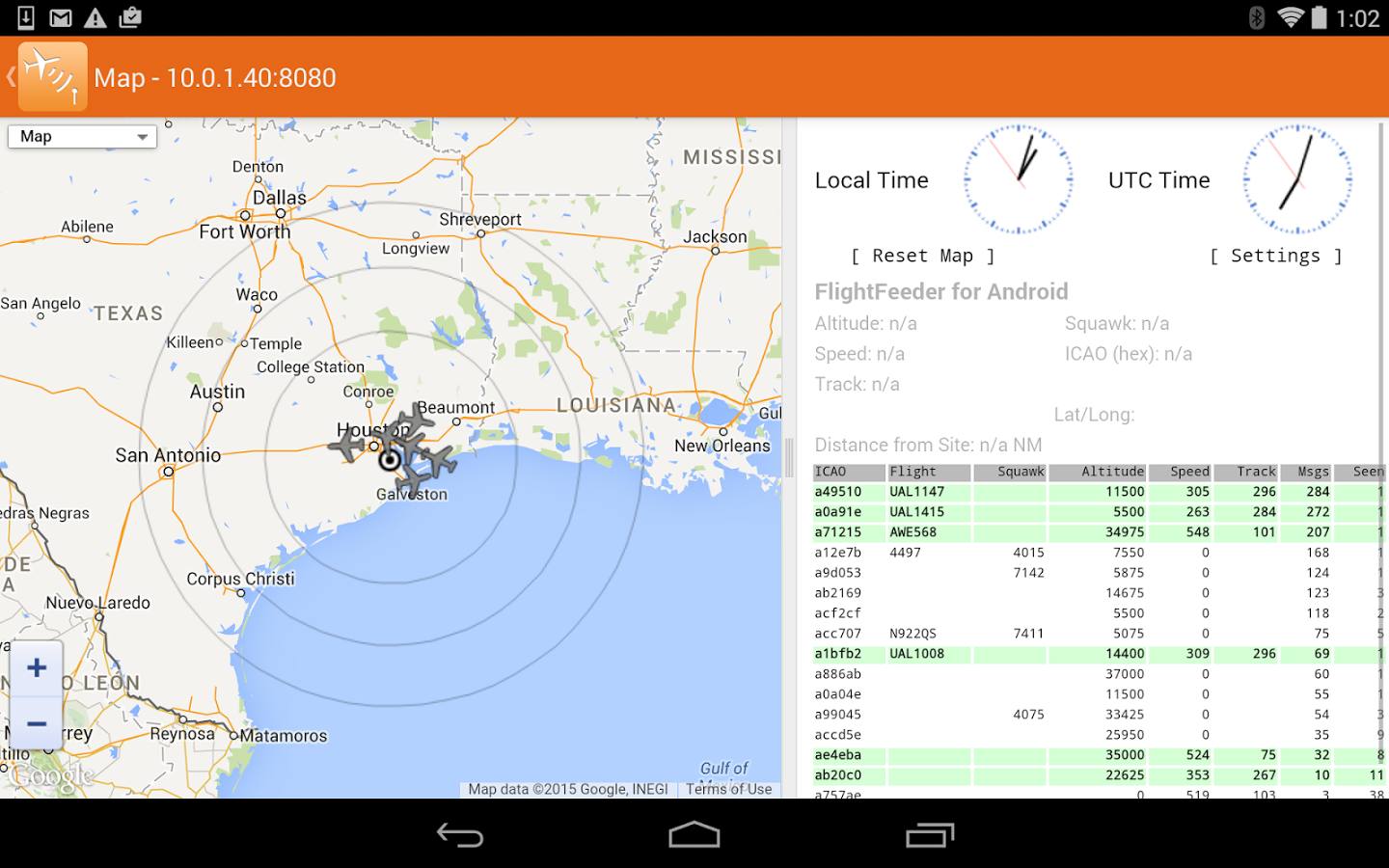
A few months ago an experimental version of dump978 MHz was released which is what we believe to be the first working UAT decoder for the RTL-SDR. It’s still in experimental development, however the FlightAware team have already referenced it for developing their Android ADS-B app which we posted about a few days ago. Because of the work done with dump978, the beta version of the FlightAware Android app has recently been updated and can now support UAT decoding. To download the beta version with UAT you may need to sign up to their public beta. More information about the beta can be found on their Google+ beta testing community page.

FlightAware ADS-B App which now supports UAT decoding.

ADSBox: New ADS-B Decoding Software for Linux

Recently Roman, a programmer and reader of RTL-SDR.com wrote in to let us know about his ADSBox software which is a free opensource Linux based ADS-B decoder (page in Russian, use Google Translate) with several interesting features. ADSBox contains a decoder and a nice web interface which allows you to view flight information in a table or in Google maps, or even through a Google Earth interface. The software also automatically loads up a photo of an aircraft if you click on it in the map. Roman has actually been working on ADSBox since 2011 and seems to have recently added RTL-SDR support.

The software can be compiled on a PC with gcc, or on an embedded ARM device with arm-linux-gcc. We gave the software a quick test on an Ubuntu PC and found that it worked as expected. Install instructions are on the page linked above, but just in case here are our notes on compiling the software.

  1. Download and extract the latest version from the bottom of the page into a folder called adsbox on your Linux system. (Latest version at the time of writing: adsbox-20150409.tar.gz. Note that the Google translated download link did not work for us, use the original untranslated link if you need to)
  2. Download and extract the latest sqlite source files from http://www.sqlite.org/download.html (at the time of writing: sqlite-amalgamation-3080900.zip) into a folder called sqlite3 on the same level as the extracted adsbbox folder (not inside adsbbox folder)
  3. Edit the Makefile and set “WITH_RTLSDR = yes”. If cross-compiling for an ARM device set CC = arm-linux-gcc, otherwise leave this setting alone.
  4. Run “make”.
  5. Now you can run ADSBox with ./adsbox –rtlsdr.
  6. Go to 127.0.0.1:8080 in your browser to see and use the interface.
Screenshot of the ADSBox web interface.

A self contained ADS-B Receiver using a Raspberry Pi and RTL-SDR

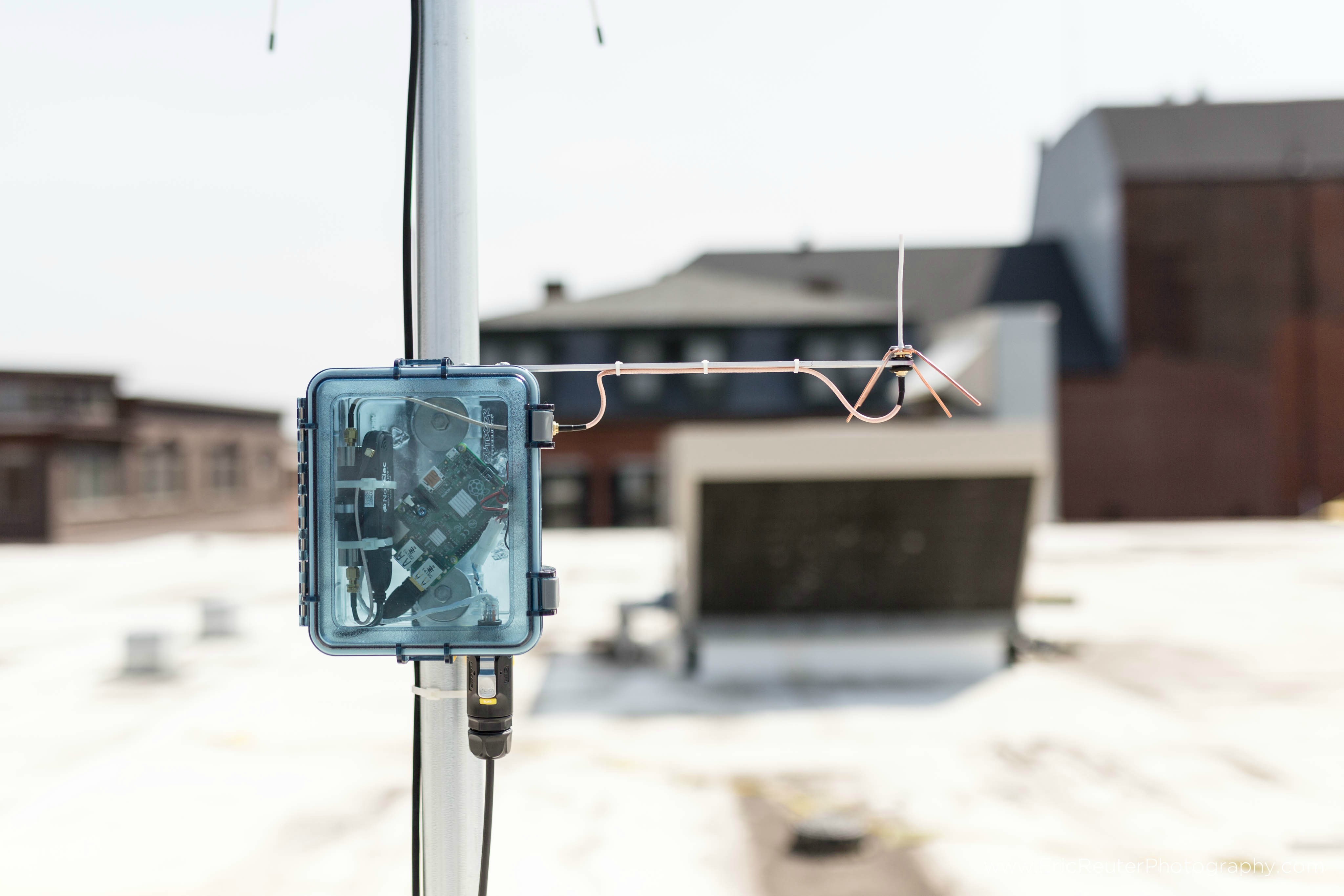
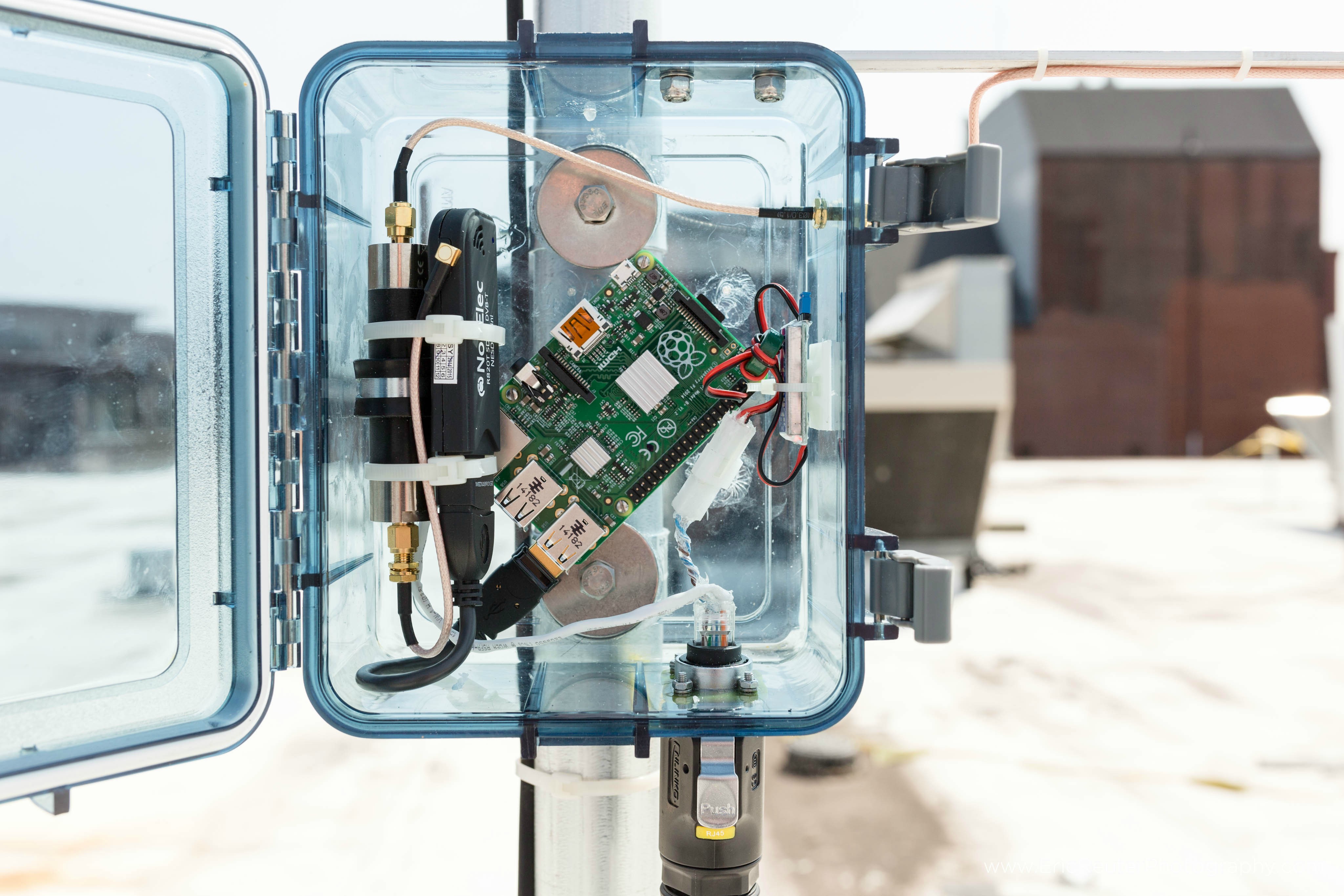
Over on the Raspberry Pi Reddit discussion board user spfoamer has posted about his Raspberry Pi + RTL-SDR based outdoor ADS-B receiver. ADS-B stands for Automatic Dependent Surveillance Broadcast and is a signal broadcast by aircraft that contains information about their locations. With a receiver like the RTL-SDR and correct software you can make an aircraft radar.

In his design the Raspberry Pi transmits location data back to a PC via an Ethernet cable. In addition the Raspberry Pi is also cleverly powered via power over Ethernet (POE) which uses unused wires in the Ethernet cable itself to carry the power. Since he uses a 12V power source, to obtain the needed 5V to power the Raspberry Pi spfoamer uses a UBEC (Universal Battery Elimination Circuit) which is an efficient device that converts voltages from up to 23V down to 5V. Additionally, he uses a 1/4 wave ground plane antenna and a 1090 MHz bandpass filter to eliminate out of band interference.

On the Pi itself he runs PiAware and contributes his data to the FlightAware network.

ADS-B with a Raspberry Pi, RTL-SDR, Bandpass Filter all powered via Ethernet cable.
Close up of the inside of the box.