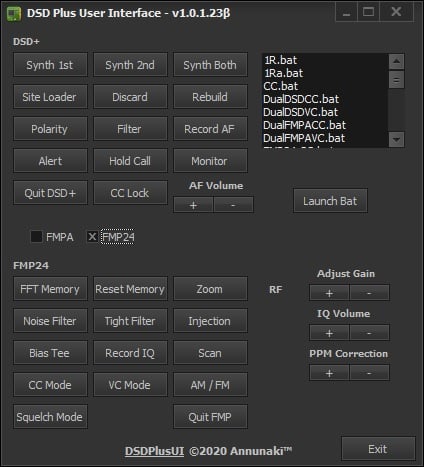
Over on Twitter Annunaki (@StupotSinders) has been teasing some screenshots of a GUI for DSD+ that he's been developing over the past few weeks. And now he has released the software which is called "DSDPlusUI". DSD+ is mostly command line based, so a GUI could be useful for newbies. The software can be downloaded from the DSDPlusUI groups.io page.
DSD+ (aka Digital Speech Decoder) is a free closed source program that is compatible with RTL-SDR and various other SDRs which is used to decoder digital speech protocols such as P25 P1, DMR, NXDN and more. DSD+ Fastlane is a paid upgrade which allows subscribers to receive the latest updates to the software early.
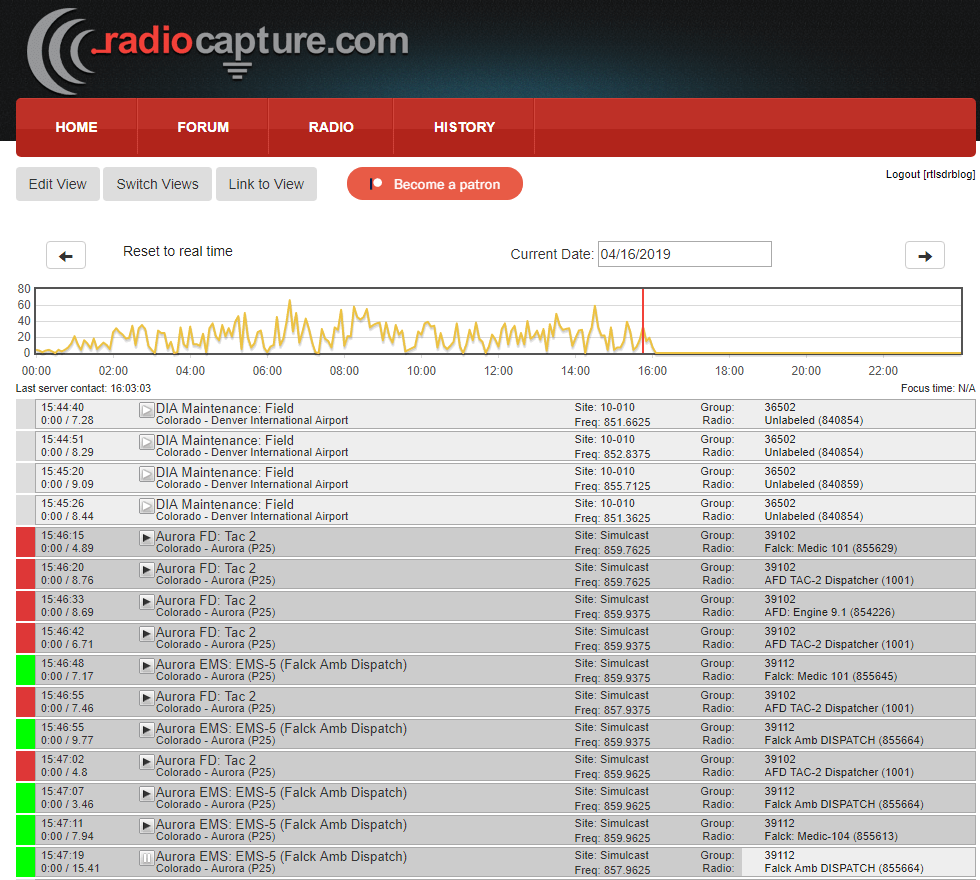
Back in April 2019 we posted about Matt Mills' Radiocapture.com website which is a web service that you can feed that automatically captures analogue and digital trunked radio conversations with an RTL-SDR, and allows public users to play back conversations via the web interface. The Radiocapture page which shows what the software is capable of is also active at radiocapture.com/radio.
Back in April Matt was fundraising via Patreon and hoping to make development of Radiocapture his day job, but unfortunately he's had to call it quits for now. Since he no longer has time to work on it, Matt has open sourced the RF side of the software. The software description reads:
[Radiocapture-rf] is capable of using multiple networked computers and multiple SDR radios to demodulate the control channel of P25, EDACS, and Motorola trunking systems, as well as some limited support (alpha quality) for scanning for systems, LTR trunking, and "police scanner" style audio capture.
It is designed to effectively scale to an infinite capacity of trunked systems, captured transmission volume, and dongle bandwidth (more dongles = more available bandwidth, more cpus = more channels and more systems). (There is one remaining feature to be implemented to really make this work well, dongle redis autodiscovery (frontend_connect should autodiscover and use available dongles) and splitting the rc_frontend/receiver.py into one process per dongle.
The frontend initializes the SDRs in whatever configured frequency range, and presents a server interface where clients can connect and request a specific channel be created and forward to them. The frontend will then attach a channel, and output to a UDP sink (might be something better now, I forget). On the backend side, a control_demodulator is listening to that sink and doing the actual RF demodulation, which is passed into redis for distribution to other services. The backend is effectively a bunch of microservices that work together to track & record all ongoing transmissions and do some amount of deduplication. This entire setup is designed such that it can be scaled across as many servers/computers as necessary (although there are a few caveats/things I never got around to implementing in how it actually works). Recorded transmissions are decorated with a metadata scheme in their mp3 tags that is designed to be able to be loaded into the Radiocapture.com database. Finally completed mp3s are dropped into an activemq queue for publishing.
Matt notes that the software in it's current state isn't considered as "ready to distribute" as you may need some decent experience with Linux and Python to get it up and running.
Thank you to Matthew Cowley for submitting news about his new program called "Radio Analyser". Radio Analyser is a program that imports DSDPlus radio and group files into a postgresql database. The data can then graphed on the web interface allowing you to view talk group and radio statistics. DSDPlus is a program that can be used to listen in to digital P25, DMR and other digital voice protocols with an RTL-SDR or similar SDR.
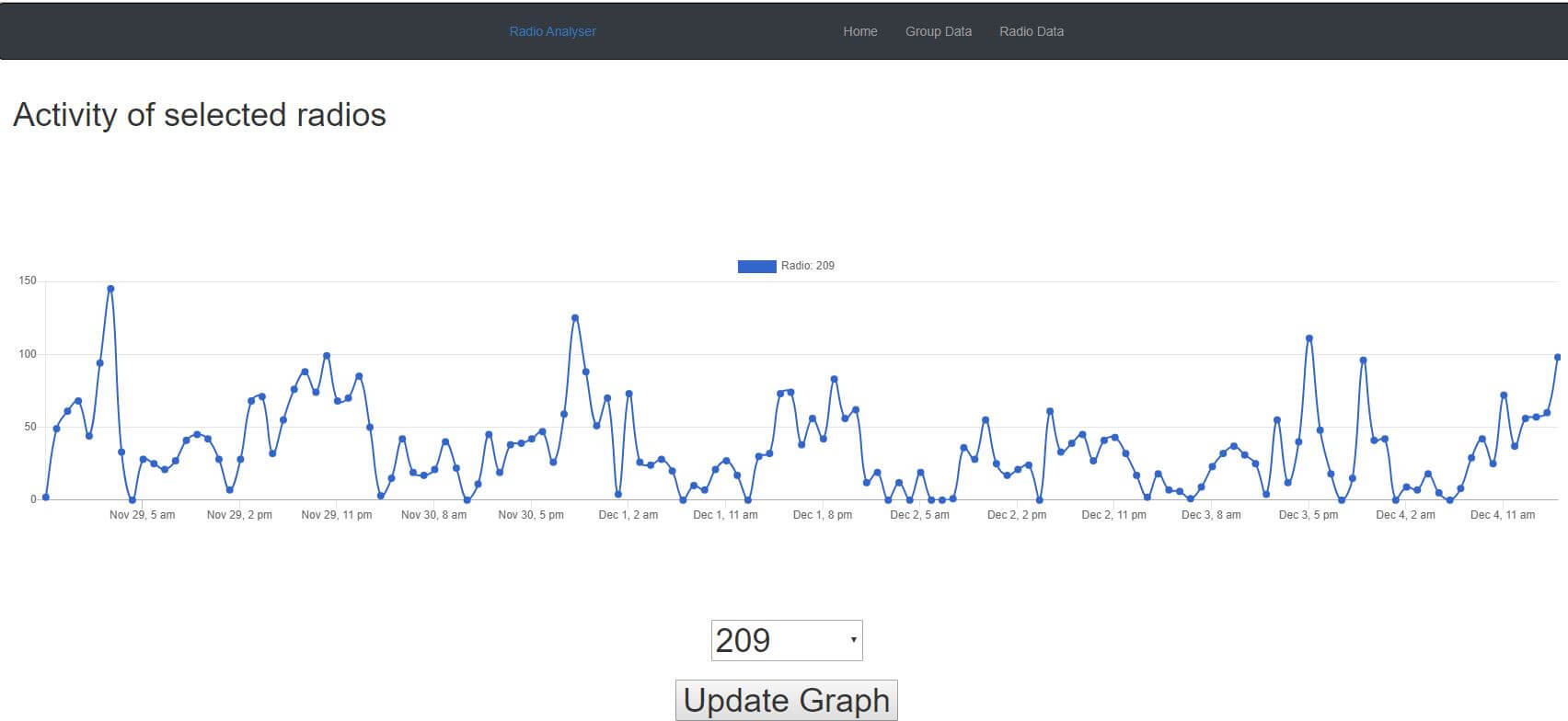
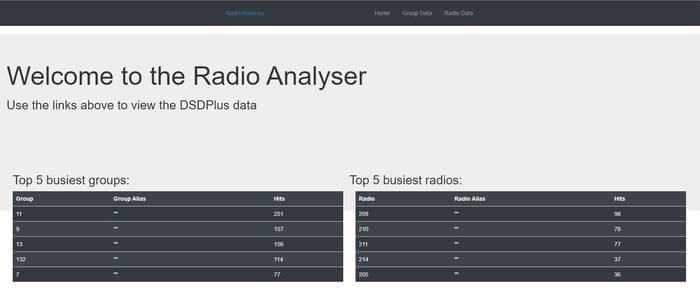
Matthew writes the following, and some screenshots of the interface and graphs are shown in the slider and the end of the post:
I've been learning Ruby on Rails and as a first project I wrote a project that you host at home which imports the DSDPlus.radios and DSDPlus.groups files and displays their activity in graph form. It will show you total site activity, talk group activity and radio activity.
Over on Twitter Annunaki (@StupotSinders) has been teasing some screenshots of a GUI for DSD+ that he's been developing over the past few weeks. And now he has released the software which is called "DSDPlusUI". DSD+ is mostly command line based, so a GUI could be useful for newbies. The software can be downloaded from the DSDPlusUI groups.io page.
DSD+ (aka Digital Speech Decoder) is a free closed source program that is compatible with RTL-SDR and various other SDRs which is used to decoder digital speech protocols such as P25 P1, DMR, NXDN and more. DSD+ Fastlane is a paid upgrade which allows subscribers to receive the latest updates to the software early.
Back in April 2019 we posted about Matt Mills' Radiocapture.com website which is a web service that you can feed that automatically captures analogue and digital trunked radio conversations with an RTL-SDR, and allows public users to play back conversations via the web interface. The Radiocapture page which shows what the software is capable of is also active at radiocapture.com/radio.
Back in April Matt was fundraising via Patreon and hoping to make development of Radiocapture his day job, but unfortunately he's had to call it quits for now. Since he no longer has time to work on it, Matt has open sourced the RF side of the software. The software description reads:
[Radiocapture-rf] is capable of using multiple networked computers and multiple SDR radios to demodulate the control channel of P25, EDACS, and Motorola trunking systems, as well as some limited support (alpha quality) for scanning for systems, LTR trunking, and "police scanner" style audio capture.
It is designed to effectively scale to an infinite capacity of trunked systems, captured transmission volume, and dongle bandwidth (more dongles = more available bandwidth, more cpus = more channels and more systems). (There is one remaining feature to be implemented to really make this work well, dongle redis autodiscovery (frontend_connect should autodiscover and use available dongles) and splitting the rc_frontend/receiver.py into one process per dongle.
The frontend initializes the SDRs in whatever configured frequency range, and presents a server interface where clients can connect and request a specific channel be created and forward to them. The frontend will then attach a channel, and output to a UDP sink (might be something better now, I forget). On the backend side, a control_demodulator is listening to that sink and doing the actual RF demodulation, which is passed into redis for distribution to other services. The backend is effectively a bunch of microservices that work together to track & record all ongoing transmissions and do some amount of deduplication. This entire setup is designed such that it can be scaled across as many servers/computers as necessary (although there are a few caveats/things I never got around to implementing in how it actually works). Recorded transmissions are decorated with a metadata scheme in their mp3 tags that is designed to be able to be loaded into the Radiocapture.com database. Finally completed mp3s are dropped into an activemq queue for publishing.
Matt notes that the software in it's current state isn't considered as "ready to distribute" as you may need some decent experience with Linux and Python to get it up and running.
Thank you to Matthew Cowley for submitting news about his new program called "Radio Analyser". Radio Analyser is a program that imports DSDPlus radio and group files into a postgresql database. The data can then graphed on the web interface allowing you to view talk group and radio statistics. DSDPlus is a program that can be used to listen in to digital P25, DMR and other digital voice protocols with an RTL-SDR or similar SDR.
Matthew writes the following, and some screenshots of the interface and graphs are shown in the slider and the end of the post:
I've been learning Ruby on Rails and as a first project I wrote a project that you host at home which imports the DSDPlus.radios and DSDPlus.groups files and displays their activity in graph form. It will show you total site activity, talk group activity and radio activity.
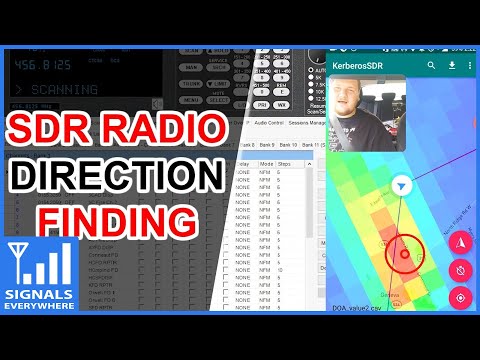
On this weeks episode of SignalsEverywhere, host Corrosive tests out our KerberosSDR coherent RTL-SDR unit for radio direction finding. If you didn't already know KerberosSDR is our experimental 4x Coherent RTL-SDR product. With it, coherent applications like radio direction finding (RDF) and passive radar are possible. Together with the KerberosSDR direction finding Android app it is possible to visualize the direction finding data produced by a KerberosSDR running on a Pi3/Tinkerboard.
In the video Corrosive uses the KerberosSDR together with the recently updated companion Android app to determine the location of a P25 control channel. By driving around with the app constantly collecting data he's able to pinpoint the location within about 15 minutes.
In addition to his video, Corrosive has also created a very useful calculator that can be used to calculate the required antenna spacing for a circular or linear direction finding array that can be used with the KerberosSDR.
Trunk Recorder is an RTL-SDR compatible open source Linux app that records calls from Trunked P25 and SmartNet digital voice radio systems which are commonly used by Police and other emergency services in the USA. It can be used to set up a system that allows you to listen to previous calls at your leisure, however it does not have any UI for easy browsing.
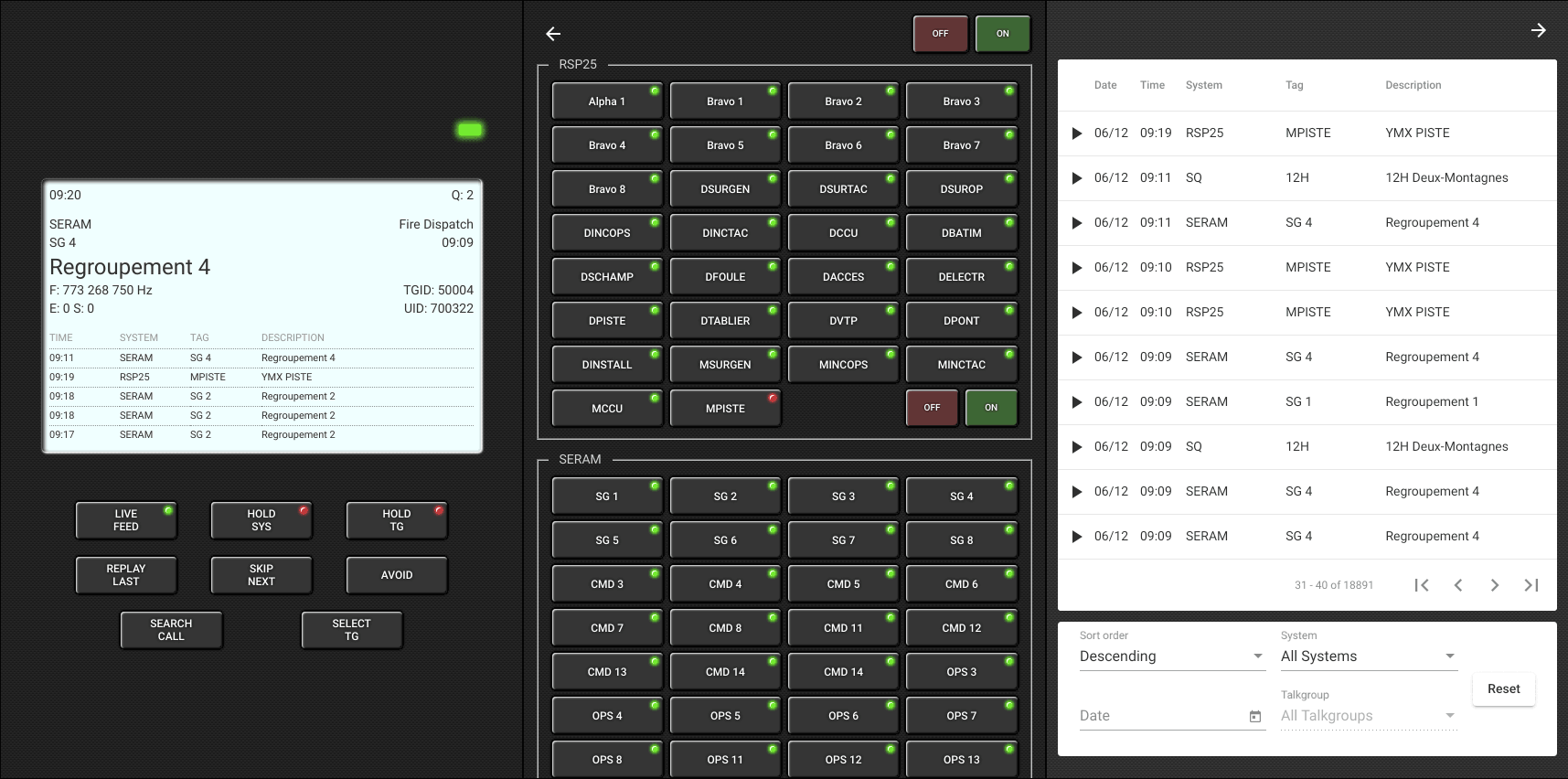
Recently Chrystian Huot wrote in and wanted to share his new program called "Rdio Scanner", which is a nice looking UI for Trunk Recorder. Rdio Scanner uses the files generated by Trunk Recorder to create a web based interface that looks like a real hardware scanner radio. Some of the features include:
Built to act as a real police radio scanner
Listen to live calls queued to listen
Hold a single system or a single talkgroup
Select talkgroups to listen to when live feed is enabled
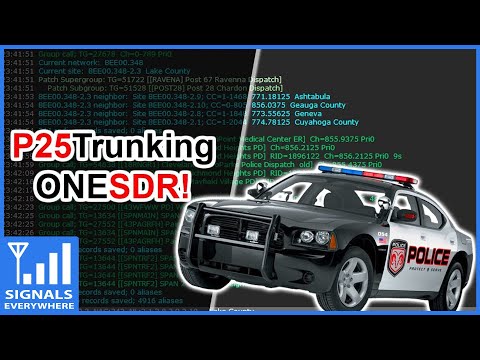
Over on YouTube Corrosive from the SignalsEverywhere channel has uploaded a new video showing us how to set up P25 trunking and decoding with DSDPlus Fastlane and only a single RTL-SDR.
Normally two dongles are required to follow a P25 trunking system. One dongle continuously receives the trunking channel, and a second tunes to the voice channel chosen by the trunking channel. However, the latest DSDPlus Fastlane has a feature that allows one only dongle to be used. It works by tuning back and forth between the control and voice channel. The disadvantage is that trunking information could be missed while tuned to a voice channel, so some calls could be missed.
RTL SDR Setup P25 Trunking With 1 SDR and DSDPlus FastLane
RadioCapture.com is a website run by Matt Mills that is capable of automatically capturing trunked radio communications from various agencies such as the emergency services and creating publicly accessible historical and live logs of the audio. This is a concept different to radio scanner streams, as all audio is logged and historical audio can be accessed easily at any time.
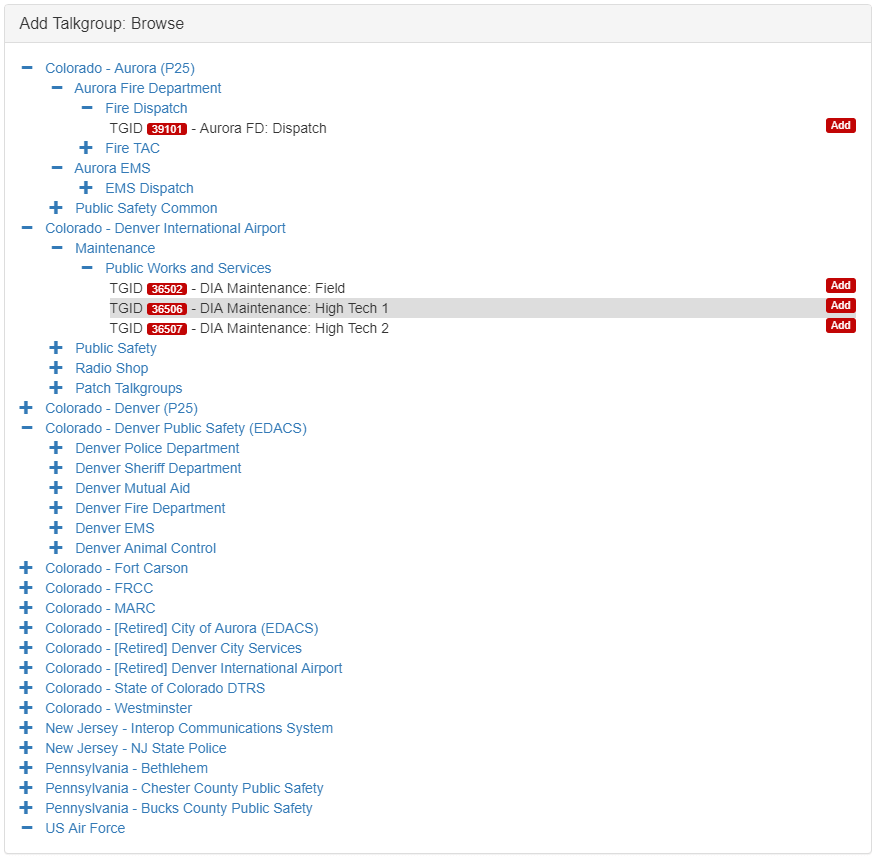
The system is based on SDR hardware such as the RTL-SDR. Currently Matt runs a receiver in Denver and captures Denver PD which can be listened to on the site without needing to log in. Once logged in (registration is free), other talkgroups available include various agencies in Colorado, New Jersey and Pennsylvania.
RadioCapture.com: Currently available talkgroups being logged
Recently Matt has put a call out for people to help support the site via Patreon. He notes that RadioCapture is currently run as a hobby, but with monetary support he hopes to be able to expand the site into a business and have receivers listening and uploading worldwide. He writes:
Hey! Thanks for supporting the continued operation and development of Radiocapture.com. This is a hobby project I've been working on this since late 2011. I'd like to turn it into a real business with your help.
Radiocapture.com is a software defined radio system I built that captures entire trunked radio systems. It demodulates and captures every call on every channel of one, or many systems.
A single RadioCapture server can capture hundreds of simultaneous voice transmissions and a bunch of sites, additionally it's designed in such a way that it can run across multiple computers. My biggest RF site uses 3 machines to capture 19 P25 systems, and easily hits more than 100 active voice channels recordings simultaneously every day.
Matt has also noted that if the site is able to become self-sustaining via Patreon, he hopes to also be able to bring out a RadioCapture kit consisting of 10-16 RTL-SDR dongles, hubs and cables which would allow anyone to easily capture and upload almost all trunked communications from their area. He also notes that at the time of writing:
RadioCapture has 701790271 unique recordings of 503779875 unique transmissions (some calls get captured on multiple transmitters) from the 21 systems that have been captured
If you're interested in talking to Matt about the site, you can also join his Rocket.Chat room at radiocapture.chat.
In his last video, Corrosive from the SignalsEverywhere YouTube channel showed us a quick guide on setting up a Phase 1 P25 digital voice decoder with two RTL-SDR dongles and the DSDPlus Fastlane decoder.
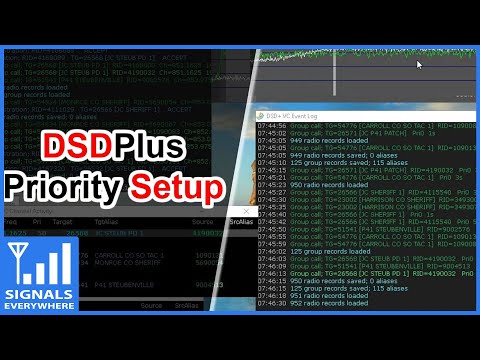
Now in his latest video Corrosive continues with the DSDPlus tutorial and this time explains how to set up priority and groups. On a trunked radio system there may be many different agencies using the same system simultaneously. Without priorities and groups, you would be listening to all communications in the system, and following a conversation within a particular agency would be difficult. Setting up priorities and groups allows you to filter out the conversations that you are not interested in, allowing you to focus on listening in to a particular agency only.
RTL SDR Digital Radio Scanning Priority and Groups With DSDPlus Fastlane Setup Tutorial