Tagged: plutosdr

SATSAGEN: Software to use a PlutoSDR as a Tracking Spectrum Analyzer

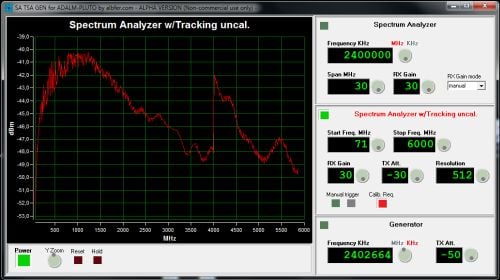
Thank you to Frank, HB9FXQ for submitting news about a new Windows program called SATSAGEN which allows you to use a PlutoSDR as a wideband spectrum analyzer. SATSAGEN was created by Alberto IU1KVL and is entirely free to use. This makes it possible to get wideband scans of RF components like filters and attenuators. Together with a directional coupler it could also be used to measure the SWR of antennas as HB9FXQ demonstrates in his Twitter post.

The PlutoSDR is a low cost RX/TX capable SDR with up to 56 MHz of bandwidth and 70 MHz to 6 GHz frequency range. It is typically priced anywhere between US$99 - US$149 depending on sales.

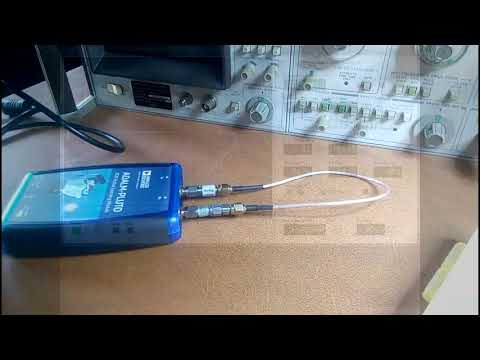
In the video below Alberto demonstrates SATSAGEN performing some wideband scans, and he shows the various features of the software. He writes that the system has a scan range from 70 MHz to 6 GHz and can show results in dBm. The spectrum analyzer works with the TX part of the PlutoSDR to provide a tracking generator with resolution of up to 1024 points. The software can also use the PlutoSDR as a frequency generator with 1 kHz of resolution.

There is also a support group available at groups.io/g/satsagen.

SATSAGEN Screenshot
SATSAGEN Screenshot

PiSDR Updated to Version 3.0: Now Supports the Airspy HF+

PiSDR is a Raspberry Pi distribution that is pre-loaded with multiple programs for various software defined radios. It currently supports RTL-SDR, LimeSDR, PlutoSDR, Airspy, and as of the most recent update the Airspy HF+. The currently pre-installed software packages include SDR Angel, Soapy Remote, GQRX, GNURadio, LimeUtil, and LimeVNA.

Recently version 3.0 was released, and this new version adds a few new features like Desktop shortcuts, Raspberry Pi 4 support, Airspy HF+ support and documentation.

The latest image can be downloaded from the PiSDR website at https://pisdr.luigifreitas.me. It can be burned to an SD card in the same way that you would with a standard Raspbian installation. This is a great image to start from if you're experimenting with RTL-SDRs on a Raspberry Pi, as it means that you don't need to go through all the steps of installing the drivers and software like GQRX and GNU Radio which can take a long time to install.

PiSDR Running a SDRAngel with a LimeSDR

Using a PlutoSDR to compare FreeDV Digital Voice with other Modes

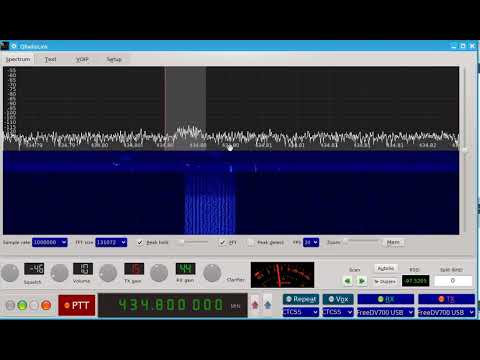
Over on YouTube user Adrian M has uploaded a video where he compares the HF amateur radio digital voice mode known as FreeDV against other common voice modes such as USB, AM, FM and QPSK. To perform the test he uses a PlutoSDR, a GNU Radio program and a GUI called qradiolink.

FreeDV is an open source amateur radio digital voice mode that uses Codec2 compression. It's designed to compress human voice and works with narrow bandwidths and with weak signal power.

In the demonstration Adrian reduces the TX power slowly for each mode, so you can see what the voice sounds like at high and low signal power. The FreeDV mode is not high fidelity in terms of audio quality, but the voice remains able to be copied at low power when the other modes could not.

Transmit and receive FreeDV 1600 and 700C with SDR hardware

Using SDR For QO-100 Satellite Operation

Es’hailsat, otherwise known as QO-100 is the first geostationary satellite with an amateur radio payload on-board. The satellite contains both a Wide Band transponder for experimental modes and DVB-S Digital Television and a Narrow Band transponder used mostly for SSB voice and some digital mode contacts with other amateur operators. If you’re unfamiliar with this satellite we’ve covered it in previous articles, like in [Es’hail Transponder Now Active]

While many choose to use a transverter connected to a traditional amateur transceiver, others have turned to use Software Defined Radios to complete their satellite ground stations.

[Radio Innovation] posted a video back in March showing his contact on QO-100 using a LimeSDR Mini as the 2.4 GHz transmitter and a 10 GHz LNB for the downlink.

The PlutoSDR has been frequently seen used for QO-100 satellite operation on the Wide Band transponder due to its ease of DVB-S transmission utilizing software such as [DATV Express] but more recently there have been more and more operators turning to SDR for their day to day satellite operation.

It will be interesting to see how these stations evolve, perhaps by the time North America has access to a similar satellite, we’ll be prepared to operate it.

PiSDR Image Gains PlutoSDR Support

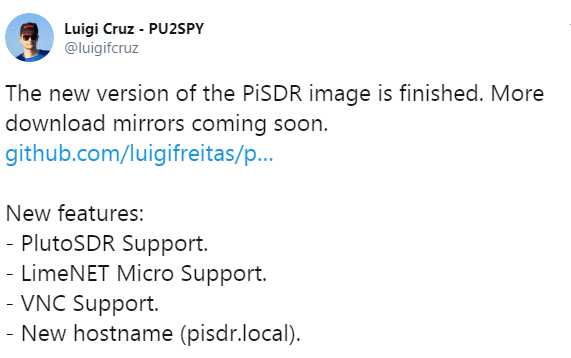
[@Lugigi Cruz] has announced on twitter that his latest PiSDR image now includes full PlutoSDR support. PiSDR is a pre-built Raspberry Pi distribution that supports several SDRs including the RTL-SDR. It comes with many applications and libraries ready for you to use some of which include GQRX and GNURadio Companion. PiSDR is available on [GitHub] and just needs to be burned to an SD card to be used. The PlutoSDR is a low cost (typically priced anywhere between $99 – $149 depending on sales) RX/TX capable SDR with up to 56 MHz of bandwidth and a 70 MHz to 6 GHz frequency range.

With this update support for the PlutoSDR has been added. This should allow for a host of new interesting uses for the image as it includes SDRAngel, an SDR application that works with transmit capable SDRs. While I’ve not yet tested the image myself, this should in theory mean that the PiSDR image could be used with a transmit capable SDR like a PlutoSDR or Lime/Mini SDR to both transmit and receive anything from DATV to voice and more.

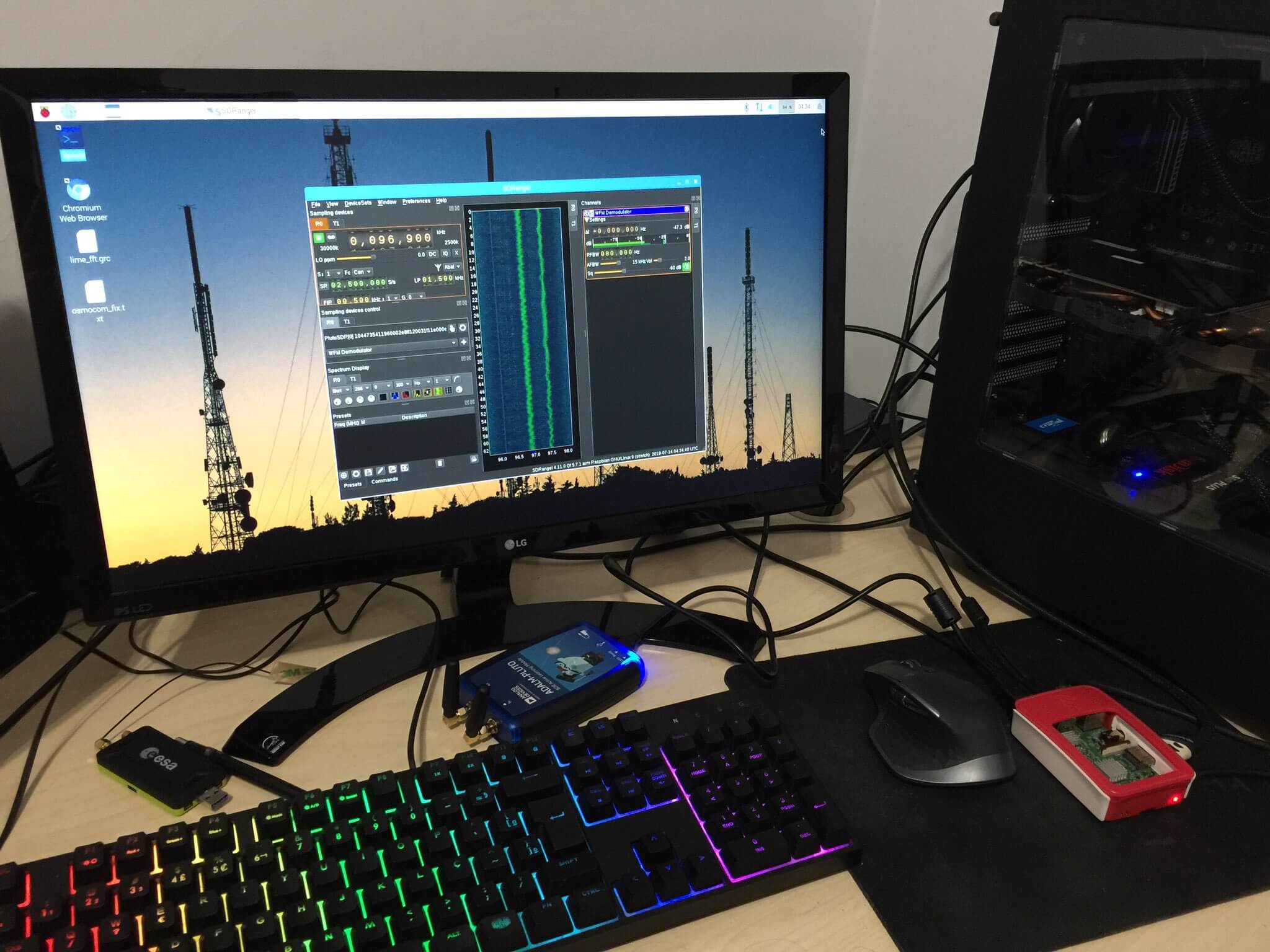
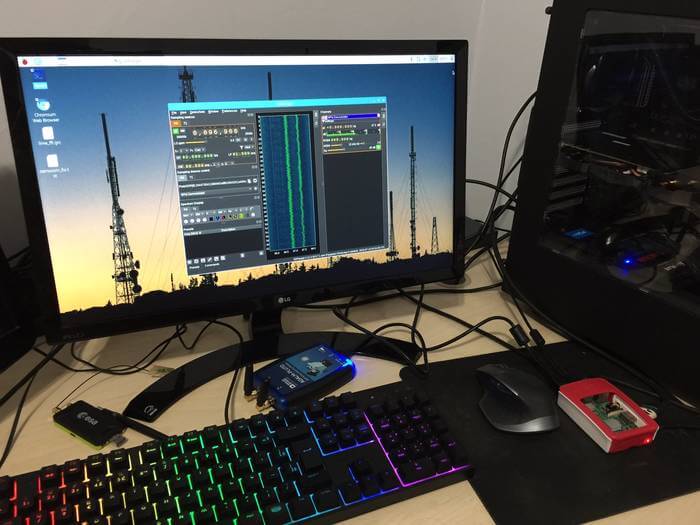
Below you can see the image running the Raspbian desktop with the SDRAngel software connected to the PlutoSDR. Those with a keen eye may also see the LimeSDR mini laying on the desk s well. The concept of SDR on a small microcomputer such as the Raspberry Pi isn’t a new one, but the existence of this distribution makes it much easier for people to jump in and start using it without having to configure and install software from scratch which can sometimes be a daunting task.

Running a Tesla Model 3 on Autopilot off the Road with GPS Spoofing

Regulus is a company that deals with sensor security issues. In one of their latest experiments they've performed GPS spoofing with several SDRs to show how easy it is to divert a Tesla Model 3 driving on autopilot away from it's intended path. Autopilot is Tesla's semi-autonomous driving feature, which allows the car to decide it's own turns and lane changes using information from the car's cameras, Google Maps and it's Global Navigation Satellite System (GNSS) sensors. Previously drivers had to confirm upcoming lane changes manually, but a recent update allows this confirmation to be waived.

The Regulus researchers noted that the Tesla is highly dependent on GNSS reliability, and thus were able to use an SDR to spoof GNSS signals causing the Model 3 to perform dangerous maneuvers like "extreme deceleration and acceleration, rapid lane changing suggestions, unnecessary signaling, multiple attempts to exit the highway at incorrect locations and extreme driving instability". Regarding exiting at the wrong location they write:

Although the car was a few miles away from the planned exit when the spoofing attack began, the car reacted as if the exit was just 500 feet away— slowing down from 60 MPH to 24 KPH, activating the right turn signal, and making a right turn off the main road into the emergency pit stop. During the sudden turn the driver was with his hands on his lap since he was not prepared for this turn to happen so fast and by the time he grabbed the wheel and regained manual control, it was too late to attempt to maneuver back to the highway safely.

In addition, they also tested spoofing on a Model S and found there to be a link between the car's navigation system and the automatically adjustable air suspension system. It appears that the Tesla adjusts it's suspension depending on the type of road it's on which is recorded in it's map database.

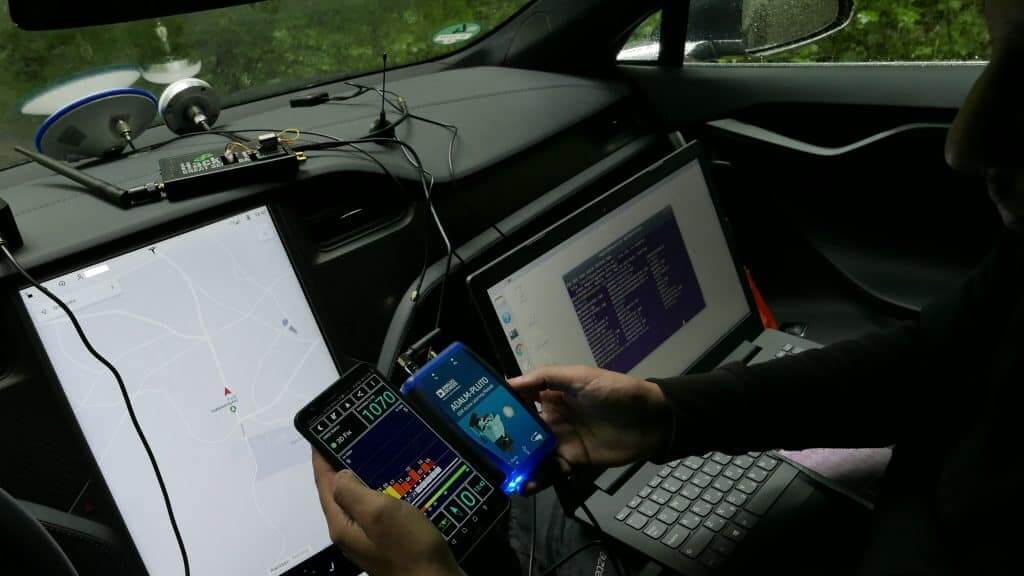
In their work they used a ADALM PLUTO SDR ($150) for their jamming tests, and a bladeRF SDR ($400) for their spoofing tests. Their photos also show a HackRF.

Regulus are also advertising that they are hosting a Webinar on July 11, 2019 at 09:00PM Jerusalen time. During the webinar they plan to talk about their Tesla 3 spoofing work and release previously unseen footage.

GPS/GNSS spoofing is not a new technique. In the past we've posted several times about it, including stories about using GPS spoofing to cheat at Pokémon Go, misdirect drivers using Google Maps for navigation, and even a story about how the Russian government uses GPS spoofing extensively.

Some SDR tools used to spoof the Tesla Model 3.

SignalsEverywhere: What SDR To Buy? Choose the Right one For You

Over on his YouTube channel SignalsEverywhere, Corrosive has just released a new video titled "Software Defined Radio Introduction | What SDR To Buy? | Choose the Right one For You". The video is an introduction to low cost software defined radios and could be useful if you're wondering which SDR you should purchase.

The video includes a brief overview of the Airspy, KerberosSDR, PlutoSDR, LimeSDR Mini, HackRF, SDRplay RSPduo and various RTL-SDR dongles. In addition to the hardware itself Corrosive also discusses the compatible software available for each SDR.

Software Defined Radio Introduction | What SDR To Buy? | Choose the Right one For You

SignalsEverywhere: Running PlutoSDR over an Ethernet Network Connection

Over on YouTube Corrosive from his SignalsEverywhere channel has just uploaded a new video showing us how to run a PlutoSDR over an Ethernet connection. As the PlutoSDR does not have an Ethernet port built in he uses a USB to Ethernet adapter. The rest of the video shows how to configure the IP address settings in the PlutoSDR config files, and in Windows.

The PlutoSDR is a low cost (typically priced anywhere between $99 - $149 depending on sales) RX/TX capable SDR with up to 56 MHz of bandwidth and 70 MHz to 6 GHz frequency range. It also has an onboard FPGA and ARM Cortex-A9 CPU which can be used to run programs on the PlutoSDR itself.

It is possible to run streaming software such as OpenWebRX directly on the PlutoSDR's CPU. Using an Ethernet connection can help with having enough network bandwidth to serve multiple users over the internet.

PlutoSDR over Network With USB Ethernet Tutorial