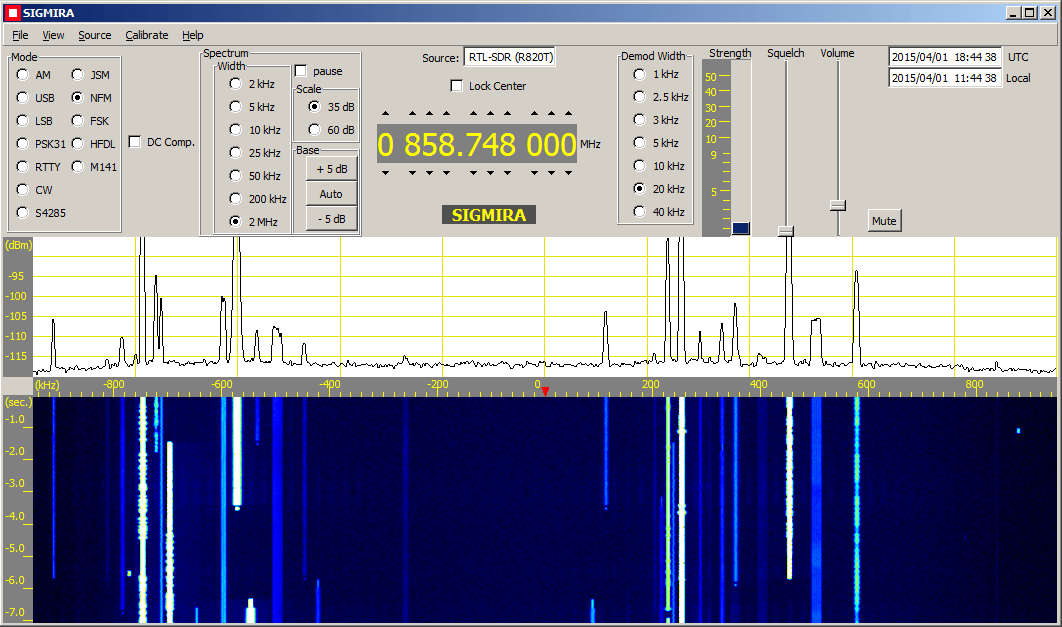
Sigmira is a popular free Windows software program which supports decoding of radio modes such as PSK31, RTTY, CW, STANAG 4285, Japanese Slot Machine, FSK, HFDL and M141 as well as standard modes such as NFM, AM, USB and LSB.
In most of the world aircraft use the ADS-B standard for location tracking which transmits at a frequency of 1090 MHz. However, in the USA there is the option for aircraft to instead use the Universal Access Transceiver (UAT) protocol which transmits at 978 MHz.
UAT has some extra features for pilots compared to ADS-B. In addition to location information UAT provides a Traffic Information Service (TIS/B) which allows pilots to see what ground control sees on their traditional RADAR system. It also provides a Flight Information Service-Broadcast (FIS/B) which includes weather and other information. It seems that most small aircraft in the USA prefer to use the UAT system due to it’s lower cost and additional features.
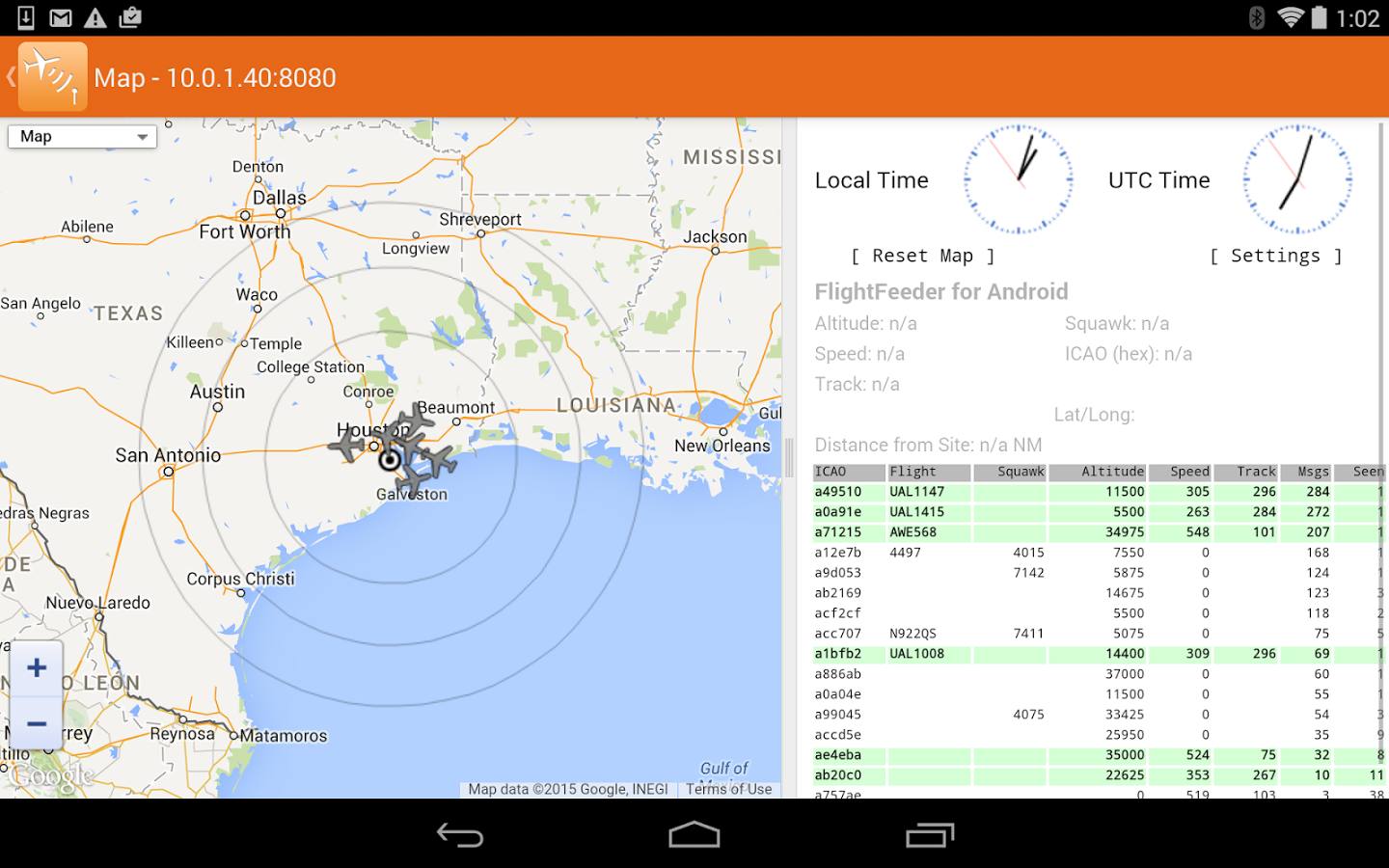
Recently Roman, a programmer and reader of RTL-SDR.com wrote in to let us know about his ADSBox software which is a free opensource Linux based ADS-B decoder (page in Russian, use Google Translate) with several interesting features. ADSBox contains a decoder and a nice web interface which allows you to view flight information in a table or in Google maps, or even through a Google Earth interface. The software also automatically loads up a photo of an aircraft if you click on it in the map. Roman has actually been working on ADSBox since 2011 and seems to have recently added RTL-SDR support.
The software can be compiled on a PC with gcc, or on an embedded ARM device with arm-linux-gcc. We gave the software a quick test on an Ubuntu PC and found that it worked as expected. Install instructions are on the page linked above, but just in case here are our notes on compiling the software.
Download and extract the latest version from the bottom of the page into a folder called adsbox on your Linux system. (Latest version at the time of writing: adsbox-20150409.tar.gz. Note that the Google translated download link did not work for us, use the original untranslated link if you need to)
Download and extract the latest sqlite source files from http://www.sqlite.org/download.html (at the time of writing: sqlite-amalgamation-3080900.zip) into a folder called sqlite3 on the same level as the extracted adsbbox folder (not inside adsbbox folder)
Edit the Makefile and set “WITH_RTLSDR = yes”. If cross-compiling for an ARM device set CC = arm-linux-gcc, otherwise leave this setting alone.
Run “make”.
Now you can run ADSBox with ./adsbox –rtlsdr.
Go to 127.0.0.1:8080 in your browser to see and use the interface.
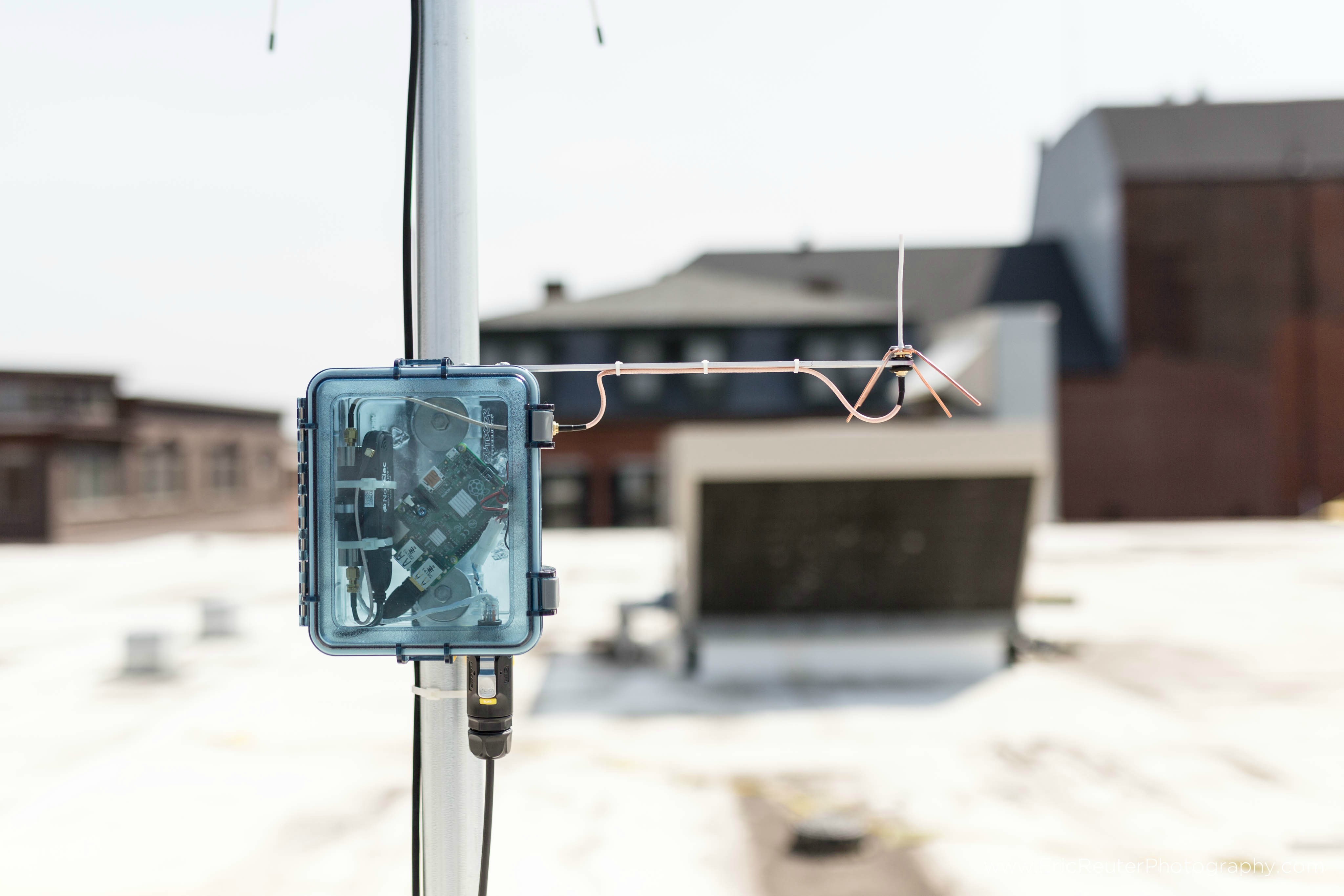
Over on the Raspberry Pi Reddit discussion board user spfoamer has posted about his Raspberry Pi + RTL-SDR based outdoor ADS-B receiver. ADS-B stands for Automatic Dependent Surveillance Broadcast and is a signal broadcast by aircraft that contains information about their locations. With a receiver like the RTL-SDR and correct software you can make an aircraft radar.
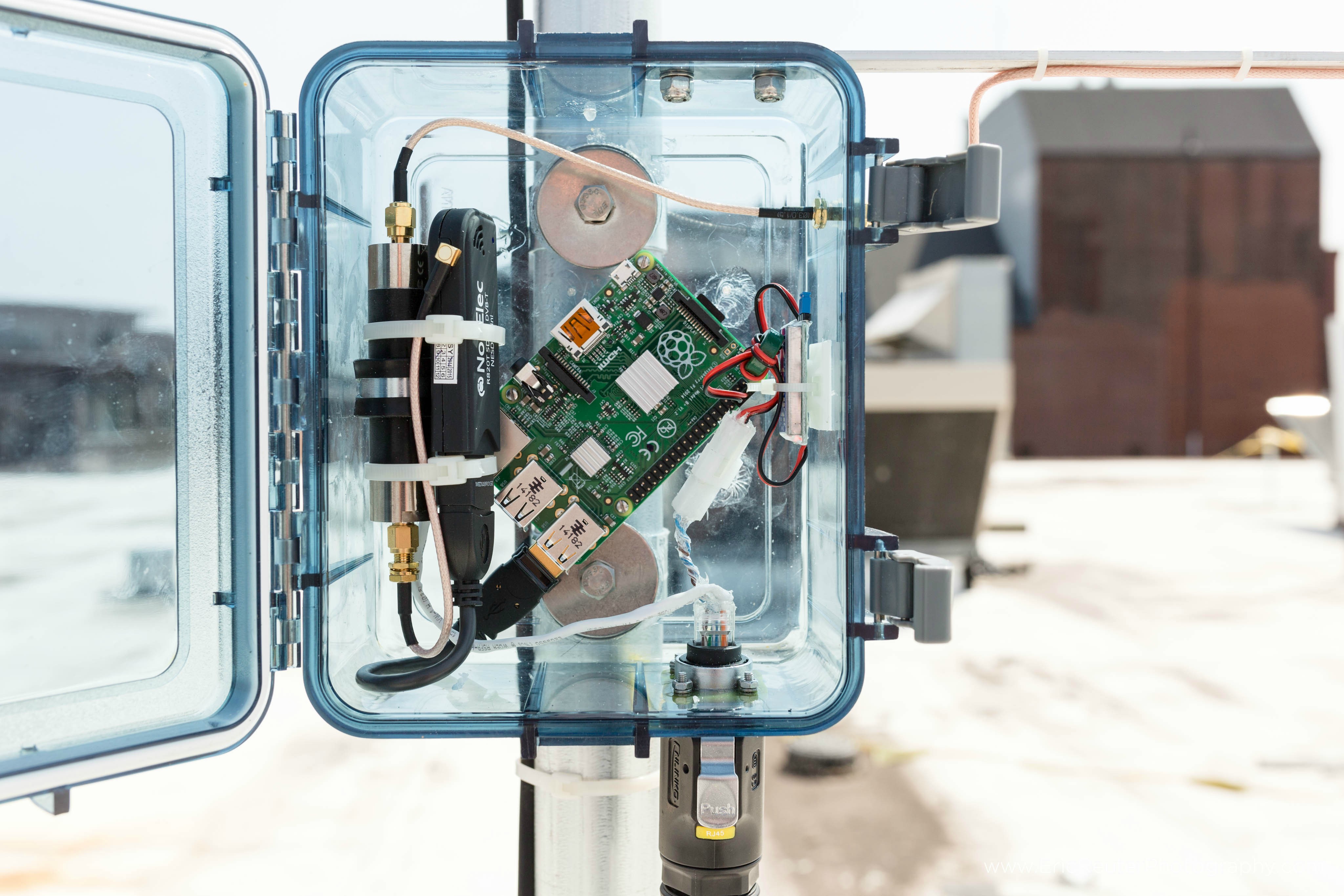
In his design the Raspberry Pi transmits location data back to a PC via an Ethernet cable. In addition the Raspberry Pi is also cleverly powered via power over Ethernet (POE) which uses unused wires in the Ethernet cable itself to carry the power. Since he uses a 12V power source, to obtain the needed 5V to power the Raspberry Pi spfoamer uses a UBEC (Universal Battery Elimination Circuit) which is an efficient device that converts voltages from up to 23V down to 5V. Additionally, he uses a 1/4 wave ground plane antenna and a 1090 MHz bandpass filter to eliminate out of band interference.
On the Pi itself he runs PiAware and contributes his data to the FlightAware network.
ADS-B with a Raspberry Pi, RTL-SDR, Bandpass Filter all powered via Ethernet cable.Close up of the inside of the box.
Recently we bought and tested one of Adam 9A4Qv’s ADS-B folded monopole antennas. This is a well thought out 50 ohm antenna designed for receiving ADS-B signals between 1030 and 1090 MHz. It has an omni directional radiation pattern (receives from all directions in the horizontal) and 3.67 dBi gain.
This antennas main defining feature is that it uses a DC grounded design which eliminates the static electricity problems other antennas can have. This allows this antenna to be connected to a receiver 24/7 without having to worry about ESD destroying the front end of your receiver or LNA. It is also small enough to be able to be used as a desktop antenna.
Folded Monopole ADS-B Antenna. Comes in two pieces which need to be soldered together.
The antenna is made of FR-4 laminate (PCB material) with a conductive layer covering the ground plane board and an upside down U-shaped trace in the vertical section. The antenna requires assembly and detailed assembly steps can be found on the antenna’s web page. Assembly of the antenna itself was straight forward just requiring two solder joints to be made to connect the vertical part to the ground plane. You will need to take care to ensure that the vertical antenna is completely vertical once soldered in.
The antenna also comes with no included coax cable and so a cable must be soldered on to the antenna first. The assembly instructions recommend using Teflon coax cable (such as RG316), however we didn’t have any on hand, so we just used regular RG174U and carefully soldered it on, making sure to not melt the inner insulation too much.
Fully constructed ADS-B antenna with RTL-SDR dongle for size comparison.
After fully constructing the antenna we ran a SWR test using an RTL-SDR and a noise source and found the antenna to have a SWR of approximately 1.46 at 1090 MHz resulting in about a 0.155 dB loss due to mismatches. A SWR value of 1.46 is very good for a receive only antenna like this. In one of Adams videos he used some higher quality coax and his tests showed the SWR of the antenna with a value of about 1.2102.
As for actual real world ADS-B performance we did not test it against any other ADS-B antennas, but it received aircraft from almost 350 km away from an indoor desktop location which we think is pretty good. In comparison the standard 11.5 cm stock antenna that comes with most dongles only had a range of about 250 km when placed in the same location. The maximum range of an ADS-B signal is around 500 – 600 km, which should be easily achievable with this antenna mounted outside on the roof.
Compared to other hobbyist ADS-B antenna offerings, Adam’s folded monopole antenna is one of the cheapest we could find, costing only 20 euros + 5 euros for shipping (~$26.5 USD total), although it does not come with a mount or weatherproofing. It is also one of the smallest, measuring just under 6 cm high and 14 cm in width and depth. Below we table Adam’s antenna with some alternatives for a comparison (prices converted from Euro to USD where applicable).
Note remember that as passive antenna gain is increased, the receive radiation pattern becomes flatter (which you may or may not want – you’ll receive better out towards the horizon but worse at higher elevations) and that an active antenna with an LNA is most useful when long runs of coax cable is used.
The American space agency NASA runs a yearly challenge called the “International Space Apps Challenge”. The challenge encourages global collaboration in solving several space and Earth related problems. This year one of the challengers is creating a system called the “BigWhoop” which will be a global networked system of radio receivers that will be used to continuously monitor the radio spectrum. They write:
[BigWhoop] is a full system for collecting data from small radio-receivers measuring everything within the radio spectrum around the world. BigWhoop schedules the monitoring, the collection of data via the internet, the database handling and the final analysis as well as visualization.
As well as being able to constantly track aircraft through ADS-B signals, they write that BigWhoop will have the following other applications:
We can detect places of high spectrum activities such as radio towers and tell you, when a new music channel starts its broadcast service. Or we can find sweet spots of radio silence where radio telescopes can be placed and listen to weak cosmic radio sources, that would have been drowned in man-made radio noise otherwise.
The BigWhoop code is still in “pre-alpha”, but they are currently asking for owners of RTL-SDR dongles to be volunteer testers.
Recently we also posted about some similar networked radio projects. One called ThumbNet which has a greater emphasis on education and promotion of the sciences, and another called SatNOGs which focuses on the receiving and global networking of satellite communications.
bigwhoop global spectrum monitoring spaceapps2015 stuttgart local winner airtraffic
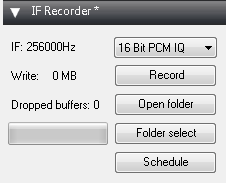
On rtl-sdr.ru, the author of several SDR# plugins has uploaded a new one called “IF Recorder”. This plugin allows you to easily record an IQ file of just the intermediate frequency (IF). In SDR#, the IF is the shaded area with the red line which you use to tune with.
This plugin looks to be great for recording example IQ samples of signals because the output file will be significantly smaller and more manageable compared to recording the entire bandwidth. It is also useful for recording IQ files for use in decoding METEOR M2 weather satellite images, as the decoding software requires an IQ file of the LRPT signal. The plugin also has a schedule option which could be used to start and stop recording the METEOR M2 weather satellite signals automatically.
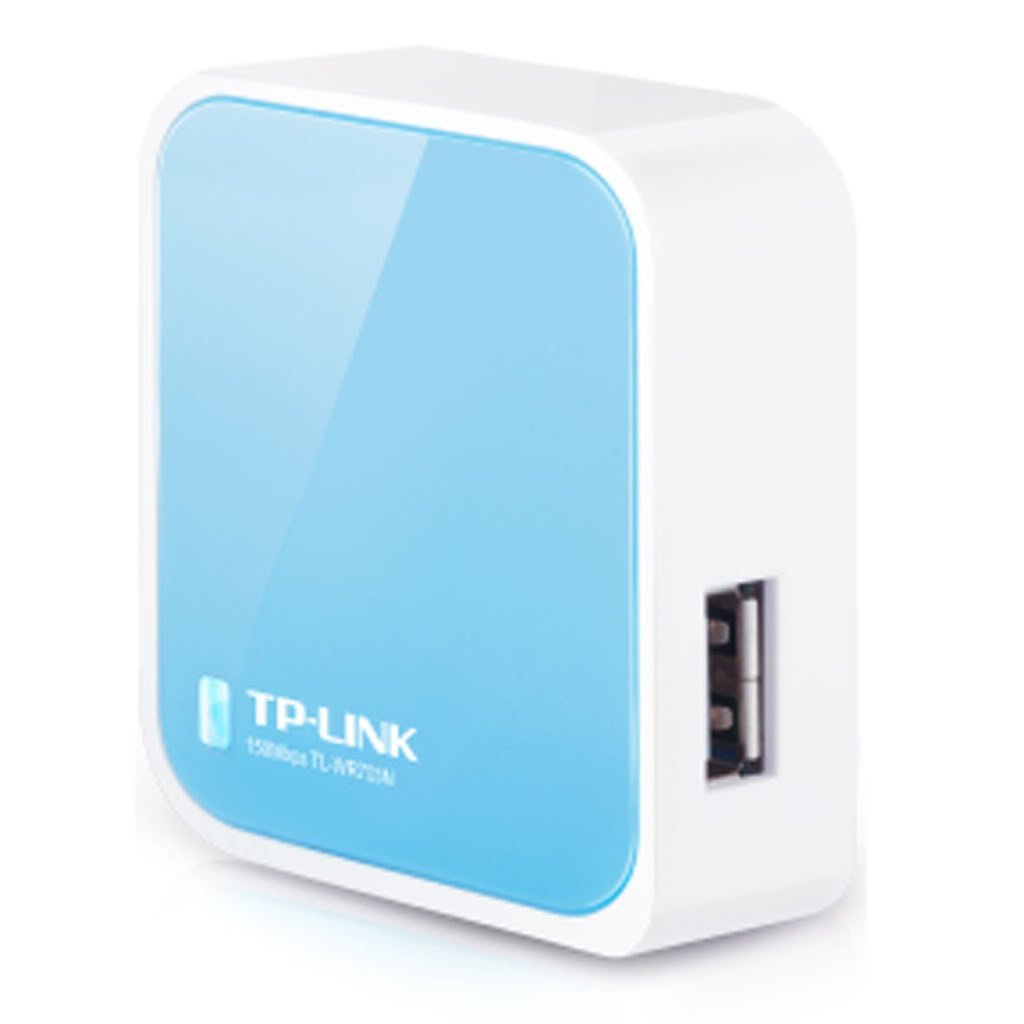
OpenWRT is a special custom Linux based firmware designed to create a fully functional Linux system on a internet router by replacing the stock firmware. Since OpenWRT is Linux based, it is possible to install the RTL-SDR software and run it on the router itself. On his blog Tom Jones has posted a brief tutorial showing how he got the RTL-SDR working on a WR703N router that is running OpenWRT. Basically he just installs the RTL-SDR package which is available through the OpenWRT package manager and runs rtl_tcp, but he talks about a few adjustments he had to make to the rtl_tcp buffers to make it run smoothly. The WR703N is a mini wireless router that goes for about $30 USD on Amazon.