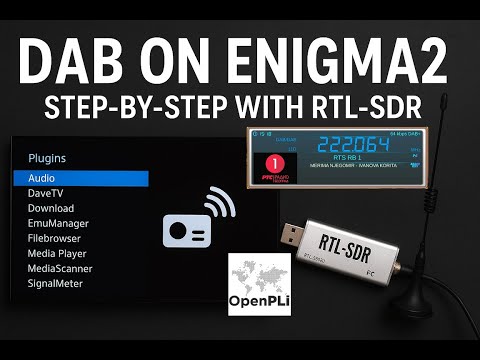
Thank you to "Radioto bg" from DXing.org for writing in and sharing with us his latest YouTube video showing how to receive DAB and FM signals with an RTL-SDR and the Enigma2 application running on OpenPLi. OpenPLi is an open-source Linux distribution for TV set-top boxes and Engima2 is a TV reception application used within the distribution.
RADIOTO shows how an RTL-SDR can be added to the system, allowing it to also receive DAB+ and FM radio. In a previous post RADIOTO also showed how the RTL-SDR could be used as a DVB-T receive in Enigma2 and OpenPLi.
Turn Your Enigma2 Receiver into a DAB+ & FM Radio with RTL-SDR v.3! 🔥 Full Tutorial with OpenPli 9.0
Recently, SunFounder sent us a free review unit of their latest "Pironman 5 MAX" enclosure for Raspberry Pi 5 devices. While not directly related to SDR, we thought we'd accept the unit and review this product, as RTL-SDRs are often used together with Raspberry Pi 5 single-board computers. Depending on the number of SDRs connected and the software used, SDR applications can consume a significant amount of CPU, causing heat and throttling down of CPU speeds; therefore, adequate cooling may be necessary.
The Pironman 5 costs US$94.99 if purchased directly from the SunFounder website, and they advertise that US duties and EU VAT are included in the pricing. There is also the slightly lower Pironman 5 model available for US$79.99. The main difference between the 5 and 5 MAX is that there is only one SSD expansion slot vs two on the 5 MAX, and no tap-to-wake OLED functionality.
Overview
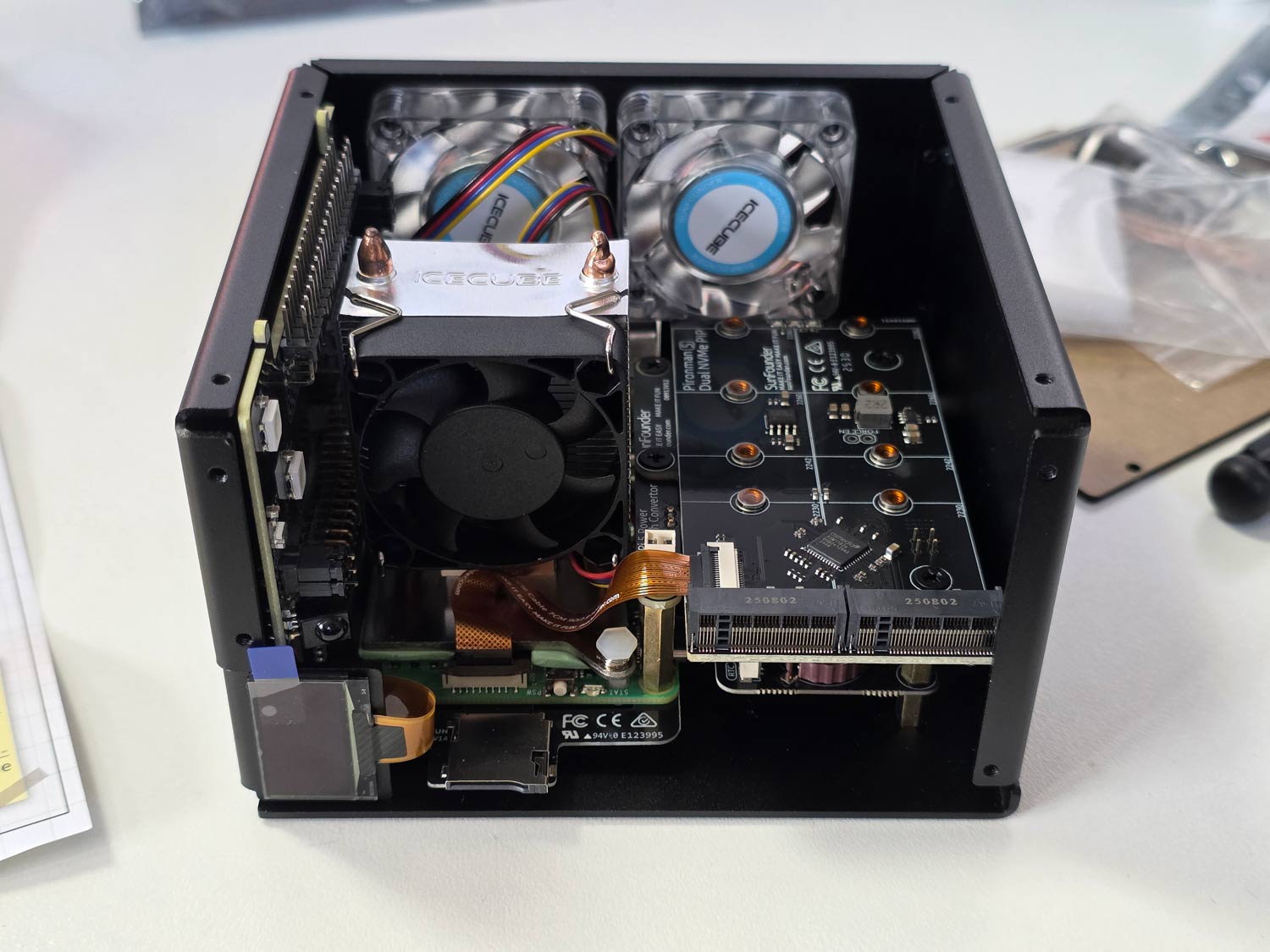
The Pironman 5 is what we would consider a high-end enclosure for the Raspberry Pi. It includes a large CPU tower cooling heatsink with a fan, along with two case fans to keep the internal temperatures down.
It also adds a dual slot NVME M.2 expansion board to the Pi 5, so that you can install two SSDs or one SSD and a Hailo AI accelerator module. SSDs might be useful for RTL-SDR users who are recording large amounts of IQ data, or saving many weather satellite images, for example. The Hailo AI accelerator module could turn a Raspberry Pi and RTL-SDR into an RF intelligence powerhouse. One advanced AI use-case might involve running local Whisper speech recognition to log voice communications to text, followed by using a local LLM to summarize daily received data (noting that you'll need to wait for the Hailo-10H model to run local LLMs).
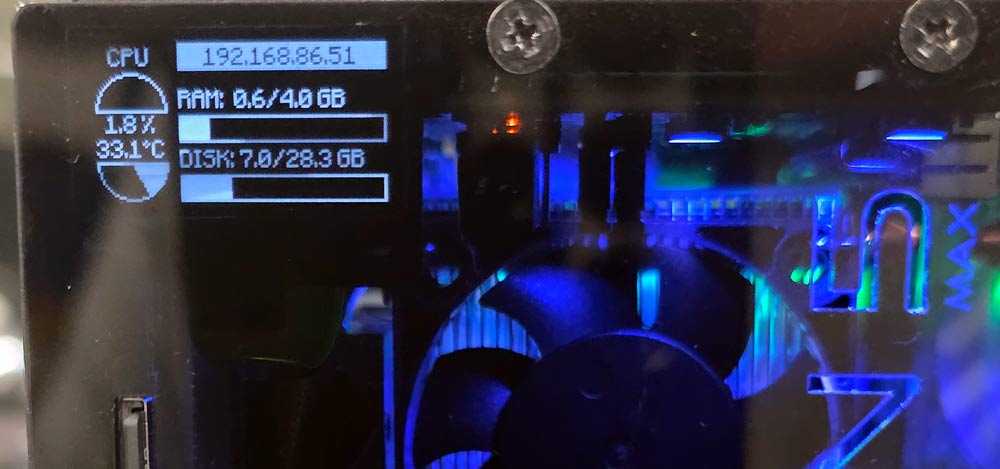
Finally, it also adds an OLED status display, which shows current CPU temperature and fan speeds, as well as an on off button.
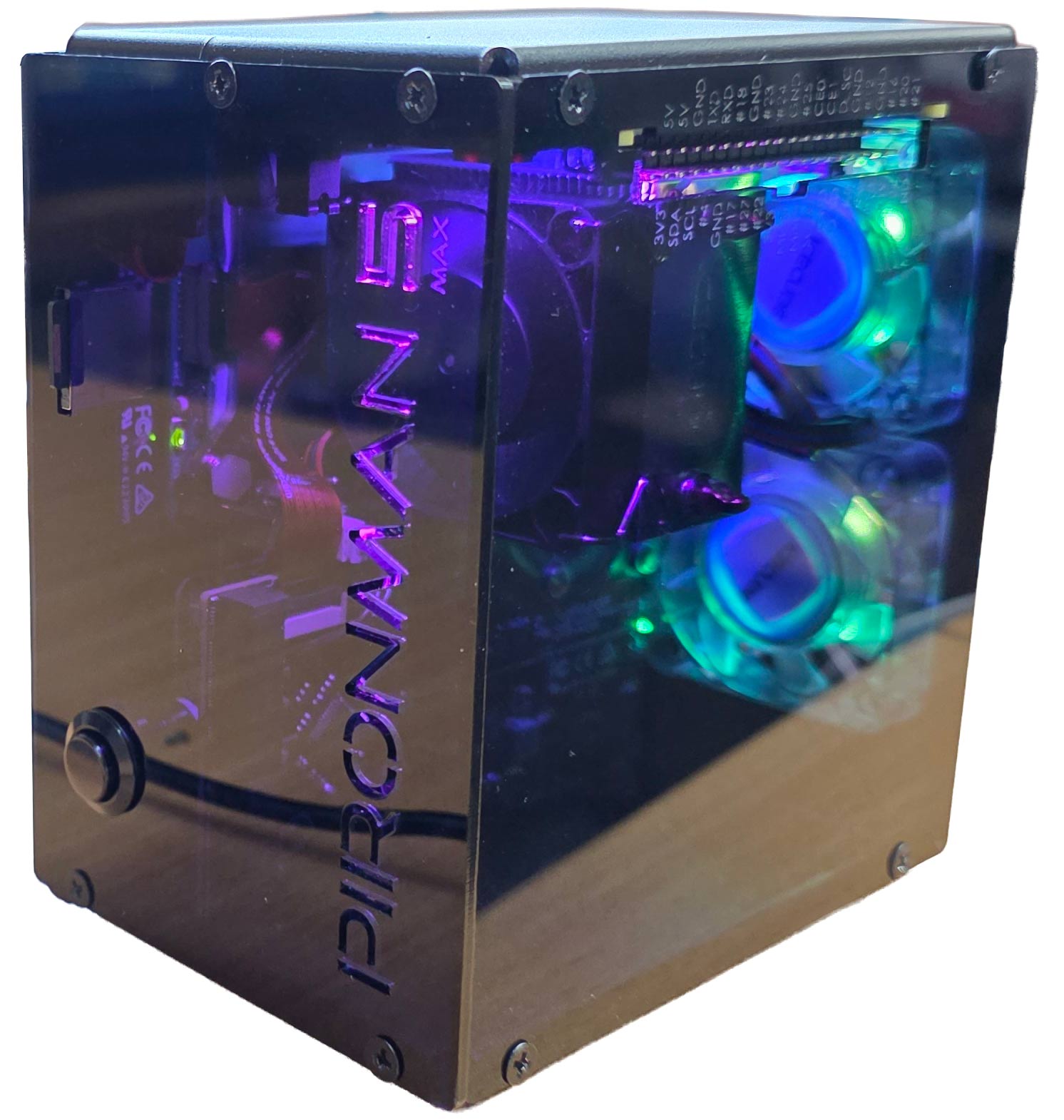
Another plus is that the GPIO header remains accessible on the outside of the enclosure, thanks to an extender included in the design.
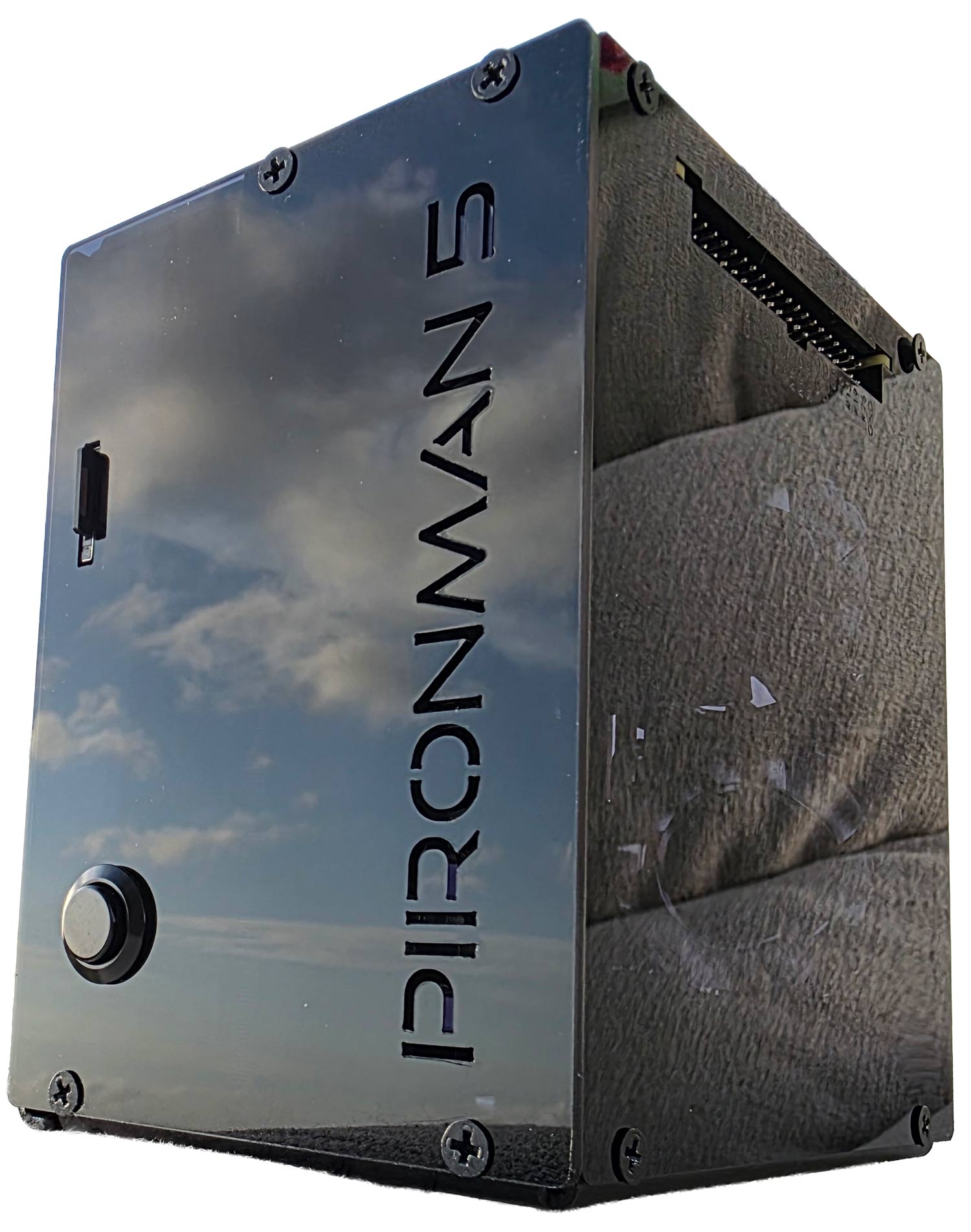
Pironman 5 Fully Assembled
Assembly
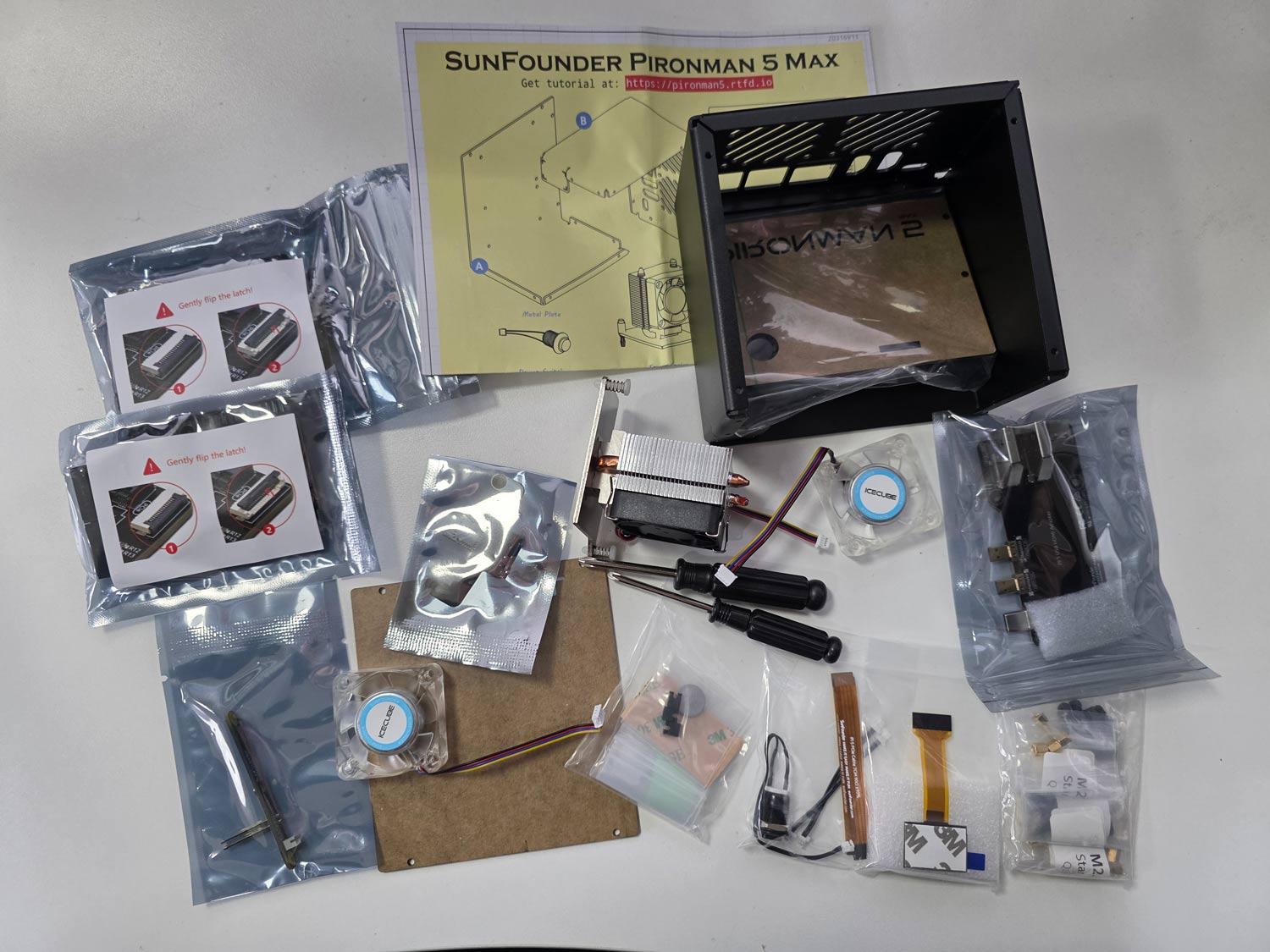
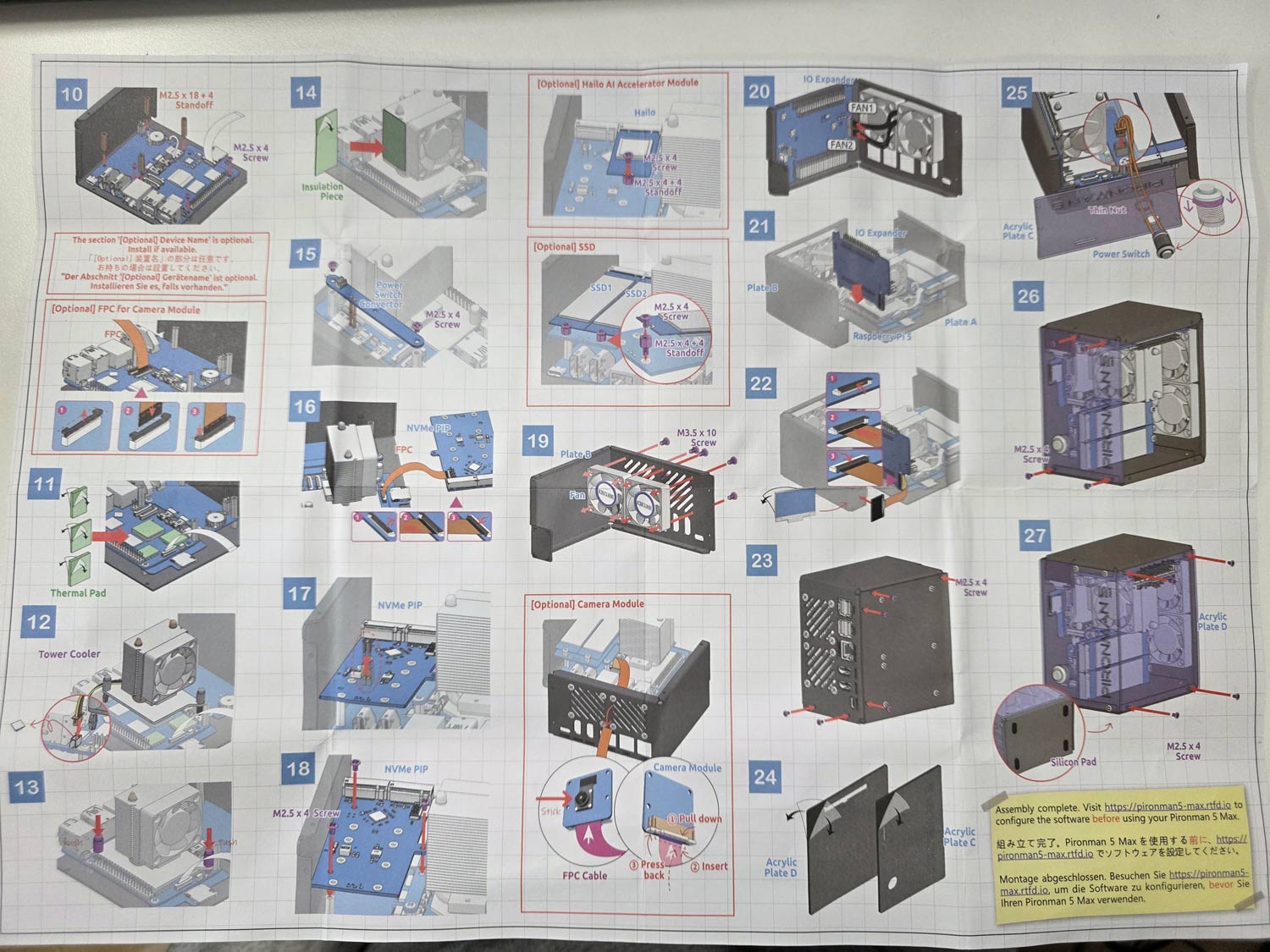
Assembly of the Pironman 5 took just over 30 minutes. It involves screwing in standoffs, seating the heatsink/fans, connecting jumpers and ribbon cables, and screwing down the panels. A nice color paper assembly manual is provided, making the installation easy to follow. Anyone who is mildly familiar with installing connectorized PC components should have no trouble.
All parts included with the Pironman 5.Pironman 5 Assembly ManualPironman 5 Built (Acrylic side panels off)
Software Installation and Usage
After assembly, you can simply insert a freshly burned Raspbian image into the SD card slot and power on the unit.
At this stage, you now need to install some software to properly control the OLED, CPU fans, and case fans. This involves installing some software from their GitHub, but you can simply copy and paste the commands in the terminal one by one.
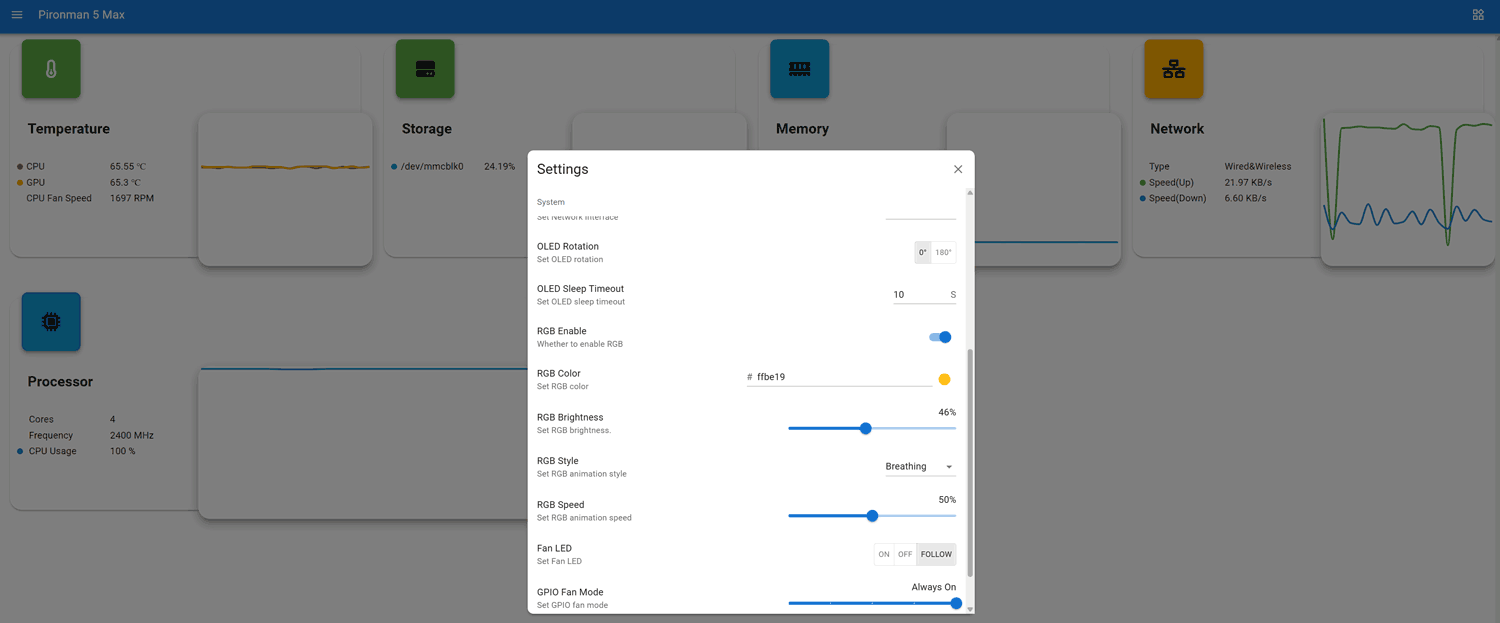
Once the software is installed a web UI is exposed at <IP_ADDR>:34001. Here you can monitor various stats including CPU temps, and make changes to the OLED, RGB and fan behaviour.
Pironman 5 Web UI
OLED QC Problems?
Unfortunately, our unit had a problem where the OLED screen wouldn't work. We attempted fresh software installs and reseated all cables and connectors, but had no luck. Upon contacting SunFounder, they immediately sent us a new OLED screen to try. But the replacement also did not work.
However, when trying the new screen, we noticed that the screen would briefly light up when we pressed on the FPC connector. Upon inspecting the FPC connector, we noticed that some pins on the PCB looked suspiciously low on solder compared to the others, so we applied flux and used a hot soldering iron to refresh them. After doing this, the OLED screen began working again.
Based on our dealings with SunFounder, we believe that they're support is good, and any customer facing similar issues would be supplied with replacement parts if required.
Pironman OLED Screen Working
Usage and Performance with RTL-SDR
As expected, with the great cooling in place, the Raspberry Pi 5 never throttled down when running an RTL-SDR with SDR++. We also tested it with our KrakenSDR system, which requires more CPU, and found great performance too.
The rear GPIO fans are quiet enough, and the CPU fan makes almost no noise inside the enclosure. We ran a stress test using the 'stress' Linux package, which can push all four CPU cores to 100%. With the fans running in a room with an ambient temperature of 22 degrees, we saw that the CPU temperature never went above 55 degrees C.
While still running 'stress', we manually disabled the two GPIO fans, and the temperature stabilized at around 66 degrees C. So the rear fans may only be required to be on when you have an SSD or AI module installed.
Conclusion
If you're looking for a high-quality enclosure and cooling solution for the Raspberry Pi 5, the Pironman 5 MAX is probably the best high-end solution available. Not only does the enclosure protect the Raspberry Pi 5 completely, but the cooling performance is excellent, and the ability to add SSDs and AI modules is great too.
Disclaimer: We were given a unit for free in exchange for an honest review. We received no other compensation.
Over on GitHub, user shajen has recently released a new open source program called "sdr-hub," which combines his two prior programs, called rtl-sdr-scanner-cpp and sdr-monitor, into one easy-to-launch project. The result is a powerful RTL-SDR scanner and audio recorder, with a web interface. In the past, we posted about rtl-sdr-scanner-cpp when Tech Minds made a video on it.
The scanner feature allows users to scan for active frequencies across a wide spectrum by rapidly retuning the RTL-SDR. If the transmissions are all within the same instantaneous bandwidth, the user can also record the audio.
The web interface then allows users to easily browse any created spectrum graphs and play back any audio recordings.
The software is available as a Docker image, making it easy to install and run.
SDR-Hub: RTL-SDR Scanner, Recorder and Web UI all in one.
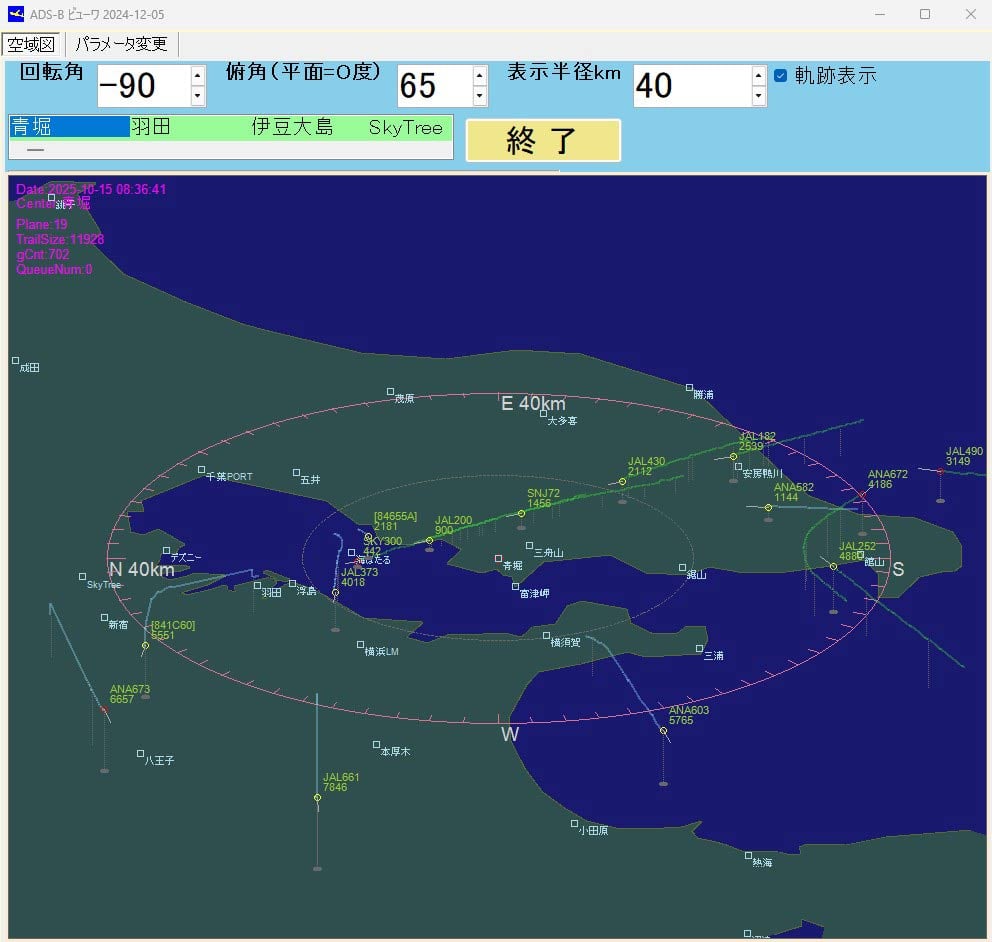
Thank you to Kazuya for submitting an aircraft tracking app that he's created for use with RTL-SDR dongles and dump1090. The program currently exists only as Visual C++ code and is documented in Japanese, so it may be somewhat niche and intended for advanced users to try out. Kazuya writes:
I live near Tokyo Bay, so I enjoy watching the takeoffs and landings at Haneda Airport.
The unique feature of this app is that it visualizes the descent angle, which is difficult to see on a flat map.
This app has not been available for distribution. If you are an intermediate Visual C++ user, you may be able to rebuild or modify the app.
Topographical and landmark information is in text files, allowing you to customize area information in more detail for your airport.
----
(3) Glide_Path Can be built independently.
Execution Environment Copy the folder (ADS_GLIDE_PATH) to C:.
・When using an ADS antenna Install the ADSB antenna and driver software on your PC. (As a mid-way test, you will be able to listen to radio broadcasts on your PC.) Launch dump1090_with_StdinAPL1.bat to ensure that tmp_ADS_B-0000****.txt is continually generated in C:\ADS_GLIDE_PATH\tmpDataFolder.
- Without an ADSB antenna You can use the data in DemoData (approximately 30 minutes, 6,000 entries) to check the software's operation. (Procedure) Launch Glide_Path.exe and, on the parameter change screen, set [S001] Demo Mode to 1. Exit Glide_Path.exe and restart it. The Start Demo button will appear; press it.
(4) Stdin_Apl1 Can be built independently. This is an auxiliary program when using the ADS antenna described above in (3). Stdin_Apl1.exe This program parses the standard output of dump1090.exe, provided by the ADS antenna manufacturer, into a text file and processes the data so that it can be read by Glide_Path.exe.
Thank you to SignalsEverywhere, aka Sarah Rose, for writing in and sharing some updates on what she's been working on recently.
First, Sarah provides an updated video that shows off her Benshi Dash Android application (GithHub, Name-Your-Price Store Download) for VR N76, UV Pro, and other similar handheld radios with Bluetooth connectivity.
Benshi Dash | The Ultimate Radio Dashboard for VR-N76 UV-PRO Etc
Next, she notes that she uploaded a video showing the power of Google's Gemini AI, and how she was able to use it to vibe code a HackRF TV transmitter program on Linux in just a few minutes.
Vibe Coding a TV Transmitter on Linux with a HackRF
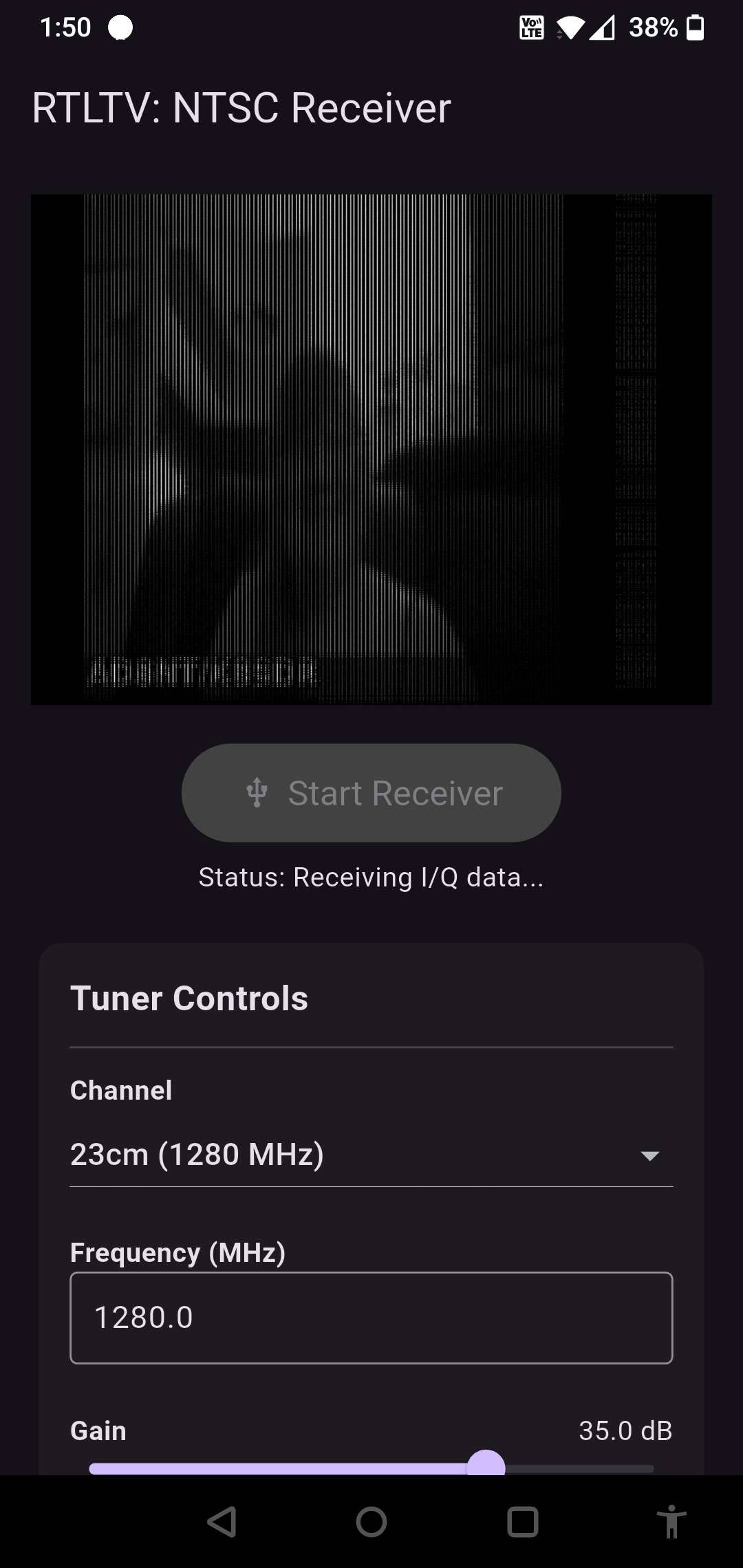
Next, she mentions that she also built an RTL-SDR NTSC Receiver for Android, based on the TVSharp decoder. It is available on GitHub and via her name-your-price store, with a $0.00 minimum spend.
RTL-TV. An NTSC video decoder for Android and RTL-SDR.
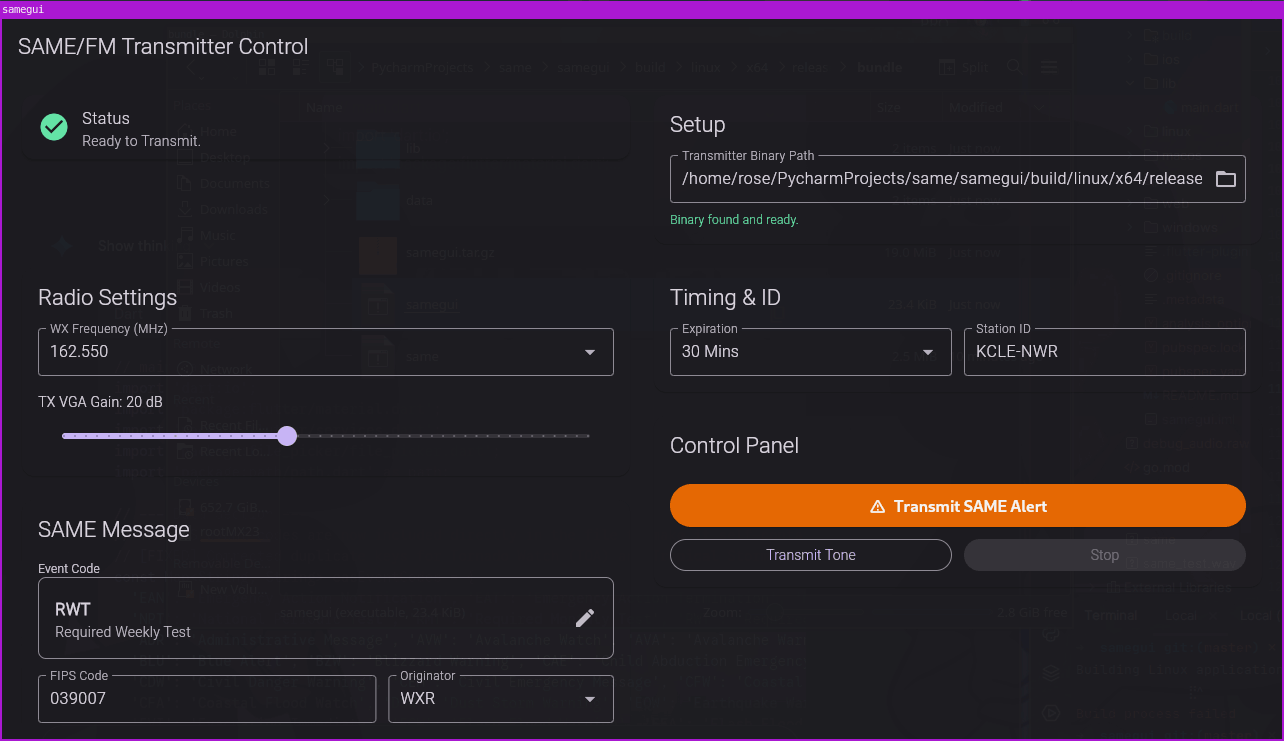
Finally, Sarah writes that she has also created a NOAA SAME weather encoder for use with a HackRF on Linux or Android. This allows users to transmit NOAA SAME (Specific Area Message Encoding) alerts, which are weather alerts typically transmitted on the NOAA Weather Radio frequency, transmitted around 162 MHz. The software is available via GitHub, or via her store for $10 (Linux edition / Android edition).
Thank you to Chris Gianakopoulos for writing in and sharing with us the release of his open-source software-based Automatic Gain Control (AGC) library written in C. The library is hardware agnostic and designed to make it easy for programmers to implement an AGC algorithm into their programs. The AGC library can help automatically optimize the signal-to-noise-ratio (SNR) on SDRs with variable-gain amplifiers (VGA). Chris explains:
I converted my software AGC to C code with the following enhancements:
1. It is radio-agnostic. 2. Itis written in C so that both, C and C++ apps can use it. 3. The app provides two callback functions: one to provide the current amplifier gain setting and one to set the amplifier gain. 4. A signal magnitude is provided as input to the AGC algorithm 5. Among other things,the number of bits to represent the signal magnitude, at init time.
An Automatic Gain Control (AGC) is a feeback system that adjusts the gain of a variable-gain amplifier (VGA) to maintain an operating point such as a voltage magnitude level, current magnitude level, or in the case of a digital radio, the magnitude of signal samples presented to the AGC. Typically, an average magnitude of a block of data is used to perform a smoothing action to the input provided to the AGC.
An attempt was made to make an accurate implementation of what was described in the paper (by Fred Harris and Gregory Smith) in the doc/papers/ directory. For details on design and implementation, refer to that paper.
He goes on to mention why a software AGC is useful:
My motivation for creating an AGC was to give people the ability to run SDR software on radios which conain A/D converters that produce 8-bit output samples. With a 48dB (theoretically, ignoring implementation loss), you don't have much to work with in a radio environment with radically different signal strengths.
With an amplifier, whose output drives an A/D converter, on the rtl-sdr, when I listened to aircraft frequencies, I would hear strong tones when a strong signal would be received. The solution was to reduce the LNA and mixer gains.
I asked myself, why would I want to reduce front-end sensitivity when signal overload was not occuring at the variable gain amplifer input? It was A/D converter overload!
With an AGC, the user can establish a safe operating point that allows enough headroom to avoid overload when a strong signal arrives. When the signal goes away, the gain is increased so that you can hear weak signals.
Hopefully, developers of SDR software will see this and implement it into their software!
As mentioned in a previous post last week, UUGear have recently released their VU GPSDR expansion board for their Vivid Unit single board computer with touchscreen. Together, this combination results in a handheld Linux system, with built-in RTL-SDR and upconverter.
The VU GPSDR has some interesting features, including:
GPS-assisted 24 MHz clock for improved frequency accuracy and stability
An integrated 108 MHz up-converter for HF (under 30 MHz) reception
Dual programmable rotary encoders for tactile control
A software-controlled frequency output port for experiments
Software features, including OpenStreetMap integration and ADS-B aircraft tracking
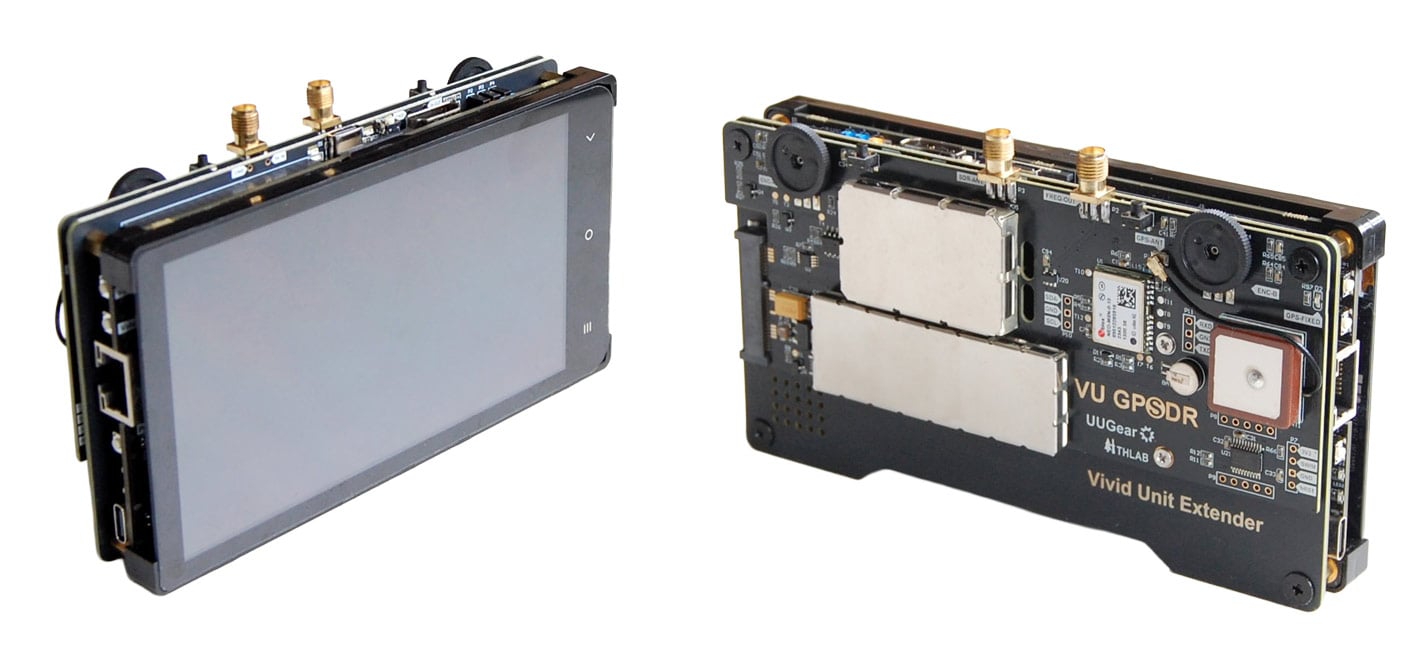
Vivid Unit with VU Extender and VU GPSDR
Assembly
We won't repeat the assembly steps as the instructions show everything clearly, but we can say that the assembly steps were clear, and the assembly itself was easy. It was simply a case of plugging in a few jumper wires between the Vivid Unit and VU Extender board, screwing down the extender board, and then slotting in the VU GPSDR into the Extender boards mini-PCIe slot, before finally screwing down the GPSDR. Assembly took less than 10 minutes.
Physical Design Review
The system is put together like a sandwich. You have the screen and Vivid Unit on the top, then the Extender board, and finally the VU GPSDR on the bottom.
The Vivid Unit and GPSDR are essentially bare PCBs that connect to one another via the PCIe slot on the Vivid Extender board. This means that there is no enclosure, and you are essentially handling PCB parts in their raw form. In the future, we would like to see an optional enclosure to protect the unit better.
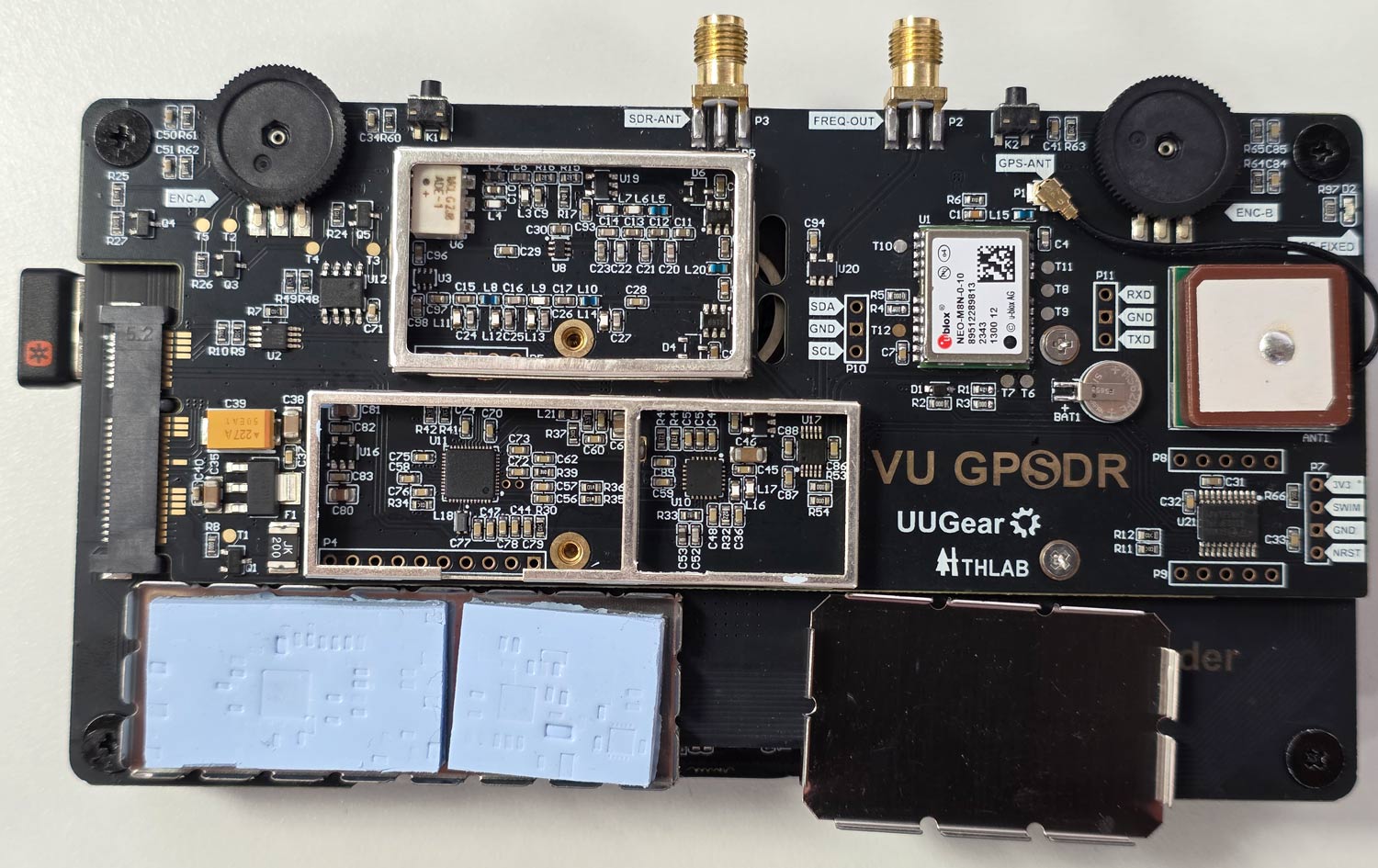
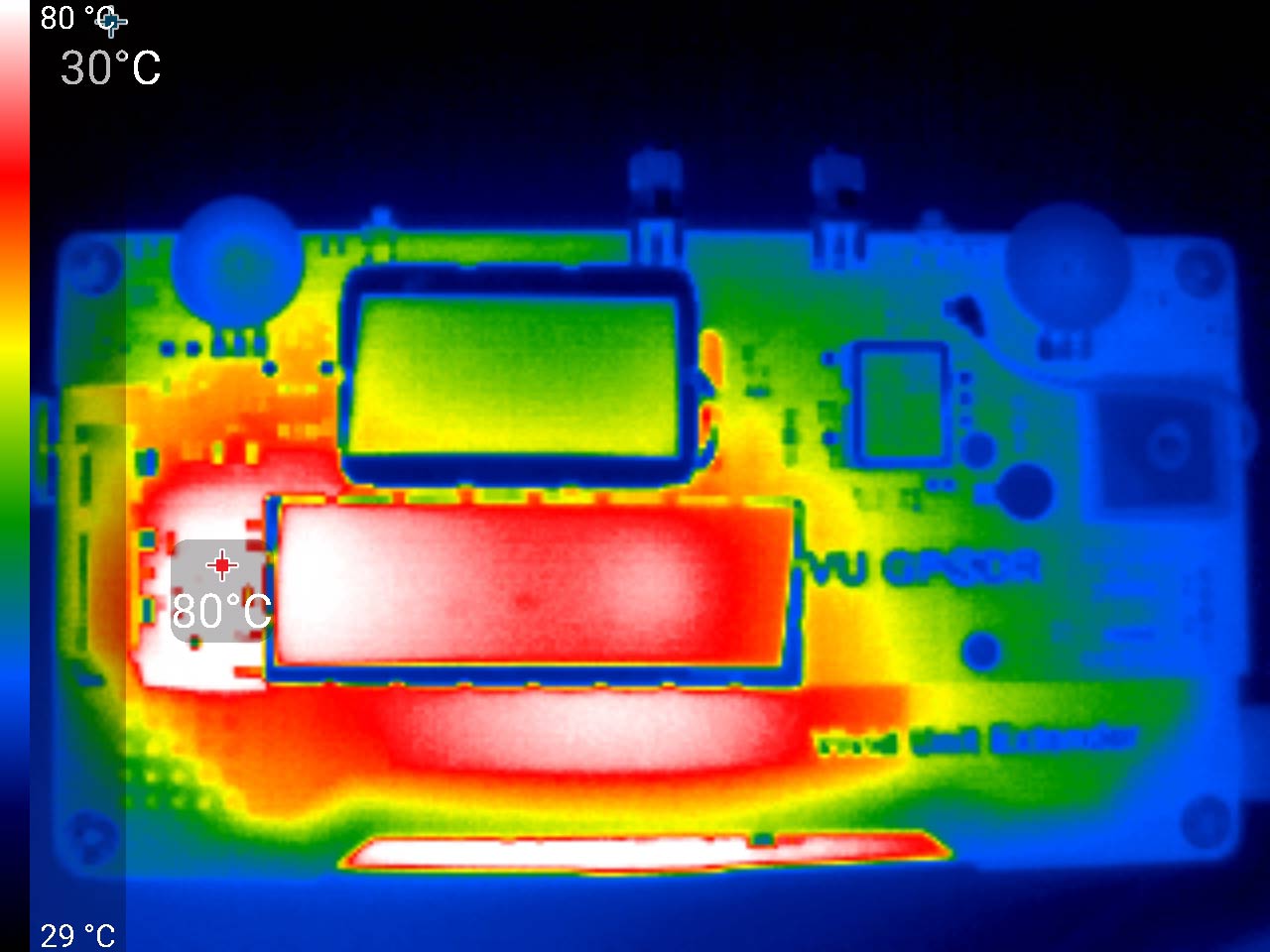
The exposed design results in some flaws that we have to point out. The shielding cans on the VU GPSSDR unit sit on the rear of the system, and during operation, they get very hot to the touch. So much so that handling the unit requires a bit of care to avoid the hot spots. Most of the heat appears to be coming from the AMS1117 LDO on the rear, which gets up to 80 °C, so be careful not to touch it accidentally. From the photos you can see that the RTL2832U and R860 are heatsunk to the shield. This is a good idea to keep the chips cool, but it also means that the metal gets quite hot to the touch. So handling the unit only from the edges is recommended.
Vivid Unit with the shielding cans removed.VU GPSDR Thermals
Secondly, because the Vivid Unit does not have a built-in battery, you need to power it separately via its USB-C port on the side. This makes the ergonomics of handling the unit a little trickier as you also have a cable sticking out. UUGear has noted that they are working on an 18650 battery pack, so this issue may be resolved in the future.
Finally, the "GPS" in the GPSDR comes from the fact that there is a GPSDO with a built-in GPS patch antenna on board. When active, a GPSDO provides excellent frequency stability, meaning that signals will be on frequency and will not drift.
But because of how the system is designed, the GPS patch antenna faces the ground when you look at the screen, even though it should face upward to get a clear view of the sky for satellite signals. However, despite this, we were happy to see that even while upside down, the patch antenna was able to receive several GNSS satellites with sufficient strength in order to obtain a fix when used outdoors.
Indoors, of course, no GPS fix is possible. But the uBlox NEO-M8N GPS module used in the GPSDR also has a fallback TCXO, so even without any GPS fix, the frequency accuracy of the system is good. UUGear also noted that the GPSDO automatically activates once a GPS fix is achieved, so no action is needed when you take the unit outdoors.
Realistically, the design issue with the GPS patch doesn't really matter anyway. For most use cases in handheld operation, the built-in TCXO will be sufficient. Any use case requiring extreme GPSDO precision will probably involve the device being mounted upside down and used remotely.
The screen is clear and bright, the two encoder wheels are non-indented and are in a good spot, and so is the SMA antenna port, although the VU Extender's USB-C plug can block the antenna SMA port if a really fat plug is used (normal-sized USB-C plugs fit OK). The screen is large and has a high resolution, making it possible to use the onscreen keyboard. However, it is still a little fiddly for typing and clicking, so we ended up plugging in a small wireless keyboard.
Over on YouTube, we've seen a talk by Mark Jessop that may be interesting to some readers, as it covers Amateur Radio Direction Finding / Fox Hunting with the KrakenSDR, as well as various other radio tools. If you are unaware, KrakenSDR is our 5-channel coherent RTL-SDR based software defined radio system, designed for coherent applications like radio direction finding.
In the talk, Mark explains the amateur radio fox hunting sport, which involves the organizer hiding a transmitter somewhere in a defined area and having participants search for it using just its radio emissions. He goes on to show the different types of antennas, radio systems and vehicle setups participants used.
Mark further explains that on his particular vehicle, he uses a KrakenSDR as the primary receive system. He explains how the KrakenSDR works, how he integrated it into this vehicle and the custom software and LED display that he is using with it.
ARDF at Mt Gambier - by Mark VK5QI and Grant VK5GR - AREG September 2025 Presentation