Over on his YouTube channel M Khanfar has put together a tutorial for an interesting idea. The idea is to use an automatic SSH connection to tell your Windows PC to run rtl_tcp whenever you open SDRTouch or RFAnalyzer on your Android device. SDRTouch and RFAnalyzer are both Android based SDR applications and rtl_tcp is a server which allows both apps to connect to a remote RTL-SDR over a network connection.
To set this up, Khanfar first sets up OpenSSH on his Windows PC which allows a secure remote connection to the PC. On his Android device he then installs MacroDroid and RaspController. MacroDroid is an app that help you automate tasks on your Android device, and RaspController is an app designed for remotely controlling a Raspberry Pi, but also works on Windows via the SSH connection. These apps are then setup so that an SSH connection to the Windows PC is automatically opened whenever SDRTouch is run. From within the SSH connection rtl_tcp is then started.
Full text instructions are available in the video description.
Automate MacroDroid with RTL_TCP through OpenSSH under Windows 10
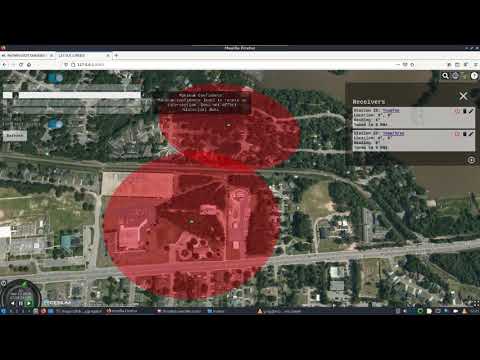
KerberosSDR is our 4-channel phase coherent capable RTL-SDR unit that we previously successfully crowdfunded back in 2018. With a 4-channel phase coherent RTL-SDR interesting applications like radio direction finding, passive radar and beam forming become possible. It can also be used as 4 separate RTL-SDRs for multichannel monitoring. KerberosSDR is currently in stock and available on the Othernet store.
In their experiment they set up both circular and linear antenna arrays for the KerberosSDR, then flew the drone in front of the antenna array while recording the bearings calculated by the KerberosSDR system. The results showed that the KerberosSDR was able to successfully track the drone's bearing with either antenna array, however the linear array produced more accurate results as expected.
We note that a linear array cannot differentiate if an object is in front or behind the array. However, if this knowledge is known it can be used instead of a circular array to get more accurate bearings that are less affected by multipath.
Thank you to Hayati Ayguen for letting us know that he and others have submitted a slew of updates to the "librtlsdr" fork of the librtlsdr RTL-SDR drivers. The improvements made to the development branch are extensive and are pasted below, and Hayati also has also created some presentation slides about his improvements. Hayati also notes that there are several open issues being tracked, and he has labelled some as "help wanted" where help and testing would be appreciated.
If you have tested any of the new features of tools, please let us know how they work in the comments!
"Driver" Library Features
added support for special USB (vendor) VID 0x1209 (product) PID 0x2832: "Generic RTL2832U":
for such devices the linux kernel's DVB modules are not loaded automatically, thus can be used without blacklisting dvb_usb_rtl28xxu below /etc/modprobe.d/
this allows to use a second RTL dongle for use with DVB in parallel
the IDs can be programmed with 'rtl_eeprom -n' or 'rtl_eeprom -g realtek_sdr'
added smaller bandwidths, improving selectivity: 290, 375, 420, 470, 600, 860, 950, 1100, 1300, 1500, 1600, 1750, 1950 kHz. These are coarse measured values .. which might get adjusted in future.
bandwidth filters utilize tuner's low- and highpass filters at IF
added spectrum flipping (inside tuner) - and back in RTL2832
the band edges (low/high-pass) have different steepness; the steeper edge can be selected with the mixer sideband (rtlsdr_set_tuner_sideband()), to achieve better attenuation depending on signal scenario
added (automatic) control over VGA (variable gain amplifier)
VGA gain (besides LNA and Mixer) can be utilized and set to automatic, letting it controlled from RTL2832U. Having all automatic (AGC) including activation of digital AGC in RTL2832 (rtlsdr_set_agc_mode()), oversteering effects got reduced (a lot).
gain range now up to 100 dB
deactivated "Filter extension under weak signal" for a stable filter characteristic
added shifting of IF-center, to receive away from DC. See rtlsdr_set_tuner_band_center()
probably some more: it's highly probable, that this list is incomplete
"Driver" Library API
added rtlsdr_set_and_get_tuner_bandwidth(), which also delivers the bandwidth. [ with rtlsdr_set_tuner_bandwidth() does not deliver the bandwidth ]
added rtlsdr_set_tuner_band_center(), to set center of the filtered tuner band
added rtlsdr_set_tuner_sideband(), to set mixer sideband
added rtlsdr_set_tuner_gain_ext(), special for R820T/2 tuner
added rtlsdr_set_tuner_if_mode(), sets AGC modes in detail
added rtlsdr_set_ds_mode() including threshold frequency
added rtlsdr_ir_query()
added rtlsdr_set_opt_string() and rtlsdr_get_opt_help() for configuration of 'driver' - especially from command line
added rtlsdr_set_tuner_i2c_register(), rtlsdr_get_tuner_i2c_register() and rtlsdr_set_tuner_i2c_override() exposing hacking of tuner-specific I2C registers
added rtlsdr_get_ver_id(), to allow discrimination between osmocom library - or this fork
added rtlsdr_get_version()
Added Tools
added rtl_ir: display received IR signals.
requires the IR diode of an RTL-SDR - which might not exist!
added rtl_rpcd: a Remote Procedure Call server for RTL-SDR dongles.
for use, set environment variable "RTLSDR_RPC_IS_ENABLED"
optionally set environment varibales "RTLSDR_RPC_SERV_ADDR" and "RTLSDR_RPC_SERV_PORT". These default to "127.0.0.1" and "40000".
requires cmake option WITH_RPC
added rtl_raw2wav: save rtl_sdr or rtl_fm's output (pipe) into a wave file, including some meta information like timestamp and frequency
added rtl_udp: same as rtl_tcp - just using UDP instead of TCP
added rtl_wavestat: display wave file meta information
added rtl_wavestream: stream raw data (in specified format)
Improved Tools
rtl_fm:
added command file option '-C', which can trigger actions depending on signal. have a look at README.rtlfm_cmdfile.
added command line interface option '-E rdc', to enable dc blocking on raw I/Q data at capture rate
added CLI option '-E rtlagc', to enable rtl2832's digital agc
added CLI option '-E bclo', to use tuner bandwidths low corner as band center
added CLI option '-E bchi', to use tuner bandwidths high corner as band center
added CLI option '-O', to set RTL driver options seperated with ':', e.g. -O 'bc=30000:agc=0'
added CLI option '-R', to specify number of seconds to run
added CLI option '-H', to write wave Header to file, producing a wave file with meta information, compatible with several SDR programs
added CLI option '-o', to request oversampling (4 recommended) for processing gain
not just rtl_fm, but many tools have more options. compare all the details by starting with command line option '-h'.
"Driver" Library's UDP-Server - only on Windows
enabled by cmake option PROVIDE_UDP_SERVER for tests. OFF by default
activated by rtlsdr_set_opt_string(): "port=1" or "port=<udp_port>", default port number: 32323
purpose is to allow configuration at runtime with a simple text protocol, e.g. with netcat
for detailed protocol, see comment section in parse() of librtlsdr.c. or look for sections with '#ifdef WITH_UDP_SERVER'
RTL_TCP TCP-PROTOCOL
allows non-GPL programs, e.g. QIRX, to utilize the RTLSDR stuff in a license compliant way
added several control functions in rtl_tcp, not existing in osmocom release: UDP_ESTABLISH, UDP_TERMINATE, SET_I2C_TUNER_REGISTER, SET_I2C_TUNER_OVERRIDE, SET_TUNER_BW_IF_CENTER, SET_TUNER_IF_MODE, SET_SIDEBAND, REPORT_I2C_REGS
control functions documented in rtl_tcp.h
(by default) control port number 1234, configurable via command-line-interface (CLI)
response(s) at +1 of control port: 1235, configurable via CLI
RTLion is a software framework for RTL-SDR dongles that currently supports various features such as a power spectrum plot and frequency scanning. The software can run on a Raspberry Pi 3 and all features are intended to be accessed via an easy to use web browser interface, or via an Android app. The software can also be run with Docker, making it useful for IoT applications.
Over on YouTube M Khanfar has uploaded a comprehensive tutorial video explaining how to setup and run the RTLion server software on a Linux computer. He goes on to demonstrate and explain how to use the server via the web interface and also via the RTLion Android app.
A few weeks ago we posted about the recently uploaded talks listed on the Defcon YouTube channel. However, there is a second YouTube channel dedicated to talks presented as part of the Defcon Aerospace Village which was also held virtually. A number of these talks involve software defined radios and RTL-SDRs and so may be of interest to readers. We have listed a few interesting talks below, but the full list can be found on their YouTube channel.
A Deeper Dive into ILS and ADS-B Spoofing - Harshad Sathaye discusses weaknesses in the security of the Instrument Landing System and ADS-B and how these can be spoofed.
Introduction to ACARS - Alex Lomas explains aircraft ACARS text messages in detail and discusses receiving them with an RTL-SDR
Low-Cost VHF Receiver - Alan Tart, Fabian Landis show how to build a low cost VHF airband receiver from an RTL-SDR, Raspberry Pi and the RTLSDR-Airband software.
The Organized Crime and Corruption Reporting Project (OCCRP) have recently run a story about how they have used ADS-B aircraft data to uncover the role that US civilian aircraft contractors are playing in the East African "kill chain". The investigation began over concerns that while civilian contractors do not pull the trigger, they may be becoming too involved in the process of determining exactly who will be killed in combat via data collection and analysis through their high tech surveillance aircraft. In the article they also note how many of these civilian contractors hide their true owners behind a chain of multiple LLC companies, thus reducing any accountability for their actions.
OCCRP also supports the Dictator Alert project which we have posted about in the past. In a related article titled "Mapping the Secret Skies: Lessons Learned From Flight Data" Emmanuel Freudenthal who helped setup the Dictator Alert project discusses how censorship free ADS-B tracking is helping journalists uncover new stories. In the article he notes how he uses uncensored ADS-B data together with the leaked Paradise Papers to reveal the true owners of aircraft hidden behind multiple LLC and shell companies. Regarding the "kill chain" article Emmanuel's post also explains how the story came to be:
An upcoming OCCRP story focuses on U.S. surveillance flights over Somalia. The U.S. military operates out of a small air base at Manda Bay just over the border in Kenya. We had a tip that it would be worth checking on planes in the area, so we set up an antenna nearby, which fed us information about planes taking off and landing from the base.
We eventually had to take down the antenna due to security concerns. But we managed to collect data on a number of planes that had been purchased by obscure shell companies and modified with advanced surveillance equipment before being sent to Kenya.
Why is this article posted on this blog? ADS-B data from aircraft is most often received these days via RTL-SDR dongles due to their low cost, so it is interesting to see to what extent cheap SDRs may be affecting the world via this type of reporting.
We note that ADS-B Exchange is the only censorship free ADS-B data aggregator available. All other online flight trackers censor flights from the government as well as from some private jets that may be owned by high profile company directors or in some cases dictators. The argument for censorship is that ADS-B data collection may be made illegal otherwise.
In a previous post we also discussed how censorship free ADS-B data from ADS-B Exchange revealed how military Blackhawk helicopters and Predator drones were used for surveillance during the early Black Lives Matter protests.
Over on his YouTube channel "saveitforparts" has been working on creating a handheld scanner/sensor box on a budget. This is a simple and fun build which is attempting to create something like a real life Star Trek scifi tricorder that you might imagine taking with you to analyze systems on another planet. The box embeds a Raspberry Pi, USB hub, battery pack, RTL-SDR and thermal camera inside. In the video he shows how everything fits into the box and gives a quick demo of the RTL-SDR and thermal camera in action. In the future he plans to add more sensors as well.
Handheld Scanning Device with Raspberry Pi - Part 2
At the BSides OK 2020 virtual conference Cameron Mac Millan recently presented a talk titled "It’s 2020, so why am I still able to read your pager traffic?". On this blog we have posted numerous times about privacy breaches stemming from insecure wireless pager traffic. Anyone with a radio or SDR can receive and decode pager messages, and this has been known and done since the 1980's. Cameron's talk explains how paging systems work, who are the modern users of pagers, how to capture and decode pager messages and how to best log and filter through messages. He goes on to describe a number of major pager security breaches that he's personally seen. The talk preview reads:
This talk explores why pagers remain a potential threat vector in many environments despite the technology being 40 years old. This is not a the-sky-is-falling presentation: everything from paging history to how simple it is to decode pager traffic (and the associated risks) is covered without FUD.
I enjoy poking things with sticks and turn over rocks to see what crawls out from under them. One of my interests is seeing how technologies believed to be obsolete can still pose a problem for security today, and do that from the perspective of a 20-year career in infosec. When not creating tomorrow’s problems with yesterday’s technology, I can usually be found wrenching on unusual cars.
It’s 2020, so why am I still able to read your pager traffic? - Cameron Mac Millan - BSidesOK 2020